


Stay Ahead With Linux Security HOWTOs
How to Secure My Network security advisory intrusion detection
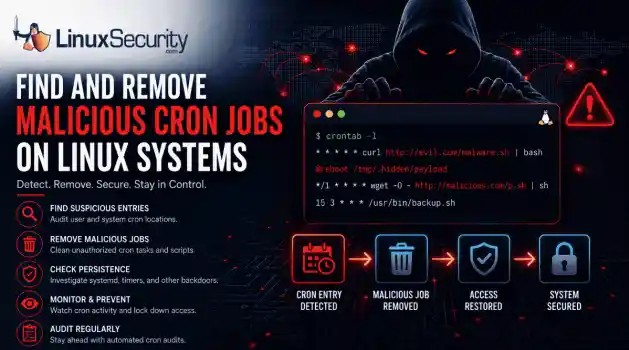
security advisory intrusion detection A compromised Linux server can continue running malware long after the initial intrusion. One of the most common persistence techniques is a malicious cron job that silently downloads payloads, restarts malware, or re-establishes attacker access every few minutes. This guide shows how to identify suspicious cron entries, preserve forensic evidence, remove unauthorized scheduled tasks, and verify that no additional persistence mechanisms remain. . What Should You Save Before Removing Cron Jobs...
 Jun 09, 2026

How to Secure My Networkaccess control Linux administration
access control Linux administration Most SSH hardening advice ends at the same recommendation: Disable password authentication and use SSH keys. . That's good advice. It removes entire classes of attacks, including password spraying, credential stuffing, and brute-force attempts against exposed servers. The problem is what happens next. Many administrators treat SSH keys as the finish line when they are really the beginning of the hardening process. Attackers rarely care whether they obtained access with a password or a private...
Jun 05, 2026

How to Secure My Networksecurity advisory remote access
security advisory remote access Most of the time, nobody notices. SSH authentication succeeds, no alerts are generated, and the connection looks exactly the way it did the day the key was installed. That's part of the problem. . When security teams investigate unauthorized access on Linux systems, they often focus on passwords, exposed services, or vulnerable software. Trusted access receives less attention. Yet a single forgotten or unauthorized SSH key can provide the same access as a legitimate user while attracting very...
Jun 03, 2026

How to Secure My Networkintrusion detection application security
intrusion detection application security The wrong IPS rule can look like a security fix right up until it becomes an outage. . On Linux systems, detection and prevention are often discussed together, but they do not carry the same operational risk. One tells admins that something suspicious happened. The other can decide whether traffic is allowed to continue. That is why IDS vs IPS is not just a definition to memorize. It is a deployment decision about where to monitor, where to block, and how much confidence a team needs before...
Jun 01, 2026

How to Secure My Networkunauthorized access security techniques
unauthorized access security techniques Exposed SSH servers are continuously hammered by brute-force attacks, password spraying, credential stuffing, and recycled passwords from infostealer dumps. Attackers rotate usernames, test weak credentials, and probe for anything that gives them initial access. The logs usually look messy long before the compromise happens. . The difficult part is separating harmless failures from actual intrusion activity. One failed login from an internal workstation rarely matters. Repeated failures...
May 28, 2026
 Refine HOWTOs
X Clear Filters
Get the latest News and Insights
Get the latest Linux and open source security news straight to your inbox.
Community Poll
What got you started with Linux?
Loading...

Explore Latest Linux Security HOWTOs
We found -4 articles for you...
161
 firewallsecurity integrationfirewall techniques
Introduction to Troubleshooting Linux Firewalls (2026 Guide)
Firewall problems usually come from small mistakes that hide in plain sight. A rule tied to the wrong interface, a default policy no one noticed, or an old setting that never actually applied. Once you’ve run into a few of these, the pattern starts to show up earlier. . New admins hit the same trouble points. A service looks open, but acts closed, outbound traffic stalls without explanation, or connectivity flips between working and broken. The common assumption is that if a rule is present, it must be active, but Linux does not care about intention. It evaluates context, order, and state, and it follows the exact Linux firewall rules you give it. This guide stays on real behavior. You watch what packets do, check how the host interprets them, and confirm whether your Linux firewall settings line up with the Linux firewall configuration you think you deployed. Step 1: Make Sure the Firewall Is Actually Running A lot of “firewall issues” start with a service that never entered enforcement. You see a full rule list, everything looks aligned, yet packets move through untouched. This check keeps you from debugging behavior that the system never applied. A quick workflow keeps it simple: Check the service state with systemctl status . You want a clean running process. Anything inactive, failed, or stuck in a reload loop means the rules you’re testing aren’t in play. Some tools load rules even when enforcement is off. They accept new entries, display them back, and still leave the kernel using defaults. Restart and reload aren’t interchangeable. Reloading refreshes tables in place. Restarting resets the entire engine. If the service failed earlier, reload won’t recover it. Check the service first. Otherwise, your test results mix real traffic with assumptions that don’t match the system state. If the firewall isn’t active, your Linux firewall settings stay cosmetic. Don’t treat the Linux firewall configuration as live until the serviceactually enforces it. Step 2: Check Logs for Drops, Rejects, and Unexpected Behavior Logs show what happened to the packet, not what you expected it to do. When traffic disappears with no obvious pattern, the log is where you confirm whether it touched a chain, got filtered early, or never reached the host at all. Most systems surface firewall-related messages through the journal or kernel logs . You scan for DROP, REJECT, or odd interface paths. After enough troubleshooting sessions with Linux firewall rules, you start to trust these traces more than the rule list because they reveal which decision ran first. Drops give you context about the path. Rejects send something back to the client, which is useful during controlled tests. Silent drops take longer because the client sees nothing. And if no log entry appears at all, the packet was either filtered upstream or logging isn’t active for that segment. When packets keep jumping past the rule you expect, the issue is usually order or policy. The behavior makes more sense once you walk through packet filtering basics and remember how each chain short-circuits on the first match. Log Snapshot: Why the Rule Didn’t Apply A quick look at how the log exposes the real match. Log snippet: DROP IN=eth0 SRC=192.168.1.50 DST=192.168.1.10 PROTO=TCP DPT=80 Cause: A drop rule higher in the chain matches first. The allow rule never runs. Step 3: Confirm Rule Order and Matching Behavior Most broken rules come from order, not syntax. Linux reads a chain from the top, matches the first condition that fits, and stops. Once you’ve debugged a few of these, you start noticing that the rule people think should fire sits too low in the list to matter. A clean way to think through it: A broad DROP near the top wipes out everything that follows. A specific allow only works if it appears before anything that could catch the same traffic. Old entries left above new ones often decide the entire path. Rewriting a rule rarelyfixes anything if it sits in the wrong place. Reordering almost always does. When you’ve looked at enough real cases, you stop trusting intention and start trusting position. The chain shows you which rule the kernel will hit first, long before you check the details of any single entry. Once you line up the sequence, the logic becomes predictable again. Watching the chain flow this way also helps you compare what you meant to apply with the Linux firewall settings that are actually in effect. You see it especially clearly when you trace behavior against the Linux firewall rules listed on the system. The mismatch between order and expectation explains most of the confusion, and understanding that flow connects naturally with firewall rule ordering basics . Step 4: Inspect Default Policies Before You Touch Anything Else Default policies set the baseline . They sit underneath every rule you write and decide what happens when nothing else matches. New users skip this check because the rule list looks fine, but the baseline is quietly set to DROP. After you run into this a few times, you start checking the defaults before adding anything new. Defaults create symptoms that feel inconsistent. You allow a service, but the client still times out. You open a port, but traffic never reaches the end of the chain. The rules look correct, yet the behavior stays the same. That pattern almost always points at a policy issue, not a rule issue. The policies on INPUT, OUTPUT, and FORWARD work as a final decision. If no rule claims the packet, the policy acts instead. When a default is DROP, you can add allow entries all afternoon and still watch packets fall through untouched. Reading the Linux firewall configuration at this point tells you whether the system will ever reach the logic you expect. Once the baseline is right, the rest of the Linux firewall rules start behaving the way you intended. Policy Check: The Default That Overrode the Rules A user kept adding allow rules and still saw drops.Nothing was wrong with the entries. The default INPUT policy was set to DROP, so no traffic ever reached the new rules. Setting it to ACCEPT temporarily made the flow visible again, and the intended behavior appeared as soon as the baseline changed. Step 5: Check Interfaces and Zone Assignments Interface mistakes show up almost as often as ordering mistakes. The packet enters on one path, but the rule sits on another. Once you’ve seen it happen a few times, you start checking the incoming interface before you question anything else in the chain. Firewalld adds another layer with zones. An allow rule tied to the public zone won’t help if the interface is bound to internal. Multiple NICs create the same pattern. A rule on eth0 never fires if the traffic arrives through eno1. VPN tunnels and virtual adapters from containers add more surfaces where packets can show up in places you didn’t plan for. The quickest way to sort this out is to compare the interface the packet actually used with the interface the rule expects. If they don’t match, the rule never had a chance. This is also where your Linux firewall settings show gaps that are easy to overlook until you trace the packet’s exact path. Step 6: Test Linux Firewall Connectivity A structured path keeps troubleshooting clean. You start at the host, then move outward. Each stage tells you how far the packet gets, and the order helps you see where the flow breaks. Work through the checks in order: Test on the host If the service responds locally, the process is running and listening. Test from the LAN A failure here usually points to ingress filtering, an interface mismatch, or a rule that only allows loopback traffic. Test from the WAN This separates internal reachability from true external access. If the LAN test works but the WAN test fails, the block often sits closer to the perimeter. When the Failure Is Outbound Inbound tests only show one direction. Sometimes the service is reachable, but thehost itself cannot contact external destinations. Local checks pass. Internal checks pass—requests leaving the host time out or disappear on the way out. Outbound traffic follows a different decision path, and this is where the basic idea behind egress filtering helps you understand why the two directions behave differently. Outbound rules can block traffic after it leaves the application, even if every inbound check looks clean. Tie the results back to the Linux firewall rules you expect to match. Once you align the failure direction with the rule path, the issue usually becomes obvious. Connectivity Check: Local Works, LAN Fails A user can reach a service on localhost but not from the LAN. The application is running and responds internally. External traffic never reaches it. The firewall allows local traffic but blocks network requests. Checking ingress rules and confirming interface bindings quickly exposes the issue. Step 7: When the Problem Is the Firewall Tool Itself Sometimes the issue isn’t the rule, the policy, or the interface. It’s the tool. Linux has several layers that manage packet filtering, and they don’t always work together cleanly. After you run into a few of these conflicts, you start checking which layer owns the ruleset before touching anything else. Different tools write to the same underlying system. Some expect full control. Others only update parts of the ruleset. Manual nftables changes can look correct, but they disappear the moment another tool reloads. Old rules also linger on systems that have been reconfigured several times, which makes the final behavior hard to trust at first glance. You see the conflicts in small ways. A rule applies, but the traffic still ignores it. A reload brings back an older state. The system looks active, but the behavior reflects a different layer entirely. Certain tools manage their own view of the ruleset. UFW is one example, and its behavior is shaped by the patterns described in UFW basics , where simple,high-level commands generate a complete underlying ruleset that can override manual changes. Once you confirm which component owns the rules, the rest of the troubleshooting becomes more predictable. Tool Conflict: One Layer Overriding Another A user edits nftables rules directly, but a higher-level tool overwrites them on reload. The fix is not to adjust the manual rule. The fix is to disable one tool before using another, so only a single layer manages the active ruleset. It is the same type of overlap you deal with when choosing a Linux firewall , where multiple tools shape the final ruleset. Linux Firewall Troubleshooting Table (Quick Reference) A quick way to see patterns as they come up. Most issues fall into a few familiar shapes, and once you know where each one sits in the flow, the fix becomes easier to spot. Symptom What to Check Likely Cause Step Firewall rules are set, but nothing changes Service state, active ruleset Firewall is not running or not enforcing rules Step 1 Traffic keeps getting dropped even though the Linux firewall rule looks correct Logs, DROP or REJECT entries A different rule matched earlier in the chain Step 2 Port shows as allowed, but the service is still unreachable Rule order A broad DROP rule placed above the allow rule Step 3 Added multiple allow rules, but connections still fail Default policies INPUT, OUTPUT, or FORWARD policy set to DROP Step 4 Service works on the server, but other devices cannot reach it Interface bindings, zone assignment The rule applied to the wrong network interface or zone Step 5 Local and LAN access work, but external access never connects Outbound path Outbound filtering affecting the return or forward path Step 6 Firewall changes work until reload, then reset or behave differently Active firewall tools Another firewall tool overwrites or rebuilds the ruleset Step 7 These checks help you compare the behavior you see with the Linux firewall settings that are actually in effect. Example: Diagnosing a “Rule Exists but Still Blocked” Issue A full walk-through helps you see how the pieces work together. You move through each layer the same way you would in a real troubleshooting session and let the behavior tell you where the mismatch sits. Symptom Port 443 is allowed, but external clients still cannot connect to the service. Step-by-step diagnosis Firewall active, confirmed: The service is running, and the ruleset is loaded, so the issue is not an inactive firewall. Logs show DROP on port 443: A DROP entry confirms the packet reached the host and hit a filter before any allow rule. Allow rule sits below a broad DROP: The allow rule never matched. The chain hit the broader rule first. The default policy is set to DROP: Anything reaching the end of the chain is dropped by the baseline decision. Interface mismatch: The allow rule targeted eth0, but the traffic arrived through ens3. The rule applied to the wrong interface. After corrections, connectivity restored: Once the rule order, default policy, and interface binding were adjusted, the service became reachable from external clients. Each layer explains a different part of the outcome. Checking the Linux firewall configuration reveals the baseline. Tracing the Linux firewall rules shows which decision was made first. When these pieces finally match the Linux firewall settings applied to the service, the flow becomes predictable, and the connection succeeds. Final Thoughts: Understanding Linux Firewalls Makes Troubleshooting Easier Troubleshooting gets easier once you understand the small patterns that shape how a firewall behaves. You start noticing the same issues comefrom the same places, and the flow makes more sense every time you walk through it. The goal here was to show how to diagnose what is happening in front of you, not to teach configuration or theory. If you want a clearer picture of how these patterns form, it helps to step back and look at the fundamentals that sit underneath them. That foundation is the focus of Linux firewall basics , and it ties directly into the way you read decisions, match entries, and make sense of the packet path. The behavior you observe always comes from the Linux firewall configuration on the system and the Linux firewall rules that actually run. Once those pieces line up in your head, most troubleshooting becomes a matter of following the packet and watching where it turns. . New admins hit the same trouble points. A service looks open, but acts closed, outbound traff. firewall, problems, usually, small, mistakes, plain, sight. . Mak Ulac
 Dec 04, 2025
•
Dec 04, 2025
• How to Secure My Firewall

Get the latest News and Insights
Get the latest Linux and open source security news straight to your inbox.
Community Poll
What got you started with Linux?
Search Topics
Powered By

Linux Security - Your source for Top Linux News, Advisories, HOWTOs and Feature Releases
QUICK LINKS
subscribe to newsletters!
Like staying secure? So do we.
Sign up for updates, tips, and alerts!
Discover faster search, smarter navigation, and deeper Linux security insights. Read More