


Network Security security advisory networking
security advisory networking For years, IPv4 was the only proxy type that really mattered for anyone running automation off a Linux box. IPv6 was the protocol everyone said they’d migrate to, but almost nobody actually did. In 2026, that’s finally starting to shift. . The problem is that most admins stick with IPv4 out of habit. They know it; it’s what their tooling defaults to, and they don’t see a reason to change. Some are overpaying for addresses they don’t need. Others would quietly break their scrapers, scripts, or...
 Jun 09, 2026
Network Securityopen-source python
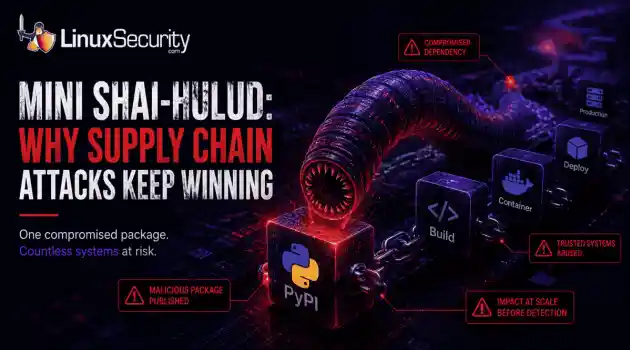
open-source python Researchers recently identified another wave of malicious packages on PyPI linked to the broader Mini Shai-Hulud campaign, a worm-like supply chain attack that spread through trusted software packages. On the surface, the packages looked no different from thousands of others published to the repository each week. . Instead of trying to break into a target network directly, the attackers hid malicious code inside software that developers were already using. A few downloads are all it takes....
Jun 09, 2026
Security Vulnerabilities malware linux
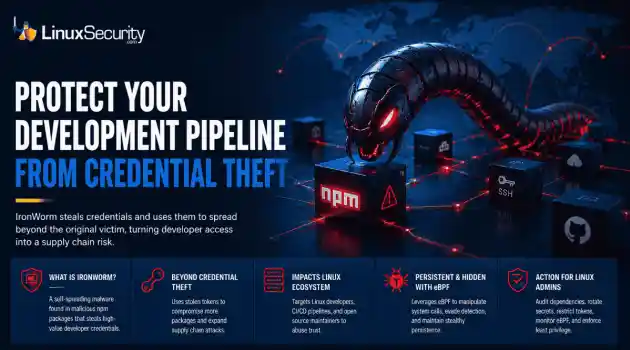
malware linux IronWorm steals credentials and uses them to spread beyond the original victim, turning developer access into a supply chain risk. . A new campaign targeting npm has evolved past simple credential theft. Researchers identified IronWorm, a self-spreading threat. It harvests high-value Linux development secrets—SSH keys, cloud tokens, package publishing credentials. One compromised workstation becomes a launchpad for downstream supply chain attacks. This is not a get-in-and-get-out operation....
Jun 08, 2026

Network Securitysystem security Linux network
system security Linux network The romanticized image of the digital nomad – a laptop on a sun-drenched balcony – rarely accounts for the actual friction of maintaining a professional development environment on the move. . The friction is amplified with Linux. We are looking for a setup that respects our kernel configurations, handles volatile network handovers, and maintains a strict security posture without the hand-holding of a consumer-grade OS – so, put simply, more than just a laptop and a sunny deck. The hardware is...
May 26, 2026

Server Securityopen-source Linux administration
open-source Linux administration Cron has existed in Unix and Linux environments for decades, handling backups, cleanup scripts, patching jobs, log rotation, monitoring tasks, and other maintenance work that administrators do not want to run manually. Most Linux servers rely on it constantly, which is exactly why attackers continue abusing it for persistence after a system has already been compromised. . Persistence through cron is not complicated. Attackers do not need a rootkit or advanced malware framework to maintain...
May 25, 2026
 Refine news
X Clear Filters
Get the latest News and Insights
Get the latest Linux and open source security news straight to your inbox.
Community Poll
What got you started with Linux?
Loading...

Explore Latest Linux Security news
We found -4 articles for you...
74
 network securitydata protectionuser safety
Effective Mobile User Protection Strategies Against Security Threats
Imagine what it would be like if every user's system was located on your network perimeter and had none of the safeguards your multi-layered security systems provide. Unfortunately, you most likely have such systems: your mobile users. Whether it's your sales force, world-traveling executives or just a user "working from home," these people are separated from all of your inner defenses and are at the mercy of their surroundings. You need a strategy to ensure their systems and their data is as safe on the road as they are in your own borders. . . .. Managing security within the confines of an organization or enterprise is a difficult job. Worms, viruses, spam, malware, port scans and perimeter defense probes are constant threats. Servers and desktop systems require regular patching and monitoring, and IDS signatures and firewall rules are under constant review and tweaking. Thankfully, the desktops and servers sit well protected within the confines of your network. Imagine what it would be like if every user's system was located on your network perimeter and had none of the safeguards your multi-layered security systems provide. Unfortunately, you most likely have such systems: your mobile users. Whether it's your sales force, world-traveling executives or just a user "working from home," these people are separated from all of your inner defenses and are at the mercy of their surroundings. You need a strategy to ensure their systems and their data is as safe on the road as they are in your own borders. A layered defense The best way to safeguard the mobile user is to use the same approach as you would when securing your network: use layers. You have to worry about the physical system security, network security and data security - it just so happens that it's all in one, compact, portable package: convenient for the attackers, not so convenient for those who need to manage those systems. Your first concern is protecting the physical asset, which is most likely a laptop or notebook computer. To do that, you shouldgive Josh Ryder's article on Laptop Security [ref 1] a good read. He has advice on keeping the laptop safe from theft and also on basic security measures, such as BIOS passwords. This step is akin to putting locks on the doors to your buildings. Once you've secured the physical device, you need to switch gears and look at the other areas to secure: network, application/operating system and data. Mobile network security in a connected world Even when your users are mobile, they expect to be able to check e-mail, exchange files and have web access on-the-go. In the past, this would have probably meant dialing into the corporate network remote access service via modem or using a direct ISDN connection. Security was "easy" in those days. Now, most organizations find that it is much more cost effective to let companies like iPass [ref 2] manage the connections - which are usually dial-up, broadband or WLAN Internet hookups - and provide access to corporate systems and data in some other fashion (e.g. SSl/VPN). If you don't have a unified access provider like iPass, users can still take advantage of solutions from services such as Boingo Wireless [ref 3] & T-Mobile [ref 4] and mobile campgrounds in hotels, Starbucks and Borders to make that first connection to the Internet. And that's where the trouble begins: you have a workstation (most likely running a flavor of Microsoft Windows) directly on the Internet, ready to be attacked by every worm, virus and hacker that is plaguing the network address block they were assigned to. Your internal systems are protected by one or more firewalls and that's exactly what is needed here: a personal, mobile firewall. Starting with Windows 2000 and continuing with Windows XP, Microsoft has included a basic firewall with every system that is capable of performing the most important task required of a firewall: keeping the bad packets out. However, there are limitations when using the built-in firewall. Users have to really know what they're doing if they want to do anything beyondblocking all incoming packets. Furthermore, there is no decent GUI to manage the configuration, no built-in reporting tool to examine logs and troubleshoot problems and there is no easy way to deal with users who go back and forth from the road to the office (NOTE: it is easier with XP to create GPO/domain-based rules, but it still is not straightforward). Ideally, the mobile user shouldn't have to know about firewalls at all. They want their mobile experience to be the same as it is on the inside: plug it in and work. Desktop administrators would also prefer that the users not know about the firewall at all, or at least not be able to modify the configurations. There are quite a few personal/desktop firewall products to choose from. Traditional network firewalls employ various methods to allow or deny network access and have strengths and weaknesses in various areas, especially depending on the type of firewall. Desktop/personal firewalls are no different. Here are some elements you should look for: The link for this article located at is no longer available. . Safeguarding mobile users against risks that surpass organizational protections presents a significant challenge. Delve into practical approaches for enhancing their security.. Mobile Security Strategies, Remote User Protection, Data Safety Techniques, Network Access Control. . Anthony Pell
 Apr 29, 2004
•
Apr 29, 2004
• Network Security

Get the latest News and Insights
Get the latest Linux and open source security news straight to your inbox.
Community Poll
What got you started with Linux?
Search Topics
Powered By

Linux Security - Your source for Top Linux News, Advisories, HOWTOs and Feature Releases
QUICK LINKS
subscribe to newsletters!
Like staying secure? So do we.
Sign up for updates, tips, and alerts!
Discover faster search, smarter navigation, and deeper Linux security insights. Read More