


Security Vulnerabilities  malware linux
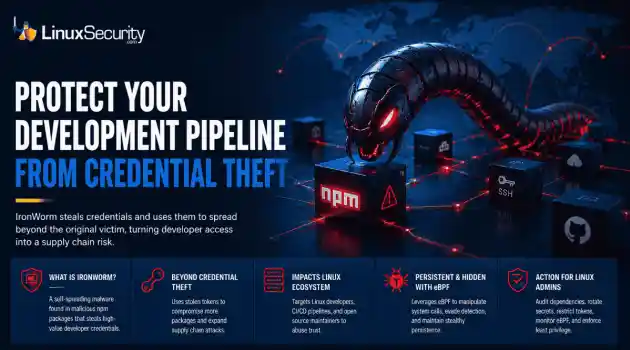
malware linux IronWorm steals credentials and uses them to spread beyond the original victim, turning developer access into a supply chain risk. . A new campaign targeting npm has evolved past simple credential theft. Researchers identified IronWorm, a self-spreading threat. It harvests high-value Linux development secrets—SSH keys, cloud tokens, package publishing credentials. One compromised workstation becomes a launchpad for downstream supply chain attacks. This is not a get-in-and-get-out operation....
 Jun 08, 2026

Network Securitysystem security Linux network
system security Linux network The romanticized image of the digital nomad – a laptop on a sun-drenched balcony – rarely accounts for the actual friction of maintaining a professional development environment on the move. . The friction is amplified with Linux. We are looking for a setup that respects our kernel configurations, handles volatile network handovers, and maintains a strict security posture without the hand-holding of a consumer-grade OS – so, put simply, more than just a laptop and a sunny deck. The hardware is...
May 26, 2026

Server Securityopen-source Linux administration
open-source Linux administration Cron has existed in Unix and Linux environments for decades, handling backups, cleanup scripts, patching jobs, log rotation, monitoring tasks, and other maintenance work that administrators do not want to run manually. Most Linux servers rely on it constantly, which is exactly why attackers continue abusing it for persistence after a system has already been compromised. . Persistence through cron is not complicated. Attackers do not need a rootkit or advanced malware framework to maintain...
May 25, 2026

Vendors/Productssecurity breach linux
security breach linux A major internal repository breach at GitHub has exposed a critical and overlooked blind spot in Linux supply chain security. Kernel exploits, exposed SSH services, weak firewall rules, and vulnerable daemons dominated the Linux threat model for years, and in many environments, they still matter. But recent supply-chain incidents involving GitHub ecosystems, npm packages, and malicious developer tooling point somewhere else entirely: the developer workstation. . The breach matters because...
May 21, 2026

Security Trends access control multi-tenant
access control multi-tenant Linux administrators often face an ugly choice in the cloud: prioritize convenience and cost-efficiency by sharing infrastructure, or sacrifice those benefits for the sake of total isolation. Most modern Linux workloads don't live on their own private servers anymore. They live in shared environments like Kubernetes clusters, where multiple teams and services run side-by-side. It sounds efficient, and it usually is. . But cloud isolation isn't as ironclad as it looks on the diagram. If you...
May 21, 2026
 Refine news
X Clear Filters
Get the latest News and Insights
Get the latest Linux and open source security news straight to your inbox.
Community Poll
What got you started with Linux?
Loading...

Explore Latest Linux Security news
We found -4 articles for you...
77
 secure communicationweb proxybeta release
Proxomitron Beta Introduces SSL For Secure Client/Server Communication
Last week, I mentioned that the new beta version of Proxomitron, a local Web proxy, supports SSL. Let's look at how this works. Normally, Proxomitron works only with unencrypted traffic. It listens (by default) on port 8080. To relay traffic through . . . . Last week, I mentioned that the new beta version of Proxomitron, a local Web proxy, supports SSL. Let's look at how this works. Normally, Proxomitron works only with unencrypted traffic. It listens (by default) on port 8080. To relay traffic through it, set your browser's HTTP proxy to localhost:8080. In Netscape, that's Edit-> Preferences-> Advanced-> Proxies-> Manual Configuration-> View-> HTTP. In MSIE, it's Tools-> Internet Options-> Connections-> LAN Settings-> Proxy Server-> Use a Proxy Server. Now you can watch the conversation between your browser and a Web server in Proxomitron's log window. Here's the browser on my Windows machine talking to the server on my Linux machine, as seen in the log window: The link for this article located at BYTE is no longer available. . The new Proxomitron beta significantly enhances secure client/server communications with SSL support, ensuring data confidentiality and protection from eavesdroppers. Proxomitron, SSL Support, Secure Communication, Web Proxy, Local Proxy. . LinuxSecurity.com Team
 Feb 19, 2001
•
Feb 19, 2001
• Server Security

Get the latest News and Insights
Get the latest Linux and open source security news straight to your inbox.
Community Poll
What got you started with Linux?
Search Topics
Powered By

Linux Security - Your source for Top Linux News, Advisories, HOWTOs and Feature Releases
QUICK LINKS
subscribe to newsletters!
Like staying secure? So do we.
Sign up for updates, tips, and alerts!
Discover faster search, smarter navigation, and deeper Linux security insights. Read More