Explore top 10 tips to secure your open-source projects now. Read More
×


Linux Rootkits Explained: How They Hide and How Defenders Can Respond
 Jul 09, 2026
•
Jul 09, 2026
•
 Dave Wreski
4 - 7 min read

Topics Covered
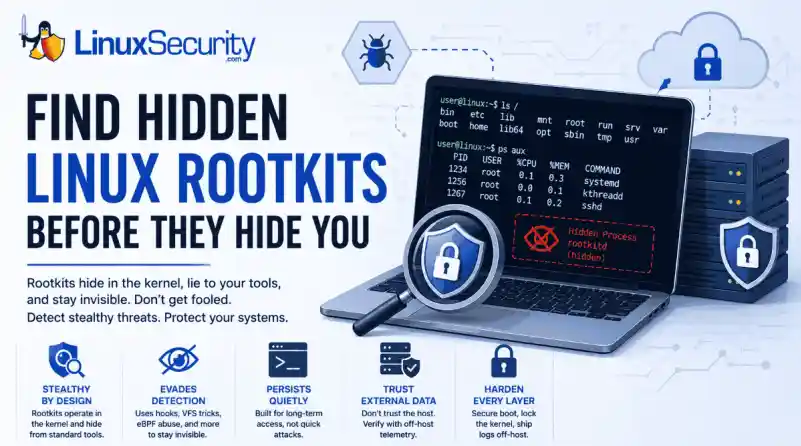
Most of us think of Linux rootkits as ancient history—the stuff of 90s hacking forums and clunky malware that would crash your system if you looked at it the wrong way. But if you think they’ve gone away, you’re mistaken. They’ve just gotten smarter.
Modern attackers aren't using the noisy tools of the past. Today’s threats are surgical. Many of today’s most advanced Linux rootkits operate at the kernel level or abuse legitimate system features to blend in with normal traffic. They’re designed to stay quiet for years, not days. If you’re still relying on basic ps or ls commands to see if a system is compromised, you aren't finding them—you’re looking exactly where the attacker wants you to look.
What Is a Linux Rootkit and How Does It Work?
At its core, a rootkit is malware designed to hide an attacker's presence after they’ve gained privileged access. Unlike your typical "smash and grab" malware, rootkits manipulate the OS itself—often the kernel—to conceal malicious processes, files, network connections, or user accounts.
Their goal isn't the initial compromise; it's long-term, stealthy persistence. Once a rootkit takes hold, the OS is no longer a reliable witness. You cannot trust your EDR, you can't trust your netstat output, and you definitely cannot trust the local logs.
|
Type |
Runs Where |
Persistence |
Detection Difficulty |
|
User-space |
User processes |
Medium |
Low |
|
LKM |
Kernel |
High |
High |
|
eBPF |
Kernel execution environment |
High |
Very High |
|
Bootkits |
Bootloader |
Very High |
Very High |
Note: Although kernel rootkits get all the headlines, user-space rootkits—like those abusing LD_PRELOAD—are still super common because they’re easier to deploy and can still hide activity from standard admin tools without risking a system-wide kernel panic.
Why Do Attackers Use Linux Rootkits for Persistence?
A lot of people think an attacker drops a rootkit as their first move. That’s rarely true. A rootkit is usually a "Phase 2" operation. It’s not how they get in; it’s how they stay in.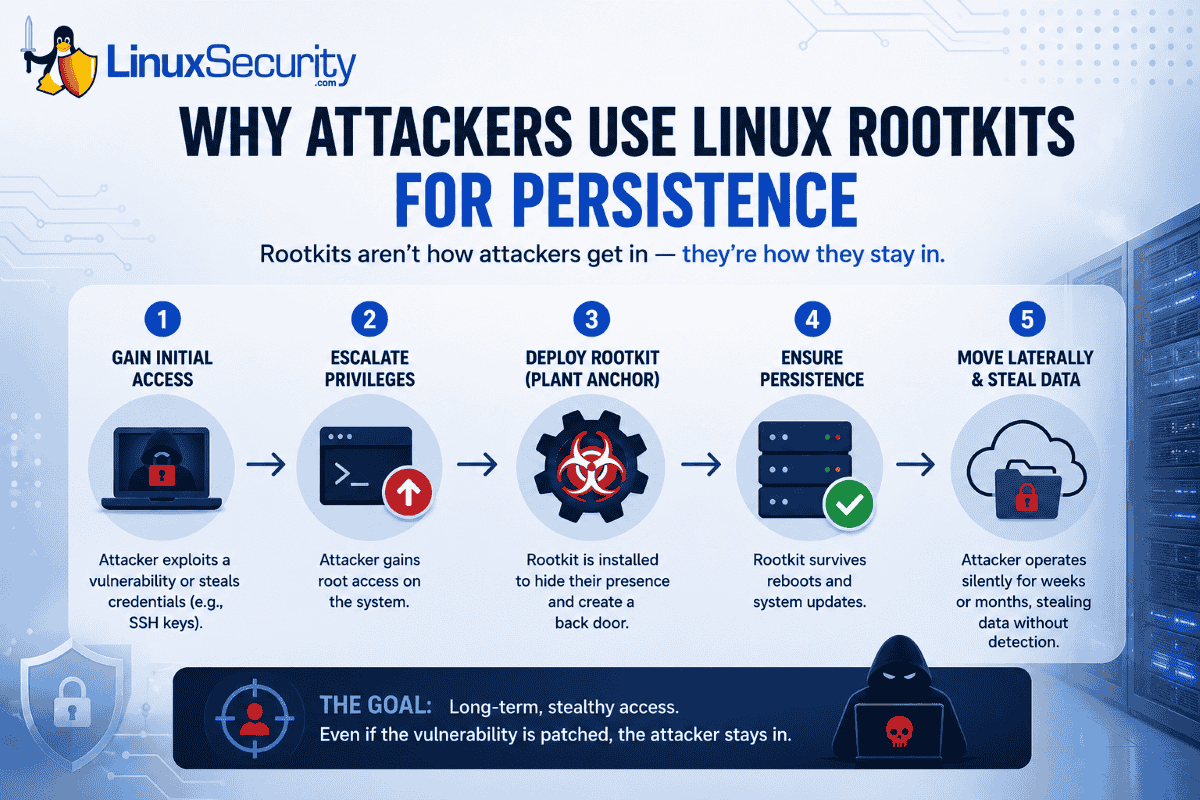
The typical flow usually looks like this. First, they break in by exploiting a web app or snagging some SSH keys. Next, they escalate their privileges so they have root access. Once they have that level of control, they drop the rootkit as an "anchor" so that even if you patch the vulnerability they used to get in, they’ve still got a back door. They then ensure they survive a reboot and start the long game of moving laterally and grabbing data while the server acts like nothing is wrong.
We see this a lot in high-value targets—cloud infrastructure, Kubernetes clusters, and telecom backends. I remember looking at an incident where an attacker was sitting on an internet-facing server for months. They weren't trying to deploy ransomware or make a scene; they were just quietly siphoning data. The rootkit didn't help them get in—it just made sure nobody noticed they were there for half a year.
How Do Modern Linux Rootkits Evade Detection?
To beat them, you have to realize they aren't "breaking" your system—they’re just feeding it lies.
System call hooking is a primary tactic. Every app you run has to ask the kernel for information. When you type ls, the kernel gathers the file list. A rootkit can sit in the middle of that conversation. When the kernel hands off the file list, the rootkit snatches it, pulls out the malicious files it wants to hide, and passes you a "sanitized" version. You see what the rootkit wants you to see.
Virtual File System (VFS) manipulation is another common path. The VFS is basically the kernel’s way of managing files. By messing with this layer, the rootkit can make files "disappear." Standard tools can't find them because the kernel itself is telling them the file doesn't exist.
Finally, there is eBPF abuse. eBPF is great—it’s how we get amazing performance data. But attackers love it for the same reason we do: it runs inside the kernel. They can use it to monitor the system or hide their tracks without ever changing the actual kernel binary on disk. It’s hard to find because, to your integrity tools, it looks like just another legitimate eBPF program.
How Can Security Teams Spot a Hidden Rootkit?
Since the OS is lying to you, you have to stop trusting the machine. Look for the "gaps" in reality:
- Missing Log Entries: If your SIEM shows a connection, but the server’s local logs are empty, someone is likely tampering with them in real-time.
- Kernel Panics: If you’re seeing frequent, unexplained crashes, it might be a poorly coded rootkit messing with things it shouldn't touch.
- Integrity Mismatches: Using tools to compare running kernel code against known-good baselines can reveal hooks.
- Network "Ghosting": If your firewall sees a connection coming from the server, but your local ss command shows nothing, the socket is almost certainly hidden.
- Unexpected Module Signatures: If you see a kernel module with no signature or an origin you can't account for, treat it as a massive red flag.
When things look too clean, trust your gut. If I suspect a rootkit, I stop relying on the local OS entirely. I’ll pull a memory dump or use offline forensic tools to inspect the disk. You have to step outside the infected environment to see the truth.
How to Build a Tamper-Resistant Linux Security Strategy
If the kernel is already compromised, you’ve lost. You need to build your defense so that if a rootkit does get in, it’s going to have a hell of a time maintaining its foothold.
You should start by locking the kernel. Once you’ve booted, use sysctl -w kernel.modules_disabled=1. It’s a simple move that stops an attacker from loading new modules on the fly. Secure Boot and TPM are also non-negotiable for high-value gear. If the boot chain is modified, the system shouldn't even wake up.
You also need to prioritize remote logs. If your logs live on the server that’s being hacked, the logs are gone. Ship them off-host to a write-only SIEM like Wazuh immediately. Additionally, use runtime guards. Tools like LKRG are great—they’re designed to notice when someone starts tweaking the kernel's internals while the system is running. Finally, keep an eye on your integrity tools. Use AIDE, osquery, or Falco to keep a constant eye on system behavior. If a process starts acting out of character, you want to know about it now.
Practical Checklist for Linux Defenders
-
Enable Secure Boot to protect the integrity of the boot chain.

- Restrict Unsigned Modules to prevent malicious kernel module loading.
- Establish Baselines for "known good" system state.
- Forward Logs Off-Host immediately to prevent local evidence tampering.
- Monitor for "Log Silence"—if your logs stop, consider it a critical incident.
- Use External Telemetry to verify host behavior against local reports.
Bottom Line: Once kernel integrity is lost, defenders should assume local system telemetry may no longer be trustworthy. Don't rely on the infected machine to report on its own state. Secure the boot process, lock the kernel, and always verify what your host tells you against a trusted, external source.
Want more Linux security news, vulnerability analysis, and software supply chain updates? Subscribe to the LinuxSecurity Newsletter and get the latest threats, advisories, and expert insights delivered directly to your inbox.
Related Reading
 PREVIOUS

Powered By

Linux Security - Your source for Top Linux News, Advisories, HOWTOs and Feature Releases
QUICK LINKS
subscribe to newsletters!
Like staying secure? So do we.
Sign up for updates, tips, and alerts!