Explore top 10 tips to secure your open-source projects now. Read More
×


SELinux Troubleshooting: What to Check Before You Disable SELinux
 Jun 25, 2026
•
Jun 25, 2026
•
 Dave Wreski
4 - 7 min read
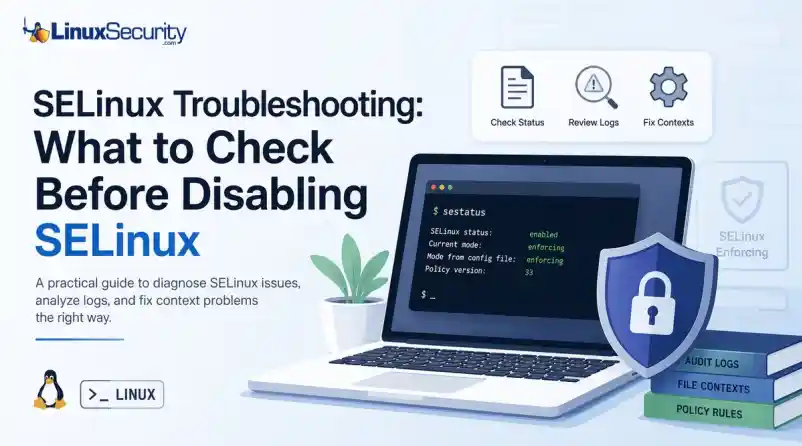

SELinux troubleshooting is a necessary skill for any system administrator. When a service fails despite correct file permissions and ownership, the immediate instinct is often to disable SELinux to confirm if the security policy is the bottleneck. While turning off enforcement frequently "fixes" the immediate symptom, it hides the underlying configuration flaw—such as an incorrect context or a policy violation—that could leave your system exposed.
This guide outlines a systematic approach to troubleshooting SELinux without compromising system security.
What is SELinux?
Think of what is SELinux as a gatekeeper that doesn’t care who you are—it cares what you’re trying to do. While standard Linux permissions check if you have the "right" to touch a file, SELinux checks if the process itself should be doing that action. It's essentially a mandatory access control system that adds a massive layer of safety, even if your user permissions are wide open.
Why does SELinux block access when Linux permissions look correct?
This is the classic SELinux permission-denied headache. You can have 777 permissions and still get blocked. Why? Because you’re ignoring the SELinux context. SELinux treats every file like it has a secret "passport." If that passport doesn't match the job the service is doing, the kernel shuts it down. It doesn't matter if your Unix permissions are perfect; if the label is wrong, access is denied.
Should you disable SELinux when something breaks?
Short answer: No. If you're looking for how to disable SELinux, take a breath. Disabling it is like fixing a flat tire by just throwing the car away. It makes the "error" go away, but it leaves your system vulnerable. Always assume the policy is doing its job until you prove otherwise.
Why does everything work after you disable SELinux?
It’s a false positive. Everything works because you’ve ripped out the referee, not because your code or file structure is actually correct. You might still have an application running with the wrong path or binding to a dangerous port, but now the system won't tell you about it.
What does SELinux status tell you?
Always check SELinux status before doing anything else. It tells you if you're in Enforcing, Permissive, or Disabled mode. If you’re already in Permissive mode and things are still failing, you know your problem isn't SELinux—it's something else entirely.
How do you check SELinux status?
Keep it simple: run sestatus or getenforce. Knowing how to check SELinux status is your first real step in the investigation. If the output says "enforcing," you know exactly why your app is throwing errors.
What are the SELinux modes?
- Enforcing: The system is actually doing its job.
- Permissive: It’s a "watch and report" mode. It won't block anything, but it’ll log every single thing that would have been blocked.
- Disabled: The security framework is dead in the water. Avoid this.
What does SELinux permissive mean?
SELinux permissive is your best friend during a crisis. It lets your services keep running, but it keeps the "evidence" flowing into your logs. It's the gold standard for troubleshooting.
When should you set SELinux to permissive mode?
Only when you're 90% sure SELinux is the culprit. Don't leave it here forever. Use it to verify if the app starts working. If it does, you've confirmed it's an SELinux issue and can move on to fixing the labels.
Is SELinux permissive mode the same as disabling SELinux?
People confuse these all the time. They are not the same. In permissive mode, the system is still checking policy and writing to the audit log. If you disable SELinux, you stop the engine. You lose the logs, you lose the visibility, and you lose the security.
Where are SELinux logs?
If you're hunting for answers, the SELinux audit log (/var/log/audit/audit.log) is where you'll find them. When you check SELinux logs, you aren't looking for a "success" message; you're looking for the red ink that explains exactly what the kernel hated about your last request.
What is an SELinux AVC denial?
An SELinux AVC denial is the "who, what, where" of your problem. It's the log entry that says: "Process X tried to do Action Y on Object Z, and I blocked it." It’s the closest thing you’ll get to a clear explanation from the OS.
What is an SELinux context?
It's basically a security tag. Every file, process, and port has one. If a web server needs to read a file, the file's SELinux context has to match what the web server policy expects. If you moved a file from a home folder to /var/www/html, that label likely didn't update. That's a classic SELinux file context mismatch.
Why do SELinux contexts cause permission-denied errors?
It's almost always a labeling issue. If you move or restore files, the labels don't always tag along. If you’re seeing errors, you probably need to run restorecon to reset them to their proper state.
Why does SELinux break after moving files?
Files don't always "inherit" the labels of their new home. You move a file, the system keeps the old label, and the service now thinks that file is an intruder. That's why your app suddenly stops working after a file transfer.
What is an SELinux policy?
It's the rulebook. Everything is governed by the SELinux policy. Most of the time, the policy is fine, and your application is just trying to do something non-standard.
Can SELinux policy block ports or network connections?
Absolutely. If your app tries to use a non-standard port, SELinux might shut it down. Check if you need to update the policy or toggle a boolean to allow that specific SELinux port.
What are SELinux booleans?
Think of booleans as "on/off" switches for common policy exceptions. You don't need to rewrite the whole rulebook; just flip a boolean using getsebool if you need to allow a common, safe action.
Should you use audit2allow to fix SELinux problems?
Be careful with audit2allow. It effectively writes a new policy based on your last error. If you’re just mislabeling files, audit2allow is overkill—it’ll just mask the problem. Fix the labels first.
How do you troubleshoot SELinux without disabling it?
Stick to the routine:
- Check the status.
- Check the logs for AVC denials.
- Check the file contexts.
- Toggle permissive mode if you need to see the "hidden" errors.
- Fix the labels or booleans. Don't reach for the "off" switch until you've exhausted every other option.
Is SELinux worth it?
Is SELinux worth it? The learning curve is steep, and it's definitely annoying when it breaks your workflow. But when you realize it’s the only thing keeping a compromised web server from trashing your database, you’ll be glad it's there. Keep it on, learn the basics, and you'll be ahead of 90% of other admins.
Want more Linux security news, vulnerability analysis, and software supply chain updates? Subscribe to the LinuxSecurity Newsletter and get the latest threats, advisories, and expert insights delivered directly to your inbox.
Related Reading
 PREVIOUS
 NEXT
NEXT
Powered By

Linux Security - Your source for Top Linux News, Advisories, HOWTOs and Feature Releases
QUICK LINKS
subscribe to newsletters!
Like staying secure? So do we.
Sign up for updates, tips, and alerts!