Explore top 10 tips to secure your open-source projects now. Read More
×


How HTTP Errors Expose Weak Proxy Setups
 May 01, 2025
•
May 01, 2025
•
 MaK Ulac
2 - 4 min read


Topics Covered
When your web scraper starts returning 403s, 429s, or even a suspicious number of 5xx errors, it’s tempting to blame the website or the code. But in many cases, the real issue isn’t the scraper—it’s the proxy stack behind it.
Most developers treat HTTP errors as temporary bugs, applying fixes like random delays or rotating user agents. But seasoned engineers know better: these status codes are signals. They’re feedback loops that point directly to proxy configuration issues—especially in large-scale data extraction.
Even the most carefully tuned scraping system can unravel under weak proxy architecture, with error codes serving as the first public symptom of deeper inefficiencies.
This article breaks down the most common HTTP errors in scraping, what they really mean, and how they can expose inefficiencies in your proxy infrastructure.
403 Forbidden: When IP Reputation Is the Culprit
The 403 error is a gatekeeper response—permission explicitly denied. For scraping operations, that usually means your IP has been flagged or outright blocked.
Why It Happens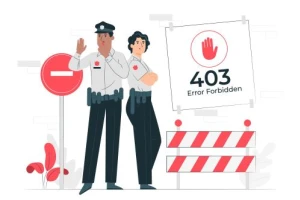
- Poor IP reputation: The IP you’re using has a history of suspicious behavior or is part of a known data center range.
- Lack of diversity: Repeated requests from a narrow pool of IPs trigger pattern detection.
- Improper headers: Missing or malformed headers that don’t mimic real browser behavior.
What It Reveals
A wall of 403s means your proxy providers either giving you warmed-over junk or not rotating cleanly. It’s common when you're using cut-rate data center proxies. If you're serious about avoiding detection, residential or rotating proxies aren't optional—they're required.
429 Too Many Requests: A Sign of Poor Rotation Logic
The 429 error is rate-limiting in action. It means the server has detected too many requests in a short period—from the same IP or session.
Why It Happens
- Session persistence: Not rotating IPs frequently enough.
- No delay logic: Hammering endpoints without throttle control.
- Inadequate pool size: Recycling the same proxies too quickly.
What It Reveals
A persistent 429 stream is less about scraping volume and more about proxy management. Either your rotation logic is weak—or you’re using a proxy service that can’t keep up. To prevent this, invest in a provider that supports adaptive rotation and has a large, healthy pool. For sustained, high-volume scraping, many developers rely on the best-rotating proxies to avoid hitting hard limits.
5xx Server Errors: When the Proxy Layer Is to Blame
Server-side errors like 500, 502, or 504 are often dismissed as issues on the target website. But that’s only half the story. If your scraper sees these consistently—and other users don’t—it’s time to investigate your proxy layer.
Why It Happens
- Oversold proxies: Too many users on the same IP can cause congestion or timeouts.
- Geo mismatch: Sending requests through proxies in restricted regions (e.g., GDPR-locked zones).
- Timeout configurations: Poor handling of upstream failures due to rigid timeout settings.
What It Reveals
High 5xx error rates from specific regions or times of day could mean your proxy provider has load-balancing issues. It may also indicate misuse of free or shared proxies, which introduce unpredictable latency and failure patterns.
How to Use Error Logs as a Proxy Health Dashboard
If you’re not already tracking status codes across your scraping stack, you’re flying blind. The ratio and patterns of HTTP responses can act as early indicators of proxy decay, rotation issues, or provider-side problems.
How to Respond
- Log status codes per proxy IP: Helps isolate bad actors in the pool.
- Analyze over time: Surges in 403s or 429s often correlate with blacklisting events.
- Geo-segment your data: Error rates often vary by region due to local restrictions or proxy saturation.
Error Codes Are Not Bugs—They're Warnings
Too often, scraping teams fix symptoms instead of root causes. They patch scripts, add retries, or rewrite headers—never realizing their proxy infrastructure is the real failure point.
Reading your HTTP error logs isn’t just a debugging step. It’s a proxy quality audit.
If you're serious about building resilient, scalable scraping systems, start treating 403s and 429s like smoke from a fire. And make sure your provider isn’t the one holding the match.
You don’t need a monitoring dashboard to know your proxy stack is falling apart—your HTTP status codes are already screaming at you. If you’re ignoring 403s and 429s, you’re not troubleshooting—you’re stalling. Log everything, read the patterns, and fix the infrastructure before you blame the scraper.
 PREVIOUS

 NEXT
NEXT

Powered By

Linux Security - Your source for Top Linux News, Advisories, HOWTOs and Feature Releases
QUICK LINKS
subscribe to newsletters!
Like staying secure? So do we.
Sign up for updates, tips, and alerts!