Explore top 10 tips to secure your open-source projects now. Read More
×


Enhancing Linux Documentation with Security Icons for Clarity
 Jul 17, 2026
•
Jul 17, 2026
•
 Anthony Pell
3 - 5 min read


Linux operating systems have gained prominence due to their stability, adaptability, and excellent security options. In the case of developing documentation, designing cybersecurity dashboards, or educational material, visuals are of vital importance when it comes to making things clear. The use of icons allows one to understand the message regarding alerts, authorization, encryption, authentication, or the state of the system just by looking at the visual cue without having to read long descriptions. Their universally similar design helps improve the quality of communication while adding a professional touch to documentation.
Why Do Security Icons Matter in Linux Documentation?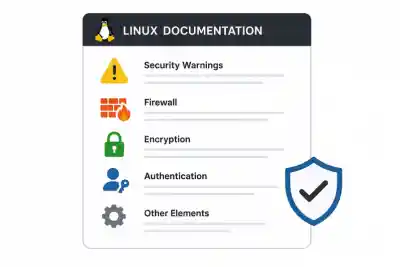
The technical documentation should be easy to understand by both novices and experienced professionals. Good icons will help readers distinguish the significant parts of the document, such as security warnings, firewalls, encryption, authentication, and other necessary elements. Thus, instead of using words only, meaningful icons make the technical documentation more attractive and easier to perceive. They will increase the readability and consistency of installation, administration, and troubleshooting documentation. If an organization uses several different Linux distributions, such icons may help to establish a unified style of documentation.
Improving Technical Communication
Using Linux security icons is a good way to communicate security-related information faster than using lengthy descriptions. Usually, developers use them to emphasize privileged commands, root permissions, Secure Shell access, and encrypted directories. Therefore, using icons will decrease the time spent learning Linux security principles and will help to perceive complex documentation in a better way.
Moreover, the usage of icons will make the collaboration of team members easier since everybody knows what icons mean regardless of their background knowledge. According to research from the UX Design Institute, effective iconography is a cornerstone of intuitive UI, as it significantly lowers the cognitive load for users processing complex technical information.
Common Types of Security Icons Used in Linux Projects
The range of subjects covered in Linux documentation is diverse. Thus, a number of different icon categories become very important. Lock icons usually stand for encrypted documents, while shield images denote the overall security or antivirus functions of the system. Icons depicting authentication usually involve user profiles along with passwords or key images. To find a versatile library for your projects, you can explore various security icons to help symbolize firewall protection, vulnerability alerts, or encrypted status. Correctly chosen icons will provide information about the topic and help users avoid distractions from work.
Authentication and Access Control Icons
Authentication is probably the most critical part of any Linux security. The set of commonly used icons includes symbols for passwords, biometrics, SSH, and MFA authentication, as well as icons for user permissions. Such visuals make explanations of logging in much clearer. Administrators can distinguish between normal and privileged accounts easily. Useful authentication icons will make it easy for users to understand how to log into the system securely.
Using Security Icons in Cybersecurity Projects
Cybersecurity solutions make use of visualizations since many experts have to work with vast volumes of information in a very short period of time. The dashboards that are used to visualize information regarding threats, vulnerabilities, and security operations can be easily read when icons are applied appropriately. Colored graphics can make it easier for professionals to spot dangerous incidents and ensure efficient system monitoring and alert handling. Irrespective of whether the task is to create an intrusion detection solution or a network monitoring tool, icons will add clarity to the interface.
Visualizing Threat Detection
When it comes to working with threat detection systems, analysts can see various types of information such as malware alerts, malicious activity, firewall activities, and network incidents. With the help of clearly defined security symbols, developers provide analysts with an opportunity to differentiate between various kinds of events in a matter of seconds.
Best Practices for Choosing Security Icons
Designing good icons entails much more than choosing pretty graphics. In addition to being clear and scalable, icons need to be consistent in all documentation and applications. They have to be clearly distinguishable at various sizes while retaining enough contrast. The use of a consistent style is one of the factors that help achieve professionalism, especially in enterprise Linux, where several teams are involved in documenting their systems. Well-designed icons should work in tandem with documentation and not distract from it.
Maintaining Consistency Across Documentation
Consistency is crucial in terms of trust and usability. Use of similar icon sets in installation guides, configuration instructions, security policies, and training material makes life easier for the reader. Besides, using a standardized library of icons facilitates further development as it adheres to a certain design language.
Future Trends in Linux Security Documentation
Since Linux is penetrating into the sphere of cloud computing, DevOps, and enterprise infrastructure, it means that documentation standards will keep on evolving. Interactive manuals, artificial intelligence-based documentation, and adaptive digital knowledge bases create the need for new icons that can be viewed successfully from any device or screen. We should expect an increased use of animated icons, scalable vector graphics, and icon designs focused on accessibility. This will help professionals explain complex cybersecurity notions and improve the user experience.
Conclusion
Quality Linux documentation requires a proper balance between technical correctness and visual presentation. Well-chosen security icons will make it easier for users to understand complicated notions, navigate through the information, and receive cybersecurity education in an effective manner. Thus, using icons in such documents as administrator manuals, cybersecurity dashboards, educational resources, and enterprise knowledge bases will significantly boost their usability and professional appearance.
 PREVIOUS

 NEXT
NEXT



Powered By

Linux Security - Your source for Top Linux News, Advisories, HOWTOs and Feature Releases
QUICK LINKS
subscribe to newsletters!
Like staying secure? So do we.
Sign up for updates, tips, and alerts!