Explore top 10 tips to secure your open-source projects now. Read More
×


Network Security network security firewall management
network security firewall management Linux runs a huge portion of today's infrastructure because it gives administrators an unusual amount of control over the system. That control extends to networking, where almost every aspect of packet flow, routing, filtering, and interface behavior can be customized. The trade-off is that very little of that hardening happens automatically. A fresh installation is usually built to communicate, not to isolate. . As environments grow, servers start exchanging data with monitoring platforms,...
 Jul 08, 2026
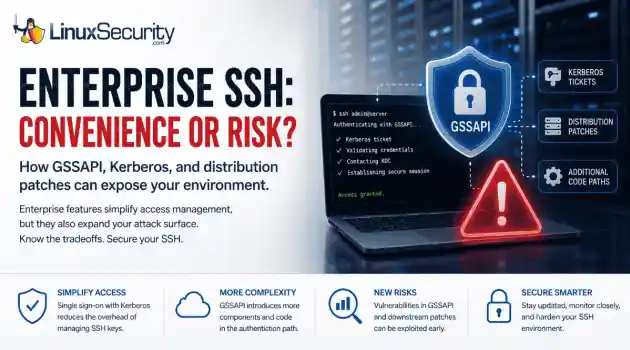
Security Vulnerabilities security advisory authentication
security advisory authentication We often view OpenSSH security updates through the lens of standard patch management. When a new CVE hits, we scramble to update, check our versions, and return to business as usual. But recent vulnerabilities tied to distribution-added OpenSSH GSSAPI patches are a reminder that the danger doesn't always lie in the core code; it often resides in the "convenience" features we layer on top. . These recent issues shouldn't just trigger an apt upgrade or dnf update; they should trigger a...
Jul 06, 2026

Security Trends privilege escalation Linux security
privilege escalation Linux security Linux security teams are drowning. Patches, kernel updates, new CVEs every week. SSH exposed here, an old web service there, and a forgotten cron job running as root. On top of that, SIEM dashboards blink all day with alerts that all claim to be “high priority.” . It’s no surprise that people stop paying attention. The real problem isn’t a lack of data. It’s the opposite. Too much noise, not enough signal. Security teams see huge lists of vulnerabilities and thousands of alerts, but very...
Jul 06, 2026
Security Vulnerabilities security advisory critical
security advisory critical Before you close out the week, check what still needs to be patched. . The list is not small. Ubuntu and Red Hat pushed kernel updates. OpenVPN and OpenShift both received security fixes. Several everyday Linux components were patched too, including Vim, nginx, cifs-utils, LibVNCServer, nghttp2, and Perl. That is the kind of week administrators can easily write off as routine. It should not be. These are the updates that keep small openings from turning into real access. Why This Week Looks...
Jul 03, 2026
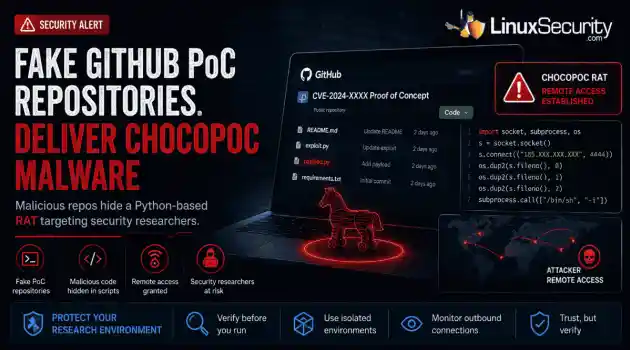
Security Trends malware security research
malware security research GitHub has become the latest delivery mechanism for malware aimed at security researchers. . YesWeHack and Sekoia identified a campaign that hid a Python-based remote access trojan (RAT) called ChocoPoC inside repositories presented as proof-of-concept exploits for recently disclosed vulnerabilities. Someone looking for a working exploit could clone the project, execute the code, and unknowingly launch a second payload that established remote access. Nothing about the campaign specifically...
Jul 02, 2026
 Refine news
X Clear Filters
Get the latest News and Insights
Get the latest Linux and open source security news straight to your inbox.
Community Poll
Is application sandboxing truly safe?
Loading...
Explore Latest Linux Security news
We found 0 articles for you...
79
 security assessmentsecurity testingLinux application
Boost Linux Security Using These 10 Vital Testing Tools Now
Linux admins rarely deal with one fixed system anymore. A single environment may include public-facing web apps, internal services, containers, cloud workloads, code repositories, and third-party packages pulled into production. That mix creates more places for weak points to hide. . Security testing tools help admins find those weak points before they turn into outages, data leaks, or full system compromise. Some tools scan networks. Others check code, container images, web apps, or exposed credentials. Used together, they give teams a more complete view of risk across the stack. This list covers ten security testing tools Linux admins should know for network checks, web testing, vulnerability scanning, code review, and secrets detection. Mindgard AI features are starting to show up in Linux-hosted applications. Internal automation tools, customer portals, support bots. Traditional vulnerability scanners were never designed to test how machine learning systems behave when someone intentionally feeds them hostile input. That leaves a blind spot in many security testing workflows. What It Helps Test Mindgard focuses on applications that include AI components like large language models or machine learning pipelines. A standard scanner might flag outdated packages or configuration problems, but it won’t tell you what happens when a model receives a manipulated prompt or unexpected data. This becomes important when applications pass information between models, APIs, and internal services. Weak logic anywhere in that chain can introduce security issues even when the infrastructure itself is properly hardened. Where It Fits in Modern Security Workflows Mindgard works best as a specialized layer within a broader testing process. Network scanners, web testing tools, and static analyzers still cover most traditional attack surfaces. Teams evaluating different offensive security tools often notice that many focus heavily on infrastructure and application flaws. AI behaviortesting is a newer territory. Mindgard focuses on how AI-driven features interact with software systems and user input. AI features are moving into production systems quickly. Testing how they react to hostile input is becoming part of a normal security review. Nmap Understanding what is exposed on a network is the first step in securing it. Nmap remains one of the most widely used tools for mapping systems, services, and open ports across Linux environments. Network Discovery and Attack Surface Mapping Nmap scans networks to identify live hosts, open ports, and service versions. Those results often reveal risks that configuration files alone might not show. An SSH service exposed to the internet, an outdated web server, or an unexpected management port can all signal potential trouble. In long-running environments, forgotten systems and temporary services tend to accumulate. Test machines, staging containers, or misconfigured applications may remain accessible long after their intended purpose ends. Network discovery scans make those exposures visible. How It Supports Security Assessments Nmap frequently appears at the beginning of security reviews and penetration tests. It verifies what systems are actually exposed to the network instead of relying solely on documentation or firewall rules. Once reachable systems are identified, deeper vulnerability scans or manual testing can begin. That reconnaissance step usually shapes where the rest of the assessment goes. OWASP ZAP Most web application problems don’t show up in the infrastructure. They show up in the application logic. Login forms, session cookies, API parameters, and request handling. That’s where OWASP ZAP spends its time. Instead of scanning packages or configuration files, the tool sits in the traffic path and interacts with the application directly. Detecting Weak Points in Web Applications ZAP performs dynamic application security testing. It runs against a live application and observeshow requests and responses behave. During a scan, it crawls the site, maps available endpoints, and starts sending modified requests back to the server. Parameters in forms, headers, cookies, and query strings. Anything the backend might process. Problems tend to surface there: injection flaws , broken authentication logic, missing headers, and weak session handling. Those issues rarely appear in static analysis. Flexible for Manual and Automated Testing Some teams use ZAP interactively. A tester proxies traffic through it, inspects requests, and tweaks them during the session. Other environments treat it more like a pipeline step. The scanner runs during a build or staging deployment, produces a report, and the findings land alongside the rest of the testing results before the application goes live. Nikto Nikto focuses on a narrow but useful job. Quickly identifying known issues in web server configurations. Fast Checks for Web Infrastructure The scanner looks for dangerous files, outdated server components, misconfigurations, and publicly exposed paths that should not be accessible. These checks are straightforward but often reveal problems introduced during server setup or deployment. Default files left behind after installation and unpatched components are common findings. Practical Early Warning Nikto works well as an early-stage diagnostic tool. It does not replace deeper vulnerability testing, but it frequently highlights areas that deserve closer inspection. Run it after deploying a server or moving an application. Misconfigurations tend to show up quickly. OpenVAS When environments grow beyond a handful of machines, manual vulnerability reviews become difficult to maintain. OpenVAS provides a way to scan large groups of systems for known security issues. Broad Vulnerability Coverage The scanner analyzes servers, services, applications, and network devices. Results are compared against vulnerability databases to identify knownweaknesses. Automated assessments allow teams to monitor many systems at once instead of inspecting each one individually. Supporting Vulnerability Prioritization Security teams rarely have the resources to fix every issue immediately. OpenVAS organizes scan results by severity, helping teams identify which weaknesses pose the greatest risk. Internet-facing systems, outdated services, and critical vulnerabilities usually rise to the top. That short list is where patching usually starts. Trivy Modern infrastructure rarely runs as a single server anymore. Containers, dependency chains, and infrastructure templates all sit in the stack now, and each layer brings its own security problems. Trivy focuses on scanning those layers. It checks container images, operating system packages, language dependencies, and configuration files for known vulnerabilities. An image can look clean on the surface while still carrying outdated libraries or vulnerable packages pulled in through dependencies. That tends to happen quietly during builds. A base image updates, a dependency shifts version, and suddenly a container ships with software nobody reviewed closely. Trivy catches those cases before images move into production. Metasploit Framework Finding a vulnerability in a scan report does not always mean it matters. Plenty of issues look serious on paper, but go nowhere once someone actually tries to use them. Metasploit helps answer that question. Security teams use it to simulate real attack techniques against a known weakness. If an exposed service or outdated component appears during scanning, a matching module can test whether the flaw leads anywhere useful. Sometimes it works. Sometimes it fails immediately. Either outcome tells you more than the report alone. Semgrep A lot of security problems start during development. Long before anything runs in production. Semgrep looks directly at source code instead of live systems. It scans for patterns that tend tointroduce vulnerabilities. Weak input validation, unsafe functions, and credentials hardcoded into scripts. The kind of mistakes that slip through code review when teams are moving quickly. Teams usually start with default rules and then tune them for the languages and frameworks they actually use. The rule sets tend to evolve along with the codebase. SQLMap Databases sit behind a large percentage of web applications. When input handling breaks down, SQL injection is usually close behind. SQLMap automates the testing process. It probes how applications handle user input and database queries, looking for signs that injected commands can alter the query flow. If the weakness exists, the tool can push further to test whether data extraction or modification is possible. Older applications tend to expose these issues first. Legacy database logic is often where the cracks appear. Gitleaks Not every security incident begins with an exploit. Sometimes it begins with a password sitting in a repository. Gitleaks searches code repositories for secrets. API keys, tokens, certificates, and credentials are committed during development. Automation scripts and infrastructure configuration files are common sources. Once credentials land in version control, they spread quickly through forks, clones, and cached builds. The longer they sit there, the harder the cleanup becomes. Early detection keeps the damage contained. Conclusion Linux environments used to be simpler. A few servers, maybe a database, a web service in front. The stack is wider now. Networks, containers, APIs, dependency chains, CI pipelines, internal tooling. AI features are starting to appear in some platforms as well. Each layer introduces its own failure points. Security testing tools tend to focus on different slices of that surface. Nmap maps exposed services. ZAP and SQLMap focus on application behavior. OpenVAS scans the infrastructure for known vulnerabilities. Trivy checks container images anddependency layers. Gitleaks looks for credentials that leaked into repositories. Semgrep operates earlier in the pipeline, inside the code itself. Metasploit helps verify whether a vulnerability actually leads to compromise. Mindgard enters where older tools struggle. Testing how AI-enabled features behave when someone intentionally feeds them hostile input. No single tool sees everything. Most teams end up running several together just to keep visibility across the Linux security environment. . Explore top security testing tools for Linux admins to enhance security checks and identify potential risks. Stay protected!. Linux Admin Tools, Security Testing, Vulnerability Assessment, Network Security Tools, Application Security. . MaK Ulac
 Mar 13, 2026
•
Mar 13, 2026
• Security Projects
74
 security toolsnetwork assessmentvulnerability scan
Network Vulnerability Assessment With Nmap Tool for Administrators
What's on your network and how vulnerable is it to a hacker attack? Having a clear picture of this is a vital part of effective network administration, and one way to build up such a picture is by network mapping using a port scanner. Nmap is a powerful tool for helping identify areas in your network which needs to be tighten up. This articles talks about how you can identify these weaknesses by using Nmap.. The link for this article located at EnterpriseNetworkingPlanet is no longer available. . Delve into strategic network visualization and risk evaluation with Nmap to bolster overall defense.. Nmap, Network Scanning, Security Assessment, Vulnerability Tools. . Bill Locke
Dec 17, 2007
•
Network Security

74
network securitycyber attackattack analysisExploring Port Scans and Their Role in Cyber Attack Vulnerabilities
Port scanning, the practice of sniffing for computers with unprotected and open ports, isn't much of a harbinger of an attack, a University of Maryland researcher said Monday. Michel Cukier, an assistant professor at the College Park, Maryland-based school, said that contrary to common thought, few port scans actually result in an attack. In fact, only about five percent of attacks are preceded by port scans alone. . "But when you combine port scans with other kinds of scans, particularly vulnerability scans, there's a much higher probability of an attack," said Cukier. Nearly three-quarters of the attacks prefaced by some kind of scan came after both a port and a vulnerability scan were run against the exposed PCs, noted Cukier's report. "The identification of port scans and vulnerability scans launched from a single source IP address is a good indicator that an attack will follow from the same IP address," said the report. The link for this article located at Security Pipeline is no longer available. . Grasping the concept of port scans and their minimal correlation to genuine breaches, complemented by perspectives on weakness assessments.. Port Scan Analysis, Network Security Insights, Vulnerability Scanning Techniques. . Brittany Day
Dec 13, 2005
•
Network Security
77
risk managementnetwork protectionsecurity toolsComprehensive Guide to Network Vulnerability Scanning Techniques
Similar to packet sniffing, port scanning and other "security tools", vulnerability scanning can help you to secure your own network or it can be used by the bad guys to identify weaknesses in your system to mount an attack against. The idea is for you to use these tools to identify and fix these weaknesses before the bad guys use them against you. . . .. Similar to packet sniffing, port scanning and other "security tools", vulnerability scanning can help you to secure your own network or it can be used by the bad guys to identify weaknesses in your system to mount an attack against. The idea is for you to use these tools to identify and fix these weaknesses before the bad guys use them against you. The goal of running a vulnerability scanner is to identify devices on your network that are open to known vulnerabilities. Different scanners accomplish this goal through different means. Some work better than others. The link for this article located at NetSecurity.About.com is no longer available. . Vulnerability scanning is essential for network security, detecting weaknesses that could be exploited by attackers through automated tools and assessments. Network Protection, Risk Management, Security Tools. . LinuxSecurity.com Team
Aug 18, 2004
•
Server Security
77
network securitysecurity analysisNessusEffective Nessus Scanning Techniques for Windows Networks
This paper is about using Nessus to scan Windows networks and various scenarios one might encounter. It does not talk about running Nessus from a Windows machine but on a Windows machine or network. In other words, Windows computers are targets. . .. This paper is about using Nessus to scan Windows networks and various scenarios one might encounter. It does not talk about running Nessus from a Windows machine but on a Windows machine or network. In other words, Windows computers are targets . Topics covered include: Part I: Scan Types 1) Default scan 2) Nessus scan with admin rights 3) Nessus scan with access to registry 4) So how do we give Nessus that inside information Part II: Configuration issues 1) Configuration on Nessus' end 2) Configuration on target' end 3) Why not use Administrator accounts? 4) Special account: nessus 5) Enhacements in a domain environment The link for this article located at net-security.org is no longer available. . This paper is about using Nessus to scan Windows networks and various scenarios one might encounter.. paper, about, using, nessus, windows, networks, various, scenarios, might, encounter. . LinuxSecurity.com Team
Nov 11, 2003
•
Server Security

Get the latest News and Insights
Get the latest Linux and open source security news straight to your inbox.
Community Poll
Is application sandboxing truly safe?
Search Topics
Powered By

Linux Security - Your source for Top Linux News, Advisories, HOWTOs and Feature Releases
QUICK LINKS
subscribe to newsletters!
Like staying secure? So do we.
Sign up for updates, tips, and alerts!