Explore top 10 tips to secure your open-source projects now. Read More
×


Securing Remote Access to Linux Servers: Best Practices for 2026
 May 13, 2026
•
May 13, 2026
•
 MaK Ulac
6 - 11 min read


Linux runs the internet. More than 96% of the world’s top one million web servers operate on Linux-based systems. That makes every linux server a target by default. Attackers do not go where defenses are strongest; they go where the infrastructure is exposed.
Attackers do not need to break everything. One weak login is enough. One open port, one forgotten service, one stale account that still works from three jobs ago. That is usually where server security starts to fail, not in some dramatic exploit chain.
Remote access has always been the soft spot in Linux administration. SSH gets hit constantly. Bots hammer exposed ports, old credentials resurface, and misconfigured services sit there longer than anyone wants to admit. The work is basic, but it matters: cut the exposure, tighten authentication, read the logs, and shut down whatever should not be reachable.
SSH Is Still the First Line of Defense
If your server is on the internet, someone is already trying to log in. That is just the baseline now. Default SSH settings are built for convenience, and convenience is not what you want on a public-facing box.
Start by moving SSH away from port 22. It will not stop someone who is actually targeting you, and it is not a replacement for real hardening. But it does cut out a lot of low-effort scanning, which means cleaner logs, less firewall noise, and fewer false positives wasting your time when something real starts moving.
SSH needs more than a port change. Limit who can log in. Disable root login. Review allowed users. The daemon should expose only what the admin workflow actually needs, because anything extra becomes something else to patch, monitor, or explain later.
Ditch Password Authentication Entirely
Passwords are a liability. Brute-force attacks, credential stuffing, phishing, reused creds, all of it gets easier when password-based SSH login stays enabled. Switch to SSH key pairs and treat passwords as something that should not be part of remote server access anymore.
Generate an Ed25519 key. It is faster and more secure than RSA at comparable key lengths. Copy the public key to the server, then open /etc/ssh/sshd_config and set:
PasswordAuthentication no
PubkeyAuthentication yes
PermitRootLogin no
Restart the SSH daemon after editing the file. Keep your existing session open and test the new connection in another terminal before you close anything. Locking yourself out of your own server is a rite of passage, but it does not need to happen today.
Two-Factor Authentication Adds the Second Wall
Key-based authentication is strong. Adding two-factor authentication makes remote login much harder to abuse if a private key gets stolen from a laptop, copied by malware, or pulled from a bad backup. The key should not be the whole story.
Google Authenticator works cleanly with PAM on most major distros. Duo Security is better suited for teams that need centralized management and reporting. Either way, 2FA adds a pause point that attackers cannot easily automate around.
This is not about making admin work annoying. It is about assuming one control may fail. That assumption is usually correct.
Firewall Rules Should Be Simple and Strict
A firewall should block everything by default and open only what is needed. Not what might be useful later. Not what was needed during setup and then forgotten. Needed now.
On Ubuntu and Debian systems, ufw keeps the basics readable:
ufw default deny incoming
ufw default allow outgoing
ufw allow from 203.0.113.5 to any port 2222
ufw enable
Replace the IP and port with your own. If you manage servers from a fixed IP or a small trusted range, allowlisting those addresses is one of the cleaner firewall rules you can put in place. It cuts down noise before authentication even starts.
Every exception should have a reason. A temporary open port has a habit of becoming permanent if nobody writes it down.
VPNs and Encrypted Tunnels Keep Access Controlled
VPNs sit in a useful place for Linux administrators. They are not magic, and they do not replace SSH hardening, but they keep management traffic inside a controlled path instead of leaving SSH exposed to the wider internet.
For teams, that means fewer public login surfaces. For individual admins, it also means steadier access to documentation sites, package mirrors, security databases, and research tools that may be restricted or throttled by region. The practical value is simple enough: admin traffic moves through an encrypted tunnel before it reaches the server.
For Linux administrators, understanding proper VPN setup on Linux is useful because it protects management traffic and keeps work resources reachable without opening more services than needed. A VPN should sit in front of good server-side controls, not replace them.
Fail2Ban Handles the Repetitive Noise
No sysadmin watches authentication logs manually all day. Fail2ban does that job quietly. It parses auth logs, spots repeated failures, and bans offending IPs through firewall rules without waiting for a human to intervene.
Set the SSH jail with a reasonable maxretry value. Three to five failed attempts is enough for most systems. Use a ban time of at least an hour, and consider longer bans for repeat offenders on servers that get hit constantly.
Fail2Ban will not stop every attacker. Distributed botnets can rotate IPs, and slow attempts can slip under thresholds. Still, it removes a lot of junk from the board, and that makes real triage easier.
The Principle of Least Privilege Is Where Cleanup Starts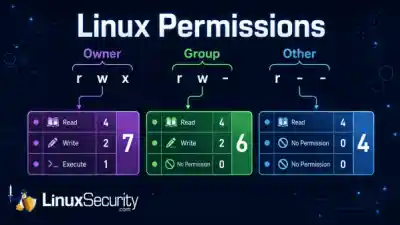
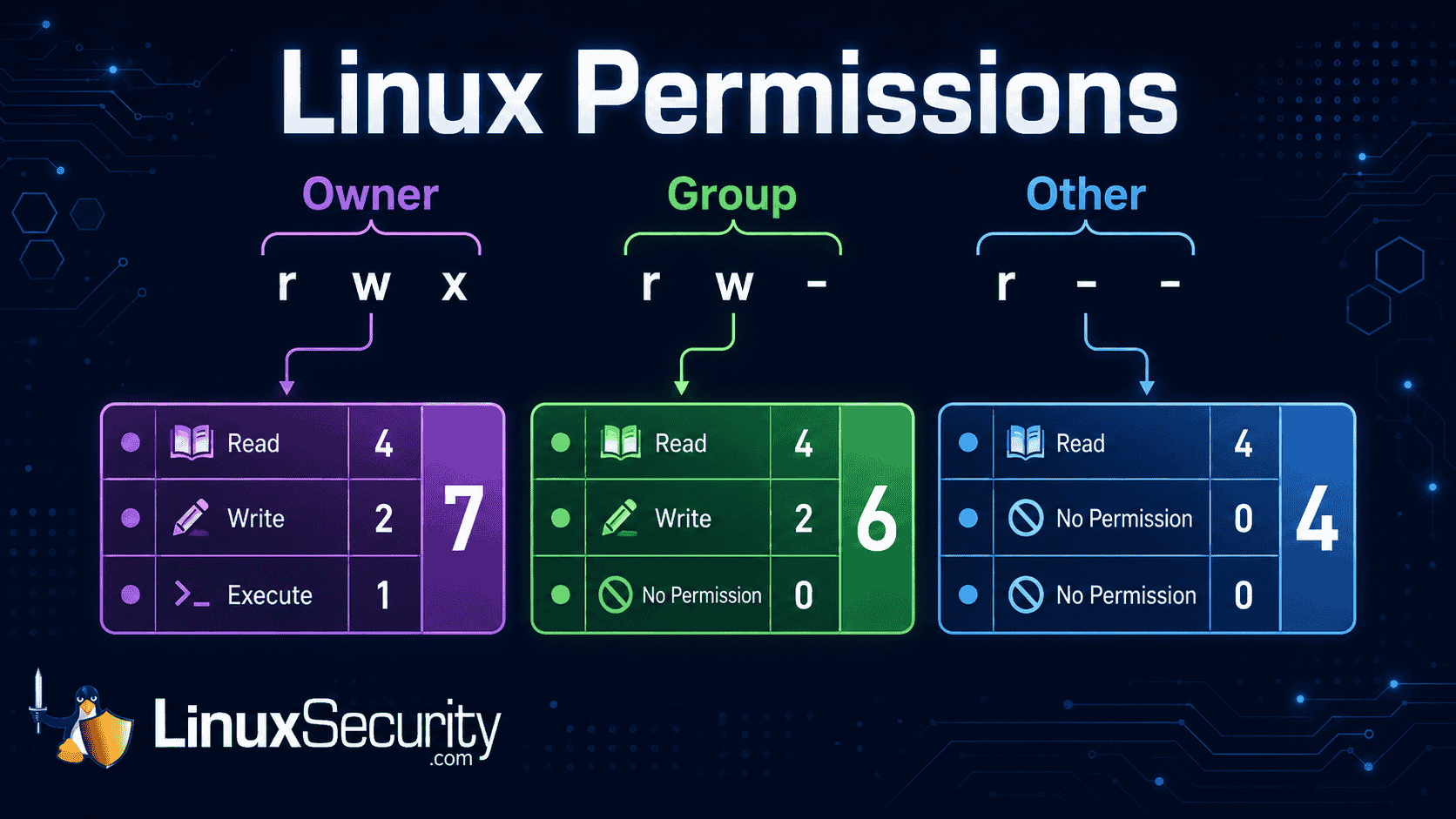
The principle of least privilege sounds obvious until you audit a real server. Every user, service, daemon, and cron job should have only the permissions it needs. No more.
Production systems rarely look that clean. Shared root access hangs around. Old sudoers entries survive because nobody wants to break a workflow. Service accounts get more permission than they need, then nobody revisits them for two years. That is how small compromises get room to spread.
Start with the accounts. Then check sudo access. Then review services. A restricted account gives an attacker less room for lateral movement, fewer files to touch, and fewer commands that matter.
Good places to look:
-
/etc/sudoersand files under/etc/sudoers.d/ - old user accounts that no longer need access
- services running as root without a clear reason
- shared admin credentials
- cron jobs and automation tokens
This is not glamorous work. It is the kind of cleanup that prevents a bad login from turning into a full host compromise.
Keep Systems Patched Relentlessly
Patching still gets missed. Not because admins do not know better, but because maintenance windows slip, staging takes time, and production systems always have some reason to wait. Attackers like that.
Old vulnerabilities are still useful because plenty of systems remain unpatched after fixes are available. The exploit does not need to be new if the target is behind. That is the uncomfortable part.
Enable automatic security updates where it makes sense. On Debian and Ubuntu, unattended-upgrades handles this cleanly. On Red Hat-based systems, dnf-automatic does the same job. For critical systems, test patches in staging first, but do not let testing become a permanent excuse.
Intrusion Detection Gives You Something to Work With
Most attacks should be blocked by authentication controls, firewall policy, and patching. Intrusion detection is for cases that get through or start from inside. You need to know when something changed.
AIDE can build a cryptographic baseline of the filesystem and alert when important files are modified. Auditd gives deeper syscall-level visibility, which helps when you need to know what ran, who ran it, and when. The output can be noisy. Tuning takes time.
Still, during incident response, noisy data beats no data. Knowing which files changed and which commands executed is the difference between focused triage and weeks of forensic guessing.
Logging Has to Be Active
There is no such thing as useful logging if nobody reads the logs. Disk space full of ignored auth events is not security. It is storage.
Track the things that show real access and real change: successful logins, failed login bursts, sudo use, new source IPs, service restarts, and edits to sensitive files. Logwatch can send daily summaries for smaller setups. Graylog or the Elastic Stack works better when multiple servers need centralized search, alerting, and dashboards.
Even a rough script that emails you when someone authenticates from a new IP is better than nothing. Crude tools catch real compromises all the time because they are actually watched.
SSH Certificates Help Teams Scale Access
Managing individual SSH keys is fine when the team is small. Ten people, a few servers, clear ownership. Past that, key management starts to rot.
SSH certificates, signed by an internal Certificate Authority, bring control back into one place. Certificates can expire automatically. Access can be scoped by user and host. Revocation does not require manually removing keys from every server.
This is where remote access starts to scale without chaos. It also gives security teams a cleaner way to answer a basic question during an audit: who could log in, where, and for how long?
Zero-Trust Architecture Fits Modern Infrastructure
The old model was simple. Protect the perimeter, then trust what is inside. That model does not fit modern infrastructure anymore.
Cloud instances, remote workers, contractors, multi-region deployments, and private admin panels all blur the perimeter. There may not be one clean “inside” to trust. Zero-trust architecture starts from the opposite assumption: every access request is untrusted until it proves otherwise.
Tools like Tailscale can apply this model to SSH and internal services without a full infrastructure rebuild. Cloudflare Access can do similar work for web-based admin panels. The point is not the label. The point is to stop treating network location as proof of safety.
Disable What You Do Not Need
Every open port is an attack surface. Every running service that is not actively used is another thing to patch, monitor, and defend. Most servers accumulate small exposures over time.
Run:
ss -tulpnThat shows listening sockets. Cross-reference the output against what the server actually needs to do. If a service should not be running, disable it:
systemctl disable --now servicenameMinimal cloud images are usually cleaner than old bare-metal systems, but drift still happens. A temporary service gets enabled during troubleshooting. A package opens something unexpected. A test daemon stays up because nobody circled back. Check anyway.
Keep Up With a Field That Keeps Moving
Security is not finished after one hardening pass. A checklist from 2022 may miss newer attack patterns, deprecated recommendations, or defaults that changed since the server was first built. That happens fast.
Use official distribution security guides, vendor advisories, and reputable cybersecurity resources. You do not need to read everything. You do need a habit that keeps your assumptions from going stale.
The best teams turn lessons into runbooks. They patch the process after the incident, not just the host.
Backups and Recovery Still Matter
Hardening remote access reduces risk. It does not remove the need for recovery. Ransomware, destructive intrusion, failed patching, admin error, and compromised automation can still take systems down.
Backups should be offline, off-site, and tested. If you have never restored a backup, you do not really know if you have one. It is just a hope sitting in storage.
Automate backups, verify them regularly, and keep at least one copy beyond the reach of the production server. If an attacker gets root on the box, they should not be able to delete every recovery path.
Final Thoughts: Layers, Not Silver Bullets
No single tool secures remote access to a Linux server. Not SSH keys alone. Not a firewall alone. Not 2FA alone. Security works better as a stack, where one layer catches what another misses.
Start with the basics. Harden SSH, disable password authentication, configure firewall rules, and limit who can access the service. Add two-factor authentication, install fail2ban, patch consistently, and review access with the principle of least privilege in mind.
Then go deeper. Add intrusion detection, centralize logs, use SSH certificates for teams, tighten exposed services, and move toward a zero-trust architecture where it makes sense. Review the setup every few months. Attackers are patient, systematic, and persistent, so the defensive work has to be the same.
 PREVIOUS

 NEXT
NEXT



Powered By

Linux Security - Your source for Top Linux News, Advisories, HOWTOs and Feature Releases
QUICK LINKS
subscribe to newsletters!
Like staying secure? So do we.
Sign up for updates, tips, and alerts!