Explore top 10 tips to secure your open-source projects now. Read More
×


Stay Ahead With Linux Security HOWTOs

How to Learn Tips and Tricks threat detection system monitoring
threat detection system monitoring For small security and IT teams, the "enterprise" dream of a fully automated SIEM often feels like a distant luxury. It’s a vision built on massive budgets and dedicated engineering teams—things that, frankly, most of us don't have. But here is the reality: you don’t need a six-figure platform to maintain a secure environment. . Linux systems are, by design, incredibly verbose. Every time a user authenticates, a process executes, or a configuration file changes, your system creates a record of...
 Jul 17, 2026

How to Learn Tips and Tricksnetwork security centralized logging
network security centralized logging Linux systems generate a steady stream of authentication, service, kernel, and application logs. On most systems, those logs never leave the machine that created them. If you're responsible for ten or twenty servers, that means checking each one separately. If one disappears before you can investigate it, its logs may disappear with it. Centralized logging solves that by sending log messages to another server as they're created. Instead of searching every machine, you have one place to review...
Jul 15, 2026

How to Secure My Networksecurity advisory audit
security advisory audit When you’re digging through an incident, your logs are the only thing you can actually trust. The problem is, attackers know that too. If someone gets root on your server, their first move is almost always to delete the evidence and cover their tracks. . If you aren't actively protecting your logs, you're basically flying blind the second a breach happens. It’s a miserable feeling to realize you have no idea what an attacker did because they wiped the logs before you even got there. In this...
Jul 11, 2026
How to Harden My Filesystemlog analysis security incident
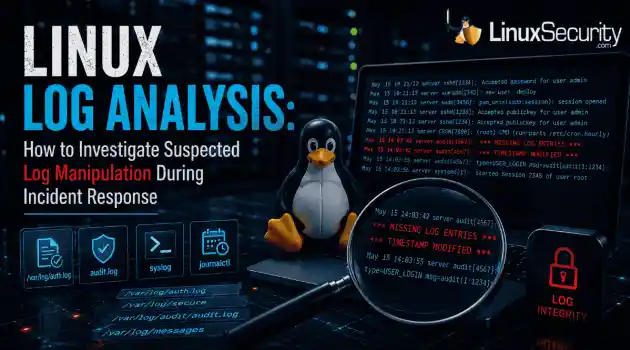
log analysis security incident When an attacker breaks into a Linux system, their work is rarely done. Usually, the real work starts after the initial exploit: hiding their tracks. If you’re a Linux admin or security analyst, there is nothing worse than logging in, running a few commands, and realizing the logs aren't telling the whole story. When logs are missing or look "off," your primary source of truth is compromised. This guide covers how to handle that situation. We’ll walk through the workflow you need to determine...
Jul 10, 2026
How to Learn Tips and Trickssecurity practices linux
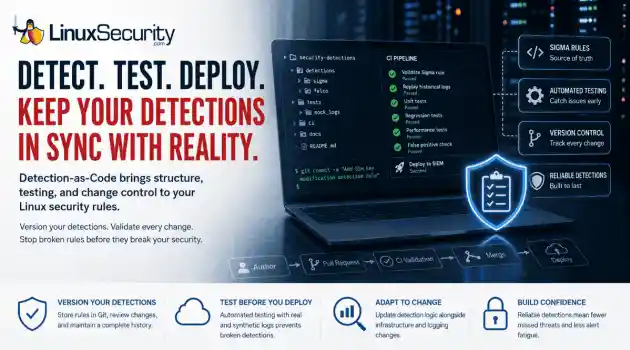
security practices linux One of the easiest mistakes to make in detection engineering is assuming a rule keeps working simply because nobody has touched it. Most of the time, nobody removes the rule. Nobody disables it. It just gets forgotten. . A few months later, someone upgrades a distribution, changes how SSH keys are managed, replaces a logging agent, or migrates an application to containers. The detection is still enabled, but it's watching an environment that no longer exists. The alert everyone expected never...
Jul 07, 2026
 Refine HOWTOs
X Clear Filters
Get the latest News and Insights
Get the latest Linux and open source security news straight to your inbox.
Community Poll
Is continuous patching actually viable?
Loading...
Explore Latest Linux Security HOWTOs
We found 7 articles for you...
160
 access controlsystem administrationfile permissions
Understanding File Permissions And Access Control For Secure Data
In today's interconnected world, controlling who has access to and can modify files is important. Understanding file permissions, whether you're a system administrator or developer, is essential to ensuring the security and management of your data. . The tutorial linked below will examine the basics of file permissions and ownership concepts, as well as the mechanisms for access control, equipping you with the knowledge to navigate and control file systems. At the filesystem and resource level, Discretionary Access Control remains a foundational concept for deciding which users can read, modify, or execute sensitive assets. . To ensure secure data management, focus on file permissions, ownership, and access control systems that limit access to authorized users and protect sensitive data. File Permissions, Access Control, Data Management, Security Best Practices. . Anthony Pell
 Jun 22, 2024
•
Jun 22, 2024
• How to Harden My Filesystem
160
 security practicesaccess controlfilesystem
Mastering File Permissions: A Command Line Guide for Linux Users
Linux file permissions enable you to allow or prevent other users from viewing your files, making them crucial to robust security and privacy. But how can you change file and folder permissions on Linux from the Command Line to improve the security of your filesystem? . I found the tutorial linked below very helpful in demonstrating how this can be done, and I thought you would also! Have questions? Please reach out to me on X @lnxsec - I'm here to help! . This guide assists you in efficiently modifying file and folder access rights in Linux through straightforward terminal commands.. Linux File Permissions, Access Control, Command Line Guide. . Brittany Day
Dec 20, 2023
•
How to Harden My Filesystem

160
 security practicesfile permissionsLinux distributions
Exploring File Permissions and User Ownership in Linux Systems
Linux has different security permissions, each impacting what can be done with a file and a directory. . There are different file permissions on Linux and in distributions like Ubuntu and Fedora . Each permission can specify who can access a file or a directory. It's often critical for the security of your operating system. You can view the permissions by using a terminal, which is why it is important to understand the permissions and what they mean. In this guide, we'll dive into it for you. Before diving into permissions, we need to talk about ownership on Linux. There are three things you need to know about, especially on multi-user systems. First, there's the user who created and owns the file (ownership can be changed). There's the group, which can be assigned to several users by system admins to help manage file permissions more easily. By default, Ubuntu and other Linux distributions might assign a group as same as the user. Finally, we have "other," which is simply anybody with access to the system or all the users on the system. There are two things you'll notice on Linux when handling documents and other items. There are files and there are directories, like your desktop. Each one of these files and directories has different permissions: read, write, or execute. We highlighted what this means for you in the table below. Do note that the meanings are different when working inside a directory or with a file itself. . Linux file permissions govern read, write, and execute rights for files and directories, crucial for security management on systems like Ubuntu and Fedora. Linux File Permissions, Security Practices, User Ownership, System Administration, Permission Management. . Brittany Day
Nov 09, 2023
•
How to Harden My Filesystem
160
 file permissionsfile managementfile types
Exploring Linux Directory Structures: Types, Permissions, and Methods
There’s a lot more to working with files on Linux than creating, listing and updating them. After all, files can be Linux commands (i.e., binaries), scripts, images, simple text files, pointers to other files or folders. You might remember the "everything is a file" description of Unix and Linux systems. . Even sockets and named pipes are files in their own way. Sometimes only the owner can see and use files, sometimes everyone can and sometimes select individuals will also have access. Here are some of the subtleties. . Linux file manipulation encompasses creation, deletion, and modification, while understanding file types and permissions enhances system security and functionality. File Management, File Types, File Permissions. . Brittany Day
Jan 15, 2023
•
How to Harden My Filesystem
160
security managementfile permissionslinux commandsHow to Adjust Default File Permissions with Umask in Linux
File permissions are critical for the security of a Linux system. But how do you set default permissions for new files on Linux? . If you've used Linux for any length of time, you'd know how important Linux file permissions are. But what about permissions for when you create new files? A utility called umask lets you set default file permissions for new files on Linux. A umask is a "bit mask" that sets permission bits on new files. On Linux systems, it's a standalone command, though modern shells like Bash or Zsh include it as a built-in command. . Learn how to configure default access rights for newly created files in Linux through umask settings, and improve the security oversight of your system.. Umask Command, File Permissions, Linux Security, System Management, Linux Administration. . Brittany Day
Oct 22, 2022
•
How to Harden My Filesystem
160
 access controluser permissionsfile permissions
Exploring Set UID, Get UID, And Sticky Bits For File Control
Learn about special file permissions in Linux to have granular control over file and directory access by users. . As a Linux novice user, you learn about the permissions and ownership associated with the file and directories. Linux/Unix-like operating systems allow you to set a combination of nine bits permissions to prevent other users from unnecessary files/directory access. Similar to these are special permissions for executable files known as set UID, set GID, and sticky bits. Understanding special permissions can be a bit overwhelming for aspiring Linux administrators. Here you'll learn a little background on the regular file permissions and explains how they differ from special permissions. We also demonstrate SetID, GetID, and sticky bits functionality with examples for a comprehensive understanding. . As a beginner in Linux, you explore the concepts of file permissions and ownership that dictate how users can access files and folders.. File Permissions, Set UID, Access Control, Linux Security. . Brittany Day
Dec 31, 2021
•
How to Harden My Filesystem
160
 access controlfile permissionslinux tutorial
Understanding and Mastering Linux File Permissions Using Chmod Command
Learn about Linux file permissions and how they can be changed using the chmod command in this Linuxize tutorial. . In Linux, file permissions, attributes, and ownership control the access level that the system processes and users have to files. This ensures that only authorized users and processes can access specific files and directories. . Comprehend the way Linux file access controls define user privileges and how to alter them utilizing chmod.. Linux File Permissions, Chmod Command, Permissions Management. . Brittany Day
May 05, 2021
•
How to Harden My Filesystem
166
 access controlLinux securityfilesystem management
Effective Permission Auditing in Linux Using Find Command
Learn how to audit permissions on your Linux system using the find command with the -perm option - along with four bonus permissions auditing methods - in this RedHat tutorial. . Let's face it: The Linux filesystem can be complex. Add in mounted remote filesystems, removable media, and any server-specific directories you have created, and you or your users may find it difficult to remember exactly where a given file is stored. That's where the find command comes in. It allows you to search for files or directories based on various criteria. I'll do a basic review of find below, but this article's focus is a bit different: Find resources by permissions. Why do I need to find by permissions? Security audit Troubleshoot user access complaints Troubleshoot application access issues . Master the art of scrutinizing user permissions on your Linux machine with the find command, while also delving into alternative auditing techniques.. Linux Permissions, Audit Filesystem, Find Command Usage. . Brittany Day
Dec 08, 2020
•
How to Learn Tips and Tricks

Get the latest News and Insights
Get the latest Linux and open source security news straight to your inbox.
Community Poll
Is continuous patching actually viable?
Search Topics
Powered By

Linux Security - Your source for Top Linux News, Advisories, HOWTOs and Feature Releases
QUICK LINKS
subscribe to newsletters!
Like staying secure? So do we.
Sign up for updates, tips, and alerts!