Explore top 10 tips to secure your open-source projects now. Read More
×


Stay Ahead With Linux Security HOWTOs

How to Learn Tips and Tricks threat detection system monitoring
threat detection system monitoring For small security and IT teams, the "enterprise" dream of a fully automated SIEM often feels like a distant luxury. It’s a vision built on massive budgets and dedicated engineering teams—things that, frankly, most of us don't have. But here is the reality: you don’t need a six-figure platform to maintain a secure environment. . Linux systems are, by design, incredibly verbose. Every time a user authenticates, a process executes, or a configuration file changes, your system creates a record of...
 Jul 17, 2026

How to Learn Tips and Tricksnetwork security centralized logging
network security centralized logging Linux systems generate a steady stream of authentication, service, kernel, and application logs. On most systems, those logs never leave the machine that created them. If you're responsible for ten or twenty servers, that means checking each one separately. If one disappears before you can investigate it, its logs may disappear with it. Centralized logging solves that by sending log messages to another server as they're created. Instead of searching every machine, you have one place to review...
Jul 15, 2026

How to Secure My Networksecurity advisory audit
security advisory audit When you’re digging through an incident, your logs are the only thing you can actually trust. The problem is, attackers know that too. If someone gets root on your server, their first move is almost always to delete the evidence and cover their tracks. . If you aren't actively protecting your logs, you're basically flying blind the second a breach happens. It’s a miserable feeling to realize you have no idea what an attacker did because they wiped the logs before you even got there. In this...
Jul 11, 2026
How to Harden My Filesystemlog analysis security incident
log analysis security incident When an attacker breaks into a Linux system, their work is rarely done. Usually, the real work starts after the initial exploit: hiding their tracks. If you’re a Linux admin or security analyst, there is nothing worse than logging in, running a few commands, and realizing the logs aren't telling the whole story. When logs are missing or look "off," your primary source of truth is compromised. This guide covers how to handle that situation. We’ll walk through the workflow you need to determine...
Jul 10, 2026
How to Learn Tips and Trickssecurity practices linux
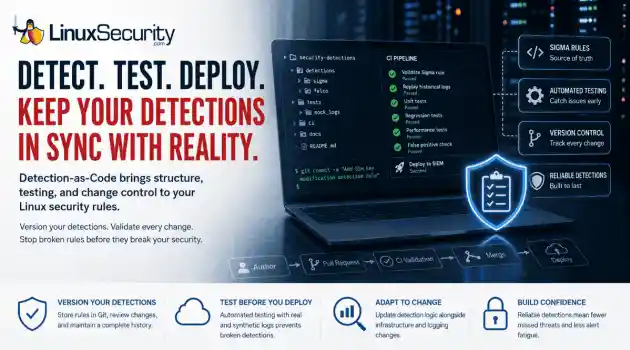
security practices linux One of the easiest mistakes to make in detection engineering is assuming a rule keeps working simply because nobody has touched it. Most of the time, nobody removes the rule. Nobody disables it. It just gets forgotten. . A few months later, someone upgrades a distribution, changes how SSH keys are managed, replaces a logging agent, or migrates an application to containers. The detection is still enabled, but it's watching an environment that no longer exists. The alert everyone expected never...
Jul 07, 2026
 Refine HOWTOs
X Clear Filters
Get the latest News and Insights
Get the latest Linux and open source security news straight to your inbox.
Community Poll
Is continuous patching actually viable?
Loading...

Explore Latest Linux Security HOWTOs
We found -4 articles for you...
166
 threat detectionsystem monitoringremote logging
How to Correlate Linux Logs for Faster Threat Detection
For small security and IT teams, the "enterprise" dream of a fully automated SIEM often feels like a distant luxury. It’s a vision built on massive budgets and dedicated engineering teams—things that, frankly, most of us don't have. But here is the reality: you don’t need a six-figure platform to maintain a secure environment. . Linux systems are, by design, incredibly verbose. Every time a user authenticates, a process executes, or a configuration file changes, your system creates a record of that activity. The problem isn’t that we lack data; it’s that we often lack the time to sift through it. By mastering manual log correlation, you stop being a passive recipient of alerts and start becoming a proactive hunter. You don’t need an expensive tool to gain high-level visibility—you just need a disciplined, repeatable workflow. Getting Your Environment Ready Before you start hunting, you need to make sure your data is actually reliable. A security guide is only as good as the logs you're pulling from. Check your permissions: You’ll need root or sudo to read logs. Just run sudo whoami ; if it doesn't spit back root , you won’t get far. Time matters: If your server clocks aren't synced, your logs are essentially useless for building a timeline. Run timedatectl . If the system doesn't say the clock is synchronized, stop and fix it first. Auditd is your best friend : If you aren’t running auditd , you’re flying blind. Run systemctl status auditd . If it isn't active, enable it with sudo systemctl enable --now auditd . If your time is drifting, just spin up systemd-timesyncd and save yourself the headache later. A Quick Word on Logs Different Linux flavors have different habits. Old-school setups love dumping everything into flat text files, while modern systems use the systemd journal . If you go looking for /var/log/auth.log or /var/log/secure and they aren't there, don't panic—you’re likely on a newer system. Just reach for journalctl instead. A Simple Three-Step Investigative Routine Don’t dive into logs blindly. It’s a great way to get overwhelmed. Instead, use this three-step cycle to keep your sanity: 1. Isolate the user Start with the "who." If a username looks sketchy, filter the logs so you aren't fighting through pages of noise. Bash grep "username" /var/log/auth.log Look for anything that breaks their usual routine. If you see them logging in from three different countries in ten minutes, you know exactly what you’re dealing with. 2. See what happened around the event Logs are just a scattered pile of breadcrumbs until you put them in order. If you find something weird at 2:00 PM, check the minutes right before and after it. Bash grep -C 20 "14:00:00" /var/log/syslog That -C 20 flag shows you 20 lines of context. That window is almost always where the "trigger" event is hiding—the service crash or the config change that opened the door. 3. Verify via Auditd auditd acts as your flight recorder. Even if an intruder deletes their shell history, the kernel record persists. Bash ausearch -ua [UID] -m EXECVE This extracts every binary execution associated with a user ID. If the command returns a list of strange binaries, you have undeniable evidence of unauthorized activity. Scenario: From Alert to Investigation Imagine a web server reports a flood of failed SSH attempts. This is common, but what if one finally succeeds? By correlating auth.log (who entered), auditd (what they executed), and system logs (what happened next), you might discover that the attacker logged in, ran curl to pull a script, and opened an outbound connection. Because you utilized the Entity → Timeline → Audit workflow, you identified a compromise in minutes. This turns a high-stress incident into a controlled, manageable response. Essential Hunting Commands Focus Area Command Why it works Brute Force Detection grep "Failed password" /var/log/auth.log | awk '{print $11}' | sort | uniq -c | sort -nr Isolates the most frequent IP attackers instantly. Sudo Abuse grep "sudo:.*COMMAND=" /var/log/auth.log Reveals which commands are being run with elevated power. Focused Service Monitoring journalctl -u ssh --since "1 hour ago" Filters out the noise, showing only SSH-related events. Getting Logs Off-Box (The "Poor Man's SIEM") If you’re managing more than two servers, logging into each one individually is a waste of time and a security risk. You need to ship those logs to a central server. It’s not just about convenience; if someone manages to compromise a server, their first move is usually to delete the local logs. If your logs are already sitting safely on another box, they can’t hide their tracks. On your clients: Edit /etc/rsyslog.conf and point them to your server: *.* @@your-log-server-ip:514 . Using @@ forces TCP, which is what you want—it’s more reliable than UDP. On the central server: Make sure the imtcp module is enabled so it's actually listening for those connections. Verification: Run logger "Central logging test" on a client. If you see that line show up on your central log server, you’re good to go. Wrapping Up Manual log correlation isn't just about ticking boxes; it's about learning the "rhythm" of your servers. Eventually, you’ll spend enough time in the files that you’ll be able to spot an anomaly just by glancing at the terminal—it just won't "feel" right. When you eventually graduate to a full-blown SIEM like Wazuh or Graylog , you’ll be ahead of the curve. You won’t be drowning in alerts because you’ll already understand the relationship between the events you're seeing. Your Next Steps: Keep a cheat sheet: Keep the three steps above on a post-it note. Seriously, it helps. Just get started: Don't waitfor a crisis. Spend 15 minutes this week " grepping " through the logs on one of your machines. Stay sharp: Sign up for the LinuxSecurity newsletter to keep an eye on new threats. Are you currently collecting your logs in one place, or is your team still hopping between servers to figure out what's going on? . Learn efficient techniques for faster threat detection through manual correlation of Linux logs without relying on costly tools.. Linux logs, threat detection, manual correlation, auditd, system logging. . MaK Ulac
 Jul 17, 2026
•
Jul 17, 2026
• How to Learn Tips and Tricks

Get the latest News and Insights
Get the latest Linux and open source security news straight to your inbox.
Community Poll
Is continuous patching actually viable?
Search Topics
Powered By

Linux Security - Your source for Top Linux News, Advisories, HOWTOs and Feature Releases
QUICK LINKS
subscribe to newsletters!
Like staying secure? So do we.
Sign up for updates, tips, and alerts!