Explore top 10 tips to secure your open-source projects now. Read More
×


Stay Ahead With Linux Security HOWTOs
How to Learn Tips and Tricks security practices linux
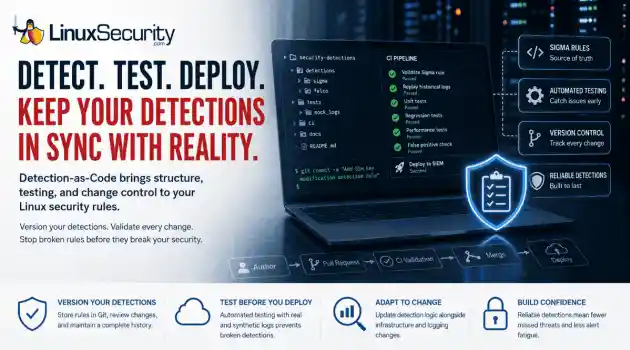
security practices linux One of the easiest mistakes to make in detection engineering is assuming a rule keeps working simply because nobody has touched it. Most of the time, nobody removes the rule. Nobody disables it. It just gets forgotten. . A few months later, someone upgrades a distribution, changes how SSH keys are managed, replaces a logging agent, or migrates an application to containers. The detection is still enabled, but it's watching an environment that no longer exists. The alert everyone expected never...
 Jul 07, 2026
How to Harden My Filesystemlinux security considerations
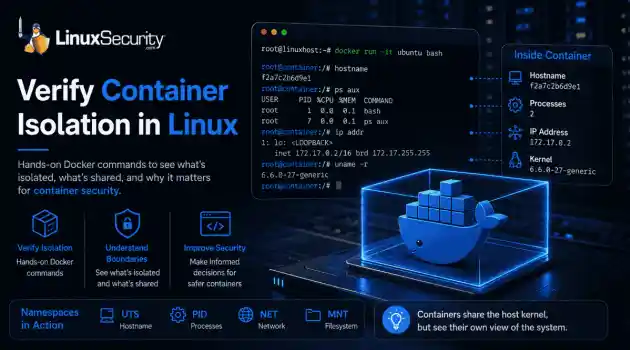
linux security considerations Docker makes containers feel like separate, lightweight virtual machines. They have their own hostnames, processes, and networking—but are they actually isolated? Many administrators assume they are without ever verifying the boundaries. If you’ve ever wondered what truly separates your application from the host, this guide is for you. We’ll use simple Docker commands to verify container isolation firsthand and uncover exactly what remains shared with the host. . What Is Container Isolation?...
Jul 06, 2026
How to Harden My FilesystemLinux security incident response
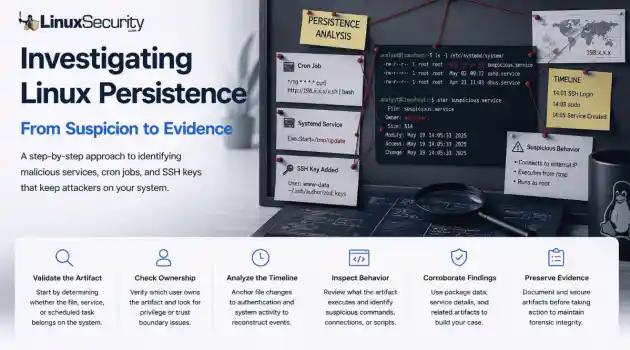
Linux security incident response You’re staring at a service or a cron job that’s giving you a bad feeling. Stop. The most dangerous thing you can do right now is act on that gut feeling alone. Linux systems are inherently noisy—package managers, configuration management, and the occasional "quick fix" from a colleague can all leave weird artifacts behind. . Step 1: Check Whether the File or Service Looks Normal When I'm looking at a scheduled task, I look for logic, not just anomalies. A cron job running...
Jul 03, 2026
How to Learn Tips and Trickssecurity framework process monitoring
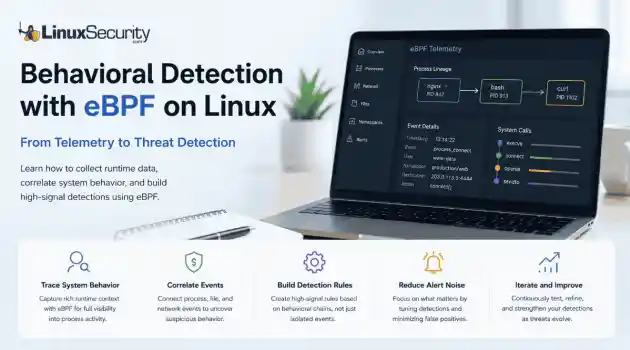
security framework process monitoring Building effective behavioral detections starts with understanding how processes behave at runtime, rather than simply collecting more logs. eBPF gives Linux security teams the visibility needed to correlate those behaviors into meaningful detections, moving away from static signatures and toward real-time analysis. . The first surprise for most people coming from auditd or legacy log collectors is how much context suddenly becomes available. Instead of just seeing that a shell executed, you...
Jul 01, 2026
How to Learn Tips and Tricksincident response linux
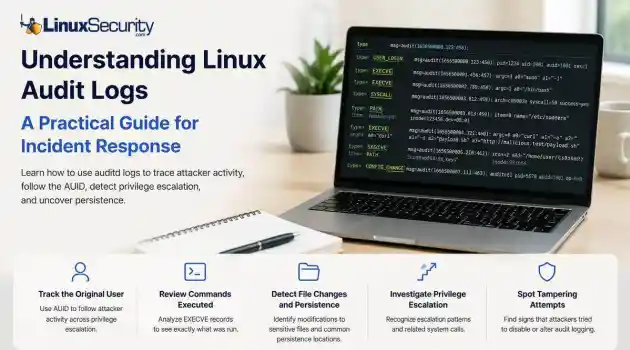
incident response linux When a security alert fires, the panic often sets in before the analysis. Many administrators instinctively reach for /var/log/auth.log or journalctl , but those logs tell only a partial story. They document successful logins and authentication attempts, but they rarely capture the granular "how" of a post-compromise environment. To truly reconstruct an attack, you need to master audit logs . Unlike standard authentication logs, Linux audit logs (managed by auditd ) record system-level...
Jun 29, 2026
 Refine HOWTOs
X Clear Filters
Get the latest News and Insights
Get the latest Linux and open source security news straight to your inbox.
Community Poll
Is application sandboxing truly safe?
Loading...
Explore Latest Linux Security HOWTOs
We found 3 articles for you...
166
 security toolsbest practicespenetration testing
Kali Linux Tools for Automated Discovery: Strengthening Security Posture
As cybersecurity threats become increasingly complex, ensuring an impregnable security posture has never been more essential for Linux administrators and infosec professionals. Staying ahead of vulnerabilities that malicious actors could exploit requires resources like Kali Linux's robust suite of security tools - particularly its automated vulnerability discovery features, which help identify potential security breaches early on. . I'll explain the importance of automated vulnerability detection, the vulnerability analysis tools in Kali Linux , and how to set up and run automated scans. I'll also share best practices for automated vulnerability discovery. Understanding Automated Vulnerability Discovery Automated vulnerability discovery tools are vital to an effective and proactive security strategy. They automate the time-consuming and tedious task of scanning networks, systems, and applications for known vulnerabilities, saving security professionals valuable time to focus on fixing these weaknesses. Automated tools offer several benefits. Not only do they significantly increase efficiency and coverage rates, but they also ensure consistent scanning schedules, reduce risks of human error, and speed up vulnerability management processes. What Automated Vulnerability Discovery Tools Does Kali Linux Offer? Kali Linux provides an impressive collection of automated tools to address specific vulnerabilities or security needs. One notable tool is Metasploit Framework , an advanced open-source platform that automates vulnerability exploitation. Penetration testers rely on Aircrack-ng to validate vulnerabilities in systems and networks by simulating cyberattacks. At the same time, Aircrack-ng serves a different function, testing network security by identifying weaknesses in wireless networks. Wireshark is a tool that provides in-depth views into network traffic, enabling the analysis of packets for potential vulnerabilities. Nmap is integral to vulnerability discovery by mapping networkboundaries and identifying connected devices. Considerations for Setting Up and Running Automated Scans Setting up and running automated scans using these tools is straightforward, yet requires an in-depth knowledge of their features and functionalities. Metasploit provides the capability of automatically scanning targets against its database of vulnerabilities, making this approach to vulnerability analysis much faster. Aircrack-ng users must possess the necessary hardware and permissions to monitor wireless networks effectively and inject packets. On the other hand, Wireshark users should become adept at creating filters to efficiently sift through large volumes of data. Each tool has its own set of customizable options to tailor scans to specific environments or security requirements. Interpreting results is just as essential. Security professionals must be able to recognize false positives while finding actionable vulnerabilities in the noise. This requires experience and deep domain knowledge. Best Practices for Automated Vulnerability Discovery Adherence to best practices for automated vulnerability discovery is vital to achieving maximum results. Configuring scans to minimize false positives and negatives is critical, as is regularly updating tools' databases and fine-tuning their scanning parameters. The frequency of scans must also be considered. Frequent checks enable timely detection, while more intensive scans may impact system performance or bandwidth. Finally, updating tools helps ensure the latest vulnerabilities can be detected quickly. Practical Case Studies Automated vulnerability discovery using Kali Linux tools is best illustrated through real-life case studies. Consider, for instance, a mid-sized company that used Metasploit's automation features to identify and patch vulnerabilities in their web applications before they could be exploited in an offensive cyberattack or an agency that implemented Aircrack-ng to harden wireless networks against eavesdropping attempts.These examples demonstrate how automated vulnerability discovery makes an immediate and positive difference to security posture and prevents future cyber incidents. As illustrated above, automated vulnerability discovery tools are indispensable in improving Linux security. Kali Linux offers a suite of tools that make up its vital platform. By including these tools in regular security assessments and adopting an informed, proactive approach to vulnerability management, organizations can strengthen their defenses against constantly emerging cyber threats. Our Final Thoughts on the Importance of Kali Linux's Automated Vulnerability Discovery Tools Integrating Kali Linux's automated vulnerability discovery tools into an organization's security practices is not simply recommended; it is necessary in today's cyber threat landscape. Tools like Metasploit Framework, Aircrack-ng, and Wireshark help detect and mitigate vulnerabilities efficiently. By adopting them and adhering to best practices, Linux admins and infosec professionals can dramatically strengthen the security of their networks and systems. Kali Linux's official documentation offers those looking to delve deeper into this field an abundance of information on using automated tools effectively. As cyber threats continue to emerge and we must adapt our defenses accordingly, Kali Linux remains an integral weapon in any admin's cybersecurity arsenal. . The specialized utilities in Kali Linux significantly improve vulnerability assessment, providing strong defense mechanisms for Linux platforms against online dangers.. Automated Vulnerability Tools,Kali Linux Security,Network Threat Detection,Security Best Practices. . Anthony Pell
 Sep 02, 2024
•
Sep 02, 2024
• How to Learn Tips and Tricks
167
 network analysispacket sniffinglinux tutorial
Start And Stop Monitor Mode In Linux For Effective Network Analysis
Learn how to start and stop Monitor mode in Linux in this tutorial. . The Wifi module comes with multiple modes and one of them is monitor mode, which you have commonly heard from security enthusiasts to sniff over a network using Wireshark. Monitor Mode allows a wireless router to view the contents of its connected devices on the same channel as it works. In wireless networking, there are multiple modes that can be used to handle connections (managed mode) and monitor packets (monitor mode). All hardware doesn’t support monitor mode, so to check whether your hardware supports monitor mode, execute the below code on your terminal screen, and note down the chipset code. . Master the art of seamlessly toggling Monitor mode on and off in Linux for in-depth network examination with this all-encompassing manual.. Monitor Mode, Wifi Module, Linux Tutorial, Packet Sniffing. . Brittany Day
Jan 15, 2023
•
How to Secure My Network

167
 tcpdumpdata managementnetwork analysis
Effective Tcpdump Filtering Techniques for Network Data
Learn to use tcpdump's filtering capability to make it easier to make sense of your network data in this quick, informative tutorial. . In my last article, Troubleshooting with tcpdump, I looked at the tcpdump tool, some basic use cases, and walked through a mock-up of a real-world scenario. Now, I want to dig a bit further. Everyone who uses this tool in a real situation immediately notices how much information (I believe they call this "verbose"...) is presented to the user. One of the best things you can do for yourself is figure out a practical way to filter for the information you need. Let's look at some ways that you can do this. . Unlock the potential of your network insights through tcpdump's powerful filtering techniques in this brief guide.. tcpdump Filtering, Network Analysis, Data Management. . Brittany Day
Sep 01, 2020
•
How to Secure My Network
163
 server managementsystem monitoringnetwork analysis
Finding Active SSH Connections On Linux for Server Management
With the different methods of finding active SSH connections on Linux examined in this guide, you can easily monitor who is logged in to your server. . If you are Linux system administrator and are responsible for managing servers then you may often need to know how many SSH connections are active on your server and where the connections come from. There are several commands and tools available in Linux to find the active SSH connections on your server. In this tutorial, we will show how to find active SSH connections with different methods in Linux. . Effortlessly oversee SSH sessions on your Linux system using reliable commands and utilities to maintain safety and efficiency.. Active Ssh Monitoring, Linux Server Connections, Ssh Connection Tools. . Brittany Day
May 18, 2020
•
How to Secure My Webserver
169
 tcpdumpemail securitynetwork analysis
Using Tcpdump to Ensure Encryption on POP Email Servers
I confess, I'm an outlaw at heart. I like using packet sniffers like tcpdump because it satisfies my base snooping impulses. Packet-sniffing is wiretapping after all, only it's applied to TCP/IP packets, not voice transmissions. Sure, they're my packets on my systems, but still the idea is appealing. Did you know that you can use tcpdump to verify that encryption on your POP email server is working? Find out how in this informative tutorial from Carla Schroder. . The link for this article located at LinuxPlanet is no longer available. . The link for this article located at LinuxPlanet is no longer available.. confess, outlaw, heart, using, packet, sniffers, tcpdump, because, satisfies. . LinuxSecurity Contributors
Sep 30, 2008
•
How to Secure My E-mail
167
intrusion detectionperformance enhancementnetwork analysisIntegrating Barnyard With Snort To Achieve Improved Detection Capabilities
Do you use Snort? Do you want to get more out of it than you already are? Have no fear, James Turnbull will take you through the process of kicking you Intrusion Detection system up a notch. Check it out: Barnyard improves Snort's speed and efficiency processing outputted data off-loaded by Snort. Barnyard leaves Snort more capacity to perform its key function: scanning and analyzing traffic for anomalies and attacks. We will set Snort to output its alerts and logs to the unified (binary) format, which isn't as processor-intensive as other kinds of output, and then make use of Barnyard to process the resulting output into our required format(s). This tip presumes you already have Snort installed and configured. . The link for this article located at is no longer available. . The link for this article located at is no longer available.. snort, already, james, turnbu. . LinuxSecurity Contributors
Nov 14, 2007
•
How to Secure My Network
160
security toolopen source toolnetwork analysisExplore Knocker: The User-Friendly TCP Port Scanner for Analysis
Knocker is a simple and easy to use TCP security port scanner written in C to analyze hosts and all of the different services started on them.. . Knocker is a simple and easy to use TCP security port scanner written in C to analyze hosts and all . knocker, simple, security, scanner, written, analyze, hosts. . Anthony Pell
Jan 07, 2005
•
How to Harden My Filesystem
166
risk managementsecurity assessmentnetwork analysisEffective Risk Management Using Nmap And SAINT Scanning Techniques
Protect yourself by knowing what services you are offering.. In order to protect your system from crackers, you have to think like one. The first step in determining the level of risk of the services you are offering to the public is to determine what those services are. Chances are you've heard of SATAN, the System Administrator Tool for Analyzing Networks. Designed by Dan Farmer and Wietse Venema, SATAN scans systems for the existence of well known, often exploited vulnerabilities. Todays scanners, such as nmap and SAINT, have become popular tools for determining what ports are open, and potential vulnerabilities for those services. Using nmap, you can port scan large numbers of hosts in a brief period of time using a variety of scanning methods. A typical execution of the program might go like this: dave@mastermind dave$] nmap localhost Starting nmap V. 2.54BETA1 by
Aug 07, 2000
•
How to Learn Tips and Tricks

Get the latest News and Insights
Get the latest Linux and open source security news straight to your inbox.
Community Poll
Is application sandboxing truly safe?
Search Topics
Powered By

Linux Security - Your source for Top Linux News, Advisories, HOWTOs and Feature Releases
QUICK LINKS
subscribe to newsletters!
Like staying secure? So do we.
Sign up for updates, tips, and alerts!