Explore top 10 tips to secure your open-source projects now. Read More
×


Stay Ahead With Linux Security HOWTOs

How to Learn Tips and Tricks threat detection system monitoring
threat detection system monitoring For small security and IT teams, the "enterprise" dream of a fully automated SIEM often feels like a distant luxury. It’s a vision built on massive budgets and dedicated engineering teams—things that, frankly, most of us don't have. But here is the reality: you don’t need a six-figure platform to maintain a secure environment. . Linux systems are, by design, incredibly verbose. Every time a user authenticates, a process executes, or a configuration file changes, your system creates a record of...
 Jul 17, 2026

How to Learn Tips and Tricksnetwork security centralized logging
network security centralized logging Linux systems generate a steady stream of authentication, service, kernel, and application logs. On most systems, those logs never leave the machine that created them. If you're responsible for ten or twenty servers, that means checking each one separately. If one disappears before you can investigate it, its logs may disappear with it. Centralized logging solves that by sending log messages to another server as they're created. Instead of searching every machine, you have one place to review...
Jul 15, 2026

How to Secure My Networksecurity advisory audit
security advisory audit When you’re digging through an incident, your logs are the only thing you can actually trust. The problem is, attackers know that too. If someone gets root on your server, their first move is almost always to delete the evidence and cover their tracks. . If you aren't actively protecting your logs, you're basically flying blind the second a breach happens. It’s a miserable feeling to realize you have no idea what an attacker did because they wiped the logs before you even got there. In this...
Jul 11, 2026
How to Harden My Filesystemlog analysis security incident
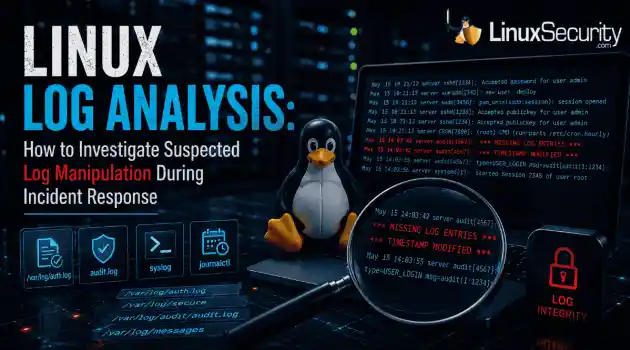
log analysis security incident When an attacker breaks into a Linux system, their work is rarely done. Usually, the real work starts after the initial exploit: hiding their tracks. If you’re a Linux admin or security analyst, there is nothing worse than logging in, running a few commands, and realizing the logs aren't telling the whole story. When logs are missing or look "off," your primary source of truth is compromised. This guide covers how to handle that situation. We’ll walk through the workflow you need to determine...
Jul 10, 2026
How to Learn Tips and Trickssecurity practices linux
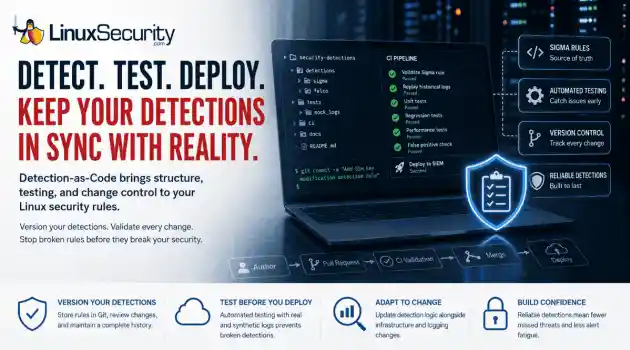
security practices linux One of the easiest mistakes to make in detection engineering is assuming a rule keeps working simply because nobody has touched it. Most of the time, nobody removes the rule. Nobody disables it. It just gets forgotten. . A few months later, someone upgrades a distribution, changes how SSH keys are managed, replaces a logging agent, or migrates an application to containers. The detection is still enabled, but it's watching an environment that no longer exists. The alert everyone expected never...
Jul 07, 2026
 Refine HOWTOs
X Clear Filters
Get the latest News and Insights
Get the latest Linux and open source security news straight to your inbox.
Community Poll
Is continuous patching actually viable?
Loading...
Explore Latest Linux Security HOWTOs
We found 14 articles for you...
160
 file integritysystem administrationsecurity best practices
Effective File Integrity Monitoring Techniques for Linux Systems
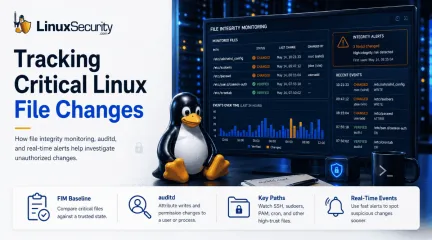
A Linux system can be changed without immediately looking broken. A service still starts. Users still log in. The application still responds. Then an administrator finds that an SSH setting was changed, a firewall rule file has different permissions, or a systemd unit appeared in a directory where nothing new was expected. . That is the point where file integrity monitoring becomes useful. This HOWTO explains how to think about file integrity changes on Linux systems, what to monitor, what changes matter, and how to investigate alerts without treating every file change as a compromise. What File Integrity Monitoring Does File integrity monitoring checks whether selected files and directories still match a known baseline. The baseline is usually created when the system is in an approved state. Later checks compare the current filesystem against that baseline. The comparison is not limited to file contents. A file integrity tool may track: File type Permissions Inode number User and group Size Timestamps Link count and link name ACLs and extended attributes SELinux labels Cryptographic hashes AIDE, for example, builds a database from files listed in its configuration and stores many of these attributes for later comparison. That matters because attackers do not always need to replace a binary. A permission change can be enough. An ownership change can be enough. A new file in a startup path can be enough. A modified configuration file can change how the system authenticates users or exposes services. The purpose is not to record every possible change. The purpose is to notice changes that affect trust. Start With Files That Control System Behavior A common mistake is trying to monitor the whole filesystem at the same level. That creates long reports and weak attention. Start with files that define how the system behaves . Useful first targets include: /etc/ssh/sshd_config /etc/passwd /etc/shadow /etc/group /etc/sudoers /etc/sudoers.d/ PAM configuration systemd unit files cron directories firewall rule files kernel module configuration package manager configuration privileged scripts system binaries shared libraries application configuration files that control authentication or execution These are not the only paths that matter, but they are good examples of security-relevant files. A change to one of them can alter access, privilege, persistence, or network exposure. A web server may also need integrity checks on selected application paths. A bastion host may need stricter checks on SSH, sudo , shell profile, and audit configuration. A database server may need close monitoring on service units, authentication configuration, and backup scripts. The right scope depends on the host. The question to ask is simple: if this file changes without approval, does the system trust the change? Build the Baseline Carefully The baseline is the reference point. If the baseline is wrong, the monitoring will be wrong. Create the baseline from a clean and approved system state. Ideally, this is after installation, hardening, package updates, and application deployment, but before the host is exposed to production traffic. On existing systems, the first baseline can still be useful, but treat it as the current observed state, not proof that the system is clean. With AIDE, the basic model is to initialize the database, then use later checks to compare the system against it. Red Hat’s documentation describes this workflow as installing AIDE, generating an initial database, running integrity checks, and updating the database after verified system changes. It also recommends keeping the database, configuration, and AIDE binary in a secure location such as read-only media for stronger protection. That last part is important. If an attacker can modify the database, the configuration, or the integrity-checking binary, the result is less trustworthy. Local fileintegrity monitoring is still useful, but it is not tamper-proof when all of its components are stored on the same compromised host. Do not automatically approve every change into the baseline. A baseline update should follow a known event: a package update, a configuration management run, an application deployment, or an approved manual change. Automatic baseline replacement can turn a security control into a record of whatever happened last. Choose Attributes Based on the File Not every file needs the same checks. For system binaries: Content hashes matter. Ownership and permissions also matter because a binary that becomes writable by the wrong user is a problem even before it is modified. For configuration files: Content changes are important, but so are permissions, ownership, SELinux labels, and extended attributes. A configuration file may contain the same text but become writable by an account that should not control it. For directories: Added and removed files may be more important than content. A new file under /etc/cron.d/ , /etc/systemd/system/ , or a privileged script path may indicate persistence. A removed file may indicate cleanup or tampering. For logs and spools: Content changes are expected. Monitoring the full contents of every log file usually creates noise. But permissions, ownership, unexpected deletion, or suspicious truncation may still matter. AIDE allows rules to define which attributes are checked for different files and directories. The documentation also warns that configuration takes tuning and that broad ignores can hide files that an attacker may want to place somewhere unmonitored. The goal is not maximum coverage on paper. The goal is useful coverage in operation. Exclude Noisy Paths Without Creating Hiding Places Some paths change constantly. Logs grow. Caches update. Temporary files appear and disappear. Package managers write state. Applications create runtime data. Ignoring those paths completely may make reportsreadable, but it can also create blind spots. Avoid rules that exclude broad areas without thinking through attacker behavior. For example, ignoring all of /var may hide too much. A better approach is to exclude specific volatile file patterns while continuing to watch security-relevant paths under /var , application directories, and service-specific locations. Be careful with pattern matching. A loose exclusion may ignore more than intended. The AIDE documentation gives examples where a rule meant to ignore rotated log files can also ignore a current file or create room for an attacker to place files under a similar name. It recommends precise matching, including anchoring patterns when a single file is intended. Readable reports are important. So are safe exclusions. A report that nobody reads is not useful. A quiet policy that ignores attacker-controlled paths is also not useful. The work is in the middle. Use Audit Data to Find the Actor File integrity monitoring usually tells you what changed. It may not tell you who changed it. Linux auditing helps fill that gap. The audit daemon is the userspace component of the Linux Audit system. It writes audit records to disk. Rules are loaded into the kernel, and records can be reviewed with tools such as ausearch and aureport . For sensitive files, add audit rules that watch writes and attribute changes. For example: auditctl -w /etc/ssh/sshd_config -p wa -k sshd_config_change That kind of rule can help connect a file change to a user, process, and event. It is especially useful when the integrity alert only says that the file no longer matches the baseline. The auditd documentation also notes that rules can be loaded at startup and that adding the audit=1 boot parameter helps ensure early processes are marked as auditable by the kernel. Without that, some early activity may not be properly audited. Use file integrity monitoring for state. Use audit data for attribution. One tells you the file changed. The otherhelps explain how it changed. Use Real-Time Events Where Delay Matters Scheduled checks are useful, but some paths need faster visibility. Linux provides inotify for monitoring filesystem events. It can monitor files or directories and report events such as access, metadata changes, write-close events, file creation, deletion, modification, and rename activity. This can be useful for narrow, high-value monitoring . Examples include: SSH configuration sudoers files firewall rule paths cron directories systemd unit directories privileged application configuration Do not treat inotify as a complete integrity system. It has important caveats. Directory monitoring is not recursive by default. Event queues can overflow. Rename handling has race conditions. Events may be missed if activity happens outside the watched path. The API does not directly identify the user or process that triggered an event. It also does not report all activity on network filesystems or pseudo-filesystems in the way administrators may expect. Real-time monitoring is an early warning. It is not proof of the complete filesystem state. For important systems, use it alongside scheduled integrity checks and audit records. Investigate Alerts by Building a Timeline When a file integrity alert appears, do not start by assuming compromise. Start by placing the change in time. First, identify what exactly changed : Was the content modified? Were permissions changed? Was ownership changed? Was a file added? Was a file removed? Was a file renamed? Did the SELinux context or extended attributes change? Did the baseline change? Then, compare the alert against normal system activity . Check package manager history, configuration management logs, deployment records, sudo logs, audit records, user sessions, systemd journal entries, and nearby files or directory timestamps. A changed SSH configuration during a documented hardening update is differentfrom the same change made by an interactive shell at 03:00. A new file under a systemd directory from a package install is different from a manually written service unit that launches a binary from /tmp . Look for clusters. Attackers often change more than one thing. A new service file, a modified script, and a log gap around the same time are more concerning than any single event alone. MITRE describes adversaries selectively deleting or modifying artifacts such as logs, command histories, and file metadata to reduce indications of activity while keeping enough normal data in place to avoid immediate suspicion. That is why missing data matters . A cleared shell history, a truncated log, a changed timestamp, or an unexpected log rotation near an integrity alert should not be ignored. Watch for Changes That Look Administrative Many suspicious changes do not look dramatic. An attacker may enable password authentication in SSH for a short period. They may add an authorized key. They may place a script under a name that resembles a legitimate maintenance task. They may add a cron job that calls a script from an ordinary-looking path. They may change permissions so a low-privilege user can later modify a file. They may replace a binary and restore timestamps. Those changes can look like administration if viewed one at a time. This is why file integrity monitoring should focus on behavior. A file is not important only because of where it sits. It is important because of what the system does with it. Ask yourself: Does this file run as root? Does it affect login? Does it affect sudo ? Does it affect network exposure? Does it start at boot? Does another trusted process execute it? Can a non-privileged user now write to it? That line of thinking catches issues that simple path-based monitoring can miss. Know When Detection Should Become Enforcement Most file integrity monitoring detects change after it happens. That is enough for many systems. Somesystems need stronger controls. Linux Integrity Measurement Architecture (IMA) can calculate file hashes, maintain measurement logs, support audit logging, and appraise files against known-good values or signatures. With appraisal, access can be denied when verification fails. Extended Verification Module (EVM) can protect security-relevant metadata such as security.ima , SELinux labels, capabilities, UID, GID, mode, and related attributes. Red Hat’s kernel integrity guidance describes IMA measurement, appraisal, and audit as separate features. It also explains that an app can compare a file hash or signature against a trusted reference and deny access when verification fails. This is not the same as running a periodic AIDE check. It is a stricter model. Use it where the operational profile fits: stable systems, high-value workloads, regulated environments, or hosts where unauthorized execution should be blocked rather than merely reported. Test it carefully. Enforcement can break workloads if policies, labels, signatures, or update flows are wrong. Detection is easier to operate. Enforcement gives stronger guarantees but less room for mistakes. Protect the Monitoring System Itself Monitor the integrity of the monitoring configuration. Monitor the database. Monitor the reports. Monitor whether scheduled checks stop running. An attacker who understands the environment may not only change the target file. They may change the monitoring rule, remove a watched path, modify the baseline, stop the scheduled job, or tamper with local logs. This is why off-host evidence matters. Send logs and alerts to a central system. Restrict who can update baselines. Keep old baselines for comparison. Review baseline updates manually. Store critical integrity data somewhere the monitored host cannot freely rewrite. NIST’s integrity control language focuses on using integrity verification tools to detect unauthorized changes to software, firmware, and information, and on taking defined actionswhen unauthorized changes are detected. It also includes enhancements for integrity checks, automated notifications, centralized tools, and integration with incident response. That is the operational point. Detecting change is only part of the control. Someone has to receive the alert, understand it, and act. Operational Takeaways File integrity monitoring is useful when it answers practical questions: What changed? Was the change expected? Who or what made it? Does it affect authentication, privilege, execution, persistence, logging, or network exposure? Can the current system still be trusted? Best Practices Summary: Start with a clean baseline. Watch files that control system behavior. Tune rules so reports are readable, but do not create broad hiding places. Treat metadata changes as seriously as content changes when the file is security-sensitive. Pair integrity checks with audit data. Use real-time events for narrow, high-value paths. Send evidence off-host. Update baselines only after changes are verified. The purpose is not to prove that no file ever changes. Linux systems change constantly. The purpose is to notice when the wrong files change, understand what that means, and respond before a quiet modification becomes a long investigation. FAQs What is file integrity monitoring on Linux? File integrity monitoring compares selected files and directories against a trusted baseline to detect content, permission, ownership, metadata, or attribute changes. Is AIDE enough to detect compromise? AIDE can detect many unauthorized changes, but it should be paired with audit logs, centralized logging, and incident response procedures. Should I monitor the whole filesystem? Usually no. Start with files that affect authentication, privilege, startup behavior, execution, logging, and network exposure. . Learn how to implement file integrity monitoring on Linux systems effectively to detect unauthorized changes and improve security.. Linux FilesystemMonitoring, File Integrity, System Security, AIDE Configuration, Secure Linux Systems. . MaK Ulac
 May 18, 2026
•
May 18, 2026
• How to Harden My Filesystem
162
 data protectionencryptionsecurity best practices
Protect Your GPG Key: Essential Tips For Online Identity Security
GPG keys are crucial in verifying your online identity. Securing your GPG key from malicious actors ensures that no one can impersonate you in your communications with other people. The tutorial linked below demonstrates five simple and practical tips for securing your GPG key in Linux. . . GPG keys are crucial in verifying your online identity. Securing your GPG key from malicious actors.. crucial, verifying, online, identity, securing, malicious, actors. . Anthony Pell
Jun 22, 2024
•
How to Strengthen My Privacy

163
 data securitydata protectioninformation security
Essential Security Strategies for Your Linux Server in 2024 Ahead
Protecting your web server is crucial for the security of your website and sensitive information. Linux servers are a popular choice among developers and businesses. Ninety-six percent of the top 1,000,000 web servers are Linux-based. Linux is a huge market force, and it is important to protect your data if you use it. . You must, therefore, engage in Linux server security best practices to ensure data security and prevent leakages. The article linked below will provide you with these best practices for data protection. The link for this article located at Security Boulevard is no longer available. . Implement robust Linux server security protocols to safeguard critical assets and mitigate data exposure risks. . Linux Server Security, Data Protection Practices, Server Best Practices. . Brittany Day
Apr 17, 2024
•
How to Secure My Webserver
166
 debianaccess controluser management
How to Manage User Access and Sudo Privileges in Debian 12
In Debian, managing user privileges and administrative access is crucial for maintaining a secure and efficient system. By granting users the ability to execute administrative tasks without relying on the root account, you can enhance security, control access to sensitive operations, and maintain an audit trail of user activity. . This detailed guide walks you through the steps to add, delete, and grant sudo privileges to users in Debian Linux. Whether you're setting up a new Debian system or need to manage user accounts on an existing installation, this step-by-step tutorial is designed to provide clear instructions and explanations that even beginners can follow. . Master the art of controlling user permissions and assigning sudo rights in Debian 12 to enhance security and streamline administrative operations.. Debian 12 Privileges Management, User Management in Debian, Sudo Access Control. . Brittany Day
Jun 30, 2023
•
How to Learn Tips and Tricks
162
 security best practicessystemdArch Linux
Disabling Bluetooth Service on Arch Linux for Better Power Efficiency
If your Arch Linux computer supports Bluetooth but you’re not using it, it’ll just be wasting power. Instead of turning it off whenever you boot your computer, disable the Bluetooth service instead. . Bluetooth is a convenient way to wirelessly connect all manner of devices to your computer. But if you’re not planning on using Bluetooth, leaving it activated means it’ll be sitting in the background consuming power needlessly. On a laptop that means your battery discharges faster than it needs to. Depending on how your Bluetooth is configured, it might be broadcasting its ID to other devices too, soliciting connections. This is poor for security and bad for your privacy. Turning Bluetooth on and off is a trivial matter through your desktop environment. Most desktop environments provide a simple checkbox or slider control to do this. But turning it back on is just as easy, and could be done inadvertently if you, or anyone else, isn’t paying attention. If you really want to be sure Bluetooth can’t be turned on, disabling it is the safest thing to do. With Bluetooth disabled, it cannot be restored through your desktop environment. Your computer will behave as though it had no Bluetooth hardware installed at all. The good news is, disabling your Bluetooth is easy when you know how, and it’s just as easy to restore it when you do want to use it. We’re using Arch as the demonstration system, but this will work with all modern systemd-based Linux distributions. The link for this article located at How-To Geek is no longer available. . Discover the steps to turn off Bluetooth on Arch Linux, enhancing energy efficiency and bolstering security while the feature is inactive.. Arch Linux, Bluetooth Management, Power Saving Tips. . Brittany Day
Apr 04, 2023
•
How to Strengthen My Privacy
166
 system hardeningsecurity best practicesuser authentication
Kali Linux: Steps for Changing Your Root Password Securely Now
The first thing to do right after booting into Kali Linux for the first time is to change the default root password. Here's how you can do it. . A system protected by default credentials is an open invitation for adversaries to exploit. It is highly recommended that you set a custom root password for your Kali Linux machine as soon as it boots up post-installation. In this primer, you will find the easiest and swiftest way to reset the root password of your Kali Linux desktop with the passwd command or, if you forgot your root password then with the GRUB bootloader. . Strengthen your Kali Linux environment by modifying the initial root password to avert potential breaches efficiently.. Kali Linux Password Change, Root Access Security, Change Default Credentials. . Brittany Day
Apr 05, 2022
•
How to Learn Tips and Tricks
166
 security measuressecurity best practicesserver security
10 Essential Steps To Secure Your Linux Server and Best Practices
Linux servers are already extremely secure by default that’s why 100% of supercomputers, most of the top 1 million servers , and top 25% of websites on the internet run on Linux. Besides having security tools in place, users should follow a few steps to further secure Linux servers. Learn about 10 steps you should take to secure your servers in this tutorial. . As we all know nothing is perfect. Things can go wrong if proper precautions are not taken. Once in a while, Linux tools encounter serious vulnerabilities and due to the nature of these tools (open-source), all tools quickly receive security fixes. When it comes to compromising a Linux server, most of the time users’ actions are responsible for it. After the compromise, we get to know the compromise could easily be prevented by implementing a simple firewall rule. The link for this article located at Linux and Ubuntu is no longer available. . Discover key measures for boosting the protection of your Unix-based server by utilizing effective strategies and recommended guidelines.. Linux Security Tips, Server Hardening, Best Practices for Open Source Security. . Brittany Day
Mar 19, 2021
•
How to Learn Tips and Tricks
166
 access controlLinux securityfilesystem management
Effective Permission Auditing in Linux Using Find Command
Learn how to audit permissions on your Linux system using the find command with the -perm option - along with four bonus permissions auditing methods - in this RedHat tutorial. . Let's face it: The Linux filesystem can be complex. Add in mounted remote filesystems, removable media, and any server-specific directories you have created, and you or your users may find it difficult to remember exactly where a given file is stored. That's where the find command comes in. It allows you to search for files or directories based on various criteria. I'll do a basic review of find below, but this article's focus is a bit different: Find resources by permissions. Why do I need to find by permissions? Security audit Troubleshoot user access complaints Troubleshoot application access issues . Master the art of scrutinizing user permissions on your Linux machine with the find command, while also delving into alternative auditing techniques.. Linux Permissions, Audit Filesystem, Find Command Usage. . Brittany Day
Dec 08, 2020
•
How to Learn Tips and Tricks

Get the latest News and Insights
Get the latest Linux and open source security news straight to your inbox.
Community Poll
Is continuous patching actually viable?
Search Topics
Powered By

Linux Security - Your source for Top Linux News, Advisories, HOWTOs and Feature Releases
QUICK LINKS
subscribe to newsletters!
Like staying secure? So do we.
Sign up for updates, tips, and alerts!