Explore top 10 tips to secure your open-source projects now. Read More
×


Working Smarter: AI-Driven Image Optimization for Websites
 Jul 12, 2025
•
Jul 12, 2025
•
 MaK Ulac
4 - 8 min read


Running a website involves a constant mix of updates, performance checks, and design adjustments. Images play a major role in this process, but they also bring complications—slow loading times, inconsistent formats, and extra work to get them right.
AI-generated image tools help simplify that workflow. They can compress files, adjust image sizes for different devices, and even create visuals on demand. These tools reduce manual tasks and improve how well a site performs, especially when integrated with trusted backend systems like a Linux server or supported by tools such as exiftool for metadata cleanup.
This article looks at how AI-generated images make websites faster, easier to manage, and more responsive to user needs.
How AI Tools Help Speed Up Image Loading
When someone visits a web page, images often take longer to load than text. This delay can cause frustration. Website loading speed is important for keeping visitors interested. AI-generated image tools address this issue by compressing images smartly. They shrink file sizes but keep the image clear.
For example, traditional compression does the same thing for all images. AI tools look at each image and choose the best way to compress it. If the user is on Chrome, the tool can pick the WebP format, which is more efficient. This targeted approach means images are smaller and load quicker.
Studies show that most mobile web pages take about 8.6 seconds to load. Using AI to cut image sizes helps reduce this time. Websites that load faster have better Core Web Vitals. These are measures used by search engines to judge how smooth a website feels.
AI: Smarter Image Optimization for Every Device
AI image tools handle more than simple file shrinking. They resize images to fit different screens. For example, an image might be adjusted to display on a large computer monitor or a small phone. The AI looks at the device and delivers the right size. This reduces data use and speeds up loading, especially when mobile users have slow internet.
Another benefit is how AI adapts to each visitor’s network speed. If the internet is slow, AI serves a lower-resolution version first. If the connection gets better, it upgrades the image quietly. This method uses less data and still gives a clear picture.
The process would be hard to do manually for lots of images. AI runs these checks and changes right away, saving time and avoiding errors.
Generating Visuals That Fit Each Visitor
Pictures are more than decoration. The right image can hold someone’s attention longer. AI systems make this job easy. They show different images to different visitors based on past behavior or known details.
For example, a user who has browsed sports shoes before could see a header showing athletic gear. Someone else looking at home decor might get images of furniture. This makes each page feel more personal.
AI also helps place images where people notice them most. By looking at how visitors interact with the site, the system can rearrange pictures for better results. It learns which images work best in certain spots and can suggest the most effective layouts.
AI Images and Workflow Automation: A Technical Look
Website owners often need to create a website, update product catalogs, and prepare blog illustrations at once. With AI-generated images, bulk tasks like resizing or format conversion become simple because the system handles them instantly. This saves time that would otherwise be spent on manual edits or coordination between designers.
These systems often run on a Linux server, where image automation fits naturally into existing workflows and can scale without extra load.
As an example, an e-commerce store owner can use AI tools to prepare images for new products and adjust them for different device screens. At the same time, someone running a blog can automate banner creation using the same AI system. This approach keeps tasks organized and efficient.
Enhancing AI Workflows with Open Source Tools
AI tools don’t have to run in isolation. For teams managing their own stack, open-source image software like ImageMagick pairs well with AI-driven optimization. On Linux, these tools can be scripted to work in headless setups or added to existing automation flows. They’re fast, flexible, and give admins full control over how and where images get processed. Using open source means fewer surprises—what the tools do, and how they do it, is visible and adjustable.
UI Design & User Privacy
When it comes to layering AI into your workflows--like image compression or resizing--don't hide privacy behind settings toggles or footnotes. Rather, incorporate it directly into the UI so both developers and users see it firsthand: for instance, add a small badge with "Data Stays Here," or provide an informative tooltip ("Processed on our secure server, not shared") when users hover over AI features; these cues keep people informed without slowing anyone down and demonstrate that privacy was top of mind from day one, not afterthought afterthought! Developers should also draw on lessons learned from practical UX design training.
Fast Image Creation With Modern AI Tools
A single blog post can need several pictures. A product page might need clear shots from many angles. AI generators create images from simple instructions in seconds.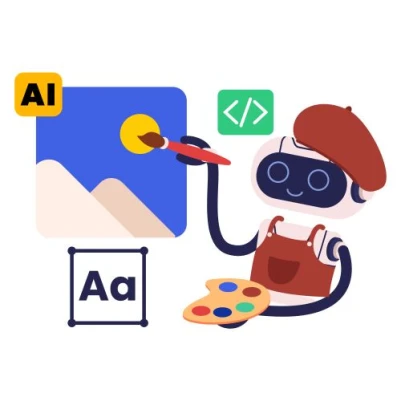
The quality of these generated images has improved. AI images look sharp and fit well with clean website layouts, and some workflows also include tools like exiftool to clean out metadata before publishing, helping reduce file bloat and improve privacy.
For example, ChatGPT models can finish basic images in under 10 seconds. Detailed works take around half a minute. This speed matters when updating large amounts of content at once or when frequent website updates happen.
AI images look sharp and fit well with clean website layouts. This approach saves the expense and delay of hiring extra design help or purchasing stock photos.
Automation in Bulk: Handling Large Site Libraries
Online stores and large content websites use thousands of pictures. Using manual tools for creating, naming, resizing, and converting images is slow and prone to mistakes. AI optimizes this whole process.
Smart compression and format conversion happen automatically with AI. For each image, the tool picks the file type and dimensions that best fit its place on the site. It can also rename files using product codes or other details for easy tracking.
Bulk resizing lets one master image turn into website banners, product cards, and thumbnails. The same image can be ready for both desktops and mobile phones without manual editing.
These kinds of high-volume tasks run especially well on a Linux server, where automation scripts can scale without dragging down performance.
Secure Image Handling on Linux Servers
Linux-based sites handling large image libraries should set strict file permissions and use secure transfer methods like scp or rsync over SSH. Adding integrity checks—like hash verification—and watching upload directories with firewalls or tools like Fail2Ban helps prevent unwanted access. These steps run quietly in the background but do a lot to keep the system stable and secure.
Image Content That Matches User Needs
Websites built for user retention rely on images that speak to the viewer. AI not only generates new visuals but also picks images for each user. It bases these picks on browsing history or past site actions.
When paired with AI-powered website design, images can shift location, size, or order depending on what works best. The site learns what pictures keep visitors on the page and brings those forward on future visits.
This optimization helps keep the website feeling fresh, even if the base content does not change much. Product pages can look different for each user, which helps avoid a sense of repetition.
Tools Site Owners Trust: Fast and Smart
Website owners seek tools that blend into their current workflow. Many now use tools with AI-driven image creation and optimization. ChatGPT and similar products are popular because they produce results quickly and require no special training.
AI compressors and format converters work in the background or as simple plug-ins within website managers. When images are uploaded, they get checked, processed, and delivered in the best form without extra steps. The process is smooth and reduces the risk of broken images or slow-loading galleries.
This automation frees up time to focus on other tasks, like writing or marketing.
Efficiency, Improvements, and User Satisfaction
Instead of guessing the best sizes or formats, AI lets website owners set basic rules. The system makes daily decisions about image type, amount of detail, and delivery to each user’s screen.
Websites that load quickly and have clear, good-looking images usually get better reviews and keep visitors for longer. As search engines track these signals, better image optimization can help pages rank higher.
AI-generated images allow faster work, more updates, and fewer errors in a website’s image library. Digital shops get faster product updates. Bloggers post illustrated guides with no design lag. Tools learn what works and keep making small improvements.
Image optimization, automated design, and instant generation save time and help websites perform better. When supported by a solid back end—whether that means a reliable Linux server, smart automation tools like exiftool, or a clean metadata workflow—these systems do more than save time.
 PREVIOUS

 NEXT
NEXT

Powered By

Linux Security - Your source for Top Linux News, Advisories, HOWTOs and Feature Releases
QUICK LINKS
subscribe to newsletters!
Like staying secure? So do we.
Sign up for updates, tips, and alerts!