Overly broad permissions can turn one compromised account into a much larger security problem. Learn how to reduce unnecessary access, review privileges, and apply least privilege across modern Linux systems. Review Linux Privileges×



Desktop Security security advisory vulnerability
security advisory vulnerability GNOME is officially shortening its standard vulnerability disclosure window from 90 days to 30 days, a change that impacts upstream maintainers, downstream Linux distributions, and system administrators in how they handle software vulnerabilities. The policy shift, announced by long-time security coordinator Michael Catanzaro , addresses modern software patching realities and a growing influx of automated submissions. . Because GNOME is the default desktop environment on several major Linux...
 Jul 21, 2026

Security Vulnerabilities security advisory moderate
security advisory moderate For organizations that run a self-hosted Git platform, it’s no longer just about hosting static code repositories. Today, Git servers are responsible for deployment pipelines, API tokens, SSH keys, package repositories, and the automation scripts that push code directly. Confirm that the upgrade addresses known vulnerabilities but also provides production environments. . That makes them trusted systems within the development environment and attractive targets for attackers looking to move...
Jul 20, 2026

Server Securitydata privacy automation
data privacy automation Every system admin has lived through the same Monday morning ritual. A queue of forty tickets, half of them password resets, permission errors, or disk space warnings that any experienced technician could resolve in under two minutes. The other half require actual judgment. For years, automation promised that software would eventually sort the two apart on its own. That promise is now being tested in production Linux environments. . Early results are reshaping how IT teams think about tier-1...
Jul 17, 2026

Privacydata collection automation
data collection automation You're running a web scraping project to collect pricing data from e-commerce sites. You set up a pool of datacenter proxies, launch your scripts, and within minutes — banned . CAPTCHAs everywhere. Your data pipeline stops before it really begins. . It's a frustrating scenario that plays out daily in ad verification, market research, and multi-account management. The website doesn't know you're doing legitimate research or monitoring. It just sees traffic coming from IP ranges it recognizes as...
Jul 17, 2026

Security Trends security advisory social engineering
security advisory social engineering Business Email Compromise used to be a numbers game — mass-blasted emails, broken English, an obvious "URGENT WIRE TRANSFER" subject line. That era is over. Generative AI has turned BEC into a tailored, low-noise operation that mimics writing style, voice, and even video presence. This piece looks at what's actually changed under the hood, what defenders are testing in response, and why so many organizations are still structurally unprepared for it. . The Infrastructure Problem Nobody Wants to...
Jul 17, 2026
 Refine news
X Clear Filters
Get the latest News and Insights
Get the latest Linux and open source security news straight to your inbox.
Community Poll
Should Linux servers automatically install security updates?
Trending News
Loading...
Explore Latest Linux Security news
We found 32 articles for you...
78
 securitybrowserprivacy
FireDragon Overview: The Optimized Linux Browser for Security Admins
Although less well-known than browsers like Chrome and Firefox, FireDragon is an ideal browser for Linux security admins searching for an effective yet privacy-focused browsing experience. Crafted to meet the discerning needs of security-aware users, FireDragon combines Opera's visual appeal with Firefox's robust privacy features, such as Dark Reader, uBlock Origin, and customizable settings to deliver a seamless browsing experience without compromising speed or functionality. Its compatibility with profile-sync-daemon, Firejail, and strong fingerprinting resistance make FireDragon an attractive choice to safeguard your online security and privacy. . FireDragon stands out as not only secure but also fast. It beats out Firefox in startup and page load times while providing an attractive customizable interface thanks to the Garuda team's dr460nized branding. Installation across various Linux distributions makes FireDragon an accessible yet powerful addition to any administrator's toolbox. Whether managing multi-server setups or simply needing a reliable browser for daily tasks, admins should certainly consider FireDragon, given its combination of speed, security, and style. In this article, I'll explain what makes FireDragon an outstanding browser and why you should consider it for secure web browsing. A Privacy-Focused Experience Source: GitHub FireDragon takes privacy very seriously, offering privacy-oriented search engines as part of its core functionality, notably SearxNG as the default search engine option and Searx as an additional choice. However, FireDragon goes further in protecting user privacy than search engines alone. It comes equipped with various built-in tools designed to enhance and secure your browsing experience. Extensions like Dark Reader make night-time browsing more comfortable for your eyes by applying dark themes automatically to websites. uBlock Origin provides additional security by blocking ads and trackers, and Gesturefy provides user convenience byenabling customizable mouse gestures, which can streamline workflow significantly. Enhanced Security Measures Safety should always be at the top of network and system administrators' minds, and FireDragon emphasizes security as a top priority. One of its standout security features is profile-sync-daemon and Firejail . These tools help ensure browsing activity is sandboxed against potential threats while adding another layer of protection against potential attacks. In particular, Firejail serves as a SUID program that reduces risks associated with running applications by isolating browsers from the rest of the system, thus decreasing the chances of security breaches causing system-wide vulnerabilities. FireDragon also offers account synchronization via a custom, self-hosted sync server for Firefox accounts. This feature is particularly helpful for administrators managing multiple devices as it ensures bookmarks, history, and settings remain synchronized across devices without depending on external servers and potentially risky third-party access. FireDragon also utilizes PBMode Security, which blocks HTTP loads at the network level to ensure sensitive data is transmitted over encrypted channels, reducing the risk of man-in-the-middle attacks. Furthermore, FireDragon features strong fingerprinting resistance via Resist Fingerprinting, making it harder for websites to track users based on browser and device configurations and increasing privacy. However, it should be noted that this mode may break some websites, compromising both functionality and privacy. Tailored for Linux FireDragon stands apart from its competition by being developed specifically with Linux users in mind rather than cross-platform functionality. This targeted development ensures seamless integration into various Linux distributions. For those on Arch-based distributions, it can easily be installed from AUR using the command yay -S firedragon . Those running distributions supporting Flatpak can install the browser via Flathub with the command flatpak install flathub org.garudalinux.firedragon. FireDragon is also accessible as an AppImage or binary tarball for distributions not yet supporting these methods, Garuda's emphasis on Linux is evident through their signature branding of Dr460nized themes. These themes appeal to aesthetics while providing high customizability so users can create the ideal browsing environment. Furthermore, these custom themes help enhance productivity by reducing visual clutter and making the user interface more intuitive. Performance That Impresses Performance and security go hand-in-hand with web browsers, as administrators require fast and responsive browsers that allow them to manage multiple tasks efficiently and safely. FireDragon delivers on this front. In comparative performance tests, FireDragon outpaced Firefox in both startup speed and page load times. FireDragon achieves such stellar performance through numerous optimizations. For example, its browser settings include customizations designed to accelerate page loads. By disabling media autoplay, users can experience enhanced satisfaction and save unnecessary bandwidth usage, which is especially advantageous in environments with limited resources. Why FireDragon Is Worth Considering for Your Linux Browser Why should Linux security administrators choose FireDragon as their browser? The answer lies in its exceptional speed, security, and style blend. Unlike many other browsers, which force admins to sacrifice one for another, FireDragon strikes an equilibrium that doesn't force them to choose between these critical areas. Privacy-focused software ensures sensitive information remains protected, while user-friendly features and customizable settings ensure a productive experience. Integrating Firejail and Profile Synch Daemon security enhancement tools adds protection essential for network and system administrators. Syncing settings across devices without depending on third-party servers is another key benefitwhen managing multiple endpoints. FireDragon may not be the absolute fastest browser out there, but it is more than fast enough for most tasks. Any slight speed reduction is more than made up for by its robust security features and customized settings and optimizations, which ensure users enjoy an uninterrupted browsing experience without frustrating slow load times or resource-heavy applications. FireDragon stands out from other Linux browsers by being intuitive when installed across different distributions and featuring visually appealing custom themes designed with user experience in mind. This ensures that the browser functions perfectly on Linux systems and feels and looks great, providing a more enjoyable and productive browsing experience overall. Our Final Thoughts on the FireDragon Linux Browser Linux security admins must consider multiple factors when selecting their ideal browser, with FireDragon being one of the many stand-out candidates that meet these requirements. With its strong focus on privacy and security combined with impressive performance and customizability, FireDragon stands out as an attractive option that meets these demands. As digital privacy becomes ever more essential, having an alternative browser that prioritizes both speed and security, such as FireDragon, is not just extravagant but an absolute necessity. Whether you are managing extensive networks or simply performing daily administrative duties, FireDragon deserves serious consideration! . StormFalcon merges agility with robust security and privacy capabilities, perfect for system administrators on Windows looking for dependability.. FireDragon Browser, Linux Privacy, Secure Web Browsing, Linux Administration, High-Performance Browser. . Brittany Day
 Mar 19, 2025
•
Mar 19, 2025
• Vendors/Products
78
 security advisorysecurity fixsoftware
Google Chrome 91: Security Fixes For Linux Users and New Features
Google Chrome 91 has arrived with important security fixes and excellent new features - especially for Linux users! . Google’s Chrome browser and operating system has been updated to version 91, bringing with it a wide variety of features, mainly announcing that Linux support is now official for ChromeOS, alongside being able to copy and paste a file onto a web page and much more. Announced to little fanfare, Google has detailed a bunch of security fixes that plug the holes to vulnerabilities, and is now available on all platforms, such as Windows, macOS, Linux, and Chromebooks. . Mozilla Firefox 89 introduces crucial updates and enhancements, improving Windows functionality with additional tools.. Google Chrome, Linux Capabilities, Browser Security, Software Update. . LinuxSecurity.com Team
May 26, 2021
•
Vendors/Products

78
 browsersecurity featurenetwork encryption
Mozilla Firefox 83 Launch: Enhanced HTTPS-Only Mode for Secure Browsing
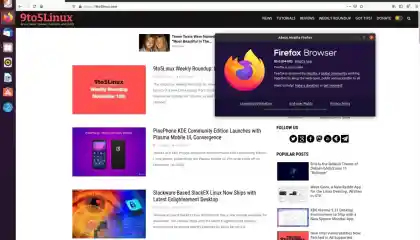
The Mozilla Firefox 83 web browser is now available for download on Linux, macOS, and Windows systems, and offers a new security feature called HTTPS-Only Mode, which provides a secure and encrypted connection between your web browser and the websites you visit - even if they don’t use HTTPS. . The biggest new change in the Mozilla Firefox 83 release appears to be a new security feature called HTTPS-Only Mode, which is implemented in Preferences, under the Privacy & Security section. It provides a secure and encrypted connection between your web browser and the websites you visit, even if they don’t use HTTPS. By default it’s disabled, but when enabled, the HTTPS-Only Mode will upgrade all your website connections to use Secure HTTP (HTTPS). The good news is that it can be used in all windows or only on private windows. Another interesting change is support for the WebRender feature to work on Intel laptops with older drivers, as well as on systems with Intel Gen12 GPUs, thus making Firefox more snappier on these hardware. The link for this article located at 9 to 5 Linux is no longer available. . A major update in Google Chrome 88 introduces a built-in VPN service, offering enhanced privacy for users browsing the web.. Mozilla Firefox, Secure Browser, HTTPS-Only, Web Security. . LinuxSecurity.com Team
Nov 19, 2020
•
Vendors/Products
210
 security advisorycriticalexploit
Google Chrome 81 Critical Update: Threat Alert for All Users
Are you a Google Chrome user? Google has issued a warning of a vulnerability in its Chrome browser across Windows, Mac and Linux - urging users to upgrade to the latest version of the browser (81.0.4044.113). . Google just gave its two billion Chrome users a brilliant (if long overdue) upgrade, but it doesn’t mask all of the controversial changes , security problems and data concerns which have worried users about the browser recently. And now Google has issued a new critical warning you need to know about. Picked up by security specialist Sophos , Google has quietly issued a warning that Chrome has a critical security flaw across Windows, Mac and Linux and it urges users to upgrade to the latest version of the browser (81.0.4044.113). Interestingly, at the time of publication, Google is also keeping the exact details of the exploit a mystery. In a blog post , all Google divulges is the codename for the exploit (CVE-2020-6457) and a vague description: “Use after free in speech recognizer”. Do some digging, however, and you will find the exploit has been marked as ‘ Reserved ’ by the US government’s National Vulnerability Database. . An alarming flaw in Firefox compels Mozilla to urge its users to upgrade their browser to safeguard against potential threats.. Chrome Security Flaw, Google Browser Update, Critical Vulnerability, Upgrade Chrome, Exploit Notification. . Brittany Day
Apr 20, 2020
•
Security Vulnerabilities
78
 securitybrowserprivacy
Brave 1.0 Launch: Enhanced Security and Payout Options for iOS Users
Nearly four years after the Brave browserinsertedits we-will-pay-for-your attention pitch into theadblockersv.publisherswar, it’s finally showtime. Brave 1.0 promises privacy, security, speed and ad-watching payouts. Are you using Brave 1.0? If so, we'd love to hear what you think of the browser. Learn more: . On Wednesday, Brave announced that the browser that, to quote, Ends Surveillance Capitalism …is now out of beta and ready for general consumption. The beta version has already drawn 8.7 million monthly users, but now, the full, stable release is available for Windows, macOS, Linux, Android, and iOS. The link for this article located at Naked Security is no longer available. . Brave 3.0 has now been released, featuring enhanced security, faster web navigation, and exclusive incentives for viewing advertisements on all platforms.. Brave Browser, Ad Watching Payouts, Privacy Features, Browser Security. . LinuxSecurity.com Team
Nov 15, 2019
•
Vendors/Products
78
browserLinux supportreleaseGoogle Chrome 75: New Internal APIs and Features for Linux
Google has released today version 75 of its Chrome browser, available for Android, Chrome OS, Linux, Mac, and Windows. . The vast majority of the new features and changes in Chrome 75 are centered around adding new internal APIs and updating existing features. But while Chrome 75 is lacking in terms of user-facing features compared to previous versions, today's release isn't a complete wasteland. The link for this article located at ZDNet is no longer available. . Discover the latest enhancements and improvements in Google Chrome 75, such as the novel functionalities unveiled, revisions to internal APIs, and modifications to support for Linux platforms.. Google Chrome Update, Chrome 75 Features, Linux Browser Support, API Enhancements, Software Releases. . LinuxSecurity.com Team
Jun 05, 2019
•
Vendors/Products
78
 updatesecuritymozilla
Mozilla Firefox 59 Launches With New Privacy And Security Options
Mozilla is currently working on the next stable release of its popular Firefox web browser, version 59, which is expected to land in the second week of March with new privacy and security features.. Firefox is known as one of the most secure browsers on the market, but Mozilla wants it to be more privacy-aware and secure than ever before. That's why it looks like Firefox 59 will be coming with new privacy settings that won't allow intrusive sites to access your camera, microphone or location, nor to ask you if you want to receive any notifications.. Mozilla is enhancing Firefox 59 with new features to boost privacy and security for users, ensuring a safer browsing experience.. Mozilla Firefox privacy update, secure web browser features, Firefox 59 release. . LinuxSecurity.com Team
Mar 02, 2018
•
Vendors/Products
78
security advisorysecurity issuecriticalGoogle Chrome 45 Critical Fixes 29 Issues Threat Advisory 165438
Tuesday turned out to be a busy day for browser makers. The three major vendors in the space. Google, having already announced it would pause Flash-based ads in Chrome yesterday, pushed through version 45 of the browser, patching 29 security vulnerabilities in the process. The link for this article located at ThreatPost is no longer available. . Google addresses 29 critical issues in Chrome 45 to enhance browser security and protect users effectively.. Google Chrome Patch, Browser Security, Chrome Updates, Online Safety. . LinuxSecurity.com Team
Sep 02, 2015
•
Vendors/Products

Get the latest News and Insights
Get the latest Linux and open source security news straight to your inbox.
Community Poll
Should Linux servers automatically install security updates?
Trending News
Search Topics
Powered By

Linux Security - Your source for Top Linux News, Advisories, HOWTOs and Feature Releases
QUICK LINKS
subscribe to newsletters!
Like staying secure? So do we.
Sign up for updates, tips, and alerts!