Explore top 10 tips to secure your open-source projects now. Read More
×


How to Apply the Principle of Least Privilege in Modern Linux Environments
 Jul 20, 2026
•
Jul 20, 2026
•
 MaK Ulac
5 - 9 min read
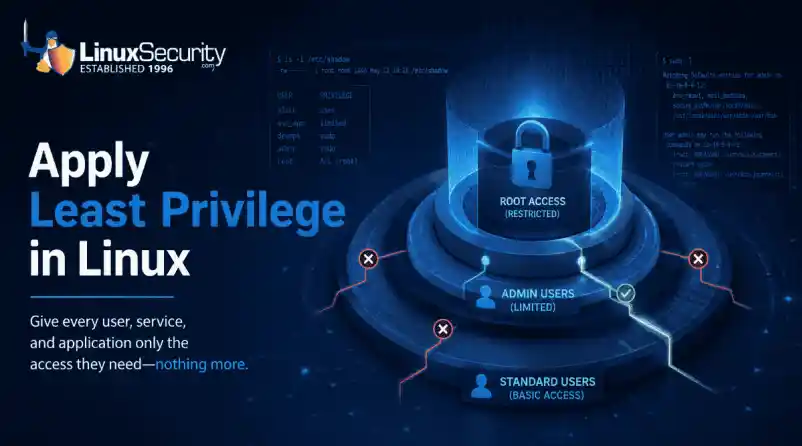

We all spend a lot of time defending our systems from external threats, but the amount of damage an attacker can cause often depends on what happens after they get in. A single compromised account doesn't always lead to a major incident. The real danger begins when that account has far more access than it actually needs.
That's exactly what the principle of least privilege is designed to prevent. By limiting users, services, and applications to only the permissions required for their jobs, you reduce the opportunities for attackers to move through your environment or gain complete control of a system.
This guide explains how to apply the principle of least privilege on Linux, from identifying excessive permissions and reducing unnecessary access to validating changes without disrupting production systems.
What Problem Does the Principle of Least Privilege Solve?
Before getting into OS-specifics, it helps to look at the underlying business and operational risk. Too many permissions are a silent danger. They are a false sense of security, silently increasing the attack surface of the organization day by day. If everything is properly locked down, an attacker cannot move. Too many privileges on a small foothold can quickly escalate to a full-system takeover.
How Temporary Access Becomes Permanent Risk
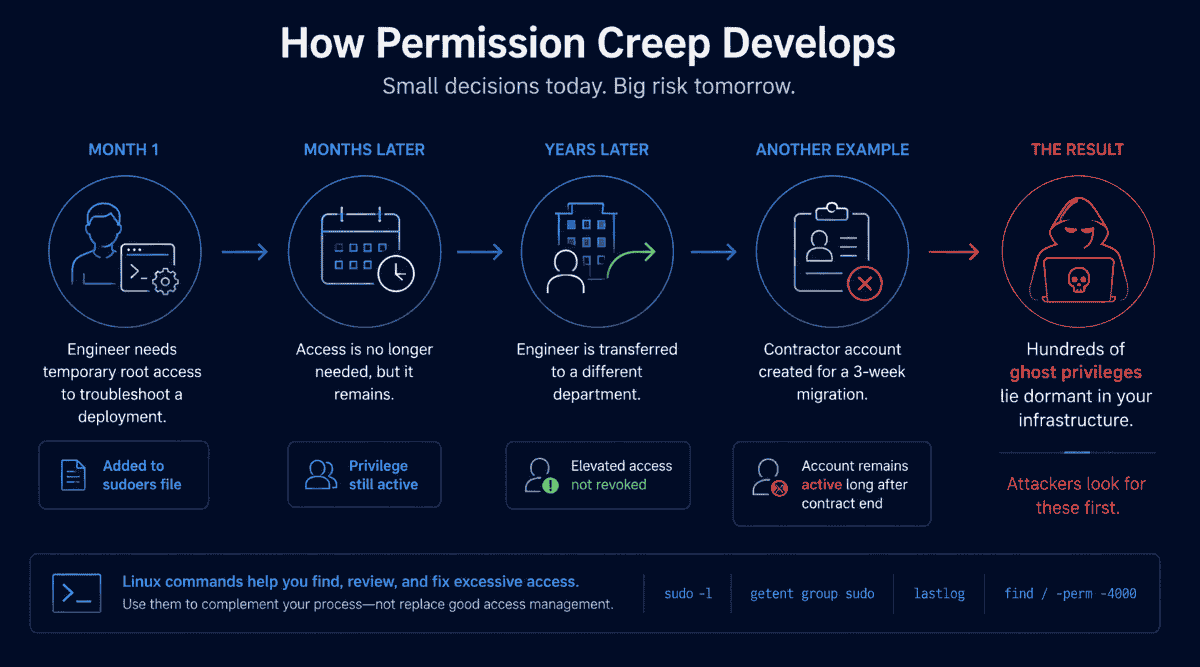
Permission creep doesn't normally happen overnight. It builds up slowly over months and years. An engineer needs temporary root access to troubleshoot a midnight deployment, so they are added to the sudoers file.
Three years later, the engineer was transferred to a completely different department, but their elevated access has not been revoked. Shared login for a contractor during a 3-week migration. The account remains active well past the contract end. These simple oversights lead to hundreds of ghost privileges lying dormant throughout the infrastructure, which attackers actively hunt down once they gain initial access.
Linux commands are provided to support each step in this guide. They're meant to help you safely check, confirm, or modify access, but they're to be used to complement the process, not replace it.
Prepare Before Making Privilege Changes
Jumping straight into altering permissions on a live production system is a quick way to cause unplanned downtime. Before you touch a single configuration file, you need a disciplined preparation phase.
Begin by identifying your critical production systems and mapping out which applications depend on specific service accounts. Next, back up your current sudoers configuration and vital system files so you have an immediate safety net.
It’s important to inform application owners and engineering teams before making any changes that could affect how services operate. Be prepared to revert to your previous settings if an application fails. Know exactly how to do it. Finally, if possible, test your changes in a staging environment to catch permission conflicts before they reach your users and roll out the principle of least privilege without causing unexpected outages.
Commands That Help
- visudo: Safely edits the sudoers configuration file with built-in syntax checking to prevent administrative lockouts.
- cp / rsync: Creates reliable backups of critical configuration directories before any modifications take place.
Step 1: Inventory Existing Privileges
You can only secure what you can see. The first operational step is to build a complete baseline of who and what currently holds elevated access across your Linux hosts.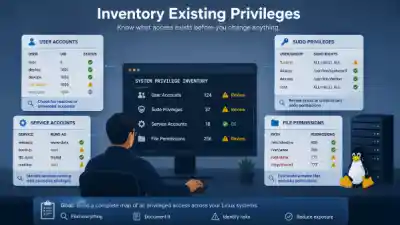
Start by auditing local user accounts to catch forgotten administrative logins, shared credentials left behind by past teams, and dormant accounts belonging to former employees. Next, examine your sudo configurations for broad rules or unnecessary administrative groups that hand out blanket power. Please review all services and applications to identify any background daemons or web servers that may be running as root unnecessarily. Finally, inspect your file systems for world-writable files, incorrect ownership, and complex access control lists. Your expected outcome here is a clear, documented map of every privileged entry point on your systems.
Commands That Help
- sudo -l: Lists the specific commands and privileges that the current user is authorized to execute using sudo.
- The command "getent group sudo" displays the exact membership list of the primary administrative group on the system.
- id: Shows user and group identities for the currently active user session.
- groups: Quickly outputs all group memberships assigned to a specific user account.
Step 2: Identify Unnecessary Access
Once you have your inventory, you must sift through it to separate necessary operational access from dangerous legacy permissions.
Unnecessary access usually manifests in a few predictable ways. You will often find developers clinging to root access long after their debugging tasks are finished or automated database scripts running with full system privileges because it was convenient during initial setup.
Old contractor accounts are common. Sudo rules are also common, and many people do not remember creating them because they have persisted through several team changes. Additionally, do not limit your review to individual users. Check for group memberships like sudo, wheel, and any application-specific admin groups. If you can’t determine why an account continues to have elevated access, it’s probably worth a closer look.
Commands That Help
- getfacl: Displays extended file permissions and access control lists for a deep dive into who can read or write to sensitive paths.
- awk -F: '($3 == 0) {print $1}' /etc/passwd: Identifies all accounts configured with a user ID of zero, which grants full root capabilities.
Step 3: Reduce Access Safely
Tapering permissions requires a delicate approach rather than a heavy-handed one. Ripping away access overnight leads to broken applications and frustrated teams, so you must reduce privileges iteratively.
Start by removing unused sudo access and curbing everyday usage of the root account. Instead of giving a script or user a sledgehammer, hand them a scalpel by leveraging Linux capabilities for granular tasks or implementing delegated permissions via tailored sudo rules. Transition your applications away from root execution to dedicated, unprivileged service accounts. By making these adjustments gradually, you enforce least-privilege access without disrupting active business operations.
Commands That Help
- The command "capsh --print" displays the current capability bounding set and security parameters for an active shell or process.
- setcap: Assigns specific, granular capabilities to binaries so they can perform privileged tasks without running as full root.
- getcap: Verifies which capabilities are currently assigned to specific files across your system.
Step 4: Validate Permission Changes
Every administrative adjustment requires rigorous validation to ensure that systems remain stable and secure.
Never consider permission changes complete until they have been tested. Ensure that your critical applications continue to work as expected and that normal users can continue to do their normal work without encountering unexpected permission errors. At this point, it’s also worth checking out authentication logs, which are often effective at revealing access problems before users actually report them.
Now is also a good time to check that your monitoring platform is still sending alerts after the changes. Once you have everything verified, update your internal runbooks with the final permission state so that you know why the changes were made in the future. If something doesn’t work, use your rollback plan. Solve the problem in staging and reapply the new permissions once you know what went wrong.
Commands That Help
- setfacl: Applies specific, fine-grained access control list entries to files and directories to ensure precise permission boundaries.
- journalctl -u sshd: Inspects authentication and login logs to ensure legitimate access channels remain functional.
Build Monitoring Around Privileged Access
A secure environment is not a static destination; it is a continuously monitored ecosystem. Shifting from reactive administration to proactive security requires building automated monitoring around your most sensitive access vectors.
Monitor Admin User Logins
Privileged logins don’t look like normal user activity. Monitoring systems should monitor the time, location, and method of logging into administrative accounts, particularly regarding unusual login times, unexpected source IP addresses, or unusual session durations.
Understand the Business Value of Least Privilege
After all, information security for the executive leadership is about risk governance. If you think of least privilege only as a technical Linux configuration, you are missing the broader business impact across the enterprise.
In business risk terms, locking down systems means that a single compromised credential can’t turn into a catastrophic, organization-wide security incident. This operational resilience naturally translates to compliance, meeting regulations that explicitly require strict access control and periodic audits of user privileges. Also, by treating access as a temporary requirement, insider risk is reduced as internal users only see what is absolutely necessary to do their jobs. When you combine these benefits, the principle of least privilege becomes a powerful justification for security investments that simplify audits and dramatically reduce potential incident recovery costs.
Common Errors
Even the most well-designed least-privilege initiatives can backfire if administrators develop a few common operational habits that gradually reintroduce unnecessary access.
- Leaving temporary sudo access active forever after an emergency support ticket is closed.
- Running custom web applications or background workers as root to avoid file permission problems at install time.
- Treating permission audits as a one-time project, not an ongoing operational discipline.
- Protecting human admin users while letting automated service accounts run with unchecked power across the network.
Where Least Privilege Fits Into Your Security Strategy
Least privilege does not exist in a vacuum; it is a fundamental element of your overall security architecture.
It establishes the basis for any Zero Trust program by eliminating implicit trust and verifying all access requests. This adds another layer of access control to defense in depth, so even if an attacker can get through your perimeter defenses and network firewalls, they will have to work through another layer of access control. Also, the principle of least privilege improves identity security, helps manage vulnerabilities by reducing the blast radius of unpatched software, and simplifies incident response for security teams by allowing quick isolation of compromised accounts.
Conclusion
The principle of least privilege is never about erecting unnecessary roadblocks for users or slowing deployments down. It’s about ensuring every user, service, and application has just the right amount of access to get the job done (and no more). Organizations that routinely review privileges, monitor changes, and remove excessive access make privilege escalation far more difficult and mitigate the effects of security incidents long before they become business disruptions.
 PREVIOUS

 NEXT
NEXT

Powered By

Linux Security - Your source for Top Linux News, Advisories, HOWTOs and Feature Releases
QUICK LINKS
subscribe to newsletters!
Like staying secure? So do we.
Sign up for updates, tips, and alerts!