Explore top 10 tips to secure your open-source projects now. Read More
×


Security Vulnerabilities  security advisory Red Hat
security advisory Red Hat Before the week gets away from you, take a look at what's landed across the Linux ecosystem. The volume of security advisories hasn't slowed, and while not every update demands an emergency maintenance window, several deserve to move to the top of your patch queue. This week's updates span the kernel, remote desktop infrastructure, VPNs, containers, browsers, and the utilities Linux systems quietly depend on every day. Individually, these look routine. Together they show how quickly attackers...
 Jul 15, 2026
Security Vulnerabilities security research open-source
security research open-source When researchers announced GhostLock, many people focused on the exploit. What stood out to me wasn't just what the vulnerability could do, but how long it had remained hidden. The flaw had lived in the Linux kernel for roughly 15 years before it was publicly identified by researchers. That means the flaw survived hundreds of kernel releases and years of upstream development before it was publicly documented. It raises an uncomfortable question about one of open source's oldest assumptions....
Jul 14, 2026
Network Securitynetwork protection system hardening
network protection system hardening Spin up a fresh Linux VPS with default settings and check /var/log/auth.log ninety seconds later. There will already be failed login attempts — not dozens, hundreds, sometimes before the deployment script has even finished running. . Automated bots scan the entire IPv4 address space non-stop, and port 22 with password authentication open is exactly what they're looking for. Most cloud providers have seen enough of this that a new instance gets its first probe within a minute of going live....
Jul 13, 2026
Security Vulnerabilities security advisory critical
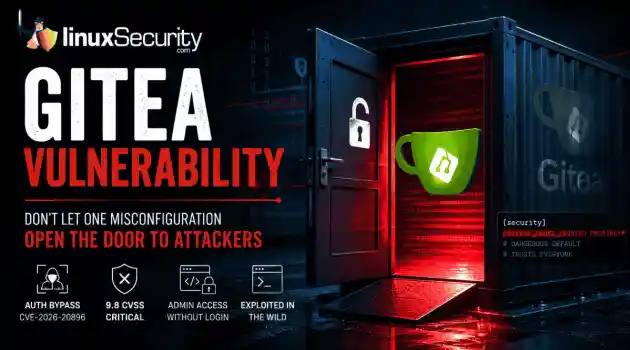
security advisory critical If you’re running Gitea in a container, stop what you’re doing and check your versioning right now. We’re looking at a critical vulnerability— CVE-2026-20896 —shipped directly in Gitea’s official Docker images. It’s a 9.8 CVSS-rated "open door" that lets any unauthenticated attacker stroll in and impersonate any user on your system, admin account included, without needing a password or a token. The reality? This isn't some complex, low-level kernel exploit. It’s a classic "secure-by-default"...
Jul 13, 2026

Desktop Securitynetwork security system hardening
network security system hardening There was a time when Linux meant server rooms and hobbyist forums. These days it's on regular laptops, and a big part of that is people getting fed up with commercial operating systems scraping their data, shipping telemetry nobody asked for, and boxing them into hardware ecosystems they can't opt out of. . None of that makes Linux immune to trouble though. Yes, it dodges most of the mainstream malware that everyone else deals with. But the software running on top, and honestly the person...
Jul 13, 2026
 Refine news
X Clear Filters
Get the latest News and Insights
Get the latest Linux and open source security news straight to your inbox.
Community Poll
Is continuous patching actually viable?
Loading...
Explore Latest Linux Security news
We found 521 articles for you...
79
 security advisorysecurity updateencryption
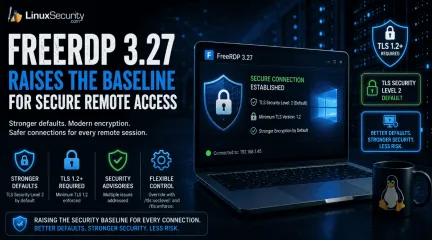
FreeRDP 3.27 Raises the Baseline for Secure Remote Access
Remote access tools do not need dramatic new features to improve security. Sometimes the more useful change is quieter, like stronger defaults that make weak encryption harder to use by accident. . What FreeRDP Is and Why This Release Matters FreeRDP is an open-source implementation of Microsoft’s Remote Desktop Protocol, used as both a library and a set of clients across Linux, Windows, macOS, Android, and other systems. In Linux environments, it is often the practical RDP client administrators reach for when they need console access to Windows hosts, jump systems, lab machines, or remote desktops without moving through a full Windows workstation. FreeRDP 3.27 matters because it changes the floor for encrypted remote access. The release sets the default TLS security level to 2 and requires at least TLS 1.2 , while still leaving client-side override options through /tls:seclevel: and /tls:enforce: for environments that have not caught up yet. That is the operational detail. A Linux RDP client connecting with safer defaults creates fewer accidental weak sessions, fewer legacy negotiation surprises, and less cleanup later when remote access security gets reviewed after a finding. What Changed in FreeRDP 3.27 FreeRDP 3.27 is not a feature-heavy release. The important changes are in the defaults that control encrypted connections and RDP security. TLS security level 2 is now the default. TLS 1.2 or newer is required by default. Multiple security advisories were addressed as part of the release. Environments that still rely on older TLS configurations should be tested before deployment. In practical terms, FreeRDP now makes it harder to fall back to weaker encryption settings and easier to force TLS 1.2 or newer across remote access deployments. For administrators using FreeRDP as a Linux RDP client, the change is mostly about reducing the number of weak connection paths that remain available simply because nobody disabled them. Why Stronger Remote AccessSecurity Defaults Matter Remote access tools tend to accumulate compatibility settings over time. They stay around because somebody still has an old server, an old gateway, or a forgotten system that breaks when defaults change. That flexibility comes with a cost. Permissive settings can keep weak remote access security configurations alive for years. Secure remote access becomes harder to enforce when legacy encryption remains available by default. Weak TLS settings often persist long after they should have been retired. Raising the minimum requirement removes many of them by default. TLS 1.2 is still a valid baseline. The problem is usually what sits below it. When admins look up TLS 1.2 end of life or a TLS 1.2 vulnerability, they are usually trying to understand whether old TLS support is still exposed anywhere in the environment. TLS 1.2 vs 1.3 is a separate decision. TLS 1.3 is better where both sides support it, but FreeRDP’s change is simpler than that. Requiring TLS 1.2 or newer, it cuts off older negotiation paths that still show up during remote desktop security reviews and remote access assessments. What Admins Should Check Before Updating FreeRDP 3.27 raises the default security baseline, but stronger defaults do not replace existing remote access security controls. Before updating, administrators should verify a few things: Test connections to older RDP servers, gateways, and legacy systems that may not fully support TLS 1.2 or newer. Review Azure AD (Entra ID) and authentication-related changes if those features are part of the deployment. Confirm that logging, MFA, access restrictions, and patch management processes continue to operate as expected. Validate that existing remote access security solutions still behave correctly after the upgrade. The release aligns with common remote access security best practices, but it is only one layer. Secure remote access depends on authentication controls, monitoring, patching, and accessmanagement. FreeRDP can support those efforts, but it is not a complete answer to how to secure remote access by itself. FreeRDP Reflects the Secure-by-Default Shift FreeRDP 3.27 is part of a broader move toward stronger remote access security defaults. The release does not introduce a new security model. It removes more of the weak negotiation paths that tend to survive in long-lived environments simply because nobody revisited the configuration. For organizations using FreeRDP, the change is straightforward. Secure remote access becomes less dependent on manual hardening and less likely to inherit outdated settings by default. Administrators still need to test systems, validate compatibility, and maintain their remote access security controls, but FreeRDP 3.27 raises the baseline in the right direction. Want more Linux security news, vulnerability analysis, and remote access security updates? Subscribe to the LinuxSecurity Newslette r for the latest threats, advisories, and practical guidance on Linux systems. Related Reading Securing Remote Access to Linux Servers: Best Practices for 2026 Mastering SSH for Secure Linux Remote Server Management How Secure Is Linux? Exploring Security Design and User Privilege Models Oracle Linux 10 FreeRDP Important Security Update ELSA-2026-5939 . FreeRDP 3.27 emphasizes stronger remote access defaults with TLS 1.2 level security for enhanced protection.. FreeRDP remote access encryption TLS Linux. . MaK Ulac
 Jun 16, 2026
•
Jun 16, 2026
• Security Projects
77
 security advisoryencryptionUbuntu
Ubuntu’s GRUB Change: Fixing a Problem… or Creating One
At some point, it stopped being “load kernel and go” and turned into this thing that tries to understand every filesystem, every storage setup, encryption, all of it, before the system is even running. And that’s where it keeps biting people. If you’ve dealt with GRUB breaking, it’s almost never the basic path. It’s trying to read something slightly non-standard and just falling over. Btrfs layouts, LVM stacking, and encrypted setups, stuff that works fine once the kernel is up, but GRUB has to guess at it first. The more GRUB understands, the more it can get wrong. This isn’t about “GRUB is bad,” it’s that GRUB turned into something way bigger than a bootloader, and now it carries all the risk that comes with that. . What Actually Changed? GRUB is getting stripped down specifically for Secure Boot scenarios. It will stop understanding filesystems like Btrfs, ZFS, and XFS, along with LVM and LUKS. None of that capability disappears from Linux, but it disappears from the stage before the kernel starts. GRUB now expects a direct, unencumbered path to the kernel. If it can’t read where the kernel lives because it's buried under an encryption layer it no longer understands, hence, you don’t boot. They are essentially trying to make GRUB act like a Unified Kernel Image (UKI) without actually switching the backend for everyone. So if GRUB Is the Problem… Why Not Just Move Past It? What keeps coming up with Ubuntu 26.10 Secure Boot is simple. There are already modern tools like systemd-boot, EFI stub, and UKIs. These options are much simpler by design. They do not try to understand complex filesystems or encryption. They just find the kernel, hand off control, and let the Linux kernel do the heavy lifting. Moving to one of these would be a "clean break" from the old way of doing things. So why is Ubuntu 26.10 sticking with a stripped-down GRUB? It comes down to compatibility. Ubuntu is a "run everywhere" operating system. It still has to support: Old computers with legacy BIOS (which can't use systemd-boot). Massive server environments with mixed hardware. Edge-case setups that the more modern, "simple" bootloaders aren't ready for yet. Because Ubuntu refuses to drop support for those older systems, they are stuck with GRUB. But because they want the security of a simpler boot process, they are "gutting" GRUB instead of replacing it. The result is an awkward middle ground. Ubuntu is keeping the same old bootloader in the middle of the chain, but it's stripping away the "intelligence" people actually rely on. So, no, they aren't moving past the problem. They are just trying to patch the problem. And that works fine right up until you try to carry an existing system forward. The Real Risk Isn’t New Installs. It’s Upgrades! If you’ve got an existing system with /boot sitting inside LUKS or layered through LVM, GRUB today can read through that. After this change, it can’t. The "Upgrade Trap" is simple: the upgrader will check your layout, see that it’s "unsupported," and stop the process entirely. You are effectively stranded on an old release unless you’re willing to manually repartition a live system. Routine upgrades are being traded for high-stakes recovery scenarios. If someone ignores the block and pushes through, the outcome is predictable: a system that doesn't boot and a long night with a Live ISO. Impact on Snapshot-Based Workflows Take away GRUB's filesystem logic, and you take away its ability to list snapshots. For Btrfs users, recovery goes from “pick a snapshot and boot” to a manual nightmare. Encrypted disks, LVM, Btrfs. These aren't "niche" setups. They are how real servers and advanced desktops are built. Why This Change Raises Real Concerns for Linux Users GRUB used to act like a file explorer at boot. It could read Btrfs, ZFS, and LUKS, determine where the kernel was located, and hand off cleanly. Now, it expects the kernel to be in a simple, directly readable location likea plain /boot partition. The complexity doesn’t go away; it just shifts. GRUB does less, while the kernel and initramfs do more. The problem is, if that later stage fails to mount your encrypted or layered storage, you aren’t in a GRUB rescue shell anymore. You’re dropped straight into the dreaded BusyBox shell. Instead of a bootloader with some "intelligence," you’re left in a minimal environment with almost no tools to fix a broken mount. While GRUB was a "safety net" you could interact with, the new model leaves you with almost no tools if the handoff fails. This Isn’t Just a GRUB Change; It Touches the Boot Process The boot process is the most sensitive layer of the system. Small changes here don’t fail cleanly; they fail early. When that happens, you’re not troubleshooting an app. You’re in recovery, trying to fix why the system won’t boot. For users who value stability, this "streamlining" feels like removing the safety net. Existing Systems Aren’t Clean or Standard Real-world systems evolve. Encryption gets added years after an install, storage gets reworked, and layers build up over time. A lot of setups work today precisely because GRUB is smart enough to handle that complexity. This change assumes a "clean" layout that simply doesn't match the messy reality of long-running Linux machines. Upgrades Could Become Recovery Scenarios This stops being a simple “update and reboot” task. If your layout doesn’t match what this new version of GRUB can read, you’re looking at moving /boot, separating encryption layers, or restructuring partitions just to get the system back up. One mistake during this manual restructuring, and your upgrade is now a full-blown recovery mission. This Pulls Boot Design Back Toward Older Models Separate, unencrypted /boot partitions are becoming the mandatory "safe" default again. It feels like 2010 called and wants its partitioning scheme back. We spent the last decade moving away from theserigid, fragmented layouts for a reason—they add friction and waste space. But, this change effectively mandates them if you want a system that "just works" under Secure Boot. Simpler defaults might help the majority, but they come at the cost of the flexibility that made Linux powerful. GRUB does less, the kernel does more, and the gap in between is where admins and power users end up doing the heavy lifting. If GRUB Is Too Complex… What’s the Endgame? On one side, you’ve got the appliance model. Simple, predictable, fewer moving parts, easier to lock down. On the other, how a lot of systems actually look. Layered storage, encryption, and setups that evolve over time instead of staying clean. Ubuntu is trying to sit in the middle. Keep GRUB, but strip it down. Reduce what it has to deal with early, while still supporting everything later. If GRUB isn’t handling it anymore, then your layout has to be simpler, or you’re dealing with it during recovery. As 26.10 gets closer, the question isn’t whether boot is simpler. It’s who ends up dealing with what got pushed out of it. . Significant GRUB changes in Ubuntu 26.10 present risks during upgrades and impact complex setups.. GRUB updates Ubuntu Secure Boot Linux upgrades recovery. . Dave Wreski
Mar 26, 2026
•
Server Security

74
 security advisorynetwork securitydata protection
Linux Network Security 2025: Vital Role of VPNs and WireGuard Protocols
Why VPNs Still Matter for Linux Users Linux has a reputation for strong security, but network security is where the gaps show. The OS gives you a solid base, yet the traffic leaving your machine can still be watched, intercepted, or abused. That’s where a VPN comes in. It shields your activity, keeps communication private, strengthens data protection, and provides a way around the surveillance and restrictions built into the modern internet. . This is where Virtual Private Networks (VPNs) come in. VPNs represent an essential protective measure for anyone who wants privacy protection, secure communication, or needs to circumvent surveillance restrictions in the present-day world. LinuxSecurity.com has provided a thorough analysis of VPNs while focusing on WireGuard as an open-source protocol that offers faster speeds than OpenVPN by a factor of 4. VPNs represent a fundamental necessity for the Linux ecosystem because of their fast performance combined with lightweight code and strict cryptographic standards. The following article examines VPN benefits for Linux users, alongside their advantages and disadvantages, along with important VPN protocols and safe implementation methods. The article presents a comprehensive introduction to VPNs for new users who should start by reading What Is a VPN? Explained . The Role of VPNs in Linux Network Security A VPN functions as an encrypted tunnel that connects your device directly to a distant server. The data transmission process begins at your device before it goes through the VPN server, which hides your IP address while encrypting the information. For Linux users, this breaks down into a few things worth noting: Encryption at Layer 3: Hides your packets from ISPs, from whoever’s on the same public Wi-Fi, or from an attacker watching the line. Tunneling protocols: How they’re built — kernel space or user space — decides both the security and the speed you get. Auditability: Open-source VPNs like WireGuard orOpenVPN can be read line by line, making it harder for bugs or backdoors to stay hidden. Benefits & Drawbacks of VPNs on Linux for Data Protection Linux users care about privacy. VPNs help. They also come with limits. Benefits Privacy : ISPs and governments can’t log your browsing. Security and data protection : Safer on open Wi-Fi — airports, cafés, hotels. Restrictions : Works around censorship, region locks, and throttling. Anonymity : Not full, but an IP mask still matters. Drawbacks Performance Hit: Even with WireGuard, encryption adds latency and can reduce throughput. Complex Setup: While consumer VPN apps are GUI-driven, Linux often requires CLI configuration, systemd integration, or editing.conf files. DNS & WebRTC Leaks: If not properly configured, your real IP can still leak. Free VPN Risks: LinuxSecurity.com highlights that many free VPNs are privacy traps—logging data or injecting ads. VPN Protocols for Linux Users The selection of protocol is equally important to the VPN provider choice, especially when evaluating overall Linux network security . Let’s compare the big players: OpenVPN Long-standing, highly compatible. Runs in user space, which can impact speed. Still widely supported, especially on servers. WireGuard The kernel-based design, along with its compact codebase consisting of approximately 4000 lines, contrasts with OpenVPN's extensive 100,000+ lines. Cryptographically modern (ChaCha20, Curve25519). LinuxSecurity benchmarks: up to 4× faster than OpenVPN. Simpler configs (wg-quick makes setup easy). IKEv2/IPSec Stable, mobile-friendly (resilient against network switching). Supported natively in many OSes, including Linux. Strong but less popular among the Linux purist crowd due to complexity. Why VPNs Remain Critical to Linux Network Security in 2025 Many users believe Linux security capabilities will providesufficient protection, but network security requires more than the OS alone. VPNs have become essential because of multiple present-day conditions. Mass Surveillance Various governments across the world have been expanding their surveillance capabilities. HTTPS encryption protects your data but exposes your IP address and other communication details, leaving data protection incomplete without a VPN. VPNs obscure this layer. ISP Practices The practice of ISP traffic throttling persists through different types of network traffic. The encryption process, together with packet obfuscation, protects your data from ISP monitoring. Remote Work & Administration SSH remote server admins who need to manage their infrastructure through SSH rely on VPN connections for stronger data protection and reduced exposure. Geo-Access for Professionals Linux professionals who require worldwide testing environments benefit from VPN technology to access region-specific content or services. Choosing the Right VPN for Linux Network Security Security professionals base their VPN selection on functionality and its role in broader network security rather than user interface appearance, and they ignore advertisements about accessing international streaming content. The critical factors are: Select WireGuard whenever available, but implement OpenVPN as a protocol when compatibility becomes essential. Open-Source Clients: A transparent system earns more trust than proprietary black boxes. Users should verify VPN providers’ no-logs policies by checking both their terms and their reputation. A VPN provider's claim of no-logs operation remains ineffective without auditing processes. Linux users need providers who offer configuration files for Linux systems rather than focusing on Windows and Mac applications. Server Network: Wider coverage means lower latency globally. WireGuard: The Game-Changer for Linux The VPN protocol WireGuard has become the ‘rising star’ in Linuxnetwork security, according to LinuxSecurity.com, because of its advantages. OpenVPN performs poorly against WireGuard when benchmarked because it produces higher latency and lower throughput, according to benchmark results. Security: Uses modern cryptographic primitives with far fewer moving parts. Simplicity: Easy to audit; a sysadmin can read the entire codebase in a day. Kernel Integration: First-class citizen in Linux since kernel 5.6. Linux users should select WireGuard as their VPN because it provides both high security and speed while maintaining complete transparency in their online activities. Best Practices: VPN Configuration for Stronger Data Protection on Linux Poor VPN configuration renders the most secure VPN systems useless. Some must-do practices: Enable a Kill Switch Prevents traffic leaks if the VPN disconnects. Implement via iptables or firewall rules. Check for DNS Leaks You can verify DNS requests pass through the VPN connection using online tools or dig and nslookup commands. Keep Clients Updated Users who employ OpenVPN or strongSwan for IPSec need to keep their clients up to date with the latest patches since these patches address security vulnerabilities. Avoid Free VPNs LinuxSecurity explains that free VPNs generate revenue by stealing user information, and their encryption capabilities remain weak. Pair With Other Security Layers The implementation of VPNs — paired with Firewalls (UFW, nftables), intrusion detection systems (Snort, Suricata), and SSH hardening practices — creates a layered approach to Linux data protection. Frequently Asked Questions Is Linux secure enough without a VPN? Linux is one of the most secure operating systems around, but it can’t do everything. Once your data leaves your device, it’s exposed. A VPN fills that gap by encrypting traffic and hiding your IP address — something Linux on its own doesn’t cover. What’s the best VPN protocol for Linux? In 2025, WireGuard is the clear favorite. It’s fast, lightweight, and uses modern cryptography. That said, OpenVPN still has its place, especially if you need compatibility with older systems or existing setups. Are free VPNs safe on Linux? Rarely. Most free services pay the bills by logging your activity, selling data, or showing ads. Some also cut corners with weak encryption. If you’re considering one, read the privacy policy carefully and assume “free” comes with strings attached. Does a VPN slow down Linux networking? A little. Any VPN adds overhead, but with WireGuard the difference is usually so small you won’t notice it. For most users, the extra protection easily outweighs the minor speed hit. Conclusion: VPNs as a Necessary Layer in Linux Security Linux gives you a secure base. But without a VPN, network security gaps remain once traffic leaves the machine. That’s where a VPN fits in — encrypting data, masking identity, and blocking outside eyes from your network. With surveillance, throttling, and remote work everywhere, a VPN isn’t optional. For Linux pros in 2025, it’s standard kit. The LinuxSecurity.com community values openness and control. Open-source VPNs like WireGuard line up with that. Set it up right, pair it with solid practices, and your Linux box gets harder to compromise. . VPNs are essential for Linux users, creating secure tunnels for data, enhancing privacy, and improving network performance in a tracking-heavy world. Linux Network Security, VPN Protocols, Data Privacy, WireGuard VPN. . MaK Ulac
Sep 02, 2025
•
Network Security
210
 security advisorycriticalencryption
Linux Initramfs Weakness: Critical Flaw Bypasses Encryption via Debug Shell
Linux admins, take a moment to breathe. We all know the mantra—full-disk encryption is the gold standard for safeguarding data at rest. But what if I told you there’s a crack in the armor, lurking in the boot process itself? It’s subtle, it’s sneaky, but it’s effective. A flaw in how Linux handles the early stages of booting can let an attacker sidestep your full-disk encryption and bring your system to its knees. No need for fancy malware or remote exploits—just a bit of physical access and a dash of clever manipulation. . This isn’t just fear-mongering. The vulnerability hinges on a well-worn but often-overlooked mechanism: the initramfs (the initial RAM filesystem) . It’s there to help your system boot, but in the wrong hands, it’s a weapon. Here’s how this flaw works—and why it has Linux professionals reevaluating their threat models. A Debug Shell in the Boot Sequence? Really? We’ve all been there. You boot up a Linux system with full-disk encryption enabled, and it prompts you for a passphrase to decrypt the root partition. Straightforward, right? Well, for most Linux distributions—think Ubuntu and Fedora —repeatedly entering the wrong passphrase unlocks… a debug shell. Yep, it just hands you command-line access via the initramfs. Why is that a big deal? Because once you’re inside the debug shell, you have the keys to the kingdom—specifically, the power to modify the initramfs itself. And here’s the kicker: while you’ve probably locked down your kernel with Secure Boot and signed modules, the initramfs isn’t signed. It’s just hanging out, unprotected. An attacker can unpack it, tinker with the code (say, inject a backdoor), and repack it—all without tripping any cryptographic alarms. Let’s say someone does inject a bit of malicious code. Once the victim decrypts the root partition on the next boot, that code is executed, no questions asked. Game over. Why This Flaw Is Worth Losing Sleep Over Here’s the part that really stings:this isn’t some obscure edge case or exotic attack vector. It’s practical, it’s straightforward, and it works on systems we use every day. The vulnerability highlights an Achilles’ heel in default Linux setups, particularly for systems with encrypted partitions. Disk encryption? Bypassed. Sure, encryption protects your data at rest—but what good is cryptography when someone slips their payload into the boot process before you even log in? And the worst part is, most hardening guides out there don’t even mention this. It’s like we collectively forgot the boot process matters. This attack doesn’t require a degree in cybersecurity. An attacker doesn’t need to reverse-engineer your cryptography or deploy complex malware. They just need a few minutes with physical access, a USB loaded with the right tools, and a little creativity. It’s the perfect example of a so-called “ evil maid” attack —brief physical access, but potentially catastrophic consequences. Who’s in the Crosshairs? If you’re responsible for Linux systems with encrypted partitions, you’re squarely in the danger zone. That includes laptops you lug around to coffee shops, servers stored in less-than-secure facilities, and even shared systems in co-working spaces. Those shiny full-disk encryption setups we trust to protect sensitive data? They’re not immune. This is especially concerning for folks who install Linux and stick to the defaults, which, let’s face it, is most people. If you haven’t explicitly disabled the debug shell or taken steps to lock down the bootloader, your system is wide open to this kind of attack. Mitigation That Makes Sense So, what can you do about it? The good news is that this vulnerability isn’t a death sentence. With some intentional configuration, you can dramatically reduce the risk. Here are the steps every admin should consider: Disable the Debug Shell. Let’s start simple. Modify your kernel parameters to make sure the system halts instead of droppinginto a debug shell. On Ubuntu, add panic=0 . For Fedora or other Red Hat-like systems, use rd.shell=0 rd.emergency=halt . It’s easy, and it hobbles this attack vector right out of the gate. Password-Protect Your Bootloader. Don’t let your boot process be a free-for-all. Configure GRUB (or whichever bootloader you use) to require a password to boot. This adds a layer of protection before an attacker can even reach the initramfs. Encrypt the Boot Partition. For real peace of mind, move the goalpost—encrypt the boot partition itself. Tools like LUKS make this possible, ensuring the initramfs is under lock and key. Crank Up Secure Boot. Secure Boot won’t protect the initramfs out of the box, but it’s worth enabling anyway. At the very least, it complicates tampering with your kernel or modules. Consider Unified Kernel Images. Unified Kernel Images (UKIs) are a neat solution. They bundle the kernel and initramfs into a single, signed binary. If your distro supports UKIs, take a closer look—they’re one of the few ways to guarantee your initramfs hasn’t been tampered with. Physical Security Matters. This one’s obvious but often overlooked. Keep your systems in controlled environments, secure BIOS/UEFI with passwords, and discourage physical access to anyone you don’t trust. Educate Your Team. Make sure admins and users know this kind of attack exists. It’s a simple fix, but it requires awareness to be effective. Our Final Thoughts on Addressing This Stealthy Bug At its core, this vulnerability reminds us of something we often forget: security isn’t just about encryption or fancy defenses. It’s about understanding the whole picture, from physical access to the minutiae of the boot process. The initramfs might seem like a minor piece of Linux’s startup puzzle, but when left unguarded, it’s an easy backdoor for attackers. So yes, this is a wake-up call for Linux admins. If you’ve been relying on encrypted partitions and assuming theyclose the door on physical attacks, it’s time to revisit your setup. Take a hard look at your boot process—disable that debug shell, lock down the bootloader, and, if you can, encrypt the boot partition. Remember, attackers don’t need much to get their foot in the door. A little effort on your part now can save you a world of hurt later. It’s never too late to harden your defenses—and with this vulnerability in mind, you’ve got all the motivation you need. Stay vigilant! . Discover a critical flaw in Linux's boot process that bypasses encryption, exposing systems to physical attacks.. linux, admins, moment, breathe, mantra—full-disk, encryption. . Brittany Day
Jul 09, 2025
•
Security Vulnerabilities
78
security advisoryencryptionSELinuxAlmaLinux OS 10: Enhanced Security with SELinux, Secure Boot and More
First impressions matter, don't they? When a new operating system release shows up — especially one as significant as AlmaLinux OS 10 — there’s that crucial window where you're immediately asking yourself, "How will this change my day-to-day? My team's workflows? My organization's security posture?" This isn't about cosmetic upgrades or fluff. For admins who manage critical systems, what's at stake is trust — trust in the tools, trust in the updates, trust in the ecosystem. AlmaLinux OS 10 , with its codename Purple Lion, shows up with bold promises: better security, more hardware compatibility, and a firmer grounding in a Red Hat Enterprise Linux-compatible future. But what’s under the hood? . If you're a security-conscious Linux admin, it's your job to think beyond features sleeping on spec sheets. You need to consider how they’ll behave on active duty. It’s one thing to call an update "stable" or offer it as a free RHEL fork; it’s another to scale it in production or apply its advancements to edge cases in your environments. AlmaLinux OS 10 doesn’t just want to work “out of the box”—it’s designed to handle modern infrastructures and security challenges while respecting the operational reality of tomorrow. With that said, let’s walk through what Purple Lion is bringing to your table and, more importantly, what it’s taking off your plate. Post-Quantum Cryptography: Securing Today Against Tomorrow If there's one phrase that can leave a seasoned admin wide awake at night, it’s this: “quantum computing risk.” It’s not a problem for today, sure, but the systems you build today will likely still be here when quantum machines get stronger. AlmaLinux OS 10 steps into this hazy but inevitable future by introducing post-quantum cryptography support. This milestone matters because, eventually, everything we’ve leaned on for cryptographic security — from SSH handshakes to VPN tunnels — could be cracked in hours rather than millennia. With Purple Lion,you’re not just looking at an OS that handles current encryption protocols; you’re prepping for a time when cracking older algorithms won’t just be possible but trivial. Does this mean everything you do now needs a post-quantum overhaul? Not at all. But what AlmaLinux supports now is like planting seeds, ensuring the infrastructure you depend on can evolve rather than collapse when quantum challenges become real. Think of it as turning the steering wheel before the curve — a proactive approach that all security-conscious admins can appreciate. SELinux: Gradual Enhancements, Immediate Benefits If you’ve spent any meaningful time managing Linux systems, you’ve likely wrestled with SELinux (Security-Enhanced Linux) . Love it or curse it, SELinux is foundational for military-grade access controls within enterprise environments. And the latest updates in AlmaLinux OS 10 push it further down the road of usability and hardening. What’s changed? Policies are more streamlined, and some of the complexities that previously left admins scratching their heads (or turning SELinux off entirely) are smoothed over. This isn’t just “tinkering around the edges”; these updates reinforce SELinux as a critical wall between your systems and intrusions — a line between attackers and kernel-level access. If AlmaLinux is the engine, SELinux is the fuel filter. With these enhancements, keep your systems humming while stopping the bad stuff from seeping through. For security enthusiasts who depend on precise control, this improvement is gold. Of course, you’ll need to take a deep dive into the updated SELinux documentation and rethink some of your policies. But once fine-tuned, this serves as both a shield and a scalpel: protective but razor-sharp when needed. How Will the Sudo System Role Help Me Handle User Access? Too many cooks spoil the soup — or, in the case of Linux servers, too many unmonitored sudoers create a massive security headache. AlmaLinux OS 10 introduces a new sudo systemrole, simplifying how admins manage and enforce sudo configuration across multiple systems. This isn’t about reinventing how you control privileges; it’s about consistency. For example, have you ever inherited a server where someone added custom sudo rules four years ago, forgot about them, and suddenly realized they left the door open for unregulated access? This system's role minimizes those lingering risks. It ensures that sudo configurations are defined cleanly, applied consistently, and centrally managed. No more surprises, no more half-documented hacks on production servers. For admins managing dozens (or hundreds) of systems, this role isn’t just convenience — it’s peace of mind. You’ll sleep better knowing a rogue entry doesn’t have free reign to escalate privileges when you’re not looking. Secure Boot Expands: Now Supporting ARM If you’ve been paying attention to the hybrid architecture wave, you’ve undoubtedly noticed the growing presence of ARM platforms in both data centers and edge devices. The inclusion of Secure Boot support for ARM architectures in AlmaLinux OS 10 is, honestly, a game-changer. Secure Boot protects against unauthorized or malicious kernel modifications during startup, ensuring trust at the very root of your system. While this has been table stakes for x86 architectures, having it functional on ARM is huge for admins deploying diverse fleets. Whether you’re running ARM-based servers or experimenting with edge devices like Raspberry Pi , this added layer of security makes it safer to expand into ARM territory without sleepless nights worrying about boot-level malware infiltrating your systems. Here’s the other part: Secure Boot on ARM doesn’t add complexity. It uses the same logic admins are familiar with on x86 systems, meaning you don’t need to relearn the concept or tools. You deploy, configure, and harden. That’s it. Broader Hardware Support and Longevity Linux admins often live and breathe by hardware compatibility —it’s hard to build something secure when drivers or architectures fail you. AlmaLinux OS 10 doesn’t compromise here. Unlike RHEL’s pivot away from older x86-64-v2 support, AlmaLinux extends lifelines to legacy systems that organizations can’t retire just yet. That’s no small commitment, considering enterprise systems often outlast the timeframe originally envisioned for them. Beyond simply accommodating legacy environments, the expanded hardware support also pushes to modern platforms. Over 150 new devices are onboarded, including compatibility with Raspberry Pi and Windows Subsystem for Linux (WSL) . Whether you’re working on a lab network for prototyping or enterprise-grade deployments, you’re not fumbling for drivers or hacks to make it all play nicely. These end-to-end optimizations allow admins to focus their energy elsewhere: hardening setups, optimizing workloads, or testing other innovations AlmaLinux OS 10 brings. Encryption Elevates: Enter Sequoia PGP Encryption isn’t an addon or a “nice-to-have.” It’s the baseline for securing communications, sensitive files, and backups. In AlmaLinux OS 10, new encryption tools — particularly Sequoia PGP — arrive to widen the arsenal for security-conscious setups. Sequoia PGP is a modern and flexible tool for creating secure and private workflows without imposing too much overhead on admins. Whether you're worried about encrypting files or managing GPG keys more fluidly, this integration smooths over older gaps in OpenPGP workflows. Its addition may feel small on paper, but in practice, it’s a welcome relief when you’re dealing with encrypted transfers in environments growing more complex. Virtualization with Built-In Security Admins managing IBM Power architectures have something to experiment with in this release: KVM virtualization support is here as a tech preview. While virtualization wasn’t an afterthought in previous releases, this improvement caters specifically to IBM POWER workloads. For adminsoverseeing hybrid deployments, it offers a bridge between full hardware utilization and tightly controlled virtual environments. What’s important here is how AlmaLinux handles these expansions without compromising existing foundational security. KVM isn’t bolted on in a way that undermines the OS’s integrity. It’s built-in, sandboxed, and governed by the same updates and protections across the entire system. With All This, Where Do You Start? No release can promise perfection (and if something does, you should probably worry). AlmaLinux OS 10 doesn’t reinvent your workflows overnight, but it does enhance the tools you know while introducing upgrades you didn’t know you needed yet. Every new feature — from post-quantum cryptography to expanded hardware support — comes with actionable promise. As with any major update, adoption comes with responsibility. You’ll need to plan migrations, test the new tools, and consider any subtle shifts in configurations or dependencies. But the reward is clear: a better-prepared, more secure infrastructure for the systems under your care now and for the challenges they’ll face next year, five years from now, or even a decade later. AlmaLinux OS 10 is here. The question is, are you ready to take it for a spin? If so, you can download this release from the official website. . Fedora 39 emphasizes Linux Kernel upgrades, improved package management, and advanced security features for robust computing environments.. AlmaLinux 10, SELinux updates, Secure Boot ARM, post-quantum support, Sequoia PGP. . Brittany Day
May 28, 2025
•
Vendors/Products
78
 data protectionencryptionsecurity management
Intel Core Ultra Series 2: Securing Linux with Partner Security Engine
Intel recently introduced a game-changer in hardware security with its new Partner Security Engine integrated into the Core Ultra Series 2. This advanced security architecture ushers in a new era of hardware-enforced protection, offering features like secure boot, cryptographic operations, and an unassailable root of trust. For those tasked with safeguarding Linux systems, this means the opportunity to offload some complex security tasks from software to hardware, achieving more without the burden of additional overhead. . The real surprise here lies in the seamless blend of cutting-edge security features and their practical benefits to daily operations. The Partner Security Engine creates a more resilient defense against unauthorized access and emerging threats by leveraging hardware isolation to protect sensitive processes and data. Linux security admins will find this integration a significant ally, simplifying their security management while preparing their systems to tackle future challenges with a robust, hardware-backed foundation. Let's examine this exciting development and its benefits for us Linux admins in more depth. An Overview of the Intel Partner Security Engine Intel Partner Security Engine (PSE) was developed to add an extra layer of physical protection for Intel Core Ultra Series 2 PCs, meeting many of the challenges inherent to traditional software-based security measures. By including PSE in these processors, Intel ensures critical security functions can be handled more efficiently and securely. One of the PSE's standout features is its ability to isolate itself from other system resources, which protects sensitive processes from being altered or accessed by unintended individuals or parties. Linux systems typically utilize environments where security is at the top of mind , making this level of protection all the more vital. PSE provides various capabilities to significantly enhance your Linux deployment's security posture. Secure Boot and Hardware-Enforced Root ofTrust PSE provides secure boot, which ensures only trusted software runs during system startup by verifying the digital signatures of the bootloader and critical components before they are executed. This means reduced chances of infection from malicious software during booting. Intel has implemented the PSE as part of its efforts to create a hardware-backed root of trust. It is the cornerstone for many security protocols and a reliable starting point to establish trust in systems. By making it part of its hardware design, this approach significantly strengthens overall Linux system security by making exploiting vulnerabilities more difficult for attackers. Cryptographic Operations and Data Protection Cryptographic operations are another critical area where the PSE shines. Encryption and decryption processes can be handled more efficiently and securely when offloaded to dedicated hardware. This improves performance and reduces the risk of sensitive data being exposed during these operations. Linux admins can leverage the PSE to implement stronger encryption policies without placing additional strain on system resources. The PSE's capabilities extend to various use cases, including secure identity verification, data protection , and communication channels. By providing a hardware-based solution for these critical security tasks, Intel has made it easier for Linux admins to enhance their security measures without overhauling their existing infrastructure. Streamlining Security Administration One of the most surprising benefits of the PSE for Linux users is its ability to streamline security administration. Traditional software-based security measures can be complex and time-consuming to implement and maintain. With the PSE, many of these tasks can be offloaded to hardware, simplifying the overall security management process. This hardware-enforced security approach reduces the attack surface by minimizing the reliance on potentially vulnerable software components. This translates to amore straightforward and efficient method of maintaining robust security controls. The PSE's advanced features enable administrators to focus on other critical aspects of system management, knowing that the hardware handles many heavy-lifting security processes. Compatibility and Integration with Linux While integrating the PSE into Linux systems may require updating security policies and practices, the overall benefits outweigh the initial adjustments. Given Linux's flexibility and adaptability , incorporating the PSE's features is a manageable task for most administrators. The key to successful integration is understanding how the PSE interacts with the existing system architecture. Linux admins should review their security frameworks and identify areas where the PSE's capabilities can be most beneficial. Doing so can create a more cohesive security strategy that leverages hardware and software solutions. Preparing for Future Security Challenges PSE provides advanced capabilities that meet current security needs and are equipped to tackle emerging security threats more effectively in the future. As cyberattacks evolve and new risks emerge, having a secure foundation ensures systems can stay resilient against emerging risks. Linux administrators who adopt the PSE are effectively future-proofing their security strategies by taking this proactive step. Its hardware features provide a strong defense against sophisticated attacks such as ransomware attacks , and it forms an essential component of any comprehensive security plan. As technology progresses, having a security engine that can adapt and respond appropriately is critical in upholding integrity and trustworthiness among Linux deployments. Practical Implementation and Best Practices Implementing the PSE in a Linux environment involves several key steps and best practices. First, administrators should ensure that their hardware is compatible with the Core Ultra Series 2 to utilize the PSE's features fully. Next, reviewing andupdating security policies to incorporate the PSE's capabilities is essential. This may involve configuring secure boot settings, enabling hardware-based encryption, and integrating the PSE with existing security frameworks. Training and awareness are also critical components of a successful implementation. Linux admins and users should be educated on how to leverage the PSE effectively, ensuring that they understand the benefits and potential applications of the technology. Regular security audits and assessments can help identify any gaps or vulnerabilities in the system, allowing administrators to make the necessary adjustments to maximize the security benefits of the PSE. Our Final Thoughts on Intel's Partner Security Engine Intel's introduction of the Partner Security Engine with the Core Ultra Series 2 represents a significant advancement in hardware security for Linux systems. By providing features like secure boot, cryptographic operations, and a hardware-enforced root of trust, the PSE offers Linux administrators a powerful tool for enhancing their security posture. The ability to offload complex security tasks to dedicated hardware simplifies the overall management process, reducing the attack surface and improving system resilience. As threats advance, the PSE’s advanced capabilities ensure that Linux systems are well-equipped to handle future security challenges. Embracing this technology means gaining a robust foundation for our security strategies, ultimately leading to a more secure and reliable computing environment. By integrating the PSE's features and adopting best practices, Linux users can leverage the full potential of this game-changing security engine to safeguard their systems against even the most sophisticated threats. . Explore Intel's Collaboration with the Security Framework, boosting Windows protection via hardware capabilities such as trusted execution and data safeguarding.. Intel Security Engine, Linux Security Advances, Hardware Protection, Secure BootFeatures. . Brittany Day
Jan 31, 2025
•
Vendors/Products
81
 cyber threatsencryptiondata privacy
Linux Data Privacy: Essential Tools and Security Features Against Threats
Data privacy might sound like a technical issue best left to the IT department, but let me put it into perspective: One day, all your personal messages, sensitive financial information, or even your company's trade secrets could be leaked to unauthorized parties. Unfortunately, this is not a hypothetical scenario; cyber threats are multiplying exponentially, affecting everything from individual devices to enterprise networks. With the threats to the security of systems on all sides, how can we possibly trust them with our data? Well, here comes Linux: powerful, open-source, and with a solid emphasis on security. For those looking to fortify their digital environments, Linux can offer an invaluable solution, thanks to preventing unauthorized access and data breaches. In this article, we will talk about some of the unique security features of Linux and its mechanism for keeping your data safe. We also provide actionable insights to keep you safe from trending cyber threats. The Security Advantage of Linux Linux is designed with security in mind. It’s open-source, meaning that developers and users worldwide can inspect the code, find vulnerabilities, and fix them before they become exploitable. The Linux community is very fast at developing and pushing patches once a risk has been identified; thus, the system remains secure and stable. Additionally, Linux supports removing your online digital data as an extra layer of security, allowing users to minimize their exposure to potential threats. Linux also gives users unparalleled control over their systems. Such flexibility in design allows tailoring an operating system's setup to match specific needs, increasing functionality and security. While many operating systems exist, Linux has quite a few distributions tailored for use cases ranging from personal computing to enterprise solutions. The adaptability combined with the proactive approach toward security makes Linux strong in data protection. Essential Data Privacy Tools on Linux Forthose concerned about data privacy, Linux offers different tools designed to keep data secured through encryption and security protocols. Here are some of the options to consider: Wireshark is a program that analyzes network traffic for any suspicious activity by analyzing various network protocols. It's often used to monitor and evaluate networks, which is vital in spotting possible data breaches or questionable activity. ClamAV is an open-source program that detects worms, trojans, viruses, and phishing programs. When installed on Linux, it scans emails and files for malware that might harm the system. This might block viruses that could result in data loss or breaches. Firejail is an application sandboxing utility. It minimizes the possibility of hacking a system just by tossing its untrusted applications into an isolated environment. Thus, it is a straightforward solution for privacy and protection. If you want to implement robust data encryption, then LUKS is the first choice. It is a type of disc encryption that provides full-block device encryption to lock any sensitive partition or even external drives. Data is kept using a very strong encryption technique so that no one can access it, even if they get physical access to the disc. Linux Success Stories in Data Sharing Over the past few years, Linux has become one of the primary options when it comes to data security and sharing for different sectors: Financial sector Uses Linux to overcome challenges in sharing data with privacy. Sensitive financial information is always under cyber threat, but strong and reliable security features make Linux again a weapon of choice. Organizations protect or avoid breaching critical financial data with the help of Linux. Healthcare Organizations depend on Linux for security regarding patient data transmission while setting high standards, such as HIPAA. Linux actually provides safe storage, access, and sharing of health information. Using a Linux-based solutionreduces the risk of a patient information breach and ensures conformance to existing privacy laws. Government Sector Many governments use Linux to secure sensitive data, anything from public records to national defense data; the list goes on and on. Linux provides the security for it all. Many government agencies have either stopped a breach or two by aiding through Linux or by making sure critical data remains private. Future Data Privacy Trends Data privacy increases as technology evolves, positioning Linux as one of the best options for securing data. As technology and the internet grow, so do possible cyber threats, which means that there will always be a need for secure operating systems like Linux. Based on the current situation, here are some of the trends that might catch wind soon: The first trend is no surprise— artificial Intelligence in Security . As technology progresses, we will see a lot of AI presence. Integrating AI with Linux could add additional layers of security by predicting and preventing possible threats in real-time. More organizations are focusing on open-source security . This is because open-source systems allow for better transparency and security. Even though privacy-enhancing technologies have been around for a while, they are becoming more popular every passing moment. The idea behind these technologies is to reduce a system’s access to personal data without affecting its function. These trends are proof of a shift towards a more user-controlled approach, securing Linux a place among the relevant choices for privacy security. To Sum Up: Linux as a Champion of Data Privacy Linux is open source, community-driven worldwide, at the forefront of data security and privacy, thereby assuring users and developers in their cooperation to patch vulnerabilities while keeping the system secure and reliable. Its openness lets you provide the enhanced assurance that such decisions are sound for all those concerned with eventual databreaches. Whether it’s protecting financial records, healthcare information, or sensitive government data, Linux proves its worth every day. As cyber threats grow, Linux keeps evolving to stay ahead. If you’re serious about keeping your data safe, Linux isn’t just a wise choice—it’s the right one. . . Explore the ways Linux enhances information security and privacy through powerful utilities and techniques for safe internet interactions.. Data Privacy, Online Security, Linux Tools, Encryption, Open-Source Security. . MaK Ulac
Nov 15, 2024
•
Privacy
83
 encryptionnational securityrisk assessment
China: Cyberattack on Telecom Industry Raises Encryption Backdoor Risks
U.S. authorities are on high alert as they investigate an alleged Chinese state-sponsored hack targeting major U.S. telecommunications companies. This attack has reignited debate about encryption backdoors , an ongoing contention among security practitioners. . To help you understand this incident and the security implications of encryption backdoors, I'll discuss these recent attacks, lawmakers' reactions, the role of encryption backdoors in this threat, and why many security professionals—including us at LinuxSecurity.com —oppose their usage. Understanding This Hack Federal authorities have quickly investigated a cyberattack known as Salt Typhoon, linked to China-backed hackers. According to an anonymous U.S. official, these attackers targeted multiple U.S. telecommunications firms, including Verizon, AT&T, and Lumen Technologies. They compromised systems explicitly used by government intelligence collection capabilities such as wiretaps. The implications of this breach extend far beyond corporate walls, posing potential threats to national security. Chinese hackers compromised telecom systems and breached U.S. intelligence systems used for lawful surveillance, such as wiretapping. Investigators are meticulously studying the depth to which hackers have penetrated these networks and whether these criminals have extracted sensitive data. Lawmakers' Reaction to This Incident This incident has sparked significant concern among U.S. lawmakers, with Senator Ron Wyden of Oregon leading the charge by calling upon both the Justice Department and Federal Communications Commission (FCC) to implement stringent security standards for telecom companies' wiretapping systems. He specifically mentioned an outdated regulatory framework as he expressed disappointment over how the DOJ dealt with cyberattacks, which he considered negligent. Wyden suggested setting baseline cybersecurity standards that can be enforced through fines while conducting annual third-party cybersecurity auditsby an independent firm. He also advocated for full transparency regarding data breaches among Congress, investigators, and the public, holding negligent corporations responsible - an approach that signals a shift toward corporate accountability rather than prosecuting foreign hackers who rarely find justice in U.S. court systems. What Are Encryption Backdoors? Encryption backdoors are built into encrypted systems to give authorized authorities access to encrypted data for regulatory or national security reasons. Still, if discovered, they can potentially be exploited by malicious actors. Encryption is at the core of modern cybersecurity, protecting sensitive information from unintended access and modification. Robust encryption protocols also facilitate secure communications, safeguard individual privacy, and enhance national security. Examining the Pros & Cons of Encryption Backdoors Encryption backdoors offer both advantages and drawbacks. On one side, they can improve national security by aiding law enforcement with lawful surveillance operations and efficient investigations by providing necessary access to encrypted data. On the other hand, however, they could threaten national security. Encryption backdoors may help ensure compliance in critical infrastructure sectors like telecom and finance; however, their advantages come with potential drawbacks that should not be ignored. Backdoors introduce inherent vulnerabilities into systems, rendering them insecure without discriminating between good and bad actors. Unauthorized individuals could exploit them to access sensitive data. Recent hacks by China have illustrated how malicious actors can exploit backdoors to access data via backdoors, thus endangering national security and corporate confidentiality. Encryption backdoors can potentially erode public trust in cybersecurity and privacy efforts, discouraging users from adopting encryption technologies. Finally, exploited backdoors may lead to security breaches with substantial financiallosses, legal liabilities, and damage to corporate reputations. What Is the Security Community's Stance on Encryption Backdoors? Security experts have long opposed encryption backdoors as contrary to encryption's very purpose. China-backed hacks prove that backdoors can be dangerous. By exploiting backdoor access mechanisms, hackers can gain entry to systems considered secure by encryption. Leading cybersecurity experts advocate for solid encryption without any backdoors. Vital, unbreakable encryption is critical for protecting against sophisticated cyber threats, ensuring personal privacy, and maintaining national security systems' integrity. Responsible encryption involves designing systems to minimize risks without including backdoors. Our Final Thoughts: The Potential Risks of Encryption Backdoors Outweigh Their Advantages Recent attacks targeting U.S. telecom companies highlight the vulnerabilities posed by encryption backdoors. Although intended for national security and regulatory compliance purposes, backdoors present vulnerabilities that malicious actors can exploit—even state-sponsored hackers—looking for vulnerabilities they can use to breach national security and regulatory compliance. As digital ecosystems mature and cyber threats grow increasingly sophisticated, robust encryption without backdoors remains essential to safeguard sensitive information, maintain personal privacy, and fortify national security systems from unintended access. Instead of compromising encryption standards, policymakers should improve cybersecurity protocols, revise regulatory frameworks, and hold corporations accountable for their security practices. Encryption backdoors may seem beneficial regarding law enforcement and regulatory compliance, yet their inherent risks far outweigh their perceived advantages. This is demonstrated by China-backed hacks, such as those perpetrated against our digital infrastructures by hackers armed with access devices from China. Robust encryption without backdoorsmust be implemented for optimal digital security. . The U.S. investigation into hacking by Chinese operatives raises tensions, impacting corporate regulations, international alliances, and public trust in technology security.. Telecom Cybersecurity, Encryption Backdoors, Cybersecurity Legislation, National Security Issues. . Brittany Day
Oct 16, 2024
•
Hacks/Cracks

Get the latest News and Insights
Get the latest Linux and open source security news straight to your inbox.
Community Poll
Is continuous patching actually viable?
Search Topics
Powered By

Linux Security - Your source for Top Linux News, Advisories, HOWTOs and Feature Releases
QUICK LINKS
subscribe to newsletters!
Like staying secure? So do we.
Sign up for updates, tips, and alerts!