Explore top 10 tips to secure your open-source projects now. Read More
×


Security Vulnerabilities  security advisory authentication
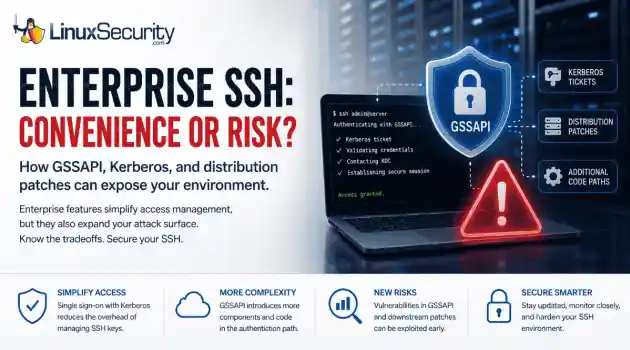
security advisory authentication We often view OpenSSH security updates through the lens of standard patch management. When a new CVE hits, we scramble to update, check our versions, and return to business as usual. But recent vulnerabilities tied to distribution-added OpenSSH GSSAPI patches are a reminder that the danger doesn't always lie in the core code; it often resides in the "convenience" features we layer on top. . These recent issues shouldn't just trigger an apt upgrade or dnf update; they should trigger a...
 Jul 06, 2026

Security Trends privilege escalation Linux security
privilege escalation Linux security Linux security teams are drowning. Patches, kernel updates, new CVEs every week. SSH exposed here, an old web service there, and a forgotten cron job running as root. On top of that, SIEM dashboards blink all day with alerts that all claim to be “high priority.” . It’s no surprise that people stop paying attention. The real problem isn’t a lack of data. It’s the opposite. Too much noise, not enough signal. Security teams see huge lists of vulnerabilities and thousands of alerts, but very...
Jul 06, 2026

Security Vulnerabilities security advisory critical
security advisory critical Before you close out the week, check what still needs to be patched. . The list is not small. Ubuntu and Red Hat pushed kernel updates. OpenVPN and OpenShift both received security fixes. Several everyday Linux components were patched too, including Vim, nginx, cifs-utils, LibVNCServer, nghttp2, and Perl. That is the kind of week administrators can easily write off as routine. It should not be. These are the updates that keep small openings from turning into real access. Why This Week Looks...
Jul 03, 2026
Security Trends malware security research
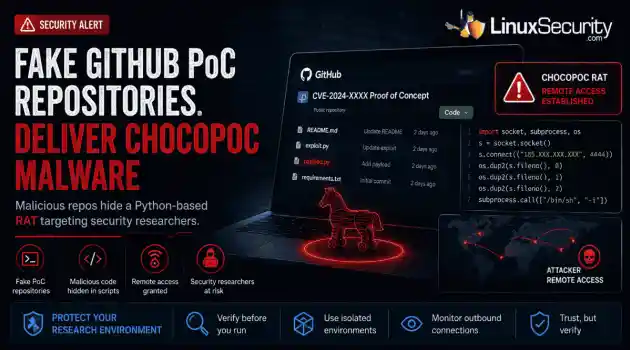
malware security research GitHub has become the latest delivery mechanism for malware aimed at security researchers. . YesWeHack and Sekoia identified a campaign that hid a Python-based remote access trojan (RAT) called ChocoPoC inside repositories presented as proof-of-concept exploits for recently disclosed vulnerabilities. Someone looking for a working exploit could clone the project, execute the code, and unknowingly launch a second payload that established remote access. Nothing about the campaign specifically...
Jul 02, 2026

Cloud Security incident response Linux administration
incident response Linux administration Over the span of just 14 days, threat actors unleashed more than 81 million login attempts against Microsoft’s Azure command-line interface (CLI). The campaign , which security researchers at Huntress identified as an ongoing, automated password-spraying effort, successfully compromised at least 78 Microsoft accounts across 64 organizations between June 12 and June 26, 2026. . While the scale is massive, the underlying strategy is surprisingly surgical. Attackers aren't exploiting a flaw in...
Jul 01, 2026
 Refine news
X Clear Filters
Get the latest News and Insights
Get the latest Linux and open source security news straight to your inbox.
Community Poll
Is application sandboxing truly safe?
Loading...
Explore Latest Linux Security news
We found -1 articles for you...
81
 open sourcesecurity updatesuser experience
Explore Tor Browser 14.0: Key Privacy Improvements and Linux Setup Guide
Tor Browser has long been recognized for providing anonymity online and is considered essential by privacy-minded users instead of conventional methods like VPNs (Virtual Private Networks) . Now, with its latest release of 14.0 , there is much to celebrate regarding privacy, security, and usability enhancements! . To help you understand the significance of this release and how downloading and testing out Tor 14.0 will improve your digital security, privacy, and anonymity, I'll explain the notable updates and improvements introduced in this monumental release and then walk you through how to download Tor 14.0 on your Linux systems. Let's begin by understanding Tor Browser and how it differs from a VPN. Understanding Tor Browser & How It Differs From a VPN Tor is built upon onion routing technology for anonymous communication across computer networks. Tor uses over seven thousand relays as its encryption layer of choice. Each relay adds additional encryption layers that protect users and obscure their source and identity. While both provide users with anonymity online, their methods vary considerably. VPN providers create tunnels through which you access internet traffic masked with IP addresses belonging to them, but providers can still see your traffic. However, due to its multilayer encryption approach, Tor prevents anyone from learning your location or browsing habits - including relays. Tor Browser 14.0: What's New? The Tor Browser 14.0 release contains numerous changes designed to empower users with enhanced privacy, security, performance, and usability. The most notable updates and improvements include: Upgraded Foundations Tor Browser 14.0 has upgraded its foundation by migrating to Firefox Extended Support Release 128 (ESR 128) . This is an important milestone, as it ensures the browser has integrated one year's worth of Firefox updates into its architecture and becomes even stronger against online threats while offering a more user-friendly experience. EnhancedSecurity Tor has improved security by addressing over 200 vulnerabilities found in Firefox code that could threaten user security. Furthermore, new typography aims to enhance both readability and accessibility to make Tor more secure and easier on the eyes. One of the update's core features is Encrypted Client Hello (ECH) . As its successor to Server Name Indication encryption, ECH seals gaps that allow network observers to monitor which websites users are accessing despite using HTTPS encryption . Tor's developers have also enhanced its user agent spoofing capabilities, which obscure a user's browser and operating system. This makes it harder for websites or individuals to track them across various websites (cross-site tracking) or identify them through browser fingerprinting, a technique in which websites collect data about your device for identification purposes. Usability Improvements Tor Browser 14.0 introduces a new circuit feature for Android, increasing flexibility and control. Suppose users experience connectivity issues with a website. In that case, they can now request a relay circuit directly within the app without needing new identification, improving both accessibility and usability of the browser on the go for all. Known Issues and Transparency Tor Project's commitment to transparency extends to their disclosure of known issues with each release. Users running their browser in compatibility mode on Windows may experience discrepancies in OS reporting that make Windows 10 and 11 appear as Windows 7. Therefore, switch off compatibility mode before updating to ensure a smooth transition during any updates. Tor 14.0 offers excellent support for legacy systems, providing critical updates for older versions of Windows and macOS. Installing Tor Browser 14.0 on Linux Linux users, known for their dedication to open-source software and privacy, tend to take the lead when adopting security-focused updates such as Tor Browser 14.0 on Linux machines. Installing it shouldbe relatively straightforward: just follow the steps below. Navigate to Tor Project's official website and locate its download section for Linux systems. Install the Tor Browser package compatible with your Linux distribution. Extract the archive. Ensure that LANG corresponds with your preferred language abbreviation and that x64 becomes x32 if running a 32-bit Linux system. Access the newly extracted Tor Browser folder and initiate its setup by double-clicking on its icon or running start-tor-browser.desktop from within a terminal session. This setup will guide you through a quick configuration process to help ensure optimal privacy settings based on your requirements. Once completed, you can browse privately and securely using Tor Browser 14.0. Have you given Tor Browser 14.0 a try? How has your experience been so far? We'd love to hear what you think of these updates and improvements! Reach out to us on X @lnxsec and let us know. Our Final Thoughts on the Tor Browser 14.0 Release Tor Browser 14.0 marks an impressive step forward in the browser's evolution, strengthening privacy, security, and user experience for every platform user. This latest iteration further illustrates Tor's dedication to online anonymity while assuring users' digital footprints remain secure across devices. Linux users can use Tor's straightforward installation process to stay ahead of privacy and security threats. With Tor 14.0, users gain a comprehensive toolset to navigate online while confidently keeping their identities hidden. . Discover key improvements in Tor Browser 14.0 for privacy and security, plus installation guidance for Linux users!. Tor Browser, Privacy Features, Security Improvements, Linux Installation, Open Source Browser. . Anthony Pell
 Oct 28, 2024
•
Oct 28, 2024
• Privacy
83
 security advisorykey managementlinux installation
PS3 Master Key Breach by fail0verflow: Install Linux After Hacking
At this week's Chaos Communication Conference, a group of hackers known as fail0verflow appeared to crack the PS3's randomized key cryptography and access the system's master code. The team demoed the alleged security flaw by creating a hack and installing Linux on the system.. It should be noted that Linux was originally advertised as a selling point for the PS3, until the option was unceremoniously removed via a firmware update. Unsurprisingly, when the newer PS3 Slim was introduced, Linux wasn't included because Sony claimed the OS made the system more "vulnerable" to key cryptography hacks. Interestingly enough, what team fail0verflow presented on Tuesday illustrated the system's poor use of public key cryptography and how it was in fact easy to hack even if Linux wasn't present. So, to hack the system and install Linux, the team first bypassed basic PS3 security measures like the chain of trust, a hypervisor, and signed executables. The link for this article located at TG Daily is no longer available. . It should be noted that Linux was originally advertised as a selling point for the PS3, until the op. week's, chaos, communication, conference, group, hackers, known, fail0verflow, appeared. . LinuxSecurity.com Team
Dec 31, 2010
•
Hacks/Cracks

67
security practicesencryptionsystem securityStep-By-Step Guide to Encrypt Linux During Installation
Another howto by me concerning encryption. However this one will be pretty intense on graphics. I have a step-by-step guide on how to do a manual full encryption of the system. Due to a bug current in the ubuntu installation, you cannot encrypt the swap partition directly during the manual install. The install will just hang. Here's a link to the bug report: https://bugs.launchpad.net/ubuntu/+source/debian-installer/+bug/231451 This article is a step by step guide to do a full encryption of a Linux system. The author provides snapshots in showing you how to do this.. The link for this article located at HowToForge is no longer available. . The link for this article located at HowToForge is no longer available.. another, howto, concerning, encryption, however, pretty, intense, graphics. . LinuxSecurity.com Team
Jul 23, 2008
•
Cryptography
77
network configurationfile sharingwindows integrationEffective Samba Setup Techniques For Windows And Linux Integration
One of Samba's strengths is you can use it to blend your mix of Windows and Linux machines without needing a separate Windows NT/2000 Server. In this article, we describe some recommended methods for accomplishing a large scale Samba installation. Our . . . . One of Samba's strengths is you can use it to blend your mix of Windows and Linux machines without needing a separate Windows NT/2000 Server. In this article, we describe some recommended methods for accomplishing a large scale Samba installation. Our focus includes the integration of Windows 2000 and XP Professional, two of the more popular clients currently used with Samba. To start with, we need to download the current stable version of Samba. As most prepackaged binaries are geared to work on a wide range of hardware, we're going to build Samba from scratch so we can benefit from using code specific to our architecture. It's important to verify that the source code hasn't been tampered with. We can do this by verifying the file's PGP signature and using the main Samba Distribution Key, all of which can be found at Go ahead and download the samba-2.2.8.tar.gz, samba-2.2.8.tar.asc and samba-pubkey.asc files. The link for this article located at LinuxJournal is no longer available. . Integrating Windows and Linux in large Samba setups can be achieved with strategies like centralized authentication, Samba shares configuration, and NTFS-3G for better interoperability.. Samba Installation, Windows Linux Integration, File Sharing. . LinuxSecurity.com Team
Jul 24, 2003
•
Server Security

Get the latest News and Insights
Get the latest Linux and open source security news straight to your inbox.
Community Poll
Is application sandboxing truly safe?
Search Topics
Powered By

Linux Security - Your source for Top Linux News, Advisories, HOWTOs and Feature Releases
QUICK LINKS
subscribe to newsletters!
Like staying secure? So do we.
Sign up for updates, tips, and alerts!