Explore top 10 tips to secure your open-source projects now. Read More
×



Server Security data privacy automation
data privacy automation Every system admin has lived through the same Monday morning ritual. A queue of forty tickets, half of them password resets, permission errors, or disk space warnings that any experienced technician could resolve in under two minutes. The other half require actual judgment. For years, automation promised that software would eventually sort the two apart on its own. That promise is now being tested in production Linux environments. . Early results are reshaping how IT teams think about tier-1...
 Jul 17, 2026

Privacydata collection automation
data collection automation You're running a web scraping project to collect pricing data from e-commerce sites. You set up a pool of datacenter proxies, launch your scripts, and within minutes — banned . CAPTCHAs everywhere. Your data pipeline stops before it really begins. . It's a frustrating scenario that plays out daily in ad verification, market research, and multi-account management. The website doesn't know you're doing legitimate research or monitoring. It just sees traffic coming from IP ranges it recognizes as...
Jul 17, 2026

Security Trends security advisory social engineering
security advisory social engineering Business Email Compromise used to be a numbers game — mass-blasted emails, broken English, an obvious "URGENT WIRE TRANSFER" subject line. That era is over. Generative AI has turned BEC into a tailored, low-noise operation that mimics writing style, voice, and even video presence. This piece looks at what's actually changed under the hood, what defenders are testing in response, and why so many organizations are still structurally unprepared for it. . The Infrastructure Problem Nobody Wants to...
Jul 17, 2026

Security Trends cybersecurity Linux documentation
cybersecurity Linux documentation Linux operating systems have gained prominence due to their stability, adaptability, and excellent security options. In the case of developing documentation, designing cybersecurity dashboards, or educational material, visuals are of vital importance when it comes to making things clear. The use of icons allows one to understand the message regarding alerts, authorization, encryption, authentication, or the state of the system just by looking at the visual cue without having to read long...
Jul 17, 2026

Security Vulnerabilities security advisory linux distribution
security advisory linux distribution ESET researchers identified 11 old and forgotten Linux UEFI shim bootloaders at versions 0.9 and below that can be used to bypass UEFI Secure Boot on any UEFI-based machine that trusts Microsoft’s Microsoft Corporation UEFI CA 2011 third-party certificate authority, regardless of the installed operating system (OS). Reported shims can be exploited to execute untrusted code during system boot, enabling attackers to deploy malicious UEFI bootkits even on systems with UEFI Secure Boot enabled.....
Jul 16, 2026
 Refine news
X Clear Filters
Get the latest News and Insights
Get the latest Linux and open source security news straight to your inbox.
Community Poll
Is continuous patching actually viable?
Loading...
Explore Latest Linux Security news
We found 627 articles for you...
209
 malwaresecurity researchtrojan
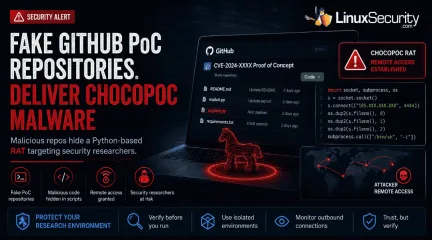
Trojanized GitHub PoC Repositories Deliver ChocoPoC Malware to Security Researchers
GitHub has become the latest delivery mechanism for malware aimed at security researchers. . YesWeHack and Sekoia identified a campaign that hid a Python-based remote access trojan (RAT) called ChocoPoC inside repositories presented as proof-of-concept exploits for recently disclosed vulnerabilities. Someone looking for a working exploit could clone the project, execute the code, and unknowingly launch a second payload that established remote access. Nothing about the campaign specifically targets Linux. The workflow does. Linux remains a common platform for exploit development, reverse engineering, malware analysis, and penetration testing, so it's also a common place to download and test public PoCs. That makes research workstations an appealing target when attackers decide the easiest way to reach an organization is through the people analyzing its vulnerabilities. How Trojanized GitHub PoC Repositories Delivered ChocoPoC Malware The campaign centers on the deployment of trojanized repositories that mimic legitimate exploit research. When a researcher clones and executes the code to validate a vulnerability, the malicious payload executes alongside the advertised exploit. Once the malicious script is triggered, it can establish remote access, allowing attackers to execute commands remotely on the compromised system. The repositories were designed to resemble legitimate security research projects, allowing the embedded malicious code to blend into routine research workflows. The Campaign Highlights a Common Workflow Risk The campaign highlights a standard practice among vulnerability researchers: downloading public proof-of-concept code to validate newly disclosed vulnerabilities. Linux is widely used for these tasks because of its native development tools, scripting ecosystem, and established penetration-testing distributions. Because researchers frequently execute public exploit code during vulnerability validation, Linux research environments can become attractive targets forcampaigns that abuse trusted repositories. Trust Abuse in Open Source Research Workflows ChocoPoC isn't remarkable because of the malware itself. Security researchers have seen Python backdoors before. What stands out is where it was hidden. Public proof-of-concept repositories have become a routine part of vulnerability research, and attackers are now using that expectation against the people who depend on them. This incident is part of a wider pattern of trust abuse on public code-sharing platforms. Academic research presented at USENIX WOOT 2025 in the paper SecurePoC: A Helping Hand to Identify Malicious CVE Proof of Concept Exploits in GitHub demonstrates that malicious and misleading proof-of-concept repositories have become a significant enough problem to warrant dedicated detection research ( USENIX WOOT 2025, el-Yadmani et al. ; Zenodo Artifact ). The researchers identified numerous cloned and modified repositories containing malicious additions, highlighting how public code-sharing platforms have become an attractive distribution channel for malicious proof-of-concept repositories. Why Linux Users Should Pay Attention ChocoPoC is not a Linux-specific threat. The malicious repositories described by YesWeHack and Sekoia could affect researchers working on Windows, macOS, or Linux. What makes the campaign relevant to Linux users is how many security professionals perform vulnerability research. Linux is widely used for penetration testing, exploit development, reverse engineering, and malware analysis. As a result, Linux workstations, virtual machines, and lab environments are common places to clone and execute public proof-of-concept code. The campaign exploits that research workflow, not the operating system itself. For Linux users who regularly test exploits from public repositories, it serves as a reminder that the repository deserves the same level of scrutiny as the vulnerability being investigated. Reducing Risk When Testing Public Exploit Code As public exploitrepositories become a more frequent source of opportunistic attacks, the security of the researcher’s workstation must be prioritized. Researchers should begin by performing a thorough source inspection, reviewing PoC code for obfuscated commands, unexpected network calls, or hardcoded IPs before any execution. Beyond manual review, consider using disposable virtual machines or isolated container environments when validating exploit code to ensure that malicious payloads cannot reach your host filesystem or network. For those working in Windows-based environments, Microsoft has recently launched a public preview of WSL Containers (WSLC), which allows for the creation of native, isolated Linux container environments ( Microsoft Dev Blog ; Microsoft Learn ; WSL API Reference ; Phoronix ). Furthermore, researchers should perform due diligence by assessing repository reputation, commit history, and the author's track record rather than relying on the code’s presence alone. Finally, monitoring outbound network connections during the testing phase is a practical way to identify and block any unexpected traffic generated by a script. Conclusion ChocoPoC serves as a critical reminder that the security industry’s own workflows are now firmly in the crosshairs of threat actors. As public exploit repositories continue to grow in volume, the ability to validate the integrity of the code we download is becoming just as essential as the ability to validate the vulnerabilities the code aims to address. Security professionals must treat unverified PoC code with the same scrutiny as any other untrusted software. . ChocoPoC malware highlights a serious risk in GitHub PoC repositories, impacting security researchers across platforms.. malware delivery techniques, security researcher risks, public code repositories, ChocoPoC attacks. . MaK Ulac
 Jul 02, 2026
•
Jul 02, 2026
• Security Trends
210
 malwarelinuxsupply chain
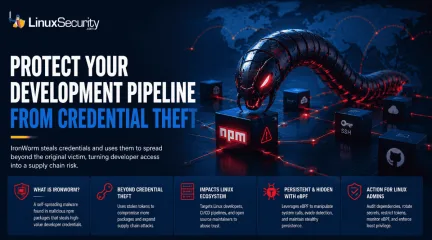
IronWorm Supply Chain Threat from Linux Credential Theft
IronWorm steals credentials and uses them to spread beyond the original victim, turning developer access into a supply chain risk. . A new campaign targeting npm has evolved past simple credential theft. Researchers identified IronWorm, a self-spreading threat. It harvests high-value Linux development secrets—SSH keys, cloud tokens, package publishing credentials. One compromised workstation becomes a launchpad for downstream supply chain attacks. This is not a get-in-and-get-out operation. IronWorm maintains persistence, expands through the software you maintain, and leverages your reputation to push malicious code to every user who pulls your next update. The threat model shifted. Your workstation is no longer just an endpoint. It is the most significant vulnerability in your production supply chain. What Is IronWorm? IronWorm acts like a digital parasite. It hides inside software developers' trust. Researchers found the malware inside dozens of malicious npm packages on the public registry. It operates with a singular focus: collecting secrets. It ignores browser history. It ignores personal files. It hunts for digital keys that allow an attacker to move beyond a single machine and into the broader software ecosystem. Why The IronWorm Malware Attack Is Different Most malware follows a predictable, finite lifecycle. It infects a system. It scrapes what it can. It exists. IronWorm breaks that model. It is designed for expansion. A developer pulls a tainted dependency. The malware scrapes tokens. It uses those stolen tokens to compromise additional packages. It creates new victims through the very infrastructure you use to build software. This is not just credential theft. It is an automated supply chain assault. It uses your own reputation to lure the next target. How IronWorm Impacts Linux Users Most security reports stop at the npm layer. That is a mistake. For the Linux ecosystem, the threat is existential. Linux Developers Are Prime Targets Linux workstationsare rarely just office computers. They are development hubs. Attackers know this. They are not looking for standard user credentials. They are looking for SSH keys, cloud secrets, and Git tokens. They want the bridge between a local machine and a production environment. Linux Build Servers and CI/CD Pipelines Linux systems act as the engine room for software delivery. They run GitHub Actions, GitLab CI, or Jenkins. If IronWorm compromises a machine used to manage build runners, the attacker gains more than a workstation. They gain the ability to tamper with software before it reaches a user. Open Source Maintainers Face Elevated Risk If you maintain public-facing packages, you are a primary target. IronWorm is specifically designed to hijack npm publishing tokens used to push updates. If an attacker gains those credentials, they push malicious code under your name. Trust is the hardest thing to build in open source. IronWorm is engineered to break it. The eBPF Rootkit Connection Beyond credential theft, IronWorm introduces a technical layer of persistence. Researchers found that the malware leverages eBPF . This is a powerful Linux kernel technology typically used for networking, observability, and security tools. Administrators use eBPF to monitor system health and detect intrusions. Attackers realized the same power that allows a security tool to inspect the kernel also allows malware to remain hidden. By utilizing eBPF, IronWorm manipulates system calls. It bypasses traditional monitoring. It stays stealthy while it harvests the next set of credentials. Why Supply Chain Attacks Keep Getting Worse IronWorm is not an isolated anomaly. It is part of a broader trend in which attackers target trusted software distribution channels rather than individual users. The 2024 XZ Utils backdoor demonstrated how a compromise in a widely trusted open-source project can ripple through Linux distributions and enterprise environments. IronWorm follows a similar trust-abuse strategy, but insteadof inserting malicious code directly into a project, it focuses on stealing developer credentials that can be used to compromise additional software packages and development pipelines. Whether the attack begins with a compromised maintainer, a malicious dependency, or stolen publishing credentials, the goal remains the same: abuse trust to reach as many downstream systems as possible. What Linux Administrators Should Do Now If you manage Linux development environments, close the gap between developer workstations and production infrastructure. That's where a lot of these attacks gain traction. Audit Dependencies: Review package manifests and dependency trees for anything unauthorized, unexpected, or recently introduced without a clear reason. Restrict Tokens: Move away from long-lived master keys where possible. Use scoped, short-lived publishing credentials instead. Rotate Secrets: Assume every SSH key, API token, cloud credential, and other secret stored on an affected machine has been exposed. Rotate them. Isolate CI/CD: Build runners should not keep persistent secrets on disk. An infected process only needs a moment to scrape them. Monitor eBPF Activity: Configure detection and monitoring tools to alert on unexpected or unauthorized eBPF program loading. Enforce Least Privilege: Limit what a user session can access. Developer accounts rarely need direct access to production systems or high-value credentials. For defenders, the interesting part isn't the Linux infection itself. It's the focus on credentials. Once an attacker has access to developer tokens, keys, and deployment accounts, the scope of the incident can change quickly. A compromised workstation is manageable. A compromised development pipeline is a different problem. Related Reading Why CI/CD Pipelines Are Targets in Software Supply Chain Attacks Red Hat npm Package Compromise Highlights Supply Chain Risks Nx Console Important Supply Chain Breach Affects Linux DevPipelines Linux Supply Chain Attacks Threaten DevOps Teams and Security . IronWorm exploits Linux credentials, turning machines into supply chain threats with far-reaching impacts.. IronWorm Credential Theft Supply Chain Linux Development. . MaK Ulac
Jun 08, 2026
•
Security Vulnerabilities

83
 security advisorymalwarebotnet
SocksEscort Linux Router Malware Botnet Takedown Operation Lightning
Authorities have dismantled SocksEscort, a service that sold access to a large proxy network built from compromised residential routers. Investigators say much of the infrastructure sat on infected SOHO networking devices, many running embedded Linux firmware. . Instead of running its own servers, the operation pushed customer traffic through hijacked home and small-business routers. Over time, that created a distributed botnet where thousands of compromised systems acted as proxy nodes, letting fraud operations and credential attacks blend into normal residential traffic instead of standing out as activity from known malicious infrastructure. It’s a pattern that shows up again and again with router malware. A device gets compromised, nobody notices, and eventually that bandwidth is part of someone else’s proxy network. The SocksEscort case becomes more interesting once you look at how the network actually operated. Inside the SocksEscort Proxy Network SocksEscort presented itself as a residential proxy service, but the infrastructure behind it looked very different from the commercial proxy platforms people normally think about. Instead of volunteers or paid nodes, the traffic moved through compromised routers sitting in homes and small offices. That distinction changes the entire model. Legitimate proxy networks rely on users knowingly sharing bandwidth. The SocksEscort network relied on devices that had been quietly taken over and turned into relay points. A lot of that control came from AVRecon malware, a Linux-targeting threat uncovered by researchers at Lumen Black Lotus Labs. The malware targeted a wide range of SOHO routers, including models from Cisco, D-Link, Hikvision, MikroTik, Netgear, TP-Link, and Zyxel, which tend to run continuously and often sit untouched for years once they’re installed. Once a device was infected, the router effectively became part of the proxy network. AVRecon malware capabilities Linux router malware targeting SOHO networkingdevices device reconnaissance and system information collection command-and-control communication remote command execution proxy relay configuration for routing external traffic The result was a residential proxy network built almost entirely from compromised infrastructure. From the outside, it looked like a typical proxy service, but in reality, the network relied on thousands of infected routers acting as relay points for customer traffic. Once researchers started mapping the SocksEscort infrastructure, it became clear that the network had been running for years. The Scale of the SocksEscort Botnet Once researchers started mapping the SocksEscort infrastructure, it became clear that the network had been running for years. The service itself dates back more than a decade, gradually growing into a proxy network built from compromised residential devices. Investigators eventually tied more than 369,000 compromised IP addresses across 163 countries to the service. Researchers were also seeing around 20,000 devices communicating with the infrastructure each week, suggesting the botnet was constantly shifting as systems dropped off and new ones appeared. At that point, it stops looking like a niche proxy service. It starts looking like a long-running cybercrime infrastructure. The operation generated roughly $5.8 million (€5 million) in criminal revenue before the infrastructure was disrupted. The question I keep coming back to is why routers, especially Linux-based ones, keep showing up in operations like this. Why Linux Routers Keep Becoming Botnet Infrastructure Cases like SocksEscort tend to circle back to the same kind of device. Not servers. Not desktops. Home and small-office routers. Most of those systems run some form of embedded Linux, which makes sense once you think about how networking hardware is built. The operating system itself isn’t the problem. What matters is how long these devices stay online and how rarely they’re updated after they’reinstalled. A router might sit in a closet or under a desk for years without anyone logging into it. When attackers find a way in, that device can quietly become part of a botnet or proxy network and continue operating as if nothing changed. Where attackers usually get in Outdated firmware Default administrative credentials Exposed remote administration interfaces Unsupported hardware that no longer receives updates None of these weaknesses is particularly exotic. They’re the same entry points that have shown up in router botnet campaigns for years. Why infections often go unnoticed Routers operate continuously with little user interaction Proxy network activity generates minimal visible disruption Router security monitoring is uncommon in most environments •AVRecon has been observed flashing custom firmware images through the router’s update mechanism, allowing the malware to persist even after a reboot. That combination makes routers an unusually durable infrastructure once they’re compromised. A device can sit inside a botnet-backed proxy network for months, sometimes years, before anyone realizes it’s participating in the traffic. Which brings us back to the SocksEscort case and how authorities eventually disrupted that infrastructure. Why the SocksEscort Takedown Doesn’t Solve the Router Problem After years of operating in the background, the infrastructure behind SocksEscort eventually drew the attention of authorities . The joint investigation, known as Operation Lightning, focused on dismantling the service itself rather than attempting to track down every compromised router spread across residential networks. The response focused on dismantling the service itself rather than trying to track down every compromised router spread across residential networks. Authorities seized 34 domains and 23 servers across seven countries, dismantling the infrastructure used to operate the proxy service, and cryptocurrency connected to theoperation was frozen. In practical terms, that removed the platform that had been selling access to the proxy network. But taking down the service doesn’t automatically clean the devices that were already compromised. Many of the routers that once formed part of the SocksEscort network may still be online today, running the same firmware and configurations that allowed the compromise in the first place. What This Means for Linux Users and Administrators For most administrators, the takeaway from the SocksEscort case isn’t the malware itself. It’s the device lifecycle behind it. Routers and edge devices often stay in service far longer than the systems around them. They get installed, configured once, and then quietly run for years without firmware updates, configuration reviews, or security monitoring. That’s exactly the kind of environment operations like this depend on. If a router ends up inside a botnet or proxy network, the device may continue operating normally while routing traffic for someone else. In many cases, the first signal is an abuse notice from an ISP or unusual outbound traffic patterns that don’t match normal network activity. For administrators responsible for Linux-based networking devices, a few checks are worth making: Confirm routers are running the current firmware Replace hardware that no longer receives vendor updates Disable remote administration interfaces that are not required Change default or long-standing administrative credentials Review outbound traffic patterns from edge devices Isolate routers and IoT devices from internal networks where possible Administrators investigating suspicious router activity may also want to check for processes listening on port 48102 or the presence of a jid.pid file in /tmp, both indicators previously associated with AVRecon infections. None of these steps is complicated, but they’re often overlooked once a device is deployed, which is exactly the kind of gap operations like SocksEscorttend to rely on. That’s also why incidents like this keep resurfacing. The devices involved are rarely high-profile servers or hardened infrastructure. More often, they’re ordinary routers sitting at the edge of a network, quietly running the same firmware they had the day they were installed. . SocksEscort proxy network dismantled by authorities using compromised Linux routers shows ongoing threats from malware.. Linux Router Malicious Activity, SocksEscort Malware Disruption, Embedded Linux Security Issues, Cybercrime Infrastructure, SOHO Device Protection. . MaK Ulac
Mar 13, 2026
•
Hacks/Cracks
83
 security advisoryUbuntumalware
Linux Users Targeted as Crypto-stealing Malware Hits Snap Packages
We’ve been telling ourselves that Snap apps are sandboxed, signed, and therefore low-risk. Not perfect, but good enough. That assumption has been holding for years, mostly because it hasn’t been tested in a way that mattered to day-to-day operations. . Recently, it was. Several crypto-stealing campaigns are using Snap packages to land quietly on Ubuntu Linux systems. No exploit chains. No privilege escalation. Just software that looked legitimate enough to install, then stayed resident long enough to make money. For attackers focused on cryptomining, that’s ideal. CPU is consumed slowly, the system keeps working, and nothing obviously breaks. This isn’t about one bad Snap slipping through review. It’s about how much trust we place in packaging ecosystems once they become familiar. Snap’s design favors convenience, automatic updates, and a clean user experience. Those same traits also reduce friction for abuse when something malicious does get through. What matters for admins is not whether Snap is “secure” in the abstract. It’s how these choices change risk in real environments. We’ll walk through how the attack worked, why Snap was a good fit for it, what similar abuse has looked like before, and what’s worth locking down now if you don’t want packaging convenience to quietly expand your attack surface. What Actually Happened with Malicious Snap Packages? The recent campaign itself was not technically impressive, which is part of the problem. Attackers published Snap packages that looked legitimate and behaved well enough to avoid attention. There was no snapd vulnerability involved, and no sandbox escape to dissect afterward. The entry point was trust, not code execution. Distribution leaned on normal Snapcraft usage. A user searched for a tool, found a package that looked right, and installed it. From there, the payload focused on cryptomining and, in some cases, credential harvesting. Nothing destructive. No ransom notes. Just quiet resource use thatblended into the everyday system load, especially on developer workstations and lightly monitored servers. You start to notice the trend when you look at timelines instead of spikes. CPU usage that never quite drops. Processes that respawn under names that don’t raise flags. Outbound traffic that looks like any other long-lived connection unless you already know where it’s going. In Ubuntu environments where Snap is enabled by default, this kind of activity can sit undisturbed for longer than most admins are comfortable admitting. Cleanup was also less clean than people expect. Uninstalling the Snap removed the visible package, but not always the whole problem. Persistence mechanisms varied, and in a few cases, admins had to hunt down leftover processes or user-level artifacts before systems actually returned to baseline. The important takeaway is not that Snap is broken. It’s that “official” packaging has been treated as a proxy for safety in Ubuntu security models, and this campaign shows the limits of that assumption. Once a malicious package looks normal enough, the rest of the system tends to cooperate. Why Is Snap Attractive to Attackers? Once you step back from the individual incident, the choice of Snap starts to make sense. This wasn’t about bypassing defenses. It was about fitting in. Snap’s design decisions, most of them reasonable on their own, create an environment where long-lived, low-noise abuse doesn’t immediately look wrong. A few traits stand out when you compare Snap to more traditional packaging approaches like apt, or even to other modern formats such as Flatpak . Centralized distribution gives attackers reach without having to build their own delivery channel. If a package is discoverable through Snapcraft, it already has an audience. Auto-updates are expected behavior. Users rarely question why a Snap changes over time, or what exactly changed. Confinement reduces obvious breakage. A malicious Snap that stays within its sandbox can keep thesystem stable while still doing useful work for the attacker. Background services are normal. Many Snaps run persistently, so a process that never exits doesn’t immediately look suspicious. Classic confinement is available and often granted with little scrutiny, expanding what a Snap can touch once it’s installed. Publisher trust is inferred from names and descriptions more than from active verification. Logging and monitoring around Snap execution is usually thinner than for system packages. This is where the contrast with other formats matters. Flatpak still carries supply chain risk, but its permission model and runtime expectations make quiet persistence harder to hide. Apps are not generally expected to run indefinitely in the background, so abuse tends to surface faster. Apt packages, on the other hand, are usually installed with a clearer sense that you’re modifying the base system, which changes how people think about trust. None of this makes Snap uniquely unsafe. It does explain why attackers targeting cryptomining workloads gravitate toward it. The platform makes it easier to stay boring, and boring is exactly what you want when the goal is to siphon CPU over time. For admins, this is the shift. Snap should be evaluated like any other third-party code source, not as a special case that inherits trust from the platform it runs on. This Isn’t the First Time Snap Has Been Abused If this were the first example, it would be tempting to treat it as an outlier and move on. It isn’t. Snap has seen malicious or deceptive packages before, and the pattern is familiar if you’ve been watching other software ecosystems long enough. There have been Snap packages that slipped through review while doing something other than what they advertised. Others leaned on lookalike names or vague descriptions to catch casual searches. In several cases, packages were only pulled after users reported odd behavior, not because automated checks caught anything definitive. That delaymatters. It’s the window where quiet abuse pays off. What’s happening here mirrors what played out earlier in npm, PyPI, and container registries. Once an ecosystem makes distribution easy and normalizes fast installs, attackers start probing its edges. They’re not looking for perfect exploits. They’re looking for places where trust is assumed, and verification is light. It’s also worth zooming out for a moment. This isn’t unique to Snap. Flatpak, AppImage, and even the old habit of piping a curl command straight into a shell all scale the same mistake. Convenience lowers friction. Lower friction increases the chance that something untrusted runs without much thought. Packaging format changes the mechanics, not the underlying risk. The practical implication is straightforward. This wasn’t a fluke tied to one bad package or one review failure. It’s a repeatable delivery path that will keep resurfacing as long as software ecosystems optimize for speed and ease of use. At that point, the question for admins stops being “will this happen again” and becomes “how prepared are we when it does?” What Does Crypto-stealing Malware Look Like on Linux in the Real World? On Linux, crypto-stealing malware rarely announces itself. It settles in and tries to look like part of the background. That’s why it’s easy to miss if you’re only watching for spikes, crashes, or obvious failures. What usually shows up first is a sense that something is slightly off. A workstation that never quite goes idle. A server that runs warm even when demand is low. Users start mentioning fans or battery drain, but nothing is broken enough to trigger an incident. When you dig in, the signs tend to cluster around a few patterns: CPU usage that stays modest but persistent, even during periods when the system should be quiet. Processes with generic or misleading names that respawn when killed. Outbound connections to mining pools, proxies, or unfamiliar hosts that remain open for longperiods. Executables running from Snap-specific mount paths rather than expected system locations. Resource consumption that looks “normal” in isolation but wrong when viewed over days instead of minutes. Logs that appear clean unless you correlate process behavior, network traffic, and user actions over time. This is also where differences between packaging systems start to matter operationally. On Flatpak-based systems, similar abuse tends to stand out sooner. Applications are not typically expected to run indefinitely in the background, so long-lived processes attract attention faster. With Snap, persistent services are common enough that they blend in more easily. The monitoring lesson here is uncomfortable but important. You don’t catch this kind of cryptomining by waiting for alarms. You catch it by paying attention to low-grade anomalies that never quite resolve themselves. Once you start looking for those patterns, you realize how long this sort of activity can sit unnoticed. Securing Snapcraft Apps Without Banning Snap Outright Most environments can’t just rip Snap out and move on. Developers rely on it. Some tools only exist there. The goal isn’t to make Snap disappear. It’s to make its presence deliberate instead of incidental. The first shift is mental. Snap packages are not part of the base operating system. They’re third-party software delivered through a convenient channel. Once you frame them that way, the hardening steps stop feeling heavy-handed and start feeling familiar. Start with inventory. Many teams don’t have a clean answer to a simple question. What Snaps are installed, and who put them there. Until you can answer that, everything else is guesswork. From there, publisher review matters more than package names. Well-known projects with verified publishers behave very differently, over time, than one-off utilities with thin histories. Classic confinement deserves special attention. It exists for good reasons, but it quietly undoes many ofthe assumptions people make about Snap safety. If a Snap needs classic confinement, that should be a conscious approval, not a default outcome of clicking through an install prompt. Server environments are where discipline usually slips. Snap auto-installation and auto-updates make sense on desktops. On servers, they introduce change outside your normal review cycle. Disabling or tightly restricting Snap aligns better with how most teams already treat change control, especially in regulated Ubuntu security contexts. It also helps to make decisions visible. Document why a Snap is allowed, what it’s used for, and what level of access it has. That record pays off later, when something looks odd, and you need to decide quickly whether a process belongs. None of this guarantees safety. What it does is shrink the space where quiet abuse can live. When Snap usage is intentional, deviations stand out faster, and response becomes less about cleanup and more about containment. Monitoring and Logging Snap Activity that Actually Helps The hardest part of this class of abuse is that it doesn’t trigger the alerts we’re used to trusting. Nothing crashes. Services stay up. Users keep working. If you only look for sharp edges, you miss the slow ones. Effective monitoring around Snap starts by treating it as its own execution layer. Install and update events should be visible outside the local system. If a Snap appears or changes, you want that fact recorded somewhere central, with a timestamp you can line up against everything else that happened that day. Runtime behavior matters more than package metadata. CPU, memory, and network usage tied back to Snap mount paths is where patterns start to emerge. A single host using a little extra CPU is easy to ignore. Ten hosts doing it in the same way, over the same time window, is not. A few monitoring actions consistently prove their value: Track Snap install and update events centrally, not just locally. Watch for long-running Snap processes onsystems that shouldn’t have them, especially servers. Correlate outbound network connections with Snap executables and user context. Look for resource usage that never quite returns to baseline. Retain logs long enough to see slow-burn behavior, not just short incidents. Assume an attacker’s goal is to look boring, not noisy. What tends to surprise newer admins is how little raw data you need once you know what to correlate. You don’t need deep packet inspection or exotic tooling to spot cryptomining behavior. You need time windows, context, and the discipline to look at patterns instead of peaks. Once Snap activity is visible alongside the rest of your system telemetry, it stops being a blind spot. At that point, the risk shifts from “we wouldn’t notice” to “we might miss it if we’re not paying attention,” which is a much more manageable place to be. Policy Decisions Linux Admins Should Revisit Now Most of the risk exposed by this incident isn’t technical. It’s procedural. Snap behaves the way it was designed to behave, and on Ubuntu, those behaviors are defaults. Snap is enabled out of the box. Auto-updates are on. Classic confinement is available. None of that is a flaw. It does mean those defaults quietly shape your risk profile, whether you’ve discussed them or not. This is where policy catches up with reality. If Snap is present in your environment, it is already making decisions on your behalf. The question is whether those decisions align with how you expect systems to be managed. There are a few areas where ambiguity tends to cause trouble: Are Snaps allowed everywhere, or only on user workstations? Who is allowed to install new Snaps, and under what conditions? What happens when a Snap is flagged as suspicious or outright malicious? How quickly can you inventory affected systems and remove a package at scale? Whether Snap usage is documented anywhere beyond tribal knowledge. How exceptions are handled when someone insiststhey need a specific Snap right now. It helps to frame these as defaults rather than judgments. You are not criticizing Ubuntu for enabling Snap. You are deciding whether those defaults make sense for your environment, your compliance obligations, and your tolerance for unmanaged change. Ubuntu security guidance gives you a baseline. Policy is where you decide how far beyond that baseline you need to go. Once these decisions are written down, a lot of the uncertainty disappears. Installs become intentional. Exceptions become visible. When something odd shows up in monitoring, you already know whether it belongs there. At that point, Snap stops being a background assumption and becomes just another managed input into your risk model. What Does this Change for Linux Security Going Forward? The most useful outcome of incidents like this is not a new rule or a new tool. It’s a quieter adjustment in how trust is handled. Linux systems are no longer ignored by attackers looking for steady financial return. CPU time, credentials, and persistence all have value now, even when nothing breaks. Packaging ecosystems are part of that reality. Snap made the mechanics visible, but the pattern applies anywhere software is easy to install and rarely revisited. Sandboxing still matters. It limits damage and contains mistakes. It does not tell you whether the code inside the sandbox deserves to be there. For admins, the shift is less about adding controls and more about knowing what is running, why it is there, and how it behaves over time. Asset awareness does more work here than another layer of detection. Once you see that, the focus naturally moves from chasing individual threats to managing assumptions. Cryptomining will keep showing up in different forms because it fits this model so well. It is quiet, persistent, and profitable enough to justify patience. That makes it a good stress test for how much implicit trust exists in your environment. When trust is explicit, accepted risk is easier toexplain and easier to defend. When it isn’t, packaging convenience quietly expands the attack surface without anyone signing off on it. The difference between those two states is not dramatic. It’s procedural. And once you notice it, it’s hard to unsee. . Recent campaign exposes how Snap packages can conceal crypto-stealing malware in Ubuntu systems, risking resource theft.. Crypto-stealing Malware, Snap Packaging, Linux Security, Ubuntu Administration, Package Monitoring. . Brittany Day
Jan 29, 2026
•
Hacks/Cracks
83
 security advisorymalwarebreach
UNC2891: Banking Heists with Linux Malware Exploiting Physical Access
UNC2891 has been working its way through gaps in ATM security and broader banking security by slipping small hardware implants into places most teams assume are locked down. Investigators found Raspberry Pi systems sitting near ATM transaction switches, quietly feeding access back to the operators while Linux tooling handled the heavier work inside the network. The group paired that access with cloned cards and a mule network that turned compromised infrastructure into predictable cashouts. . The whole operation shows how easily a determined crew can turn physical access and an overlooked embedded device into long-term leverage inside a financial environment that otherwise looks hardened on paper. How Did UNC2891 Breach ATM Security Using Hardware Implants and Linux Malware? Investigators traced the initial access point to a series of Raspberry Pi boards tucked into network paths that should never see unvetted hardware. Each device sat close to the ATM transaction switch, which gave the operators a clean line into systems that handle the core transaction flow. A small 4G modem handled the outbound channel, letting the attackers reach those boards without touching the bank’s perimeter or dealing with its change controls. Once inside, the group leaned on familiar Linux and Unix tooling. CAKETAP used CVE-2021-3156 to climb privileges on older hosts that had not fully cycled through patching. SLAPSTICK exploited CVE-2021-4034 through Polkit to reach the same goal on better-maintained systems. TINYSHELL kept things simple by giving the operators a lightweight remote shell that blended into normal process lists. None of these tools was complex, but they were quiet and reliable. The more interesting part came from the way UNC2891 relied on bind mounts to mask activity. By shifting sensitive paths into controlled views, they hid directories, logs, and even some of the tooling from routine inspections. It is the kind of trick that slips past teams that rely heavily on perimeter sensors andassume internal hosts are stable. With control of the transaction switch and the surrounding infrastructure, the group moved from reconnaissance to monetization. Cloned cards were produced using data from the compromised environment, and mule crews handled the withdrawals across several countries. The hardware implants and the Linux malware stack gave them a foothold that survived audits for years because nothing looked obviously broken in the banking security stack. Banking Security Risks and Real-World Campaign Activity By the time forensic teams pieced the campaign together, it was clear UNC2891 had been active far longer than anyone assumed. Several banks in Southeast Asia reported activity dating back to 2017 , which means the group operated through multiple hardware refresh cycles and at least one core-network redesign. That kind of persistence tells you the operators understood how ATM networks are built and where the weak seams sit between on-prem systems and switching infrastructure. The affected systems weren’t limited to the ATMs themselves. The intrusion paths stretched across Linux and Unix hosts that supported transaction processing, card-issuing systems, and internal monitoring pipelines. Those hosts were often segmented on paper, but still exposed enough shared services to give an attacker room to move once the hardware implant was in place. Physical access gave them the starting point, and host-level access filled in the rest. The financial losses tied to the cloned-card withdrawals added up quickly because the activity looked like routine consumer traffic at first glance. Mules cashed out across different ATM fleets and different regions, which made correlation harder until analysts started comparing timestamps and withdrawal patterns. It became clear that the issue wasn’t a single ATM model or a software defect. It was a structural weakness in how ATM security controls are layered inside modern banking environments. For many teams, the uncomfortable part of thiscase is how ordinary the attack chain was. Nothing about the malware or operational playbook would surprise anyone who has worked in incident response. The scale came from patience, physical access, and a banking security model that still assumes internal networks are trusted once you get past the branch perimeter. Strengthening ATM Security and Banking Security Controls Most of the recommendations that came out of this investigation were not new. What changed was the emphasis. Teams realized how much trust had accumulated around network closets, switch cabinets, and other places that rarely see routine inspection. Locking those areas down and tracking who enters them became just as important as patching a high-severity Linux bug. Once the Raspberry Pi boards were removed, several banks started logging physical access through the same lens they use for privileged account activity. Scanning for unauthorized hardware turned into a practical exercise instead of a theoretical one. Some teams added periodic sweeps of ATM network segments with simple inventory scripts, backed by NAC policies that flag devices with unexpected MAC prefixes or cellular interfaces. This isn’t glamorous work, but it closes the gap that allowed the 4G implants to sit unnoticed for so long. Segmentation reviews followed. Many banks had ATM networks separated on paper while still sharing authentication paths, update channels, or internal monitoring systems with the broader environment. Cleaning up those links took time, and in some cases, it required coordination with vendors who had quietly relied on those shared services. Once those pathways were clarified, the Linux privilege-escalation vulnerabilities used by CAKETAP and SLAPSTICK became less useful to an attacker. Operational teams also began monitoring for unusual bind-mount behavior. Bind mounts are common in container platforms and maintenance workflows, but they stand out on hosts that normally run a predictable set of banking applications. Alerting on thatactivity gave analysts something concrete to investigate instead of relying on signature-based detections. The last piece involved fraud teams. They rebuilt their processes for spotting mule behavior and repeated cloned-card withdrawals. Instead of monitoring only per-card anomalies, they began correlating ATM usage across regions and providers. This tied the operational side of banking security to the cash-out phase in a way that hadn’t been done before. Closing Thoughts: What This Means for Linux, ATM Security, and Modern Banking Security The UNC2891 case shows how much risk sits in the gaps between well-defended systems. The Linux hosts involved in this incident were not fragile or outdated. They were typical production machines running standard banking workloads, and they failed only because an attacker reached them through a path no one was watching. Once the hardware implant was in place, the group had time to learn the environment and adjust their tooling until it blended in. It also highlights how hybrid operations are becoming normal for financially motivated crews. They mix physical access, off-the-shelf hardware, and quiet Linux malware to build a foothold that lasts. This is less about zero-day exploits and more about understanding how real networks behave when they age. The longer the infrastructure remains unchanged, the more predictable it becomes to someone who has already found a way inside. For security teams, the insight is simple but uncomfortable. Strong perimeter controls and regular patching are not enough when the attacker starts from a position that bypasses both. Modern banking security depends on treating every layer, including the physical one, as part of the threat surface. That means monitoring embedded devices, verifying internal assumptions, and treating unexpected behavior on stable systems as a signal rather than noise. Finally, the case is a reminder that the people involved in these operations matter as much as the tooling. The cashouts only workedbecause mule networks were available and coordinated. Without that human layer, the malware and the Raspberry Pi hardware would have been interesting but unprofitable. Understanding how these mule networks operate helps teams see where technical controls stop being effective and where operational gaps begin. . Investigators reveal how UNC2891 exploited physical access and Linux malware to compromise bank security systems.. UNC2891, ATM Security, Linux Malware, Banking Breach, Physical Access. . Brittany Day
Nov 27, 2025
•
Hacks/Cracks
77
 security advisorymalwareexposure
Linux Security 2026: Emerging Risks Impacting Cloud and IoT Infrastructure
Linux security sits at the center of modern infrastructure. Most production systems, cloud workloads, and IoT devices run on it in some form. That reach gives it stability and risk in equal measure. The Identity Theft Resource Center reported 1,732 confirmed data compromises in the first half of 2025, an 11 percent rise from the same period, and more than half of 2024’s total. . It’s clear that a growing number of these incidents began on Linux-based systems. Attackers continue to use automation and AI to scan for unpatched packages, weak SSH setups, and kernel flaws faster than most teams can respond. The pattern isn’t new, but the tempo is. Linux security has shifted from a routine maintenance item to a continuous operational demand for every organization that depends on uptime. Who’s Targeting Linux Systems and What They Want You see the same names cycle through every year. What’s changed isn’t who they are, but how precise they’ve become. Most big operations now include Linux systems in the first wave, not as an afterthought. Lazarus Group uses compromised Linux servers to run crypto miners and collect financial data. They tuck payloads inside standard binaries, which helps them slip past shallow scans. APT28 (Fancy Bear) keeps brute-forcing SSH keys and planting implants that sit under kernel updates. Once inside, they stay dormant until needed. Carbanak aims at the financial infrastructure built on Linux. They blend credential theft with lateral movement across databases and payment networks. The Dark Overlord goes after smaller Linux environments that lag in patching. Data theft, extortion, or leaks — any of them will do. Anonymous offshoots still show up from time to time, taking swings at public Linux systems to prove a point more than to make money. Most of these groups start the same way. Automation finds the weak spots. Humans take over once a system looks promising. A working Linux exploit spreads fast once it hits the openweb. Linux security can’t rely on obscurity or reputation anymore. The focus has shifted to exposure management, tracking what’s accessible, what’s vulnerable, and how long it’s been overlooked. Why Linux Security Threats Keep Growing Linux security has scaled with the systems it protects. The workload is bigger, automation faster, and attackers better equipped. What’s changed is speed. Threats evolve between patch cycles, and open tools make exploitation easier for anyone paying attention. AI Is Changing the Balance AI now runs through both sides of the equation. Attackers use it to fingerprint Linux environments, identify kernel versions, and build payloads in minutes. Defenders lean on it for triage and anomaly detection, though results vary. The core problem is data. Most security teams don’t have enough clean logs to train reliable models. That’s why alert noise keeps growing while detection speed stays flat. AI can improve pattern recognition, but it doesn’t replace context. Human review still decides what’s real. Recent studies on how AI is transforming cybersecurity defenses point to the same issue — automation raises both capability and risk. Linux security will depend on how well teams balance the two. Supply Chain Exposure Across Linux Environments Every open-source package or container image carries inherited risk. Once a compromised build slips into the pipeline, it spreads quietly through dependencies. The 2024 XZ backdoor incident showed how deep that problem runs. A single malicious library nearly reached production repositories. The point was clear: linux security depends as much on verified code as on timely patching. Better linux vulnerability management means signed repositories, automated dependency checks, and traceable build chains. Trust without proof is no longer acceptable. IoT and Edge Devices Running Linux IoT hardware keeps widening the attack surface. Many devices still run old Linux kernels and default credentials.Once compromised, they become access points for internal scans or parts of DDoS networks. For smaller organizations, securing linux servers isn’t enough. Edge nodes, routers, and sensors need the same oversight. A breach rarely starts at the core; it starts where no one’s watching. Cloud and Container Complexity Most cloud and container workloads depend on Linux. The flexibility helps deployment, but it also multiplies risk. Misconfigured IAM roles, unused credentials, and stale Docker images create quiet openings. A few of these attacks rely on zero-days. They rely on drift, with old systems left exposed. Strong linux security practices like image scanning, access control, and regular audits cut that risk before it causes downtime. How to Strengthen Linux Security in 2026 Linux security still comes down to the basics. The teams that stay consistent usually get hit less, not because they’re lucky, but because they keep the small things tight. Kernel live patching Apply updates without downtime using tools like Canonical Livepatch or Oracle Ksplice. Kernel live patching keeps systems current and reduces the reboot gap that attackers often rely on. AppArmor and SELinux Run them in enforcing mode. Audit-only doesn’t block anything. Real enforcement cuts lateral movement before persistence takes hold. SSH key discipline Rotate keys often, disable password logins, and limit root access. It’s not exciting work, but most Linux breaches still start here. Package verification Sign and verify every package and repository. Anything unsigned should fail policy checks automatically. It’s one of the simplest ways to strengthen linux vulnerability management and close the loop on supply chain risk. AI-assisted log review Let automation flag anomalies, but keep humans in the loop. Machines handle speed; people handle context. Real linux security depends on both. Continuous compliance Bake CIS Benchmarks or OpenSCAP into CI/CD pipelines. Regularvalidation turns security from an audit event into a daily habit. Each step strengthens linux vulnerability management by improving control, response speed, and visibility. When these habits hold, securing linux servers becomes less about incident response and more about keeping exposure from forming in the first place. The Direction of Linux Security in 2026 Attackers have adjusted faster than most defenders expected. The same automation that powers modern DevOps pipelines now drives exploitation at scale. Linux systems sit in the middle of that change. They’re the foundation most teams build on and the one attackers know best. AI keeps raising the ceiling on both sides. It sharpens detection, but it also accelerates scanning, intrusion, and obfuscation. Over time, what separates a breach from a close call will come down to the fundamentals: patch cadence, identity control, and clear visibility across infrastructure. Strong linux security depends on staying close to those fundamentals. Teams that invest in automation for patching and validation tend to outlast the noise. When linux vulnerability management is treated as an active process instead of a cleanup task, small issues stop becoming big ones. For most organizations, securing linux servers will remain the backbone of resilience. Containers, IoT, and cloud workloads all start there. Focus on raising the cost and time of compromise so attackers look for easier targets. Linux security will define the next phase of enterprise defense. The platform isn’t new, but the threat model around it keeps moving. Staying steady means patching fast, verifying often, and never assuming yesterday’s fix still holds. The Future of Linux Security Linux security now defines how resilient infrastructure can be. Most critical systems run on it, which means every configuration choice matters. The flexibility that made Linux dominant is still its biggest strength, and still the hardest thing to secure. Attackers haven’t stoppedevolving. Automation and AI now run both sides of the fight. They scan, sort, and exploit faster than manual teams can react. They can match that pace by staying consistent with patches, access limits, and visibility. Securing linux servers starts with that baseline. Keep root access narrow, patch cycles short, and audit trails clean. It sounds simple, but it’s what keeps most environments from tipping into incident response. Good linux vulnerability management isn’t about closing every CVE. It’s about closing the ones that matter. Context decides priority. Systems that track and verify their own state recover faster because surprises are fewer. Linux remains open, flexible, and everywhere. That isn’t changing. The next phase of linux security will depend less on new tools and more on steady habits: review, verify, patch, repeat. . Explore the risks in Linux security for 2026, the influence of AI, and essential defense strategies to adopt.. Linux security risks, AI cybersecurity, exposure management, Linux defense strategies. . MaK Ulac
Nov 24, 2025
•
Server Security
210
 security advisorymoderatemalware
NPM Attack Exposes Supply Chain Risks in Open Source Software
An attack against the npm ecosystem compromised 18 widely used packages — libraries downloaded more than 2.6 billion times each week. The malicious versions were uploaded through a maintainer account compromise, turning trusted dependencies into a malware download pipeline. . This wasn’t limited to JavaScript developers. Because npm packages run inside containers and Linux servers, the blast radius extended far beyond web projects. The incident underscores a hard truth: if the npm registry can be poisoned, any open-source registry is vulnerable. What is npm and Why It Matters to Linux npm is the largest package manager for JavaScript and Node.js, serving millions of developers who pull libraries daily from the npm registry. These aren’t fringe utilities. Packages like chalk, debug, and ansi-styles are core building blocks in open-source software. They colorize logs, handle debugging, and support frameworks that power production systems. In Linux environments, npm libraries are bundled into pipelines, containers, and workloads that almost always run on Linux. When a trusted package gets compromised, the impact doesn’t stop with developers on laptops — it cascades into Linux servers, Kubernetes clusters, and CI/CD environments that rely on npm every day. History backs this up. npm flaws have carried downstream into distributions themselves. Ubuntu, for example, issued Ubuntu: 6643-1 Moderate: Node-IP SSRF Risk Exposing Information when an npm package vulnerability created exposure inside the distro’s ecosystem. This is part of the broader risks highlighted in the open source software supply chain security . That’s why a compromise in the npm registry isn’t a web developer’s problem alone. It’s an open-source supply chain issue that affects Linux at the core — the servers, workloads, and production environments organizations depend on. How npm Packages Were Compromised in the Attack Malicious updates were uploaded to the npm registry after attackers gainedcontrol of a maintainer account. The registry itself wasn’t breached. The compromise came from a phishing campaign against a well-known maintainer who publishes several popular libraries. Going by the handle qix, the maintainer was tricked into sharing two-factor credentials with an attacker posing as npm support. With access in hand, the attackers injected malicious code into trusted packages, including chalk, debug, and ansi-styles. Because those libraries sit at the base of so many open-source projects, any automated build pipeline, often running on Linux servers, could have pulled in the poisoned code without warning. The poisoned versions stayed up for about two hours — long enough to slip into production builds. This technique wasn’t limited to phishing, across ecosystems. A recent supply chain attack targeting Telegram bots shows how easily attackers can adapt these methods across platforms. Once a maintainer account is compromised or a dependency is poisoned, the malicious update doesn’t stop at development — it spreads into CI/CD pipelines and production environments at scale. Technical Breakdown of the Injected Malware The injected malware followed a five-stage sequence , designed for stealth and long-term impact: Stage 1 — Injection into Browser APIs The malicious code hooked common browser entry points like fetch, XMLHttpRequest, and wallet APIs such as window.ethereum. By intercepting these functions, attackers gained direct access to application traffic and wallet interactions. Since Node.js apps often bundle front-end tooling from the npm registry , this interception could flow downstream into Linux-hosted services. Stage 2 — Monitoring for Wallet Activity Network responses and DOM data were scanned for wallet addresses and transaction payloads across Ethereum, Solana, Bitcoin-like chains, and others. This wasn’t passive logging — it was active surveillance waiting for the precise moment a transfer was initiated. Stage 3 — Rewriting TransactionTargets Once a wallet address was detected, the code silently swapped it for one controlled by the attacker. Often, the replacement used a visually similar address to evade notice. Because the swap occurred before the signing prompt, the UI still displayed expected values while the actual transaction routed funds elsewhere. Stage 4 — Hijacking Before Signing For EVM-style chains, the payload manipulated recipients, amounts, or allowance fields just before signing. Automated signing flows in CI systems or headless Linux environments were especially vulnerable, as they could approve poisoned transactions without human review. Stage 5 — Stealth and Persistence The malware minimized detection: avoiding alerts, cleaning traces, and persisting across sessions. It could delay activation or perform environment checks to evade sandboxes. A single malicious npm install could therefore establish a long-term malware download risk. Affected npm Packages and Versions Eighteen npm packages were compromised, including core utilities like chalk and debug. Together, they see over 2.6 billion weekly downloads. That’s enough for one poisoned release to spread through open-source stacks and into Linux production. Package Compromised Version Notes ansi-styles 6.2.2 Core styling utility debug 4.4.2 Widely used logging lib chalk 5.6.1 Common CLI color package supports-color 10.2.1 Terminal detection strip-ansi 7.1.1 Removes ANSI codes Other compromised libraries included ansi-regex, wrap-ansi, color-convert, color-name, slice-ansi, color, color-string, simple-swizzle, supports-hyperlinks, has-ansi, chalk-template, backslash , and is-arrayish . For sysadmins, the risk comes from transitive dependencies that let poisoned releases slip through unnoticed. A single update in the npm registrycan move downstream into build systems, container images, and eventually Linux servers in production — the exact environments organizations trust to stay stable. Supply Chain Risks Beyond npm: The Linux Parallel This npm attack shows why supply chain compromises are so effective: attackers don’t go after applications directly — they poison trusted dependencies upstream. It’s like tampering with brake pads at the factory instead of cutting brakes after a car is sold. Once malicious code is injected into a widely used package on the npm registry, it rides downstream into thousands of projects automatically. The risk isn’t limited to npm. Linux package managers like APT, RPM, and pacman rely on the same trust in upstream maintainers. A compromised dependency in those ecosystems could spread just as quickly. For open source, the warning is clear: even a single poisoned dependency can spread widely across dependent projects and networks — a fact that IBM observed when studying how supply chain vulnerabilities escalate across large vendor ecosystems. How This Attack Compares to Past Incidents This npm compromise wasn’t the first supply chain attack to exploit upstream trust. Dependency confusion campaigns have already targeted Amazon and Slack, slipping poisoned packages into build pipelines. A Telegram bot supply chain attack used similar phishing tactics to compromise maintainer accounts. Even Linux distributions have been exposed — Ubuntu issued 6643-1 Node-IP SSRF Risk after an npm dependency vulnerability. The CHAOS RAT in AUR incident showed the same kind of upstream trust failure: three packages posing as browser tools were uploaded on July 16, 2025, delivered remote-access malware, and weren’t removed until two days later. As outlined in evaluating an open source security baseline , these cases all point to the same weakness: ecosystems rely on a handful of maintainers, and when trust in those accounts is broken, thefallout spreads far beyond a single project. What Developers and Linux Admins Should Do Now Immediate Steps (triage) Audit projects and servers: npm ls chalk debug ansi-styles Pin safe versions and rebuild: npm install chalk@5.6.0 --save-exact Rebuild containers and scan with tools like Trivy or Grype . Audit & Prevention Run audits (npm audit, yarn audit). Generate and scan SBOMs with Syft + Grype, following NIST supply chain risk management guidance. Use npm ci and lockfiles in CI/CD. Require 2FA and rotate credentials. Verify package integrity with checksums ( what are checksums and why you should be using them ). Ongoing Security Monitor the npm registry for unusual version bumps. Add CI/CD checks to block unsafe dependencies. Sign and verify builds with cosign . Keep a short checklist in your runbook: audit, rebuild, pin, SBOM, scan, sign, monitor. The takeaway here is straightforward: detection and response matter, but prevention is critical. Securing the supply chain around npm and Linux workloads means assuming that any dependency can be compromised and building safeguards before the attack lands. Implications for Open Source and Linux Security The npm attack makes the trust problem clear: popularity does not equal safety. Millions of downloads each week do not make a package safe. The same risk model applies outside npm. PyPI, RubyGems, and Linux distribution repositories all rely on upstream maintainers and community oversight. A single poisoned dependency in any of those registries can cascade into production workloads just as easily as a malicious release in the npm registry. Closing Takeaway: npm Supply Chain Risks at Scale The npm supply chain attack shows how quickly trust in open source can be turned against the community. A single injected update was enough to create a malware download pipeline that reached millions of developers in hours. For Linux and OSS users, one poisoned npm packagecan ripple through pipelines, containers, and production systems at scale. When npm breaks, the internet feels it — and the same is true for every open-source registry. . A major npm security breach affected 18 trusted libraries, turning reliable code into a vector for malware. Discover details and strategies to protect your software supply chain.. npm attack, supply chain security, middleware vulnerabilities, open source risk management, package integrity. . MaK Ulac
Sep 18, 2025
•
Security Vulnerabilities
78
 security advisorymalwareimportant
Thunderbird 140 ESR security advisory: crucial updates for email safety
If you're managing email infrastructure for a Linux-based environment, you’ve probably relied on Thunderbird at some point—or maybe you still do every day. It’s the Swiss Army knife of open-source email clients: extensible, familiar, and built for the long haul. With Thunderbird 140 ESR now in the wild, it’s time to take a closer look at what this release can offer, particularly in terms of security and stability, which are the bread and butter for folks running systems in enterprise or high-risk environments. . Let’s just say this upfront: if you care about locking down vulnerabilities and future-proofing your email stack, this one’s worth your attention. Thunderbird ESR (Extended Support Release) tends to focus less on chasing shiny new features and more on making the tool sharper, sturdier, and safer. That's exactly what’s on the table with the 140 ESR release. Examining The Security Side of Thunderbird 140 ESR For Linux admins and infosec folks, email is the soft, vulnerable underbelly of any organization’s infrastructure. Bad actors love email because it’s practically an open invitation for phishing , malware, and all kinds of nastiness. With Thunderbird 140 ESR, the Mozilla team continues the tradition of proactively patching security flaws . Each ESR update squashes critical bugs quietly lurking in the background. What’s notable here is that the ESR branch places an even stronger emphasis on reliability for long-term deployments. Regular Thunderbird releases are fine for casual users, but for anyone managing environments with compliance requirements (think HIPAA or GDPR), ESR versions minimize the risk of regressions while still delivering essential security updates. In short, it’s like running a more predictable, less flashy operating system kernel—only for your email. Another item worth highlighting for Linux admins: the updated GTK+ 3.14 requirement. This is a subtle but logical step forward for systems compatibility. Modern Linux environments willhave no issue meeting this dependency, but if you’re running a legacy distro that’s limping along on ancient GTK, it’s time to think about upgrading or planning a workaround. Why Does ESR Matter for Security-Minded Admins? What sets Thunderbird ESR apart from the standard release cycle is how it balances progress with predictability . ESR updates ensure you’re not constantly chasing minor, feature-focused releases, but you’re also not lagging behind on critical security fixes. For example, if you’ve ever had to explain to management why a zero-day exploit hit the company email servers because someone insisted on using an outdated client, you’ll appreciate what 140 ESR brings to the table. Admins juggling multiple responsibilities, especially those who maintain a mixed fleet of Linux desktops in a medium-to-large environment, can take comfort in knowing that ESR releases aren’t going to suddenly break things. The lifecycle support alone makes tools like Thunderbird 140 ESR far less of a headache when you’re also managing kernel patches, Samba shares, and the occasional broken cron job. Tightening Up Installations and Upgrades So, you’re ready to tackle Thunderbird 140 ESR. What’s the move? If you’re running a distro like Ubuntu, Debian, Fedora, or Arch, you probably have package managers doing a lot of the heavy lifting. A quick sudo apt update or sudo dnf update thunderbird will let you know if the repositories are caught up yet. Remember, ESR versions aren’t always immediately available in some repos, so you might need to grab prebuilt binaries from the official Thunderbird site. Here’s a quick pro-tip for manual installations: when you download and extract the latest binary ( tar -xjf ), drop it into /opt/ rather than sprinkling things across /usr/ . Symlink the binary into /usr/bin/ so every user on the system can access it without you having to tweak anyone’s $PATH. Need to double-check everything went smoothly? Fire up the terminal and run thunderbird-- version. Post-upgrade, launch Thunderbird and confirm that your existing email accounts and folder structures are intact. No one likes the Office Monday call of doom: “Why can’t I find my archives from 2019?” Closing Thoughts on the Thunderbird 140 ESR Release Thunderbird 140 ESR isn’t going to rewrite the rules of email, but it doesn’t need to. For Linux admins and security-conscious pros, it’s the kind of release that gently improves your infrastructure without throwing curveballs. You get a smarter, safer tool—one that plays nicely with modern libraries while continuing to support long-haul deployments. If your email infrastructure relies on Thunderbird, there’s no reason to wait. Apply the upgrade, test your environment, and keep your users protected. In a landscape where ransomware and phishing campaigns don’t take weekends off, staying on top of secure software like Thunderbird ESR is how you keep from getting blindsided. It might not be glamorous, but hey, nobody ever complained because things just worked. . Thunderbird 140 ESR enhances email security with critical updates that aid Linux admins in managing risks effectively.. Thunderbird email client, security updates, Linux email management, extended support release, Linux infrastructure management. . Brittany Day
Jul 09, 2025
•
Vendors/Products

Get the latest News and Insights
Get the latest Linux and open source security news straight to your inbox.
Community Poll
Is continuous patching actually viable?
Search Topics
Powered By

Linux Security - Your source for Top Linux News, Advisories, HOWTOs and Feature Releases
QUICK LINKS
subscribe to newsletters!
Like staying secure? So do we.
Sign up for updates, tips, and alerts!