Explore top 10 tips to secure your open-source projects now. Read More
×


How to Detect Unauthorized SSH Keys on Linux Systems
 Jun 03, 2026
•
Jun 03, 2026
•
 Dave Wreski
4 - 8 min read

Topics Covered
Most of the time, nobody notices. SSH authentication succeeds, no alerts are generated, and the connection looks exactly the way it did the day the key was installed. That's part of the problem.
When security teams investigate unauthorized access on Linux systems, they often focus on passwords, exposed services, or vulnerable software. Trusted access receives less attention. Yet a single forgotten or unauthorized SSH key can provide the same access as a legitimate user while attracting very little scrutiny.
This guide explains how to identify unauthorized SSH keys, investigate suspicious SSH activity, and determine whether the trust you've granted over time still belongs there.
Why Unauthorized SSH Keys Are So Dangerous
SSH keys bypass many controls that organizations traditionally depend on. A password-based attack often generates warning signs. Failed authentication attempts appear in logs. Lockout thresholds trigger. Users report suspicious activity. Security tools generate alerts.
A valid SSH key behaves differently.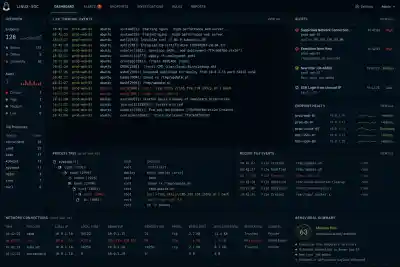
When an attacker possesses a legitimate private key, the authentication process may look completely normal. The SSH daemon sees a trusted credential. The login succeeds. No password failures occur. No brute-force signatures appear. Nothing obviously breaks.
That makes SSH keys attractive for persistence. An attacker who gains administrative access frequently adds a new public key to an existing account. Sometimes they create a new account. Sometimes they target the root directly. Other times, they hide inside a service account that rarely receives attention because administrators assume it belongs to an application. The objective is simple: maintain access after the original vulnerability gets patched.
Keys also support lateral movement. Once attackers compromise one Linux host, they often search for private keys stored in home directories, automation scripts, CI/CD systems, backup repositories, or deployment servers. A single exposed private key can unlock multiple systems. Suddenly, one foothold becomes several. The dangerous part is that none of this necessarily looks suspicious. The attacker is using a trusted authentication method exactly as it was designed to work.
Where SSH Key Abuse Usually Starts
Unauthorized SSH key usage rarely begins with SSH itself. The problem usually starts somewhere else in the attack chain:
- Developer Workstations: A compromised laptop may contain private keys used for production access.
- Public Repositories: Developers occasionally commit private keys, configuration files, backup archives, or deployment scripts. Automated scanning tools continuously search for exposed secrets.
- Service Accounts: Many organizations grant broad permissions to automation accounts because restricting access requires additional engineering work. Those accounts often hold keys that provide access across multiple environments.
- Vendor Access: A contractor receives temporary access to support a project. The project ends. Nobody removes the key. Months later, the account still works.
- Manually Added Keys: An administrator troubleshooting an outage might temporarily add a key for convenience and forget about it afterward.
Step 1: Inventory Authorized SSH Keys Across Linux Systems
The first step is understanding what trusted access currently exists. Many organizations cannot answer a simple question: Which SSH keys are authorized across the environment right now?
Start by identifying every authorized_keys file. Most administrators immediately think about user accounts, but SSH keys appear in many places:
- Root accounts
- Service accounts
- Application users
- Automation accounts
- Dormant accounts
Document the username, home directory, public key fingerprint, source system, key owner, business purpose, and date added, if available. This process can be tedious, but detection depends on knowing what normal looks like. If a SOC analyst discovers a public key during an investigation, the first question should be: Who owns this key? Too often, the answer is unknown. That uncertainty creates management blindness.
Step 2: Compare Keys Against Known Owners
Once an inventory exists, every key should be mapped to a specific owner and business purpose. A key without an owner should immediately attract attention. The same applies to keys associated with former employees, retired systems, completed projects, old vendors, or abandoned automation.
Duplicate usage is another warning sign. If the same public key appears across unrelated accounts or systems, investigate why. Shared keys often emerge from convenience-based administration practices. One administrator creates a key pair and distributes it widely because it simplifies management. Convenient. Also dangerous. Compromise that one key and the attacker inherits every trust relationship attached to it.
Step 3: Monitor Changes to authorized_keys
Periodic audits help, but they are not enough. An attacker does not need to wait for the next quarterly review. They only need a few seconds to add a new key. Focus on locations such as:
- ~/.ssh/authorized_keys
- /root/.ssh/authorized_keys
- Service account SSH directories and configuration files
File integrity monitoring can detect additions, removals, and modifications. Linux audit rules can also record changes and identify which process or user performed the action. Monitoring creates a timeline. A timeline reveals who changed what and when. That evidence becomes extremely valuable during incident response.
Step 4: Review SSH Authentication Logs
Linux authentication logs provide insight into how SSH keys are used after they are installed. Common locations include /var/log/auth.log, /var/log/secure, or journalctl.
Review successful public-key authentication events rather than focusing only on failures. Several patterns warrant investigation:
- Logins originating from unfamiliar IP addresses.
- Authentication events occurring outside normal maintenance windows.
- Service accounts that suddenly begin interactive logins.
- Administrator accounts that have remained dormant for months and then become active again.
One successful login might be legitimate. Twenty successful logins across ten servers from a previously unseen source network tell a different story.
Step 5: Correlate Key Usage With User Behavior
A valid key can still be used in an invalid way. Security teams should correlate SSH activity with information about users, devices, networks, and expected administrative behavior. Questions worth asking include:
- Did the login originate from an approved source IP?
- Does the user normally access systems from this network?
- Does the login align with the user's role and approved change tickets?
Unauthorized SSH key usage often appears as a context mismatch rather than an authentication failure. The login works exactly as expected. Everything around it does not.
Step 6: Look for Persistence Patterns
Persistence leaves clues. Not always immediately, but attackers tend to follow recognizable patterns.
Watch for a new SSH key appearing shortly after suspicious activity. High-privilege targets deserve special attention. Keys added to root accounts, infrastructure management accounts, or systems with broad sudo privileges carry elevated risk. Watch for the same key appearing across multiple hosts, as an attacker may distribute a trusted key widely. If a login is immediately followed by privilege escalation, file staging, or outbound network connections, you aren't looking at an admin—you’re looking at an adversary.
Step 7: Close Audit Gaps
Many SSH-related incidents are enabled by process failures rather than technical failures. Organizations often lack a centralized inventory of SSH keys. Alerting is frequently absent. A new key can be added to a production server without generating any notification. Vendor access deserves particular attention. External access is often granted quickly, but removal tends to happen much more slowly.
What Security Teams Should Alert On
Security monitoring should generate alerts for:
- New keys added to privileged accounts
- Public-key logins from previously unseen source IPs
- Dormant users authenticating through SSH
- The same key appearing across unrelated accounts
- SSH activity outside approved maintenance windows
- Modifications to the SSH configuration that weaken access controls
How to Respond When Abuse Is Suspected
The first instinct is often to remove the key immediately. Be careful. Preserve authentication logs, shell history, audit records, and system artifacts before making changes whenever possible. Understanding how the key arrived on the system is just as important as removing it.
Identify affected accounts first. Then determine which systems trust the key. Disable or remove suspicious keys only once evidence collection is complete. Rotate exposed keys. Check cron jobs, startup scripts, and scheduled tasks. Look for lateral movement because attackers rarely stop at one host when additional access is available.
Prevention: Make SSH Key Trust Verifiable
The strongest defense is reducing uncertainty. Every SSH key should have a documented owner, a defined purpose, and a known lifecycle. Centralized inventories help maintain that visibility. Regular reviews help remove stale access. Continuous monitoring helps identify suspicious changes before attackers can establish long-term persistence. Separate human access from service access. Treat SSH keys as privileged credentials, because that is exactly what they are.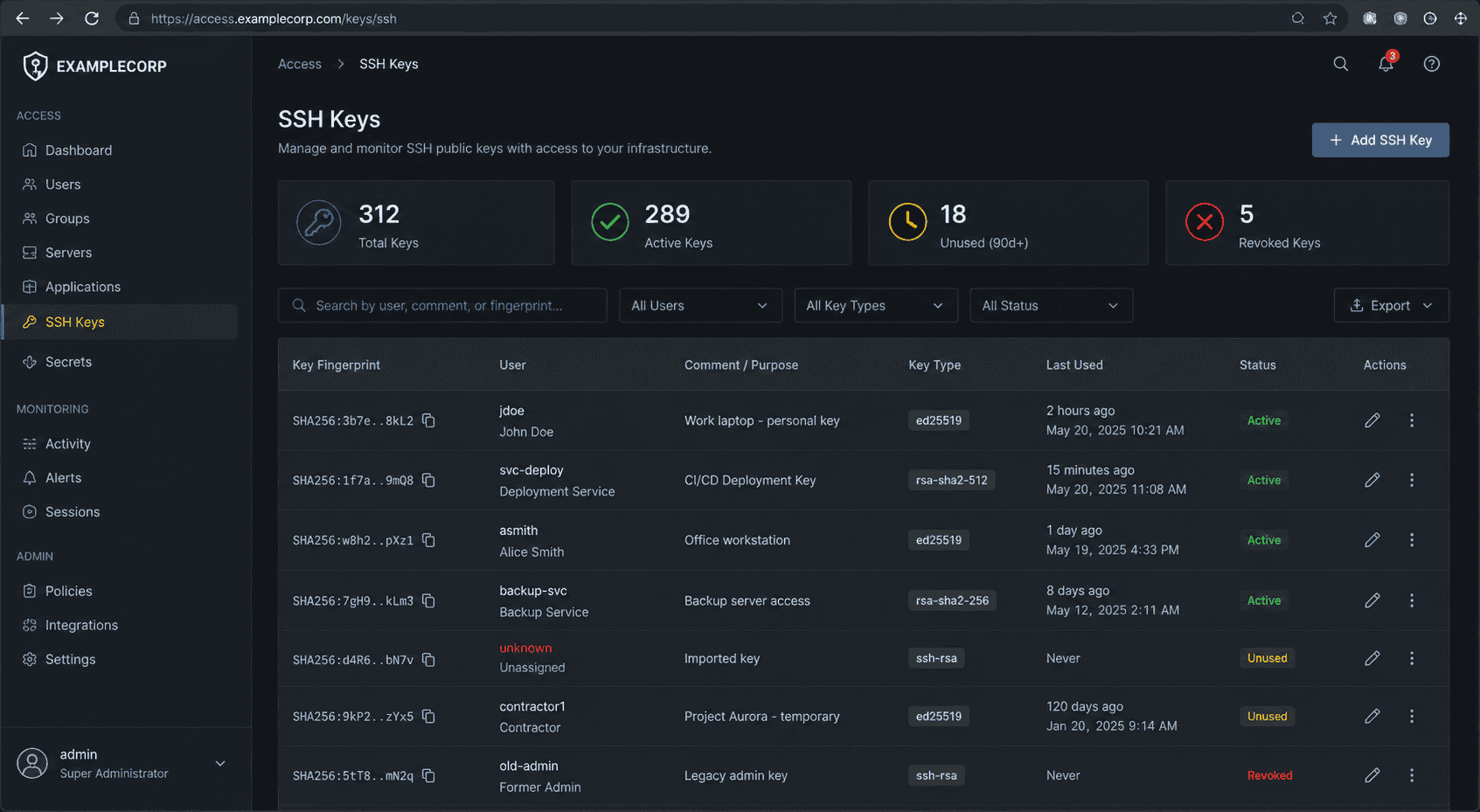
SSH keys are trusted access mechanisms, but trust alone is not a security control. Once a key is added, many organizations assume the problem is solved. Attackers benefit from that assumption. Unauthorized SSH key usage rarely resembles a brute-force attack. It rarely generates obvious authentication failures. It often looks like a successful login from a credential the system already trusts. That is why detection depends on visibility rather than simple access controls. The key that causes a future incident is often not the newest key in the environment. It is the one nobody remembered to question.
Related Reading
 PREVIOUS

 NEXT
NEXT


Powered By

Linux Security - Your source for Top Linux News, Advisories, HOWTOs and Feature Releases
QUICK LINKS
subscribe to newsletters!
Like staying secure? So do we.
Sign up for updates, tips, and alerts!