Explore top 10 tips to secure your open-source projects now. Read More
×


How to Harden SSH on Linux After Disabling Password Authentication
 Jun 05, 2026
•
Jun 05, 2026
•
 MaK Ulac
3 - 6 min read


Most SSH hardening advice ends at the same recommendation: Disable password authentication and use SSH keys.
That's good advice. It removes entire classes of attacks, including password spraying, credential stuffing, and brute-force attempts against exposed servers. The problem is what happens next. Many administrators treat SSH keys as the finish line when they are really the beginning of the hardening process.
Attackers rarely care whether they obtained access with a password or a private key. They care about getting a foothold. Once they're in, the questions become the same. Can they move laterally? Can they escalate privileges? Can they maintain access? Can they avoid detection?
SSH keys solve authentication. They do not solve access control, session management, key sprawl, forgotten accounts, excessive privileges, or weak monitoring. Those are the areas that tend to create problems in production environments.
This guide focuses on the controls that matter after password authentication has already been disabled.
Disable Direct Root SSH Access
Internet-facing SSH services receive constant login attempts against the root account. Attackers already know the username. They only need to find a valid authentication path.
Direct root access also removes accountability. If five administrators connect as root, the logs show root. Investigating changes becomes harder because individual actions are no longer tied to individual identities.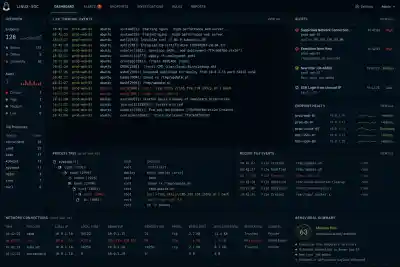
Check the current configuration:
sshd -T | grep permitrootloginRecommended configuration:
PermitRootLogin noApply the change:
sudo systemctl reload sshdAdministrators should authenticate using named accounts and elevate privileges through sudo when required.
Before disabling root login, verify that at least one administrative account has working sudo access and that console access is available if recovery becomes necessary. A bad sudo configuration has locked out more than a few administrators over the years.
Restrict Which Accounts Can Connect
Most Linux systems accumulate accounts over time.
Migration accounts. Service accounts. Former contractors. Temporary support accounts. Test users who survived long after the project ended.
Every account capable of SSH authentication increases exposure. An attacker only needs one overlooked account to establish a foothold
Start by identifying which users actually require shell access.
For small environments:
AllowUsers adminuser backupadminFor larger environments:
AllowGroups ssh-adminsVerify the active configuration:
sshd -T | grep allowGroup-based controls are usually easier to maintain because access decisions happen through centralized identity management rather than edits on individual servers.
The goal is simple. Most accounts should never receive an SSH prompt.
Restrict Where SSH Connections Can Originate
Valid credentials from the wrong network should still raise concerns.
Many organizations expose SSH directly to the internet because key-based authentication feels sufficient. In practice, reducing exposure often provides more value than adding another authentication mechanism. A compromised key cannot be used against a service that is unreachable.
Common approaches include:
- VPN-only administration
- Bastion hosts
- Firewall allowlists
- Dedicated management networks
Example firewall restriction:
sudo firewall-cmd \
--permanent \
--add-rich-rule='rule family="ipv4" source address="10.10.10.0/24" service name="ssh" accept'
Verify access before removing existing rules.
Restricting source networks introduces operational complexity. Administrators working remotely, emergency maintenance windows, and third-party support arrangements all need consideration before implementation.
Reduce Authentication Abuse
Most attacks against SSH begin before authentication succeeds.
Attackers probe exposed services constantly, testing usernames, attempting authentication, and establishing large numbers of concurrent connections.
Several OpenSSH settings help reduce this activity.
Review current values:
sshd -T | egrep 'maxauthtries|logingracetime|maxstartups'Recommended starting point:
MaxAuthTries 3
LoginGraceTime 30
MaxStartups 10:30:60
Reload SSH:
sudo systemctl reload sshdThese controls will not stop a determined attacker. They reduce opportunities and force attackers to work harder while generating more visible activity in logs.
Disable Features You Don't Use
Many SSH deployments leave optional functionality enabled simply because it was never reviewed.
That creates an unnecessary attack surface.
Agent Forwarding
Agent forwarding allows authentication requests to pass through intermediate systems. Administrators often use it when connecting through bastion hosts.
The risk appears when an intermediary host becomes compromised. An attacker may be able to use the forwarded agent during an active session to authenticate against additional systems.
Check the current setting:
sshd -T | grep allowagentforwardingDisable if not required:
AllowAgentForwarding noPort Forwarding
Port forwarding is one of SSH's most useful features.
It's also one of the easiest ways to bypass network segmentation.
An attacker with legitimate SSH access may create tunnels into systems that were never intended to be reachable from their current location.
Disable when unnecessary:
AllowTcpForwarding noReview existing workflows before making the change. Database administration tools, internal dashboards, and maintenance procedures often depend on SSH tunnels.
X11 Forwarding
Most servers no longer require graphical applications.
Yet many environments continue running with X11 forwarding enabled.
Check:
sshd -T | grep x11forwardingDisable if unused:
X11Forwarding noIf nobody can explain why the feature is enabled, that is usually your answer.
Kill Idle Administrative Sessions
Abandoned SSH sessions create unnecessary risk.
An unlocked terminal left connected to a production server may be all an attacker needs after compromising a workstation. Shared administration systems and jump hosts make the problem worse.
Review current settings:
sshd -T | egrep 'clientalive'Recommended starting point:
ClientAliveInterval 300
ClientAliveCountMax 2
This configuration disconnects inactive sessions after roughly ten minutes.
Choose values that fit operational requirements. Security teams tend to prefer shorter timeouts. Administrators performing long-running maintenance often prefer longer ones.
Add Multi-Factor Authentication
SSH keys prove possession of a private key.
They do not prove that the person holding that key should still have access.
If a workstation is compromised or a private key is stolen, authentication may still succeed.
OpenSSH supports multi-factor authentication through PAM integrations and hardware-backed authentication methods.
Example configuration:
AuthenticationMethods publickey,keyboard-interactiveVerify carefully before deployment.
Misconfigured MFA can create widespread access failures during maintenance windows. Test with non-production systems first.
Monitor SSH as an Administrative Control
SSH logs often receive attention only after an incident.
That is too late.
Administrative access should generate the same level of visibility as privileged activity inside cloud platforms, identity providers, and critical applications.
Watch for:
- Repeated authentication failures
- New source IP addresses
- Logins outside normal maintenance windows
- Unexpected root escalation
- New SSH keys added to privileged accounts
- SSH tunnel creation on sensitive systems
Examples:
journalctl -u sshd
grep "Accepted" /var/log/secure
grep "Failed" /var/log/auth.log
Authentication success should not automatically equal trust.
A valid administrator account can still be abused.
Final SSH Hardening Checklist
High impact, low effort:
- Disable password authentication
- Disable direct root login
- Restrict administrative accounts
- Patch OpenSSH regularly
- Remove unused SSH keys
- Restrict source networks where possible
Medium effort:
- MFA for administrative access
- Disable unnecessary forwarding features
- Session timeout controls
- Centralized logging
- SSH activity alerting
Advanced deployments:
- Bastion hosts
- SSH certificates
- Hardware-backed authentication
- Session recording
- Centralized access approval workflows
- Zero Trust access controls
Conclusion
Password authentication is usually the first SSH control that organizations remove. It should not be the last control they implement
Strong SSH security comes from reducing exposure, restricting access, limiting privilege, controlling sessions, and maintaining visibility after authentication succeeds. The goal is not simply to prevent password attacks. The goal is to reduce opportunities for attackers before, during, and after they obtain a foothold.
 PREVIOUS

 NEXT
NEXT



Powered By

Linux Security - Your source for Top Linux News, Advisories, HOWTOs and Feature Releases
QUICK LINKS
subscribe to newsletters!
Like staying secure? So do we.
Sign up for updates, tips, and alerts!