Audit Linux privileges now to limit compromise, escalation, and system-wide damage. Review Linux Privileges×


Stay Ahead With Linux Security HOWTOs
How to Learn Tips and Tricks incident response system monitoring
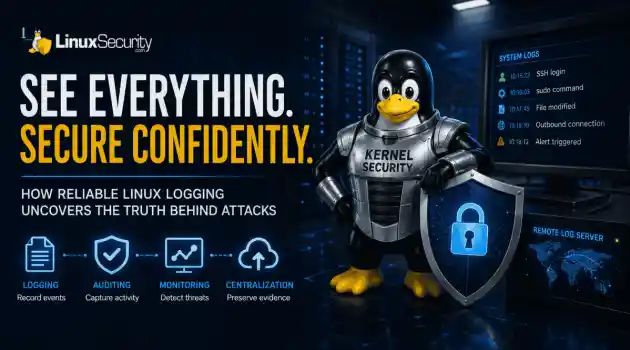
incident response system monitoring A Linux server can be fully patched, hardened, and compliant, yet still leave investigators unable to explain how an attacker got in. Without reliable Linux logging, even a well-secured system can become impossible to investigate. . Hardening defines what a system should allow, but logs reveal what actually happened. When visibility is incomplete, security teams lose the evidence they need to detect attacks, understand their scope, and determine how they unfolded. Why Linux Logging Must Come...
 Jul 23, 2026

How to Secure My Networkincident response network traffic
incident response network traffic Imagine logging into a production Linux server for routine maintenance and noticing background network activity connecting to an unfamiliar external IP address. Your endpoint protection agent is not popping up with an alert, there is no service failure, and on the surface, the system appears to be running normally. . For Linux administrators and security teams, such a situation is a moment of truth: Is this activity a sign of active intrusion or just a tool that was overlooked in the course of...
Jul 21, 2026

How to Harden My Filesystemsystem hardening open source security
system hardening open source security We all spend a lot of time defending our systems from external threats, but the amount of damage an attacker can cause often depends on what happens after they get in. A single compromised account doesn't always lead to a major incident. The real danger begins when that account has far more access than it actually needs. . That's exactly what the principle of least privilege is designed to prevent. By limiting users, services, and applications to only the permissions required for their jobs,...
Jul 20, 2026

How to Learn Tips and Tricksthreat detection system monitoring
threat detection system monitoring For small security and IT teams, the "enterprise" dream of a fully automated SIEM often feels like a distant luxury. It’s a vision built on massive budgets and dedicated engineering teams—things that, frankly, most of us don't have. But here is the reality: you don’t need a six-figure platform to maintain a secure environment. . Linux systems are, by design, incredibly verbose. Every time a user authenticates, a process executes, or a configuration file changes, your system creates a record of...
Jul 17, 2026

How to Learn Tips and Tricksnetwork security centralized logging
network security centralized logging Linux systems generate a steady stream of authentication, service, kernel, and application logs. On most systems, those logs never leave the machine that created them. If you're responsible for ten or twenty servers, that means checking each one separately. If one disappears before you can investigate it, its logs may disappear with it. Centralized logging solves that by sending log messages to another server as they're created. Instead of searching every machine, you have one place to review...
Jul 15, 2026
 Refine HOWTOs
X Clear Filters
Get the latest News and Insights
Get the latest Linux and open source security news straight to your inbox.
Community Poll
Should Linux servers automatically install security updates?
Loading...
Explore Latest Linux Security HOWTOs
We found 0 articles for you...
169
 cyber threatskey managementdata privacy
Email Encryption: Securing Linux Communications Against Cyber Threats
Communication integrity is a primary concern for all individuals and organizations in this modern digital world. Email is one of the most prevalent modes of communication, and messages often contain sensitive information that, if intercepted by unauthorized personnel, might have serious consequences. Email encryption is vital for ensuring advanced electronic communication security in such scenarios. . In this article, I look at some of the intricacies around email encryption along with Fedora hardening advisories , how it differs from secure email practices, its pros and cons, and why it matters in securing Linux communications against cyber threats. Understanding Email Encryption: Definition & Mechanisms Email encryption refers to the process by which different algorithms change the contents of an email into an unreadable format. Only the intended recipient with the correct decryption key can read this. The information changed in cipher text is protected from unauthorized use, and data breaches cannot occur through interception or compromise. CISA recommends email encryption when sensitive information is being sent out. This minimizes the risk of unauthorized access and maintains confidentiality. On the other hand, secure email is a more general term referring to the mechanisms that ensure the integrity and confidentiality of emails during transfer. Secure emails provide a safe channel between the sender and the recipient using protocols like Transport Layer Security (TLS) or Secure Sockets Layer (SSL) . While encryption is a major part of secure email best practices, not all emails are encrypted end-to-end. What is an encrypted email? An encrypted email is a message whose content is encoded through encryption techniques. The sender encrypts the email content with a public key, and the receiver decrypts it with their private key. In this way, interception may occur, but the content of the email will remain confidential. GnuPG and S/MIME are two applications that offerend-to-end encryption. Encryption ensures that the intercepted content can't be deciphered even when the attackers access the email servers without the proper keys. The general features associated with encrypted email include the following: protection against transport of sensitive data between the mail servers by using cryptographic keys-a public key for encryption and a private key for decryption-can be provided with the Transport Layer Security, standard for public key encryption and digital signing of emails using Secure/Multipurpose Internet Mail Extensions, and verification regarding authenticity and integrity of the content by digital signatures. What is a secure email? Secure email uses different forms of protection through safe transmission across networks. It aggregates several security protocols that ensure integrity, authenticity, and confidentiality in email transmissions. Secure email often involves encryption, but it might be initiated with other approaches, such as MFA , which would involve two-factor authentication using an extra layer of security with OTPs or biometric scans. Passwords are significant and should be strong, long, and complicated to avoid hacking. Access rights can confine access to email by allowing only the right people in. Malware protection can scan any attachment or link because of its threat potential. Anti-phishing tools help prevent phishing attacks by verifying the sender's authenticity. The Significance of Email Encryption Research denotes that 94% of organizations have fallen prey to phishing attacks , and cybercrime has become pervasive. Poor email security can have devastating ramifications: financial loss, damage to brand reputation, and eroded customer confidence. As Edward Snowden said, "Arguing that you don't care about the right to privacy because you have nothing to hide is no different than saying you don't care about free speech because you have nothing to say." This cannot be emphasized when taking proactive preventative measuresto protect sensitive information, such as encrypting emails. Advantages of Sending Encrypted Emails One of the major benefits of sending encrypted emails is security. Astoundingly, 95% of business leaders report they are concerned about email security because the results of a cyber intrusion can be devastating. Encrypted emails prevent unauthorized access, meaning only those intended to receive the information in the content can read it, even if hackers compromise the recipient's email account. Meanwhile, despite all the publicity about cybersecurity, only 14% of email operatives use encryption. Individuals and organizations must protect personal and sensitive information like social security numbers, health data, and credit card details. Email encryption keeps the privacy of one's data intact by safeguarding the contents of an email from unauthorized exposure. Moreover, organizations operating in regulated industries such as healthcare or finance are bound by strict regulations like GDPR, HIPAA, and PCI DSS . Encryption of emails enables such organizations to comply with these regulations by responsibly handling data and avoiding potential penalties. This email encryption feature will allow businesses to uphold customer trust and thus minimize risks related to data breaches. Yet another considerable advantage is being able to distinguish real emails from spam. Of the 162 billion emails sent daily, determining the real ones from malicious spam is a substantial task. Encrypted emails that use digital signatures guarantee the sender's authenticity. This feature helps reduce the risks of phishing attacks and malware infiltrations. Drawbacks of Sending Encrypted Emails Despite these benefits, sending encrypted emails has a fair number of drawbacks. Email encryption can be complicated and require substantial time, particularly for entities that use end-to-end email encryption or S/MIME and PGP protocols. Secondly, compatibility issues might vary because encrypting emails requires boththe sender and the receiver to use compatible encryption techniques. Any mismatch in the mail clients or systems could congest the decryption process, and hence, the encrypted message would not be accessible. Besides that, decryption may be a bit inconvenient for many recipients, especially those not as well-versed in technology. Additionally, should access to the encryption keys be lost, retrieving some crucial information on time could be a problem, thus delaying communication and probably decision-making. More challenging is the management of the encryption keys themselves. Poor key management consists of arranging keys based on their storage on public servers, which largely creates unauthorized access to sensitive information. For example, sensitive military data once leaked out due to bureaucratic arrangements involving poor key management practices. Our Final Thoughts on the Importance of Email Encryption for Linux Users Since cyber threats change daily, the role of email encryption in making digital messages secure cannot be undermined. Understanding the differences between secure and encrypted emails is essential for any organization trying to enhance its email security. Besides improving security features, encrypted emails help ensure data privacy and compliance with regulations. However, significant challenges include reducing complexity and making key management easier. Robust email encryption practices and a general trend towards raising cybersecurity awareness will help an institution protect sensitive information against phishing attacks that lead to data compromise. An organization must also realize that email encryption creates complexity and headaches, such as incompatibility and key management problems. Regardless, the benefits of email encryption far outweigh the drawbacks. Do you have additional questions about securing your email as a Linux user? Reach out to us @lnxsec— we're here to help! . Explore the complexities of email encryption, its importance andchallenges in securing Linux communications from cyber threats.. communication, integrity, primary, concern, individuals, organizations, modern. . Brittany Day
 Feb 10, 2025
•
Feb 10, 2025
• How to Secure My E-mail
160
 open sourcefile encryptionencryption methods
GPG: Securely Transfer Files with Public Key Encryption
Today we'll cover how to encrypt and securely transfer files using GPG. GPG is a free, open-source encryption program that uses public-key cryptography, which means you can send encrypted files without ever having to send your private key over email or any other insecure channel. The only way to decrypt the file is if you have both your public and private keys, which means even if someone were able to intercept and read the message before it reached its intended recipient, it would be useless without the private key. . As an added bonus, the recipient doesn't need any special software or plugins—they just need a copy of PGP Desktop 9 or newer installed on their computer, along with a copy of their own public key so they can decrypt the message. Let's get started! Visit the link below for a step-by-step tutorial on how to encrypt and securely transfer files with GPG. . GPG (GNU Privacy Guard) provides advanced encryption for secure document sharing. Techniques include key management, file encryption, and secure messaging. File Encryption, GPG Security, Secure Data Transfer, Open Source Encryption. . Brittany Day
Dec 09, 2023
•
How to Harden My Filesystem

166
 network securitydata protectiondisk encryption
Exploring Linux Disk Encryption Methods and Their Key Techniques
An integral part of host and network security is data encryption.. An integral part of host and network security is data encryption. There are a vast amount resources of information on the Internet available on the topic of data security. Various data encryption mechanisms are available for use with Linux. Many means of encrypting disks involve patching the kernel and possibly other programs. CFS is a way of encrypting entire directory trees and allowing users to store encrypted files on them. It uses an NFS server running on the local machine and is quite slow due to the nature of the program and algorithms used. More information is available at Matt Blaze's site and zedz.net TCFS is an improvement on CFS, but unlike CFS requires kernel patches. It is also only available for the outdated 2.0.x kernels. More information is available in the TCFS FAQ The Steganographic File System (SFS) attempts to "hide the information in such a way as to discredit its very existence." Designed by Adi Shamir (of RSA), and doesn't appear to be developed any longer. StegFS seems to have picked up where SFS left off. It is reportedly more elaborate and stable than SFS. More information is available at the StegFS homepage. The Encrypted Home Dir combines a patch of the /bin/login binary with a kernel patch to mount an encrypted loopback filesystem as your home directory. Once your initial login password is supplied, a passphrase is required to decrypt and mount your home directory. The Loopback Encrypted Filesystem HOWTO describes another loopback filesystem kernel patch. Many types of encryption can be used, including DES, twofish, blowfish, IDEA, and others. Several other disk encryption mechanisms (including ones for CDROMS and other media) are available. Resources Encrypting your Disks with Linux describes more than a half dozen means of encrypting data. The Linux Encryption-HOWTO Homepage contains a HOWTO that describes many methods of using disk and other encryptiontechniques with the 2.2 kernels. Cryptfs: A Stackable Vnode Level Encryption File System contains a discussion of Cryptfs, related work, and the various methods of performing data encryption at the user and kernel levels. Great reading. The North American Cryptography Archives> is a great reference for information on cryptography in general, export restriction information, discussion of algorithms, and more. The International Kernel Patch site contains patches to incorporate cryptography into the Linux kernel, and links to other crypto sites applicable to Linux users. ZEDZ Consultants maintain a cryptography archive containing cryptography programs, many of which are in pre-built Linux package format. . Data protection is vital for safeguarding both servers and networks. Investigate the different encryption techniques accessible for Unix-like environments.. Disk Encryption, Data Protection, Filesystem Security, Encryption Methods. . Anthony Pell
Aug 02, 2000
•
How to Learn Tips and Tricks
166
security practicesaccess controlPAMImplementing PAM for Authentication: Control Access and Improve Security
Pluggable Authentication Modules is a method for authenticating users.. Pluggable Authentication Modules is a method for authenticating users. Using PAM, programmers can provide a more easy and verstile means of performing authentication functions. The ability to change from basic password authentication to the use of smart cards or even biometrics can be changed without having to recompile programs or require serious modifications. Additionally, PAM can be used to modify the terms of access by users as well as system resources. Just a few of the things you can do with PAM: Use a different encryption method for passwords such as MD5, making them harder to brute force decode; Set resource limits on all your users so they can't perform denial of service attacks (number of processes, amount of memory, etc) Enable shadow passwords on the fly Allow specific users to login only at specific times from specific places Within a few hours of installing and configuring your system, you can prevent many attacks before they even occur. For example, use PAM to disable the system-wide usage of .rhosts files in user's home directories by adding these lines to /etc/pam.d/login : # # Disable rsh/rlogin/rexec for users # login auth required pam_rhosts_auth.so no_rhosts Set filesystem limits instead of allowing unlimited as is the default. You can control the per-user limits using the resource-limits PAM module and /etc/pam.d/limits.conf . For example, limits for group 'users' might look like this: @users hard core 0 @users hard nproc 50 @users hard rss 5000 This says to limit the creation of core files to zero bytes, restrict the number of processes to 50, and restrict memory usage per user to 5 Meg. References The main Linux-PAM has a great deal of (sometimes out-of-date) information on configuring and using PAM. The Linux-PAM System Administrators' Guide is a"draft" document that describes the usage of the default PAM modules. This Red Hat whitepaper on Enhanced Console Access describes how you can configure PAM to authorize ordinary users to access system devices such as the floppy. The Red Hat User Guide contains a section on User Authentication with PAM that explains the basics of PAM as well as some more advanced techniques. Keep in mind that there is the potential to create a situation whereby even root doesn't have access to the system, creating all kinds of configuration headaches. Use caution. . Pluggable Authentication Modules is a method for authenticating users. Using PAM, programmers can pr. pluggable, authentication, modules, method, authenticating, users. . Anthony Pell
Jul 30, 2000
•
How to Learn Tips and Tricks
166
password managementuser authenticationpassword securityBest Practices for Password Management and User Authentication
Having a secure password is often the first line of defense against security breaches.. One of the most important security features used today are passwords. It is important for both you and all your users to have secure, unguessable passwords. Most of the more recent Linux distributions include password programs that do not allow you to set a easily guessable password. Make sure your passwd program is up to date and has these features. Password security is the most critical means to protect your system from compromise. Without an effective well-chosen password, your system is sure to be compromised. It is the most basic means of authentication. Password security involves both choosing good passwords, and enforcing this on the users of the system. Knowing a password and having physical access to a terminal are all that an unauthorized user needs to gain access to a system. Once a user has gained access to the system, she can steal data or corrupt the system in obvious as well as subtle ways. If your account is compromised as a result of choosing a poor password, you may ultimately be responsible. It is your responsibility to ensure that your account is not compromised. Conventional Linux distributions have used a one-way encryption algorithm, called DES (Data Encryption Standard) to encrypt passwords. More recently, a stronger method using the MD5 function is being used. This produces a 128-bit integrity fingerprint and allows for longer passwords, and are more difficult to crack. How is my password stored? This encrypted password is stored in /etc/passwd or /etc/shadow if you have "shadow passwords" enabled. A conventional password from /etc/shadow might look like this: fred:m2nv/1iKlc1:11080:0:99999:7:-1:-1:134537628 The actual password that the user typed is not stored anywhere on the system. Instead, a value that is generated by using the password to encrypt a block of zero with a one-way function called crypt() is used. When you attempt to authenticate yourself tothe system using the same password that was supplied to set the password, the system runs it through the crypt() algorithm again, and compares it to the stored value. If the encrypted results match, you are authenticated. An MD5-equipped password would look similar to this: fred:$1$NCz74a5c$s/CbS1cqse2C1nV/1IKjc1:11080:0:99999:7:-1:-1:134537628 Shadow passwords are a means of keeping your encrypted password information secret from normal users. Normally this encrypted password is stored in your /etc/passwd file for all to read. They can then run password guesser programs on it and attempt to determine what it is. Shadow passwords save this information to a /etc/shadow file that only privileged users can read. All current distributions surely are configured by default for shadow passwords. When you attempt to login, whatever you type in is encrypted again and compared with the entry in the file that stores your passwords. If they match, it must be the same password, and you are allowed access. Although DES is a two-way encryption algorithm (you can code and then decode a message, given the right keys), the variant that most unicies use is one-way. This means that it should not be possible to reverse the encryption to get the password from the contents of /etc/passwd or /etc/shadow . Any entry in the password file with a user-ID of "0" (zero) is a root entry, regardless of what it's called. Choose effective passwords There is a great deal of information available on the Internet regarding choosing good passwords. A password minimum of 6 characters should be enforced, and 8 characters provides a significant improvement in security. You can find more information on improving password security in the postscript document titled Foiling the Cracker: Survey of, and Improvements, to Password Security and demonstrates the ease with which most passwords can be guessed by a motivated attacker. Brute force attack tools, such as John the Ripper , can often guess passwords unless yourpassword is sufficiently random. PAM modules allow you to use a different encryption routine with your passwords (MD5 or the like) making it more difficult to crack. Protect your password by following these guidelines: Never share your password. When you tell someone your password and let them log in to your account, the system loses its ability to hold individual users accountable for their own actions. Do not write down your password. Many system penetrations occur simply because a user wrote his or her password on a terminal. If a password must be recorded, keep it under lock and key. Never use an old password again. This increases the probability that someone can guess the password. Never type a password while someone is watching. It is possible to steal a password simply by watching someone type it. Be especially careful if you are using a workstation in a public area. If you are allowed to choose your own password, choose your password wisely. Select passwords that are hard to guess. Never use an ordinary word or a proper name, your spouse's, child's, or pet's name, your birthday, your address, or a machine name, even if these words are specified backward, permuted in some other way, or have a number added to the front or back. Always choose a password that contains some numbers or special characters. Always select different passwords for different machines, but never use the name of the machine, even permuted. Although these procedures add a small amount of effort to your login, they help to avoid system compromise. Resources: Department of Defense Password Management Guideline -- Enumerates a number of good password management practices. Selecting Good Passwords -- Quick list of things to keep in mind when choosing a password and should be consulted when developing your security policy. Standard for Automated Password Generator -- Federal Information Processing Standard No. 181. Foiling the Cracker: A Survey of, andImprovements to, Password Security -- Demonstrates the ease with which most passwords can be guessed by a motivated attacker. Observing Reusable Password Choices -- A method for observing password choices made by users, and how to protect it from being compromised. OPUS: Preventing Weak Password Choices -- A system that uses Bloom filters to implement a constant-time dictionary lookup, regardless of dictionary size, to check a user's password choice for " goodness" User Authentication and Related Topics: An Annotated Bibliography Password Security: A Case History -- A description of the original UNIX password algorithm, and the reasons for replacing it with the current one. UNIX Password Security - Ten Years Later -- A reexamination of the UNIX password algorithm after ten years of advances in software and hardware. The S/Key One-Time Password System -- A freely available implementation of one-time passwords. . Robust passwords play a vital role in preventing unauthorized access. Discover essential strategies for developing and protecting your passwords.. Password Management, User Authentication, Encryption Techniques. . Anthony Pell
Jul 06, 2000
•
How to Learn Tips and Tricks

Get the latest News and Insights
Get the latest Linux and open source security news straight to your inbox.
Community Poll
Should Linux servers automatically install security updates?
Search Topics
Powered By

Linux Security - Your source for Top Linux News, Advisories, HOWTOs and Feature Releases
QUICK LINKS
subscribe to newsletters!
Like staying secure? So do we.
Sign up for updates, tips, and alerts!