


Stay Ahead With Linux Security HOWTOs

How to Secure My Network security advisory remote access
security advisory remote access Most of the time, nobody notices. SSH authentication succeeds, no alerts are generated, and the connection looks exactly the way it did the day the key was installed. That's part of the problem. . When security teams investigate unauthorized access on Linux systems, they often focus on passwords, exposed services, or vulnerable software. Trusted access receives less attention. Yet a single forgotten or unauthorized SSH key can provide the same access as a legitimate user while attracting very...
 Jun 03, 2026

How to Secure My Networkintrusion detection application security
intrusion detection application security The wrong IPS rule can look like a security fix right up until it becomes an outage. . On Linux systems, detection and prevention are often discussed together, but they do not carry the same operational risk. One tells admins that something suspicious happened. The other can decide whether traffic is allowed to continue. That is why IDS vs IPS is not just a definition to memorize. It is a deployment decision about where to monitor, where to block, and how much confidence a team needs before...
Jun 01, 2026

How to Secure My Networkunauthorized access security techniques
unauthorized access security techniques Exposed SSH servers are continuously hammered by brute-force attacks, password spraying, credential stuffing, and recycled passwords from infostealer dumps. Attackers rotate usernames, test weak credentials, and probe for anything that gives them initial access. The logs usually look messy long before the compromise happens. . The difficult part is separating harmless failures from actual intrusion activity. One failed login from an internal workstation rarely matters. Repeated failures...
May 28, 2026

How to Secure My Networksecurity advisory incident response
security advisory incident response The first 30 minutes after discovering a compromised Linux server usually decide how much evidence remains available. One rushed reboot or cleanup attempt can wipe logs, terminate malicious processes, or remove network activity that investigators still need to review. Attackers also do not usually stay on one system for long once access is established. Early response is mostly about preserving visibility. Collect process information. Save network connections. Limit access carefully before...
May 28, 2026
How to Secure My Networknetwork monitoring Linux server
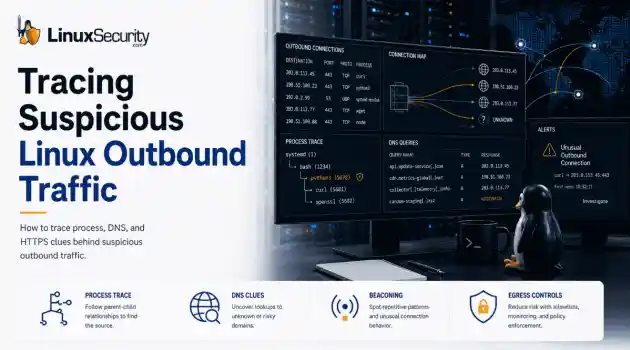
network monitoring Linux server When a Linux server initiates an unauthorized outbound connection to an unknown IP address, it rarely triggers an immediate system failure. Instead, the server continues running normally, and the connection is usually only discovered during a routine firewall log review, a DNS audit, or a post-incident investigation. Because there are no obvious system crashes or performance drops, these quiet outbound sessions can easily be overlooked. . However, treating these anomalies lightly is a...
May 27, 2026
 Refine HOWTOs
X Clear Filters
Get the latest News and Insights
Get the latest Linux and open source security news straight to your inbox.
Community Poll
What got you started with Linux?
Loading...
Explore Latest Linux Security HOWTOs
We found -3 articles for you...
163
 security practicessystem hardeningfirewall setup
Top Strategies for Enhancing Security on Your Linux Cloud Server
Looking for tips on how to secure your Linux cloud? Linux offers many options for hardening your system and preventing unauthorized access. Some best practices for making sure your Linux cloud remains secure include encrypting communications, monitoring login authentication, using SSH-keys instead of passwords, setting up a firewall, updating your system, frequently scanning for malware and implementing an intrusion detection system. . One of the first things you should do after deploying a new cloud server is to make sure it will stay secure. Linux offers a multitude of options to help prevent unauthorized access and harden your system. In this how-to guide, you can find some commonly recommended steps in order to protect your cloud server. When connecting to your cloud server all traffic will pass through the public network, that anyone could be eavesdropping on, unless you take measures to secure your communication. Avoid using any unencrypted transfer protocols such as Telnet and FTP, or anything that would send passwords or other sensitive information as plain text. Instead, you should use SSH (Secure Shell), SCP (Secure Copy), SFTP (SSH File Transfer Protocol) or rsync for all your remote control and file transfer needs. The link for this article located at UpCloud is no longer available. . Safeguard your Linux cloud instance by implementing essential strategies such as utilizing firewalls, employing secure passwords, and performing timely system upgrades.. Linux Cloud Security, SSH Configuration, Cloud Server Hardening, Intrusion Detection, Firewall Best Practices. . Brittany Day
 Jul 10, 2019
•
Jul 10, 2019
• How to Secure My Webserver
160
 security practicessystem securityrootkit detection
Effective Methods to Scan for Rootkits and Enhance Your System Security
This documentation discusses a way to scan your system for Rootkits. The information provided is not meant to replace common security practices, but might prove useful when used in conjunction with these practices.. . Follow this rootkit detection guide to systematically scan and protect your system against rootkit threats, ensuring your environment remains secure and effective.. Rootkit Detection, Malware Scanning, System Security Techniques. . Anthony Pell
Nov 23, 2004
•
How to Harden My Filesystem


Get the latest News and Insights
Get the latest Linux and open source security news straight to your inbox.
Community Poll
What got you started with Linux?
Search Topics
Powered By

Linux Security - Your source for Top Linux News, Advisories, HOWTOs and Feature Releases
QUICK LINKS
subscribe to newsletters!
Like staying secure? So do we.
Sign up for updates, tips, and alerts!
Explore top 10 tips to secure your open-source projects now. Read More