Overly broad permissions can turn one compromised account into a much larger security problem. Learn how to reduce unnecessary access, review privileges, and apply least privilege across modern Linux systems. Review Linux Privileges×


Stay Ahead With Linux Security HOWTOs

How to Harden My Filesystem system hardening open source security
system hardening open source security We all spend a lot of time defending our systems from external threats, but the amount of damage an attacker can cause often depends on what happens after they get in. A single compromised account doesn't always lead to a major incident. The real danger begins when that account has far more access than it actually needs. That's exactly what the principle of least privilege is designed to prevent. By limiting users, services, and applications to only the permissions required for their jobs, you...
 Jul 20, 2026

How to Learn Tips and Tricksthreat detection system monitoring
threat detection system monitoring For small security and IT teams, the "enterprise" dream of a fully automated SIEM often feels like a distant luxury. It’s a vision built on massive budgets and dedicated engineering teams—things that, frankly, most of us don't have. But here is the reality: you don’t need a six-figure platform to maintain a secure environment. . Linux systems are, by design, incredibly verbose. Every time a user authenticates, a process executes, or a configuration file changes, your system creates a record of...
Jul 17, 2026

How to Learn Tips and Tricksnetwork security centralized logging
network security centralized logging Linux systems generate a steady stream of authentication, service, kernel, and application logs. On most systems, those logs never leave the machine that created them. If you're responsible for ten or twenty servers, that means checking each one separately. If one disappears before you can investigate it, its logs may disappear with it. Centralized logging solves that by sending log messages to another server as they're created. Instead of searching every machine, you have one place to review...
Jul 15, 2026

How to Secure My Networksecurity advisory audit
security advisory audit When you’re digging through an incident, your logs are the only thing you can actually trust. The problem is, attackers know that too. If someone gets root on your server, their first move is almost always to delete the evidence and cover their tracks. . If you aren't actively protecting your logs, you're basically flying blind the second a breach happens. It’s a miserable feeling to realize you have no idea what an attacker did because they wiped the logs before you even got there. In this...
Jul 11, 2026
How to Harden My Filesystemlog analysis security incident
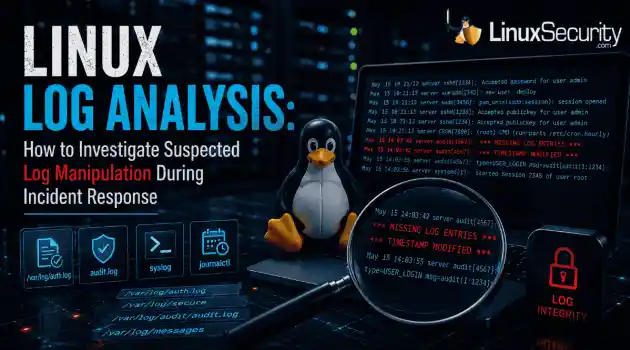
log analysis security incident When an attacker breaks into a Linux system, their work is rarely done. Usually, the real work starts after the initial exploit: hiding their tracks. If you’re a Linux admin or security analyst, there is nothing worse than logging in, running a few commands, and realizing the logs aren't telling the whole story. When logs are missing or look "off," your primary source of truth is compromised. This guide covers how to handle that situation. We’ll walk through the workflow you need to determine...
Jul 10, 2026
 Refine HOWTOs
X Clear Filters
Get the latest News and Insights
Get the latest Linux and open source security news straight to your inbox.
Community Poll
Should Linux servers automatically install security updates?
Loading...
Explore Latest Linux Security HOWTOs
We found 8 articles for you...
160
 system hardeningopen source securitylinux access control
How to Apply the Principle of Least Privilege in Modern Linux Environments
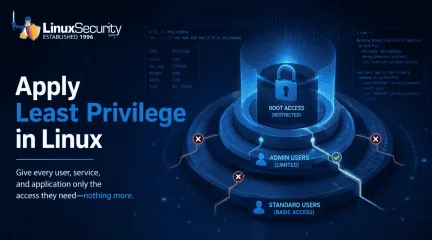
We all spend a lot of time defending our systems from external threats, but the amount of damage an attacker can cause often depends on what happens after they get in. A single compromised account doesn't always lead to a major incident. The real danger begins when that account has far more access than it actually needs. That's exactly what the principle of least privilege is designed to prevent. By limiting users, services, and applications to only the permissions required for their jobs, you reduce the opportunities for attackers to move through your environment or gain complete control of a system. This guide explains how to apply the principle of least privilege on Linux, from identifying excessive permissions and reducing unnecessary access to validating changes without disrupting production systems. . What Problem Does the Principle of Least Privilege Solve? Before getting into OS-specifics, it helps to look at the underlying business and operational risk. Too many permissions are a silent danger. They are a false sense of security, silently increasing the attack surface of the organization day by day. If everything is properly locked down, an attacker cannot move. Too many privileges on a small foothold can quickly escalate to a full-system takeover. How Temporary Access Becomes Permanent Risk Permission creep doesn't normally happen overnight. It builds up slowly over months and years. An engineer needs temporary root access to troubleshoot a midnight deployment, so they are added to the sudoers file . Three years later, the engineer was transferred to a completely different department, but their elevated access has not been revoked. Shared login for a contractor during a 3-week migration. The account remains active well past the contract end. These simple oversights lead to hundreds of ghost privileges lying dormant throughout the infrastructure, which attackers actively hunt down once they gain initial access. Linux commands are provided to support each step in thisguide. They're meant to help you safely check, confirm, or modify access, but they're to be used to complement the process, not replace it. Prepare Before Making Privilege Changes Jumping straight into altering permissions on a live production system is a quick way to cause unplanned downtime. Before you touch a single configuration file, you need a disciplined preparation phase. Begin by identifying your critical production systems and mapping out which applications depend on specific service accounts. Next, back up your current sudoers configuration and vital system files so you have an immediate safety net. It’s important to inform application owners and engineering teams before making any changes that could affect how services operate. Be prepared to revert to your previous settings if an application fails. Know exactly how to do it. Finally, if possible, test your changes in a staging environment to catch permission conflicts before they reach your users and roll out the principle of least privilege without causing unexpected outages. Commands That Help visudo : Safely edits the sudoers configuration file with built-in syntax checking to prevent administrative lockouts. cp / rsync : Creates reliable backups of critical configuration directories before any modifications take place. Step 1: Inventory Existing Privileges You can only secure what you can see. The first operational step is to build a complete baseline of who and what currently holds elevated access across your Linux hosts. Start by auditing local user accounts to catch forgotten administrative logins, shared credentials left behind by past teams, and dormant accounts belonging to former employees. Next, examine your sudo configurations for broad rules or unnecessary administrative groups that hand out blanket power. Please review all services and applications to identify any background daemons or web servers that may be running as root unnecessarily. Finally, inspect your file systems forworld-writable files, incorrect ownership, and complex access control lists . Your expected outcome here is a clear, documented map of every privileged entry point on your systems. Commands That Help sudo -l : Lists the specific commands and privileges that the current user is authorized to execute using sudo. The command "getent group sudo" displays the exact membership list of the primary administrative group on the system. id : Shows user and group identities for the currently active user session. groups : Quickly outputs all group memberships assigned to a specific user account. Step 2: Identify Unnecessary Access Once you have your inventory, you must sift through it to separate necessary operational access from dangerous legacy permissions. Unnecessary access usually manifests in a few predictable ways. You will often find developers clinging to root access long after their debugging tasks are finished or automated database scripts running with full system privileges because it was convenient during initial setup. Old contractor accounts are common. Sudo rules are also common, and many people do not remember creating them because they have persisted through several team changes. Additionally, do not limit your review to individual users. Check for group memberships like sudo, wheel, and any application-specific admin groups. If you can’t determine why an account continues to have elevated access, it’s probably worth a closer look. Commands That Help getfacl : Displays extended file permissions and access control lists for a deep dive into who can read or write to sensitive paths. awk -F: '($3 == 0) {print $1}' /etc/passwd : Identifies all accounts configured with a user ID of zero, which grants full root capabilities. Step 3: Reduce Access Safely Tapering permissions requires a delicate approach rather than a heavy-handed one. Ripping away access overnight leads to broken applications and frustrated teams, so you must reduceprivileges iteratively. Start by removing unused sudo access and curbing everyday usage of the root account. Instead of giving a script or user a sledgehammer, hand them a scalpel by leveraging Linux capabilities for granular tasks or implementing delegated permissions via tailored sudo rules. Transition your applications away from root execution to dedicated, unprivileged service accounts. By making these adjustments gradually, you enforce least-privilege access without disrupting active business operations. Commands That Help The command "capsh --print" displays the current capability bounding set and security parameters for an active shell or process. setcap : Assigns specific, granular capabilities to binaries so they can perform privileged tasks without running as full root. getcap : Verifies which capabilities are currently assigned to specific files across your system. Step 4: Validate Permission Changes Every administrative adjustment requires rigorous validation to ensure that systems remain stable and secure. Never consider permission changes complete until they have been tested. Ensure that your critical applications continue to work as expected and that normal users can continue to do their normal work without encountering unexpected permission errors. At this point, it’s also worth checking out authentication logs, which are often effective at revealing access problems before users actually report them. Now is also a good time to check that your monitoring platform is still sending alerts after the changes. Once you have everything verified, update your internal runbooks with the final permission state so that you know why the changes were made in the future. If something doesn’t work, use your rollback plan. Solve the problem in staging and reapply the new permissions once you know what went wrong. Commands That Help setfacl : Applies specific, fine-grained access control list entries to files and directories to ensure precise permissionboundaries. journalctl -u sshd : Inspects authentication and login logs to ensure legitimate access channels remain functional. Build Monitoring Around Privileged Access A secure environment is not a static destination; it is a continuously monitored ecosystem. Shifting from reactive administration to proactive security requires building automated monitoring around your most sensitive access vectors. Monitor Admin User Logins Privileged logins don’t look like normal user activity. Monitoring systems should monitor the time, location, and method of logging into administrative accounts, particularly regarding unusual login times, unexpected source IP addresses, or unusual session durations. Understand the Business Value of Least Privilege After all, information security for the executive leadership is about risk governance. If you think of least privilege only as a technical Linux configuration, you are missing the broader business impact across the enterprise. In business risk terms, locking down systems means that a single compromised credential can’t turn into a catastrophic, organization-wide security incident. This operational resilience naturally translates to compliance, meeting regulations that explicitly require strict access control and periodic audits of user privileges. Also, by treating access as a temporary requirement, insider risk is reduced as internal users only see what is absolutely necessary to do their jobs. When you combine these benefits, the principle of least privilege becomes a powerful justification for security investments that simplify audits and dramatically reduce potential incident recovery costs. Common Errors Even the most well-designed least-privilege initiatives can backfire if administrators develop a few common operational habits that gradually reintroduce unnecessary access. Leaving temporary sudo access active forever after an emergency support ticket is closed. Running custom web applications or background workers as root toavoid file permission problems at install time. Treating permission audits as a one-time project, not an ongoing operational discipline. Protecting human admin users while letting automated service accounts run with unchecked power across the network. Where Least Privilege Fits Into Your Security Strategy Least privilege does not exist in a vacuum; it is a fundamental element of your overall security architecture. It establishes the basis for any Zero Trust program by eliminating implicit trust and verifying all access requests. This adds another layer of access control to defense in depth , so even if an attacker can get through your perimeter defenses and network firewalls, they will have to work through another layer of access control. Also, the principle of least privilege improves identity security , helps manage vulnerabilities by reducing the blast radius of unpatched software, and simplifies incident response for security teams by allowing quick isolation of compromised accounts. Conclusion The principle of least privilege is never about erecting unnecessary roadblocks for users or slowing deployments down. It’s about ensuring every user, service, and application has just the right amount of access to get the job done (and no more). Organizations that routinely review privileges, monitor changes, and remove excessive access make privilege escalation far more difficult and mitigate the effects of security incidents long before they become business disruptions. . Apply the principle of least privilege to enhance security in Linux environments, ensuring users have necessary access only.. Linux access management, least privilege principle, open source security, permission auditing, system hardening. . MaK Ulac
 Jul 20, 2026
•
Jul 20, 2026
• How to Harden My Filesystem
166
 access controlsystem hardeningservice isolation
Manage Linux Services for Better Security and System Hardening
One of the most important responsibilities in Linux system administration is managing services. Services are long-running programs that provide different functionalities for users, local systems, or remote computers. . These services enable the networking capabilities we take for granted daily in our digital interactions and are essential to Linux security and hardening. Email transfer, web servers, and printing services are common services. To help you better manage Linux services to streamline and secure your administration efforts, let's examine common Linux services and their functions, the intersection of services and security, and the type of management these services require. Understanding Linux Services Let's begin by looking at some examples of common services and their functions on Linux: sshd: sshd is the Secure Shell (ssh), a remote administration tool essential for Linux systems. Apache Web server: This is a common service used to host websites and web applications. Firewalld: Firewalld filters network traffic according to predefined rules and enhances system security. Common Unix Printing System service (CUPS): The Common Unix Printing System service (CUPS) streamlines the management of print servers. How Does Service Management Impact Linux Security? Managing these services effectively for operational efficiency, enhancing security, and minimizing vulnerabilities is essential. Here are some of the key aspects of service management that relate to security: Configuration settings: Linux services rely on configuration files to dictate their behavior. Administrators need to ensure these settings are configured correctly to avoid security holes. Restarting services: It is important to restart the service after making any changes to the configuration. This will ensure that all the settings are applied. Failure to do this can result in discrepancies in the service's behavior compared to the intended configuration. StartupConfiguration: Using systemctl commands such as enable and disable , administrators can instruct services to start or stop automatically during system boot. This allows them to control the attack surface. Monitor Service Status: By regularly checking service statuses, administrators can quickly address service disruptions and potential security issues. Maintenance of Service Accessibility: It is important to manage service accessibility to reduce the risk of security breaches and to prevent unauthorized entry. Service Removal: Disabling and removing unnecessary services using the systemctl command directly impacts your system's security. Inactive or unused services can be used as entry points for malicious actors. It should be noted that updating your services with the latest security patches to protect against cyber threats is essential for effective and secure service management, and the importance of this best practice must not be overlooked. Why Is Service Management Essential to System Hardening? Hardening Linux systems involves minimizing its attack surface and removing unnecessary components. Service management is crucial to security hardening as it allows administrators to: Identify Unneeded Services and Disable Them: Sysadmins can reduce the security risk of their system by conducting an audit and disabling unnecessary services. Implement Access Controls: Services should have appropriate access controls configured to limit the users who can interact with them. This will prevent unauthorized users from exploiting vulnerabilities. Regular Auditing & Monitoring: Maintaining a secure environment in which services are continuously monitored for abnormal behavior, unauthorized access attempts, or potential security breaches is essential. Implement Service Isolation: By ensuring that services are isolated from critical components of the system, you can reduce the risk of a service compromise affecting the overall security. Our FinalThoughts on Using Service Management to Improve Security Effective service management is crucial to maintaining the functionality of Linux systems. It also helps improve security and hardening. Administrators can improve the security of their systems by implementing good configuration practices, regular updates, access control, and regular monitoring. Service management is an important part of a broader security plan, as it helps to ensure that Linux systems are resilient against cyber threats. We encourage you to continue your educational journey by learning about Linux service configuration, startup options, and more in the tutorial linked below. . Efficiently handling Linux services boosts security measures while reducing potential risks, contributing to streamlined operations.. Linux System Services, Security Hardening, Service Management, Linux Administration, Access Control. . Anthony Pell
Aug 21, 2024
•
How to Learn Tips and Tricks

166
 access controlsystem hardeninglinux distribution
SELinux Versus AppArmor: Comparison Of Security Modules
SELinux (short for Security Enhanced Linux) is a Linux kernel security module that is used to increase security in Linux distributions by hardening access to files and processes. Another similar Linux kernel security module that is used for this purpose is AppArmor. . There is a lot of interest in these two modules because of their overlapping roles in access control for Linux operating systems. As such, this article covers the differences between SELinux and AppArmor. Users can then determine which of these modules is best for their needs through a comparison of features and ease of use. Securing servers with SELinux does away with dependency on DAC style access based on actual system users and roles. Instead, it introduces a three-string context system for each process or system user. The three strings, namely username , role , and domain , allow for more flexibility and control over system access. . Explore the distinctions between SELinux and AppArmor to determine which access control system aligns best with your security needs in the Linux environment.. SELinux Features, AppArmor Comparison, Linux Security Modules. . Brittany Day
Aug 26, 2022
•
How to Learn Tips and Tricks
166
 system hardeningsecurity best practicesuser authentication
Kali Linux: Steps for Changing Your Root Password Securely Now
The first thing to do right after booting into Kali Linux for the first time is to change the default root password. Here's how you can do it. . A system protected by default credentials is an open invitation for adversaries to exploit. It is highly recommended that you set a custom root password for your Kali Linux machine as soon as it boots up post-installation. In this primer, you will find the easiest and swiftest way to reset the root password of your Kali Linux desktop with the passwd command or, if you forgot your root password then with the GRUB bootloader. . Strengthen your Kali Linux environment by modifying the initial root password to avert potential breaches efficiently.. Kali Linux Password Change, Root Access Security, Change Default Credentials. . Brittany Day
Apr 05, 2022
•
How to Learn Tips and Tricks
166
 Fedorasecurity enhancementsystem hardening
Installing Fail2ban On Fedora 33 To Prevent Unwanted Logins
Fail2ban is one of the most popular open-source tools for the banning of unwanted logins on a Linux system. In this TechRepublic tutorial, Jack Wallen demonstrates how to install and configure fail2ban on the latest release of Fedora Linux. . Since IBM/Red Hat has decided to ring the death knell for the CentOS we know and love, many of you might be considering making the switch to Fedora or Fedora Server . Because of that, you might want to know how to get a crucial system like fail2ban installed and running. For those that might not know, fail2ban is one of the most popular open source tools for the banning of unwanted logins on a Linux system. Fail2ban monitors specific log files for failed login attempts and, when an attempt to compromise is detected, it blocks the IP address from further attack or attempted logins. . This tutorial delves into setting up fail2ban on Fedora, aimed at enhancing your security by preventing unauthorized login attempts.. Fail2ban Installation,Fedora Login Security,Open Source Protection,System Hardening. . Brittany Day
Dec 11, 2020
•
How to Learn Tips and Tricks
163
 security practicessystem hardeningfirewall setup
Top Strategies for Enhancing Security on Your Linux Cloud Server
Looking for tips on how to secure your Linux cloud? Linux offers many options for hardening your system and preventing unauthorized access. Some best practices for making sure your Linux cloud remains secure include encrypting communications, monitoring login authentication, using SSH-keys instead of passwords, setting up a firewall, updating your system, frequently scanning for malware and implementing an intrusion detection system. . One of the first things you should do after deploying a new cloud server is to make sure it will stay secure. Linux offers a multitude of options to help prevent unauthorized access and harden your system. In this how-to guide, you can find some commonly recommended steps in order to protect your cloud server. When connecting to your cloud server all traffic will pass through the public network, that anyone could be eavesdropping on, unless you take measures to secure your communication. Avoid using any unencrypted transfer protocols such as Telnet and FTP, or anything that would send passwords or other sensitive information as plain text. Instead, you should use SSH (Secure Shell), SCP (Secure Copy), SFTP (SSH File Transfer Protocol) or rsync for all your remote control and file transfer needs. The link for this article located at UpCloud is no longer available. . One of the first things you should do after deploying a new cloud server is to make sure it will sta. linux, looking, secure, cloud, offers, options, hardening. . Brittany Day
Jul 10, 2019
•
How to Secure My Webserver
167
 intrusion preventionsystem hardeningsecurity guidelines
Mitigating Linux Security Risks: Strategies For Attack Prevention
The purpose of this book is to provide ways to make it difficult to break in initially as well as to detect the evidence of the attack quickly. But you must not use this book, or any other books, as your only resource of information for this purpose.. . The purpose of this book is to provide ways to make it difficult to break in initially as well as to. purpose, provide, difficult, break, initially. . Anthony Pell
Jun 20, 2006
•
How to Secure My Network
161
network securitysystem hardeningfirewallEnhancing Iptables for Real-Time Firewall Hardening in Linux
The objective of this document is to demonstrate how to harden iptables in real-time.. . Strengthen your Linux firewall by adopting effective methodologies to fortify iptables within immediate operations.. Iptables Hardening, Linux Firewall Strategies, Real-Time Protection. . Anthony Pell
Jun 19, 2006
•
How to Secure My Firewall

Get the latest News and Insights
Get the latest Linux and open source security news straight to your inbox.
Community Poll
Should Linux servers automatically install security updates?
Search Topics
Powered By

Linux Security - Your source for Top Linux News, Advisories, HOWTOs and Feature Releases
QUICK LINKS
subscribe to newsletters!
Like staying secure? So do we.
Sign up for updates, tips, and alerts!