Explore top 10 tips to secure your open-source projects now. Read More
×


Stay Ahead With Linux Security HOWTOs

How to Harden My Filesystem system hardening open source security
system hardening open source security We all spend a lot of time defending our systems from external threats, but the amount of damage an attacker can cause often depends on what happens after they get in. A single compromised account doesn't always lead to a major incident. The real danger begins when that account has far more access than it actually needs. That's exactly what the principle of least privilege is designed to prevent. By limiting users, services, and applications to only the permissions required for their jobs, you...
 Jul 20, 2026

How to Learn Tips and Tricksthreat detection system monitoring
threat detection system monitoring For small security and IT teams, the "enterprise" dream of a fully automated SIEM often feels like a distant luxury. It’s a vision built on massive budgets and dedicated engineering teams—things that, frankly, most of us don't have. But here is the reality: you don’t need a six-figure platform to maintain a secure environment. . Linux systems are, by design, incredibly verbose. Every time a user authenticates, a process executes, or a configuration file changes, your system creates a record of...
Jul 17, 2026

How to Learn Tips and Tricksnetwork security centralized logging
network security centralized logging Linux systems generate a steady stream of authentication, service, kernel, and application logs. On most systems, those logs never leave the machine that created them. If you're responsible for ten or twenty servers, that means checking each one separately. If one disappears before you can investigate it, its logs may disappear with it. Centralized logging solves that by sending log messages to another server as they're created. Instead of searching every machine, you have one place to review...
Jul 15, 2026

How to Secure My Networksecurity advisory audit
security advisory audit When you’re digging through an incident, your logs are the only thing you can actually trust. The problem is, attackers know that too. If someone gets root on your server, their first move is almost always to delete the evidence and cover their tracks. . If you aren't actively protecting your logs, you're basically flying blind the second a breach happens. It’s a miserable feeling to realize you have no idea what an attacker did because they wiped the logs before you even got there. In this...
Jul 11, 2026
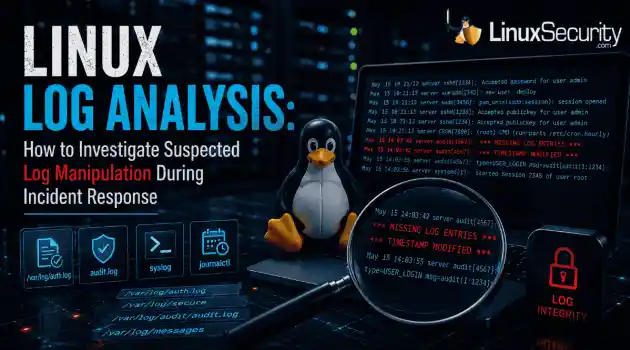
How to Harden My Filesystemlog analysis security incident
log analysis security incident When an attacker breaks into a Linux system, their work is rarely done. Usually, the real work starts after the initial exploit: hiding their tracks. If you’re a Linux admin or security analyst, there is nothing worse than logging in, running a few commands, and realizing the logs aren't telling the whole story. When logs are missing or look "off," your primary source of truth is compromised. This guide covers how to handle that situation. We’ll walk through the workflow you need to determine...
Jul 10, 2026
 Refine HOWTOs
X Clear Filters
Get the latest News and Insights
Get the latest Linux and open source security news straight to your inbox.
Community Poll
Should Linux servers automatically install security updates?
Loading...
Explore Latest Linux Security HOWTOs
We found 11 articles for you...
166
 user managementsystem administrationsudo group
How to Add User to Sudo Group in Debian 12 Linux System
In Linux systems, including Debian 12, the sudo group grants users the ability to execute administrative commands. This provides them with the privileges to install, update, and delete software, modify system configurations, and more. . Administrative permissions are vital for maintaining and controlling the operating system. They allow you to perform tasks that regular users cannot, ensuring security and overall system health. This article is intended for system administrators, advanced users, or anyone responsible for managing Debian 12 systems. Administering sudo permissions must be done with care. Inappropriate use of sudo can lead to system vulnerabilities, damage, or data loss. . Acquire knowledge about incorporating users into the sudo group for administrative privileges in Debian 12. This ensures efficient and secure system regulation.. Debian 12 Sudo Group Management, User Permissions in Linux, Administrative Control in Debian. . Brittany Day
 Aug 11, 2023
•
Aug 11, 2023
• How to Learn Tips and Tricks
166
 user managementLinux systemsroot account
Safely Assigning Sudo Privilege To Users On Linux Systems
The sudo command is a very important command on Linux systems. You might say that it allows users to run privileged commands without logging in as root, and that is true. . However, the more important point is that it allows individuals to manage Linux systems – adding accounts, running updates, installing applications and backing up the system – without requiring these things be done using the root account. This is consistent with the policy that says root privilege should only be used as needed and that no one should simply log in as root and run all of their commands. Doing routine work using the root account is considered dangerous because any typos or commands run in the wrong location can have very serious consequences. To provide a user with sudo privileges on Fedora and related systems, the user must be made a member of the “wheel” group. While that might seem like an odd name for the group that provides root-level privilege, it appears to have been derived from the term “big wheel” that was used for many years to describe someone with considerable power or influence. . Optimize Linux operations by granting sudo access to users, ensuring security by avoiding direct root account usage.. Sudo Command, User Management, Linux Permissions, System Administration, Privilege Escalation. . Brittany Day
Jul 21, 2023
•
How to Learn Tips and Tricks

166
debianaccess controluser managementHow to Manage User Access and Sudo Privileges in Debian 12
In Debian, managing user privileges and administrative access is crucial for maintaining a secure and efficient system. By granting users the ability to execute administrative tasks without relying on the root account, you can enhance security, control access to sensitive operations, and maintain an audit trail of user activity. . This detailed guide walks you through the steps to add, delete, and grant sudo privileges to users in Debian Linux. Whether you're setting up a new Debian system or need to manage user accounts on an existing installation, this step-by-step tutorial is designed to provide clear instructions and explanations that even beginners can follow. . Master the art of controlling user permissions and assigning sudo rights in Debian 12 to enhance security and streamline administrative operations.. Debian 12 Privileges Management, User Management in Debian, Sudo Access Control. . Brittany Day
Jun 30, 2023
•
How to Learn Tips and Tricks
166
security practicesaccess controluser managementThe Importance of Sudo for Managing Linux Permissions Effectively
Sudo stands for "superuser do" and effectively gives a regular user access to administrator-like powers. Here's how to use this powerful tool. . Back in the early days of Linux, things were exponentially more complicated. The distributions were far less mature, but they also required the use of a particular system account to get certain things done. That account was root, and with it, you had unlimited power over your operating system. To demonstrate the power of the root account, one trick you could always play on unsuspecting users was to tell them to change to the root user with the su command and then have them issue the following: rm -rf / The rm command is used to delete files and folders. In conjunction with r (recursive) and f (force), you would delete everything from the root folder (/), thus rendering your system unusable. . Uncover the ways in which sudo equips average users with elevated privileges, altering the landscape of Linux management.. Sudo Command, Privilege Escalation, Linux System Administration, User Permissions, Security Practices. . Brittany Day
May 30, 2023
•
How to Learn Tips and Tricks
166
 security practicesuser managementsystem administration
Guide to Creating Non-Login Users for Enhanced System Security
If you are a system administrator and are looking for ways to make your Linux system more secure or want to automate certain processes, creating a non-login user is the solution. Non-login users can prove to be very useful for a variety of cases right from limiting access to your Linux system to running specific processes with restricted privileges. Here, we will guide you through the steps to create a non-login user in Linux and set the appropriate permissions for them. . A non-login user is a type of user account that has restricted access to the Linux system and can only perform specific tasks or run certain processes without logging into the system. Unlike regular users, non-login users do not have access to a regular shell or the home directory. Hence, they cannot log in to your Linux PC. Some common uses of creating a non-login user are to automate tasks, run specific processes or improve your system’s overall security by restricting access. There are two different methods to create a non-login user in Linux, which are straightforward and easy. But there are some prerequisites you need to take care of: Any Linux-based operating system (preferably the latest version) A user with root access or sudo privilege Now that you have the prerequisites, we will now discuss using the adduser command and editing the passwd file to create non-login users in Linux. . Discover the method for establishing a non-login account on Linux, boosting overall system protection and streamlining operations with efficiency.. Linux User Management, Non-Login User Creation, System Security Best Practices. . Brittany Day
May 19, 2023
•
How to Learn Tips and Tricks
160
access controluser managementsystem administrationExploring User Groups Through The /etc/group File In Linux
The contents of the /etc/group file can seem cryptic at first. But all it contains is information on locally configured groups on a Linux system. . On Linux, configuring authorizations and access to certain parts of the system is done through user and group permissions. Maybe you're trying to learn more about user groups and need to understand the contents of the /etc/group file. Or perhaps you want to dive into system administration and learn everything about configuring permissions and managing groups on Linux. Whatever the reason, as a Linux user, knowing more about the /etc/group file can be helpful at times. . Discover how to effectively administer user groups through the /etc/group file on Linux, a key factor in controlling system permissions.. Group Management, Linux Administration, User Permissions. . Brittany Day
Apr 04, 2023
•
How to Harden My Filesystem
166
access controluser managementadministrationKey Commands for Effective User Account Management on Linux Servers
If you’re administering a Linux server, chances are you have a lot of user accounts to manage and, along with these, a lot of files and settings to control. Here are some commands and issues that are important in setting up and managing user accounts and access rights. . First, in managing user accounts, you need to be aware of both user IDs (UID) and group IDs (GID). Most accounts are set up with each user being the sole member of a group that has the same name as the user’s account. In fact, both are set up when an account is created using the useradd command. . Master crucial directives for overseeing user profiles and permission settings efficiently within a Linux server ecosystem.. User Management, Linux Administration, Access Control, Server Management. . Brittany Day
Jan 23, 2023
•
How to Learn Tips and Tricks
166
user managementadministrative toolslinux commandsDiscover The Best Sudo Alternatives For Enhanced Linux Management
For those who don't fancy sudo and find it bloated, there are several sudo alternatives you can try instead. . sudo is probably one of the most used Linux commands. It allows you to gain administrative or elevated privileges on a Linux machine. You normally need elevated privileges to execute actions such as installing software, managing services, and deleting critical system files. But did you know there are alternatives to the sudo command on Linux? . Explore numerous alternatives to the sudo command for Linux, like doas, pkexec, su, and others for secure and efficient user role management and administration. Sudo Alternatives, Linux Commands, Admin Tools, User Privileges. . Brittany Day
Jan 15, 2023
•
How to Learn Tips and Tricks

Get the latest News and Insights
Get the latest Linux and open source security news straight to your inbox.
Community Poll
Should Linux servers automatically install security updates?
Search Topics
Powered By

Linux Security - Your source for Top Linux News, Advisories, HOWTOs and Feature Releases
QUICK LINKS
subscribe to newsletters!
Like staying secure? So do we.
Sign up for updates, tips, and alerts!