Explore top 10 tips to secure your open-source projects now. Read More
×



Server Security data privacy automation
data privacy automation Every system admin has lived through the same Monday morning ritual. A queue of forty tickets, half of them password resets, permission errors, or disk space warnings that any experienced technician could resolve in under two minutes. The other half require actual judgment. For years, automation promised that software would eventually sort the two apart on its own. That promise is now being tested in production Linux environments. . Early results are reshaping how IT teams think about tier-1...
 Jul 17, 2026

Privacydata collection automation
data collection automation You're running a web scraping project to collect pricing data from e-commerce sites. You set up a pool of datacenter proxies, launch your scripts, and within minutes — banned . CAPTCHAs everywhere. Your data pipeline stops before it really begins. . It's a frustrating scenario that plays out daily in ad verification, market research, and multi-account management. The website doesn't know you're doing legitimate research or monitoring. It just sees traffic coming from IP ranges it recognizes as...
Jul 17, 2026

Security Trends security advisory social engineering
security advisory social engineering Business Email Compromise used to be a numbers game — mass-blasted emails, broken English, an obvious "URGENT WIRE TRANSFER" subject line. That era is over. Generative AI has turned BEC into a tailored, low-noise operation that mimics writing style, voice, and even video presence. This piece looks at what's actually changed under the hood, what defenders are testing in response, and why so many organizations are still structurally unprepared for it. . The Infrastructure Problem Nobody Wants to...
Jul 17, 2026

Security Trends cybersecurity Linux documentation
cybersecurity Linux documentation Linux operating systems have gained prominence due to their stability, adaptability, and excellent security options. In the case of developing documentation, designing cybersecurity dashboards, or educational material, visuals are of vital importance when it comes to making things clear. The use of icons allows one to understand the message regarding alerts, authorization, encryption, authentication, or the state of the system just by looking at the visual cue without having to read long...
Jul 17, 2026

Security Vulnerabilities security advisory linux distribution
security advisory linux distribution ESET researchers identified 11 old and forgotten Linux UEFI shim bootloaders at versions 0.9 and below that can be used to bypass UEFI Secure Boot on any UEFI-based machine that trusts Microsoft’s Microsoft Corporation UEFI CA 2011 third-party certificate authority, regardless of the installed operating system (OS). Reported shims can be exploited to execute untrusted code during system boot, enabling attackers to deploy malicious UEFI bootkits even on systems with UEFI Secure Boot enabled.....
Jul 16, 2026
 Refine news
X Clear Filters
Get the latest News and Insights
Get the latest Linux and open source security news straight to your inbox.
Community Poll
Is continuous patching actually viable?
Loading...
Explore Latest Linux Security news
We found 466 articles for you...
210
 security advisorylinux distributionuntrusted code
Linux UEFI Shim Vulnerability Severe Exploitation of Obsolete Bootloaders
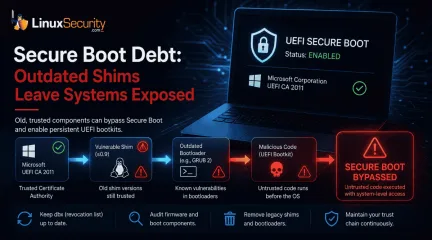
ESET researchers identified 11 old and forgotten Linux UEFI shim bootloaders at versions 0.9 and below that can be used to bypass UEFI Secure Boot on any UEFI-based machine that trusts Microsoft’s Microsoft Corporation UEFI CA 2011 third-party certificate authority, regardless of the installed operating system (OS). Reported shims can be exploited to execute untrusted code during system boot, enabling attackers to deploy malicious UEFI bootkits even on systems with UEFI Secure Boot enabled. . While two CVE IDs were assigned to this case, CVE-2026-8863 and CVE-2026-10797 , exploitation of each reported shim is not just about a single bug that can be found in these old shims directly. In fact, the attack surface is extended by the shims’ trusted, second-stage bootloaders—most notably GRUB 2—which, like the shims themselves, often include outdated versions with known vulnerabilities. The discovered shims come from various software packages, including PC-diagnostics utilities and older Linux distributions. Importantly, exploitation is not limited to systems with the affected software installed, as attackers can bring their own copy of these vulnerable, Microsoft-signed shims to any UEFI system with the Microsoft third-party certificate enrolled. The Problem of "Secure Boot Debt" This is not merely a collection of 11 vulnerable binaries; it is a textbook case of "Secure Boot debt"—the accumulation of old, trusted code that creates a persistent attack surface. To allow Linux distributions to boot on Secure Boot-enabled systems without Microsoft signing every distribution-specific bootloader, the open-source shim project provides a small first-stage bootloader that Microsoft signs once. This shim acts as a secondary anchor, verifying and launching the rest of the boot stack. The breakdown occurs here: these shims do not have an expiration date. In the eyes of the firmware, a shim signed in 2013 is often just as "valid" as one signed in 2026. Because these legacy shims predatesecurity features like Secure Boot Advanced Targeting (SBAT) , which embeds generation metadata into boot components to allow entire vulnerable generations to be revoked, they simply ignore current revocation policies. Risk and Persistence It is vital to note that this is primarily a persistence mechanism rather than a remote, "one-click" initial access vector. Exploitation generally requires an attacker to already possess significant privileges or control over the boot process, such as administrative access, physical access to the machine, or a successful compromise of the host OS. Once a vulnerable shim is utilized, however, the malicious code operates from a position of authority, establishing persistence that survives OS reinstalls and disk wipes. Since this exploit occurs before the OS loads, many OS-level security controls, including EDR agents, cannot observe the initial compromise. Strengthening the Chain The primary obstacle to revocation is the scale of ecosystem coordination. While newer mechanisms like SBAT are critical for scalability, systems running bootloaders from a decade ago do not know how to verify those policies. To protect systems, administrators should prioritize the following: Prioritize the dbx Update: Ensure all systems have applied the latest Secure Boot revocation list updates. This is the primary defense against the execution of these specific binaries. Audit Firmware Lifecycle: Firmware-level auditing must be incorporated into standard vulnerability management. Treat bootloader inventory with the same scrutiny applied to OS-level package managers. Retire Legacy Components: Periodically inventory the boot chain and remove obsolete shim and GRUB binaries from deployment images. Old, signed components should not remain available simply because they still boot successfully. The BootHole disclosure demonstrated that Secure Boot depends on every trusted component in the boot chain. Secure Boot Is Only as Strong as Its Trust Chain Secure Boot isn't a security feature that you can "set it and forget it"; it's a trust model that needs to be maintained all the time. Updating the operating system is only half the battle if old boot components are still trusted below it. Linux administrators can lower Secure Boot debt and protect the boot chain's integrity by regularly applying Secure Boot revocation updates, getting rid of old shim and GRUB binaries, and including firmware in regular security maintenance. . Obsolete Linux UEFI shims introduce security risks, enabling attackers to exploit vulnerabilities during boot.. Linux UEFI, Trust Chain, Secure Boot, Bootloader Vulnerabilities, GRUB Security. . MaK Ulac
 Jul 16, 2026
•
Jul 16, 2026
• Security Vulnerabilities
210
 security advisoryRed Hatcritical
Mak’s Weekly Security Roundup: Linux Updates You Shouldn't Ignore This Week
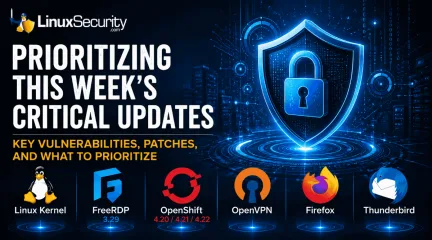
Before the week gets away from you, take a look at what's landed across the Linux ecosystem. The volume of security advisories hasn't slowed, and while not every update demands an emergency maintenance window, several deserve to move to the top of your patch queue. This week's updates span the kernel, remote desktop infrastructure, VPNs, containers, browsers, and the utilities Linux systems quietly depend on every day. Individually, these look routine. Together they show how quickly attackers can take advantage of organizations that let routine patches pile up. . Why This Week Matters One thing stood out as I worked through this week's advisories: nearly every layer of a modern Linux deployment received security attention. The operating system, remote administration tools, browsers, VPN software, container platforms, and the utilities Linux systems quietly depend on all received meaningful security updates. None of these vulnerabilities dominate the headlines on their own, but together they reinforce an important lesson: small, delayed patches have a habit of becoming much bigger security problems. Kernel Updates: Priority Kernel maintenance remains the most critical—and often most postponed—task. Ubuntu and Red Hat published multiple advisories covering networking, filesystems, and drivers. With several fixes addressing privilege escalation and container-escape scenarios—including several affecting privilege escalation and container-related components —these updates are essential. If you only have one reboot window this week, use it for the kernel. Hardening Remote Access and Orchestration FreeRDP 3.29 : This release addresses 22 vulnerabilities while introducing significant runtime hardening. Given its prevalence in enterprise environments, this update is a priority. OpenShift: Red Hat released security updates for 4.20 , 4.21 , and 4.22 . As the control plane for your infrastructure, securing the orchestration layer is paramount. VPNs: OpenVPN addressed multiple issues, including proxy and metadata handling. As internet-facing gateways, these should be prioritized. Browsers and Foundational Plumbing Browsers remain high-value targets. Firefox and Thunderbird updates are vital, particularly for administrator workstations. Additionally, ensure you address updates to Python Pillow and cifs-utils to maintain the integrity of your environment's "plumbing." Patching Priority Category Recommended Priority Linux Kernel Critical (Highest priority) Internet-Facing Services (OpenVPN) High Remote Access & Orchestration (FreeRDP, OpenShift) High Foundational Utilities (Wget, Python, GnuTLS) Medium/Ongoing End-User Apps (Firefox, Thunderbird) Medium/Ongoing Linux security isn't just about responding to the latest critical CVE; it’s about consistently reducing the attack surface. Consistent, disciplined patching remains your most effective defense against the cumulative risk of the modern threat landscape. . This week's roundup highlights crucial Linux security updates for your systems, emphasizing the urgency of timely patching.. Linux updates, security advisories, patch management, system vulnerabilities, open source software. . MaK Ulac
Jul 15, 2026
•
Security Vulnerabilities

210
 security researchopen-sourcekernel
GhostLock Exposes an Uncomfortable Truth About Open Source Security
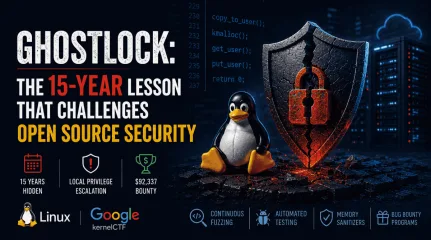
When researchers announced GhostLock, many people focused on the exploit. What stood out to me wasn't just what the vulnerability could do, but how long it had remained hidden. The flaw had lived in the Linux kernel for roughly 15 years before it was publicly identified by researchers. That means the flaw survived hundreds of kernel releases and years of upstream development before it was publicly documented. It raises an uncomfortable question about one of open source's oldest assumptions. One of the enduring arguments in favor of open source is that transparency improves security. If anyone can inspect the code, vulnerabilities should be easier to discover and fix. GhostLock doesn't disprove that idea, but it does force us to ask how well it scales when the Linux kernel contains tens of millions of lines of code. . Why the GhostLock Linux Kernel Vulnerability Is Different The Linux kernel vulnerability CVE-2026-43499 , or "GhostLock," was identified by Nebula Security Research in their ionstack analysis . Because the flaw originated in upstream code, it potentially affected numerous Linux distributions that incorporated the vulnerable kernel code until it was patched in the upstream Linux kernel in April 2026 . GhostLock stood out for several reasons: Legacy Impact: The bug existed since kernel 2.6.39, illustrating that even mature, stable code can harbor deep-seated flaws for years. High-Stakes Exploitation: Researchers demonstrated local privilege escalation to root and a container escape, making the vulnerability particularly significant for cloud and containerized environments. Professional Interest: The vulnerability was identified through Google’s kernelCTF program, earning a $92,337 bounty. The payout also reflects how difficult kernel memory-safety bugs have become to identify, even for experienced researchers. The real question isn't whether Linux is secure. It is whether the traditional "many eyes" argument still reflects how securityactually works in a codebase of this magnitude. When "Many Eyes" Meets Modern Reality One of the best-known ideas in open source security is the "many eyes" principle , often associated with Eric S. Raymond's Linus's Law : "Given enough eyeballs, all bugs are shallow." The idea is straightforward. Because the source code is publicly available, developers, researchers, and users can inspect it, increasing the likelihood that vulnerabilities will be identified and fixed more quickly than they might be in closed-source software. In practice, however, transparency makes review possible; it does not guarantee that every line of code will actually be examined by someone with the time, expertise, or reason to look at it. That distinction becomes increasingly important in a project as large and complex as the Linux kernel, where millions of lines of code are maintained by thousands of contributors across hundreds of subsystems. Several practical realities shape how security review works today: The Scale Problem: The Linux kernel receives thousands of changes during every development cycle. No single human can review the entire codebase. Subsystem Silos: Most reviewers specialize in one subsystem. If a vulnerability exists in an obscure or legacy corner of the kernel, it may sit outside the field of view of those most qualified to audit it. The "Old Code" Reality: Legacy code often changes less frequently than actively developed subsystems. That stability is valuable, but it can also mean certain execution paths receive less ongoing scrutiny than newer code undergoing active development. How Linux Kernel Security Research Has Changed GhostLock wasn't discovered because someone finally decided to manually audit that specific line of code. It was discovered because the methodology of Linux security research has fundamentally changed. Historically, kernel security depended largely on expert review and targeted testing. Today, that work is increasingly complemented bycoverage-guided fuzzing, sanitizers, and large-scale automated testing. Tools like syzkaller/syzbot and KASAN act as force multipliers, systematically probing kernel state transitions that would be impossible for a human to track mentally. Automated testing now routinely finds combinations of events that humans would never naturally think to test. Programs like kernelCTF have further professionalized this research, bringing top-tier talent to bear on the kernel’s deepest subsystems. GhostLock is a testament to the fact that modern security is no longer just about "eyes"—it’s about the sophistication of the tooling and the bounty programs that reward deep, specialized research. The Reboot Gap For administrators, GhostLock is a stark reminder of the "reboot gap." Most organizations have well-defined maintenance windows for web servers, databases, and application software. Kernel updates are different because they frequently require reboots, coordinated maintenance windows, or live-patching infrastructure that many organizations simply don't have. It's not uncommon for organizations to schedule kernel updates quarterly while patching user-space software weekly. GhostLock shows why that gap deserves another look. In a containerized world, many assume the host is "just plumbing." A container escape vulnerability proves that the host kernel is the single point of failure for everything running on top of it. Local privilege escalation vulnerabilities become especially important in these environments because the kernel remains the shared trust boundary. When a vulnerability allows for container escape, the kernel is effectively an application-level concern and must be treated with the same urgency as a critical web server flaw. Security Priorities Have Changed GhostLock also highlights how Linux kernel security priorities have shifted over the last decade. Memory safety is now one of the community's primary areas of investment. Maintainers continue to strengthen the kernel through hardeningfeatures, sanitizers, memory-safety improvements, Rust for new kernel components, and continuous automated testing. Rather than suggesting the ecosystem is stagnant, GhostLock illustrates why those investments have become increasingly important as the kernel continues to grow in size and complexity. GhostLock also demonstrates one of open source's greatest strengths. Once the vulnerability was publicly identified, researchers could independently analyze the root cause, distributions could verify the fix, and administrators had complete visibility into the patch itself. That level of transparency is difficult to match in proprietary software, where the source code and development process are generally not available for independent review. What GhostLock Says About the Future of Open Source Security If GhostLock could stay under the radar for 15 years, it makes you wonder: how many other bugs are still waiting to be found? We don't know for sure. But GhostLock also proves that the ecosystem for finding those bugs is much tougher today than it was ten years ago. Between continuous fuzzing, memory sanitizers, coordinated disclosure, and mature bug bounty programs, we are finding whole classes of vulnerabilities that would have been totally invisible in the past. GhostLock doesn't prove that open source security has failed; it proves that transparency alone isn't enough. The Linux kernel has outgrown the point where it can rely solely on volunteer code review to find every critical flaw. Today's security depends just as much on dedicated security teams, automated testing, and bounty programs that reward that deep, specialized research. This reminds us that those strengths still matter, but the scale of modern projects requires more than just visibility. Today's Linux kernel is secured not only by developers reviewing code, but also by continuous automated testing, specialized security researchers, and organizations willing to invest in uncovering vulnerabilities that traditional review alone maynever find. . GhostLock reveals the limitations of open source security, emphasizing the need for advanced tools and methodologies in Linux kernel maintenance.. Linux Kernel GhostLock, Open Source Security Flaws, Automated Security Testing. . MaK Ulac
Jul 14, 2026
•
Security Vulnerabilities
210
 security advisorycriticalauthentication
Critical Gitea Docker Authentication Bypass: An Open Door to Your Infrastructure
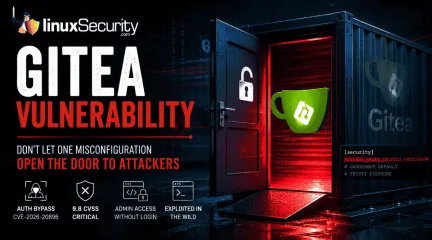
If you’re running Gitea in a container, stop what you’re doing and check your versioning right now. We’re looking at a critical vulnerability— CVE-2026-20896 —shipped directly in Gitea’s official Docker images. It’s a 9.8 CVSS-rated "open door" that lets any unauthenticated attacker stroll in and impersonate any user on your system, admin account included, without needing a password or a token. The reality? This isn't some complex, low-level kernel exploit. It’s a classic "secure-by-default" failure where one bad configuration template is quietly gutting your entire authentication model. . One Wildcard Default Broke the Trust Model Gitea has this reverse-proxy authentication feature built for enterprise setups where a front-end server—say, Nginx or Traefik —does the heavy lifting of verifying who you are. Once it knows you’re legit, it passes your username to Gitea via an X-WEBAUTH-USER header. It’s a standard, reliable pattern, provided you actually lock Gitea down to only accept that header from a proxy you trust. The security hole in the official Docker images is just one line in the app.ini template: REVERSE_PROXY_TRUSTED_PROXIES = * That wildcard tells Gitea: "I don't care where the request came from, I trust the identity header." By tossing out the safe default—which should’ve restricted trust to the local loopback interface ( 127.0.0.0/8 )—the Docker image leaves the door wide open. Any attacker who can hit your container’s HTTP port can just send a forged header and tell Gitea they’re the admin. No exploit chain, no credential theft, no memory corruption. Just one header, and they’re in. Why Git Platforms Are the New "Crown Jewels" It’s easy to think of a Git server as just a place to store code, but that’s a dangerous simplification. In today’s DevSecOps workflows, Gitea is the nervous system of your entire operation. Administrator access gives an attacker: The Full Repository Set: Public, private, and internalcode. Persistent Secrets: API keys, database credentials, and deploy tokens that developers accidentally committed and never scrubbed. Pipeline Control: The ability to alter CI/CD configurations to inject malicious code into your production builds before they’re even signed. Infrastructure Keys: SSH deploy keys and webhooks that connect your Git server directly to your live production systems. When an attacker gains admin access, they aren't just reading your repo—they’re using your own automation to move laterally into your CI/CD security stack. Which Gitea Deployments Are at Risk? The risk is concentrated in official Docker images through version 1.26.2 . If you are running these versions and have ENABLE_REVERSE_PROXY_AUTHENTICATION = true set, you are potentially exposed. If your container is reachable from the public internet—or even from an untrusted segment of your internal network—you are a high-priority target. Attackers are already using automated scanners to hunt for these ports. Take a minute to audit your Linux firewall rules; the only thing that should be talking to your Gitea container is your internal proxy. Staying Secure: Practical Defensive Steps Patching is the baseline here, but don't stop there. You need to verify your actual deployment state: Upgrade Immediately: Move to version 1.26.4 as soon as possible. Kill the Wildcard: Never leave REVERSE_PROXY_TRUSTED_PROXIES set to * in production. Hardcode the specific IP address of your authorized reverse proxy. Audit Container Exposure: Use Docker security best practices to ensure your management ports aren't just wide open to the world. Verify Your Network: If you’re managing Gitea in a larger environment, audit your Linux container security to ensure the service is isolated at the host level. The Bottom Line The Gitea Docker Authentication Bypass isn't exploiting a flaw in the Gitea source code; it’s exploiting the assumption that"default" settings are safe for production. The 13-day gap between public disclosure and the first in-the-wild scanning attempts from ProtonVPN exit nodes is a stark reminder of the speed at which today's attackers move. For those of us managing self-hosted infrastructure, this is a wake-up call. Verifying the configuration of your container templates is just as vital as keeping your kernel up to date. Before the next CVE hits, take the time to look under the hood—because if you haven't checked that wildcard, you’re currently hosting a free-for-all. As you tighten your Gitea deployment, how do you balance the need for ease-of-use in your internal configuration templates against the security risk of "convenient" defaults? . A critical Gitea Docker vulnerability could enable unauthenticated users to impersonate anyone without a password.. Gitea Vulnerability, Docker Security, Authentication Bypass. . MaK Ulac
Jul 13, 2026
•
Security Vulnerabilities
210
 open-sourcedependency managementsecurity threat
Malicious Go Modules: Securing Your Linux Build Pipeline
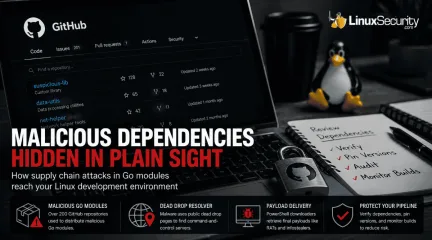
Every Linux developer who works with Go has run the same workflow a thousand times. You find a library that solves your problem, you see a decent star count on GitHub, and you run go get. It is frictionless and efficient. Lately, however, it is becoming one of the most effective ways for an attacker to get code running on your build servers. The recent "Operation Muck and Load" campaign is a perfect example of why this workflow is risky. Researchers uncovered over 200 GitHub repositories distributing malicious Go modules . These were not exploiting a vulnerability in the Go compiler or a bug in a specific package. They were exploiting the assumption that anything hosted on GitHub deserves the benefit of the doubt. . How Attackers Turn GitHub Into a Delivery Platform The attack starts long before any malware is downloaded. Attackers first publish a Go module that looks like something you would genuinely use. The repository has a believable name, a polished README, and enough commit history to suggest an active project. Much of that activity is manufactured through commit farming, giving the impression that multiple developers have been maintaining the code over time. Once a developer imports the module, the real attack begins. Hidden inside the package is obfuscated code that launches PowerShell rather than simply performing its advertised function. Instead of connecting directly to a command-and-control server—which would be easy for security teams to block via firewall rules—the script first checks a public "dead drop" page that stores the current server location. This technique, classified by MITRE as a Dead Drop Resolver , lets the attackers change infrastructure whenever they want without modifying the malware itself. Only after resolving that address does the downloader retrieve the final payload, such as a Remote Access Trojan. Supply chain attacks are difficult to detect because nothing initially looks broken. The build succeeds, the application runs, and developers move on.By the time suspicious behavior appears, the malicious dependency may already be embedded across multiple projects. Why Your Linux Build Pipeline Is at Risk It is easy to look at a Windows-based RAT and assume your Linux servers are safe. Do not be that confident. Shared Infrastructure: If your CI/CD runner is configured to compile artifacts for both Linux and Windows, that runner is now compromised. Trusting the Proxy: Many developers rely on the default GOPROXY . While this protects you from repositories disappearing, it does not verify that the code within those modules is benign. Developer Workstations: Most of us use Linux as our primary workstation. If you import a malicious module, your local GOPATH is exposed, and any environment variables or credentials cached on your machine are fair game. Auditing and Verifying Your Dependencies Go provides several tools to help you keep an eye on your dependencies. If you are not using them, you are flying blind. 1. Start with go mod verify The go mod verify command checks that the dependencies in your local cache have not been modified since they were downloaded. If a local file has been tampered with, this command will immediately flag it. 2. Inspect with go list Before you add a module, see what it’s actually pulling in. Use go list -m all to get a full tree of your project's dependencies. If you are importing a simple logging tool and it suddenly pulls in 50 sub-dependencies you’ve never heard of, that is a massive red flag. 3. Manage your Proxy In enterprise environments, do not just rely on public proxies. Consider using an internal GOPROXY or an artifact repository that caches and scans modules. This gives you a single choke point where you can enforce security policies and conduct vulnerability scans before code ever reaches your build pipeline. 4. Leverage Build-Time Monitoring If your build process is suddenly reaching out to the internet to fetch "resolver" content from randompublic websites, your security team needs to know. Monitor your CI/CD runners for unexpected outbound network traffic during the go build phase. Legitimate builds should talk to known proxies or git servers, not random public dead drops. Don't Let Your Build Process Be Your Weak Link Go's module ecosystem is not broken, but blind trust is. The repositories in Operation Muck and Load did not exploit a flaw in the language; they exploited the assumption that anything hosted on GitHub deserves the benefit of the doubt. Before adding a new dependency, spend a minute looking at who maintains it, how the project history has evolved, and what your build process is actually downloading. Verify your hashes, pin your versions, and keep an eye on your outbound traffic. That is often enough to avoid becoming the next victim of a supply chain attack. . Learn how to secure your Linux build pipeline from malicious Go modules exploiting trust in GitHub repos.. Go modules security, Linux build risks, dependency management, supply chain threats. . MaK Ulac
Jul 10, 2026
•
Security Vulnerabilities
210
 security advisoryunauthorized accessLinux security
GhostApproval: Why Linux Developers Should Audit AI Coding Assistant Permissions
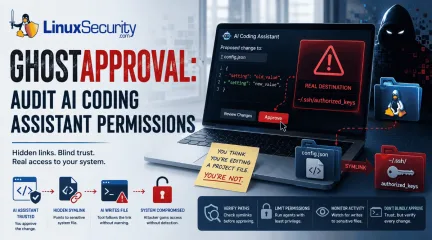
AI coding assistants have become a staple in many Linux developers' daily workflows. Whether you're generating boilerplate, refactoring code, or updating configuration files, it's easy to assume these tools stay safely inside your project directory. . Researchers recently pulled the curtain back on a threat they’ve dubbed " GhostApproval ." It’s a direct hit to the way we use tools like Cursor, Amazon Q, and Claude Code. They found these assistants have a dangerous blind spot: they can be tricked into modifying files outside of your project's sandbox. By hiding a simple, booby-trapped symbolic link in a code repository, an attacker can manipulate these assistants into editing sensitive system files instead of the project files you’re actually working on. Even worse, the confirmation prompts these tools show often hide the true destination of the change, making it look like you’re approving a harmless update when you’re actually handing over the keys to your system. It’s a classic trust boundary collapse, turning our favorite productivity boosters into high-speed conduits for unauthorized access. How the "Symlink Bypass" Exploit Actually Works At its core, this vulnerability is what we call a "symlink bypass." In Linux, a symbolic link—or symlink —is essentially a shortcut pointing to another spot on your hard drive. When you use an AI coding assistant, you naturally assume it’s playing by the rules and staying inside the "sandbox" of your current project folder. The security gap here is that many of these AI agents don’t bother to verify if a file is a legitimate file or just a shortcut before they start writing to it. If the tool skips that check, it will blindly follow the link wherever it goes. Quick Check: Is This File Really Inside Your Project? Before approving AI-generated file changes, verify the path: ls -l filename (Check if it points to a target) Readlink filename (See exactly where it points) Realpath filename (Confirm the fully resolvedpath is within your project) The attack itself is surprisingly straightforward: an attacker slips a seemingly harmless file, like config.json, into a repository, but turns it into a secret bridge pointing to a sensitive target, like your ~/.ssh/authorized_keys file. When you ask the AI to "update the config," it triggers a standard system call to write to that file. Because Linux is built to resolve these shortcuts automatically at the kernel level, it silently redirects the AI’s action straight to your SSH keys. Since the AI is running under your own user permissions, it has full authority to overwrite those files—and just like that, the attacker has effectively cracked open a back door to your machine without you ever suspecting a thing. Why This Matters for Linux Security At its core, this vulnerability punches a hole in the "human-in-the-loop" security model that we Linux admins have relied on for decades. We’re used to trusting our own oversight, but the breakdown here is all about trust boundaries. These AI assistants rely on us to vet every change, but when the UI shows you a harmless-looking project file while the OS is secretly hammering a sensitive system file, you aren't actually making an informed choice. You’re just rubber-stamping an action that’s hidden in plain sight. What makes this even more devious is that it’s not "malware" in the traditional sense, so your antivirus isn't going to have a heart attack. Instead, it’s a masterclass in " Living-off-the-Land ." The AI is performing perfectly normal, expected system calls—the same stuff your build tools do every day. Because it’s using your own trusted environment against you, it slips right past standard defenses. Since the system sees every move as an authorized action coming from you , it’s incredibly difficult to spot the foul play until the attacker has already gained a permanent foothold. Where Linux Users Are Most at Risk You are at a much higher risk if you frequently clone and run"AI-assisted" setups from untrusted or third-party repositories, particularly in the following environments: Cloud-based development environments: Where agents may have broad access to home directories and environment variables. Shared CI/CD build nodes: Where automated refactoring tools run without constant human oversight. Local Linux workstations: Where developers use AI agents to manage system-level configuration files or sensitive dotfiles. Sensitive Target Files: Keep a close eye on files that grant persistence or command execution, specifically ~/.ssh/authorized_keys, ~/.bashrc, ~/.profile, and core application configurations in ~/.config/. Staying Secure: Practical Defensive Steps If your team is using AI coding assistants, it’s time to stop treating them like basic text editors. You need to start viewing these tools as high-risk, privileged processes. Here is how you can lock down your environment: Audit Tool Permissions: Dig into your assistant’s documentation to see if it has access to your entire file system. If it does, do your best to restrict its scope strictly to your project folders. Don't Just "Rubber Stamp": Never blindly approve a diff from an AI. Take a second to use the command-line tools we covered to verify the actual file path before you give the agent the green light to modify anything. Tighten Path Resolution: If you’re writing scripts that handle files provided by others, always use realpath to double-check that the file is exactly where you think it is before your script touches it. Keep an Eye on System Calls: Consider setting up eBPF-based monitoring (like bpftrace ) to alert you if something tries to write to sensitive areas like your SSH keys or .bashrc. Run Agents with Low Privilege: Never run your development AI agent as a user with broad sudo access. Create a dedicated, low-privilege service account specifically for your development work—it’s the best way to minimize the "blast radius" if something goes wrong. At the end of the day, GhostApproval isn't exploiting a bug in the Linux kernel; it's exploiting the blind trust we put in the relationship between AI tools, our file systems, and our own approval processes. As AI becomes more deeply woven into our daily workflows, verifying what the AI is changing is just as important as reviewing the code it generates. As a Linux professional, how does the integration of AI-assisted tools into your current CI/CD pipeline change how you approach system-level auditing and access control? . Explore GhostApproval and how Linux developers can address AI coding assistant permission risks to enhance system security.. AI coding assistant permissions, GhostApproval vulnerability, Linux security practices, symlink dangers, unauthorized access management. . MaK Ulac
Jul 09, 2026
•
Security Vulnerabilities
210
 security advisoryauthenticationopenssh
The Hidden Cost of Enterprise SSH Authentication
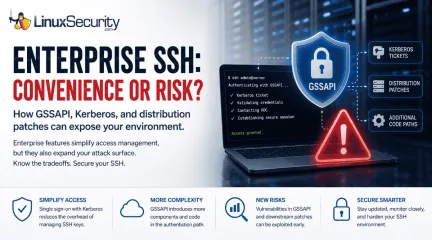
We often view OpenSSH security updates through the lens of standard patch management. When a new CVE hits, we scramble to update, check our versions, and return to business as usual. But recent vulnerabilities tied to distribution-added OpenSSH GSSAPI patches are a reminder that the danger doesn't always lie in the core code; it often resides in the "convenience" features we layer on top. . These recent issues shouldn't just trigger an apt upgrade or dnf update; they should trigger a configuration audit. As our infrastructure has grown more complex, we have enabled features like GSSAPI—designed to simplify enterprise management—that have quietly expanded our attack surface in ways that standard hardening guides rarely address. Why Enterprises Enable GSSAPI SSH keys work well until your environment starts growing. A handful of Linux servers is easy enough to manage, but hundreds or thousands are a different story. Keys need to be rotated, access needs to be revoked when employees leave, and every new system has to be brought into the process. That's where GSSAPI comes in. Organizations already using Kerberos can let users authenticate with their existing domain credentials instead of distributing and maintaining SSH keys on every server. For many enterprises, that's a practical decision rather than a security decision. The catch is that SSH is no longer handling a relatively simple login. It now has to work with Kerberos tickets and the software that supports them. Recent GSSAPI-related vulnerabilities are a reminder that every additional authentication feature adds more code that has to process data before a session is established. That doesn't mean GSSAPI is unsafe. It means features that make administration easier also deserve the same level of review as the rest of your SSH configuration. There's another detail that's easy to miss. Many Linux distributions ship OpenSSH with downstream patches to support enterprise environments. Those additions aren't part of the upstream OpenSSHcode maintained by the OpenBSD project, so administrators should pay attention to distribution-specific security advisories rather than assuming every OpenSSH issue affects every system the same way. Why "More Secure" Isn't "Less Risky" The core insight here is that complexity is the enemy of security. We implement GSSAPI to avoid the human-centric failure of weak passwords, but we trade that for the system-centric failure of a complex, high-privilege service boundary. If your environment doesn’t require SSO via Kerberos, you are paying a security tax for a convenience you aren't actually using. Even if you do require it, you need to treat the GSSAPI configuration with the same level of paranoia you apply to your authorized_keys files. The Audit: What Should You Be Looking For? If you are running an enterprise Linux fleet, the recent OpenSSH updates serve as a forcing function to look beyond the patch. Ask yourself the following: Is GSSAPI actually necessary? For most standalone servers or small, static clusters, the answer is usually no. If you aren't actively using Kerberos for SSH authentication, explicitly set GSSAPIAuthentication no in your sshd_config. Are your "Forwarding" features justified? Features like GSSAPIDelegateCredentials no, AllowAgentForwarding no, and AllowTcpForwarding no are often left enabled by default out of habit. These provide lateral movement pathways for attackers who compromise an initial jump host. Is your authentication boundary siloed? In a modern "Zero Trust" architecture, we aim to minimize the trust we place in the server itself. Are you relying on the server to validate complex Kerberos tokens, or are you moving toward ephemeral, centrally signed SSH certificates? The Takeaway The latest OpenSSH updates are not just another entry in your vulnerability management dashboard—they are a critique of our collective preference for "easy" enterprise configuration. When you see a GSSAPI-related vulnerability in a changelog,don't just patch. Re-evaluate. Every feature you enable in sshd_config is an intentional decision to expand the scope of what an attacker can target. Before you restart that service, ask yourself: Am I configuring this for security, or am I just configuring it for convenience? Want more Linux security news, vulnerability analysis, and software supply chain updates? Subscribe to the LinuxSecurity Newsletter and get the latest threats, advisories, and expert insights delivered directly to your inbox. Related Reading How to Harden SSH on Linux After Disabling Password Authentication How to Detect Unauthorized SSH Key Usage on Linux Systems . OpenSSH updates highlight the importance of thorough configuration audits over standard patching practices.. OpenSSH updates, enterprise SSH risk management, GSSAPI configuration issues. . MaK Ulac
Jul 06, 2026
•
Security Vulnerabilities
210
 security advisorycriticalUbuntu
Mak's Security Roundup: Prioritizing This Week's Critical Updates
Before you close out the week, check what still needs to be patched. . The list is not small. Ubuntu and Red Hat pushed kernel updates. OpenVPN and OpenShift both received security fixes. Several everyday Linux components were patched too, including Vim, nginx, cifs-utils, LibVNCServer, nghttp2, and Perl. That is the kind of week administrators can easily write off as routine. It should not be. These are the updates that keep small openings from turning into real access. Why This Week Looks Different One notable trend this week is the sheer volume of vendor advisories rather than a single dominant vulnerability. Ubuntu and Red Hat released updates across kernels, enterprise platforms, VPN software, and commonly deployed utilities. That pattern reflects today's Linux security landscape, where reducing risk often depends more on maintaining patch discipline than responding to one high-profile event. Linux Kernel Security Updates Kernel updates are easy to postpone because they usually mean a reboot. That's exactly why they keep showing up on patch backlogs. This week's updates include fixes for privilege escalation and container-related issues . Those aren't the vulnerabilities I'd be comfortable leaving unpatched for long. If someone already has a foothold on a server, the kernel is often where they try to go next. The less time those flaws sit in production, the better. Strengthening the Perimeter: OpenVPN The OpenVPN 2.7.5 update addresses seven security vulnerabilities, including issues with DNS handling, TLS-Crypt-v2 implementation, and proxy behavior. As the "front door" of the modern distributed enterprise, VPN gateways are inherently exposed and must be prioritized. Because VPN gateways are internet-facing, administrators should prioritize these updates to reduce the risk of unauthorized access, denial-of-service conditions, or other attacks addressed by the released fixes. Patching ensures that your remote access infrastructure remains a secure gateway ratherthan an entry point for unauthorized actors. Orchestration Integrity: OpenShift Red Hat OpenShift 4.19.36 and OpenShift 4.15.66 include security updates for the platform’s container infrastructure. As organizations shift toward microservices, OpenShift has become the operating system of the data center. Because OpenShift manages workloads across the cluster, a compromise of the orchestration layer can have broad security implications. Keeping OpenShift current helps reduce the risk of attackers exploiting vulnerabilities that could expose administrative components, workloads, or sensitive configuration data. Reducing that exposure also limits their ability to gain broader visibility or control over the production environment. Maintaining the Ubiquitous "Plumbing" Beyond the headline infrastructure components, several widely deployed utilities—including Vim , nginx , cifs-utils , LibVNCServer , nghttp2 , and Perl —received security attention this week. These utilities are the "plumbing" of Linux, used in almost every deployment and serving as dependencies for larger applications. Widely deployed utilities often become part of larger attack chains because they are present on so many systems. Delaying these seemingly minor updates can leave commonly deployed software exposed, creating opportunities for attackers to incorporate them into larger attack chains after gaining an initial foothold. Supply Chain Vigilance via Hardened Images Red Hat continues to ship updates for Hardened Images , including AI Base Images and container images. This reflects the industry shift toward "secure-by-design" infrastructure. Relying on stale base images is a common way organizations introduce known vulnerabilities into production. While automated scanners can quickly identify these vulnerabilities, your environment remains at risk until the underlying images are updated to a hardened baseline. The New Security Reality This week’s activity provides a vital snapshot ofthe current threat landscape, highlighting several key takeaways for security and infrastructure teams: Adopt a "Time-to-Exploit" Mindset: For internet-facing software, the window between public disclosure and exploitation is increasingly measured in hours or days, making timely patching more important than ever. Move Beyond Silos: You cannot secure your environment by patching in isolation. You must treat kernels, containers, and VPNs as a single, interdependent surface. Prioritize Ruthlessly: If your team is overwhelmed, follow this hierarchy: 1. Internet-facing services: (VPN gateways, web servers). 2. Kernel and privilege escalation fixes: (Reducing the risk of host compromise and container escape). 3. Ubiquitous utilities: (Vim, Perl, etc., to block lateral movement). What Matters Most This Week If this week's updates have one thing in common, it's that none of them can really be ignored. Kernel patches, VPN software, container platforms, and the tools that quietly support Linux systems all received security fixes. That's becoming a pretty normal week for Linux administrators. Nobody has an unlimited maintenance window. If you have to make choices, start with the systems that are easiest for an attacker to reach. Kernel updates shouldn't sit in the queue for long either, especially when they address privilege escalation or container-related issues. After that, work through the remaining utilities before they become next month's backlog. How is your team handling the growing volume of Linux security updates without falling behind on day-to-day operations? . Stay updated on critical patches for Linux systems from Ubuntu and Red Hat, vital to protect against threats.. Linux Kernel Security, OpenVPN Security Updates, Red Hat Patches, Ubuntu Updates, OpenShift Security. . MaK Ulac
Jul 03, 2026
•
Security Vulnerabilities

Get the latest News and Insights
Get the latest Linux and open source security news straight to your inbox.
Community Poll
Is continuous patching actually viable?
Search Topics
Powered By

Linux Security - Your source for Top Linux News, Advisories, HOWTOs and Feature Releases
QUICK LINKS
subscribe to newsletters!
Like staying secure? So do we.
Sign up for updates, tips, and alerts!