Explore top 10 tips to secure your open-source projects now. Read More
×



Server Security data privacy automation
data privacy automation Every system admin has lived through the same Monday morning ritual. A queue of forty tickets, half of them password resets, permission errors, or disk space warnings that any experienced technician could resolve in under two minutes. The other half require actual judgment. For years, automation promised that software would eventually sort the two apart on its own. That promise is now being tested in production Linux environments. . Early results are reshaping how IT teams think about tier-1...
 Jul 17, 2026

Privacydata collection automation
data collection automation You're running a web scraping project to collect pricing data from e-commerce sites. You set up a pool of datacenter proxies, launch your scripts, and within minutes — banned . CAPTCHAs everywhere. Your data pipeline stops before it really begins. . It's a frustrating scenario that plays out daily in ad verification, market research, and multi-account management. The website doesn't know you're doing legitimate research or monitoring. It just sees traffic coming from IP ranges it recognizes as...
Jul 17, 2026

Security Trends security advisory social engineering
security advisory social engineering Business Email Compromise used to be a numbers game — mass-blasted emails, broken English, an obvious "URGENT WIRE TRANSFER" subject line. That era is over. Generative AI has turned BEC into a tailored, low-noise operation that mimics writing style, voice, and even video presence. This piece looks at what's actually changed under the hood, what defenders are testing in response, and why so many organizations are still structurally unprepared for it. . The Infrastructure Problem Nobody Wants to...
Jul 17, 2026

Security Trends cybersecurity Linux documentation
cybersecurity Linux documentation Linux operating systems have gained prominence due to their stability, adaptability, and excellent security options. In the case of developing documentation, designing cybersecurity dashboards, or educational material, visuals are of vital importance when it comes to making things clear. The use of icons allows one to understand the message regarding alerts, authorization, encryption, authentication, or the state of the system just by looking at the visual cue without having to read long...
Jul 17, 2026

Security Vulnerabilities security advisory linux distribution
security advisory linux distribution ESET researchers identified 11 old and forgotten Linux UEFI shim bootloaders at versions 0.9 and below that can be used to bypass UEFI Secure Boot on any UEFI-based machine that trusts Microsoft’s Microsoft Corporation UEFI CA 2011 third-party certificate authority, regardless of the installed operating system (OS). Reported shims can be exploited to execute untrusted code during system boot, enabling attackers to deploy malicious UEFI bootkits even on systems with UEFI Secure Boot enabled.....
Jul 16, 2026
 Refine news
X Clear Filters
Get the latest News and Insights
Get the latest Linux and open source security news straight to your inbox.
Community Poll
Is continuous patching actually viable?
Loading...
Explore Latest Linux Security news
We found 146 articles for you...
210
 security advisorycriticalauthentication
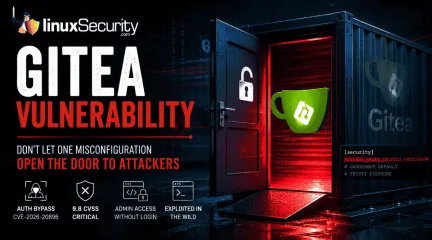
Critical Gitea Docker Authentication Bypass: An Open Door to Your Infrastructure
If you’re running Gitea in a container, stop what you’re doing and check your versioning right now. We’re looking at a critical vulnerability— CVE-2026-20896 —shipped directly in Gitea’s official Docker images. It’s a 9.8 CVSS-rated "open door" that lets any unauthenticated attacker stroll in and impersonate any user on your system, admin account included, without needing a password or a token. The reality? This isn't some complex, low-level kernel exploit. It’s a classic "secure-by-default" failure where one bad configuration template is quietly gutting your entire authentication model. . One Wildcard Default Broke the Trust Model Gitea has this reverse-proxy authentication feature built for enterprise setups where a front-end server—say, Nginx or Traefik —does the heavy lifting of verifying who you are. Once it knows you’re legit, it passes your username to Gitea via an X-WEBAUTH-USER header. It’s a standard, reliable pattern, provided you actually lock Gitea down to only accept that header from a proxy you trust. The security hole in the official Docker images is just one line in the app.ini template: REVERSE_PROXY_TRUSTED_PROXIES = * That wildcard tells Gitea: "I don't care where the request came from, I trust the identity header." By tossing out the safe default—which should’ve restricted trust to the local loopback interface ( 127.0.0.0/8 )—the Docker image leaves the door wide open. Any attacker who can hit your container’s HTTP port can just send a forged header and tell Gitea they’re the admin. No exploit chain, no credential theft, no memory corruption. Just one header, and they’re in. Why Git Platforms Are the New "Crown Jewels" It’s easy to think of a Git server as just a place to store code, but that’s a dangerous simplification. In today’s DevSecOps workflows, Gitea is the nervous system of your entire operation. Administrator access gives an attacker: The Full Repository Set: Public, private, and internalcode. Persistent Secrets: API keys, database credentials, and deploy tokens that developers accidentally committed and never scrubbed. Pipeline Control: The ability to alter CI/CD configurations to inject malicious code into your production builds before they’re even signed. Infrastructure Keys: SSH deploy keys and webhooks that connect your Git server directly to your live production systems. When an attacker gains admin access, they aren't just reading your repo—they’re using your own automation to move laterally into your CI/CD security stack. Which Gitea Deployments Are at Risk? The risk is concentrated in official Docker images through version 1.26.2 . If you are running these versions and have ENABLE_REVERSE_PROXY_AUTHENTICATION = true set, you are potentially exposed. If your container is reachable from the public internet—or even from an untrusted segment of your internal network—you are a high-priority target. Attackers are already using automated scanners to hunt for these ports. Take a minute to audit your Linux firewall rules; the only thing that should be talking to your Gitea container is your internal proxy. Staying Secure: Practical Defensive Steps Patching is the baseline here, but don't stop there. You need to verify your actual deployment state: Upgrade Immediately: Move to version 1.26.4 as soon as possible. Kill the Wildcard: Never leave REVERSE_PROXY_TRUSTED_PROXIES set to * in production. Hardcode the specific IP address of your authorized reverse proxy. Audit Container Exposure: Use Docker security best practices to ensure your management ports aren't just wide open to the world. Verify Your Network: If you’re managing Gitea in a larger environment, audit your Linux container security to ensure the service is isolated at the host level. The Bottom Line The Gitea Docker Authentication Bypass isn't exploiting a flaw in the Gitea source code; it’s exploiting the assumption that"default" settings are safe for production. The 13-day gap between public disclosure and the first in-the-wild scanning attempts from ProtonVPN exit nodes is a stark reminder of the speed at which today's attackers move. For those of us managing self-hosted infrastructure, this is a wake-up call. Verifying the configuration of your container templates is just as vital as keeping your kernel up to date. Before the next CVE hits, take the time to look under the hood—because if you haven't checked that wildcard, you’re currently hosting a free-for-all. As you tighten your Gitea deployment, how do you balance the need for ease-of-use in your internal configuration templates against the security risk of "convenient" defaults? . A critical Gitea Docker vulnerability could enable unauthenticated users to impersonate anyone without a password.. Gitea Vulnerability, Docker Security, Authentication Bypass. . MaK Ulac
 Jul 13, 2026
•
Jul 13, 2026
• Security Vulnerabilities
210
 security advisoryauthenticationopenssh
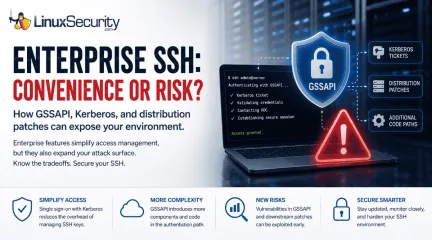
The Hidden Cost of Enterprise SSH Authentication
We often view OpenSSH security updates through the lens of standard patch management. When a new CVE hits, we scramble to update, check our versions, and return to business as usual. But recent vulnerabilities tied to distribution-added OpenSSH GSSAPI patches are a reminder that the danger doesn't always lie in the core code; it often resides in the "convenience" features we layer on top. . These recent issues shouldn't just trigger an apt upgrade or dnf update; they should trigger a configuration audit. As our infrastructure has grown more complex, we have enabled features like GSSAPI—designed to simplify enterprise management—that have quietly expanded our attack surface in ways that standard hardening guides rarely address. Why Enterprises Enable GSSAPI SSH keys work well until your environment starts growing. A handful of Linux servers is easy enough to manage, but hundreds or thousands are a different story. Keys need to be rotated, access needs to be revoked when employees leave, and every new system has to be brought into the process. That's where GSSAPI comes in. Organizations already using Kerberos can let users authenticate with their existing domain credentials instead of distributing and maintaining SSH keys on every server. For many enterprises, that's a practical decision rather than a security decision. The catch is that SSH is no longer handling a relatively simple login. It now has to work with Kerberos tickets and the software that supports them. Recent GSSAPI-related vulnerabilities are a reminder that every additional authentication feature adds more code that has to process data before a session is established. That doesn't mean GSSAPI is unsafe. It means features that make administration easier also deserve the same level of review as the rest of your SSH configuration. There's another detail that's easy to miss. Many Linux distributions ship OpenSSH with downstream patches to support enterprise environments. Those additions aren't part of the upstream OpenSSHcode maintained by the OpenBSD project, so administrators should pay attention to distribution-specific security advisories rather than assuming every OpenSSH issue affects every system the same way. Why "More Secure" Isn't "Less Risky" The core insight here is that complexity is the enemy of security. We implement GSSAPI to avoid the human-centric failure of weak passwords, but we trade that for the system-centric failure of a complex, high-privilege service boundary. If your environment doesn’t require SSO via Kerberos, you are paying a security tax for a convenience you aren't actually using. Even if you do require it, you need to treat the GSSAPI configuration with the same level of paranoia you apply to your authorized_keys files. The Audit: What Should You Be Looking For? If you are running an enterprise Linux fleet, the recent OpenSSH updates serve as a forcing function to look beyond the patch. Ask yourself the following: Is GSSAPI actually necessary? For most standalone servers or small, static clusters, the answer is usually no. If you aren't actively using Kerberos for SSH authentication, explicitly set GSSAPIAuthentication no in your sshd_config. Are your "Forwarding" features justified? Features like GSSAPIDelegateCredentials no, AllowAgentForwarding no, and AllowTcpForwarding no are often left enabled by default out of habit. These provide lateral movement pathways for attackers who compromise an initial jump host. Is your authentication boundary siloed? In a modern "Zero Trust" architecture, we aim to minimize the trust we place in the server itself. Are you relying on the server to validate complex Kerberos tokens, or are you moving toward ephemeral, centrally signed SSH certificates? The Takeaway The latest OpenSSH updates are not just another entry in your vulnerability management dashboard—they are a critique of our collective preference for "easy" enterprise configuration. When you see a GSSAPI-related vulnerability in a changelog,don't just patch. Re-evaluate. Every feature you enable in sshd_config is an intentional decision to expand the scope of what an attacker can target. Before you restart that service, ask yourself: Am I configuring this for security, or am I just configuring it for convenience? Want more Linux security news, vulnerability analysis, and software supply chain updates? Subscribe to the LinuxSecurity Newsletter and get the latest threats, advisories, and expert insights delivered directly to your inbox. Related Reading How to Harden SSH on Linux After Disabling Password Authentication How to Detect Unauthorized SSH Key Usage on Linux Systems . OpenSSH updates highlight the importance of thorough configuration audits over standard patching practices.. OpenSSH updates, enterprise SSH risk management, GSSAPI configuration issues. . MaK Ulac
Jul 06, 2026
•
Security Vulnerabilities

212
 incident responseLinux administrationauthentication
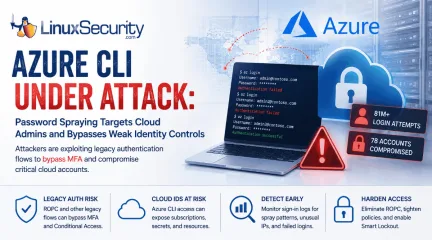
Azure CLI Password Spraying: Why Cloud Identity Is Now Linux Security
Over the span of just 14 days, threat actors unleashed more than 81 million login attempts against Microsoft’s Azure command-line interface (CLI). The campaign , which security researchers at Huntress identified as an ongoing, automated password-spraying effort, successfully compromised at least 78 Microsoft accounts across 64 organizations between June 12 and June 26, 2026. . While the scale is massive, the underlying strategy is surprisingly surgical. Attackers aren't exploiting a flaw in Azure. Instead, they're taking advantage of the way legacy authentication flows can interact with modern cloud identity controls when organizations haven't fully retired older authentication methods. This campaign demonstrates that for cloud administrators, the traditional "MFA everywhere" mantra is only as strong as the authentication flows that support it. For Linux administrators, the campaign is particularly relevant because Azure CLI is widely used from Linux workstations, jump hosts, automation servers, and CI/CD pipelines. As cloud administration increasingly shifts to command-line tooling, protecting those identities has become just as important as hardening the underlying operating system. Administrators Saw the Pattern First What makes this campaign especially notable is that operational teams appeared to notice the activity well before it became a formal threat report. In sysadmin discussions nearly two weeks earlier, administrators described seeing strange Azure CLI login attempts, persistent account lockouts, and confusion over why Conditional Access (CA) seemed to ignore the authentication traffic. None of those early reports identified the underlying authentication flow or attributed the activity to a coordinated campaign. They did, however, demonstrate an important reality of modern incident response: administrators often recognize abnormal authentication patterns long before researchers have enough data to characterize them. Reviewing authentication telemetry instead of dismissingrepeated login failures as background noise can provide valuable early warning that something larger is unfolding. Operational takeaway Large authentication spikes, unexplained account lockouts, and unusual sign-in patterns are often dismissed as background noise. This campaign shows they may instead be the earliest indicators of an emerging attack. What Happened in the Azure CLI Password Spray Campaign The attackers used IPv6 infrastructure controlled by the internet provider LSHIY LLC to run their spray. They weren't using sophisticated zero-days; they were testing massive lists of previously stolen credentials against cloud identities, a tactic documented in the Azure Threat Research Matrix as AZT202 . Unlike traditional brute-force attacks that repeatedly target a single account, password spraying tests a small number of commonly used passwords across many accounts to avoid triggering lockout thresholds. By specifically targeting the Azure CLI, the attackers leaned into a non-interactive authentication path. Because Azure CLI can be used through legacy authentication flows such as Resource Owner Password Credentials (ROPC), authentication may occur without the interactive browser prompt where modern MFA challenges are presented. Microsoft has long discouraged ROPC because it is incompatible with modern authentication. ROPC itself is not a vulnerability. The risk comes from continuing to support a legacy authentication flow while assuming modern identity protections apply consistently across every authentication path Why Azure CLI Is an Attractive Target Azure CLI is a fixture in the modern DevOps stack. It’s the primary interface for infrastructure-as-code (IaC) workflows, Linux administration workstations, jump hosts, and CI/CD pipelines. Administrative identities increasingly represent the control plane for modern infrastructure. Compromising one account can provide access to cloud resources that would have previously required multiple lateral movement stepsinside the network. A single compromised Azure CLI identity can provide keys to the kingdom—including direct control over cloud subscriptions, storage accounts, and secret stores—bypassing the need to pivot through your internal Linux environment. The ROPC Problem: When MFA Cannot Be Completed At the center of this attack is the Resource Owner Password Credentials (ROPC) grant . In a standard interactive flow, the user is redirected to a Microsoft login page, which triggers MFA. ROPC, by design, allows an application to handle the username and password directly. Because there is no interactive browser component, there is no place to present an MFA challenge or a number-matching prompt. If your application or script is configured to use ROPC, the authentication flow happens in the background, creating authentication paths that many organizations mistakenly assume are covered by their existing MFA policies, as Microsoft notes in its CLI documentation . Why Conditional Access Alone May Not Stop Credential Testing Conditional Access (CA) policies are powerful, but they are not universal if your deployment is partial. A typical failure in this campaign occurred when organizations enforced MFA only for specific "Web Portals" or "Admin Dashboards" while leaving the Azure CLI service principal or user-login surface exposed to ROPC-based authentication. If Conditional Access policies don't cover every relevant application and client type, authentication requests may not trigger the protections administrators expect. The result isn't that Conditional Access is broken, but that identity protections are applied inconsistently across different authentication paths. Organizations should verify that MFA and Conditional Access policies apply to all cloud applications and supported client types while eliminating legacy authentication flows such as ROPC wherever possible. What Linux and Cloud Administrators Should Check Now The priority is to eliminate non-interactive authentication paths whereverthey exist. Audit CLI Usage: Identify where az login is being triggered in your environments. If scripts are passing clear-text credentials or using ROPC-compatible flows, migrate them to Managed Identities or Certificate-based authentication. Eliminate ROPC: Actively disable legacy authentication and ROPC dependencies across your Entra ID tenant. Tighten CA Policies: Ensure your Conditional Access policies apply to "All Cloud Apps," "All Users," and "All Client App types." Avoid broad exclusions based on IP address or location. Enable Smart Lockout: While not a silver bullet against "low-and-slow" spraying, Microsoft Entra Smart Lockout provides an additional layer of protection by tracking and throttling failed attempts at the tenant level. How to Investigate Password Spraying in Microsoft Entra ID If you suspect your organization was targeted, conduct a targeted review of your sign-in logs using the steps outlined in the Microsoft Password Spray Incident Response Playbook : Filter by App: Search specifically for "Microsoft Azure CLI" in your sign-in logs. Examine Failure Trends: Look for spikes in failed authentications, especially from disparate or unusual IPv6 addresses. Check for Success-After-Failure: Look for a successful login for a specific user identity that immediately follows a string of failed attempts. Review Client App Types: Investigate "Other clients" in your sign-in logs, as these are often where ROPC and legacy protocol attempts hide. Final Thoughts This Azure CLI campaign isn't notable because the attackers guessed a password; it’s notable because it exploited a misalignment in modern identity architecture. The lesson extends well beyond Azure. As Linux administrators increasingly manage infrastructure through cloud APIs instead of local consoles, identity has become part of the operating environment itself. Protecting administrative credentials, eliminating legacy authentication, and continuously reviewingauthentication paths now belong alongside patching, hardening, and system monitoring as core Linux security practices. . Explore how recent Azure CLI attacks reveal weaknesses in cloud identity authentication and the importance for Linux admins.. Azure CLI, Cloud Security, Identity Protection, Linux Admin, Multi-Factor Authentication. . MaK Ulac
Jul 01, 2026
•
Cloud Security
210
 security advisoryremote accessimportant
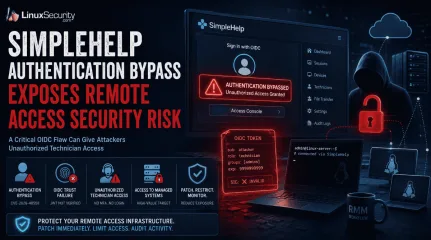
SimpleHelp Authentication Bypass Exposes Remote Access Security Risk
Remote support platforms sit close to the systems attackers want most: administrator workflows, technician accounts, and managed endpoints. That is why the SimpleHelp OIDC flaw is more serious than a routine authentication bypass vulnerability. For organizations running these platforms on Linux-based infrastructure, the risk is compounded by the ease with which these services are deployed and integrated into larger management stacks. . What Is SimpleHelp and Why Is It a High-Value Target? SimpleHelp is a remote support software platform used by IT teams, managed service providers, and internal support groups to access systems, assist users, transfer files, and manage endpoints from a central console. In many Linux-heavy environments, it becomes a core part of the daily administrative workflow. That level of trust changes the impact of a security issue. A vulnerability affecting a public-facing website might expose a single application. A flaw affecting SimpleHelp can expose the access layer administrators use to reach dozens, hundreds, or even thousands of managed devices. Operational Impact The platform also overlaps with functions commonly associated with remote monitoring and management (RMM) deployments: Persistent Visibility: Organizations use SimpleHelp RMM capabilities to maintain persistent visibility into Linux endpoints, provide unattended access, and deploy fixes across distributed environments. Trusted Bridges: Once a technician authenticates, the platform acts as a trusted bridge into systems that would otherwise remain isolated from external access. Administrative Foothold: A foothold inside a remote support system can expose technician sessions, privileged workflows, connected clients, and administrative functions already trusted throughout the environment. From an operational perspective, this makes remote support software an attractive target. An attacker does not necessarily need to compromise every Linux endpoint individually if they can gain access to themanagement platform responsible for those endpoints. What Is CVE-2026-48558? CVE-2026-48558 is an authentication bypass vulnerability affecting certain SimpleHelp deployments that use OpenID Connect (OIDC) authentication. The issue is tracked in the GitHub Advisory Database . The issue sits in the identity validation process rather than the traditional username-and-password flow. Under specific conditions, the application can accept identity information that should not be trusted, allowing an attacker to obtain technician access without successfully completing the authentication process administrators expect. How the OIDC Authentication Bypass Works The decision that matters happens when SimpleHelp receives an identity token and decides whether that token represents a legitimate user. Additional technical analysis and indicators of compromise have been published by Horizon3.ai researchers . OIDC Trust Depends on Token Verification: An OIDC token is not proof of identity by itself; it contains claims like usernames and group memberships. The Necessity of JWT Signature Verification: Before SimpleHelp can trust any of these claims, it must perform JWT signature verification and validate the supporting claims. The Failure Point: Without proper JWT signature verification, the entire authentication process becomes dependent on data the application should never have trusted. This is also where MFA bypass concerns enter the discussion. Many administrators assume their identity provider's MFA requirement protects downstream applications automatically. In reality, that protection depends on the application correctly validating the token it receives. If SimpleHelp accepts a forged token, the vulnerability can undermine the assurance administrators normally associate with MFA-protected OIDC logins. Why This SimpleHelp Flaw Is Serious A login bypass affecting a low-privilege application might expose a handful of records. A login bypass affecting remote support software isdifferent because the account behind the login often has visibility into systems, users, and administrative operations that already hold a trusted position inside the environment. Unauthorized Technician Access Can Become Endpoint Access In many Linux deployments, technicians use the platform to launch support sessions or perform administrative actions via command-line tools. An attacker who gains unauthorized technician access is not starting from scratch; the platform already contains trusted pathways into managed assets. Existing support workflows, endpoint inventories, technician permissions, and administrative functions—often managed via scripts and automation—may already be available through the same interface. This is why platforms associated with remote monitoring and management operations receive so much scrutiny during investigations. A compromise of the management layer can provide access to systems that were never directly exposed to the internet. Who Is Affected by CVE-2026-48558? Organizations should verify their deployment against the SimpleHelp vendor advisory . The highest-risk environments generally share a few characteristics: Vulnerable Versions: SimpleHelp versions identified as vulnerable by the vendor. OIDC Usage: Deployments configured to use OIDC authentication rather than local authentication alone. Public Accessibility: Internet-facing or broadly accessible SimpleHelp portals. High-Value Targets: Environments where technician accounts have access to large numbers of managed endpoints. RMM Workflows: Organizations using SimpleHelp RMM for remote administration or support operations. How Organizations Should Mitigate the SimpleHelp Vulnerability The first priority is to patch affected SimpleHelp systems and move to a fixed version as soon as possible. Because this involves an identity validation flaw, perimeter controls alone are insufficient. Limit Exposure: If the platform is running on a Linux server, restrict access to the loginportal and administrative interfaces through VPNs, local firewall rules (like nftables or iptables), or network segmentation. Audit Technician Accounts: Remove accounts that are no longer required and verify that administrative privileges are assigned only where necessary. In environments built around remote monitoring and management, old technician accounts often survive much longer than intended. Review OIDC Configuration: The vulnerability centers on identity trust. Verify your identity provider integrations, token validation settings, and signing key configuration. Prioritize Logging: Review authentication logs, technician account activity, and unexpected remote sessions. These artifacts may provide the first indication that the platform was used in ways administrators did not intend. Final Takeaway: Identity Trust Failures Can Expose Managed Infrastructure CVE-2026-48558 is more than an isolated authentication bypass vulnerability. It affects a trusted access path inside a platform used to reach systems across managed environments. When identity validation fails in that kind of system, the risk extends well beyond a single login event. Remote access security depends on more than successful authentication—it depends on ensuring every system in the chain correctly validates the identity information it receives before granting access to resources that sit close to the infrastructure administrators are trying to protect. Does your team have a specific incident response checklist for Linux-based remote management platforms, or would you like to explore how to audit your OIDC token validation settings further? Want more Linux security news, vulnerability analysis, and remote access security updates? Subscribe to the LinuxSecurity Newsletter and get the latest threats, advisories, and expert insights delivered directly to your inbox. Subscribe to the LinuxSecurity Newsletter Related Reading Securing Remote Access to Linux Servers: Best Practices for 2026 Mastering SSHfor Secure Linux Remote Server Management How Secure Is Linux? Open Source, User Privilege, and Defense Tactics Explained Does Linux Give Users a False Sense of Security? . SimpleHelp's OIDC vulnerability presents serious security risks due to improper authentication validation, affecting Linux environments.. authentication risk, remote access security, simplehelp exploit, identity validation, linux security update. . MaK Ulac
Jun 16, 2026
•
Security Vulnerabilities
209
 security advisoryimportantauthentication
Enhancing Login Security and User Experience for Authentication Safety
You have probably signed into a service and felt that mix of relief and irritation. Relief that your account is safe. Irritated that it took so many steps to get in. The line between secure and annoying can be thin, especially when users expect everything to work instantly. . If you add too many security layers, people may get frustrated. If you don’t add enough, you risk becoming the next headline for a breach. Did you know that nearly 60% of users abandon an app or site because of a poor login experience? That’s a huge loss for something so early in the journey. This article breaks down how you can keep your authentication strong without slowing people down. The Login Screen Sets the Tone The first time someone interacts with your product, they usually land on the login or sign-up page. That moment shapes how they view your entire brand. If the experience is smooth, it builds confidence. But moving fast is not enough. A quick login that skips key security steps can be risky. That is where so many companies miss the mark. A well-designed entry point shows that you care about both ease and safety. People are quick to judge based on how something feels, especially during the first few seconds. You may never get another chance to make that impression count. Choosing the Right Framework for Your Needs Your authentication setup plays a bigger role than just guarding the login screen. It affects how users sign in, how quickly your team can ship updates, and how well your system adapts as you grow. Popular tools like Auth0 and Clerk approach this differently. Auth0 gives more control for customized flows, while Clerk focuses on simplicity with ready-to-use components that speed up development. If you are deciding between them, a detailed comparison like Auth0 vs Clerk can help you see how each one handles flexibility, setup, and the overall user experience. You might also consider options like SuperTokens, which offer a good balance of control and ease of use. It supportssecure, customizable flows and is flexible enough for both small teams and complex products that need more than an out-of-the-box solution. Weak Sign-ins Are a Big Risk It is easy to assume that fewer steps mean a better user experience. But when it comes to security, shortcuts can backfire. Basic logins using only a password offer little protection anymore. Passwords are easy to guess, often reused, and many have already been exposed through data breaches . Your users may not know this, but they expect you to take care of it. That is why a smarter system is necessary. The real danger is not what users see but what happens behind the scenes. One weak access point can compromise entire networks . If your protection fails early, fixing it later will cost far more than a few seconds of extra login time. Make Authentication Smarter, Not Slower Adding layers to security doesn’t mean you have to slow everything down. What works better is an approach that pays attention to context. Is the user on a familiar device? Are they logging in from their usual location? Do their actions match past behavior? When something feels off, the system can step in and ask for a little more. But when everything checks out, there’s no reason to add extra steps. It’s about knowing when to stay quiet and when to speak up. Over time, smarter systems learn from how people interact. They adapt. They notice patterns. That means even as threats change, your platform stays one step ahead—quietly doing its job without getting in the user’s way. Do Not Sacrifice Thoughtfulness for Speed It is easy to think that faster is always better, especially with login screens. But speed without care can backfire . A good system knows when to step aside and when to step in. If someone is logging in the same way they always do, let it be quick. No one wants to jump through hoops when nothing’s changed. But if that same person logs in from a new phone in another state, a second look is worth it. This isn’tabout slowing people down. It is about knowing when to be careful and when to get out of the way. That’s how you stay both smart and user-friendly. Let Security Speak Through Simplicity People expect things to just work. A seamless login flow that blends into the background builds trust without demanding attention. It should feel effortless—familiar when it needs to be, invisible when it can be. When security does its job quietly, users feel safe without being slowed down. That kind of thoughtful execution sends a clear message: you respect their time and protect their data. A login that does its job quietly helps users feel like they are in the right place. It should not stand out. It should just work. When something feels that natural, it shows there was real care behind it. Strong systems are not always the ones you notice. Often, they are the ones you never have to worry about. That is the kind of experience worth aiming for. . Strengthening the harmony between protective measures and user convenience in authentication procedures for maximum safety and contentment.. login security, user experience, authentication design, password management. . MaK Ulac
Sep 10, 2025
•
Security Trends
215
 security advisoryimportantauthentication
GNOME 48.1 Advisory: Important 2FA & Keycloak SSO Integration
The GNOME Project recently rolled out GNOME 48.1 , the first maintenance update for the GNOME 48 “Bengaluru” desktop environment series. This update will soon be available in the stable software repositories of various popular GNU/Linux distributions. . The update focuses on strengthening security while improving reliability and functionality. For us Linux security administrators, GNOME 48.1 introduces changes that require a careful reevaluation of current workflows and practices, particularly with the adoption of mandatory two-factor authentication (2FA) and the migration of GitLab services to AWS-hosted infrastructure. In addition to fixing bugs and refining existing features, the updates in GNOME 48.1 carry significant implications for how teams manage authentication and access security. The integration of Keycloak-based single sign-on (SSO) coupled with enforced two-factor authentication (2FA) adds extra layers of protection, but also demands robust user education and configuration. In this article, we’ll explore these key updates and their impact on security management. Strengthening Security & Reducing Risks with Mandatory Two-Factor Authentication One of the key changes introduced with GNOME 48.1 is mandatory two-factor authentication (2FA) . This move mirrors industry trends that prioritize multi-factor authentication as a deterrent against credential theft and unauthorized access, making GNOME environments safer overall. However, for administrators responsible for overseeing GNOME in their environments, this move may pose additional security concerns. Mandatory Two-Factor Authentication (2FA) means that all users accessing GNOME accounts must now authenticate themselves using an additional verification factor, in addition to a password. While 2FA provides effective protection from phishing and brute-force attacks, users will also need an authenticator app capable of creating time-based one-time passwords (TOTP). Admins should anticipate an onboarding curve, as some usersmay be unfamiliar with authenticator apps like Google Authenticator or Authy. Organizations already implementing two-factor authentication (2FA) across other internal platforms will find this change fits seamlessly with their existing security protocols. However, for teams new to implementing multi-factor authentication, GNOME 48.1 acts as a catalyst to introduce best practices for multi-factor authentication . Admins should seize this opportunity to enforce 2FA across critical services to further enhance their security posture. The success of the transition depends heavily on user education, so providing training or reference materials about managing 2FA can reduce confusion and ensure compliance. GNOME Single Sign-On (SSO): Streamlining Access with Keycloak We Linux admins will especially benefit from GNOME's move toward Keycloak-based single sign-on (SSO) . GitLab services are migrating away from AWS-hosted infrastructure and account authentication is now handled via Keycloak for accessing GNOME accounts. Keycloak simplifies sign-in by centralizing authentication and eliminating the need for multiple credentials across GNOME-related services, creating a smoother user experience while strengthening identity verification measures. If your environment uses GitLab for code management or collaboration, users will now authenticate through GNOME SSO using an active GNOME account, with two-factor authentication (2FA) setup required. While Single Sign-on (SSO) provides significant efficiencies and security benefits, its introduction may initially slow workflows as users adapt. Administrators should take proactive measures to address potential points of confusion, such as users needing assistance with the Keycloak interface or errors encountered during initial login attempts. Open communication channels — be it internal IT helpdesks or GNOME Infrastructure Support Communities — will prove invaluable as we guide our teams through this transition period. Keycloak's Single Sign-On may seemcumbersome at first, but it is well worth adopting as an upgrade. Unified authentication systems decrease risk while offering greater control over account access. Once teams adapt to this system, they should find that day-to-day operations become simpler, while upholding the integrity of GNOME services through increased security. Implications of the GitLab Migration to AWS Infrastructure In addition to authentication updates, GNOME's GitLab platform has been migrated to AWS-hosted infrastructure as part of the 48.1 release. This transition aligns with GNOME’s strategic goals to enhance reliability and scalability while improving security. AWS hosting offers several advantages, including robust encryption standards, better protection against distributed denial-of-service (DDoS) attacks, and streamlined system backups. Transitioning to AWS-hosted GitLab and its integration with Keycloak-based SSO demands careful management, particularly when troubleshooting access credentials or setups. Teams familiar with the older system will need to adapt to the platform changes. It’s a good idea for admins to track common issues users face during the migration and provide clear documentation to address these challenges. If your organization relies heavily on GitLab for development operations, consider appointing a migration team to oversee the process and coordinate any necessary fixes. Security-wise, moving to AWS infrastructure enhances the protection of GNOME-related data. However, admins should remain attentive to AWS-specific security settings, ensuring encryption and access control remain properly configured. This migration provides a valuable opportunity to audit your existing security practices across other platforms, from data storage policies to firewall rules. Ultimately, the migration underscores GNOME’s commitment to delivering a secure and reliable experience to its user base—something admins can leverage to optimize their workflows. Our Final Thoughts: Evaluating the GNOME 48.1 Release GNOME 48.1 is more than just a maintenance update—it’s a clear push toward modernizing authentication practices and securing critical services. For us Linux security admins, this update represents both a challenge and an opportunity. By addressing mandatory 2FA, adopting Keycloak-based SSO, and managing the GitLab transition, we can ensure our organizations remain productive and secure during this transition. As with any major system update, adaptability is key. Teams equipped with knowledge , resources, and streamlined communication will navigate this process far more efficiently. The proactive measures admins take now—whether training users, troubleshooting issues, or auditing policies—will pay off in long-term stability across GNOME services. In the end, GNOME 48.1 reinforces the importance of foundational security practices, giving Linux admins an edge in battling the evolving nature of cyber threats. . Enhancing GNOME 48.1 security with mandatory 2FA and migrating to AWS for improved service reliability.. GNOME Security, Multi-Factor Authentication, AWS Migration. . Brittany Day
Apr 21, 2025
•
Desktop Security
209
 security practicessocial engineeringopen source
OpenSSF & OpenJS Warning: Social Engineering Risks Affecting OSS Security
As the backbone of much of the world's technological infrastructure, the open-source community prides itself on transparency, collaboration, and innovation . However, these strengths can also present vulnerabilities, as seen with the notorious XZ Utils backdoor. . Recently, social engineering attacks targeting open-source projects have emerged as a significant threat. The Open Source Security Foundation (OpenSSF) and OpenJS Foundation have issued alerts highlighting attempts to manipulate project maintainers into granting unauthorized access or introducing malicious code. These incidents underscore the need for heightened awareness and robust defenses among Linux admins, developers, and open-source project maintainers. Let's examine these recent warnings and actionable strategies you can implement to combat this concerning trend. Understanding The Nature of Social Engineering Attacks Social engineering attacks exploit the human element of security, relying on deceit and manipulation rather than technical exploits. Attackers typically pose as legitimate contributors or community members, using friendly and persuasive tactics to build trust over time. The ultimate goal is often to gain maintainer status or convince existing maintainers to accept harmful changes. This method can be particularly effective in open-source environments where collaboration and trust are foundational. Recognizing Suspicious Activity To combat these threats, we must be able to recognize the patterns of social engineering attacks. Persistent, friendly engagement from relatively unknown contributors aiming for high-level access should raise red flags. Additionally, endorsements from unfamiliar accounts or networks can signal coordinated deception efforts. Pay close attention to pull requests (PRs) containing obfuscated code or binaries that lack transparency. Such changes can be vehicles for introducing malicious payloads. Security admins must remain vigilant for deviations from standard build and deploymentpractices that could compromise security. If a contributor creates a false sense of urgency, pushing for expedited reviews or immediate changes, take a step back and scrutinize their motives. Strengthening Authentication and Access Controls Strong authentication methods are one of the best ways to safeguard against attacks. Two-factor or multifactor authentication (MFA) can add another layer of protection, making it much harder for attackers to gain unauthorized access. Password managers provide additional security and ensure passwords are strong, unique, and not reused across services. Administrators should store recovery codes safely offsite to regain control if their accounts become compromised. Ensuring Code Integrity The review and merging of code can be critical points of vulnerability. Enabling branch protections and insisting on signed commits can help maintain the integrity of a codebase. Code reviews are required from a second developer before merging, even for changes proposed by maintainers. This additional step can catch potentially harmful alterations before they’re integrated into the project. It’s also essential to enforce readability requirements for new code. Obfuscated code or binaries hidden within a pull request can introduce significant security risks. By ensuring all changes are human-readable, maintainers can better understand the logic and purpose behind each modification, making it easier to spot malicious intent. Periodic Reviews and Minimal Permissions Administrative practices also play a crucial role in defending against social engineering attacks. Regularly review the list of committers and maintainers to verify their ongoing involvement and legitimate status within a project. Removing inactive or unnecessary accounts can reduce the risk of hijacking dormant accounts. Limiting npm publish rights and other critical permissions to trusted individuals can further minimize risk. Ensuring that only a small, trusted group can make significant changesreduces the number of potential entry points for attackers. This principle of least privilege is a fundamental aspect of a security posture. Establishing and Following Security Policies A clear and comprehensive security policy is a cornerstone of protecting open-source projects. This policy should include protocols for coordinated disclosure, providing a transparent process for reporting and addressing vulnerabilities. By establishing these guidelines, maintainers can ensure that any discovered issues are handled systematically and securely. It's also imperative to align with industry standards for security best practices. Resources like the OpenSSF Guides provide valuable insights and frameworks to help maintainers enhance their security posture. Regularly updating and reviewing these policies ensures they remain relevant and effective in the face of evolving threats. Leveraging External Support No project is an island; the broader open-source community offers resources and support. Foundations like The Linux Foundation and OpenJS Foundation can provide valuable assistance and technical resources. These organizations can offer guidance and security reviews and help coordinate responses to security incidents. Alpha-Omega and Sovereign Tech Fund provide financial and technical support tailored explicitly toward strengthening the security of open-source projects. Participating projects gain access to funding and expertise by joining these programs, significantly boosting their defensive capacities. Fostering Vigilance To guard against social engineering attacks, open-source communities should create an atmosphere of vigilance. Communication channels must remain open between maintainers and contributors while encouraging transparency among contributors. Creating an atmosphere where maintainers and contributors feel comfortable reporting suspicious activities can help detect and mitigate threats early. Training and awareness programs also play a vital role in keepingprojects secure. Informing maintainers and contributors about social engineering attacks, their signature tactics, and how to recognize them can significantly bolster project defenses. Regular security training sessions consider these risks and prepare everyone involved if suspicious activities emerge. Our Final Thoughts on These Warnings Open-source communities' collaborative nature is their greatest strength and weakness, creating opportunities and risks. As social engineering attacks become more sophisticated, Linux security admins must take proactive measures to safeguard their projects against takeover attempts by recognizing suspicious activity, strengthening authentication and access controls , assuring code integrity, and enlisting external support to decrease takeover risk. Through vigilance, transparency, and community collaboration, the integrity and security of open-source projects can be maintained to ensure they continue to flourish and innovate over time. The joint alert from OpenSSF and OpenJS Foundation is an essential reminder that while the collaborative spirit of open-source projects is invaluable, their security must also be protected with robust measures and proactive approaches. By adopting these best practices, Linux security admins can ensure their projects remain safe from current and emerging digital threats. What measures are you taking to secure your open-source projects? Reach out to us @lnxsec and let us know! . Manipulation tactics target community-driven software; implement effective measures to strengthen defenses and resilience.. Open Source Security, Social Engineering Threats, Security Practices, Code Integrity, Community Collaboration. . Brittany Day
Jan 15, 2025
•
Security Trends
210
 security advisoryremote accessexploit
OpenSSH regreSSHion Bug: Urgent Actions Needed to Address Critical Threat
The infamous OpenSSH "regreSSHion" vulnerability, CVE-2024-6387, sent shockwaves through the Linux security community when it was discovered this past summer. This critical flaw threatens a core component of Linux system security: OpenSSH. . Used widely for remote login and other network services, any breach could have devastating repercussions: attackers could gain unwarranted access, elevate privileges, or execute malicious code that leads to data breaches, system disruptions, and loss of control over affected systems. With attackers now having access to PoC code to exploit this vulnerability directly, security admins must take immediate action against any attacks attempting to exploit this bug to harm their systems. I'll explain how this exploit works and its potential impacts and offer practical advice for securing your systems against this threat. Understanding the OpenSSH regreSSHion Bug The notorious "regreSSHion" vulnerability exploits weaknesses in OpenSSH's handling of SSH sessions, potentially allowing attackers to execute code remotely by manipulating specific session parameters during authentication or connection establishment. Attackers could gain unauthorized access and perform operations with elevated privileges by sending maliciously structured packets or exploiting buffer overflows in its protocol implementation. This vulnerability affects OpenSSH versions 8.5p1 through 9.8p1 on glibc-based Linux systems, as these contain flawed code that could allow attackers to gain unauthorized system access. As is always recommended with critical vulnerabilities, the best course of action to limit potential risks is updating to the most recent version, where any known issues have been rectified by applying security patches provided by OpenSSH maintainers. Immediate Mitigation Requires Patching & Updates For Linux security admins, the first and most essential step in securing against this bug is applying all patches and updates provided by OpenSSH maintainers. When criticalvulnerabilities such as CVE-2024-6387 emerge, the OpenSSH team responds quickly by issuing patches that remove exploitable security flaws. Quickly updating all systems running OpenSSH can close off potential openings used by attackers to gain entry and exploit any vulnerabilities present. Enhancing Authentication Practices Patches are only the first step toward strengthening authentication methods against "regreSSHion." SSH access is essential to administrative duties, so its security should remain tight. Strong passwords should always be used; however, moving beyond password-based methods into key-based methods provides an extra layer of protection. Public key authentication eliminates password entry and decreases the risk of brute-force attacks. Multi-factor authentication (MFA) can further strengthen security. With MFA in place, even if an attacker gains SSH credentials, they would still require additional forms of verification - like time-based one-time passwords (TOTPs). Implementing MFA can significantly decrease the risk of unauthorized access. Limit SSH Access Another effective protection measure is to limit SSH access as much as possible. SSH should only be accessible from trusted IP addresses. Setting firewall rules that permit connections from specific IP ranges or networks can reduce the attack surface significantly. After all, any PoC exploit used will not have any effect against systems that attackers cannot reach. Consider tools such as fail2ban for additional restrictions. This system analyzes authentication logs and blocks IP addresses that display any sign of suspicious activity, providing an extra safeguard against potential exploit attempts. Vigilant Monitoring and Network Analysis Staying aware and responding swiftly to potential intrusions is critical to maintaining system integrity and security. Implementing robust monitoring solutions capable of detecting suspicious activities and alerting administrators quickly is essential. Network traffic analysistools like Snort can aid in quickly recognizing patterns indicative of attacks for timely intervention. We strongly recommend establishing an Intrusion Detection or Intrusion Prevention System (IDS/IPS). These systems can monitor traffic and system logs and alert administrators of activities that deviate from the norm. Security teams can quickly detect potential exploits by monitoring network traffic on ports typically used by SSH clients. Regular Audits and User Activity Monitoring Conducting frequent software audits is another effective strategy for creating a secure environment. Unnecessary or outdated software can introduce vulnerabilities, providing potential attack vectors. Regular audits and frequent checks ensure that only essential and up-to-date software packages remain installed, decreasing the risk of exploitation. Monitoring user activity helps detect and combat suspicious actions, including login attempts from unfamiliar locations or unauthorized access to sensitive files that might indicate compromise. Implementing robust user activity monitoring enhances our ability to detect and respond to potential threats quickly. Staying Informed and Proactive Staying informed on the latest security threats is vital to effective defense. Reviewing LinuxSecurity advisories and subscribing to LinuxSecurity newsletters will keep you abreast of potential vulnerabilities, patches, or mitigation solutions as soon as they become known. Be prepared to act swiftly when new information is available! Our Final Thoughts on Mitigating This Notorious OpenSSH Flaw The "regreSSHion" (CVE-2024-6387) vulnerability must be treated as an immediate and critical threat, with newly available proof-of-concept code increasing risks to Linux systems. Urgent measures should be implemented immediately to counter this threat and secure all affected Linux devices. Applying patches, strengthening authentication mechanisms, restricting SSH access, and implementing stringent monitoring practices areessential to protect systems against potential exploits. Regular software audits, user activity monitoring, and staying abreast of emerging threats are foundational practices to ensuring adequate security in your Linux environment and providing protection from vulnerabilities like "regreSSHion." Taking such proactive steps can help safeguard our systems effectively against emerging risks like the "regreSSHion" flaw. Implementing these measures requires concerted effort and a commitment to avoiding new and known risks, but their benefits cannot be ignored. By prioritizing security and utilizing all available tools and best practices, we can protect our systems from this critical vulnerability and others that arise in the future. . Immediate updates and protective actions are essential for a significant OpenSSH vulnerability to protect Unix-like environments.. OpenSSH Security, regreSSHion Exploit, Remote Access Vulnerabilities, Linux Authentication Best Practices. . Brittany Day
Jan 08, 2025
•
Security Vulnerabilities

Get the latest News and Insights
Get the latest Linux and open source security news straight to your inbox.
Community Poll
Is continuous patching actually viable?
Search Topics
Powered By

Linux Security - Your source for Top Linux News, Advisories, HOWTOs and Feature Releases
QUICK LINKS
subscribe to newsletters!
Like staying secure? So do we.
Sign up for updates, tips, and alerts!