Explore top 10 tips to secure your open-source projects now. Read More
×



Server Security data privacy automation
data privacy automation Every system admin has lived through the same Monday morning ritual. A queue of forty tickets, half of them password resets, permission errors, or disk space warnings that any experienced technician could resolve in under two minutes. The other half require actual judgment. For years, automation promised that software would eventually sort the two apart on its own. That promise is now being tested in production Linux environments. . Early results are reshaping how IT teams think about tier-1...
 Jul 17, 2026

Privacydata collection automation
data collection automation You're running a web scraping project to collect pricing data from e-commerce sites. You set up a pool of datacenter proxies, launch your scripts, and within minutes — banned . CAPTCHAs everywhere. Your data pipeline stops before it really begins. . It's a frustrating scenario that plays out daily in ad verification, market research, and multi-account management. The website doesn't know you're doing legitimate research or monitoring. It just sees traffic coming from IP ranges it recognizes as...
Jul 17, 2026

Security Trends security advisory social engineering
security advisory social engineering Business Email Compromise used to be a numbers game — mass-blasted emails, broken English, an obvious "URGENT WIRE TRANSFER" subject line. That era is over. Generative AI has turned BEC into a tailored, low-noise operation that mimics writing style, voice, and even video presence. This piece looks at what's actually changed under the hood, what defenders are testing in response, and why so many organizations are still structurally unprepared for it. . The Infrastructure Problem Nobody Wants to...
Jul 17, 2026

Security Trends cybersecurity Linux documentation
cybersecurity Linux documentation Linux operating systems have gained prominence due to their stability, adaptability, and excellent security options. In the case of developing documentation, designing cybersecurity dashboards, or educational material, visuals are of vital importance when it comes to making things clear. The use of icons allows one to understand the message regarding alerts, authorization, encryption, authentication, or the state of the system just by looking at the visual cue without having to read long...
Jul 17, 2026

Security Vulnerabilities security advisory linux distribution
security advisory linux distribution ESET researchers identified 11 old and forgotten Linux UEFI shim bootloaders at versions 0.9 and below that can be used to bypass UEFI Secure Boot on any UEFI-based machine that trusts Microsoft’s Microsoft Corporation UEFI CA 2011 third-party certificate authority, regardless of the installed operating system (OS). Reported shims can be exploited to execute untrusted code during system boot, enabling attackers to deploy malicious UEFI bootkits even on systems with UEFI Secure Boot enabled.....
Jul 16, 2026
 Refine news
X Clear Filters
Get the latest News and Insights
Get the latest Linux and open source security news straight to your inbox.
Community Poll
Is continuous patching actually viable?
Loading...
Explore Latest Linux Security news
We found 267 articles for you...
210
 security advisoryRed Hatcritical
Mak’s Weekly Security Roundup: Linux Updates You Shouldn't Ignore This Week
Before the week gets away from you, take a look at what's landed across the Linux ecosystem. The volume of security advisories hasn't slowed, and while not every update demands an emergency maintenance window, several deserve to move to the top of your patch queue. This week's updates span the kernel, remote desktop infrastructure, VPNs, containers, browsers, and the utilities Linux systems quietly depend on every day. Individually, these look routine. Together they show how quickly attackers can take advantage of organizations that let routine patches pile up. . Why This Week Matters One thing stood out as I worked through this week's advisories: nearly every layer of a modern Linux deployment received security attention. The operating system, remote administration tools, browsers, VPN software, container platforms, and the utilities Linux systems quietly depend on all received meaningful security updates. None of these vulnerabilities dominate the headlines on their own, but together they reinforce an important lesson: small, delayed patches have a habit of becoming much bigger security problems. Kernel Updates: Priority Kernel maintenance remains the most critical—and often most postponed—task. Ubuntu and Red Hat published multiple advisories covering networking, filesystems, and drivers. With several fixes addressing privilege escalation and container-escape scenarios—including several affecting privilege escalation and container-related components —these updates are essential. If you only have one reboot window this week, use it for the kernel. Hardening Remote Access and Orchestration FreeRDP 3.29 : This release addresses 22 vulnerabilities while introducing significant runtime hardening. Given its prevalence in enterprise environments, this update is a priority. OpenShift: Red Hat released security updates for 4.20 , 4.21 , and 4.22 . As the control plane for your infrastructure, securing the orchestration layer is paramount. VPNs: OpenVPN addressed multiple issues, including proxy and metadata handling. As internet-facing gateways, these should be prioritized. Browsers and Foundational Plumbing Browsers remain high-value targets. Firefox and Thunderbird updates are vital, particularly for administrator workstations. Additionally, ensure you address updates to Python Pillow and cifs-utils to maintain the integrity of your environment's "plumbing." Patching Priority Category Recommended Priority Linux Kernel Critical (Highest priority) Internet-Facing Services (OpenVPN) High Remote Access & Orchestration (FreeRDP, OpenShift) High Foundational Utilities (Wget, Python, GnuTLS) Medium/Ongoing End-User Apps (Firefox, Thunderbird) Medium/Ongoing Linux security isn't just about responding to the latest critical CVE; it’s about consistently reducing the attack surface. Consistent, disciplined patching remains your most effective defense against the cumulative risk of the modern threat landscape. . This week's roundup highlights crucial Linux security updates for your systems, emphasizing the urgency of timely patching.. Linux updates, security advisories, patch management, system vulnerabilities, open source software. . MaK Ulac
 Jul 15, 2026
•
Jul 15, 2026
• Security Vulnerabilities
210
 security advisorycriticalauthentication
Critical Gitea Docker Authentication Bypass: An Open Door to Your Infrastructure
If you’re running Gitea in a container, stop what you’re doing and check your versioning right now. We’re looking at a critical vulnerability— CVE-2026-20896 —shipped directly in Gitea’s official Docker images. It’s a 9.8 CVSS-rated "open door" that lets any unauthenticated attacker stroll in and impersonate any user on your system, admin account included, without needing a password or a token. The reality? This isn't some complex, low-level kernel exploit. It’s a classic "secure-by-default" failure where one bad configuration template is quietly gutting your entire authentication model. . One Wildcard Default Broke the Trust Model Gitea has this reverse-proxy authentication feature built for enterprise setups where a front-end server—say, Nginx or Traefik —does the heavy lifting of verifying who you are. Once it knows you’re legit, it passes your username to Gitea via an X-WEBAUTH-USER header. It’s a standard, reliable pattern, provided you actually lock Gitea down to only accept that header from a proxy you trust. The security hole in the official Docker images is just one line in the app.ini template: REVERSE_PROXY_TRUSTED_PROXIES = * That wildcard tells Gitea: "I don't care where the request came from, I trust the identity header." By tossing out the safe default—which should’ve restricted trust to the local loopback interface ( 127.0.0.0/8 )—the Docker image leaves the door wide open. Any attacker who can hit your container’s HTTP port can just send a forged header and tell Gitea they’re the admin. No exploit chain, no credential theft, no memory corruption. Just one header, and they’re in. Why Git Platforms Are the New "Crown Jewels" It’s easy to think of a Git server as just a place to store code, but that’s a dangerous simplification. In today’s DevSecOps workflows, Gitea is the nervous system of your entire operation. Administrator access gives an attacker: The Full Repository Set: Public, private, and internalcode. Persistent Secrets: API keys, database credentials, and deploy tokens that developers accidentally committed and never scrubbed. Pipeline Control: The ability to alter CI/CD configurations to inject malicious code into your production builds before they’re even signed. Infrastructure Keys: SSH deploy keys and webhooks that connect your Git server directly to your live production systems. When an attacker gains admin access, they aren't just reading your repo—they’re using your own automation to move laterally into your CI/CD security stack. Which Gitea Deployments Are at Risk? The risk is concentrated in official Docker images through version 1.26.2 . If you are running these versions and have ENABLE_REVERSE_PROXY_AUTHENTICATION = true set, you are potentially exposed. If your container is reachable from the public internet—or even from an untrusted segment of your internal network—you are a high-priority target. Attackers are already using automated scanners to hunt for these ports. Take a minute to audit your Linux firewall rules; the only thing that should be talking to your Gitea container is your internal proxy. Staying Secure: Practical Defensive Steps Patching is the baseline here, but don't stop there. You need to verify your actual deployment state: Upgrade Immediately: Move to version 1.26.4 as soon as possible. Kill the Wildcard: Never leave REVERSE_PROXY_TRUSTED_PROXIES set to * in production. Hardcode the specific IP address of your authorized reverse proxy. Audit Container Exposure: Use Docker security best practices to ensure your management ports aren't just wide open to the world. Verify Your Network: If you’re managing Gitea in a larger environment, audit your Linux container security to ensure the service is isolated at the host level. The Bottom Line The Gitea Docker Authentication Bypass isn't exploiting a flaw in the Gitea source code; it’s exploiting the assumption that"default" settings are safe for production. The 13-day gap between public disclosure and the first in-the-wild scanning attempts from ProtonVPN exit nodes is a stark reminder of the speed at which today's attackers move. For those of us managing self-hosted infrastructure, this is a wake-up call. Verifying the configuration of your container templates is just as vital as keeping your kernel up to date. Before the next CVE hits, take the time to look under the hood—because if you haven't checked that wildcard, you’re currently hosting a free-for-all. As you tighten your Gitea deployment, how do you balance the need for ease-of-use in your internal configuration templates against the security risk of "convenient" defaults? . A critical Gitea Docker vulnerability could enable unauthenticated users to impersonate anyone without a password.. Gitea Vulnerability, Docker Security, Authentication Bypass. . MaK Ulac
Jul 13, 2026
•
Security Vulnerabilities

210
 security advisorycriticalUbuntu
Mak's Security Roundup: Prioritizing This Week's Critical Updates
Before you close out the week, check what still needs to be patched. . The list is not small. Ubuntu and Red Hat pushed kernel updates. OpenVPN and OpenShift both received security fixes. Several everyday Linux components were patched too, including Vim, nginx, cifs-utils, LibVNCServer, nghttp2, and Perl. That is the kind of week administrators can easily write off as routine. It should not be. These are the updates that keep small openings from turning into real access. Why This Week Looks Different One notable trend this week is the sheer volume of vendor advisories rather than a single dominant vulnerability. Ubuntu and Red Hat released updates across kernels, enterprise platforms, VPN software, and commonly deployed utilities. That pattern reflects today's Linux security landscape, where reducing risk often depends more on maintaining patch discipline than responding to one high-profile event. Linux Kernel Security Updates Kernel updates are easy to postpone because they usually mean a reboot. That's exactly why they keep showing up on patch backlogs. This week's updates include fixes for privilege escalation and container-related issues . Those aren't the vulnerabilities I'd be comfortable leaving unpatched for long. If someone already has a foothold on a server, the kernel is often where they try to go next. The less time those flaws sit in production, the better. Strengthening the Perimeter: OpenVPN The OpenVPN 2.7.5 update addresses seven security vulnerabilities, including issues with DNS handling, TLS-Crypt-v2 implementation, and proxy behavior. As the "front door" of the modern distributed enterprise, VPN gateways are inherently exposed and must be prioritized. Because VPN gateways are internet-facing, administrators should prioritize these updates to reduce the risk of unauthorized access, denial-of-service conditions, or other attacks addressed by the released fixes. Patching ensures that your remote access infrastructure remains a secure gateway ratherthan an entry point for unauthorized actors. Orchestration Integrity: OpenShift Red Hat OpenShift 4.19.36 and OpenShift 4.15.66 include security updates for the platform’s container infrastructure. As organizations shift toward microservices, OpenShift has become the operating system of the data center. Because OpenShift manages workloads across the cluster, a compromise of the orchestration layer can have broad security implications. Keeping OpenShift current helps reduce the risk of attackers exploiting vulnerabilities that could expose administrative components, workloads, or sensitive configuration data. Reducing that exposure also limits their ability to gain broader visibility or control over the production environment. Maintaining the Ubiquitous "Plumbing" Beyond the headline infrastructure components, several widely deployed utilities—including Vim , nginx , cifs-utils , LibVNCServer , nghttp2 , and Perl —received security attention this week. These utilities are the "plumbing" of Linux, used in almost every deployment and serving as dependencies for larger applications. Widely deployed utilities often become part of larger attack chains because they are present on so many systems. Delaying these seemingly minor updates can leave commonly deployed software exposed, creating opportunities for attackers to incorporate them into larger attack chains after gaining an initial foothold. Supply Chain Vigilance via Hardened Images Red Hat continues to ship updates for Hardened Images , including AI Base Images and container images. This reflects the industry shift toward "secure-by-design" infrastructure. Relying on stale base images is a common way organizations introduce known vulnerabilities into production. While automated scanners can quickly identify these vulnerabilities, your environment remains at risk until the underlying images are updated to a hardened baseline. The New Security Reality This week’s activity provides a vital snapshot ofthe current threat landscape, highlighting several key takeaways for security and infrastructure teams: Adopt a "Time-to-Exploit" Mindset: For internet-facing software, the window between public disclosure and exploitation is increasingly measured in hours or days, making timely patching more important than ever. Move Beyond Silos: You cannot secure your environment by patching in isolation. You must treat kernels, containers, and VPNs as a single, interdependent surface. Prioritize Ruthlessly: If your team is overwhelmed, follow this hierarchy: 1. Internet-facing services: (VPN gateways, web servers). 2. Kernel and privilege escalation fixes: (Reducing the risk of host compromise and container escape). 3. Ubiquitous utilities: (Vim, Perl, etc., to block lateral movement). What Matters Most This Week If this week's updates have one thing in common, it's that none of them can really be ignored. Kernel patches, VPN software, container platforms, and the tools that quietly support Linux systems all received security fixes. That's becoming a pretty normal week for Linux administrators. Nobody has an unlimited maintenance window. If you have to make choices, start with the systems that are easiest for an attacker to reach. Kernel updates shouldn't sit in the queue for long either, especially when they address privilege escalation or container-related issues. After that, work through the remaining utilities before they become next month's backlog. How is your team handling the growing volume of Linux security updates without falling behind on day-to-day operations? . Stay updated on critical patches for Linux systems from Ubuntu and Red Hat, vital to protect against threats.. Linux Kernel Security, OpenVPN Security Updates, Red Hat Patches, Ubuntu Updates, OpenShift Security. . MaK Ulac
Jul 03, 2026
•
Security Vulnerabilities
210
 security advisorycriticalremote code execution
FFmpeg PixelSmash Vulnerability Exposes Linux Media Servers to Remote Code Execution Risk
A newly disclosed FFmpeg vulnerability, known as PixelSmash ( CVE-2026-8461 ), affects the MagicYUV decoder and can be triggered by specially crafted video files. . Researchers demonstrated remote code execution against Jellyfin under specific conditions and found multiple Linux applications that could be exposed through normal media processing workflows. Even where code execution is not practical, the vulnerability can still be used to crash affected applications. What Is FFmpeg? FFmpeg is one of the most widely deployed multimedia frameworks in the Linux ecosystem. It handles: Video decoding, encoding, and transcoding. Streaming and format conversion. Thumbnail generation and metadata extraction. Most users never interact with it directly. Applications call FFmpeg behind the scenes whenever media needs to be processed. That dependency chain becomes surprisingly large once administrators start looking for it: Media servers such as Jellyfin rely on FFmpeg for library scanning and transcoding. Photo management platforms use it to generate previews. Content management systems use it to inspect uploaded media. Desktop environments invoke it during thumbnail generation. Video production tools, streaming software, and automation workflows include FFmpeg in the processing path. The result is a shared component that exists across servers, workstations, containers, NAS appliances, and self-hosted platforms. A flaw inside FFmpeg often reaches much further than administrators initially expect. What Is PixelSmash? PixelSmash is the name given to CVE-2026-8461 , a heap out-of-bounds write vulnerability located in FFmpeg's MagicYUV decoder. MagicYUV is a lossless video codec designed for high-performance video processing. Researchers at JFrog discovered that specially crafted AVI, MKV, or MOV files can trigger memory corruption while the decoder processes video frame data. The vulnerability received a CVSS score of 8.8 and affects applications that relyon FFmpeg's vulnerable decoder implementation. The issue occurs because memory is allocated using one set of frame calculations while portions of the decoder later write data using different calculations. Under the right conditions, those writes extend beyond the intended heap boundary. Memory corruption follows. How the Vulnerability Works PixelSmash is a heap out-of-bounds write vulnerability in FFmpeg's MagicYUV decoder. A specially crafted video can cause the decoder to write beyond allocated memory, leading to application crashes or, under specific conditions, arbitrary code execution. How to Check If You're Affected ffmpeg -version ffprobe -version Debian/Ubuntu: dpkg -l | grep ffmpeg RHEL/CentOS/Rocky/Alma: rpm -qa | grep ffmpeg Arch Linux: pacman -Qs ffmpeg Containerized deployments: docker exec ffmpeg -version Why PixelSmash Changes the Linux Threat Model Most malicious file attacks depend on user interaction. Someone downloads a file, opens it, and triggers the exploit. PixelSmash breaks that pattern in common Linux deployments. Media servers such as Jellyfin monitor directories and immediately process new files using ffprobe. Desktop environments like GNOME and KDE generate thumbnails as soon as a directory is opened. Platforms such as Nextcloud and PhotoPrism automatically extract metadata and create previews for uploaded content. None of these workflows requires a user to play the video. The vulnerable decoder runs as part of routine system behavior. That matters because Linux environments often centralize media processing. A single server may ingest files from torrents, shared network mounts, automated download pipelines, or user uploads. Each of those paths feeds directly into background processing jobs that trust FFmpeg to handle untrusted input safely. PixelSmash turns those trusted workflows into an attack surface. A crafted video file does not need to trick a user. It only needs to reach a location where Linuxservices expect media to exist. Media Library Scanning Creates an Attack Surface Self-hosted media servers represent a clear example. Jellyfin continuously scans media libraries for new content. When a new video arrives, FFmpeg utilities such as ffprobe are often invoked automatically to extract metadata and catalog the file. The user does not need to click anything. The service sees a new file, starts processing, and executes the vulnerable code path as part of routine library management. Researchers demonstrated this behavior against Jellyfin by placing a crafted MagicYUV video into a monitored media directory. During the normal scan process, the malformed file triggered the overflow condition. For administrators running large media libraries, NAS appliances, or automated content ingestion pipelines, this is the scenario that deserves attention. Thumbnail Generation May Trigger Processing Automatically Desktop Linux systems introduce another exposure path. GNOME, KDE, and XFCE commonly generate previews and thumbnails when users browse directories. The goal is convenience, but behind that convenience sits media processing logic. A file manager opening a directory may trigger FFmpeg operations without the user ever launching a media player. Administrators investigating workstation exposure should consider thumbnail generation workflows when evaluating affected systems. The vulnerable file may be processed simply because someone browsed a folder. Automated Download Workflows Increase Risk Media automation environments often combine multiple services: Torrent clients download content. Scripts move files into library directories. Media servers scan new arrivals. Metadata services perform indexing. Preview generators create thumbnails. Transcoding services prepare content for playback. Each step expands the opportunities for FFmpeg to encounter untrusted input. JFrog researchers highlighted a scenario involving malicious torrent content entering a Jellyfin libraryautomatically. Once the file appears in a monitored directory, normal media processing begins, and the vulnerable decoder executes without user involvement. Administrators frequently focus on exposed web services, but media pipelines deserve similar scrutiny. Remote Code Execution Against Jellyfin The most significant finding from the research involved successful remote code execution against Jellyfin. Researchers demonstrated a chain in which a crafted MagicYUV AVI file entered a Jellyfin media library and triggered FFmpeg processing during metadata extraction. The overflow corrupted memory structures and ultimately redirected execution flow, allowing arbitrary commands to execute under the Jellyfin service account. That detail matters. The result was not root access, but the process executed with the privileges assigned to the Jellyfin service. Even so, service account access provides a foothold into the broader environment. Stored credentials, network shares, API tokens, configuration files, and weak sudo rules can all become relevant after initial compromise. Attackers rarely stop at the first process they reach. Why ASLR Still Matters The research does not suggest that PixelSmash reliably bypasses modern Linux memory protections on its own. Address Space Layout Randomization (ASLR) remains an important defensive barrier. The demonstrated remote code execution scenario required ASLR to be disabled. Researchers noted that CVE-2026-8461 by itself does not defeat that protection. This distinction is important because vulnerability headlines often compress technical limitations into a single phrase such as "RCE vulnerability." The overflow exists and the memory corruption is real, but exploitation becomes substantially more difficult when modern memory protections remain active and properly configured. Which Linux Applications May Be Affected? Jellyfin received much of the attention because researchers successfully demonstrated code execution against it, but the concern extends further.Applications that rely on FFmpeg and expose the MagicYUV decoder may be affected if they process attacker-controlled media files: Jellyfin Nextcloud configurations that generate video previews PhotoPrism Kodi OBS Studio Desktop thumbnail generation frameworks The exact level of exposure depends on implementation details. Decoder configuration, build options, security hardening, and application behavior all influence risk. Plex provides an interesting contrast: researchers found that Plex uses a more restrictive FFmpeg configuration with decoder limitations that reduce exposure to this specific attack path. Same dependency, different attack surface. What Defenders Should Do The immediate priority is identifying systems that process untrusted video content. Media servers deserve attention first, followed by content management platforms, photo management systems, preview generators, and automated upload workflows. Administrators should: Verify installed FFmpeg versions and apply available patches. Confirm containerized applications are not using outdated bundled FFmpeg builds. Review media libraries that automatically ingest content from torrents, uploads, shared folders, or external sources. Ensure services such as Jellyfin run with minimal privileges and do not have unnecessary access to sensitive files or network shares. Monitor vendor advisories for FFmpeg and dependent applications. PixelSmash is a reminder that some of the most important Linux attack surfaces are not internet-facing services but the background processes that automatically handle untrusted content. A media library scan or thumbnail generation task may seem routine, yet both can expose systems to vulnerabilities hidden deep within widely used dependencies. Want more Linux security news, vulnerability analysis, and software supply chain updates? Subscribe to the LinuxSecurity Newsletter and get the latest threats, advisories, and expert insights delivered directly to your inbox. Related Reading Debian FFmpeg Advisory (CVE-2026-8461/PixelSmash) Linux Server Hardening Guide (SSH & Backup Strategies) Linux Server Practical Hardening Guide . Researchers demonstrated remote code execution against Jellyfin under specific conditions and found . newly, disclosed, ffmpeg, vulnerability, known, pixelsmash, (cve-2026-8461), affects, magicyuv. . MaK Ulac
Jun 23, 2026
•
Security Vulnerabilities
210
 security advisorycriticalremote code execution
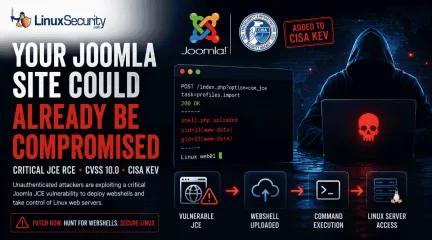
Critical Joomla JCE RCE Added to CISA KEV as Attacks Target Linux Web Servers
The Joomla Content Editor (JCE), one of the most widely deployed editor extensions for Joomla websites, is currently under active attack due to a critical vulnerability. . The issue, tracked as CVE-2026-48907 , affects JCE versions earlier than 2.9.99.5 and carries a CVSS score of 10.0. Because JCE is installed on a large number of public-facing Joomla sites, the vulnerability has quickly become a high-priority target for attackers and automated scanning campaigns. CISA has added the flaw to its Known Exploited Vulnerabilities (KEV) catalog , indicating active exploitation in the wild. The root cause is a broken access control issue in JCE's profile import function. Attackers do not need valid credentials to exploit it. By sending crafted requests to the import endpoint, they can bypass security checks, create a new editor profile, upload malicious PHP files, and execute them remotely. In practice, this allows an attacker to deploy a web shell and gain full remote code execution on a vulnerable server. Who Is Affected? JCE versions earlier than 2.9.99.5 are exposed. Patched: Get to 2.9.99.5, with 2.9.99.6 adding additional hardening. Legacy: The vendor pushed free patches for older sites. This Joomla Content Editor vulnerability affects websites running vulnerable JCE releases and should be treated as an emergency patching priority. Why You Should Care You’re not just patching a plugin; you’re defending the underlying OS. Joomla is the guest, but Linux is the host. When an attacker exploits this RCE, they aren't just messing with your CMS; they’re executing code as the web server user—the same user that owns your PHP files, your config files, and often your database credentials. If your permissions aren't tight, you aren't just looking at a defaced site. You're looking at a pivot point in your infrastructure. Attackers use these shells to sniff for adjacent apps, lateral movement, or root escalation. For a Linux admin, a "CMS vulnerability" is just the frontdoor being kicked in. The Webshell Reality A successful exploit often results in a Joomla webshell being deployed inside a writable directory. Webshells are a classic post-exploitation tool used on web servers. Once they’re sitting in your /images/ or /tmp/ directory, the attacker has a permanent backdoor. They can run commands, move files, and open new accounts long after you’ve updated the plugin. You don't "patch" a webshell out of existence; you have to hunt it. Why KEV Inclusion Changes the Priority The addition of this CISA KEV Joomla vulnerability to the catalog isn't a suggestion. It means CISA has proof of real-world exploitation. For a Linux admin, this shifts the task from "run a plugin update" to "incident response." Assume the server is already burned. You update the software, but you also check the box for a pulse. Remediation Path Identify: Check your current JCE release. Patch: Apply the latest secure version and install the latest Joomla security update provided by the JCE team. Audit: The patch stops the next attempt. It does nothing for the shell currently on your disk. You need to verify the file integrity. Harden: Lock down the file system. Block PHP execution in directories that don't need it. Use a WAF to stop the com_jce POST requests before they hit your code. Hunting for CVE-2026-48907 Indicators You have to look for the footprints. Parse the logs, audit the disk. Apache/Nginx Logs The exploit targets the profile import task. Search your logs for this specific path: grep "option=com_jce" /var/log/apache2/access.log | grep "task=profiles.import" Look for POST requests. Anything that isn't a legitimate admin session or comes from a suspicious IP is a lead. A 200 status code means they likely got in. Filesystem Audit Attackers love hiding in writable directories. Run this to catch recent changes: find /var/www/html -name "*.php" -mtime -3 If you find a new file, grep it for the usual suspects: grep -rnE"(eval|base64_decode|system|shell_exec)" /var/www/html/path/to/uploads Administrator Accounts Check for new accounts in the database. SELECT name, username, email, registerDate FROM jos_users ORDER BY registerDate DESC; If you see an admin account you don't recognize, you’re compromised. Kill it and start the forensics. Persistence and Beacons If the attacker got a shell, they might have set up a cron job or a persistent beacon. Cron: for user in $(cut -f1 -d: /etc/passwd); do crontab -u $user -l; done Network: Look for outbound connections from the web server process: ss -tp | grep -E "php|apache|nginx" Log-Parsing Strategy For high-traffic servers, summarize the noise: awk '/option=com_jce/ && /task=profiles.import/ {print $1}' /var/log/apache2/access.log | sort | uniq -c | sort -nr If one IP shows up dozens of times hitting that import task, they were scanning you. If they were successful, they’re still there. Want more Linux security news, vulnerability analysis, and software supply chain updates? Subscribe to the LinuxSecurity Newsletter and get the latest threats, advisories, and expert insights delivered directly to your inbox. Related Reading Joomla: 5.0.3/4.4.3 Moderate: RCE Risk from Critical XSS Bug Linux Security Uncovered: Open Source, User Privilege, and Defense Tactics TARmageddon: Archive Extraction Risk in Rust async-tar on Linux . Joomla JCE faces critical RCE issues as attackers target Linux servers. Patch immediately to prevent exploitation.. joomla security, remote code execution, linux vulnerabilities, patch management, web server security. . MaK Ulac
Jun 17, 2026
•
Security Vulnerabilities
74
 security advisorycriticalCisco
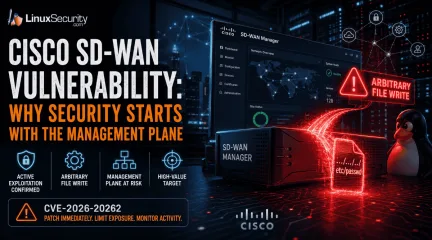
Cisco SD-WAN Vulnerability: Why Security Starts With the Management Plane
For those of us who live and breathe Linux and open-source infrastructure, the "management plane" is usually just a collection of familiar tools—SSH, APIs, and centralized orchestration. But in the world of proprietary enterprise networking, the management plane is often a black box. Cisco’s latest SD-WAN issue serves as a stark reminder that even when these proprietary systems rely on Linux components under the hood, their centralized nature makes them the ultimate high-value target. . Attackers don't need to break into every branch router when they can reach the "brain" that manages them. Cisco’s latest issue shows why SD-WAN security must start with the management plane, not just the edge device. Cisco SD-WAN Security at a Glance Metric Details Affected Product Cisco Catalyst SD-WAN Manager Vulnerability CVE-2026-20262 Type Arbitrary File Write (API Path Traversal) Risk Privilege escalation to root Status Active exploitation confirmed Recommended Action Audit exposure and patch immediately What Cisco Warned About in CVE-2026-20262 Cisco recently disclosed CVE-2026-20262 in a Cisco security advisory affecting Catalyst SD-WAN Manager. The vulnerability allows an authenticated user with write privileges to create or overwrite files through a vulnerable API. Cisco confirmed that successful exploitation can result in privilege escalation to root. This is a familiar scenario for Linux administrators: a file-handling flaw that allows an attacker to escape intended boundaries. In a standard Linux environment, we’d secure this with file system permissions, SELinux policies, or containerization. However, because SD-WAN Manager is a proprietary controller that sits at the center of your network fabric, the impact is magnified. It pushes policies, manages certificates, and provisions devices—it effectivelyacts as the root of trust for your entire WAN. Why Active Exploitation Matters Cisco confirmed active exploitation of this issue. This immediately moves the Cisco vulnerability out of the routine patch category. For those of us used to the rapid, transparent patching cycles of open-source projects, this is a call to action. Why Cisco SD-WAN Controllers Matter We build SD-WAN environments because manually managing individual Linux boxes at every branch is unsustainable. The controller centralizes that work. But centralization is a double-edged sword: Cisco SD-WAN security depends entirely on the integrity of this controller. The Linux Connection: These controllers often use vendor-hardened software stacks, and privileged access is restricted by the vendor rather than by the community. Centralized Authority: Catalyst SD-WAN Manager controls configuration, policy distribution, and device onboarding. The Operational Risk: Because the controller already knows your entire network topology, a compromise here is significantly more dangerous than a compromise of a standalone branch router. It is a fundamental part of your sd wan security checklist. Technical Breakdown: The File Write Vulnerability Cisco describes this as an arbitrary file write condition involving a vulnerable API and improper file handling logic. For anyone who has debugged an insecure Python or Go API, this is a classic path traversal vulnerability . How Path Traversal Changes the Risk While upload validation should keep user-controlled content inside expected directories, a path traversal vulnerability breaks that boundary. The Primitive: An attacker with write access can influence where the system places a file. Breaking Boundaries: Instead of staying in a controlled upload area, files can reach sensitive system paths—like /etc/ or service configuration directories. Management Implications: Because the platform runs critical services, a file written to the wrong location can change systembehavior after a restart, upgrade, or maintenance task. When these proprietary controls fail, sd wan security issues shift from simple application bugs into total control plane failures. FAQ: SD-WAN Security Concerns Is this a Cisco zero-day vulnerability? It is a critical flaw with active exploitation reported. Regardless of the label, the operational impact on management plane security remains the same. What are the primary sd wan security requirements? Beyond patching, you must restrict administrative access, remove unnecessary internet exposure, and monitor API activity. These are not just sd wan security best practices—they are the standard hardening steps we use in any Linux-based environment. Does this affect all Cisco products? No. This specifically affects the Catalyst SD-WAN Manage r. Always verify your specific version against the official Cisco security advisory before starting your maintenance window. Mitigation: Protecting the Management Plane The first priority is to patch. However, because this is an identity-dependent flaw, you must also address your sd wan security features and exposure. 1. Reduce Internet Exposure Management interfaces should never be broadly reachable. Restrict Access: Use VPNs, jump hosts, or dedicated management segments (like a hardened Linux gateway) to access the SD-WAN Manager. Firewalling: Ensure that general user networks cannot reach the administrative interface. 2. Audit Administrative Access SD-WAN security concerns often stem from overprivileged accounts. Review Privileges: Ensure only necessary users have write or netadmin-level privileges. Monitor Activity: Check logs for unexpected API activity, unauthorized file operations, or logins from unusual locations. 3. Maintain Vigilance For those tracking Cisco vulnerability news or Cisco security advisory news, the lesson is clear: management interfaces concentrate trust. If the management plane is exposed, the distinction betweenan authenticated user and a remote attacker becomes negligible. Final Takeaway This Cisco vulnerability matters because of where it lands. An arbitrary file write on a standalone system is a problem; an arbitrary file write on the platform managing your entire SD-WAN policy, certificates, and devices is a crisis. SD-WAN security and sd wan security both come back to management plane integrity. Patch the flaw, but do not stop there. Treat your controller like the critical, privileged infrastructure it is. Understanding Cisco SD-WAN Architecture This video provides a solid overview of the vManage management plane and how it sits at the heart of the SD-WAN architecture, which is critical for understanding the scope of this vulnerability. Want more Linux security analysis, vulnerability coverage, and threat intelligence? Subscribe to the LinuxSecurity Newsletter for the latest advisories, exploitation trends, and practical security guidance delivered straight to your inbox. Related Reading Securing Remote Access to Linux Servers: Best Practices for 2026 Mastering SSH for Secure Linux Remote Server Management How Secure Is Linux? Open Source, User Privilege, and Defense Tactics Explained Port Scanning Explained: Tools, Techniques, and Best Open-Source Port Scanners for Linux Exploring Linux Security Modules: SELinux vs AppArmor vs TOMOYO . Active exploitation in Cisco Catalyst SD-WAN Manager demands immediate action to mitigate the critical security risk.. Cisco SD-WAN vulnerability, management plane integrity, privilege escalation, arbitrary file write. . MaK Ulac
Jun 16, 2026
•
Network Security
210
 security advisorycriticalpath traversal
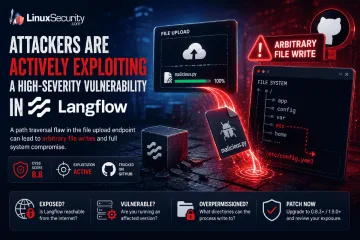
Langflow 1.9.0 Advisory CVE-2026-5027 High File Write Threat
Attackers are actively exploiting a high-severity vulnerability in Langflow , an open-source platform used to build and run AI workflows. . The flaw turns a file upload into a filesystem write, allowing a user-controlled file to escape the application's intended upload directory and land in locations Langflow was never supposed to touch. The vulnerable upload endpoint permits path traversal through crafted filenames. From there, the impact depends heavily on how the platform is deployed. A Langflow process running with broad filesystem permissions may be able to overwrite existing files, alter application behavior, modify configuration data, or create persistence opportunities. The upload itself is only the entry point. The real concern is what the process can access after the file is written. For administrators responsible for self-hosted Langflow deployments, the focus should be on exposure and permissions. Is the instance reachable from the internet? Is a vulnerable version still running? What directories can the Langflow process write to? Those questions determine whether this remains a file upload issue or becomes a much broader compromise of the application and the underlying Linux host. What Is Langflow? Langflow is an open-source platform for building AI applications through visual workflows. Users can connect models, data sources, prompts, APIs, and external tools without building every component from scratch. The platform is increasingly showing up on Linux infrastructure because it solves a practical problem. Teams want to deploy AI-powered applications quickly while keeping control over the underlying environment. Common use cases include: AI agents RAG pipelines Workflow automation MCP integrations Internal AI development platforms Most organizations deploy Langflow themselves. Linux servers, cloud VMs, Docker containers, and Kubernetes clusters are all common targets. That changes how administrators should look at it. A Langflow instance is not justanother development tool sitting on a workstation. It often has access to storage, API keys, databases, model providers, internal services, and business data. It accepts user input, processes uploaded content, and stores files on disk. By the time a platform reaches production, it starts looking a lot like every other service administrators are already responsible for maintaining and securing. Why File Write Vulnerabilities Matter An arbitrary file write allows attackers to place or overwrite files outside an application's intended storage location. The impact depends less on the upload itself and more on what the affected process can access afterward. How the Vulnerability Works The vulnerability exists in Langflow's file upload functionality. Researchers found that the POST /api/v2/files endpoint did not properly handle user-controlled filenames supplied through multipart upload requests. An attacker could include directory traversal sequences within the filename and influence where the uploaded file was written. Under normal conditions, uploaded content should remain inside a designated upload directory: /uploads/file.txt Instead, a crafted filename could push the write operation outside that location and into other parts of the filesystem. The result is an arbitrary file write. Key details: Vulnerable endpoint: POST /api/v2/files Vulnerability type: Path traversal Impact: Arbitrary file write CVSS score: 8.8 Exploitation status: Active The distinction matters. Most file upload vulnerabilities are limited by where the application stores uploaded content. In this case, the attacker is influencing the destination path itself. The upload becomes a filesystem operation. What happens next depends on the host. A restricted container with minimal permissions may limit the impact considerably. A Langflow process running with broad filesystem access presents a different situation. Existing files may be overwritten. New files may be placed in sensitive locations.Configuration data may become reachable. The upload request is only the delivery mechanism. The filesystem write is a security problem. Understanding Path Traversal Path traversal vulnerabilities allow attackers to manipulate file paths and escape intended directories. When combined with file uploads, they can create opportunities to write files to unexpected locations on a system. Why Arbitrary File Writes Are Dangerous on Linux A file write sounds limited until the target path changes. On Linux systems, files control more than stored content. They influence service behavior, application startup, authentication paths, scheduled jobs, logs, templates, caches, and runtime configuration. If Langflow can write to a location, an attacker may be able to use that access to change what the application does next. Possible impact includes: Overwriting configuration files Modifying application behavior Creating persistence files Placing malicious content in accessible paths Damaging application data Preparing a later code execution path The host decides how bad this gets. A tightly scoped container with no sensitive writable mounts gives the attacker less room. A Linux service running with broad write access gives them much more. Mounted volumes matter. File ownership matters. Service account permissions matter. So do writable application directories. This is why arbitrary file write vulnerabilities rarely stay “just upload bugs.” Once the write escapes the expected directory, the investigation becomes about trust boundaries on the filesystem. What could the Langflow process touch? What files does the application load? What gets executed, parsed, imported, or trusted later? That is where the damage usually starts. How to Assess Your Exposure The official vulnerability description is direct. Langflow’s upload handling allows path traversal through multipart filenames, which can let an attacker create or overwrite files in arbitrary filesystem locations. Tenable Research identifies the vulnerable endpoint as POST /api/v2/files, and Snyk tracks the affected package as langflow-base. Risk assessment should start with reachability. Check: Is Langflow exposed to the internet? Is authentication enabled and enforced? Is the vulnerable upload endpoint reachable? Is the deployment running an affected version? What user does the Langflow process run as? What directories are writable by that user? Are host paths mounted into a container? Are secrets, workflows, or configuration files stored near writable paths? Internet-facing systems sit at the top of the list. Cloud VMs do too, especially when Langflow was deployed for testing and never placed behind proper access controls. Containerized deployments still need review. A container does not automatically remove the impact. If the container runs with writable mounted volumes, weak isolation, or excessive privileges, the file write may affect data outside the application’s intended storage path. Internal systems should not be ignored either. Langflow often connects to model providers, databases, internal APIs, workflow tools, and development resources. A file write inside that environment may expose credentials or alter workflows even when the instance is not public. The useful question is not only whether Langflow is installed. It is what Langflow can write. How to Mitigate Langflow Vulnerability Patch first. Snyk lists langflow-base 0.8.3 as the fixed package version for this issue, and GitHub’s advisory for the related v2 API arbitrary file write issue lists Langflow 1.9.0 as patched for affected langflow versions below 1.9.0. Verify the package actually used in the deployment, because Langflow environments may include both application and dependency-level components. Audit exposed AI development platforms, not only production systems. Look for files created or modified outside expected upload paths. Pay attention to configuration directories, applicationfolders, mounted volumes, startup locations, and anything loaded by Langflow during execution. Do not stop at version checks. A patched system may still have leftover files from earlier exploitation. A clean version does not remove persistence files, modified configuration, or payloads written before the upgrade. File timestamps, service logs, container volume contents, and reverse proxy logs can help narrow the window. The patch closes the vulnerable path. It does not prove the host was untouched. Conclusion Langflow is AI tooling, but on Linux it behaves like infrastructure. It runs as a process, it listens on a port, it handles uploads, it writes files, and it connects to internal systems. Once deployed that way, its vulnerabilities carry the same operational weight as flaws in web applications, automation servers, and other self-hosted platforms. This vulnerability shows the problem clearly. A weak filename check in an upload handler becomes an arbitrary file write. The impact then depends on Linux fundamentals: permissions, writable paths, mounted volumes, service accounts, exposure, and patch level. For administrators, the takeaway is practical. Treat self-hosted AI platforms like any other service with filesystem access and network reachability. Patch them. Limit them. Watch what they write. Want more Linux security news, vulnerability analysis, and software supply chain updates? Subscribe to the LinuxSecurity Newsletter and get the latest threats, advisories, and expert insights delivered directly to your inbox. Related Reading Linux Security Uncovered: Open Source, User Privilege, and Defense Tactics TARmageddon: Archive Extraction Risk in Rust async-tar on Linux In-Depth Exploration Of Buffer Overflow Risks In Linux Systems . The flaw turns a file upload into a filesystem write, allowing a user-controlled file to escape the . attackers, actively, exploiting, high-severity, vulnerability, langflow, open-source, platform. . MaK Ulac
Jun 11, 2026
•
Security Vulnerabilities
210
 security advisorycriticaldocker
Critical Docker AuthZ Bypass Flaw Allows Silent Root Access on Linux Systems
People often think of containers as locked boxes that keep software separate from the rest of the computer. In reality, that safety depends on a chain of digital gatekeepers. If one gatekeeper misses a signal, the whole box opens up. . A high-severity flaw has been identified in the way Docker handles these gatekeepers. This flaw, tracked as, is an Authorization (AuthZ) Bypass. It is a "silent failure." This means it does not look like a broken setting or a computer error. Instead, there is a gap between what the security system says is allowed and what the computer actually does. This is more than just a bug in one program. It shows a breakdown in how security rules are enforced on a Linux system. What This Flaw Actually Breaks To understand this flaw, you need to know how Docker handles requests. Usually, a security plugin checks every command you send to Docker. If you try to do something dangerous, the plugin blocks it. With this flaw, an attacker can send a command that looks safe to the security plugin but acts dangerously when it reaches Docker. The official Docker security advisory notes that security logs will show everything is fine. Meanwhile, a "privileged" action—which is an action that has full power over the computer—happens without any approval. How Docker Authorization Works on Linux On a Linux server, Docker uses "plugins" to act as guards. These are extra pieces of software that check every request. Some companies use these guards to make sure no one starts a container that can touch the main system files. The process usually looks like this: You send a command to Docker. A "middleware" layer catches the command. The security guard (the plugin) looks at the command and says "Yes" or "No." If the guard says "Yes," the Docker engine runs the command. The guard always makes the decision before the command is run. The problem starts when the guard and the engine are looking at two different things. Where the Mismatch Happens Theflaw happens because of how Docker handles very large messages. Research shows that if a user sends a massive command larger than 1 megabyte, the middle layer of the software "truncates" it. This means it cuts the message short to make it easier to read. The security guard only sees this short, cut-down version. It looks harmless, so the guard approves it. However, the Docker engine receives the full original message. Because the engine sees the full message and the guard only saw the tiny piece, the engine runs a dangerous command that was never actually checked. This vulnerability is actually an incomplete fix for a previous issue from earlier years. Why This Leads to a Total System Takeover Containers stay isolated by using Linux "primitives." These are the basic rules of the Linux kernel (the brain of the computer) that keep different programs from seeing each other's files. If an attacker uses this flaw to start a "privileged" container, those walls vanish. A privileged container can: See every file on the main host computer. Read secret SSH keys used for logins. Change the settings of the entire server. At this point, the attacker is no longer stuck "inside" a container. They are effectively the "Root" user of the entire computer. "Root" is the name for the most powerful account on a Linux system. The Docker Socket Problem The "Docker Socket" is a file located at /var/run/docker.sock. It is the doorway used to talk to Docker. Anyone who can talk to this doorway has total control over Docker. In many setups, the security guard mentioned earlier is the only thing stopping someone from using this doorway to take over the system. This bug removes that guard. This is especially dangerous for automated systems like build pipelines that already have socket access. Root vs. Rootless Docker Most people run Docker in Root Mode. This means the Docker engine has full power over the computer. If a container breaks out, the attacker gets full power too. Some peopleuse Rootless Mode. This runs Docker as a normal, limited user. NIST vulnerability documentation suggests that if a container breaks out in Rootless Mode, the attacker is still stuck inside a limited account. While this bug affects both, it is much more dangerous for people using the standard Root Mode. Detection: What to Look For You cannot rely on simple error messages to find this attack. The security systems will think they are doing their jobs correctly. Instead, you must look at how your containers are behaving. Look for these red flags: New privileged containers: Suddenly seeing containers with full system power. Large requests: Huge amounts of data (over 1MB) being sent to the Docker doorway. Host mounts: Containers that are suddenly allowed to touch folders on the main computer, like /etc or /root. You can check your logs using a command like journalctl -u docker, but remember: this attack is designed to be quiet. How to Stay Safe Patch immediately: The Docker maintenance team recommends updating to version 29.3.1 or later to fix the logic flaw. Limit the doorway: Use Linux permissions to make sure only trusted people can touch the /var/run/docker.sock file. Check your containers: Run a command like docker ps --filter "privileged=true" to see if any high-power containers are running that shouldn't be. Add a "Proxy": Put another piece of software in front of Docker that blocks any message that is too large. This prevents the "cutting" problem from happening in the first place. Security Must Match Reality This vulnerability teaches us a big lesson. Security tools are only useful if they see exactly what the computer is doing. If the "guard" and the "engine" see different things, the security is just an illusion. In a world where we use more and more automated tools, we must ensure our security checks and our actions stay perfectly in sync. . A critical flaw in Docker’s authorization process risks silent root access. Immediatepatching is vital.. Docker authz bypass, Linux root access, Docker security flaw, critical vulnerabilities. . MaK Ulac
Apr 08, 2026
•
Security Vulnerabilities

Get the latest News and Insights
Get the latest Linux and open source security news straight to your inbox.
Community Poll
Is continuous patching actually viable?
Search Topics
Powered By

Linux Security - Your source for Top Linux News, Advisories, HOWTOs and Feature Releases
QUICK LINKS
subscribe to newsletters!
Like staying secure? So do we.
Sign up for updates, tips, and alerts!