Audit Linux privileges now to limit compromise, escalation, and system-wide damage. Review Linux Privileges×


Critical Joomla JCE RCE Added to CISA KEV as Attacks Target Linux Web Servers
 Jun 17, 2026
•
Jun 17, 2026
•
 MaK Ulac
3 - 5 min read

Topics Covered
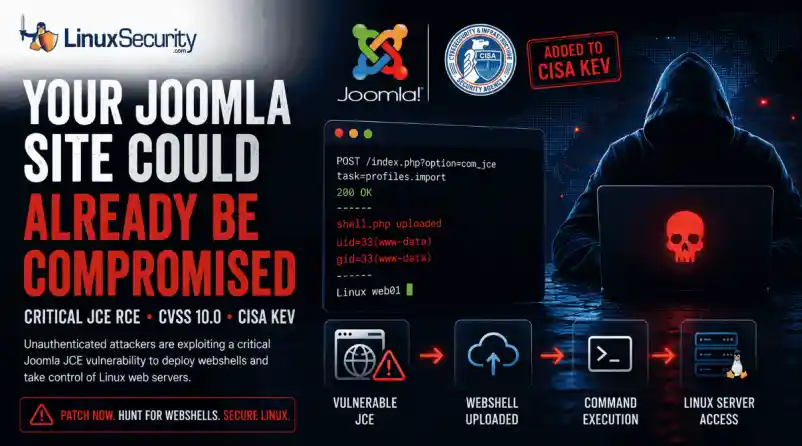
The Joomla Content Editor (JCE), one of the most widely deployed editor extensions for Joomla websites, is currently under active attack due to a critical vulnerability.
The issue, tracked as CVE-2026-48907, affects JCE versions earlier than 2.9.99.5 and carries a CVSS score of 10.0. Because JCE is installed on a large number of public-facing Joomla sites, the vulnerability has quickly become a high-priority target for attackers and automated scanning campaigns.
CISA has added the flaw to its Known Exploited Vulnerabilities (KEV) catalog, indicating active exploitation in the wild. The root cause is a broken access control issue in JCE's profile import function. Attackers do not need valid credentials to exploit it. By sending crafted requests to the import endpoint, they can bypass security checks, create a new editor profile, upload malicious PHP files, and execute them remotely. In practice, this allows an attacker to deploy a web shell and gain full remote code execution on a vulnerable server.
Who Is Affected?
- JCE versions earlier than 2.9.99.5 are exposed.
- Patched: Get to 2.9.99.5, with 2.9.99.6 adding additional hardening.
- Legacy: The vendor pushed free patches for older sites.
This Joomla Content Editor vulnerability affects websites running vulnerable JCE releases and should be treated as an emergency patching priority.
Why You Should Care
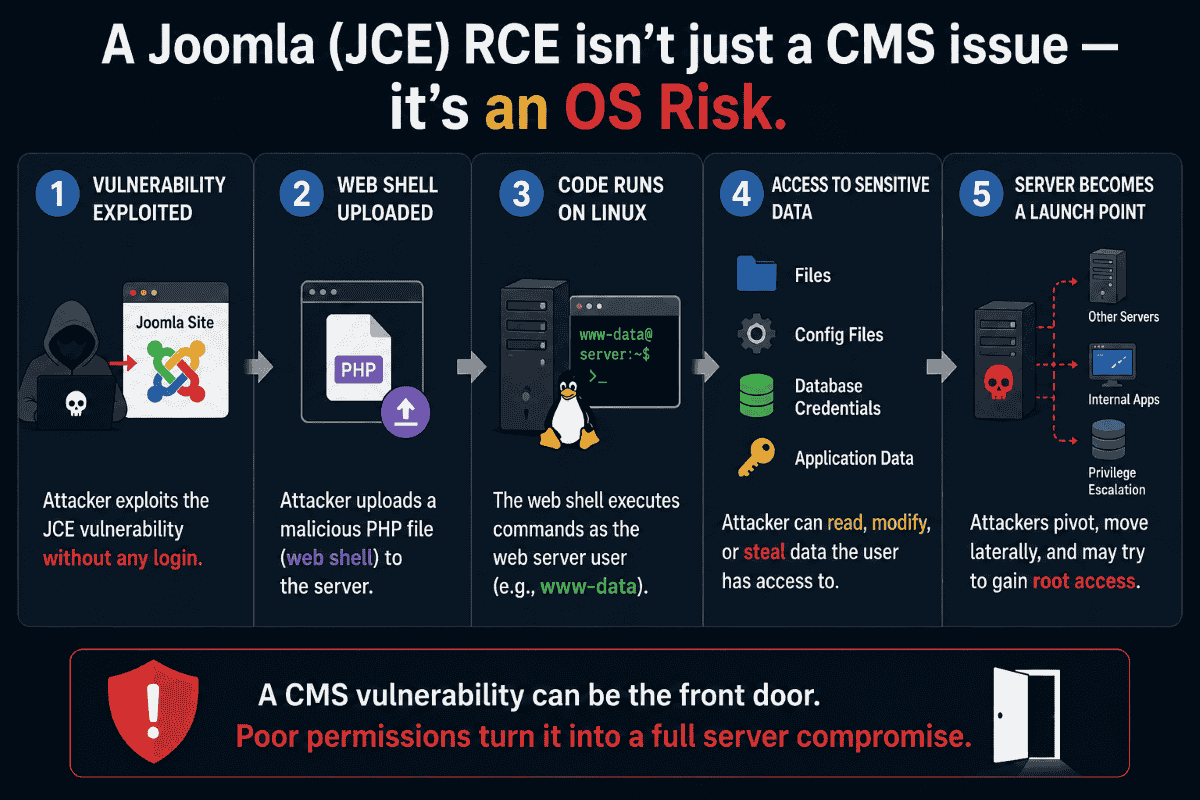
You’re not just patching a plugin; you’re defending the underlying OS. Joomla is the guest, but Linux is the host. When an attacker exploits this RCE, they aren't just messing with your CMS; they’re executing code as the web server user—the same user that owns your PHP files, your config files, and often your database credentials.
If your permissions aren't tight, you aren't just looking at a defaced site. You're looking at a pivot point in your infrastructure. Attackers use these shells to sniff for adjacent apps, lateral movement, or root escalation. For a Linux admin, a "CMS vulnerability" is just the front door being kicked in.
The Webshell Reality
A successful exploit often results in a Joomla webshell being deployed inside a writable directory. Webshells are a classic post-exploitation tool used on web servers. Once they’re sitting in your /images/ or /tmp/ directory, the attacker has a permanent backdoor. They can run commands, move files, and open new accounts long after you’ve updated the plugin. You don't "patch" a webshell out of existence; you have to hunt it.
Why KEV Inclusion Changes the Priority
The addition of this CISA KEV Joomla vulnerability to the catalog isn't a suggestion. It means CISA has proof of real-world exploitation. For a Linux admin, this shifts the task from "run a plugin update" to "incident response." Assume the server is already burned. You update the software, but you also check the box for a pulse.
Remediation Path
- Identify: Check your current JCE release.
- Patch: Apply the latest secure version and install the latest Joomla security update provided by the JCE team.
- Audit: The patch stops the next attempt. It does nothing for the shell currently on your disk. You need to verify the file integrity.
- Harden: Lock down the file system. Block PHP execution in directories that don't need it. Use a WAF to stop the com_jce POST requests before they hit your code.
Hunting for CVE-2026-48907 Indicators
You have to look for the footprints. Parse the logs, audit the disk.
Apache/Nginx Logs
The exploit targets the profile import task. Search your logs for this specific path:
grep "option=com_jce" /var/log/apache2/access.log | grep "task=profiles.import"Look for POST requests. Anything that isn't a legitimate admin session or comes from a suspicious IP is a lead. A 200 status code means they likely got in.
Filesystem Audit
Attackers love hiding in writable directories. Run this to catch recent changes:
find /var/www/html -name "*.php" -mtime -3If you find a new file, grep it for the usual suspects:
grep -rnE "(eval|base64_decode|system|shell_exec)" /var/www/html/path/to/uploadsAdministrator Accounts
Check for new accounts in the database.
SELECT name, username, email, registerDate FROM jos_users ORDER BY registerDate DESC;If you see an admin account you don't recognize, you’re compromised. Kill it and start the forensics.
Persistence and Beacons
If the attacker got a shell, they might have set up a cron job or a persistent beacon.
Cron:
for user in $(cut -f1 -d: /etc/passwd); do crontab -u $user -l; doneNetwork: Look for outbound connections from the web server process:
ss -tp | grep -E "php|apache|nginx"Log-Parsing Strategy
For high-traffic servers, summarize the noise:
awk '/option=com_jce/ && /task=profiles.import/ {print $1}' /var/log/apache2/access.log | sort | uniq -c | sort -nrIf one IP shows up dozens of times hitting that import task, they were scanning you. If they were successful, they’re still there.
Want more Linux security news, vulnerability analysis, and software supply chain updates? Subscribe to the LinuxSecurity Newsletter and get the latest threats, advisories, and expert insights delivered directly to your inbox.
Related Reading
 PREVIOUS
 NEXT
NEXT



Powered By

Linux Security - Your source for Top Linux News, Advisories, HOWTOs and Feature Releases
QUICK LINKS
subscribe to newsletters!
Like staying secure? So do we.
Sign up for updates, tips, and alerts!