Overly broad permissions can turn one compromised account into a much larger security problem. Learn how to reduce unnecessary access, review privileges, and apply least privilege across modern Linux systems. Review Linux Privileges×



Security Vulnerabilities  security advisory moderate
security advisory moderate For organizations that run a self-hosted Git platform, it’s no longer just about hosting static code repositories. Today, Git servers are responsible for deployment pipelines, API tokens, SSH keys, package repositories, and the automation scripts that push code directly. Confirm that the upgrade addresses known vulnerabilities but also provides production environments. . That makes them trusted systems within the development environment and attractive targets for attackers looking to move...
 Jul 20, 2026

Server Securitydata privacy automation
data privacy automation Every system admin has lived through the same Monday morning ritual. A queue of forty tickets, half of them password resets, permission errors, or disk space warnings that any experienced technician could resolve in under two minutes. The other half require actual judgment. For years, automation promised that software would eventually sort the two apart on its own. That promise is now being tested in production Linux environments. . Early results are reshaping how IT teams think about tier-1...
Jul 17, 2026

Privacydata collection automation
data collection automation You're running a web scraping project to collect pricing data from e-commerce sites. You set up a pool of datacenter proxies, launch your scripts, and within minutes — banned . CAPTCHAs everywhere. Your data pipeline stops before it really begins. . It's a frustrating scenario that plays out daily in ad verification, market research, and multi-account management. The website doesn't know you're doing legitimate research or monitoring. It just sees traffic coming from IP ranges it recognizes as...
Jul 17, 2026

Security Trends security advisory social engineering
security advisory social engineering Business Email Compromise used to be a numbers game — mass-blasted emails, broken English, an obvious "URGENT WIRE TRANSFER" subject line. That era is over. Generative AI has turned BEC into a tailored, low-noise operation that mimics writing style, voice, and even video presence. This piece looks at what's actually changed under the hood, what defenders are testing in response, and why so many organizations are still structurally unprepared for it. . The Infrastructure Problem Nobody Wants to...
Jul 17, 2026

Security Trends cybersecurity Linux documentation
cybersecurity Linux documentation Linux operating systems have gained prominence due to their stability, adaptability, and excellent security options. In the case of developing documentation, designing cybersecurity dashboards, or educational material, visuals are of vital importance when it comes to making things clear. The use of icons allows one to understand the message regarding alerts, authorization, encryption, authentication, or the state of the system just by looking at the visual cue without having to read long...
Jul 17, 2026
 Refine news
X Clear Filters
Get the latest News and Insights
Get the latest Linux and open source security news straight to your inbox.
Community Poll
Should Linux servers automatically install security updates?
Trending News
Loading...
Explore Latest Linux Security news
We found 56 articles for you...
210
 security advisorymoderatedenial of service
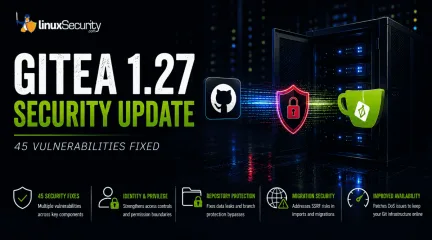
Gitea 1.27 Delivers 45 Security Fixes for Self-Hosted Git Servers
For organizations that run a self-hosted Git platform, it’s no longer just about hosting static code repositories. Today, Git servers are responsible for deployment pipelines, API tokens, SSH keys, package repositories, and the automation scripts that push code directly. Confirm that the upgrade addresses known vulnerabilities but also provides production environments. . That makes them trusted systems within the development environment and attractive targets for attackers looking to move deeper into an organization. The official Gitea 1.27 release announcement states that Gitea 1.27 fixes 45 documented vulnerabilities across multiple risk categories, making this an essential update for teams running self-hosted Git infrastructure. For Linux administrators, the priority is upgrading affected servers and reviewing access controls. For security teams, it is an opportunity to verify that Git infrastructure is being monitored with the same rigor applied to any other critical production service. Why the Gitea 1.27 Security Update Matters Self-hosted Git servers have grown from basic file stores. Confirm that the upgrade addresses known vulnerabilities but also provides core engines that drive software delivery. They act as a bridge between human developers and the automated cloud infrastructure, managing proprietary source code, CI/CD pipeline automation, administrative credentials, and internal package repositories. The Gitea 1.27 release fixes vulnerabilities in several risk categories and is in line with the Gitea 1.27 development milestone for the project. The sheer number of fixes does not necessarily indicate active, widespread exploitation, but it highlights that multiple foundational trust boundaries inside the platform have been strengthened in a single release. Organizations that wait to do routine upgrades keep those underlying weaknesses exposed longer than needed. What Risks Does Gitea 1.27 Address? Gitea 1.27 fixes vulnerabilities in various parts of the platform.Viewing the attack category makes it easier to understand the changes and why administrators should prioritize the update. By viewing the attack category, administrators can more easily understand the changes and the reasons for prioritizing the update. Identity & Privilege : At worst, these flaws could allow an authenticated user to gain privileges they shouldn’t have, bypass token restrictions, or access actions and resources outside of their assigned role. Repository Protection : Data leakage is always a concern in large enterprise environments. Gitea 1.27 patches several private repository disclosure flaws, organization information leaks, and branch protection bypasses, such as stale approval flags persisting during pull request retargeting, to keep private codebases secure. Migration Security : Server-Side Request Forgery (SSRF) occurs when an application is tricked into making HTTP requests to unintended destinations. Gitea allows users to import and migrate repositories, which could lead to scanning internal company networks or accessing cloud data if the migration inputs are not properly checked or if HTTP redirects are not validated. Availability : The release patches critical denial-of-service vulnerabilities, including unauthenticated ones such as quadratic-time header parsing, that could allow attackers to exhaust server resources or disrupt core development platforms. Individually, the vulnerabilities impact different parts of the platform. Together, they weaken the protections that separate users, repositories, automation, and administrative functions, and analyzing users, repositories, automation, and administrative functions and understanding their impact is key to prioritization. Preparing for a Gitea 1.27 Upgrade Patching the application is only the first step. Administrators should assess key environmental factors, including starting versions, deployment methods, backups, and compatibility notes, before upgrading. Verify the Upgrade Once pre-checksare complete, apply the package update and execute these commands to confirm that the service and its dependencies are running cleanly: Bash gitea --version For Docker deployments: Bash docker ps --filter name=gitea For systemd installations: Bash systemctl status gitea To review recent logs for startup errors or exceptions: Bash journalctl -u gitea --since "24 hours ago" After checking the service status, administrators need to review personal access tokens, make sure branch protection rules are still in place, look at active runner nodes, and check the settings for repository migration. Why CIOs and IT Directors Should Care Self-hosted Git systems power software development, containing proprietary code, deployment automation, and credentials that support production systems. A compromise can break release cycles, unearth intellectual property, and destroy trust in the software supply chain.” For IT leaders, timely updates and governance of the developer infrastructure means less operational risk and less business disruption. What Should Security Teams Watch After Upgrading? Security teams should verify that the upgrade completed successfully while continuing to monitor for suspicious behavior that patching alone cannot prevent. After the upgrade, focus on activity that could indicate misuse of the areas addressed by this release. Watch for: Repository visibility changes that do not match an approved request New API tokens created by unexpected users or unusual token-scope behaviors Unapproved CI/CD runner registrations or strange actions, jobs running from unauthorized branches Branch protection modifications or removal from critical codebases Unfamiliar repository migration requests originating from external hosts New administrator accounts or unexplained privilege adjustments After the upgrade, security teams can monitor authentication events, configuration changes, repository activity, and runner registrations usinghost-based monitoring like auditd, endpoint detection platforms like Wazuh or OSSEC, and centralized SIEM platforms. Monitoring these events helps to confirm that the upgrade addressed known vulnerabilities, but also gives visibility into attempted misuse of Git infrastructure following the update. Conclusion Gitea 1.27 is a reminder that development platforms require the same patching discipline and operational oversight as any other business-critical system. Git servers have become core production infrastructure rather than isolated developer sandboxes. Keeping Git servers patched is as critical as maintaining web servers and identity systems, given their roles in managing identities, deployment pipelines, software packages, and source code distribution. . Gitea 1.27 enhances security with 45 fixes for Git servers, crucial for protecting proprietary code and deployment processes.. Git Server Security,Gitea 1.27,Self-Hosted Security,Development Infrastructure. . MaK Ulac
 Jul 20, 2026
•
Jul 20, 2026
• Security Vulnerabilities
77
 security advisoryprivilege escalationimportant
OpenStack Keystone Flaws Expose Multiple Paths to Cloud Privilege Escalation
The recent Keystone advisory is unusual because the vulnerabilities are scattered across several features but keep affecting the same class of security controls. Application credentials, trusts, RBAC enforcement, project ownership validation, token expiration. Different code paths. Similar failures. . Most require authentication already. The concern is what happens after access exists. Several of the disclosed vulnerabilities affect how Keystone validates identity, ownership, delegation, and authorization. For environments running OpenStack, that puts the focus on privilege expansion rather than initial compromise. What Is OpenStack Keystone? Most OpenStack services do not evaluate identity independently. A user authenticates to Keystone, receives a token, and presents that token to other services. Nova uses Keystone identities when processing compute requests. Neutron relies on the Keystone project and role information when handling network operations. Horizon uses Keystone during authentication and authorization workflows. Similar trust relationships exist throughout the platform. Keystone also manages application credentials, trusts, federation, project membership, and role assignments. Those functions appear repeatedly throughout the advisory because they are the mechanisms responsible for determining who an identity represents and what actions that identity can perform. That position gives Keystone an unusual amount of influence over the OpenStack security posture. A bug in Nova typically affects compute operations. A bug in Keystone can affect how identities, permissions, projects, and delegated access are interpreted across multiple services at the same time. The vulnerabilities disclosed in this advisory target several of those mechanisms directly. Do These Attacks Require Authentication? In most cases, yes. The advisory does not describe a collection of unauthenticated remote code execution vulnerabilities. Attackers generally need some form of existing access before thesecloud security vulnerabilities become relevant. These vulnerabilities start becoming relevant once an identity already exists inside Keystone. That might be a service account used by automation, an application credential tied to a deployment pipeline, or a federated account brought in through an external identity provider. None of those identities necessarily begin with administrative access. The interesting part is what happens after authentication succeeds. Several of the disclosed flaws affect the checks Keystone performs when validating ownership, evaluating permissions, creating delegated access, or issuing new credentials. Those identities often start with limited permissions. The next challenge is finding a way to extend access, bypass restrictions, or operate outside the boundaries originally assigned to the account. Several of the Keystone vulnerabilities affect exactly those controls. Why These Vulnerabilities Are Related At first glance, the advisory reads like a collection of unrelated implementation bugs. One issue affects application credentials. Another involves trust relationships. Others target OpenStack RBAC , policy enforcement, project ownership validation , LDAP integration, or token handling. The code paths are different, but the failures keep landing in the same place. Keystone is responsible for validating identity, ownership, authorization, delegation, and access scope. The disclosed vulnerabilities challenge one or more of those decisions. That shared theme is what makes the advisory interesting. Rather than exposing a single weakness, the bugs reveal multiple ways identity and authorization controls can become unreliable under specific conditions. How the Vulnerabilities Could Be Exploited Looking at the vulnerabilities through attack scenarios provides a clearer picture than reviewing each CVE in isolation. Impersonating Another User (CVE-2026-42998) This issue involved application credential authentication . Keystone failed to verify that the usersupplied during authentication actually owned the application credential being presented. Under normal conditions, an application credential should remain tied to the identity that created it. Ownership is part of the trust decision. The vulnerability weakened that relationship. The immediate concern is not simply access; activity can become associated with the wrong user. Audit trails become harder to trust, and administrative actions may appear to originate from an account that never performed them. Combining Trust Relationships and Privilege Escalation (CVE-2026-43000) Trust relationships exist to support delegated access. A user authorizes another identity or service to act on their behalf within defined limits. The trust functionality is not unusual. Large OpenStack deployments depend on it for delegated access. What stands out here is how it interacts with the impersonation flaw. Once Keystone accepts the wrong identity, the trust system starts operating on that decision. The result is not a single authorization failure. New trust relationships can be created with privileges the original account never possessed . Weakening RBAC Enforcement (CVE-2026-42999) OpenStack RBAC is one of the primary mechanisms OpenStack uses to separate users, operators, auditors, service accounts, and administrators. The vulnerability involved Keystone incorporating untrusted JSON request data into policy evaluation decisions . Authorization systems depend on trusted inputs. Once policy evaluation begins consuming attacker-controlled attributes, permission decisions become harder to predict and harder to trust. Crossing Project Boundaries (CVE-2026-43001) Project isolation sits at the center of OpenStack's multi-tenant model. Researchers found that Keystone did not correctly validate project ownership during EC2 credential creation. Under certain conditions, users could create credentials associated with projects they did not own . Organizations depend on project boundaries to separate departments,customers, workloads, and environments. When credential ownership and project ownership become disconnected, those boundaries become less reliable. Access That Refuses to Expire (CVE-2026-44394) Token expiration is intended to limit how long compromised access remains useful. The advisory describes a situation where federated token rescoping did not preserve original expiration restrictions. A user could repeatedly obtain newly scoped tokens with fresh lifetimes . During incident response, token expiration often serves as a containment mechanism. Additional Keystone Vulnerabilities Restricted Application Credentials ( CVE-2026-33551 ): This vulnerability allowed restricted credentials to create EC2 credentials despite intended permission boundaries. LDAP Account State Validation ( CVE-2026-40683 ): Researchers found conditions where Keystone improperly handled LDAP user-enabled status values, creating a gap between how an account appears in the directory and how Keystone interprets it. What OpenStack Administrators Should Do Applying vendor patches should be the immediate priority. Administrators should also review how application credentials are used, examine existing trust relationships, validate RBAC assignments, and review federated identity deployments. Historical activity deserves attention as well. Because these vulnerabilities involve privilege escalation, successful exploitation may look like legitimate user activity. Keystone logs are the most valuable starting point for auditing: Application credential creation activity Unexpected EC2 credential generation Cross-project credential creation attempts New trust relationship creation Role assignment changes Token rescoping activity Conclusion The Keystone advisory is best understood as a collection of failures affecting identity and authorization controls. Keystone is making decisions about identity and authority that other OpenStack services rely on without question. For organizations operatingLinux-based OpenStack environments, that makes Keystone one of the highest-value services to patch and review. When trust decisions fail at the identity layer, the effects rarely stay confined to the identity service itself. Want more Linux security news, vulnerability analysis, and software supply chain updates? Subscribe to the LinuxSecurity Newsletter and get the latest threats, advisories, and expert insights delivered directly to your inbox. Related Reading Linux Privilege Escalation Patterns and Mitigation Strategies Privilege Escalation Risks: Controls for Linux Security Securing Linux Cloud Workloads: Key Practices for Safety . OpenStack Keystone vulnerabilities threaten identity controls, leading to privilege escalation risks and unauthorized actions.. OpenStack Security Flaws, Cloud Privilege Escalation, Identity Abuse, Keystone Vulnerabilities. . MaK Ulac
Jun 19, 2026
•
Server Security

209
 access controlincident responsedata backup
Effective Ransomware Defense for Linux: 5 Steps for Business Continuity
Ransomware attacks are surging—and in 2024, damages topped $30 billion . . Many of these attacks target Linux systems, especially in servers, cloud infrastructure, and DevOps pipelines. Attackers do not always need complex tools. A single misconfigured port or outdated package can open the door. Once inside, they encrypt data, demand payment, and sometimes leak files. No business is too small. No system is too secure—unless it is actively defended. By following a clear plan, businesses can reduce their risk and respond effectively if an attack occurs. Here is a 5-step action plan to build a strong ransomware defense. It is simple and practical. Step 1: Strengthen Identity and Access Controls Most ransomware attacks do not need to break through firewalls. They walk right in using stolen or weak credentials. Once inside, attackers move fast, escalating privileges, disabling security tools, and locking systems. That is why strong access control is your first line of defense. Here is how to tighten it up: Use Multi-Factor Authentication (MFA): MFA is required for all users, especially those with admin rights. Even if a password leaks, MFA can block access. Harden your Linux systems : Disable unnecessary services and ports. Configure firewalls to limit inbound and outbound traffic to essential services only. Enforce Least Privilege : Only give users access to what they need. No shared accounts. No broad permissions. Rotate and Manage SSH Keys : Remove unused keys. Use tools to manage and rotate them regularly. Disable Root Login over SSH : Prevent direct root access. Use sudo instead, with full audit logging. Monitor and Log All Access : Track logins, failed attempts, and privilege changes. Use auditd and log monitoring tools . Lock Down Inactive Accounts : Disable or remove no longer used accounts. These simple controls reduce your attack surface and make it harder for attackers to gain a foothold. Step 2:Build an Ecosystem of Ransomware Solutions Ransomware attacks do not have a single entry point, and they require a multi-layered defense strategy. An ecosystem approach is essential to build an effective defense. This ecosystem includes different security tools that work seamlessly together to cover multiple domains. Here are the key strategies for building an ecosystem: Focus on identity and access management (IAM): Protect critical accounts by implementing strict identity controls, including privileged access management (PAM) and robust user authentication. Manage vulnerabilities actively : Regular vulnerability assessments and mitigation through patch management and red teaming exercises help identify and close gaps in your systems. Implement endpoint protection: From endpoint detection and response (EDR) to user behavior analysis, ensure that every endpoint is properly secured and continuously monitored. Integrate security tools : Use security information and event management (SIEM) and threat intelligence platforms that integrate across your environment to detect and respond to ransomware attacks effectively. If you want to see what a complete, layered ecosystem looks like in practice, check out this comprehensive ransomware defense strategy , which outlines actionable steps and tools to implement at each layer of your infrastructure. An ecosystem that ties together various technologies and processes ensures a more robust and cohesive defense, making it harder for ransomware to succeed. Step 3: Back Up with a Purpose Backing up your data is one of the most important steps in protecting your business from ransomware. If your systems are attacked, having a reliable backup can help you recover without paying a ransom. But not all backups are equal. It is important to back up your data correctly to ensure it’s safe and easy to restore. Here are some strategies for effective data backups: Follow the 3-2-1 Rule: Keep three copies ofyour data. Store two on different media types (e.g., hard drives, cloud). One of those copies should be offsite or in the cloud so it's safe from local disasters like fire or flood. Test Your Backups : Regularly test your backups to make sure they work. A backup is useless if you can’t restore the data when needed. Ensure Backups Are Immutable : Ensure your backups are protected from being altered or deleted by ransomware. Some backup solutions offer features that prevent data from being changed once it’s stored. Automate Backups: Set up automated backups to run regularly. This reduces the risk of forgetting to back up important data and ensures that your most recent information is always protected. By following these steps, you’ll have peace of mind knowing that your data can be recovered quickly if ransomware strikes. Step 4: Build a Human Firewall Through Security Training Your technical defenses mean nothing if one employee clicks a malicious link. Deloitte mentions that over 90% of cyberattacks start with phishing. Training turns your team from vulnerabilities into vigilant defenders. Here are the key strategies: Phishing Simulation Drills : Conduct monthly mock phishing campaigns using realistic templates. Track click rates and provide immediate feedback to those who fail. Gradually increase difficulty to keep staff alert. Create a reporting culture where suspicious emails get forwarded to IT immediately. Password Hygiene Enforcement : Mandate password managers for all staff. Enforce 16-character minimums and block common passwords. Implement multi-factor authentication everywhere - especially for email and file access. Revoke credentials immediately when employees leave. Incident Response Protocols : Teach staff the exact steps for reporting anomalies - from ransomware pop-ups to suspicious login attempts. Establish clear escalation paths and response timelines. Run quarterly tabletop exercises simulating real breachscenarios. Tailored Role-Based Training : Developers need secure coding practices, finance teams require invoice fraud detection, and executives need advanced social engineering defense. Generic training wastes time—customize content by department. Measure effectiveness through metrics like phishing test pass rates and incident reporting speed. Reward security-conscious behavior publicly to reinforce its importance. Remember, your security chain is only as strong as its weakest human link. Pro Tip: New hire onboarding must include security training before granting system access. One untrained employee can undo all your technical safeguards. Step 5: Prepare for Fast Recovery and Restoration Ransomware attacks may be inevitable, but your ability to recover from them quickly can determine the extent of the damage. Having a reliable recovery process ensures your organization can return to normal operations without significant downtime. Here are the top strategies for recovery: Implement regular backups : Ensure that your backup solutions are automated and secure, stored offsite, and tested regularly to confirm they can be restored if necessary. Prepare a disaster recovery plan : Develop a clear plan for how your organization will recover from a ransomware attack. This includes defining recovery time objectives (RTO) and recovery point objectives (RPO). Continuously test recovery protocols : Regularly simulate ransomware recovery scenarios to ensure your team can restore data and services quickly and efficiently without disrupting business operations. Ensure compliance with data retention laws : Your recovery plan should also comply with relevant data protection and privacy regulations, ensuring sensitive data is handled appropriately during recovery. A well-structured recovery process allows your organization to quickly recover from a ransomware attack, minimizing operational and financial losses. Although prevention remains thepriority, Cyber Insurance is increasingly part of the broader resilience conversation around breach costs, recovery, and business continuity. Stay Ahead of Ransomware Building a strong ransomware defense goes beyond just implementing advanced technology. It requires a well-thought-out strategy and operational plan to effectively address every stage of a potential attack. Key takeaways to remember include: A comprehensive ransomware defense strategy must include both proactive and operational elements, focusing on prevention, detection, and response. Layered defenses are essential in addressing risks at various points during an attack. Regularly updating your threat intelligence helps you avoid new ransomware tactics and techniques. Having a solid backup and recovery plan minimizes downtime and data loss during an attack. Continuously evaluating and adapting your defense mechanisms ensures your strategy remains effective in the face of evolving threats. Remember, ransomware threats are constantly evolving. Stay vigilant and keep updating your strategies to stay safe. With the right plan, you can protect your data and ensure business continuity even in the face of an attack. . Numerous ransomware threats focus on Linux platforms. Implement the following guidelines to establish a robust protection and recovery plan.. Ransomware Defense, Linux Security, Data Backup, Recovery Plans. . MaK Ulac
Apr 17, 2025
•
Security Trends
209
 data breachLinux securityincident response
Why ITDR is Essential for Securing Linux in Identity-Based Threats
Identity-based attacks like login attempts from unusual geographic locations or at unexpected times, as well as enforcing MFA and maintaining detailed logs of all identity-related activities, are becoming more important as attacks against these systems become more prevalent. . Integrating Identity Threat Detection and Response (ITDR) into your security arsenal helps us identify and stop attacks that target user identities, a common entry point for hackers. But what is ITDR , and why is it so critical? For organizations using Linux systems—renowned for their security and versatility—ITDR provides an extra layer of defense, making it harder for hackers to infiltrate their networks. The user identification layer is the usual entry point for most attacks, and ITDR allows us to track and contain them there. Linux systems are well-known for their security and flexibility, and ITDR adds an extra layer of protection that will make hacking much more difficult for enterprises using these systems. Let's take a closer look at ITDR and its significance in a Linux setting. What is ITDR? Identity threat detection and response (ITDR) is a cybersecurity strategy and technology framework designed to detect, analyze, and respond to threats targeting identities. This approach identifies abnormal or malicious activity involving user credentials, privileges, and access patterns. Security teams often expand this layer further with identity security platforms that monitor authentication patterns, detect compromised credentials, and provide visibility into privileged account activity across Linux environments. ITDR complements other cybersecurity technologies, such as endpoint detection and response and network security solutions, by explicitly addressing vulnerabilities and attacks targeting identity systems. Benefits of ITDR for Linux Systems HIDTR is always looking for security risks on your Linux systems. Its advanced analysis can detect suspicious behavior in real-time, allowing you to take actionbefore a catastrophic breach happens. An identification theft prevention system (IDTR) lessens the likelihood of data breaches and their possible consequences by aggressively controlling identity-based attacks, helping to Improve Security. Helps Improve Incident Response ITDR will help shorten your response time in case of a security problem. It will save you time by immediately identifying risks with real-time monitoring capabilities. Security teams can expedite recovery by analyzing system logs and user behavior to determine the cause of incidents and the extent of damage. Helps Reduce Operational Costs IDTR can automate many routine security tasks, allowing your security team to focus on more strategic initiatives. By preventing and mitigating attacks, ITDR also helps minimize system downtime and avoid costly business disruptions. Linux: A Target for Attackers As Linux systems have taken center stage in enterprise environments, especially in servers, cloud platforms, and DevOps, they've attracted the attention of malicious actors. Key vulnerabilities include: Privilege escalation: Attackers exploit vulnerabilities to gain administrative access to Linux systems. Weak SSH keys: Compromised or mismanaged Secure Shell keys can allow unauthorized access. Insider threats: Malicious insiders or human error can lead to identity misuse or data breaches. Configuration flaws: Misconfigured Linux servers are prime targets for exploitation. Integration with Open Source Monitoring Tools When integrated with popular open-source monitoring tools such as Prometheus, Grafana, and the ELK Stack, ITDR solutions benefit from an extended range of visibility, analytics, and incident response capabilities. Here's how these integrations can be implemented and the benefits they offer: Prometheus Integration Prometheus , a leading monitoring and alerting tool, is ideal for real-time collecting and analyzing metrics. ITDR solutions can leverage Prometheus by: Exportingmetrics: Import critical identity and access metrics into IT disaster recovery systems, as Prometheus-compatible metrics should include login abnormalities, privilege escalations, and failed authentication attempts. Custom rules and alerts: Defining custom alerting rules in Prometheus based on ITDR data, such as detecting unusual activity patterns or spikes in login failures. Centralized visualization: Integrating Prometheus with Grafana (discussed below) to visualize ITDR metrics in dashboards makes detecting identity-based threats easier. Grafana Integration Grafana ’s powerful visualization capabilities complement ITDR solutions by providing intuitive dashboards for monitoring identity-related metrics and trends: Data aggregation: By combining ITDR indicators with other system metrics in Grafana, we can get the whole picture of the Linux environment's security and health. Interactive dashboards: Building interactive dashboards to display ITDR data, such as authentication trends, geolocation heatmaps for logins, and role-based activity monitoring. Cross-domain insights: Combining ITDR data with infrastructure metrics like CPU or memory usage to correlate identity-based threats with system anomalies for deeper insights. ELK Stack Integration The ELK Stack offers robust log aggregation, processing, and visualization capabilities, making it an excellent choice for ITDR solutions: Log enrichment: Using Logstash to ingest and enrich identity-related logs from ITDR tools, such as audit logs, access attempts, and policy violations, with contextual data. Centralized log storage: Storing enriched ITDR logs in Elasticsearch for fast querying and correlation with other security data. Threat detection dashboards: Building Kibana dashboards to visualize identity-based threat data, such as anomalous login attempts, unauthorized privilege escalations, and suspicious lateral movement. Proactive querying: Crafting Elasticsearch queries to identifypatterns indicative of identity-based threats, triggering alerts, or automated responses. Role of Container Security in ITDR Kubernetes , a powerful container orchestration platform, introduces unique security challenges due to its dynamic and multi-layered nature. Serious security breaches can occur due to misconfigurations involving service accounts, nodes, pods, and container workloads, all requiring certain access privileges. Attackers can take advantage of exposed API endpoints, permissions that have been over-provisioned, and compromised credentials that are kept in configuration files. One way to make Kubernetes environments far more secure is to use an Identity Threat Detection and Response framework. Integrating with Kubernetes Role-Based Access Control, Threat Detection and Response (ITDR) aids in enforcing least-privilege access, guaranteeing that workload identities and service accounts possess only the essential authorizations. Additionally, ITDR can monitor identity-related telemetry to spot suspicious activity, such as unexpected privilege escalations or attempts at unauthorized access. To further strengthen security, ITDR can integrate with external tools like HashiCorp Vault or AWS Secrets Manager for secure secret management. Organizations can significantly minimize the attack surface by reducing the risk of hardcoding sensitive information. Impact of ITDR on Compliance and Regulatory Requirements That is to say, recording access and activity logs, essential compliance features, are precisely what Information ITDR does to Linux systems. The concept of least privilege protects sensitive data and systems from unauthorized access with granular access controls. ITDR's real-time threat detection capability helps decrease the risk of non-compliance fines by letting them recognize and mitigate possible security incidents much quicker. Also, automated reporting translates to ease of compliance documentation that furnishes clear evidence of following laws. ITDR supports thedata breach notification requirements by delivering rapid incident reports on breaches under GDPR ; under HIPAA and PCI DSS, ITDR protects protected health information and payment card information through multi-factor access controls. Integrating the functionality of ITDR on your Linux infrastructure will proactively let you stay compliant, ease up auditing, and reduce or even eliminate the risks of breach of any regulations in nature. How ITDR Boosts Linux Security ITDR is a powerful tool that strengthens Linux security by focusing on a crucial area: identity and access management. This layer is often overlooked, but it's a major target for cyberattacks. Let's see how ITDR helps safeguard your Linux systems: Proactive Threat Detection ITDR is like a vigilant guard, constantly monitoring your system for suspicious activity. It spots anomalies like: Login attempts from unfamiliar locations Unusual privilege escalations Tampering with critical system files By catching these red flags early, ITDR helps you to react swiftly before a breach can take hold. Enhanced Credential Protection One of the most common ways hackers infiltrate Linux systems is by stealing credentials. ITDR protects your credentials by: Keeping a close eye on SSH key usage and flagging unauthorized access Detecting phishing attacks designed to trick users into revealing their passwords Automatically locking out compromised accounts to prevent further damage Securing Privileges Linux systems often have users with varying levels of access. ITDR ensures that these privileges are used responsibly by: Stopping privilege escalation attempts in their tracks Providing a clear view of all privileged user activities Implementing strict least-privilege policies to limit access to only what's needed A 360-Degree View of Identity ITDR offers a comprehensive overview of identity-related activities across your Linux systems. This bird's-eye view helps you understand howidentities interact with system resources and identify potential vulnerabilities. Compliance Made Easier With ITDR, compliance efforts are made easier for firms in regulated industries. You may meet legal obligations and demonstrate accountability with the help of ITDR, which enforces secure identity management procedures and generates extensive audit records. By protecting Linux systems from intrusion, ITDR goes above and beyond the call of duty by fixing an often-overlooked but critically important security hole: identity management. ITDR protects your Linux infrastructure from constantly changing cyber threats by actively identifying them, safeguarding credentials, and maintaining least-privilege policies. Take immediate action to safeguard your systems and safeguard your organization's future—don't wait for a breach to reveal the weaknesses in your defenses. . Implementing ITDR within your Linux environment strengthens protection against identity-centric attacks and boosts the efficiency of incident management.. Identity Threat Detection, Linux Systems, Incident Management, Security Framework, Identity Protection. . MaK Ulac
Nov 29, 2024
•
Security Trends
79
 open sourceidentity managementaccess management
Janssen Project: New Cloud-Native Identity Management From Linux Foundation
The Linux Foundation has announced a new, secure cloud-native identity and access management software platform - the Janssen Project . . Every time we use an online pay service, manage our finances online, or enter our credit-card information, we're demonstrating our good faith. Now, one organization wants to help us feel even more secure. Today (Dec. 8), the Linux Foundation announced a cloud-native identity and access management software platform that prioritizes security and performance, the Janssen Project, which is based on the Gluu server and features signing and encryption functionalities. The integrity of our connections online is conveyed via identity software, from our devices to a complex web of backend services. Despite assurances and encouragement on this use, which we grow increasingly dependent on, digital identity remains a challenge and is at the very crux of delivering truly trustworthy online security. . Protect your digital exchanges using the innovative cloud-based identity verification system developed by the Linux Foundation.. Cloud-Native Identity Management, Security Solutions, Open Source Software. . LinuxSecurity.com Team
Dec 09, 2020
•
Security Projects
81
 identity managementauthenticationsecurity best practices
Exploring Password Alternatives for Stronger User Authentication
Are you aware that many organizations are questioning whether eliminating passwords as an authentication tool might augment their overall security posture? How do you feel about this? . User authentication doesn't get much easier than the password. But for organizations across the globe, poor password hygiene has become one of the most challenging security issues. According to Troy Hunt, creator of HaveIBeenPwned, an increasing number of data breaches and data leaks are a direct result of weak passwords and password reuse. The link for this article located at DarkReading is no longer available. . User validation focuses heavily on secret codes, but the rise in cyber intrusions urges companies to re-evaluate their protective strategies.. Identity Management, Password Security, Authentication Solutions. . LinuxSecurity.com Team
Jul 30, 2019
•
Privacy
82
 risk managementidentity managementcybersecurity framework
NIST Cybersecurity Framework Update: Focus on Risk Management and Identity
The National Institute of Standards and Technology's (NIST) updated Cybersecurity Framework, scheduled for release later this year, should provide some welcome new advice for organizations struggling to manage cyber-risk in the current threat environment. . The key areas where the framework will provide guidance is about supply chain risks, identity management and cybersecurity risk assessment and measurement. NIST released two draft framework updates containing the changes last year - the second in December 2017. It is currently reviewing public comments and will release a finalized version in the spring. . The key areas where the framework will provide guidance is about supply chain risks, identity manage. national, institute, standards, technology's, (nist), updated, cybersecurity, framework, schedul. . Dave Wreski
Mar 05, 2018
•
Government
72
network securityidentity managementapplication controlEvolving to Next-Gen Firewalls: Best Practices for Security and Control
What should enterprises expect if they want to make the transition from a traditional firewall to a next-generation firewall? It starts with a decidedly different way of thinking about security goals associated with a firewall, especially in terms of establishing application-aware controls over employees as they access the Internet, the Web and social networking sites. (See Unbatten the hatches.) . "There is a chasm to cross," acknowledges Patrick Sweeney, vice president of product management at SonicWall. The old way of talking about traditional port-based firewalls, with system administrators discussing the "language of protocols," is inadequate. Companies need to adopt a more business-focused vocabulary, related to application use, that's common to the CIO, CFO and CEO. "There has to be unification of the languages they speak," Sweeney says. That's because the new generation of fast, intelligent firewalls are application-aware, enabling enterprises to establish and enforce identity-based application usage policies for employees. So-called next-generation firewalls (NGFW) also incorporate VPN capabilities, perform intrusion prevention sweeps of traffic, have the brains to use technologies such as reputation filtering, and integrate with Active Directory for identity and policy management. The link for this article located at Network World is no longer available. . The transition from traditional firewalls to next-gen firewalls signifies a pivotal evolution in cybersecurity, enhancing threat detection and network control. Next-Generation Firewall, Application Control, Security Practices. . Alex
Jan 03, 2011
•
Firewalls

Get the latest News and Insights
Get the latest Linux and open source security news straight to your inbox.
Community Poll
Should Linux servers automatically install security updates?
Trending News
Search Topics
Powered By

Linux Security - Your source for Top Linux News, Advisories, HOWTOs and Feature Releases
QUICK LINKS
subscribe to newsletters!
Like staying secure? So do we.
Sign up for updates, tips, and alerts!