Explore top 10 tips to secure your open-source projects now. Read More
×



Server Security data privacy automation
data privacy automation Every system admin has lived through the same Monday morning ritual. A queue of forty tickets, half of them password resets, permission errors, or disk space warnings that any experienced technician could resolve in under two minutes. The other half require actual judgment. For years, automation promised that software would eventually sort the two apart on its own. That promise is now being tested in production Linux environments. . Early results are reshaping how IT teams think about tier-1...
 Jul 17, 2026

Privacydata collection automation
data collection automation You're running a web scraping project to collect pricing data from e-commerce sites. You set up a pool of datacenter proxies, launch your scripts, and within minutes — banned . CAPTCHAs everywhere. Your data pipeline stops before it really begins. . It's a frustrating scenario that plays out daily in ad verification, market research, and multi-account management. The website doesn't know you're doing legitimate research or monitoring. It just sees traffic coming from IP ranges it recognizes as...
Jul 17, 2026

Security Trends security advisory social engineering
security advisory social engineering Business Email Compromise used to be a numbers game — mass-blasted emails, broken English, an obvious "URGENT WIRE TRANSFER" subject line. That era is over. Generative AI has turned BEC into a tailored, low-noise operation that mimics writing style, voice, and even video presence. This piece looks at what's actually changed under the hood, what defenders are testing in response, and why so many organizations are still structurally unprepared for it. . The Infrastructure Problem Nobody Wants to...
Jul 17, 2026

Security Trends cybersecurity Linux documentation
cybersecurity Linux documentation Linux operating systems have gained prominence due to their stability, adaptability, and excellent security options. In the case of developing documentation, designing cybersecurity dashboards, or educational material, visuals are of vital importance when it comes to making things clear. The use of icons allows one to understand the message regarding alerts, authorization, encryption, authentication, or the state of the system just by looking at the visual cue without having to read long...
Jul 17, 2026

Security Vulnerabilities security advisory linux distribution
security advisory linux distribution ESET researchers identified 11 old and forgotten Linux UEFI shim bootloaders at versions 0.9 and below that can be used to bypass UEFI Secure Boot on any UEFI-based machine that trusts Microsoft’s Microsoft Corporation UEFI CA 2011 third-party certificate authority, regardless of the installed operating system (OS). Reported shims can be exploited to execute untrusted code during system boot, enabling attackers to deploy malicious UEFI bootkits even on systems with UEFI Secure Boot enabled.....
Jul 16, 2026
 Refine news
X Clear Filters
Get the latest News and Insights
Get the latest Linux and open source security news straight to your inbox.
Community Poll
Is continuous patching actually viable?
Trending News
Loading...
Explore Latest Linux Security news
We found 34 articles for you...
77
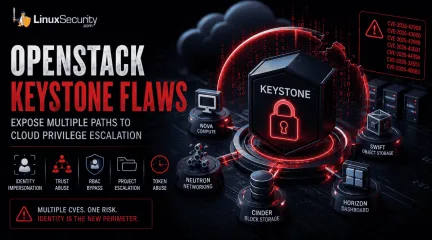 security advisoryprivilege escalationimportant
OpenStack Keystone Flaws Expose Multiple Paths to Cloud Privilege Escalation
The recent Keystone advisory is unusual because the vulnerabilities are scattered across several features but keep affecting the same class of security controls. Application credentials, trusts, RBAC enforcement, project ownership validation, token expiration. Different code paths. Similar failures. . Most require authentication already. The concern is what happens after access exists. Several of the disclosed vulnerabilities affect how Keystone validates identity, ownership, delegation, and authorization. For environments running OpenStack, that puts the focus on privilege expansion rather than initial compromise. What Is OpenStack Keystone? Most OpenStack services do not evaluate identity independently. A user authenticates to Keystone, receives a token, and presents that token to other services. Nova uses Keystone identities when processing compute requests. Neutron relies on the Keystone project and role information when handling network operations. Horizon uses Keystone during authentication and authorization workflows. Similar trust relationships exist throughout the platform. Keystone also manages application credentials, trusts, federation, project membership, and role assignments. Those functions appear repeatedly throughout the advisory because they are the mechanisms responsible for determining who an identity represents and what actions that identity can perform. That position gives Keystone an unusual amount of influence over the OpenStack security posture. A bug in Nova typically affects compute operations. A bug in Keystone can affect how identities, permissions, projects, and delegated access are interpreted across multiple services at the same time. The vulnerabilities disclosed in this advisory target several of those mechanisms directly. Do These Attacks Require Authentication? In most cases, yes. The advisory does not describe a collection of unauthenticated remote code execution vulnerabilities. Attackers generally need some form of existing access before thesecloud security vulnerabilities become relevant. These vulnerabilities start becoming relevant once an identity already exists inside Keystone. That might be a service account used by automation, an application credential tied to a deployment pipeline, or a federated account brought in through an external identity provider. None of those identities necessarily begin with administrative access. The interesting part is what happens after authentication succeeds. Several of the disclosed flaws affect the checks Keystone performs when validating ownership, evaluating permissions, creating delegated access, or issuing new credentials. Those identities often start with limited permissions. The next challenge is finding a way to extend access, bypass restrictions, or operate outside the boundaries originally assigned to the account. Several of the Keystone vulnerabilities affect exactly those controls. Why These Vulnerabilities Are Related At first glance, the advisory reads like a collection of unrelated implementation bugs. One issue affects application credentials. Another involves trust relationships. Others target OpenStack RBAC , policy enforcement, project ownership validation , LDAP integration, or token handling. The code paths are different, but the failures keep landing in the same place. Keystone is responsible for validating identity, ownership, authorization, delegation, and access scope. The disclosed vulnerabilities challenge one or more of those decisions. That shared theme is what makes the advisory interesting. Rather than exposing a single weakness, the bugs reveal multiple ways identity and authorization controls can become unreliable under specific conditions. How the Vulnerabilities Could Be Exploited Looking at the vulnerabilities through attack scenarios provides a clearer picture than reviewing each CVE in isolation. Impersonating Another User (CVE-2026-42998) This issue involved application credential authentication . Keystone failed to verify that the usersupplied during authentication actually owned the application credential being presented. Under normal conditions, an application credential should remain tied to the identity that created it. Ownership is part of the trust decision. The vulnerability weakened that relationship. The immediate concern is not simply access; activity can become associated with the wrong user. Audit trails become harder to trust, and administrative actions may appear to originate from an account that never performed them. Combining Trust Relationships and Privilege Escalation (CVE-2026-43000) Trust relationships exist to support delegated access. A user authorizes another identity or service to act on their behalf within defined limits. The trust functionality is not unusual. Large OpenStack deployments depend on it for delegated access. What stands out here is how it interacts with the impersonation flaw. Once Keystone accepts the wrong identity, the trust system starts operating on that decision. The result is not a single authorization failure. New trust relationships can be created with privileges the original account never possessed . Weakening RBAC Enforcement (CVE-2026-42999) OpenStack RBAC is one of the primary mechanisms OpenStack uses to separate users, operators, auditors, service accounts, and administrators. The vulnerability involved Keystone incorporating untrusted JSON request data into policy evaluation decisions . Authorization systems depend on trusted inputs. Once policy evaluation begins consuming attacker-controlled attributes, permission decisions become harder to predict and harder to trust. Crossing Project Boundaries (CVE-2026-43001) Project isolation sits at the center of OpenStack's multi-tenant model. Researchers found that Keystone did not correctly validate project ownership during EC2 credential creation. Under certain conditions, users could create credentials associated with projects they did not own . Organizations depend on project boundaries to separate departments,customers, workloads, and environments. When credential ownership and project ownership become disconnected, those boundaries become less reliable. Access That Refuses to Expire (CVE-2026-44394) Token expiration is intended to limit how long compromised access remains useful. The advisory describes a situation where federated token rescoping did not preserve original expiration restrictions. A user could repeatedly obtain newly scoped tokens with fresh lifetimes . During incident response, token expiration often serves as a containment mechanism. Additional Keystone Vulnerabilities Restricted Application Credentials ( CVE-2026-33551 ): This vulnerability allowed restricted credentials to create EC2 credentials despite intended permission boundaries. LDAP Account State Validation ( CVE-2026-40683 ): Researchers found conditions where Keystone improperly handled LDAP user-enabled status values, creating a gap between how an account appears in the directory and how Keystone interprets it. What OpenStack Administrators Should Do Applying vendor patches should be the immediate priority. Administrators should also review how application credentials are used, examine existing trust relationships, validate RBAC assignments, and review federated identity deployments. Historical activity deserves attention as well. Because these vulnerabilities involve privilege escalation, successful exploitation may look like legitimate user activity. Keystone logs are the most valuable starting point for auditing: Application credential creation activity Unexpected EC2 credential generation Cross-project credential creation attempts New trust relationship creation Role assignment changes Token rescoping activity Conclusion The Keystone advisory is best understood as a collection of failures affecting identity and authorization controls. Keystone is making decisions about identity and authority that other OpenStack services rely on without question. For organizations operatingLinux-based OpenStack environments, that makes Keystone one of the highest-value services to patch and review. When trust decisions fail at the identity layer, the effects rarely stay confined to the identity service itself. Want more Linux security news, vulnerability analysis, and software supply chain updates? Subscribe to the LinuxSecurity Newsletter and get the latest threats, advisories, and expert insights delivered directly to your inbox. Related Reading Linux Privilege Escalation Patterns and Mitigation Strategies Privilege Escalation Risks: Controls for Linux Security Securing Linux Cloud Workloads: Key Practices for Safety . OpenStack Keystone vulnerabilities threaten identity controls, leading to privilege escalation risks and unauthorized actions.. OpenStack Security Flaws, Cloud Privilege Escalation, Identity Abuse, Keystone Vulnerabilities. . MaK Ulac
 Jun 19, 2026
•
Jun 19, 2026
• Server Security
210
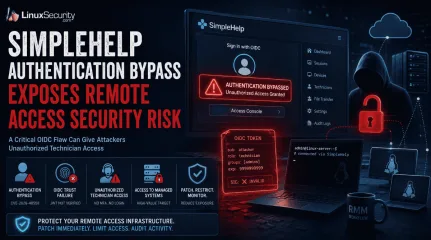 security advisoryremote accessimportant
SimpleHelp Authentication Bypass Exposes Remote Access Security Risk
Remote support platforms sit close to the systems attackers want most: administrator workflows, technician accounts, and managed endpoints. That is why the SimpleHelp OIDC flaw is more serious than a routine authentication bypass vulnerability. For organizations running these platforms on Linux-based infrastructure, the risk is compounded by the ease with which these services are deployed and integrated into larger management stacks. . What Is SimpleHelp and Why Is It a High-Value Target? SimpleHelp is a remote support software platform used by IT teams, managed service providers, and internal support groups to access systems, assist users, transfer files, and manage endpoints from a central console. In many Linux-heavy environments, it becomes a core part of the daily administrative workflow. That level of trust changes the impact of a security issue. A vulnerability affecting a public-facing website might expose a single application. A flaw affecting SimpleHelp can expose the access layer administrators use to reach dozens, hundreds, or even thousands of managed devices. Operational Impact The platform also overlaps with functions commonly associated with remote monitoring and management (RMM) deployments: Persistent Visibility: Organizations use SimpleHelp RMM capabilities to maintain persistent visibility into Linux endpoints, provide unattended access, and deploy fixes across distributed environments. Trusted Bridges: Once a technician authenticates, the platform acts as a trusted bridge into systems that would otherwise remain isolated from external access. Administrative Foothold: A foothold inside a remote support system can expose technician sessions, privileged workflows, connected clients, and administrative functions already trusted throughout the environment. From an operational perspective, this makes remote support software an attractive target. An attacker does not necessarily need to compromise every Linux endpoint individually if they can gain access to themanagement platform responsible for those endpoints. What Is CVE-2026-48558? CVE-2026-48558 is an authentication bypass vulnerability affecting certain SimpleHelp deployments that use OpenID Connect (OIDC) authentication. The issue is tracked in the GitHub Advisory Database . The issue sits in the identity validation process rather than the traditional username-and-password flow. Under specific conditions, the application can accept identity information that should not be trusted, allowing an attacker to obtain technician access without successfully completing the authentication process administrators expect. How the OIDC Authentication Bypass Works The decision that matters happens when SimpleHelp receives an identity token and decides whether that token represents a legitimate user. Additional technical analysis and indicators of compromise have been published by Horizon3.ai researchers . OIDC Trust Depends on Token Verification: An OIDC token is not proof of identity by itself; it contains claims like usernames and group memberships. The Necessity of JWT Signature Verification: Before SimpleHelp can trust any of these claims, it must perform JWT signature verification and validate the supporting claims. The Failure Point: Without proper JWT signature verification, the entire authentication process becomes dependent on data the application should never have trusted. This is also where MFA bypass concerns enter the discussion. Many administrators assume their identity provider's MFA requirement protects downstream applications automatically. In reality, that protection depends on the application correctly validating the token it receives. If SimpleHelp accepts a forged token, the vulnerability can undermine the assurance administrators normally associate with MFA-protected OIDC logins. Why This SimpleHelp Flaw Is Serious A login bypass affecting a low-privilege application might expose a handful of records. A login bypass affecting remote support software isdifferent because the account behind the login often has visibility into systems, users, and administrative operations that already hold a trusted position inside the environment. Unauthorized Technician Access Can Become Endpoint Access In many Linux deployments, technicians use the platform to launch support sessions or perform administrative actions via command-line tools. An attacker who gains unauthorized technician access is not starting from scratch; the platform already contains trusted pathways into managed assets. Existing support workflows, endpoint inventories, technician permissions, and administrative functions—often managed via scripts and automation—may already be available through the same interface. This is why platforms associated with remote monitoring and management operations receive so much scrutiny during investigations. A compromise of the management layer can provide access to systems that were never directly exposed to the internet. Who Is Affected by CVE-2026-48558? Organizations should verify their deployment against the SimpleHelp vendor advisory . The highest-risk environments generally share a few characteristics: Vulnerable Versions: SimpleHelp versions identified as vulnerable by the vendor. OIDC Usage: Deployments configured to use OIDC authentication rather than local authentication alone. Public Accessibility: Internet-facing or broadly accessible SimpleHelp portals. High-Value Targets: Environments where technician accounts have access to large numbers of managed endpoints. RMM Workflows: Organizations using SimpleHelp RMM for remote administration or support operations. How Organizations Should Mitigate the SimpleHelp Vulnerability The first priority is to patch affected SimpleHelp systems and move to a fixed version as soon as possible. Because this involves an identity validation flaw, perimeter controls alone are insufficient. Limit Exposure: If the platform is running on a Linux server, restrict access to the loginportal and administrative interfaces through VPNs, local firewall rules (like nftables or iptables), or network segmentation. Audit Technician Accounts: Remove accounts that are no longer required and verify that administrative privileges are assigned only where necessary. In environments built around remote monitoring and management, old technician accounts often survive much longer than intended. Review OIDC Configuration: The vulnerability centers on identity trust. Verify your identity provider integrations, token validation settings, and signing key configuration. Prioritize Logging: Review authentication logs, technician account activity, and unexpected remote sessions. These artifacts may provide the first indication that the platform was used in ways administrators did not intend. Final Takeaway: Identity Trust Failures Can Expose Managed Infrastructure CVE-2026-48558 is more than an isolated authentication bypass vulnerability. It affects a trusted access path inside a platform used to reach systems across managed environments. When identity validation fails in that kind of system, the risk extends well beyond a single login event. Remote access security depends on more than successful authentication—it depends on ensuring every system in the chain correctly validates the identity information it receives before granting access to resources that sit close to the infrastructure administrators are trying to protect. Does your team have a specific incident response checklist for Linux-based remote management platforms, or would you like to explore how to audit your OIDC token validation settings further? Want more Linux security news, vulnerability analysis, and remote access security updates? Subscribe to the LinuxSecurity Newsletter and get the latest threats, advisories, and expert insights delivered directly to your inbox. Subscribe to the LinuxSecurity Newsletter Related Reading Securing Remote Access to Linux Servers: Best Practices for 2026 Mastering SSHfor Secure Linux Remote Server Management How Secure Is Linux? Open Source, User Privilege, and Defense Tactics Explained Does Linux Give Users a False Sense of Security? . SimpleHelp's OIDC vulnerability presents serious security risks due to improper authentication validation, affecting Linux environments.. authentication risk, remote access security, simplehelp exploit, identity validation, linux security update. . MaK Ulac
Jun 16, 2026
•
Security Vulnerabilities

210
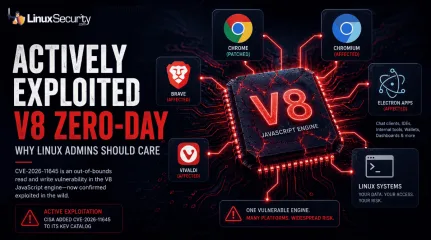 security advisoryzero-dayimportant
Actively Exploited Chromium V8 Zero-Day: What Linux Admins Need to Know
CISA added CVE-2026-11645 to its Known Exploited Vulnerabilities catalog after Google confirmed active exploitation of the flaw. The bug sits in V8, the JavaScript engine behind Chrome and Chromium. . That's where this gets more interesting. Most coverage will focus on Chrome because that's where the patch landed. But the affected component is V8. Chromium relies on it. Electron relies on it. Plenty of desktop software Linux users interact with every day relies on it too, often without much thought given to what is running underneath the interface. V8 has become part of the plumbing. When a vulnerability shows up there, the conversation shifts from a browser update to a dependency problem . Different vendors patch at different speeds. Some applications ship their own Chromium runtimes. Others inherit updates from distribution maintainers. Same vulnerable code. Different timelines. This is the fifth Chrome zero-day reported as exploited in the wild this year. That doesn't automatically mean browser security is getting worse. It does reinforce where attackers continue to spend their time. Browser engines process untrusted content constantly. A successful exploit can provide an initial foothold without touching SSH, bypassing MFA, or finding weak sudo rules on a target system. What Is CVE-2026-11645? CVE-2026-11645 is an out-of-bounds read and write vulnerability in V8. Google released patches after confirming exploitation in the wild , while technical details remain limited. NVD describes the flaw as allowing a remote attacker to execute arbitrary code inside the browser sandbox through a crafted HTML page in Chrome versions before 149.0.7827.103. Why Memory Bugs Matter Out-of-bounds memory bugs are familiar territory. Software reaches beyond the memory region it was supposed to access, and things start breaking in ways developers never intended. Sometimes that means a crash. Sometimes memory corruption. Sometimes the conditions are needed tobuild the next stage of an exploit chain. The location matters as much as the bug class. V8 sits directly in the path of content delivered from websites and web applications. Every page load pushes data through code designed for performance, compatibility, and speed. Large codebases carrying that much complexity tend to attract researchers and attackers for the same reason. Google has not released exploit details, target information, or attribution. That's normal when patches are still rolling out. What defenders know right now is enough. The flaw exists in V8, exploitation has been observed, and one of the most widely deployed open-source components on the internet is carrying the issue. Why the V8 Engine Matters Beyond Chrome V8 is not just a Chrome component . It is the open-source JavaScript and WebAssembly engine used by Chromium, and Chromium sits underneath a long list of browsers and desktop applications. Chrome is the visible patch notice. The dependency graph is bigger than that. Where V8 Lives in Your Environment: Chromium-based browsers: Brave, Vivaldi, and Microsoft Edge . Electron applications: Desktop software that may not look like a browser at all—chat clients, editors, dashboards, wallets, internal tools, and build systems. That creates a practical problem for Linux admins. Updating Chrome does not automatically update every Chromium runtime sitting on a workstation. A Flatpak package may move on one schedule. A Snap package on another. A vendor-supplied AppImage may not get touched by normal package management at all. Quiet exposure. Open source makes this both better and harder. The code is visible, patched, reviewed, and reused at scale. It also means one vulnerable component can travel through a lot of projects before anyone in operations sees a clean inventory line for it. You can patch what you know. The embedded copy is where teams get burned. Active Exploitation Confirmed Google said an exploit for CVE-2026-11645 exists in thewild. CISA then added the flaw to KEV, a catalog used by defenders to prioritize vulnerabilities with evidence of real-world exploitation. That is enough to move this out of routine maintenance and into active triage. Confirmed exploitation is not the same as mass exploitation. Public reporting has not tied CVE-2026-11645 to a named threat actor, spyware vendor, or broad campaign. No clean attribution. No victim profile. No full exploit chain. That uncertainty should not slow patching. Early zero-day reporting is usually incomplete because vendors are trying to close the window before exploit details spread. Attackers already have enough to work with. Defenders do not need a full teardown before pushing patches. The safe read is simple. A V8 flaw was exploited before public patch adoption caught up. That is exactly the window attackers like, especially when the target component is reachable through normal web activity. Why Browser Engines Remain Prime Targets Browser engines take hostile input for a living. JavaScript, WebAssembly, media codecs, PDFs, images, extensions, authentication flows, cloud dashboards. All of it moves through code that has to be fast and forgiving while still holding a security boundary. V8 sits close to the hardest part of that problem. JIT compilation, garbage collection, object handling, optimization paths, and memory management all need to work under pressure. Patch Blind Spots Chrome may update fast, but bundled Chromium runtimes often do not. Check Electron apps, AppImages, Flatpaks, Snaps, and vendor tools that ship their own browser engine. A browser exploit does not need to deliver root access on the first move. A renderer foothold can expose session data, browser storage, tokens, extension behavior, or enough local context to support the next stage. Then the chain keeps moving. This is why browser bugs keep showing up in serious intrusion work. They start from normal user behavior: open a page, follow a link, load an ad, or visit acompromised site. No exposed service required. The Growing Pattern of Chrome Zero-Days in 2026 CVE-2026-11645 is reported as the fifth Chrome zero-day exploited in the wild during 2026. Earlier exploited Chrome flaws this year included CVE-2026-2441, CVE-2026-3909, CVE-2026-3910, and CVE-2026-5281. The count is useful, but the pattern matters more. Attackers keep coming back to browsers because browsers sit where the credentials are: Cloud sessions Admin consoles Developer portals Password managers Internal apps SSO tokens A clean browser foothold can become the first step toward something larger. Linux systems are not outside that model. The post-exploitation path may look different than Windows, but the target value is still there: Developer keys, SSH configs, Git credentials, browser cookies, Kubernetes contexts, cloud CLI tokens. Plenty to steal before anyone talks about root. The mistake is treating browser patching like low-grade desktop hygiene. It belongs in endpoint defense, beside kernel patches, sudo rules, exposed daemons, and privilege escalation bugs. Different surface. Same incident queue. What Linux Users Should Do Now Patch Chrome and Chromium-based browsers first. Then verify the version actually changed. Reports list Chrome versions before 149.0.7827.103 as affected, with Linux update guidance pointing to patched Chrome builds in the 149.0.7827 line. A browser that downloaded an update but never restarted is still running old code. Check Chromium packages from the distribution next. Ubuntu, Debian, Fedora, RHEL, Arch, and downstream repositories do not always ship fixes at the same pace. That is not unusual. It does mean admins should verify package status instead of assuming the update has already landed. Look for Electron applications and bundled runtimes. This is where the open-source dependency issue gets operational. Slack-style clients, IDEs, database tools, internal dashboards, chat apps, and packaged desktop utilitiesmay carry Chromium components outside normal browser inventory. Managed fleets need version reporting, not user confirmation. Pull browser versions from endpoint management, package databases, EDR inventory, or configuration management. Force relaunches where needed. Long-running sessions are boring until they are not. Why This Matters for Open-Source Security The story is not just that Google patched Chrome. The larger issue is that attackers are exploiting a flaw in V8, a shared open-source component used across browsers, desktop applications, and development tooling. That is a different risk shape. Open-source reuse is how modern software gets built. It saves time, improves quality, and gives maintainers a common base to patch. It also concentrates exposure. One bug in the wrong component can touch products that do not share branding, vendors, package managers, or release cycles. V8 is one of those components. Most users never think about it, but they run it constantly—through browsers, through Electron, and through tools that wrap web interfaces inside desktop shells. The dependency is quiet until a zero-day makes it loud. For Linux admins, this pushes asset management down a layer. Knowing that Chrome is installed is not enough. Teams need to know where Chromium and V8 are embedded, which apps bundle their own runtime, and which packages depend on distribution maintainers for fixes. Not elegant work. Necessary work. Conclusion CVE-2026-11645 is an actively exploited V8 vulnerability, but the bigger lesson sits underneath the patch notice. Attackers targeted a browser engine. Defenders are left tracking a dependency that runs across browsers, Electron applications, developer tools, and countless Chromium-based projects. Patch the obvious browsers. Check Chromium packages. Find Electron apps and bundled runtimes. Then treat V8 the way security teams already treat OpenSSL, glibc, sudo, and the Linux kernel when active exploitation is confirmed. The software stack may lookdifferent. The risk model doesn't. Want more Linux security news, vulnerability analysis, and patch guidance delivered straight to your inbox? Subscribe to the LinuxSecurity Newsletter to stay ahead of emerging threats and critical updates. Related Reading Google Chrome Critical 0-Day CVE-2025-6558: Immediate Action Required Critical Security Update Released to Fix Chrome V8 Vulnerability Chrome Zero-Day Flaw Exposes Login Tokens on Linux Mitigating Chromium Security Flaws on Linux with Timely Updates . That's where this gets more interesting. Most coverage will focus on Chrome because that's where the. added, cve-2026-11645, known, exploited, vulnerabilities, catalog, google, confirmed. . MaK Ulac
Jun 10, 2026
•
Security Vulnerabilities
209
 security advisoryimportantsecure boot
Tails 7.7 Surfaces Secure Boot Risk as 2026 Certificate Expiry Approaches
Tails 7.7 doesn’t ship new features. It surfaces a trust problem that’s been sitting quietly in Secure Boot chains for years: the digital certificates that allow Linux to run on PC hardware are reaching their 15-year expiration limit . Systems relying on the Microsoft third-party UEFI CA are now on a timeline. This release makes that visible before it turns into boot failures or broken assumptions.. Secure Boot Trust Chain Warning Added in 7.7 The core update is a new warning tied to Secure Boot certificate expiration. Tails now alerts users when the Microsoft third-party UEFI CA approaches its 2026 cutoff. That matters because Secure Boot is only as strong as the keys behind it. Once the certificate expires, systems that haven’t updated firmware or rotated keys may refuse to boot Tails, or push users toward disabling Secure Boot just to regain access, which undercuts the entire trust model in a way that usually happens under time pressure and without clear recovery steps. The exposure is uneven but real. Older hardware, rarely updated firmware, and controlled environments without active key management sit closest to the edge. Package Updates: Tor Browser, Thunderbird, Debian Security Fixes Tor Browser updated to the latest ESR with upstream security patches and fingerprinting adjustments Thunderbird updated with vulnerability fixes and stability improvements Debian base packages refreshed to pull in current security patches Minor fixes affecting persistence and hardware compatibility Mostly routine work. Still necessary to keep the platform from drifting out of spec. Linux Security Context: Certificate Lifecycles and Trust Decay This release follows 7.6 closely. That pace isn’t about features; it’s dependency pressure and incremental hardening. The bigger issue sits outside Tails itself. Certificate lifecycles in Secure Boot environments are long, easy to ignore, and rarely monitored until something breaks, which creates a delayed failure condition across Linux systems that were assumed to be stable but were really just aging quietly toward a cutoff. Upgrade Guidance for Secure Boot Linux Systems Upgrade is recommended. Not because of immediate exploitation, but because visibility matters before the deadline gets close. Users running Tails with Secure Boot should start checking firmware update paths and how their systems handle key updates. Waiting until expiration means dealing with it mid-failure, often without a working boot path, which is a bad place to troubleshoot anything tied to trust chains. . Tails 7.7 highlights a risk of Secure Boot failure as digital certificates near expiration. Update practices are crucial.. Secure Boot, Tails 7.7, certificate expiration, trust chain, system update. . MaK Ulac
Apr 24, 2026
•
Security Trends
210
 security advisorymicrosoftimportant
Microsoft Blocks Open Source Dev Accounts, Disrupting Security Pipelines
When developer accounts are blocked, the impact is felt far beyond a single login screen. For many projects, these accounts are the access points for the entire delivery pipeline. If a maintainer is locked out, the flow of security updates stops. In a world where hackers move fast, a stalled pipeline is a massive vulnerability. . Recent account suspensions at Microsoft have affected several major open-source projects. While these events are often seen as small administrative errors, they expose a structural risk: our decentralized, open-source world runs on centralized pipes. When those pipes are cut, the fixes we rely on can no longer reach the systems that need them. Open-Source Dependency on Centralized Infrastructure We often assume open source is independent because the code is public. However, the machinery used to ship that code often relies on services controlled by a single vendor. The Integrity Chain Bottleneck Source: Applied Sciences, MDPI. "A Cross-Chain Solution for Supply Chain Traceability." To maintain software integrity, users need to know that the code they download hasn't been tampered with. This relies on code signing to maintain a verifiable chain of custody for every update. Many cross-platform projects route their release validation through infrastructure linked to Microsoft systems. If a maintainer is locked out of their Microsoft Partner Center account, that chain is broken. They cannot verify new builds, and the package managers you trust cannot receive "official" updates. The Release Pipeline Modern software delivery isn’t just a file transfer; it’s a high-speed pipeline. Code is written, built by automated systems, and distributed to mirrors. Many projects route this flow through GitHub Actions . If the account at the start of that chain is suspended, the machinery snaps. The code might be ready, but it is effectively trapped on a developer’s local machine with no path to production. The Vulnerability Disclosure Cycle Thisinterruption is most dangerous during the vulnerability disclosure process. When a critical bug is found, the fix must move through the pipeline instantly to minimize exposure. If the maintainer’s access is pulled, the patch is paralyzed. This creates a "false sense of security" where the community knows a fix exists, but it cannot be deployed to protected systems. Operational Risks of Pipeline Interruption When a maintainer loses access, the failure isn't a loud crash. It is a quiet drift away from a secure state. Exposure Windows and Version Drift: Attackers scan for bugs the moment they are disclosed. Every hour a maintainer is locked out is an hour that the exploit window stays open. This leads to version drift, where your defense tools are tuned for a version of a package that is now known to be broken. The Synchronization Problem: Linux depends on a healthy software supply chain to ensure that libraries and dependencies are updated in sync. If one key maintainer is blocked, their project stalls while everything around it keeps moving. This creates a gap that hackers use to find a weak link in your stack. Implicit Trust Model Failures: We trust signed packages because we trust the maintainer’s identity. If maintainers are forced to use unsafe workarounds or unsigned builds during a lockout, the entire security model of the repository begins to crumble. The Decentralization Paradox in Modern Security Linux is decentralized by design, which is its greatest strength. However, the delivery of that code has become highly centralized. We rely on a small number of hosting providers to keep the global software supply chain moving. When a provider like Microsoft or GitHub suspends accounts, the "coordination without authority" model of open source is tested. There is no central vendor to provide an SLA or a backup path. This highlights a quiet reliance on centralized services inside a system that is marketed as being independent. If the delivery mechanism is a singlepoint of failure, the "decentralized" nature of the code doesn't actually protect you from a shutdown. Exploit Surface of Administrative Lockouts Imagine a critical vulnerability is found in a core system utility. The developer writes a fix in an hour and prepares to push it to the main repository. But during the upload, they find their account has been suspended for an automated "identity verification" check. The developer cannot sign the new version. They cannot trigger the build system. Meanwhile, a public CVE (Common Vulnerabilities and Exposures) has already notified the world that the bug exists. The lockout itself becomes the security hole. The fix is ready, but because of a centralized administrative error, the enterprise infrastructure and critical systems that run our businesses stay vulnerable to an active threat. Identifying Supply Chain Gaps Because these failures are silent, security teams must look for the "absence" of activity rather than just error messages. Audit Upstream Activity: Watch for a mismatch between code commits and actual releases. If a maintainer is active on GitHub but the package version hasn't changed, the pipeline might be stuck. Verify Repository Integrity: Monitor for broken signing chains or unsigned packages in your mirrors. A sudden change in how a project signs its code is often a sign of an upstream access crisis. Map Dependency Concentration: Use OpenSSF tools to understand which of your core libraries rely on a single build path. If those paths route through one vendor, you have a centralized risk that needs a backup plan. A Fix That Can’t Ship Is No Fix At All The recent account suspensions are a reminder that your security posture must account for the delivery pipes, not just the code. Open source is a chain of trust. If the pipeline stops, the speed at which we write patches doesn't matter. A fix that is trapped behind a login screen is a fix that doesn't exist. To protect the ecosystem, we have to ensure thatour decentralized software isn't entirely dependent on centralized keys that can be turned off without warning. . Recent account suspensions at Microsoft have affected several major open-source projects. While thes. developer, accounts, blocked, impact, beyond, single, login, screen. . MaK Ulac
Apr 09, 2026
•
Security Vulnerabilities
77
security advisorykernel securityUbuntuAppArmor “Enforcing” Doesn’t Mean What You Think: Verify What It’s Actually Enforcing
“Enabled” does not mean “Protected.” Recent kernel vulnerabilities, including cases like USN-8098-1 , show that a service can stay active while the policies it enforces are quietly swapped underneath it. . This isn’t a bypass in the traditional sense. It’s profile manipulation at the kernel level. In certain scenarios, an unprivileged user can alter loaded rules without triggering alerts. Monitoring still reports “Enforcing,” but the kernel is no longer running the policy you have on disk. That’s why checking status is no longer enough. You need to verify that what’s in memory still matches what you deployed. Beyond “Enabled”: How to Verify AppArmor Is Working (Not Just Running) Tools like aa-status or systemctl status apparmor report state, not integrity. They confirm the service is active, but they cannot tell you whether the active profile matches the one on disk. To actually verify AppArmor is working, you need to compare what’s on disk with what the kernel is enforcing in memory. That means checking the active profiles directly, validating them against a known baseline, and watching for live profile replacement events. Check What it tells you What you should be asking aa-status AppArmor is active Are these the original profiles? systemctl status apparmor Service is running Have profiles been altered? Kernel profile list Profiles are loaded Are the rules intact? If a profile is modified through a kernel flaw, these checks can still return a healthy status while the system applies a different ruleset than what’s on disk. When AppArmor Is Not Enforcing Rules: The In-Memory Mismatch AppArmor does not continuously re-validate /etc/apparmor.d/ against what the kernel is enforcing. Once a profile is loaded, the kernel treats it as the source of truth. If that in-memory version is altered,enforcement continues cleanly, just with different rules. The profile name stays the same and still shows as enforced, but the rules behind it no longer match what was deployed. What that looks like in practice: A profile reload is triggered by an unprivileged user The profile name remains unchanged to avoid detection Deny rules are relaxed or removed The modified profile is enforced immediately Where this tends to surface: Web services (nginx, apache, ssh): unexpected file access patterns Containers: profiles still attached, but isolation quietly weakened “Confined” processes: marked as restricted, but governed by altered rules If you’re stacking LSMs like SELinux or BPF-LSM, you may have partial coverage. Unless you’ve verified overlap at the rule level, assume the AppArmor layer is your primary control and treat compromise accordingly. Where Isolation Breaks Down: The Shared Kernel Problem Containers isolate processes, not enforcement. AppArmor still operates at the kernel level, and every container on a host depends on that same decision layer. If a profile is altered in memory, whether through a kernel flaw or misconfiguration, the change doesn’t stay contained. It applies everywhere that the profile is used. Think of the kernel as the landlord and AppArmor as the locks on each door. The locks can still be in place, but if the landlord has been compromised, the rules behind those locks no longer mean much. That shows up in places where isolation is assumed to hold: A CI runner pulls untrusted code, executes it under a known profile, but the rules have already been relaxed A multi-user system enforces confinement on paper, while certain processes quietly gain broader file access Containers appear restricted, yet share a policy that no longer matches what was deployed From the outside, processes still show as confined. The difference is in what those profiles now allow. The enforcement boundary has already shifted.The kernel is still making decisions, just not the ones you expect. How to Verify AppArmor Is Working: A 60-Second Integrity Audit Checking if AppArmor is running is just a heartbeat check. This is how you verify what it’s actually enforcing. How to Check for Unconfined Processes Start with processes that should never be unconfined: ps -Z | grep unconfined Focus on: nginx apache bind ssh If any of these show as unconfined, something is already out of alignment. Also, watch for profiles running in complain mode, since that’s how restrictions get relaxed without breaking execution. How to Check AppArmor Profiles Are Applied (Baseline Check) Compare what’s on disk versus what’s loaded: ls /etc/apparmor.d/ | wc -l aa-status These numbers won’t match exactly, and they’re not supposed to. Profiles can expand, load dynamically, or originate from different paths. What matters is consistency. Capture a baseline from a known-good system, then monitor for: missing profiles unexpected drops deviations from expected state How to Reload AppArmor Profiles and Verify State If something feels off, reload profiles directly: sudo apparmor_parser -r /etc/apparmor.d/* This replaces whatever is currently in memory with what’s on disk. To see what the kernel is enforcing right now: cat /sys/kernel/security/apparmor/profiles That’s your source of truth. Everything else is reporting around it. How to Verify AppArmor Profiles Haven’t Been Modified Profile manipulation doesn’t raise alerts. It leaves traces in audit logs. Focus on these events: sudo grep 'apparmor="STATUS"' /var/log/audit/audit.log sudo grep 'apparmor="REPLACED"' /var/log/audit/audit.log STATUS → Normal profile loads and enforcement events REPLACED → A profile was overridden on a live system That REPLACED event is the signal. It confirms that a profile changed without a restart, which lines up with howin-memory manipulation behaves. These entries won't stop the system; they just record what happened. This log acts like a black box you come back to when something doesn't line up. If you want to see how these events are handled and what AppArmor actually logs in practice, the AppArmor project documentation covers how profile loads, replacements, and enforcement changes show up. Why “Enabled” Doesn’t Mean Protected A green status is just a heartbeat. It says nothing about integrity. If you’re not: checking for drift auditing REPLACED events occasionally reloading from disk You’re relying on the assumption that memory and disk are still aligned. That assumption is exactly what these vulnerabilities exploit. Stop asking if AppArmor is running and start verifying what the kernel is actually enforcing. Because in the end, your security posture doesn’t depend on the service being active. It depends on whether the rules in memory still match the rules you trust. . Profile manipulation at the kernel level poses a real threat. Discover how to ensure AppArmor is functioning as expected.. AppArmor Security, Linux Kernel Threats, Application Protection, Process Isolation. . MaK Ulac
Mar 17, 2026
•
Server Security
83
 security advisoryUbuntumalware
Linux Users Targeted as Crypto-stealing Malware Hits Snap Packages
We’ve been telling ourselves that Snap apps are sandboxed, signed, and therefore low-risk. Not perfect, but good enough. That assumption has been holding for years, mostly because it hasn’t been tested in a way that mattered to day-to-day operations. . Recently, it was. Several crypto-stealing campaigns are using Snap packages to land quietly on Ubuntu Linux systems. No exploit chains. No privilege escalation. Just software that looked legitimate enough to install, then stayed resident long enough to make money. For attackers focused on cryptomining, that’s ideal. CPU is consumed slowly, the system keeps working, and nothing obviously breaks. This isn’t about one bad Snap slipping through review. It’s about how much trust we place in packaging ecosystems once they become familiar. Snap’s design favors convenience, automatic updates, and a clean user experience. Those same traits also reduce friction for abuse when something malicious does get through. What matters for admins is not whether Snap is “secure” in the abstract. It’s how these choices change risk in real environments. We’ll walk through how the attack worked, why Snap was a good fit for it, what similar abuse has looked like before, and what’s worth locking down now if you don’t want packaging convenience to quietly expand your attack surface. What Actually Happened with Malicious Snap Packages? The recent campaign itself was not technically impressive, which is part of the problem. Attackers published Snap packages that looked legitimate and behaved well enough to avoid attention. There was no snapd vulnerability involved, and no sandbox escape to dissect afterward. The entry point was trust, not code execution. Distribution leaned on normal Snapcraft usage. A user searched for a tool, found a package that looked right, and installed it. From there, the payload focused on cryptomining and, in some cases, credential harvesting. Nothing destructive. No ransom notes. Just quiet resource use thatblended into the everyday system load, especially on developer workstations and lightly monitored servers. You start to notice the trend when you look at timelines instead of spikes. CPU usage that never quite drops. Processes that respawn under names that don’t raise flags. Outbound traffic that looks like any other long-lived connection unless you already know where it’s going. In Ubuntu environments where Snap is enabled by default, this kind of activity can sit undisturbed for longer than most admins are comfortable admitting. Cleanup was also less clean than people expect. Uninstalling the Snap removed the visible package, but not always the whole problem. Persistence mechanisms varied, and in a few cases, admins had to hunt down leftover processes or user-level artifacts before systems actually returned to baseline. The important takeaway is not that Snap is broken. It’s that “official” packaging has been treated as a proxy for safety in Ubuntu security models, and this campaign shows the limits of that assumption. Once a malicious package looks normal enough, the rest of the system tends to cooperate. Why Is Snap Attractive to Attackers? Once you step back from the individual incident, the choice of Snap starts to make sense. This wasn’t about bypassing defenses. It was about fitting in. Snap’s design decisions, most of them reasonable on their own, create an environment where long-lived, low-noise abuse doesn’t immediately look wrong. A few traits stand out when you compare Snap to more traditional packaging approaches like apt, or even to other modern formats such as Flatpak . Centralized distribution gives attackers reach without having to build their own delivery channel. If a package is discoverable through Snapcraft, it already has an audience. Auto-updates are expected behavior. Users rarely question why a Snap changes over time, or what exactly changed. Confinement reduces obvious breakage. A malicious Snap that stays within its sandbox can keep thesystem stable while still doing useful work for the attacker. Background services are normal. Many Snaps run persistently, so a process that never exits doesn’t immediately look suspicious. Classic confinement is available and often granted with little scrutiny, expanding what a Snap can touch once it’s installed. Publisher trust is inferred from names and descriptions more than from active verification. Logging and monitoring around Snap execution is usually thinner than for system packages. This is where the contrast with other formats matters. Flatpak still carries supply chain risk, but its permission model and runtime expectations make quiet persistence harder to hide. Apps are not generally expected to run indefinitely in the background, so abuse tends to surface faster. Apt packages, on the other hand, are usually installed with a clearer sense that you’re modifying the base system, which changes how people think about trust. None of this makes Snap uniquely unsafe. It does explain why attackers targeting cryptomining workloads gravitate toward it. The platform makes it easier to stay boring, and boring is exactly what you want when the goal is to siphon CPU over time. For admins, this is the shift. Snap should be evaluated like any other third-party code source, not as a special case that inherits trust from the platform it runs on. This Isn’t the First Time Snap Has Been Abused If this were the first example, it would be tempting to treat it as an outlier and move on. It isn’t. Snap has seen malicious or deceptive packages before, and the pattern is familiar if you’ve been watching other software ecosystems long enough. There have been Snap packages that slipped through review while doing something other than what they advertised. Others leaned on lookalike names or vague descriptions to catch casual searches. In several cases, packages were only pulled after users reported odd behavior, not because automated checks caught anything definitive. That delaymatters. It’s the window where quiet abuse pays off. What’s happening here mirrors what played out earlier in npm, PyPI, and container registries. Once an ecosystem makes distribution easy and normalizes fast installs, attackers start probing its edges. They’re not looking for perfect exploits. They’re looking for places where trust is assumed, and verification is light. It’s also worth zooming out for a moment. This isn’t unique to Snap. Flatpak, AppImage, and even the old habit of piping a curl command straight into a shell all scale the same mistake. Convenience lowers friction. Lower friction increases the chance that something untrusted runs without much thought. Packaging format changes the mechanics, not the underlying risk. The practical implication is straightforward. This wasn’t a fluke tied to one bad package or one review failure. It’s a repeatable delivery path that will keep resurfacing as long as software ecosystems optimize for speed and ease of use. At that point, the question for admins stops being “will this happen again” and becomes “how prepared are we when it does?” What Does Crypto-stealing Malware Look Like on Linux in the Real World? On Linux, crypto-stealing malware rarely announces itself. It settles in and tries to look like part of the background. That’s why it’s easy to miss if you’re only watching for spikes, crashes, or obvious failures. What usually shows up first is a sense that something is slightly off. A workstation that never quite goes idle. A server that runs warm even when demand is low. Users start mentioning fans or battery drain, but nothing is broken enough to trigger an incident. When you dig in, the signs tend to cluster around a few patterns: CPU usage that stays modest but persistent, even during periods when the system should be quiet. Processes with generic or misleading names that respawn when killed. Outbound connections to mining pools, proxies, or unfamiliar hosts that remain open for longperiods. Executables running from Snap-specific mount paths rather than expected system locations. Resource consumption that looks “normal” in isolation but wrong when viewed over days instead of minutes. Logs that appear clean unless you correlate process behavior, network traffic, and user actions over time. This is also where differences between packaging systems start to matter operationally. On Flatpak-based systems, similar abuse tends to stand out sooner. Applications are not typically expected to run indefinitely in the background, so long-lived processes attract attention faster. With Snap, persistent services are common enough that they blend in more easily. The monitoring lesson here is uncomfortable but important. You don’t catch this kind of cryptomining by waiting for alarms. You catch it by paying attention to low-grade anomalies that never quite resolve themselves. Once you start looking for those patterns, you realize how long this sort of activity can sit unnoticed. Securing Snapcraft Apps Without Banning Snap Outright Most environments can’t just rip Snap out and move on. Developers rely on it. Some tools only exist there. The goal isn’t to make Snap disappear. It’s to make its presence deliberate instead of incidental. The first shift is mental. Snap packages are not part of the base operating system. They’re third-party software delivered through a convenient channel. Once you frame them that way, the hardening steps stop feeling heavy-handed and start feeling familiar. Start with inventory. Many teams don’t have a clean answer to a simple question. What Snaps are installed, and who put them there. Until you can answer that, everything else is guesswork. From there, publisher review matters more than package names. Well-known projects with verified publishers behave very differently, over time, than one-off utilities with thin histories. Classic confinement deserves special attention. It exists for good reasons, but it quietly undoes many ofthe assumptions people make about Snap safety. If a Snap needs classic confinement, that should be a conscious approval, not a default outcome of clicking through an install prompt. Server environments are where discipline usually slips. Snap auto-installation and auto-updates make sense on desktops. On servers, they introduce change outside your normal review cycle. Disabling or tightly restricting Snap aligns better with how most teams already treat change control, especially in regulated Ubuntu security contexts. It also helps to make decisions visible. Document why a Snap is allowed, what it’s used for, and what level of access it has. That record pays off later, when something looks odd, and you need to decide quickly whether a process belongs. None of this guarantees safety. What it does is shrink the space where quiet abuse can live. When Snap usage is intentional, deviations stand out faster, and response becomes less about cleanup and more about containment. Monitoring and Logging Snap Activity that Actually Helps The hardest part of this class of abuse is that it doesn’t trigger the alerts we’re used to trusting. Nothing crashes. Services stay up. Users keep working. If you only look for sharp edges, you miss the slow ones. Effective monitoring around Snap starts by treating it as its own execution layer. Install and update events should be visible outside the local system. If a Snap appears or changes, you want that fact recorded somewhere central, with a timestamp you can line up against everything else that happened that day. Runtime behavior matters more than package metadata. CPU, memory, and network usage tied back to Snap mount paths is where patterns start to emerge. A single host using a little extra CPU is easy to ignore. Ten hosts doing it in the same way, over the same time window, is not. A few monitoring actions consistently prove their value: Track Snap install and update events centrally, not just locally. Watch for long-running Snap processes onsystems that shouldn’t have them, especially servers. Correlate outbound network connections with Snap executables and user context. Look for resource usage that never quite returns to baseline. Retain logs long enough to see slow-burn behavior, not just short incidents. Assume an attacker’s goal is to look boring, not noisy. What tends to surprise newer admins is how little raw data you need once you know what to correlate. You don’t need deep packet inspection or exotic tooling to spot cryptomining behavior. You need time windows, context, and the discipline to look at patterns instead of peaks. Once Snap activity is visible alongside the rest of your system telemetry, it stops being a blind spot. At that point, the risk shifts from “we wouldn’t notice” to “we might miss it if we’re not paying attention,” which is a much more manageable place to be. Policy Decisions Linux Admins Should Revisit Now Most of the risk exposed by this incident isn’t technical. It’s procedural. Snap behaves the way it was designed to behave, and on Ubuntu, those behaviors are defaults. Snap is enabled out of the box. Auto-updates are on. Classic confinement is available. None of that is a flaw. It does mean those defaults quietly shape your risk profile, whether you’ve discussed them or not. This is where policy catches up with reality. If Snap is present in your environment, it is already making decisions on your behalf. The question is whether those decisions align with how you expect systems to be managed. There are a few areas where ambiguity tends to cause trouble: Are Snaps allowed everywhere, or only on user workstations? Who is allowed to install new Snaps, and under what conditions? What happens when a Snap is flagged as suspicious or outright malicious? How quickly can you inventory affected systems and remove a package at scale? Whether Snap usage is documented anywhere beyond tribal knowledge. How exceptions are handled when someone insiststhey need a specific Snap right now. It helps to frame these as defaults rather than judgments. You are not criticizing Ubuntu for enabling Snap. You are deciding whether those defaults make sense for your environment, your compliance obligations, and your tolerance for unmanaged change. Ubuntu security guidance gives you a baseline. Policy is where you decide how far beyond that baseline you need to go. Once these decisions are written down, a lot of the uncertainty disappears. Installs become intentional. Exceptions become visible. When something odd shows up in monitoring, you already know whether it belongs there. At that point, Snap stops being a background assumption and becomes just another managed input into your risk model. What Does this Change for Linux Security Going Forward? The most useful outcome of incidents like this is not a new rule or a new tool. It’s a quieter adjustment in how trust is handled. Linux systems are no longer ignored by attackers looking for steady financial return. CPU time, credentials, and persistence all have value now, even when nothing breaks. Packaging ecosystems are part of that reality. Snap made the mechanics visible, but the pattern applies anywhere software is easy to install and rarely revisited. Sandboxing still matters. It limits damage and contains mistakes. It does not tell you whether the code inside the sandbox deserves to be there. For admins, the shift is less about adding controls and more about knowing what is running, why it is there, and how it behaves over time. Asset awareness does more work here than another layer of detection. Once you see that, the focus naturally moves from chasing individual threats to managing assumptions. Cryptomining will keep showing up in different forms because it fits this model so well. It is quiet, persistent, and profitable enough to justify patience. That makes it a good stress test for how much implicit trust exists in your environment. When trust is explicit, accepted risk is easier toexplain and easier to defend. When it isn’t, packaging convenience quietly expands the attack surface without anyone signing off on it. The difference between those two states is not dramatic. It’s procedural. And once you notice it, it’s hard to unsee. . Recent campaign exposes how Snap packages can conceal crypto-stealing malware in Ubuntu systems, risking resource theft.. Crypto-stealing Malware, Snap Packaging, Linux Security, Ubuntu Administration, Package Monitoring. . Brittany Day
Jan 29, 2026
•
Hacks/Cracks
210
 security advisoryimportantCisco
When Security Tools Become a Risk: Cisco Snort 3 Flaws & Network Security Threats
Snort 3 flaws don’t matter because they are unusual. They matter because they are predictable. . Recent disclosures showed that crafted network traffic can crash the Snort 3 inspection engine, force restarts, or degrade analysis without always raising clear alarms. In some cases, memory data can be exposed. None of this requires authentication. For Linux admins running Snort sensors, this means inspection can fail under exactly the conditions it is meant to handle: hostile input at scale. That failure mode is the real issue. Network inspection tools are still widely treated as passive observers, not as software that can be targeted and destabilized. When inspection breaks quietly, visibility disappears first, not connectivity. Traffic looks clean. Alerts dry up. Monitoring dashboards stay green. This is a broader trend Linux admins rarely plan for. As inspection engines grow more complex, they also become part of the attack surface. If you assume detection is working because the service is running, you are already behind. These recently discovered Snort 3 flaws are a reminder that inspection itself needs monitoring, policy, and explicit risk ownership, or it quietly becomes the weakest link in the network. What Do the Cisco Snort 3 Security Flaws Actually Change in Network Inspection? This is not about one bad bug or an exotic edge case. It’s about how the inspection engine behaves when traffic is intentionally shaped to stress it. How the Snort 3 Engine Fails Under Crafted Traffic Snort 3 inspects packets by parsing them deeply, protocol by protocol, field by field. That parsing happens on untrusted input, and some of the recent flaws sit directly in that path. Crafted packets can trigger crashes or force the engine to restart. In some cases, inspection does not stop cleanly. It degrades, skipping analysis while the process recovers. The important detail is how little access is required. These failures can be triggered remotely and without authentication. An attacker doesnot need a foothold inside the network. They only need to reach the sensor with traffic that exercises the vulnerable code paths. From the outside, this looks like normal network noise. From the inside, inspection may already be compromised. Data Exposure and Inspection Blind Spots Not all of the issues are about availability. Some flaws allow limited memory disclosure, leaking data from the inspection process itself. That exposure is subtle, but it matters because it confirms something defenders often overlook. The inspection engine is handling a sensitive state while processing traffic, and bugs there can spill more than just alerts. More damaging, though, are the blind spots. Inspection gaps are not always logged or escalated. A sensor can miss traffic while still appearing healthy in dashboards that only track uptime or alert counts. Quiet failure is the core risk here. The system does not always tell you it has stopped seeing clearly. Affected Products and Linux Deployments These issues are not confined to a single appliance or niche setup. Open-source Snort 3 deployments are affected, as are Cisco Secure Firewall products that embed the Snort engine. Many of those sensors run on Linux, either as dedicated hosts or as part of a larger security stack. That matters for teams relying on network intrusion detection as a control. The same engine, the same failure modes, and often the same monitoring assumptions apply across environments. When Network Intrusion Detection Tools Become Part of the Attack Surface It helps to stop thinking of an IDS as a passive observer. The engine is not just watching traffic. It is actively parsing it, normalizing it, and making decisions based on structures an attacker fully controls. That makes the detection layer a place where mistakes can be triggered on purpose, not just stumbled into. IDS engines process untrusted input continuously, often at line rate. Parsing bugs get easier to hit as traffic volume increases. Attackers can probedetection logic the same way defenders test rules. A crashed or degraded sensor does not raise alarms. It just goes quiet. This is why the risk is easy to underestimate. When an application server crashes, users complain. When an inspection engine fails, the network can look clean. For admins, that means responsibility shifts. Threat models have to include inspection engines as attackable components, not trusted referees standing outside the game. Linux Admin Reality Check: Why Snort 3 Failures Are Easy to Miss Most Snort failures don’t announce themselves as failures. They show up as normal-looking systems doing less work than you think. Why “Service Running” Is Not a Security Signal On a Linux host, the first check is usually simple. Is the service running? systemd says yes, so everyone moves on. That works for many daemons. It breaks down for inspection engines. Snort can crash and restart on its own. It can enter short crash loops and recover without ever tripping a pager. During those windows, packet inspection may stop or partially resume, and nothing in basic service monitoring tells you that coverage slipped. Where IDS Visibility Usually Stops Most IDS monitoring is built around detections. Alerts fired. Signatures matched. Packets dropped. What often goes untracked are decode errors and parser exceptions, the signals that tell you the engine is struggling to make sense of what it is seeing. Those events may be logged locally, if at all. They rarely escalate. Dashboards stay quiet because they are watching outcomes, not engine health. The result is a blind spot that only shows up after you need the data that never got inspected. Early Indicators Admins Tend to Ignore There are usually hints, but they look like noise. A slight drop in inspected traffic. CPU spikes that line up with bursts of malformed packets. A sensor that feels “off” but not broken enough to justify digging. You start to see the trend once you’ve chased it a few times. Inspectiondegrades before it fails, and that degradation is easy to rationalize away as load or background churn. Policy and Monitoring Changes That Reduce Network Inspection Risk Once you accept that inspection can fail quietly, policy has to follow. Network intrusion detection cannot be treated as a static control that is either on or off. It becomes a system whose health needs to be measured, reviewed, and explained, especially in environments where detection is cited as a compensating control. That starts with watching the engine itself, not just the alerts it produces. Signal What It Indicates Why It Matters Snort restarts Engine instability Inspection may drop without notice Decode failures Parsing stress Early sign of hostile or malformed traffic Rule reload errors Broken detection logic Coverage exists on paper, not in practice These signals are not exotic. Most of them already exist in logs or metrics streams. They are just rarely elevated to the level of security monitoring. A few minimum changes usually make the difference: Treat IDS health events as security-relevant, not operational noise. Alert on restarts, crash loops, and repeated decode errors, even if detections stay low. Correlate inspection errors with traffic spikes instead of looking at them in isolation. None of this requires rewriting your entire monitoring stack . It does require changing what you consider evidence that detection is working. Patch, Compensate, or Re-Architect: Security Decisions After Snort 3 Flaws Once the flaws are understood, the hard part starts. This is where teams tend to stall, because patching feels obvious and everything else feels optional. In reality, each choice changes risk in a different way, and pretending there is only one answer is how blind spots stick around. Option What It Fixes What ItDoesn’t Patch Snort Known flaws in current versions Future parser bugs and unknown failure modes Add redundancy Single-sensor failure Operational complexity and tuning drift External monitoring Visibility gaps Alert fatigue and correlation work Patching is necessary. It closes the specific holes that have been documented. It does not change the fact that inspection engines will keep parsing hostile input tomorrow and next year. That is where compensating controls come in. Redundant sensors limit how much visibility you lose when one engine stumbles. External monitoring helps you notice when inspection quality drops instead of assuming clean traffic. The last option is the one people rarely name. Doing nothing. That is still a decision, and it carries risk just like the others. The difference is that it is usually undocumented and therefore hard to defend later. Why Network Security Threats Now Include the Tools You Rely On Network security threats are no longer limited to the traffic crossing the wire. They also live inside the tools built to inspect that traffic. As detection engines grow more complex, they accumulate their own failure modes, many of them subtle. Inspection logic ages. Parsers expand. Edge cases multiply. Over time, the attack surface grows even if the network itself does not. What makes this harder to manage is how these failures present. Inspection engines tend to fail quietly. Alerts stop. Coverage thins. Everything looks calm unless you are watching the right signals. Long-term security strategies have to assume these gaps will happen and plan for how to detect and explain them. FAQ: Cisco Snort 3 and Network Intrusion Detection Risks Can Snort 3 fail without generating alerts? Yes. Snort can crash, restart, or partially degrade while producing few or no alerts. If monitoring is focused on detections rather than engine health, inspection gaps can gounnoticed. How do I detect inspection failure on Linux sensors? You have to look past service status. Track restarts, decode errors, parser exceptions, and sudden drops in inspected traffic, then correlate those signals with traffic patterns and system load. Are passive IDS deployments safer than inline ones? They reduce the risk of blocking traffic, but they do not remove inspection risk. A passive sensor that fails quietly still creates a visibility gap, which can be just as damaging during an investigation. Does patching eliminate inspection risk? No. Patching fixes known flaws, not the underlying reality that inspection engines parse hostile input. New bugs and new failure modes will appear over time, even in well-maintained systems. What metrics indicate IDS health issues? Repeated restarts, rising decode failures, rule reload errors, and unexplained CPU spikes are common indicators. None of them is definitive alone, but together they show when inspection quality is slipping. . Explore recent Cisco Snort 3 flaws affecting network inspection, highlighting the risk of silent failures and data leaks.. Cisco Snort 3, network security tools, Linux intrusion detection, security monitoring, network inspection flaws. . Brittany Day
Jan 19, 2026
•
Security Vulnerabilities

Get the latest News and Insights
Get the latest Linux and open source security news straight to your inbox.
Community Poll
Is continuous patching actually viable?
Trending News
Search Topics
Powered By

Linux Security - Your source for Top Linux News, Advisories, HOWTOs and Feature Releases
QUICK LINKS
subscribe to newsletters!
Like staying secure? So do we.
Sign up for updates, tips, and alerts!