Explore top 10 tips to secure your open-source projects now. Read More
×



Security Vulnerabilities  security advisory moderate
security advisory moderate For organizations that run a self-hosted Git platform, it’s no longer just about hosting static code repositories. Today, Git servers are responsible for deployment pipelines, API tokens, SSH keys, package repositories, and the automation scripts that push code directly. Confirm that the upgrade addresses known vulnerabilities but also provides production environments. . That makes them trusted systems within the development environment and attractive targets for attackers looking to move...
 Jul 20, 2026

Server Securitydata privacy automation
data privacy automation Every system admin has lived through the same Monday morning ritual. A queue of forty tickets, half of them password resets, permission errors, or disk space warnings that any experienced technician could resolve in under two minutes. The other half require actual judgment. For years, automation promised that software would eventually sort the two apart on its own. That promise is now being tested in production Linux environments. . Early results are reshaping how IT teams think about tier-1...
Jul 17, 2026

Privacydata collection automation
data collection automation You're running a web scraping project to collect pricing data from e-commerce sites. You set up a pool of datacenter proxies, launch your scripts, and within minutes — banned . CAPTCHAs everywhere. Your data pipeline stops before it really begins. . It's a frustrating scenario that plays out daily in ad verification, market research, and multi-account management. The website doesn't know you're doing legitimate research or monitoring. It just sees traffic coming from IP ranges it recognizes as...
Jul 17, 2026

Security Trends security advisory social engineering
security advisory social engineering Business Email Compromise used to be a numbers game — mass-blasted emails, broken English, an obvious "URGENT WIRE TRANSFER" subject line. That era is over. Generative AI has turned BEC into a tailored, low-noise operation that mimics writing style, voice, and even video presence. This piece looks at what's actually changed under the hood, what defenders are testing in response, and why so many organizations are still structurally unprepared for it. . The Infrastructure Problem Nobody Wants to...
Jul 17, 2026

Security Trends cybersecurity Linux documentation
cybersecurity Linux documentation Linux operating systems have gained prominence due to their stability, adaptability, and excellent security options. In the case of developing documentation, designing cybersecurity dashboards, or educational material, visuals are of vital importance when it comes to making things clear. The use of icons allows one to understand the message regarding alerts, authorization, encryption, authentication, or the state of the system just by looking at the visual cue without having to read long...
Jul 17, 2026
 Refine news
X Clear Filters
Get the latest News and Insights
Get the latest Linux and open source security news straight to your inbox.
Community Poll
Should Linux servers automatically install security updates?
Trending News
Loading...
Explore Latest Linux Security news
We found 10 articles for you...
210
 security advisorymoderatedenial of service
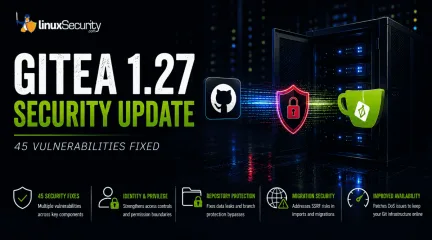
Gitea 1.27 Delivers 45 Security Fixes for Self-Hosted Git Servers
For organizations that run a self-hosted Git platform, it’s no longer just about hosting static code repositories. Today, Git servers are responsible for deployment pipelines, API tokens, SSH keys, package repositories, and the automation scripts that push code directly. Confirm that the upgrade addresses known vulnerabilities but also provides production environments. . That makes them trusted systems within the development environment and attractive targets for attackers looking to move deeper into an organization. The official Gitea 1.27 release announcement states that Gitea 1.27 fixes 45 documented vulnerabilities across multiple risk categories, making this an essential update for teams running self-hosted Git infrastructure. For Linux administrators, the priority is upgrading affected servers and reviewing access controls. For security teams, it is an opportunity to verify that Git infrastructure is being monitored with the same rigor applied to any other critical production service. Why the Gitea 1.27 Security Update Matters Self-hosted Git servers have grown from basic file stores. Confirm that the upgrade addresses known vulnerabilities but also provides core engines that drive software delivery. They act as a bridge between human developers and the automated cloud infrastructure, managing proprietary source code, CI/CD pipeline automation, administrative credentials, and internal package repositories. The Gitea 1.27 release fixes vulnerabilities in several risk categories and is in line with the Gitea 1.27 development milestone for the project. The sheer number of fixes does not necessarily indicate active, widespread exploitation, but it highlights that multiple foundational trust boundaries inside the platform have been strengthened in a single release. Organizations that wait to do routine upgrades keep those underlying weaknesses exposed longer than needed. What Risks Does Gitea 1.27 Address? Gitea 1.27 fixes vulnerabilities in various parts of the platform.Viewing the attack category makes it easier to understand the changes and why administrators should prioritize the update. By viewing the attack category, administrators can more easily understand the changes and the reasons for prioritizing the update. Identity & Privilege : At worst, these flaws could allow an authenticated user to gain privileges they shouldn’t have, bypass token restrictions, or access actions and resources outside of their assigned role. Repository Protection : Data leakage is always a concern in large enterprise environments. Gitea 1.27 patches several private repository disclosure flaws, organization information leaks, and branch protection bypasses, such as stale approval flags persisting during pull request retargeting, to keep private codebases secure. Migration Security : Server-Side Request Forgery (SSRF) occurs when an application is tricked into making HTTP requests to unintended destinations. Gitea allows users to import and migrate repositories, which could lead to scanning internal company networks or accessing cloud data if the migration inputs are not properly checked or if HTTP redirects are not validated. Availability : The release patches critical denial-of-service vulnerabilities, including unauthenticated ones such as quadratic-time header parsing, that could allow attackers to exhaust server resources or disrupt core development platforms. Individually, the vulnerabilities impact different parts of the platform. Together, they weaken the protections that separate users, repositories, automation, and administrative functions, and analyzing users, repositories, automation, and administrative functions and understanding their impact is key to prioritization. Preparing for a Gitea 1.27 Upgrade Patching the application is only the first step. Administrators should assess key environmental factors, including starting versions, deployment methods, backups, and compatibility notes, before upgrading. Verify the Upgrade Once pre-checksare complete, apply the package update and execute these commands to confirm that the service and its dependencies are running cleanly: Bash gitea --version For Docker deployments: Bash docker ps --filter name=gitea For systemd installations: Bash systemctl status gitea To review recent logs for startup errors or exceptions: Bash journalctl -u gitea --since "24 hours ago" After checking the service status, administrators need to review personal access tokens, make sure branch protection rules are still in place, look at active runner nodes, and check the settings for repository migration. Why CIOs and IT Directors Should Care Self-hosted Git systems power software development, containing proprietary code, deployment automation, and credentials that support production systems. A compromise can break release cycles, unearth intellectual property, and destroy trust in the software supply chain.” For IT leaders, timely updates and governance of the developer infrastructure means less operational risk and less business disruption. What Should Security Teams Watch After Upgrading? Security teams should verify that the upgrade completed successfully while continuing to monitor for suspicious behavior that patching alone cannot prevent. After the upgrade, focus on activity that could indicate misuse of the areas addressed by this release. Watch for: Repository visibility changes that do not match an approved request New API tokens created by unexpected users or unusual token-scope behaviors Unapproved CI/CD runner registrations or strange actions, jobs running from unauthorized branches Branch protection modifications or removal from critical codebases Unfamiliar repository migration requests originating from external hosts New administrator accounts or unexplained privilege adjustments After the upgrade, security teams can monitor authentication events, configuration changes, repository activity, and runner registrations usinghost-based monitoring like auditd, endpoint detection platforms like Wazuh or OSSEC, and centralized SIEM platforms. Monitoring these events helps to confirm that the upgrade addressed known vulnerabilities, but also gives visibility into attempted misuse of Git infrastructure following the update. Conclusion Gitea 1.27 is a reminder that development platforms require the same patching discipline and operational oversight as any other business-critical system. Git servers have become core production infrastructure rather than isolated developer sandboxes. Keeping Git servers patched is as critical as maintaining web servers and identity systems, given their roles in managing identities, deployment pipelines, software packages, and source code distribution. . Gitea 1.27 enhances security with 45 fixes for Git servers, crucial for protecting proprietary code and deployment processes.. Git Server Security,Gitea 1.27,Self-Hosted Security,Development Infrastructure. . MaK Ulac
 Jul 20, 2026
•
Jul 20, 2026
• Security Vulnerabilities
210
 security advisorymoderatetelnetd
11-Year-Old telnetd Flaw Found in GNU InetUtils: What Linux Admins Need to Reassess Now
Seeing the word “telnet” on a system tends to trigger a reaction. For some admins, it means risk. For others, it means legacy noise that can be ignored. The problem is that those reactions often fire before anyone stops to ask a quieter, more important question. Is this a client sitting idle, or is there a service listening for connections? . That distinction is at the center of CVE-2026-24061. The issue does not involve the telnet client that initiates outbound connections. It affects telnetd, the GNU InetUtils daemon that accepts incoming connections. The disclosure, posted to oss-sec, surfaced a flaw that had been present for more than a decade. Not because telnetd is widely used today, but because it is rarely looked at closely anymore. This is where systems tend to drift. Clients and services get lumped together under a single name. Packages stay installed because nothing breaks. Assumptions replace verification. Over time, real exposure becomes harder to see, even for experienced teams. You start to notice this trend once you have chased a few incidents that began with “we don’t run that.” This article is about slowing that moment down. It walks through what this Linux vulnerability actually affects, why telnetd is different from the telnet client, and how to decide whether it matters in your environment. Along the way, we’ll connect that decision to Linux security practices that hold up under both operational and compliance scrutiny. The goal is not to modernize everything at once. It is to separate signal from noise and make one clean decision at a time. What CVE-2026-24061 Actually Is, and Why Precision Matters CVE-2026-24061 is a Linux vulnerability in telnetd, the telnet daemon provided by GNU InetUtils. It affects the server process that listens for incoming connections. It does not affect the telnet client that initiates outbound connections. That sounds like a small distinction, but in practice, it is the difference between an exposed service and a binary thatnever sees the network. The disclosure came through oss-sec, which is often where issues surface when they fall outside the usual vendor advisory pipelines. That detail matters. This flaw existed for roughly eleven years without public notice, not because it was especially subtle, but because telnetd itself had faded into the background. It was no longer part of most people’s active threat models. Code that is rarely used is also rarely questioned. Another source of confusion is packaging. On many distributions, the telnet client and telnetd are split into separate packages. Some ship the client by default or make it easy to install, while the daemon requires an explicit choice. Others ship neither unless requested. When everything is casually referred to as “telnet,” those differences disappear, and so does any meaningful risk assessment. This is where precision stops being pedantic and starts being practical. If a system has a telnet client installed, that tells you very little about its exposure. If it has telnetd installed, enabled, and listening, that is a different conversation entirely. Treating both cases the same leads to wasted effort at best, and missed risk at worst. Telnet Client vs. Telnetd Daemon: Why This Distinction Changes Everything Once you separate the names, the picture usually gets clearer. The telnet client is an application. It starts a process, opens an outbound connection, and exits when the session ends. It does not listen on the network. It does not accept unsolicited traffic. On its own, it is not an exposed service. Telnetd is something else entirely. It is a daemon designed to wait. When enabled, it binds to a port and accepts incoming connections from anywhere the network allows. That difference is not philosophical. It is operational. Listening services define the attack surface. Client tools generally do not. Most modern Linux distributions reflect this distinction in their defaults. The telnet client may be available or easily installable, oftenfor troubleshooting or compatibility reasons. Telnetd, by contrast, usually requires deliberate installation and explicit activation. In many environments, it was enabled years ago for a specific need and never revisited. In others, it arrived indirectly through an image, a container base, or a legacy build process that no one owns anymore. This is why CVE-2026-24061 does not automatically apply just because you can type telnet at a shell prompt. The vulnerability only matters if telnetd is present and reachable. That reachability might be obvious, or it might be buried behind assumptions about defaults and firewalls that have not been tested in years. “We Don’t Run Telnet”… or Do We? Understanding Real-World Exposure Most environments don’t run telnet deliberately anymore. When telnetd shows up, it is usually as a residue. A package was installed to solve a problem that no longer exists. An inherited system image. A container base pulled in without much inspection. Over time, the original context fades, but the software stays. This is where the gap between belief and reality tends to open. An admin says, “We don’t run telnet,” meaning no one logs in that way. That may be true. But services do not care about intent. They care about whether they are present, enabled, and reachable. Telnetd can be installed without running. It can be running without anyone remembering why. Both states matter, but in different ways. Another complication is that exposure is not binary. A telnetd binary on disk is not the same risk as a telnetd process bound to a network interface. A service that is running but firewalled off internally is not the same as one listening on a public interface. These distinctions tend to get flattened in conversation, especially when a vulnerability headline enters the room. Containers and appliances add one more layer. A host might be clean, while a container image includes telnetd for debugging that was never removed. An appliance might run a cut-down Linuxuserspace with services that do not show up in your usual inventory tooling. In those cases, the statement “we don’t run that” is often true for the host and false for something living just beside it. How to Tell If telnetd Is Installed or Running on a Local System Once you stop arguing in the abstract, the next question is usually very simple. Is anything actually there? This is where it helps to think in layers, rather than jumping straight to conclusions based on a single signal. Start with installation. A telnet client binary does not tell you much. What matters is whether the telnet daemon itself is present. On many systems, telnetd lives in a separate package, and its absence is often intentional. Checking for the daemon, not the client, is the first way to cut through confusion. Then look at the service state. A daemon can exist on disk without ever being started. On systemd-based systems, that usually means asking whether a telnet service is known, enabled, or active. On older systems, it may be tied to inetd or xinetd instead. The details vary, but the underlying question is the same. Is anything configured to start this service, either now or on boot? Listening behavior is the final piece. A running service that never binds to a network interface is a very different risk from one that does. Port 23 is the obvious place to look, but the point is not the number. The point is whether the system is accepting inbound connections for this daemon at all, and from where. Local-only, firewalled, or wide open are three very different answers. It also helps to be explicit about context. Containers, chroots, and appliances can tell a different story than the host they sit on. A clean host does not guarantee clean images. A locked-down system does not guarantee that nothing is listening inside a namespace you rarely inspect. For most admins, this kind of check is not about finding something dramatic. It is about documenting reality. Installed but inactive. Active but unreachable. Oractive and exposed. Once you can say which of those applies, decisions get easier. Even a decision to do nothing carries more weight when it is based on observation rather than assumption. Risk Assessment for Modern Linux Environments Once you know whether telnetd is present and what state it is in, the question shifts from discovery to risk. This is where context starts to matter more than labels. A Linux vulnerability does not exist in isolation. Its impact depends on how the system is built, how it is connected, and how it is actually used. It helps to think about exposure in concrete states, not abstract severity scores: Telnetd is installed but not running. This is technical debt. It increases future risk, but it is not an active entry point. Telnetd is running but bound only to localhost. This limits network exposure, but still represents unnecessary surface. Telnetd is listening on a network interface behind firewall rules. Risk now depends on how much you trust those controls and how often they are reviewed. Telnetd is listening on a broadly reachable interface. This is active exposure and should be treated as such. Privilege level changes the picture again. A daemon running with elevated permissions expands the impact of any flaw. Network placement matters too. Internal systems are often assumed to be safer, but that assumption has weakened over time. Lateral movement, shared credentials, and inconsistent segmentation mean “internal only” rarely means isolated anymore. Time is another factor that is easy to overlook. A flaw that existed unnoticed for more than a decade does not automatically mean it was exploited. It does mean the code lived outside regular scrutiny. That should influence how much confidence you place in it today, especially when there is little operational reason for it to exist at all. Patch, Remove, or Compensate? Making the Least-Bad Operational Choice Once risk is understood, the pressure to “do something” usually follows. Thatpressure can be useful, but it can also push teams into familiar habits that do not always fit the situation. With telnetd, the decision is less about finding the perfect fix and more about choosing the least fragile outcome. Patching is the most obvious response to a disclosed flaw. If an updated version of GNU InetUtils is available, applying it reduces known risk. What patching does not change is the underlying question of why the daemon is present at all. A patched telnetd is still a listening service that offers functionality most environments no longer need. The risk profile improves, but the attack surface remains. Removal is often cleaner. If nothing depends on telnetd, uninstalling or disabling it eliminates the issue entirely. This is where the distinction between the client and the daemon matters again. Removing telnetd does not require removing the telnet client, and in many cases, the client can stay without introducing meaningful risk. The obstacle here is rarely technical. It is uncertainty. No one wants to be the person who breaks an undocumented workflow. Compensating controls sit in between. Firewalls, service binding restrictions, or mandatory access controls can reduce exposure without removing the daemon. These approaches can make sense when immediate removal is not possible, but they add complexity. They also rely on the continued correctness of other controls, which become part of the risk calculation whether you intend them to or not. There is also a fourth option that tends to go unspoken. Do nothing, but document it. In some environments, telnetd may be present, disabled, and effectively unreachable. If removing it carries a higher operational risk than leaving it in place, conscious acceptance can be reasonable. The key is that the decision is explicit and revisited, not inherited silently. For administrators, this choice is less about compliance checkboxes and more about stability. The goal is not to eliminate every possible issue, but to reduce the number of servicesthat can surprise you later. In the context of Linux security, fewer moving parts often matter more than perfectly patched ones. Telnetd Is Functionally Obsolete, and That Changes the Decision It helps to step back from the vulnerability for a moment and look at the service itself. Telnetd comes from a time when cleartext protocols were normal, networks were smaller, and trust boundaries were simpler. Those assumptions no longer hold, and they have not held for a long time. Even in a fully patched state, telnetd lacks properties that are now considered baseline. Sessions are unencrypted. Authentication options are limited. Auditing is coarse. None of this is news, but it is easy to forget when a service has been quietly present without causing obvious trouble. Over time, “hasn’t broken anything” starts to feel like justification. This is where the client and daemon distinction matters again. The telnet client may still exist on systems for testing, troubleshooting, or compatibility with older equipment. That does not automatically introduce risk. The daemon is different. A listening service that offers no clear operational advantage is hard to justify once you look at it directly. Modern alternatives exist not because they are fashionable, but because they solved real problems that telnet never addressed. Encrypted transport, stronger authentication, and meaningful audit trails are not add-ons. They are expectations. When a service cannot meet those expectations, every additional control you wrap around it is compensating for a design that no longer fits. CVE-2026-24061 brings this into focus. The issue is not only that telnetd had a flaw for eleven years. It is that the flaw went unnoticed because the service itself had slipped out of active consideration. That is often how obsolete components persist. Not through malice or neglect, but through familiarity. Monitoring and Detection: What to Watch Now Once a decision is made about telnetd, monitoring tends to fall into one of twotraps. Either it gets ignored entirely because the service feels outdated, or it gets over-monitored in ways that create noise without improving visibility. Neither outcome is especially helpful. The goal here is not to build elaborate detection around a legacy daemon. It is to notice when something that should not be there shows up anyway. That usually means watching for behavior, not names. A few signals tend to matter more than the rest: Execution of telnetd processes on systems where the service is not expected. Listening activity on port 23 or other ports historically associated with telnetd. Installation or reappearance of telnetd packages through image updates or dependency changes. Configuration changes that enable inetd or xinetd services tied to telnet. Container images that include telnetd despite host-level baselines forbidding it. What is often less useful is alerting on the presence of a telnet client binary alone. Clients come and go. They may be installed for troubleshooting, legacy interoperability, or even by mistake. On their own, they rarely indicate exposure. Treating them as high-signal events tends to distract from the services that actually change the attack surface. This is also a place where expectations should be explicit. If telnetd is not allowed in your environment, its appearance should be noticeable. If it is allowed in limited cases, monitoring should reflect those boundaries clearly. Ambiguity here leads to either missed events or constant exceptions. Policy and Baseline Implications: This Is Bigger Than One CVE By the time a vulnerability like this shows up, the technical work is usually the easy part. The harder question is why a service like telnetd was able to exist quietly for so long without triggering a review. That question sits squarely in policy and baseline design, not in patch management. Many standards talk about secure configuration in broad terms, but they stop short of being explicit about what should not be present.Telnetd often falls into that gap. It is rarely recommended, but not always clearly forbidden. Over time, that ambiguity turns into permission by default. A service that no one would choose today remains allowed simply because it was never explicitly disallowed. This is also where client and service confusion shows up again. Policies that ban “telnet” without clarification tend to be interpreted inconsistently. Some teams remove the client and feel compliant. Others leave the daemon running because no one realized the rule applied to listening services. The wording matters, especially when policies are enforced by people who did not write them. Baselines benefit from being more precise. Distinguishing between installed, enabled, and exposed services helps avoid false confidence. A package may be present without violating policy, while an enabled daemon might not be. Making those distinctions explicit reduces the number of judgment calls that have to be made under pressure later. From a compliance perspective, CVE-2026-24061 provides useful leverage. It is easier to justify tightening language around obsolete daemons when there is a concrete example of why they matter. Not because auditors demand it, but because the risk is easier to explain in plain terms. The bottom line for Linux sysadmins? When policies clearly state which legacy services are unacceptable, fewer surprises make it into production. That kind of clarity does more to reduce risk over time than any single vulnerability response ever will. . Understanding the telnetd flaw in GNU InetUtils and its impact on modern Linux environments for system admins.. Telnetd Flaw,GNU InetUtils Risk Assessment,Service Exposure Mitigation. . Brittany Day
Feb 02, 2026
•
Security Vulnerabilities

210
 security advisorymoderatevim
RHEL: Vim Moderate Code Execution Bug CVE-2025-53905 Advisory
Two new flaws in Vim could let attackers run code on Linux systems. Red Hat confirmed the issue in a recent advisory, describing it as a Linux code execution vulnerability with impact well beyond the editor itself. . Both RHEL 9 and Fedora are affected, along with other enterprise distributions built from the same package base. Red Hat’s RHEL security update notes that a crafted file or malicious macro could trigger arbitrary code execution with the user’s privileges — a serious risk in developer or production environments where Vim is routinely installed. These bugs, tracked as Vim CVE-2025-53905 and Vim CVE-2025-53906, raise an old concern: how easily a simple text editor can become an attack surface. We’ll examine the causes, identify who’s exposed, and determine what needs patching immediately. Technical Breakdown of the Vulnerabilities Both bugs trace back to the same problem: Vim is doing more than most users realize under the hood. It’s efficient and deeply tied into everyday workflows, which also makes it a quiet risk when something breaks at a low level. CVE-2025-53905 — Syntax Highlighting Buffer Overflow This issue lives in Vim’s syntax engine. The parser that handles color rules and syntax definitions doesn’t enforce strict bounds on certain buffers. A malformed .vim or syntax file can push data past what’s allocated, leading to memory corruption. Once control data is overwritten, arbitrary code can run with the same privileges as the user. Red Hat documented this in its RHEL security update , noting that Vim CVE-2025-53905 could be used for privilege escalation or remote code execution in certain setups. The flaw affects RHEL 9, Fedora, and related enterprise builds. Anyone who regularly loads custom syntax files or unverified plugins could be exposed without realizing it. CVE-2025-53906 — Path Traversal and File Access Vim CVE-2025-53906 affects how Vim manages temporary files. In some cases, the editor fails to stay confined to itsworking directory. A crafted file can manipulate the path used for temporary storage, allowing unintended reads or writes elsewhere on the system. The result can range from overwriting configuration files to exposing data in local directories. It’s a simple bug with practical impact, and most users wouldn’t notice it happening. Exploitation Scenario Malicious syntax files, plugins, or repository configs could all carry exploit payloads. A single file opened in Vim is enough to trigger the vulnerable code paths for Vim CVE-2025-53905 or Vim CVE-2025-53906. Both flaws have been patched upstream. Fixes are available in the Vim master branch and included in Red Hat’s latest release, but systems running older builds remain vulnerable until updates are applied. Why Developer Tools Pose Real Linux Security Risks Most Linux professionals trust their tooling. Editors like Vim sit at the center of daily workflows — handling configs, scripts, and production files — often under elevated privileges or as part of automated tasks. That’s what makes a text editor vulnerability different from a typical user-space bug. When the editor breaks, it can take the system with it. In the case of Vim CVE-2025-53905 and Vim CVE-2025-53906, the risk comes from where and how Vim operates. Developers open files across network shares, mount points, and build directories. If any of those paths include a crafted syntax or temporary file, what begins as a parsing error can become a Linux code execution vulnerability. We’ve seen this before. CVE-2019-12735 exposed Vim’s modeline feature to remote code execution, and CVE-2023-2420 followed with another buffer overflow in core editing functions. Each time, the same pattern repeats — trusted local tools turning into unintentional attack surfaces. The trend isn’t slowing down. Editor-based exploits are reappearing as lateral-movement footholds across Linux environments, particularly in shared development and CI pipelines. What used to be dismissedas isolated bugs is now part of a wider Linux developer security problem: everyday tools providing attackers with low-friction access to critical systems. For more on how these smaller user-space flaws connect to kernel-level risk, see our feature on Linux kernel security in 2025 . How These Fixes Are Moving Through Linux Distributions When Red Hat issues a fix, it usually starts with a push to its mainline packages. That’s what happened here. The RHEL security update introduced patched builds for both Vim CVE-2025-53905 and Vim CVE-2025-53906, and those updates are already live in RHEL 9 repositories. Fedora has the same patches queued for rollout. Upstream commits are verified in the Vim master branch , confirming the fixes have landed and will move downstream into other distributions soon. Ubuntu and Debian typically trail by a few days while their maintainers validate dependencies and push signed updates to stable channels. How to Check Coverage If you’re running RHEL or Fedora , you can confirm the patch with: dnf updateinfo list vim | grep RHSA-2025:17742 For Debian or Ubuntu : apt changelog vim | grep CVE-2025 Or simply check your installed version : vim --version | head -n 1 This isn’t just a distro update cycle. It’s part of how Linux code execution vulnerability management works — fixes need to propagate from upstream commits through downstream maintainers before systems are fully protected. Skipping verification leaves gaps, especially in mixed environments or when local mirrors lag behind. For admins tracking how vulnerabilities like these flow through the ecosystem, the coverage timeline is as important as the patch itself. See our feature on Connected Linux Kernel Vulnerabilities: Ubuntu Advisories 2025 for a deeper look at how those updates move across distributions and what to watch for next. Mitigation and Security Recommendations The patches are available, but security doesn’t end once the package updates. These stepsreduce exposure and close remaining gaps in real environments. Immediate Patch Action Verify your systems are running the patched build. Use your package manager to confirm update status, then cross-check the release information in the Red Hat CVE Portal . Both Vim CVE-2025-53905 and Vim CVE-2025-53906 should show as resolved in the latest versions. If you manage mixed distributions, confirm updates landed across mirrors and container images — not just on primary hosts. Interim Protections Where updates can’t be applied immediately, reduce the attack surface: Start Vim in restricted mode ( vim -Z ) to block unsafe commands. Disable modelines ( set nomodeline ) to prevent automatic code execution. Don’t open files pulled from unknown sources, shared repos, or external attachments. Integrate editor sandboxing or containerized workflows in CI environments so risky files can’t interact with host systems. These steps don’t replace patching, but they keep exposure low until patched builds are verified and deployed everywhere. Expert Analysis and Industry Commentary Red Hat classified these flaws as Moderate, but in our experience, that label can be misleading. It doesn’t mean the risk is low; it means the exploit requires the right conditions. Once those conditions exist, a Linux code execution vulnerability in a tool like Vim can escalate quickly. We’ve seen this pattern before. Local utilities that sit deep in everyday workflows — text editors, package managers, shell tools — often carry more real-world risk than their CVSS scores suggest. The difference comes down to how Linux professionals actually use them. Many run Vim with elevated privileges, inside scripts, or across shared build environments. That’s what makes this kind of bug more serious than the classification implies. Red Hat’s scoring is technically sound, but the context matters. From where we sit, any issue that allows code execution through routine editor behavior deserves fastattention, regardless of its numeric score. If these vulnerabilities eventually surface in the CISA Known Exploited Vulnerabilities Catalog , it’ll only confirm what many of us already recognize: that editor-based flaws are no longer edge cases. For readers tracking broader trends, we’ve compared this user-space patching cycle with the latest kernel developments in Security Fixes and Enhancements in Linux Kernel 6.14 . Together, they show how Linux security is tightening at every layer — from the editor to the kernel itself. Takeaway for the Linux Security Community The disclosure of Vim CVE-2025-53905 and Vim CVE-2025-53906 shows how easily everyday Linux tools can turn into attack paths. Editors and developer utilities run close to the system and often with elevated access. When one is compromised, the effect can spread through shared builds, repositories, or CI environments. Security teams should treat these tools as part of their core infrastructure. Keep them in the patch pipeline, confirm package versions, and verify updates the same way you would for kernel or network services. What looks like a simple editor bug can become an entry point if left unpatched. For broader insight into how Linux mitigations are evolving, see Linux Kernel Security Updates Close . . Two vulnerabilities in Vim could lead to code execution on Linux environments, impacting security; updates required for protection.. Vim vulnerabilities, Linux code execution risks, RHEL security updates, CVE-2025-53905, Vim security patch. . MaK Ulac
Oct 14, 2025
•
Security Vulnerabilities
210
security advisorymoderatemalwareNPM Attack Exposes Supply Chain Risks in Open Source Software
An attack against the npm ecosystem compromised 18 widely used packages — libraries downloaded more than 2.6 billion times each week. The malicious versions were uploaded through a maintainer account compromise, turning trusted dependencies into a malware download pipeline. . This wasn’t limited to JavaScript developers. Because npm packages run inside containers and Linux servers, the blast radius extended far beyond web projects. The incident underscores a hard truth: if the npm registry can be poisoned, any open-source registry is vulnerable. What is npm and Why It Matters to Linux npm is the largest package manager for JavaScript and Node.js, serving millions of developers who pull libraries daily from the npm registry. These aren’t fringe utilities. Packages like chalk, debug, and ansi-styles are core building blocks in open-source software. They colorize logs, handle debugging, and support frameworks that power production systems. In Linux environments, npm libraries are bundled into pipelines, containers, and workloads that almost always run on Linux. When a trusted package gets compromised, the impact doesn’t stop with developers on laptops — it cascades into Linux servers, Kubernetes clusters, and CI/CD environments that rely on npm every day. History backs this up. npm flaws have carried downstream into distributions themselves. Ubuntu, for example, issued Ubuntu: 6643-1 Moderate: Node-IP SSRF Risk Exposing Information when an npm package vulnerability created exposure inside the distro’s ecosystem. This is part of the broader risks highlighted in the open source software supply chain security . That’s why a compromise in the npm registry isn’t a web developer’s problem alone. It’s an open-source supply chain issue that affects Linux at the core — the servers, workloads, and production environments organizations depend on. How npm Packages Were Compromised in the Attack Malicious updates were uploaded to the npm registry after attackers gainedcontrol of a maintainer account. The registry itself wasn’t breached. The compromise came from a phishing campaign against a well-known maintainer who publishes several popular libraries. Going by the handle qix, the maintainer was tricked into sharing two-factor credentials with an attacker posing as npm support. With access in hand, the attackers injected malicious code into trusted packages, including chalk, debug, and ansi-styles. Because those libraries sit at the base of so many open-source projects, any automated build pipeline, often running on Linux servers, could have pulled in the poisoned code without warning. The poisoned versions stayed up for about two hours — long enough to slip into production builds. This technique wasn’t limited to phishing, across ecosystems. A recent supply chain attack targeting Telegram bots shows how easily attackers can adapt these methods across platforms. Once a maintainer account is compromised or a dependency is poisoned, the malicious update doesn’t stop at development — it spreads into CI/CD pipelines and production environments at scale. Technical Breakdown of the Injected Malware The injected malware followed a five-stage sequence , designed for stealth and long-term impact: Stage 1 — Injection into Browser APIs The malicious code hooked common browser entry points like fetch, XMLHttpRequest, and wallet APIs such as window.ethereum. By intercepting these functions, attackers gained direct access to application traffic and wallet interactions. Since Node.js apps often bundle front-end tooling from the npm registry , this interception could flow downstream into Linux-hosted services. Stage 2 — Monitoring for Wallet Activity Network responses and DOM data were scanned for wallet addresses and transaction payloads across Ethereum, Solana, Bitcoin-like chains, and others. This wasn’t passive logging — it was active surveillance waiting for the precise moment a transfer was initiated. Stage 3 — Rewriting TransactionTargets Once a wallet address was detected, the code silently swapped it for one controlled by the attacker. Often, the replacement used a visually similar address to evade notice. Because the swap occurred before the signing prompt, the UI still displayed expected values while the actual transaction routed funds elsewhere. Stage 4 — Hijacking Before Signing For EVM-style chains, the payload manipulated recipients, amounts, or allowance fields just before signing. Automated signing flows in CI systems or headless Linux environments were especially vulnerable, as they could approve poisoned transactions without human review. Stage 5 — Stealth and Persistence The malware minimized detection: avoiding alerts, cleaning traces, and persisting across sessions. It could delay activation or perform environment checks to evade sandboxes. A single malicious npm install could therefore establish a long-term malware download risk. Affected npm Packages and Versions Eighteen npm packages were compromised, including core utilities like chalk and debug. Together, they see over 2.6 billion weekly downloads. That’s enough for one poisoned release to spread through open-source stacks and into Linux production. Package Compromised Version Notes ansi-styles 6.2.2 Core styling utility debug 4.4.2 Widely used logging lib chalk 5.6.1 Common CLI color package supports-color 10.2.1 Terminal detection strip-ansi 7.1.1 Removes ANSI codes Other compromised libraries included ansi-regex, wrap-ansi, color-convert, color-name, slice-ansi, color, color-string, simple-swizzle, supports-hyperlinks, has-ansi, chalk-template, backslash , and is-arrayish . For sysadmins, the risk comes from transitive dependencies that let poisoned releases slip through unnoticed. A single update in the npm registrycan move downstream into build systems, container images, and eventually Linux servers in production — the exact environments organizations trust to stay stable. Supply Chain Risks Beyond npm: The Linux Parallel This npm attack shows why supply chain compromises are so effective: attackers don’t go after applications directly — they poison trusted dependencies upstream. It’s like tampering with brake pads at the factory instead of cutting brakes after a car is sold. Once malicious code is injected into a widely used package on the npm registry, it rides downstream into thousands of projects automatically. The risk isn’t limited to npm. Linux package managers like APT, RPM, and pacman rely on the same trust in upstream maintainers. A compromised dependency in those ecosystems could spread just as quickly. For open source, the warning is clear: even a single poisoned dependency can spread widely across dependent projects and networks — a fact that IBM observed when studying how supply chain vulnerabilities escalate across large vendor ecosystems. How This Attack Compares to Past Incidents This npm compromise wasn’t the first supply chain attack to exploit upstream trust. Dependency confusion campaigns have already targeted Amazon and Slack, slipping poisoned packages into build pipelines. A Telegram bot supply chain attack used similar phishing tactics to compromise maintainer accounts. Even Linux distributions have been exposed — Ubuntu issued 6643-1 Node-IP SSRF Risk after an npm dependency vulnerability. The CHAOS RAT in AUR incident showed the same kind of upstream trust failure: three packages posing as browser tools were uploaded on July 16, 2025, delivered remote-access malware, and weren’t removed until two days later. As outlined in evaluating an open source security baseline , these cases all point to the same weakness: ecosystems rely on a handful of maintainers, and when trust in those accounts is broken, thefallout spreads far beyond a single project. What Developers and Linux Admins Should Do Now Immediate Steps (triage) Audit projects and servers: npm ls chalk debug ansi-styles Pin safe versions and rebuild: npm install chalk@5.6.0 --save-exact Rebuild containers and scan with tools like Trivy or Grype . Audit & Prevention Run audits (npm audit, yarn audit). Generate and scan SBOMs with Syft + Grype, following NIST supply chain risk management guidance. Use npm ci and lockfiles in CI/CD. Require 2FA and rotate credentials. Verify package integrity with checksums ( what are checksums and why you should be using them ). Ongoing Security Monitor the npm registry for unusual version bumps. Add CI/CD checks to block unsafe dependencies. Sign and verify builds with cosign . Keep a short checklist in your runbook: audit, rebuild, pin, SBOM, scan, sign, monitor. The takeaway here is straightforward: detection and response matter, but prevention is critical. Securing the supply chain around npm and Linux workloads means assuming that any dependency can be compromised and building safeguards before the attack lands. Implications for Open Source and Linux Security The npm attack makes the trust problem clear: popularity does not equal safety. Millions of downloads each week do not make a package safe. The same risk model applies outside npm. PyPI, RubyGems, and Linux distribution repositories all rely on upstream maintainers and community oversight. A single poisoned dependency in any of those registries can cascade into production workloads just as easily as a malicious release in the npm registry. Closing Takeaway: npm Supply Chain Risks at Scale The npm supply chain attack shows how quickly trust in open source can be turned against the community. A single injected update was enough to create a malware download pipeline that reached millions of developers in hours. For Linux and OSS users, one poisoned npm packagecan ripple through pipelines, containers, and production systems at scale. When npm breaks, the internet feels it — and the same is true for every open-source registry. . A major npm security breach affected 18 trusted libraries, turning reliable code into a vector for malware. Discover details and strategies to protect your software supply chain.. npm attack, supply chain security, middleware vulnerabilities, open source risk management, package integrity. . MaK Ulac
Sep 18, 2025
•
Security Vulnerabilities
210
 security advisorymoderatecross-site scripting
Joomla: 5.0.3/4.4.3 Moderate: RCE Risk from Critical XSS Bug
A critical security vulnerability has been found in the popular Joomla open-source content management system that has left millions of websites open to the risk of remote code execution (RCE) due to multiple cross-site scripting (XSS) bugs. The vulnerability is linked to a fundamental flaw in Joomla's core filter component and is tracked as CVE-2024-21726 . . What Is the Impact of This Bug? How Can I Mitigate My Risk? Joomla's advisory labels the vulnerability as "moderate" but emphasizes the potential impact attackers can have by exploiting XSS bugs to inject malicious scripts into legitimate websites. These scripts can then be used to steal sensitive data, redirect visitors to malicious sites, or distribute malware . With Joomla powering around 2% of all websites and many deployments accessible to the public, this vulnerability poses a significant risk to website owners and users. This issue highlights the importance of prompt patching and updates . The issue has been addressed in Joomla versions 5.0.3/4.4.3, released immediately after the discovery of the vulnerability. We emphasize the urgency for Joomla users to update their systems to the patched versions to protect their websites from potential attacks. We also urge security practitioners, Linux admins, infosec professionals, and sysadmins to stay vigilant and proactive in monitoring and addressing vulnerabilities in widely used platforms like Joomla. This vulnerability prompts admins and users to question the effectiveness of Joomla's content filtering mechanisms and raises concerns about how attackers can leverage XSS bugs to compromise websites and data integrity. Security practitioners can better safeguard their networks and data from potential cyber threats by keeping abreast of such vulnerabilities and hardening their systems through timely updates and patches. As the threat landscape evolves, security practitioners must adapt their strategies to combat emerging threats and protect their systems from exploitation. OurFinal Thoughts on the Implications of This Flaw This issue serves as a timely reminder of the ever-present security risks in the digital landscape and the importance of proactive security measures to mitigate these risks. By staying informed, vigilant, and proactive, security practitioners can enhance their organization's security posture and safeguard against potential threats and vulnerabilities. . Joomla's severe XSS vulnerability jeopardizes countless users to RCE threats; please update promptly to safeguard infrastructures and avert breaches.. Joomla Security Update, RCE Threat, XSS Vulnerability, Cybersecurity Awareness, Website Security. . Brittany Day
Feb 22, 2024
•
Security Vulnerabilities
210
 security advisorymoderatememory corruption
Intel: CVE-2022-4139 Moderate: Kernel Graphics Driver Data Leak Issue
CVE-2022-4139 was made public as an i915 kernel graphics driver security issue affecting all Gen12 graphics -- from integrated Tigerlake graphics up through the latest Raptor Lake graphics as well as the in-development Meteor Lake code plus the discrete GPUs of DG2/Alchemist and Arctic Sound. . Intel has disclosed CVE-2022-4139 as an incorrect GPU TLB flushing issue within their Linux kernel graphics driver. In some cases the translation lookaside buffer (TLB) is not flushed at all. At the very least there could be random memory corruption or data leaks while it's not yet been determined if specific memory could be targeted on affected Linux kernel versions up to this point. All versions from Linux 5.4 up through today's latest kernel versions are believed to be impacted when using Intel Gen12 integrated/discrete graphics. This though amounts to an Intel driver issue and not a hardware problem itself. Linus Torvalds just merged this five lines of code for mitigating the TLB invalidation on Intel Gen12 graphics for the video and compute engines. The link for this article located at Phoronix is no longer available. . Intel revealed a flaw involving GPU TLB flushing within their Linux kernel driver, impacting Gen12 graphics ranging from Tigerlake through Raptor Lake.. Intel Graphics Driver, Kernel Patch, GPU TLB Issue, Linux Kernel Security, Memory Corruption. . Brittany Day
Dec 02, 2022
•
Security Vulnerabilities
210
 security advisorymoderatesecurity issue
Linux Kernel ARM Threat: CVE-2020-28588 Moderate Data Leak Advisory
An information disclosure vulnerability in the Linux kernel that exposes stack memory (tracked as CVE-2020-28588 ) can be exploited to leak data and act as a springboard for further compromise. . Disclosed by Cisco Talos researchers on Tuesday , the bug is described as an information disclosure vulnerability "that could allow an attacker to view Kernel stack memory." The kernel is a key component of the open source Linux operating system. The vulnerability, tracked as CVE-2020-28588 , was found in the proc/pid/syscall functionality of 32-bit ARM devices running the OS. . Revealed by Microsoft Security, this vulnerability is a privacy breach within the Windows OS that may result in unauthorized data access.. Linux Kernel Security, Data Leak Issues, Information Disclosure. . Brittany Day
Apr 28, 2021
•
Security Vulnerabilities
77
 security advisorymoderatelocal access
Astaro Security Linux 2.016 Advisory Moderate Design Flaws
Several serious theoretical and practical security vulnerabilities, alleged GPL license violations, and more were found in Astaro "secure" Linux. Joerg Luebbert writes, "Some of the vulnerabilities might be local and some might argue about that Astaro Security Linux is a Firewall and no server... but as it uses SSHD it could always be that the "loginuser" account might have been compromised and shell access granted.". . .. Several serious theoretical and practical security vulnerabilities, alleged GPL license violations, and more were found in Astaro "secure" Linux. Joerg Luebbert writes, "Some of the vulnerabilities might be local and some might argue about that Astaro Security Linux is a Firewall and no server... but as it uses SSHD it could always be that the "loginuser" account might have been compromised and shell access granted." Date: Sat, 02 Feb 2002 19:40:08 +0100 From: "[ISO-8859-1] Jörg Lübbert" To: bugtraq@ Subject: Vulnerabilities in Astaro Security Linux 2.016 Preamble: Product: Astaro Security Linux Version: 2.016 Vendor: Astaro AG Vendor URL: Vendor status and reply: Vendor has been contacted with posting of this message Description: Astaro develops and distributes the firewall solution Astaro Security Linux. Astaro Security Linux offers extensive protection for local networks against hackers, viruses and other risks of connecting to the Internet. Astaro Security Linux is distributed by a worldwide network of partners who offer local support regarding installation and maintenance. Introduction: Dear BugTraq readers. I've taken a short glimpse on Astaro Security Linux and found out some points of interest that are mostly design flaws. Please note that I am theorising (based on a 1 1/2 hour research only) about the impacts and have not proven their concepts on Astaro Security Linux yet even though most can be proved easily. Some of the vulnerabilities might be local and some might argue about that Astaro Security Linux is a Firewall and no server... butas it uses SSHD it could always be that the "loginuser" account might have been compromised and shell access granted. Vulnerabilities: Summary: 5 Design flaws 2 Completely theorised design flaws 1 Possible design flaw 1 Licensing violation 1 Software bug Category 1: Design flaw Problem 1: Astaro Security Linux chroots various daemons like snmpd and named in an insecure manner. The proc filesystem is mounted within their chroot jails. Furthermore the chroot jail entitled chroot-ipsec provides the proc file system, a bash, ls, cat and most notably mount. Impact 1: Arbitrary users could cause severe damage by breaking the named or snmpd remotely and by misusing the proc file system to reconfigure certain parts of the system configuration under proc/sys. Furthermore proc/kcore could be read to obtain information stored in memory which could lead to system administrator privileges. These could for instance be DES encrypted passwords which leads to another design flaw Exploit 1: None provided Category 2: Design flaw Problem 2: Astaro Security Linux uses the DES algorithm as standard hashing scheme. DES has turned very old and is known to be easily crackable with modern processing power. Impact 2: Arbitrary users who obtain encrypted passwords (see 1) could retreive a 6 letter clear-text password within just some hours using modern processing power and use it to compromise the system. Exploit 2: None provided Category 3: Design flaw Problem 3: Astaro Security Linux runs most of its daemons with UID 0 privileges. Affected daemons are: named or snmpd. These daemons run in a chroot jail. Impact 3: Arbitrary users could remotely crack one of the affected daemons and use UID 0 powers to compromise the whole file system even if these daemons run in a chroot jail. Additional note 3-1: The main design flaw lies within that these daemons run UID 0 within a chroot jail. The daemons itself are not the design flaw (even though BIND 8.2.3 can be considered old). Additional note3-2: Other daemons with UID 0 are syslogd, klogd, mdw_daemon.pl, cron, aua and sshd. VPN subsystem, SQUID and others haven't been checked by me. Exploit 3: None provided Category 4: Possible design flaw Problem 4: OpenSSL PRNG Internal State Disclosure Vulnerability Impact 4: Please see: Exploit 4: None provided Additional note 4: It was NOT tested if the version of OpenSSL (0.9.6) used in Astaro Security Linux is a security-patched version of OpenSSL 0.9.6 since no sources were provided (5) Category 5: Licensing violation Problem 5: Astaro AG releases software packages without providing their sources and modifications to them as required in §3 of the GNU GPL and neither seems to offer distribution of GPL sources for free within a 3 year period in a written form. Additional note 5: I have not checked every available documentation for a written form of an offer as described in GNU GPL §3 b but only their license (which should normally contain just that) and CD-ROM contents. Category 6: Design flaw Problem 6: Astaro Security Linux has a default limit for simultaneously processes of 8190 soft and 8912 hard and its default cpu-time is "unlimited". Impact 6: Arbitrary users with local access (loginuser) can easily launch fork bombs to consume 100% CPU power and stop the system from operating. Exploit 6: None provided Category 7: Completely theorised design flaw Problem 7: Astaro Security Linux uses a very old version of PAM (0.70 dated 09.10.1999) which maybe contains vulnerabilities. Category 8: Design flaw Problem 8: /proc/version indicates "Linux version 2.4.8-asl-0.010815.0", which indicates the 2.4.8 version of the Linux kernel that contains some security vulnerabilities. Additional information on possible vulnerabilities can be found here: Impact 8: Various, see above URLs. Exploit 8: None provided Additional note 8: Due to absence of source code it could not be proved if this kernel is patched against the security issues mentionedabove. Category 9: Completely theorised design flaw Problem 9: Astaro Security Linux seems to rely on an old version of glibc according to ls -l /lib/libc*. Output: -rwxr-xr-x 1 root root 1080268 Sep 15 2000 libc.so.6 If my assumption is correct and the version used was not patched, it could be possible that the system is vulnerable to a "glibc file globbing heap corruption vulnerability". For more information please see: Impact 9: See URL above Exploit 9: None provided Category 10: Software bug (OT for Bugtraq, still included;) Problem 10: During installation one can choose to install OpenSource software only or OpenSource software and the so called Astaro Security Enterprise Toolkit. When only "OpenSource" was chosen, the installer locks up after entry of the last password (I think this was for lilo). If my assumption is right (that a lilo password is asked for) then no lilo password will be set even though the Enterprise Toolkit was selected and the installation finished successfully. Additional note 10: System tested on was 800MHZ Duron, 128MB RAM, 20GB Maxtor HD, 52X CD-ROM, 3X RTL 8139. Final words: Conclusion, a final word to the Astaro AG: So much about a "Security Linux"... You may have done the firewalling and the configuration interface of your product real good... but you should also read some articles on what could be considered more internal security and work on your products some more. Disclaimer: None of the information provided are meant to aid any destructive purposes. I will furthermore take no responsibility for that anyone will use the information provided for his or her own malicious purposes. This information is intended to aid in improving the current state of Astaro Security Linux, warn companies and individuals who run Astaro Security Linux and should help other designers of Linux distributions to avoid flaws like the ones elaborated on above. Please also not that I am in no way affiliated with Astaro AG or any of their 3rd party affiliates or wantto harm Astaro AG and/or their customers. - Jörg Lübbert (aka Kaladis) -- Kaladix Linux - The Secure Linux Distribution URL: . Numerous practical security weaknesses and design flaws are highlighted in Astaro Security Linux, indicating critical issues.. Astaro Security Linux, design flaws, security weaknesses, GPL violations, access control. . LinuxSecurity.com Team
Jun 02, 2019
•
Server Security

Get the latest News and Insights
Get the latest Linux and open source security news straight to your inbox.
Community Poll
Should Linux servers automatically install security updates?
Trending News
Search Topics
Powered By

Linux Security - Your source for Top Linux News, Advisories, HOWTOs and Feature Releases
QUICK LINKS
subscribe to newsletters!
Like staying secure? So do we.
Sign up for updates, tips, and alerts!