Overly broad permissions can turn one compromised account into a much larger security problem. Learn how to reduce unnecessary access, review privileges, and apply least privilege across modern Linux systems. Review Linux Privileges×



Desktop Security security advisory vulnerability
security advisory vulnerability GNOME is officially shortening its standard vulnerability disclosure window from 90 days to 30 days, a change that impacts upstream maintainers, downstream Linux distributions, and system administrators in how they handle software vulnerabilities. The policy shift, announced by long-time security coordinator Michael Catanzaro , addresses modern software patching realities and a growing influx of automated submissions. . Because GNOME is the default desktop environment on several major Linux...
 Jul 21, 2026

Security Vulnerabilities security advisory moderate
security advisory moderate For organizations that run a self-hosted Git platform, it’s no longer just about hosting static code repositories. Today, Git servers are responsible for deployment pipelines, API tokens, SSH keys, package repositories, and the automation scripts that push code directly. Confirm that the upgrade addresses known vulnerabilities but also provides production environments. . That makes them trusted systems within the development environment and attractive targets for attackers looking to move...
Jul 20, 2026

Server Securitydata privacy automation
data privacy automation Every system admin has lived through the same Monday morning ritual. A queue of forty tickets, half of them password resets, permission errors, or disk space warnings that any experienced technician could resolve in under two minutes. The other half require actual judgment. For years, automation promised that software would eventually sort the two apart on its own. That promise is now being tested in production Linux environments. . Early results are reshaping how IT teams think about tier-1...
Jul 17, 2026

Privacydata collection automation
data collection automation You're running a web scraping project to collect pricing data from e-commerce sites. You set up a pool of datacenter proxies, launch your scripts, and within minutes — banned . CAPTCHAs everywhere. Your data pipeline stops before it really begins. . It's a frustrating scenario that plays out daily in ad verification, market research, and multi-account management. The website doesn't know you're doing legitimate research or monitoring. It just sees traffic coming from IP ranges it recognizes as...
Jul 17, 2026

Security Trends security advisory social engineering
security advisory social engineering Business Email Compromise used to be a numbers game — mass-blasted emails, broken English, an obvious "URGENT WIRE TRANSFER" subject line. That era is over. Generative AI has turned BEC into a tailored, low-noise operation that mimics writing style, voice, and even video presence. This piece looks at what's actually changed under the hood, what defenders are testing in response, and why so many organizations are still structurally unprepared for it. . The Infrastructure Problem Nobody Wants to...
Jul 17, 2026
 Refine news
X Clear Filters
Get the latest News and Insights
Get the latest Linux and open source security news straight to your inbox.
Community Poll
Should Linux servers automatically install security updates?
Trending News
Loading...
Explore Latest Linux Security news
We found -1 articles for you...
81
 web securityopen sourcesecurity features
Discover LibreWolf: Enhanced Privacy Over Firefox for Safe Browsing
Privacy and security are top concerns for many internet users today. With data breaches, tracking, and surveillance threats seemingly everywhere online, finding a web browser that truly protects your information is critical. . This article examines LibreWolf , a rising privacy-focused browser built on Firefox that aims to give users control, security, and peace of mind each time they go online. For sysadmins, infosec professionals, and open source enthusiasts who value privacy, understanding LibreWolf's protections and how it stacks up to other alternatives like Firefox can be useful in determining the best browsing experience. By stripping away potential privacy risks, enabling security by default, and putting user control first, LibreWolf makes a compelling case as a go-to browser for those who desire freedom and safety online. This article details how LibreWolf accomplishes this through its features, configurations, and community philosophies. For readers looking to take control of their web browsing data and activity, LibreWolf presents a promising option worth consideration. What Is LibreWolf? LibreWolf is a fork of the popular open-source Firefox browser created by the privacy-focused community at wolvic.org. The LibreWolf project began in 2020 with the goal of creating an enhanced version of Firefox that better protects user privacy and blocks online trackers by default. LibreWolf is based on Firefox but configured with stricter privacy defaults right out of the box. The developers have tweaked hundreds of settings and preferences to optimize LibreWolf for privacy protection over convenience or compatibility. For example, it ships with total cookie protection enabled, blocks fingerprinting scripts, and disables telemetry/data collection. While Firefox focuses on balancing privacy, usability, and compatibility, LibreWolf puts privacy first, even if it impacts website functionality. The developers believe that with the rise of online tracking, a hardened browser is needed to give users morecontrol over their data. LibreWolf caters to privacy-conscious individuals like security experts, activists, journalists, and those concerned about their digital footprint. LibreWolf's Privacy Features LibreWolf was created to provide a stronger privacy browser than even Firefox, and it includes some key protections built-in by default. For example, LibreWolf automatically enables protections against fingerprinting, which prevents websites and ad companies from gathering info about your browser settings to track you across the internet. This includes default protection from canvas, font, and WebGL fingerprinting. LibreWolf also includes "Total Cookie Protection" turned on, which isolates cookies to the specific website that created them to prevent tracking. No third-party cookies are allowed to develop cross-site tracking profiles. Additionally, LibreWolf has extremely strict tracking protection enabled for all windows that block a wide array of known trackers, analytics scripts, pixels, cookies, cryptominers, and more. Only content deemed essential for sites to function properly is allowed through. This gives you private browsing-like tracking protection always without having to open a private window. Beyond that, LibreWolf disables telemetry and data collection, meaning none of your browsing data is sent back to Mozilla or anywhere else. It also disables Pocket by default, Mozilla's built-in article recommendation system that can monitor your browsing to suggest content. How Does LibreWolf Compare to Firefox? LibreWolf is based on Firefox but takes privacy and security to the next level. While Firefox has some enhanced privacy features compared to other major browsers like Chrome, LibreWolf goes much further. Some key differences in privacy protections include: LibreWolf blocks over 3000 trackers and ads by default compared to a couple hundred blocked in Firefox. This prevents far more user data collection and tracking. Fingerprinting protections are stricter in LibreWolf,making it much harder for sites to identify and track users. Firefox allows some crypto miners and social media trackers, while LibreWolf blocks these. LibreWolf enables encrypted SNI by default to prevent ISPs from seeing what websites you visit. Firefox does not. The privacy-focused search engine DuckDuckGo is set as the default in LibreWolf rather than Google for Firefox. So, in summary, LibreWolf takes Firefox's enhanced privacy and cranks it up significantly more through stricter defaults, block lists, and anti-tracking protections. For those prioritizing privacy, LibreWolf keeps users far better protected versus Firefox's more modest privacy benefits. Additional Privacy Extensions Out of the box, LibreWolf comes with strong privacy protections, but users can further enhance their privacy by installing additional extensions. Two of the most popular and effective options are NoScript and Privacy Badger. NoScript is designed to block malicious scripts and cross-site tracking on websites. It prevents JavaScript, Java, Flash, and other plugins from running unless explicitly authorized by the user. This protects against many drive-by download attacks and tracking methods. NoScript takes a default-deny approach, so users must whitelist the domains and scripts they trust on each site. This provides excellent protection, albeit with more hands-on management required. Privacy Badger was created by the Electronic Frontier Foundation (EFF). It utilizes heuristic analysis to detect and block user tracking, advertisements, and other objectionable content. The extension "learns" over time to identify and block invisible trackers without any configuration required by the user. Privacy Badger only blocks domains that appear to track the user across multiple sites based on its algorithms. This makes it less strict than extensions like NoScript but also easier to use. By combining the embedded protections in LibreWolf with stringent extensions like NoScript and Privacy Badger, userscan browse the web with confidence that their privacy is strongly guarded. The extensions complement LibreWolf's built-in features, providing customizable layers of added privacy. Security Benefits LibreWolf aims to provide robust security protections right out of the box. It blocks known malicious sites, shields you from phishing attempts, prevents fingerprinting, and more. Some key security features include: Blocks are known malware sites through disconnect.me's list of over 5000 tracking and malicious domains. This helps protect users from accidentally visiting dangerous sites that distribute malware. Enforces HTTPS Everywhere by default to ensure connections are encrypted wherever possible. Unencrypted HTTP sites are increasingly being used for malware attacks and surveillance. Disables WebRTC by default to prevent IP address leakage that could allow sites to gather information about your location and connection details. Shutting this potential data leak down improves privacy. Includes privacy-focused configurations for permissions to limit how much access websites have to things like your location, camera, microphone, and more. This reduces the surface area for potential misuse. It ships with several privacy extensions preinstalled, like Cookie AutoDelete, to purge tracking cookies automatically after each browsing session. Limiting cookies reduces how much sites can monitor your online activity and build profiles. Overall, LibreWolf aims to limit any unnecessary exposure through malicious sites, unsecured connections, tracking technologies, and excessive permissions. The browser tries to be secure and privacy-preserving right out of the box without any tricky configuration needed. For users who want enhanced protection beyond Firefox with less effort, it delivers. Performance and Customization LibreWolf aims to provide a balance between privacy, security, and performance. Regarding speed, LibreWolf leverages the performance optimizations present in Firefoxwhile limiting some convenience features that can impact speed. Overall, benchmarks show LibreWolf's performance is on par or slightly faster than Firefox in most scenarios. Memory usage is also comparable to Firefox. LibreWolf's hardened security does require some additional background processes that can increase RAM usage slightly, but overall it remains lightweight. Those wanting to maximize performance can tweak LibreWolf's configuration for lower memory usage. One of LibreWolf's advantages is extensive customization options inherited from Firefox. Users can customize the interface, change default search engines, modify toolbars, and install additional add-ons. LibreWolf makes it easy to mold the browser to suit your specific needs and preferences. The customization options strike a balance between usability and privacy. Overall, LibreWolf delivers solid performance while still providing hardened privacy protections. Users who value both privacy and speed will find that LibreWolf meets their needs. The open-source project leverages Firefox's optimizations and provides ample customization options suited for power users. Downsides and Limitations LibreWolf lacks full compatibility with some websites and web apps compared to the more mainstream Firefox browser. This is partly due to LibreWolf's hardened privacy and security defaults that can break certain sites. LibreWolf also has a much smaller user base and contributor community than Firefox. This means individual users may need to troubleshoot issues themselves without as much support available. While LibreWolf strives for maximum privacy, there are still some weaknesses that privacy-focused users should be aware of. LibreWolf doesn't provide protection against browser fingerprinting, unlike Tor Browser, which uses fingerprinting resistance techniques. LibreWolf still relies on central authorities for TLS certificates rather than using certificate pinning. So there's room for improvement regarding anti-tracking and traffic analysis protections. Overall, LibreWolf prioritizes user privacy at the expense of convenience and compatibility in some cases. For those wanting a hardened browser optimized for privacy over everything else, LibreWolf is a great option. But more casual users may prefer sticking with Firefox for greater app support and less hassle while still getting solid privacy protections. Who Should Use LibreWolf? LibreWolf is a great option for users who prioritize privacy and security in their web browsing. However, it does require some sacrifices in convenience compared to mainstream browsers like Chrome or even Firefox. LibreWolf removes a lot of questionable default settings present in Firefox in order to enhance user privacy. This means some websites or web apps may not work properly out of the box. Configuring site permissions and toggling certain protections on and off will likely be required for full functionality on some sites. In general, LibreWolf is ideal for technically inclined users who understand the privacy tradeoffs and are willing to tweak settings to get websites to work properly. Casual users who just want things to work seamlessly without any configuration may find LibreWolf frustrating at times. LibreWolf also receives updates less frequently than Firefox, so it may occasionally fall behind in supporting the latest web technologies and standards. For users who depend on always having the most up-to-date browsing experience for development or testing purposes, this could be a drawback. Overall, LibreWolf best suits privacy-focused power users who are technically skilled enough to handle the occasional hassle of configuring site permissions or toggling protections off. It offers unmatched protection against trackers and fingerprinting for those willing to work through any minor usability challenges that arise. Our Final Thoughts on Using LibreWolf for Secure & Private Browsing The niche LibreWolf browser offers an admirable commitment to user privacy and security. Based on Firefox but with tighteneddefaults, it blocks tracking by default while permitting flexibility via user configuration. Though not for everyone, LibreWolf caters to the minority of users concerned foremost with enhanced privacy. By enabling privacy protections by default that users would otherwise need to configure manually, LibreWolf makes private browsing more accessible. Its preconfigured settings raise the bar for out-of-the-box privacy while allowing power users to customize further as desired. While the more limited configuration options and lack of full Firefox add-on support may frustrate some, this tradeoff boosts privacy and security. Ultimately, LibreWolf succeeds in its mission to deliver a no-nonsense, privacy-focused browsing experience. While more research is needed, its independent security audits and a fundamental commitment to user privacy set LibreWolf apart. For users who prioritize privacy above all else, LibreWolf presents a compelling choice as an alternative to Firefox. . This article examines LibreWolf, a rising privacy-focused browser built on Firefox that aims to give. privacy, security, concerns, internet, users, today, breaches, tracking. . LinuxSecurity.com Team
 Jan 04, 2024
•
Jan 04, 2024
• Privacy
81
 browser securityfingerprintingprivacy browser
Mullvad Browser: Enhancing Online Privacy Without Using Tor
The Tor Project, the organization behind the anonymous network and browser, is helping launch a privacy-focused browser that’s made to connect to a VPN instead of a decentralized onion network. It’s called the Mullvad browser, named after the Mullvad VPN company it’s partnered with on the project, and it’s available for Windows, Mac, or Linux. . The Mullvad browser’s main goal is to make it harder for advertisers and other companies to track you across the internet. It does this by working to reduce your browser’s “fingerprint,” a term that describes all the metadata that sites can collect to uniquely identify your device. Your fingerprint can be made up of simple things, like what browser and operating system you’re using, to more invasive info, like what fonts and extensions you have installed, and what input / output devices your browser has access to. Looking at all those factors can make it easy to uniquely identify you just based on your fingerprint, without the need for things like cookies or other tracking tech. There are various tools that can show you how fingerprintable your browser is, but I personally recommend the EFF’s because it does a good job of explaining the results. . The Tor browser is built to enhance anonymity by minimizing tracking risks and safeguarding user privacy on the internet.. Privacy Browser,Mullvad VPN,Browser Fingerprinting,Tracking Prevention. . LinuxSecurity.com Team
Apr 13, 2023
•
Privacy

78
 web securityLinux softwareprivacy browser
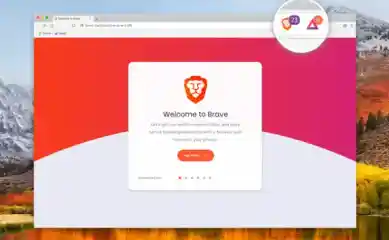
Explore Brave 1.0: The Privacy-Centric Browser Now for Linux Users
Are you a privacy-conscious Linux user? If so, you may want to check out Brave 1.0, which is now out of beta and in stable release form. Learn more: . If you're hot for privacy, then best go give the Brave 1.0 browser a whirl, as it's now out of beta and in stable release form. Thatdoesn't mean it's a browser for privacy-centric equines, but that it's now available for Windows, Linux, macOS and iOS. And for folks that hate the idea of being targeted by third-party advertisers,tracked by various brandsand havingauto-playing videos blasted through their browsers, Brave 1.0 could open up a brave new world of browsing for them. The browser promises to not only block adverts and trackers but to also offer Brave Ads, which are a form of adverts that will pay people to view them and not gobble their data. Such ads are delivered through push notifications rather than intrusive web page banner ads. The link for this article located at The Inquirer is no longer available. . Experience browsing without trackers with the new Brave 1.0 browser for Linux users, now in stable release. Discover more!. privacy-conscious, linux, check, brave, which. . LinuxSecurity.com Team
Nov 21, 2019
•
Vendors/Products
67
 user accessprivacy concernsinternet freedom
FBI.gov Access Issues: Are Privacy Browsers Being Blocked?
Is the FBI blocking privacy-equipped browsers from its website? The question goes unanswered a week after users of a commercial privacy service found themselves unable to access the Federal Bureau of Investigation's fbi.gov site. . Is the FBI blocking privacy-equipped browsers from its website? The question goes unanswered a week after users of a commercial privacy service found themselves unable to access the Federal Bureau of Investigation's fbi.gov site. The link for this article located at Wired [hackernews] is no longer available. . The CIA's possible restriction on anonymity tools prompts worries about web accessibility and individual privacy protections.. Privacy Browsers, User Access, FBI Censorship. . LinuxSecurity.com Team
Jul 08, 2000
•
Cryptography

Get the latest News and Insights
Get the latest Linux and open source security news straight to your inbox.
Community Poll
Should Linux servers automatically install security updates?
Trending News
Search Topics
Powered By

Linux Security - Your source for Top Linux News, Advisories, HOWTOs and Feature Releases
QUICK LINKS
subscribe to newsletters!
Like staying secure? So do we.
Sign up for updates, tips, and alerts!