Explore top 10 tips to secure your open-source projects now. Read More
×



Security Vulnerabilities  security advisory moderate
security advisory moderate For organizations that run a self-hosted Git platform, it’s no longer just about hosting static code repositories. Today, Git servers are responsible for deployment pipelines, API tokens, SSH keys, package repositories, and the automation scripts that push code directly. Confirm that the upgrade addresses known vulnerabilities but also provides production environments. . That makes them trusted systems within the development environment and attractive targets for attackers looking to move...
 Jul 20, 2026

Server Securitydata privacy automation
data privacy automation Every system admin has lived through the same Monday morning ritual. A queue of forty tickets, half of them password resets, permission errors, or disk space warnings that any experienced technician could resolve in under two minutes. The other half require actual judgment. For years, automation promised that software would eventually sort the two apart on its own. That promise is now being tested in production Linux environments. . Early results are reshaping how IT teams think about tier-1...
Jul 17, 2026

Privacydata collection automation
data collection automation You're running a web scraping project to collect pricing data from e-commerce sites. You set up a pool of datacenter proxies, launch your scripts, and within minutes — banned . CAPTCHAs everywhere. Your data pipeline stops before it really begins. . It's a frustrating scenario that plays out daily in ad verification, market research, and multi-account management. The website doesn't know you're doing legitimate research or monitoring. It just sees traffic coming from IP ranges it recognizes as...
Jul 17, 2026

Security Trends security advisory social engineering
security advisory social engineering Business Email Compromise used to be a numbers game — mass-blasted emails, broken English, an obvious "URGENT WIRE TRANSFER" subject line. That era is over. Generative AI has turned BEC into a tailored, low-noise operation that mimics writing style, voice, and even video presence. This piece looks at what's actually changed under the hood, what defenders are testing in response, and why so many organizations are still structurally unprepared for it. . The Infrastructure Problem Nobody Wants to...
Jul 17, 2026

Security Trends cybersecurity Linux documentation
cybersecurity Linux documentation Linux operating systems have gained prominence due to their stability, adaptability, and excellent security options. In the case of developing documentation, designing cybersecurity dashboards, or educational material, visuals are of vital importance when it comes to making things clear. The use of icons allows one to understand the message regarding alerts, authorization, encryption, authentication, or the state of the system just by looking at the visual cue without having to read long...
Jul 17, 2026
 Refine news
X Clear Filters
Get the latest News and Insights
Get the latest Linux and open source security news straight to your inbox.
Community Poll
Should Linux servers automatically install security updates?
Trending News
Loading...
Explore Latest Linux Security news
We found 24 articles for you...
81
 security advisoryimportantbug fixes
Tails 6.17 Security Updates: Important Bug Fixes and Privacy Tools
For those of us who lean on Tails to safeguard our digital privacy and anonymity, the 6.17 release doesn’t come with flashy headlines or gimmicks—but that’s exactly the point. Tails continues to be a cornerstone for those who need a secure operating environment, and this iteration focuses on refinement. . It’s a mix of quiet usability tweaks, privacy-enhancing updates, and some practical bug fixes. Think of it as the kind of release that reinforces why you trust Tails in the first place. Let’s dig into what’s new. Show Password: Convenience Meets Caution One of the smaller, but undeniably practical, additions is the "Show Password" option for the screen lock. If you''ve ever fumbled while typing a long, complex password to secure your system, this feature will feel like a welcome improvement. It’s particularly handy in environments where accuracy matters and retyping even once feels like an eternity. That said, sysadmins—and anyone really—should treat this option with care. Just because you can see the password doesn’t mean you should get lax about its complexity. And of course, ensure the physical security of your workspace when screen locking comes into play. It’s a useful feature, yes, but it doesn’t replace common sense. Privacy Gets a Boost with uBlock Origin 1.62.0 If you’ve spent time trying to navigate the modern web on the Tor Browser without a solid content blocker, you already know how invasive trackers have become. The included update to uBlock Origin (now at version 1.62.0 ) sharpens Tails 6.17’s defenses against intrusive ads and other undesirable scripts. While the extension might not catch everything, its inclusion in Tails ensures a baseline of protection for those who prioritize control over their digital footprint. For browsing that’s often routed through high-latency Tor connections, a lightweight yet effective blocker like uBlock Origin is critical. Reducing tracker bloat doesn’t just add privacy—it helps with performance. Lessbandwidth wasted on unnecessary scripts, fewer calls to external servers. Simple, effective, important. A New Tor Browser Version: 14.5.4 The Tor Browser gets its own upgrade in this release, moving to version 14.5.4 . This isn’t purely cosmetic—every update brings performance optimizations and patches for vulnerabilities that could potentially expose a weak point in your anonymous browsing environment. Tails relies on Tor to shield its users from a vast range of threats, so these updates are crucial. Even if you don’t notice a significant change day-to-day, keeping the Tor Browser current is non-negotiable for anyone depending on Tails for sensitive communications or tasks. Habitually staying updated ensures you''re not leaning on outdated software with exploitable flaws. Bug Fixes That Actually Matter It’s often the little things that make or break a system’s overall feel, and Tails 6.17 smooths out a couple of important rough edges. Take the Unsafe Browser, for instance. Previously, opening new tabs would default to showing the homepage. For a browser that’s inherently limited in scope yet potentially risky if not used correctly, that’s not a behavior you want. With the fix (#21004), opening a new tab now gives you an empty page, more aligned with privacy expectations. It’s a minor inconvenience corrected, but an important one nonetheless. Another fix that experienced users will appreciate is the removal of duplicated CPU microcode in the system image (#21001). While not a visible change for most, this adjustment trimmed down the size of the Tails image, making downloads faster and reducing the storage footprint. If you’re deploying Tails across multiple small USB sticks, every bit saved counts. These are the sorts of thoughtful touches that remind you why Tails remains so well-regarded in its niche. What Does This Release Mean for You? Tails 6.17 reinforces the values that make it indispensable for security-conscious individuals: up-to-date software, robustprivacy tools, and an emphasis on reliability over unnecessary complexity. The refinements to the Tor Browser, uBlock Origin, and the Unsafe Browser demonstrate a commitment to enhancing both usability and protection. Meanwhile, optimizations like the reduced image size echo the project’s foundational ethos of portability and streamlined performance. It''s the kind of iterative maintenance that instills confidence in the operating system’s ability to remain relevant and responsive to users’ needs. For Linux admins or infosec professionals deploying Tails within their organizations or personal workflows, this release should be seen as a necessary update, not just for the sake of “newness,” but because it directly contributes to the ongoing integrity of the tool. How Can I Get Tails 6.17? If you''re running Tails 6.0 or newer, upgrading is straightforward: auto-upgrade is likely your easiest route. But if that''s not working for any reason, manual upgrades remain a reliable fallback. For new installs, follow the usual process—whether you prefer Windows, macOS, or Linux, the official documentation has you covered. Just remember that installing Tails on a new USB stick will overwrite any existing Persistent Storage, so plan accordingly. Our Final Thoughts on the Tails 6.17 Release Tails 6.17 doesn’t try to reinvent itself—it doesn’t need to. Instead, it builds incrementally, ensuring the system stays dependable, efficient, and secure. As someone who’s probably dealt with more distributions, updates, and tools than most people you know, you’ll recognize the value of these meticulous adjustments. Staying current with Tails isn’t just about taking advantage of new features; it’s about actively mitigating risks while embracing incremental improvements. And these small changes? They keep your system resilient, adaptable, and ready for whatever lies ahead. So, if you haven’t already, carve out some time and update—it’s worth it! . Tails 6.17 offers essentialbug fixes and privacy updates, enhancing security while maintaining system efficiency.. Tails 6.17, privacy updates, usability tweaks, security enhancements, bug fixes. . Brittany Day
 Jul 08, 2025
•
Jul 08, 2025
• Privacy
81
 data encryptioninternet safetyvpn
Top Free VPNs for Linux: Enhance Privacy and Bypass Restrictions
Linux is famous for its strong security. Yet, adding a Virtual Private Network (VPN) boosts privacy even more. A VPN encrypts connections and protects data. This is essential for accessing restricted content, avoiding censorship, or keeping activities private and secure. With privacy concerns growing, choosing the right VPN for your Linux system is key to staying safe online. Let's review the best free VPNs for Linux by comparing their compatibility, features, and limits. Importance of Using a VPN on Linux Privacy and Security Benefits Encryption: A VPN creates a secure tunnel between your device and its server, keeping data safe from hackers, ISPs, and prying eyes. It’s crucial for Linux users who work with servers or sensitive data. Protection from Threats: Linux faces fewer malware attacks than Windows or macOS but isn't safe. Threats like phishing and data theft are real. Using public Wi-Fi makes you vulnerable. A VPN encrypts your data and hides your online identity, reducing these risks. Stopping Data Collection: Data is valuable. Websites often track users for ads. Linux users might use ad blockers or privacy browsers. A VPN adds extra protection by hiding your IP and location, preventing targeted ads and tracking. Secure Work: For Linux users in development or tech, secure file sharing and remote work are key. A VPN protects files and data, crucial for corporate or personal information. Geographical Restrictions Accessing Region-Locked Content: Streaming services like Netflix and Hulu limit access to content based on location. For example, a show might be available in the U.S. but blocked in Europe or Asia. Here, a VPN acts as a digital key. It lets you appear in another country, unlocking more content. Meanwhile, tech-savvy Linux users often adopt VPNs. They navigate the online world while keeping their connections secure. Bypassing Censorship: In some areas, governments heavily censor the internet. They might block access toYouTube, WhatsApp, or Wikipedia. Countries like China, Russia, and Iran impose strict internet rules. A VPN allows users to bypass this censorship. It routes traffic through servers in less restrictive countries. This ensures access to important information and supports free expression. Accessing Work and Educational Resources Abroad: Many professionals and students need resources tied to specific regions. This includes corporate servers, academic journals, or online courses. A VPN can mask your location, granting access to these vital resources. Criteria for Selecting a VPN for Linux Choosing a VPN for Linux needs careful thought. While there are a ton of options for Windows, Android, and iOS, which you can easily find on websites like vpnHunt.com , there are not a ton of options available for Linux. Furthermore, not all VPNs suit Linux users. They often face unique issues, like limited app support or compatibility problems. Here, we outline key factors to help you decide. Compatibility First, ensure the VPN works with Linux. Many VPNs focus on Windows and macOS, but few fully support Linux. Linux Clients: The best choice is a VPN with a Linux app. It simplifies setup and offers better integration. However, not all free VPNs have this. Others may require manual setup, which can be tough for beginners. Support for Distros: A good VPN should work with many Linux distros , like Ubuntu and Fedora . Some providers offer guides for setting up VPNs on different distros, which helps less experienced users. Advanced users might prefer tweaking configurations. Command-Line vs. GUI: Many Linux users prefer terminal commands. Some VPNs offer command-line clients to this group, but others might find a GUI easier. Security and Privacy Security and privacy are crucial, especially for Linux users. Not all VPNs offer the same protection. Encryption Protocols: Look for VPNs using strong protocols like OpenVPN or WireGuard. These ensure datasafety. Logging Policies: Check the provider's logging policy. Avoid those that track or sell data. A no-logs policy is essential for privacy. Kill Switch and DNS Protection: A kill switch stops internet access if the VPN fails. DNS protection keeps browsing private. Both are vital for security-focused users. Advanced Features: Multi-hop and obfuscation features are extra benefits. They offer more security and privacy. Performance A VPN should not slow down your internet too much. Speed and Reliability: Free VPNs may have speed limits. Proton VPN is an exception, offering good speeds for free. Server Availability: More servers mean better performance. You can connect to closer servers, which speeds up your connection. Bandwidth and Data Limits: Be wary of data limits in free VPNs. Proton VPN offers unlimited data for free. TunnelBear, on the other hand, is much more limited. Usability Usability is key, especially for beginners. Installation and Setup: Some VPNs are easy to install. Others might need a manual setup. Ensure the provider offers support. User Interface: A GUI makes things easier for beginners. Some VPNs offer both command-line and GUI options . Customer Support: Free VPNs often have limited support. However, some provide basic support. Good support is crucial for troubleshooting. Customization Options: Advanced users appreciate customizable settings. Look for VPNs that allow such tweaks. Top Free VPN Options Proton VPN Compatibility: Offers a Linux client and setup guides, ideal for Linux users. Features: No data limits. Strong security with AES-256 and ChaCha20 encryption and a no-logs policy. Limitations: Free users can only access servers in a few countries. Speeds may drop during congestion. Follow this guide to learn how to install Proton VPN on linux and set it up. TunnelBear Compatibility: No Linux app, but manual setup isavailable. Features: Easy to use on Windows and macOS. Good speeds for browsing and streaming. Limitations: 2000 MB monthly cap on the free plan. Setup can be tricky for beginners. For those who aren’t familiar with the setup can follow this guide and start using TunnelBear on linux. Hotspot Shield Compatibility: Works with Fedora OS, Debian, Ubuntu, and CentOS operating systems . It is not available for free but comes with a 45-day money-back guarantee. Features: Strong encryption for secure browsing. Good speeds on the free plan. Limitations: Limited customization for Linux users. You can find all the support and installation guides on the official Hotspot Shield website. Comparison and Recommendations VPN Compatibility Features Limitations Best For Proton VPN Native Linux client No data limits, strong security Limited free servers Unlimited data, advanced users TunnelBear Manual configuration only User-friendly, decent speed 2000 MB monthly data cap Beginners, light browsing Hotspot Shield OpenVPN configuration only Strong encryption, good speed Limited Customization Moderate users, secure streaming Conclusion Enhance your online experience with a VPN on Linux—your ally in privacy and security. These virtual shields grant you access to content from around the globe. Free services like Proton VPN, TunnelBear, and Hotspot Shield lay the groundwork but come with limitations. Though free VPNs are a great starting point,they often tether you with data limits and lackluster features. For those seeking faster speeds, robust security, and dedicated support, a paid plan is worth considering. The best VPN adapts to your needs while safeguarding your privacy, ensuring your online world remains secure and accessible. . . Explore the top free VPN services for Linux users, providing secure browsing and access to restricted content with features tailored for online privacy. Linux VPN, Free VPN for Linux, Enhance Privacy Linux, VPN Options Linux. . MaK Ulac
Jan 06, 2025
•
Privacy

81
 security advisorysecurity updatelinux distribution
Tails 6.2 Security Update: 21 New Languages For Online Privacy
Tails 6.2 is a new Linux distribution release that expands its multilingual support and improves security features. The distribution is a Debian-based operating system that enables users to remain incognito online and securely browse the web. . Tails 6.2 now supports 21 new languages, including Albanian, Bengali, Icelandic, Korean, and Ukrainian. This expansion makes Tails accessible to more individuals, allowing them to navigate in their native languages and enhance online privacy. Tails encourages participation through the Tor Project Weblate , stating that new languages will be added to future versions once 25% of strings are translated. Why Is This Release So Significant for Admins and Security Practitioners? Along with the expanded language support, Tails 6.2 introduces critical updates that strengthen the system's hardware compatibility, reliability, and security. Updates to critical components, such as the Tor Browser and client , ensure users have the latest secure browsing technology. The operating system's resilience against potential security vulnerabilities like the Spectre v4 has also been enhanced by disabling speculative store bypass. As a result, users can feel more secure while using Tails. The operating system's developers have demonstrated their commitment to the open-source community by encouraging them to contribute to the translation efforts. The improved language support is a welcome addition that shows the developer's attention to detail. The more people using secure operating systems, the lower the incidence of cyberattacks and data breaches . Tails 6.2's expanded language support, reliability, security and hardware compatibility improvements, and streamlined upgrade process must be highlighted. These improvements make Tails 6.2 a dependable option for individuals to strengthen their online privacy and security. However, It’s vital to note that while Tails 6.2 provides a secure operating system, it's not bulletproof. It is essential to remain vigilant and usebest practices for secure browsing while using Tails 6.2, such as utilizing a VPN, regularly updating the operating system, avoiding suspicious websites, and only connecting to trusted Wi-Fi networks. It should be noted that installing a new version instead of upgrading will result in losing all data stored in Persistent Storage on the USB stick. Hence, it is crucial to carry out the correct installation process to ensure the safety of user data. You can view instructions on downloading, installing, and upgrading Tails 6.2 here . Our Final Thoughts on the Tails 6.2 Release Tails 6.2 is an excellent tool for individuals prioritizing online privacy and security. Its expanded language support will make it more accessible to individuals worldwide, further increasing its popularity. Security practitioners, Linux admins, infosec professionals, internet security enthusiasts, and sysadmins should give Tails 6.2 a try. Its improved features and simplistic installation ensure that everyone interested in enhancing their online privacy can use it. . Tails 6.2 boosts protection and introduces 21 languages, significantly enhancing user satisfaction and internet confidentiality.. Tails 6.2, Multilingual Security, Privacy Enhancements. . Brittany Day
Apr 24, 2024
•
Privacy
81
 security advisorysystem upgradeprivacy enhancement
Tails: 5.22 Moderate: New Features And Upgrade Instructions
Tails, an open-source, portable operating system that protects against surveillance and censorship, has released version 5.22 with various updates and security features that privacy-conscious users and admins will surely appreciate. Here's what's new in this release and how you can upgrade to Tails 5.22 to reap the benefits it offers. · . What New Features Does Tails 5.22 Offer? Notable features of Tails 5.22 include: Tor Browser now allows you to save files in more folders. Documents, Downloads Music, Pictures and Videos. These folders can be used to upload files. Tails will now try to fix your file system if you have a broken Persistent Store when you unlock it on the Welcome Screen. Notable Updates and Changes Updates and changes introduced in this release include: Report the write rate after cloning from Tails Cloner. Don't try to unlock or remove persistent storage on a USB read-only stick. Upgrade the Tor browser to 13.0.9 . Update Thunderbird to 115.7 . Problems Fixed Various problems have been fixed in Tails 5.22, such as: Stop leaking first-level domains of visited websites from the WhisperBack report. This problem first appeared in Tails 5.15.1. Fixing occasional errors attribute error: Object 'NoneType" has no attribute "props" will make Tails installation more robust. Fix for saving the Additional Software configuration when creating a Persistent Storage. Fixing the help link that is displayed when Tails fails to start the first time after resizing the partition. For more details, read the Tails changelog . How Can I Get Tails 5.22? Upgrade your Tails USB Stick and keep Persistent storage Tails 5.22 and later can be upgraded automatically. Please try a Manual Upgrade if you cannot upgrade automatically or if Tails does not start after the automatic upgrade. Install Tails onto a USB stick Install thesoftware by following the instructions below: Install HTML0 from Windows Install from macOS Install from Linux Install from Debian Ubuntu using GnuPG Download only You can download Tails directly if you don't require installation or upgrade instructions: For USB sticks (USB image) ISO image for DVDs and virtual machines Let's Connect! Have additional questions about this exciting release or how to get it for yourself? Have thoughts and feedback to share on Tails 5.22? Connect with us on X @lnxsec - we'd love to help you out or discuss your experience! Learn more about Tails OS and other secure, privacy-centric Linux distros we love in this must-read article. . Tails 5.22 brings significant advancements, improved safety protocols, and fresh utilities for individuals focused on confidentiality. Discover today.. Tails 5.22, security enhancement, privacy-centric OS, system upgrade. . Dave Wreski
Jan 30, 2024
•
Privacy
81
data protectionopen sourceweb browserIntroducing Mullvad Browser: Enhance Your Privacy Online with Tor Project
The Tor Project and Mullvad VPN , two organizations that are all about user privacy, released a new privacy-focused web browser, called Mullvad Browser , on Monday. The browser is free to download and works on Windows, MacOS and Linux. There's also a Firefox extension in beta you can download. . "The mass surveillance of today is absurd," Jan Jonsson, Mullvad VPN's CEO, said in a news release. "The Mullvad Browser is all about providing more privacy alternatives to reach as many people as possible and make life harder for those who collect data from you." The Mullvad Browser was developed by the Tor Project's engineers, and it minimizes data tracking. It does that by making all users appear as one, similar to how the Tor Browser works. That means the more people who use the browser, the more protection users have. "Developing this browser with Mullvad is about providing people with more privacy options for everyday browsing and to challenge the current business model of exploiting people's behavioral data," said Isabela Fernandes, the Tor Project's executive director. . Mullvad collaborates with the Tor Project to introduce the Mullvad Browser, boosting user privacy and securing freedom from digital surveillance.. Mullvad Browser, Privacy Protection, Tor Project, Data Tracking, Secure Browsing. . LinuxSecurity.com Team
Apr 12, 2023
•
Privacy
78
 security advisorysecurity featureprivacy
Tails OS 2021 Plans: Wayland Transition For Advanced Security Features
Exciting things are in store for Tails OS users in 2021, as the Tails OS team plans to improve some core features of the privacy- and security-focused OS, especially for censorship circumvention. . 2020 was a great year for Tails OS, which received major improvements such as support for Secure Boot and hardware cryptocurrency wallets. Now with the new year 2021, the Tails OS team has shared the latest development plan for 2021, where it aims to improve some core features of Tails OS, especially for censorship circumvention. For those unaware, Tails (The Amnesic Incognito Live System) OS is a security-focused Debian GNU/Linux-based operating system. . In 2021, Tails OS is set to transition from Xorg to Wayland, aiming for improved security and privacy functionalities.. Tails OS, Wayland Transition, Privacy Focus, Cybersecurity Enhancements. . LinuxSecurity.com Team
Jan 12, 2021
•
Vendors/Products
79
 security advisorysecurity updatebrowser security
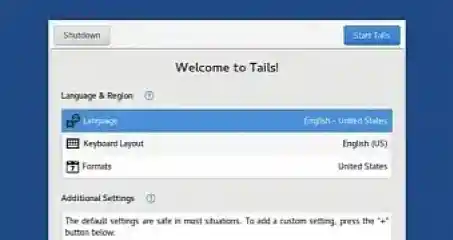
Tails 4.8 Security Update: Unsafe Browser Disabled for User Safety
Have you heard that a new version of Tails is now available for download - and the highlight of this release is a set of security improvements designed to protect users when running this Linux distro? . The most notable change concerns Unsafe Browser, which has been disabled by default in Tails version 4.8. The dev team emphasizes that Unsafe Browser is not an app that can protect your identity online, adding that the app can be used to deanonymize you and, with the help of other security flaws in the apps running on the OS, could eventually reveal your IP address. The Tails team says that while this is an unlikely exploit, governments or other authorities out there could actually turn to such an attack if they need to find your identity. The link for this article located at Softpedia News is no longer available. . Tails 4.8 brings significant security advancements, featuring the default deactivation of the Unsafe Browser to bolster user privacy.. Tails 4.8, Unsafe Browser, privacy security, Linux updates, security enhancements. . LinuxSecurity.com Team
Jul 01, 2020
•
Security Projects
81
 security featureprivacy policyprivacy enhancement
Chrome 83 Update Introduces DNS-over-HTTPS And Privacy Improvements
The latest version of Google Chrome has arrived with a long list of new security and privacy features. . After delays to Chrome version 81 in March , and the scrapping of version 82 a month later, this week sees the early arrival of Chrome 83 with a longer list of new security features than originally planned. As browser updates go, it’s a lot to take in although some of them are more tweaks to existing features than anything radically new. It’s hard to pick out a single big feature, although for some it will be upgraded support for DNS-over-HTTPS (DoH), a privacy technology that makes it much harder for third parties (ISPs, the Government, malevolent parties) to see which web domains someone is visiting. . Firefox 78 introduces robust security protocols and privacy enhancements, featuring improved tracking protection and encrypted DNS to safeguard user data.. Google Chrome, Security Features, DNS-over-HTTPS, Privacy Enhancements, Browser Update. . LinuxSecurity.com Team
May 21, 2020
•
Privacy

Get the latest News and Insights
Get the latest Linux and open source security news straight to your inbox.
Community Poll
Should Linux servers automatically install security updates?
Trending News
Search Topics
Powered By

Linux Security - Your source for Top Linux News, Advisories, HOWTOs and Feature Releases
QUICK LINKS
subscribe to newsletters!
Like staying secure? So do we.
Sign up for updates, tips, and alerts!