Explore top 10 tips to secure your open-source projects now. Read More
×



Server Security data privacy automation
data privacy automation Every system admin has lived through the same Monday morning ritual. A queue of forty tickets, half of them password resets, permission errors, or disk space warnings that any experienced technician could resolve in under two minutes. The other half require actual judgment. For years, automation promised that software would eventually sort the two apart on its own. That promise is now being tested in production Linux environments. . Early results are reshaping how IT teams think about tier-1...
 Jul 17, 2026

Privacydata collection automation
data collection automation You're running a web scraping project to collect pricing data from e-commerce sites. You set up a pool of datacenter proxies, launch your scripts, and within minutes — banned . CAPTCHAs everywhere. Your data pipeline stops before it really begins. . It's a frustrating scenario that plays out daily in ad verification, market research, and multi-account management. The website doesn't know you're doing legitimate research or monitoring. It just sees traffic coming from IP ranges it recognizes as...
Jul 17, 2026

Security Trends security advisory social engineering
security advisory social engineering Business Email Compromise used to be a numbers game — mass-blasted emails, broken English, an obvious "URGENT WIRE TRANSFER" subject line. That era is over. Generative AI has turned BEC into a tailored, low-noise operation that mimics writing style, voice, and even video presence. This piece looks at what's actually changed under the hood, what defenders are testing in response, and why so many organizations are still structurally unprepared for it. . The Infrastructure Problem Nobody Wants to...
Jul 17, 2026

Security Trends cybersecurity Linux documentation
cybersecurity Linux documentation Linux operating systems have gained prominence due to their stability, adaptability, and excellent security options. In the case of developing documentation, designing cybersecurity dashboards, or educational material, visuals are of vital importance when it comes to making things clear. The use of icons allows one to understand the message regarding alerts, authorization, encryption, authentication, or the state of the system just by looking at the visual cue without having to read long...
Jul 17, 2026

Security Vulnerabilities security advisory linux distribution
security advisory linux distribution ESET researchers identified 11 old and forgotten Linux UEFI shim bootloaders at versions 0.9 and below that can be used to bypass UEFI Secure Boot on any UEFI-based machine that trusts Microsoft’s Microsoft Corporation UEFI CA 2011 third-party certificate authority, regardless of the installed operating system (OS). Reported shims can be exploited to execute untrusted code during system boot, enabling attackers to deploy malicious UEFI bootkits even on systems with UEFI Secure Boot enabled.....
Jul 16, 2026
 Refine news
X Clear Filters
Get the latest News and Insights
Get the latest Linux and open source security news straight to your inbox.
Community Poll
Is continuous patching actually viable?
Trending News
Loading...
Explore Latest Linux Security news
We found 33 articles for you...
210
 open-sourcedependency managementsecurity threat
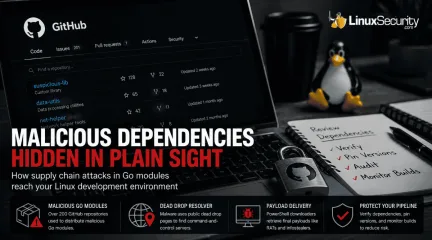
Malicious Go Modules: Securing Your Linux Build Pipeline
Every Linux developer who works with Go has run the same workflow a thousand times. You find a library that solves your problem, you see a decent star count on GitHub, and you run go get. It is frictionless and efficient. Lately, however, it is becoming one of the most effective ways for an attacker to get code running on your build servers. The recent "Operation Muck and Load" campaign is a perfect example of why this workflow is risky. Researchers uncovered over 200 GitHub repositories distributing malicious Go modules . These were not exploiting a vulnerability in the Go compiler or a bug in a specific package. They were exploiting the assumption that anything hosted on GitHub deserves the benefit of the doubt. . How Attackers Turn GitHub Into a Delivery Platform The attack starts long before any malware is downloaded. Attackers first publish a Go module that looks like something you would genuinely use. The repository has a believable name, a polished README, and enough commit history to suggest an active project. Much of that activity is manufactured through commit farming, giving the impression that multiple developers have been maintaining the code over time. Once a developer imports the module, the real attack begins. Hidden inside the package is obfuscated code that launches PowerShell rather than simply performing its advertised function. Instead of connecting directly to a command-and-control server—which would be easy for security teams to block via firewall rules—the script first checks a public "dead drop" page that stores the current server location. This technique, classified by MITRE as a Dead Drop Resolver , lets the attackers change infrastructure whenever they want without modifying the malware itself. Only after resolving that address does the downloader retrieve the final payload, such as a Remote Access Trojan. Supply chain attacks are difficult to detect because nothing initially looks broken. The build succeeds, the application runs, and developers move on.By the time suspicious behavior appears, the malicious dependency may already be embedded across multiple projects. Why Your Linux Build Pipeline Is at Risk It is easy to look at a Windows-based RAT and assume your Linux servers are safe. Do not be that confident. Shared Infrastructure: If your CI/CD runner is configured to compile artifacts for both Linux and Windows, that runner is now compromised. Trusting the Proxy: Many developers rely on the default GOPROXY . While this protects you from repositories disappearing, it does not verify that the code within those modules is benign. Developer Workstations: Most of us use Linux as our primary workstation. If you import a malicious module, your local GOPATH is exposed, and any environment variables or credentials cached on your machine are fair game. Auditing and Verifying Your Dependencies Go provides several tools to help you keep an eye on your dependencies. If you are not using them, you are flying blind. 1. Start with go mod verify The go mod verify command checks that the dependencies in your local cache have not been modified since they were downloaded. If a local file has been tampered with, this command will immediately flag it. 2. Inspect with go list Before you add a module, see what it’s actually pulling in. Use go list -m all to get a full tree of your project's dependencies. If you are importing a simple logging tool and it suddenly pulls in 50 sub-dependencies you’ve never heard of, that is a massive red flag. 3. Manage your Proxy In enterprise environments, do not just rely on public proxies. Consider using an internal GOPROXY or an artifact repository that caches and scans modules. This gives you a single choke point where you can enforce security policies and conduct vulnerability scans before code ever reaches your build pipeline. 4. Leverage Build-Time Monitoring If your build process is suddenly reaching out to the internet to fetch "resolver" content from randompublic websites, your security team needs to know. Monitor your CI/CD runners for unexpected outbound network traffic during the go build phase. Legitimate builds should talk to known proxies or git servers, not random public dead drops. Don't Let Your Build Process Be Your Weak Link Go's module ecosystem is not broken, but blind trust is. The repositories in Operation Muck and Load did not exploit a flaw in the language; they exploited the assumption that anything hosted on GitHub deserves the benefit of the doubt. Before adding a new dependency, spend a minute looking at who maintains it, how the project history has evolved, and what your build process is actually downloading. Verify your hashes, pin your versions, and keep an eye on your outbound traffic. That is often enough to avoid becoming the next victim of a supply chain attack. . Learn how to secure your Linux build pipeline from malicious Go modules exploiting trust in GitHub repos.. Go modules security, Linux build risks, dependency management, supply chain threats. . MaK Ulac
 Jul 10, 2026
•
Jul 10, 2026
• Security Vulnerabilities
209
 security advisoryopen-sourcesupply chain
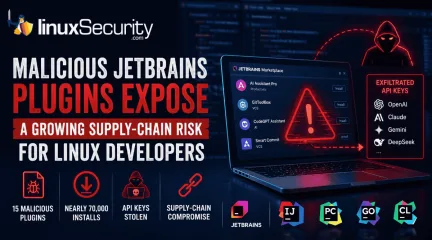
Malicious JetBrains Plugins: The IDE Is Now a Supply-Chain Attack
At least 15 malicious plugins and nearly 70,000 installs later, developers are being reminded that trusted marketplaces can become supply-chain attack vectors overnight. . How Malicious Plugins Steal API Credentials It’s simple. The user installs a plugin. It asks for API credentials. The developer clicks "Apply." A short time later, those keys could be sent to a third-party server. Think of an API key like a valet key to your house. It doesn't give them the deed to the property, but it lets them walk in and grab whatever is sitting on the counter. Technical analysis from Aikido confirms that the attackers harvested active keys for several major services. Security Risks to Linux Developer Workstations They are gold mines. Developers run IntelliJ, GoLand, or CLion on Linux boxes that hold keys for Kubernetes, production cloud-native infra, and CI/CD pipelines. An attacker getting a foothold here doesn't just get access to your AI credits. They get a pivot point. Once they have root access on a dev box—that’s the highest level of permission on your machine—your entire deployment pipeline is vulnerable. They can watch what you write, steal your passwords, or inject backdoors into the software you are building for your company. Why JetBrains Marketplace Security Reviews Fail Stop assuming the JetBrains Marketplace security model is a firewall. It relies on automated scans, which can be limited by code obfuscation or delayed execution techniques. Even with plugin review guidelines and a plugin signing framework, the "verified" tag is just a label. It doesn't mean the code is safe. The Dangers of Integrating AI Assistants in IDEs AI keys are the new password. Integrating AI services into the IDE can expand the attack surface because prompts and code may be sent to external services.. It isn't just about someone using your subscription to save money. It’s about them reading your prompts. If you are feeding the AI your company’s proprietary code to help you debugor write, the attacker is seeing that code, too. Understanding IDE Extension Supply-Chain Attacks This isn't a one-off. Whether it’s npm, PyPI, or VS Code, attackers are weaponizing these ecosystems because they know we don't audit plugins like we audit our own code. We treat them like "plug-and-play" tools, but they are actually small programs running with access to your workstation's environment variables. How to Prevent Plugin-Based Security Breaches Start treating IDE extensions like third-party dependencies. If you can’t justify the risk, pull it out of your IDE. Audit your plugin list today. Remove anything you aren't using. Every plugin is a door. Verify the publisher. Don't trust the green checkmark; check the link to their actual GitHub repo or website. If it’s a random account with no history, skip it. Isolate keys. Use environment-specific credentials for AI services. Don't use your personal "master" key for every project. Monitor your API usage logs. If you see weird traffic or access from locations you’ve never been to, kill the keys instantly. Those stolen AI keys were just the entry point. The real threat is that developer tools are now the perimeter. If your plugins aren't audited, your build pipeline isn't secure. That’s the reality. Want more Linux security news, vulnerability analysis, and software supply chain updates? Subscribe to the LinuxSecurity Newsletter and get the latest threats, advisories, and expert insights delivered directly to your inbox. Related Reading Why Linux Supply Chain Attacks Are Becoming a Nightmare for DevOps Teams Examines how attackers are shifting away from traditional exploits and increasingly targeting the software supply chain surrounding Linux development environments. Why Software Supply Chain Security Matters in Linux Systems Explores how trust in repositories, packages, mirrors, signing infrastructure, and third-party code can become attack vectors across Linuxenvironments. Why CI/CD Pipelines Are Targets in Software Supply Chain Attacks Looks at how attackers increasingly target developer credentials, build systems, deployment infrastructure, and automation pipelines instead of applications directly. . Developers face new risks from malicious JetBrains plugins targeting IDEs to steal sensitive API keys leading to security breaches.. JetBrains Security, Plugin Risks, IDE Security Breach, Supply Chain Attack, API Credential Theft. . MaK Ulac
Jun 17, 2026
•
Security Trends

209
 fedorasecurity assessmentopen source risk
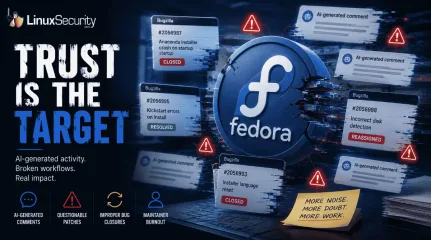
Fedora AI Contributor Incident Highlights New Open Source Risks
A Fedora contributor account recently came under scrutiny for apparently AI-generated activity that disrupted the project's bug tracker. . Questionable Bugzilla comments, flawed patches, and improperly closed or reassigned bugs forced maintainers to spend time cleaning up the fallout. There is no evidence that malware was deployed or a backdoor reached production, but the incident exposed a different problem. Open-source projects can be disrupted without compromising a single line of code. This was not a traditional breach. The real target was the workflow itself. Why This Was Not a Normal Supply Chain Scare Most supply chain incidents follow a predictable pattern. An attacker poisons a dependency or hijacks a maintainer credential to push malicious code. This situation flipped that script. The primary risk was not the software itself. It was the contamination of the systems developers use to evaluate technical reality. Maintainers had to pivot from feature development to forensics. They had to investigate buggy patches, verify the validity of technical comments, and audit a surge of automated activity. This creates an operational tax. It is not measured in compromised binaries, but in wasted developer time. Review queues swell, bug reports become unreliable, and technical discussions lose the nuance required for high-stakes work. The damage is not a backdoor. It is the erosion of the consensus that makes development possible. The Scary Part: AI Does Not Need Commit Access to Cause Damage Traditional attacks require a foothold in the built infrastructure or direct push access to a repository. AI agents have lower barriers to entry. They only need access to the social and administrative layers of a project, like issue trackers, mailing lists, or review platforms. An AI can confidently explain a false root cause, leading developers to debug the wrong subsystem. It can submit patches that look correct but introduce subtle regressions. By creating a high volume of noise, it can masklegitimate issues or force maintainers to waste cycles on hallucinations. Even without a single line of malicious code reaching a user's machine, the integrity of the project decision-making process is compromised. The attacker essentially turns the project workflow against itself. Fedora Already Has an AI Policy. That Is What Makes This More Interesting. Fedora is not blind to these risks . The project has clear rules on disclosure, identity verification, and human oversight . These policies rely on the assumption that contributors act in good faith and that maintainers can easily spot low-quality machine output. This incident proved that those assumptions are fragile. Policies can demand disclosure, but they cannot force honesty or verify that a human actually reviewed an AI suggestion. As models become more fluent, distinguishing between expert developer logic and a convincing hallucination becomes exhausting. In a high-velocity project, maintainers do not have the time to treat every patch like a security audit. Open Source Runs on Trust, and AI Agents Stress Trust. Open-source development does not just run on code. It runs on reputation. Maintainers rely on consistent history to prioritize patches and vet reviews. That trust signal is the bedrock of the entire ecosystem. AI-generated activity weaponizes that signal. An account can generate a high volume of authoritative, yet technically hollow, contributions that mimic legitimate expertise. When identity and reputation can be faked, the social infrastructure of a project becomes a vulnerability. Open source evolved to handle malicious code. It has not yet adapted to handle the automated degradation of human consensus. What Linux Teams Should Learn From This Practical defense in the AI era requires tightening the workflow, not just the code. First, projects must mandate explicit disclosure for AI-assisted contributions and enforce secondary reviews for any change touching security-critical areas like authentication orcryptography. Second, limit autonomous triage. Systems that allow mass bug closures or reassignments should require higher privilege thresholds. Monitoring for anomalies is just as important. Sudden, repetitive, or unusually high-volume activity should trigger automated scrutiny. Finally, prioritize robust rollback capabilities. If a workflow is poisoned by AI-driven triage, the project needs a way to bulk-revert those actions without manually hunting down every ticket. Why Linux Admins Should Care System administrators and DevOps engineers do not typically live in Fedora bug trackers, but they rely on the results of those discussions to secure their production stacks. Upstream processes determine the quality of the patches that eventually reach stable distributions. If maintainers are forced to spend their limited time cleaning up AI-generated noise, that is time stolen from fixing actual vulnerabilities. When trust signals degrade at the top of the chain, the impact inevitably ripples downstream into enterprise environments. A slow or confused development process is a gateway for real security gaps to persist longer than they should. The Next Supply Chain Attack May Look Helpful Defenders have spent years building tools to catch backdoors and dependency poisoning. We are primed to look for the bad actor. We are not prepared for the helpful actor who never submits malware but spends all day filling the system with garbage. The Fedora incident was a warning shot. It showed that the next generation of supply chain risk will not necessarily arrive as an exploit chain. It will arrive as a contributor who is always active, always helping, and always undermining the human judgment that keeps the code base secure. Protecting the workflow is now as critical as protecting the binary. Do you think open-source projects should implement mandatory proof-of-human verification for all code submissions, or would that hurt the inclusivity of the community? Want more Linux security news,vulnerability analysis, and software supply chain updates? Subscribe to the LinuxSecurity Newsletter and get the latest threats, advisories, and expert insights delivered directly to your inbox. Related Reading Linux Security Uncovered: Open Source, User Privilege, and Defense Tactics TARmageddon: Archive Extraction Risk in Rust async-tar on Linux In-Depth Exploration Of Buffer Overflow Risks In Linux Systems . Questionable Bugzilla comments, flawed patches, and improperly closed or reassigned bugs forced main. fedora, contributor, account, recently, under, scrutiny, apparently, ai-generated, activity. . MaK Ulac
Jun 12, 2026
•
Security Trends
78
 security advisorylinuxsupply chain
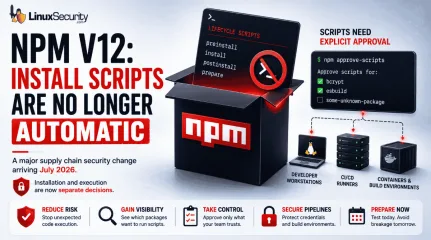
After Years of Supply Chain Attacks, npm Is Finally Closing the Door on Auto-Scripts
With npm v12 , dependency preinstall, install, and postinstall scripts will no longer execute automatically during package installation. Script execution will require explicit approval through new controls such as npm approve-scripts, with the change expected to arrive in July 2026. . The announcement targets a part of the software supply chain that has repeatedly appeared in package registry abuse, credential theft, and CI/CD compromise investigations. A single npm install could trigger code from direct dependencies, transitive packages, Git repositories, and build hooks before anyone reviewed what was about to run. On Linux systems, that execution often happens on developer workstations, build servers, containers, and self-hosted runners that already hold access to production resources. This is more than a JavaScript ecosystem update. It is a change to how code execution is handled during dependency installation. Teams that rely on install-time compilation, binary downloads, or package setup scripts will need to adjust workflows, while Linux administrators and DevOps teams will need to identify where automatic execution is currently embedded in build and deployment pipelines. npm Install Was Never Just an Install Command A surprising number of developers still think of npm install as a download operation. In practice, npm has long treated package installation as an execution event. Several lifecycle hooks can run automatically during installation, including preinstall, install, postinstall, and prepare. Packages use these to compile native modules or download binaries, but this execution is opaque; a package may pull in hundreds of transitive dependencies, each with its own scripts, meaning code from unknown maintainers can execute on your system without review. On Linux, this execution frequently happens inside infrastructure—such as CI pipelines or container build stages—that often contains SSH keys, cloud credentials, and deployment secrets. A malicious install script does notneed a complicated exploit chain if it is already running with access to those resources. The risk has never been theoretical; once installation begins, the script runs with the permissions available to the process that launched it. Why GitHub Is Changing the Default Now GitHub did not arrive at this decision suddenly. Malicious packages have used install scripts to collect credentials, fingerprint systems, download secondary payloads, and exfiltrate secrets. The common theme is simple: Installation became a trusted execution path. For years, npm treated installation and code execution as closely connected operations. That made development convenient, but it also created an environment where downloading a dependency frequently meant running code before developers had a chance to review what was happening. From an incident response perspective, install-time execution is difficult to track. Because this activity mimics a legitimate package manager during routine builds, it is incredibly difficult to detect—a reality that disabling execution by default aims to fix. Why Install Scripts Became a Security Concern Install-time scripts have been repeatedly abused in software supply chain attacks to steal credentials, fingerprint developer systems, download secondary payloads, and exfiltrate CI/CD secrets. Because these scripts execute as part of a normal package installation process, malicious activity can blend into routine development and build workflows. What npm v12 Actually Changes Install Scripts Will Be Disabled by Default Dependency lifecycle scripts will no longer automatically execute during installation. Packages that depend on these scripts will require explicit approval. The package still installs, but the script remains dormant. This change finally separates dependency retrieval from dependency execution. Teams Must Explicitly Approve Install Scripts Instead of trusting every package by default, teams will decide which packages are allowed to executeinstall-time scripts. Tools such as npm approve-scripts and npm deny-scripts manage these approvals. The allowScripts field in package.json allows organizations to identify and authorize required scripts before v12 becomes the default. For many teams, the first test run will reveal dependencies they did not realize were executing code during installation. That visibility alone has operational value. npm v12 Tightens Controls on Git Dependencies GitHub has also signaled tighter controls around Git-based dependencies, which introduce risk because their contents can change independently of registry workflows. npm v12 will likely push more organizations to inventory and justify these dependencies. Why npm v12 Matters for Linux Systems and CI/CD Pipelines Linux systems sit at the center of modern software delivery pipelines, where install scripts often perform their most dangerous work. Developer Workstations: Scripts run with the permissions of the logged-in user and may access SSH keys, cloud credentials, and local .env files. CI/CD Runners : These are high-value targets containing deployment credentials, signing keys, and internal repository access. Containers & Native Modules: Whether it is a RUN npm install in a Dockerfile or a package requiring node-gyp for native compilation, these execution-heavy workflows will now require explicit approval. Supply Chain Attacks Continue to Rise Industry reports have shown continued growth in software supply chain attacks targeting package registries, open-source dependencies, CI/CD environments, and developer tooling. Attackers increasingly focus on trusted software distribution channels because a single compromised dependency can impact thousands of downstream systems. The Security Benefits and Operational Challenges of npm v12 The immediate security benefit is a reduction in automatic code execution. A compromised dependency can no longer assume its installation script will run automatically onevery target system. The operational impact, however, is real: Building pipelines will break. Native modules may fail to compile. Packages that download binaries may stop working until approvals are configured. CI workflows that previously assumed unrestricted execution will require updates. Organizations that have never reviewed their dependency scripts may discover how heavily they depend on them. That discovery is uncomfortable, but useful. Does Disabling Install Scripts Prevent Supply Chain Attacks? No. Attackers still have plenty of options, including typosquatting, dependency confusion, and compromised maintainer accounts. This change doesn't stop supply chain attacks, but it closes one of the most convenient execution paths available to attackers. The risk does not disappear; the timing simply changes. How Linux Admins and DevOps Teams Can Prepare for npm v12 Start testing builds with npm 11.16.0 or newer to identify packages that trigger install-script warnings. Review script approvals before adding them to allowlists. A package that compiles native code has an understandable reason; a package that performs unrelated network activity deserves scrutiny. Audit Dockerfiles and CI pipelines to determine if dependency installation occurs in privileged stages. Inventory Git dependencies. Removing unnecessary remote dependencies reduces another source of install-time uncertainty. What npm v12 Says About Software Supply Chain Security The larger lesson extends beyond JavaScript. Whether it is container builds, bootstrap tools, or curl-to-shell installers, the pattern of "download-and-execute" is pervasive across Linux environments. The mechanism changes, but the core assumption remains the same: code arrives and is immediately granted permission to run. npm v12 pushes the ecosystem toward a different default, where installation and execution become separate decisions again. Final Thoughts GitHub is not eliminatingsupply chain riskGitHub is not eliminating supply chain risk , but it is eliminating one of the most convenient paths from dependency download to immediate code execution. For Linux environments, that matters because npm rarely runs in isolation; it runs on systems that often hold credentials capable of reaching production infrastructure. After years of incidents tied to install-time behavior, GitHub is finally treating installation and execution as separate actions. Want more Linux security news, vulnerability analysis, and software supply chain updates? Subscribe to the LinuxSecurity Newsletter and get the latest threats, advisories, and expert insights delivered directly to your inbox. Related Reading NPM Attack Exposes Supply Chain Risks in Open Source Software Supply Chain Attacks Impact NPM, PyPI, Docker Hub - 2025 Why Linux Supply Chain Attacks Are Becoming a Nightmare for DevOps Teams Why CI/CD Pipelines Are Targets in Software Supply Chain Attacks Why Software Supply Chain Security Matters in Linux Systems . The announcement targets a part of the software supply chain that has repeatedly appeared in package. dependency, preinstall, install, postinstall, scripts, longer, execute, automat. . MaK Ulac
Jun 11, 2026
•
Vendors/Products
210
 malwarelinuxsupply chain
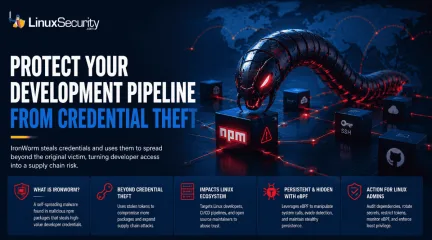
IronWorm Supply Chain Threat from Linux Credential Theft
IronWorm steals credentials and uses them to spread beyond the original victim, turning developer access into a supply chain risk. . A new campaign targeting npm has evolved past simple credential theft. Researchers identified IronWorm, a self-spreading threat. It harvests high-value Linux development secrets—SSH keys, cloud tokens, package publishing credentials. One compromised workstation becomes a launchpad for downstream supply chain attacks. This is not a get-in-and-get-out operation. IronWorm maintains persistence, expands through the software you maintain, and leverages your reputation to push malicious code to every user who pulls your next update. The threat model shifted. Your workstation is no longer just an endpoint. It is the most significant vulnerability in your production supply chain. What Is IronWorm? IronWorm acts like a digital parasite. It hides inside software developers' trust. Researchers found the malware inside dozens of malicious npm packages on the public registry. It operates with a singular focus: collecting secrets. It ignores browser history. It ignores personal files. It hunts for digital keys that allow an attacker to move beyond a single machine and into the broader software ecosystem. Why The IronWorm Malware Attack Is Different Most malware follows a predictable, finite lifecycle. It infects a system. It scrapes what it can. It exists. IronWorm breaks that model. It is designed for expansion. A developer pulls a tainted dependency. The malware scrapes tokens. It uses those stolen tokens to compromise additional packages. It creates new victims through the very infrastructure you use to build software. This is not just credential theft. It is an automated supply chain assault. It uses your own reputation to lure the next target. How IronWorm Impacts Linux Users Most security reports stop at the npm layer. That is a mistake. For the Linux ecosystem, the threat is existential. Linux Developers Are Prime Targets Linux workstationsare rarely just office computers. They are development hubs. Attackers know this. They are not looking for standard user credentials. They are looking for SSH keys, cloud secrets, and Git tokens. They want the bridge between a local machine and a production environment. Linux Build Servers and CI/CD Pipelines Linux systems act as the engine room for software delivery. They run GitHub Actions, GitLab CI, or Jenkins. If IronWorm compromises a machine used to manage build runners, the attacker gains more than a workstation. They gain the ability to tamper with software before it reaches a user. Open Source Maintainers Face Elevated Risk If you maintain public-facing packages, you are a primary target. IronWorm is specifically designed to hijack npm publishing tokens used to push updates. If an attacker gains those credentials, they push malicious code under your name. Trust is the hardest thing to build in open source. IronWorm is engineered to break it. The eBPF Rootkit Connection Beyond credential theft, IronWorm introduces a technical layer of persistence. Researchers found that the malware leverages eBPF . This is a powerful Linux kernel technology typically used for networking, observability, and security tools. Administrators use eBPF to monitor system health and detect intrusions. Attackers realized the same power that allows a security tool to inspect the kernel also allows malware to remain hidden. By utilizing eBPF, IronWorm manipulates system calls. It bypasses traditional monitoring. It stays stealthy while it harvests the next set of credentials. Why Supply Chain Attacks Keep Getting Worse IronWorm is not an isolated anomaly. It is part of a broader trend in which attackers target trusted software distribution channels rather than individual users. The 2024 XZ Utils backdoor demonstrated how a compromise in a widely trusted open-source project can ripple through Linux distributions and enterprise environments. IronWorm follows a similar trust-abuse strategy, but insteadof inserting malicious code directly into a project, it focuses on stealing developer credentials that can be used to compromise additional software packages and development pipelines. Whether the attack begins with a compromised maintainer, a malicious dependency, or stolen publishing credentials, the goal remains the same: abuse trust to reach as many downstream systems as possible. What Linux Administrators Should Do Now If you manage Linux development environments, close the gap between developer workstations and production infrastructure. That's where a lot of these attacks gain traction. Audit Dependencies: Review package manifests and dependency trees for anything unauthorized, unexpected, or recently introduced without a clear reason. Restrict Tokens: Move away from long-lived master keys where possible. Use scoped, short-lived publishing credentials instead. Rotate Secrets: Assume every SSH key, API token, cloud credential, and other secret stored on an affected machine has been exposed. Rotate them. Isolate CI/CD: Build runners should not keep persistent secrets on disk. An infected process only needs a moment to scrape them. Monitor eBPF Activity: Configure detection and monitoring tools to alert on unexpected or unauthorized eBPF program loading. Enforce Least Privilege: Limit what a user session can access. Developer accounts rarely need direct access to production systems or high-value credentials. For defenders, the interesting part isn't the Linux infection itself. It's the focus on credentials. Once an attacker has access to developer tokens, keys, and deployment accounts, the scope of the incident can change quickly. A compromised workstation is manageable. A compromised development pipeline is a different problem. Related Reading Why CI/CD Pipelines Are Targets in Software Supply Chain Attacks Red Hat npm Package Compromise Highlights Supply Chain Risks Nx Console Important Supply Chain Breach Affects Linux DevPipelines Linux Supply Chain Attacks Threaten DevOps Teams and Security . IronWorm exploits Linux credentials, turning machines into supply chain threats with far-reaching impacts.. IronWorm Credential Theft Supply Chain Linux Development. . MaK Ulac
Jun 08, 2026
•
Security Vulnerabilities
78
 security breachlinuxautomation
Risks of GitHub Repo Breach on Linux Supply Chain Security
A major internal repository breach at GitHub has exposed a critical and overlooked blind spot in Linux supply chain security. Kernel exploits, exposed SSH services, weak firewall rules, and vulnerable daemons dominated the Linux threat model for years, and in many environments, they still matter. But recent supply-chain incidents involving GitHub ecosystems, npm packages, and malicious developer tooling point somewhere else entirely: the developer workstation. . The breach matters because attackers no longer need direct access to hardened Linux servers to compromise production environments. Trusted developer tooling and CI/CD automation can now deliver poisoned code upstream long before defenders realize anything changed. Modern Linux environments increasingly depend on GitHub Actions workflows, container registries, self-hosted runners, and automated deployment pipelines tied directly to developer systems. One compromised extension or dependency may be enough to quietly move malicious code into production infrastructure. Linux environments disproportionately rely on open-source tooling, containerized CI workflows, infrastructure-as-code automation, and developer-managed deployment pipelines. That trust relationship is now becoming one of the weakest points in the modern Linux security model. Why Developer Workstations Have Become a Linux Security Blind Spot Recent supply-chain incidents involving malicious npm packages, compromised developer tooling, and poisoned CI workflows have exposed a growing problem for Linux environments: trusted developer systems now sit directly upstream from production infrastructure. VS Code extensions carry an unusual level of trust inside modern Linux workflows. Developers install them constantly for: Linting and Git integration Container and Kubernetes management Terraform support and build automation Cloud deployment workflows Most teams barely review these extensions beyond install counts and marketplace ratings. Productivityusually wins over scrutiny. Once installed, a compromised extension may gain access to: GitHub session tokens SSH keys and signing credentials npm authentication tokens Kubernetes configurations Cloud secrets and CI environment variables Linux production systems often prioritize automation, minimalism, and operational efficiency over traditional endpoint-style monitoring. That makes trusted developer environments especially valuable to attackers looking for cleaner access paths into infrastructure. Attackers no longer need to fight through hardened Linux servers directly if they can compromise the trusted tooling developers already use upstream. Why the GitHub Supply-Chain Trend Matters for Linux Security Recent supply-chain attacks highlight a dangerous reality for Linux teams: production infrastructure increasingly inherits the trust decisions made upstream inside developer tooling and CI automation. Linux systems often sit at the very end of the attack chain. The broader npm and GitHub ecosystem attacks demonstrated how malicious code can move through legitimate CI infrastructure and trusted publishing systems without immediately triggering suspicion. In several incidents, poisoned packages appeared authentic because they were distributed through otherwise trusted automation pipelines. Even cryptographic provenance becomes less meaningful if the trusted CI pipeline itself has already been compromised. Traditional Linux security still matters. Kernel hardening, SSH lockdowns, segmentation, SELinux policies, and firewall rules remain essential. But they no longer represent the full attack surface. Attackers increasingly target trust relationships because trusted automation provides cleaner and quieter access than exploiting operating systems directly. How a Single Developer Workstation Can Poison Production The attack chain starts quietly. A developer installs or updates what appears to be a legitimate VS Code extension or npm dependency. The toolingbehaves normally enough to avoid suspicion while hidden functionality begins harvesting credentials and session data. From there, attackers can move directly into trusted automation systems. A compromised developer environment may expose: GitHub access tokens SSH keys and signing credentials Kubernetes deployment configurations Cloud authentication secrets CI/CD environment variables Once attackers gain access, CI/CD systems become the amplification layer. GitHub Actions workflows may be modified to inject malicious dependencies, alter build configurations, or poison deployment artifacts. Self-hosted Linux runners create additional exposure because they often maintain persistent credentials and broad internal network access. At that point, attackers no longer need direct access to hardened Linux servers. Trusted automation delivers the malicious code for them. A compromised extension on a developer workstation may ultimately lead to poisoned containers being automatically deployed into Kubernetes clusters or production Linux environments through infrastructure already trusted by the organization. Linux CI/CD Pipelines Are Increasingly Becoming the Real Target Security researchers increasingly view CI/CD systems as the primary target for modern supply-chain attacks in Linux environments. Pipeline compromise bypasses many traditional security controls because the malicious activity occurs inside systems already approved to build and deploy software. GitHub Actions workflows deserve particular scrutiny. Risky patterns such as pull_request_target workflows may allow attacker-controlled code from external pull requests to execute inside trusted repository contexts that may still have access to repository secrets, tokens, or workflow permissions under certain conditions. Self-hosted Linux runners create even larger blast radii because they frequently maintain: Long-lived credentials Access to internal repositories Container registry permissions Terraform state files Kubernetes deployment access Infrastructure-as-code compounds the problem further. Dockerfiles, Terraform manifests, Helm charts, and deployment workflows collectively provide attackers with detailed visibility into production architecture. For Linux teams, CI/CD infrastructure must now be treated as a high-risk security boundary rather than simple deployment automation. npm Supply-Chain Attacks Continue Targeting Linux Development Environments A surge in targeted npm attacks confirms that package ecosystems remain one of the weakest links in Linux-based development environments. Attackers increasingly rely on techniques such as: Typosquatting legitimate package names Maintainer account compromise Dependency confusion attacks Poisoned transitive dependencies Transitive dependencies make the problem significantly worse. Developers may trust a direct package while having little visibility into hundreds of indirect dependencies installed alongside it. By the time defenders detect suspicious behavior, malicious packages may already exist across: CI runners Container images Production workloads Cached deployment artifacts Package trust now directly impacts the integrity of the underlying Linux environment. How Linux Admins Can Detect Exposure Security teams are increasingly adopting new response protocols for supply-chain compromises tied to developer tooling and CI automation. Admins should immediately focus on: Repository activity: Look for unauthorized workflow edits, suspicious commits, or unexpected OAuth authorizations. Runner behavior: Monitor CI runners for unusual outbound traffic, package downloads, or unexpected job execution patterns. Credential rotation: Replace GitHub tokens, SSH keys, npm credentials, cloud secrets, and Kubernetes service accounts. Artifact integrity: Rebuild containers from verified sources and validate SBOMs against known-good baselines. Extension auditing: Reviewinstalled VS Code extensions across developer systems and remove unapproved tooling. Persistence checks are equally important. Malicious workflows, poisoned caches, and hidden automation hooks may survive standard credential rotations. Supply-chain attacks rarely stop at a single layer. Best Practices for Securing Linux CI/CD Pipelines Security teams are increasingly treating developer tooling and CI infrastructure with the same level of scrutiny traditionally reserved for production servers. Endpoint Hardening Restrict VS Code extension installations through allowlists and centralized policy controls. Isolate development environments using containers or disposable workspaces. Monitor workstations for unauthorized extension activity and credential access. GitHub and CI Security Avoid risky GitHub Actions patterns such as pull_request_target unless absolutely necessary. Use MFA, short-lived tokens, and tightly scoped GitHub permissions. Deploy ephemeral CI runners instead of persistent self-hosted systems. Segment CI infrastructure from production deployment networks. Dependency and Artifact Security Verify package provenance using Sigstore or cosign. Continuously audit dependencies and monitor for suspicious package updates. Validate SBOMs before deployment. Use tooling such as OpenSSF Scorecard, Syft, Grype, and Trivy to improve visibility into software supply chains. Visibility remains the final layer. Centralized logging, behavioral monitoring, and threat intelligence integration improve detection speed when trusted tooling becomes the compromise vector. Linux Security Now Starts Before Production Linux admins spent years hardening production infrastructure against direct compromise. Attackers adapted by moving further upstream into developer environments, package ecosystems, and CI/CD automation already trusted to deploy code into production. That shift changes the security model entirely. A fully patched Linux servermay still execute poisoned code delivered through a trusted pipeline, signed package, or compromised developer workflow. In many environments, the workstation now matters just as much as the production server itself. The modern Linux attack surface no longer starts at the edge firewall or exposed SSH port. Increasingly, it starts wherever developers write, build, and ship code. Stay ahead of emerging Linux supply-chain threats, CI/CD risks, and open-source security issues by subscribing to the LinuxSecurity newsletter . Get weekly analysis, practical hardening guidance, and security insights focused on real-world Linux infrastructure. Related Reading Why CI/CD Pipelines Became Targets in Software Supply Chain Attacks GitHub Actions Linux Self-Hosted Runners Security Risks Why Linux Supply Chain Attacks Are Becoming a Nightmare for DevOps Teams The npm Supply Chain Problem: Why Installing Packages Executes Untrusted Code GitHub Actions Critical Misconfigurations Expose Open Source Risks . Explore the risks in Linux supply chain security amidst GitHub's repo breach, revealing the importance of developer tool security.. Linux Supply Chain Security, GitHub Breach, CI/CD Security, Developer Tool Threats, Security Best Practices. . Dave Wreski
May 21, 2026
•
Vendors/Products
210
 security advisorymicrosoftimportant
Microsoft Blocks Open Source Dev Accounts, Disrupting Security Pipelines
When developer accounts are blocked, the impact is felt far beyond a single login screen. For many projects, these accounts are the access points for the entire delivery pipeline. If a maintainer is locked out, the flow of security updates stops. In a world where hackers move fast, a stalled pipeline is a massive vulnerability. . Recent account suspensions at Microsoft have affected several major open-source projects. While these events are often seen as small administrative errors, they expose a structural risk: our decentralized, open-source world runs on centralized pipes. When those pipes are cut, the fixes we rely on can no longer reach the systems that need them. Open-Source Dependency on Centralized Infrastructure We often assume open source is independent because the code is public. However, the machinery used to ship that code often relies on services controlled by a single vendor. The Integrity Chain Bottleneck Source: Applied Sciences, MDPI. "A Cross-Chain Solution for Supply Chain Traceability." To maintain software integrity, users need to know that the code they download hasn't been tampered with. This relies on code signing to maintain a verifiable chain of custody for every update. Many cross-platform projects route their release validation through infrastructure linked to Microsoft systems. If a maintainer is locked out of their Microsoft Partner Center account, that chain is broken. They cannot verify new builds, and the package managers you trust cannot receive "official" updates. The Release Pipeline Modern software delivery isn’t just a file transfer; it’s a high-speed pipeline. Code is written, built by automated systems, and distributed to mirrors. Many projects route this flow through GitHub Actions . If the account at the start of that chain is suspended, the machinery snaps. The code might be ready, but it is effectively trapped on a developer’s local machine with no path to production. The Vulnerability Disclosure Cycle Thisinterruption is most dangerous during the vulnerability disclosure process. When a critical bug is found, the fix must move through the pipeline instantly to minimize exposure. If the maintainer’s access is pulled, the patch is paralyzed. This creates a "false sense of security" where the community knows a fix exists, but it cannot be deployed to protected systems. Operational Risks of Pipeline Interruption When a maintainer loses access, the failure isn't a loud crash. It is a quiet drift away from a secure state. Exposure Windows and Version Drift: Attackers scan for bugs the moment they are disclosed. Every hour a maintainer is locked out is an hour that the exploit window stays open. This leads to version drift, where your defense tools are tuned for a version of a package that is now known to be broken. The Synchronization Problem: Linux depends on a healthy software supply chain to ensure that libraries and dependencies are updated in sync. If one key maintainer is blocked, their project stalls while everything around it keeps moving. This creates a gap that hackers use to find a weak link in your stack. Implicit Trust Model Failures: We trust signed packages because we trust the maintainer’s identity. If maintainers are forced to use unsafe workarounds or unsigned builds during a lockout, the entire security model of the repository begins to crumble. The Decentralization Paradox in Modern Security Linux is decentralized by design, which is its greatest strength. However, the delivery of that code has become highly centralized. We rely on a small number of hosting providers to keep the global software supply chain moving. When a provider like Microsoft or GitHub suspends accounts, the "coordination without authority" model of open source is tested. There is no central vendor to provide an SLA or a backup path. This highlights a quiet reliance on centralized services inside a system that is marketed as being independent. If the delivery mechanism is a singlepoint of failure, the "decentralized" nature of the code doesn't actually protect you from a shutdown. Exploit Surface of Administrative Lockouts Imagine a critical vulnerability is found in a core system utility. The developer writes a fix in an hour and prepares to push it to the main repository. But during the upload, they find their account has been suspended for an automated "identity verification" check. The developer cannot sign the new version. They cannot trigger the build system. Meanwhile, a public CVE (Common Vulnerabilities and Exposures) has already notified the world that the bug exists. The lockout itself becomes the security hole. The fix is ready, but because of a centralized administrative error, the enterprise infrastructure and critical systems that run our businesses stay vulnerable to an active threat. Identifying Supply Chain Gaps Because these failures are silent, security teams must look for the "absence" of activity rather than just error messages. Audit Upstream Activity: Watch for a mismatch between code commits and actual releases. If a maintainer is active on GitHub but the package version hasn't changed, the pipeline might be stuck. Verify Repository Integrity: Monitor for broken signing chains or unsigned packages in your mirrors. A sudden change in how a project signs its code is often a sign of an upstream access crisis. Map Dependency Concentration: Use OpenSSF tools to understand which of your core libraries rely on a single build path. If those paths route through one vendor, you have a centralized risk that needs a backup plan. A Fix That Can’t Ship Is No Fix At All The recent account suspensions are a reminder that your security posture must account for the delivery pipes, not just the code. Open source is a chain of trust. If the pipeline stops, the speed at which we write patches doesn't matter. A fix that is trapped behind a login screen is a fix that doesn't exist. To protect the ecosystem, we have to ensure thatour decentralized software isn't entirely dependent on centralized keys that can be turned off without warning. . Recent account suspensions at Microsoft have affected several major open-source projects. While thes. developer, accounts, blocked, impact, beyond, single, login, screen. . MaK Ulac
Apr 09, 2026
•
Security Vulnerabilities
79
 security advisoryrisk managementsupply chain
New Rust Tool Traur Analyzes Arch Linux AUR Packages for Hidden Risks
Most of us have pulled something from the AUR because it was faster than packaging it ourselves. You need a tool; it’s there, it builds cleanly, and the system keeps moving. No alerts. No obvious red flags. That’s usually how supply chain issues begin, not with explosions but with convenience. . The Arch Linux AUR is one of the reasons people like the ecosystem. It is flexible, fast, and community-driven. But it is also a collection of user-submitted build scripts that execute on your machine, often with elevated privileges. There is no central security review board. There is no vendor QA pipeline. What you have is transparency, version history, and whatever scrutiny the community happens to apply. Many admins skim the PKGBUILD, check the version, glance at the source URL, maybe verify the checksum, and move on. If it compiles and installs without errors, it feels fine. The problem is that supply chain security rarely fails in obvious ways. It fails in small changes that blend in with normal updates. Traur is interesting in that context. Not because it is written in Rust, and not because it promises to catch everything. It is interesting because it forces a closer look at how thin most AUR review processes really are. When you run a scanner, and it flags behavior you did not notice in your own quick review, that tells you something about your process, not just the package. If you run Arch Linux in a lab, this is an educational issue. If you run it on developer workstations, build servers, or anything tied to production, it becomes a supply chain security question. What you allow to build locally can shape what eventually ships. In this article, we are going to look at where AUR risk actually shows up in real environments, how malicious PKGBUILDs slip through casual review, what you should audit before installing, and what this means for policy and monitoring. The goal is not to scare you off the AUR. It is to make sure you are using it with intent rather than habit. The OngoingRisk in the Arch Linux AUR Ecosystem When people talk about AUR risk, it often sounds like an occasional incident. A compromised package here, a bad maintainer there. In practice, the risk in the Arch Linux AUR is structural. It comes from how it works, not from a few bad actors. AUR packages are build scripts. They are not vetted binaries signed by a central authority. A PKGBUILD can fetch source from almost anywhere, apply patches, run arbitrary shell logic in prepare(), build(), or package(), and install files with post-install hooks. That flexibility is the feature. It is also the exposure. Popularity does not change that. Votes, comments, and install counts are signals of usefulness, not of safety. You will see packages with thousands of votes and no formal security review. You start to notice that social proof becomes a substitute for verification, especially on busy teams. Maintainer turnover is another quiet factor. Accounts can be hijacked. Packages can become orphaned and then adopted by someone new. A small change in a source=() array, a new install scriptlet, or a checksum update that aligns with a fork instead of the original upstream can slide through without much attention. In the context of supply chain security, those small edits are where problems hide. In the real world, it looks ordinary. A package that has worked for years suddenly pulls from a different Git repository. A maintainer update adds a curl call in prepare() that pipes output to a local script. A dependency you never reviewed introduces a post_install that tweaks user configuration files. Nothing crashes. Nothing screams malware. It just changes behavior slightly. What I watch for first is history. Maintainer changes in the AUR Git log. Source URL drift over time. New pre or post hooks that were not there in previous releases. Sudden checksum updates without a corresponding upstream version bump. If you track a package for long enough, you begin to see what normal looks like. Deviations stand out. What breaksis the assumption that automation equals safety. Automated fleet provisioning that pulls AUR packages directly without pinning commits. CI systems that build from the live AUR repository instead of a known snapshot. Blind trust in votes because the package has been around forever. Before I trust an AUR package in anything tied to production, I verify a few basics. I look at the full commit history of the PKGBUILD. I confirm that the source origin is consistent with the official upstream project. I check that checksums match a real release artifact. I build in a controlled environment and watch for unexpected network calls during the build process. Here is what you need to do. Treat every AUR package as executable instructions from the internet, because that is exactly what it is. From an admin standpoint, this means defining where AUR usage is allowed and under what conditions. A habit of “I reviewed it quickly” is not a policy. If Arch Linux is part of your production or CI story, you need an explicit position on how community packages fit into your supply chain security model. How Malicious PKGBUILDs Slip Through Casual Review Most malicious PKGBUILDs do not look malicious at first glance. They build. They install. They pass a quick skim. That is usually enough to get them onto a developer workstation or into a CI job. The problem is not dramatic malware. It is subtle behavior tucked inside normal-looking shell logic. In the context of AUR packages and supply chain security, attackers do not need something flashy. They need something that blends in with routine maintenance. You start to notice trends once you review enough of these. Abuse of prepare(), build(), or package() to execute additional shell commands. Network calls during the build process that fetch more than the declared source. Conditional logic that only triggers under specific environment variables. Install scriptlets that modify user configuration files or system-wide settings. Typosquatted packagenames that resemble popular tools. Obfuscated variable expansion to hide the real command being executed. None of that looks extreme on its own. It looks like shell scripting. And most of us are used to shell scripts doing messy things. In practice, this is how it shows up. A PKGBUILD verifies a checksum, and if it fails, it quietly pulls a fallback binary from a different location. A post_install script appends a line to ~/.bashrc to “enable” something. A dependency points to a personal GitHub fork rather than the official project, but the name is close enough that you do not notice on first pass. If you are only checking the version and checksum, you will miss it. If you review diffs but do not expand every function, you will miss it. If you assume makepkg contains everything safely, you are trusting the script to behave. What I look for first is any use of curl, wget, or git clone beyond fetching the declared source. I look for dynamic URLs built from variables. I check whether anything writes outside $pkgdir. I pay attention to output redirection to /dev/null, because that is often used to suppress warnings that would otherwise look suspicious. This is the part people skip. They glance at the top of the file, see familiar metadata, and move on. Before I trust a PKGBUILD, I want to confirm that the build steps are deterministic. That running the same build twice produces the same result. I want to confirm there is no runtime persistence being introduced through install hooks. I want to see that global configuration is not being modified unless that is the explicit and documented purpose of the package. If you are seeing complex shell logic in a PKGBUILD, slow down. Complexity is not proof of compromise, but it increases the surface area for abuse. From a team perspective, this is where an informal review process falls apart. You need a documented checklist for auditing AUR packages, not just “someone looked at it.” That shift alone changes how seriously your organizationtreats supply chain security in Arch Linux environments. Why Community Repositories Remain a Supply Chain Target Once you look at this from an attacker’s perspective, the appeal becomes obvious. Community repositories sit outside formal vendor signing pipelines. They rely on transparency and shared oversight, which works well for functionality, but is softer from a supply chain security standpoint. In the Arch Linux ecosystem, the AUR is especially attractive because it lives so close to development workflows. Developers install compilers, language runtimes, database clients, and niche tooling from it every day. Those machines are not isolated toys. They often hold SSH keys , API tokens, cloud credentials, and access to CI systems. That is the real incentive. A compromised developer workstation is rarely the end goal. It is a pivot point. From there, lateral movement is practical. Steal an SSH key. Extract a Git token. Modify a build pipeline. None of that requires loud malware. It requires patience and access. You see a few recurring scenarios: A developer installs a small helper tool from the AUR, which later introduces a malicious update. A CI pipeline builds directly from the live AUR repository without pinning a commit. An orphaned package is adopted by a new maintainer who quietly alters the source URL. A dependency of a dependency changes behavior, and no one notices because it is two layers deep. What I watch for is simple but telling. AUR usage on build servers. Tokens stored on systems that regularly install community packages. Packages that touch compilers, interpreters, shells, or system libraries. Those have a higher potential impact if something goes wrong. What breaks is the assumption that developer endpoints are low-risk. They are often treated as flexible environments where convenience matters more than control. That works until those same endpoints are connected to production systems. Before I trust AUR usage in a given environment, I verifyboundaries. Which machines are allowed to install from the AUR. Whether builds are isolated from the rest of the network. Whether artifacts are reproducible and then signed internally before distribution. If a build server pulls directly from the internet and pushes artifacts into production, that is not a small gap. It is a direct path. Do not waste time debating whether the AUR is safe in abstract terms. Decide where it is allowed, and contain the impact if something slips through. For Arch Linux deployments beyond a personal machine, that usually means separating dev and production, restricting AUR access on sensitive systems, and treating community packages as external code entering your supply chain. Once you frame it that way, the controls you need become clearer. What Traur Changes in a Practical Workflow Up to this point, the pattern is clear. The risk is not theoretical, and the review most teams apply to AUR packages is lighter than they think. This is where a tool like Traur fits in, but it helps to be precise about what it changes and what it does not. Traur analyzes PKGBUILDs and looks for patterns that tend to correlate with risky behavior. Suspicious commands. Unexpected network access. Install hooks that reach beyond normal packaging boundaries. It is written in Rust, which matters from an implementation standpoint, but operationally, what matters is consistency. You get the same scrutiny every time. That consistency is the real value. In a practical workflow, this usually means: Running Traur against a PKGBUILD before approving it for internal use. Integrating it into CI jobs that build from AUR sources. Using its findings as part of a documented review process. Storing scan results alongside the approved PKGBUILD in version control. When you do that, you reduce reliance on memory and individual expertise. You stop depending on whether the one person reviewing the package happens to notice an odd curl invocation buried in prepare(). But there arelimits. Pattern-based analysis can flag obvious red flags, yet it does not understand intent. A legitimate package might fetch additional resources during build. A complex but safe PKGBUILD might look noisy. You will see false positives. You will also see clean reports that still deserve human review. This is where people get it wrong. They treat scanner output as a verdict instead of input. What I watch for is overconfidence. Teams that stop reading the PKGBUILD because the tool did not complain. Or worse, teams that silence warnings to make the pipeline green. At that point, the tool becomes theater. Before I trust a Traur result, I verify that someone has actually reviewed the flagged items. I confirm that automated scanning is paired with manual sign-off. I make sure the version of the tool and its rule set are maintained, not forgotten after initial rollout. Here is what you need to do. Treat Traur like a fast junior analyst. It can surface patterns quickly, it can standardize part of your supply chain security review, but it cannot make the final call for you. In Arch Linux environments that depend on AUR packages, that shift alone matters. You move from ad hoc review to repeatable analysis. Not perfect security. Just fewer blind spots, applied the same way every time. What You Should Actually Audit Before Installing an AUR Package At some point, the conversation has to move from theory to practice. If you are about to install an AUR package on an Arch Linux system that matters, what are you really checking? The first thing I try to confirm is simple. Is this package doing only what it claims to do. That sounds obvious, but most problems show up when a package does one small extra thing that was not part of the stated purpose. I start with the full PKGBUILD, not just the diff from the last version. Diffs are useful, but they hide context. I read through prepare(), build(), and package() carefully, especially if there is nontrivial shell logic. I look at the source=() array andtrace each URL back to an official upstream release or repository. If the source suddenly points to a personal fork, that is not automatically malicious, but it deserves a reason. Maintainer history matters more than people think. A quick review of the AUR Git log tells you whether the package has been stable for years or has changed hands recently. A maintainer switch combined with structural changes in the PKGBUILD is where I slow down. You start to see it once you review enough of them. Stable packages tend to evolve predictably. Abrupt shifts stand out. Checksums are not just a box to tick. I confirm that the checksum matches a known upstream artifact, not just whatever file happens to be served at the URL today. Running makepkg --verifysource is part of that, but I also want to know what I am verifying against. If the upstream project publishes signed releases, I prefer to validate against those rather than trust a random tarball. Install and post-install scriptlets deserve separate attention. Anything that writes to user home directories, modifies global configuration, enables services, or adjusts permissions should be explicit and documented. Silent changes to ~/.bashrc or system-wide config files are a red flag, even if the package itself is legitimate. Dependencies are where things quietly expand. An AUR package that depends on several other AUR packages multiplies your review surface. I map that dependency tree before installation and decide whether I am comfortable inheriting all of it. Building in a clean chroot using the Arch devtools helps here, because it makes unexpected dependencies more obvious and avoids contamination from your local environment. Here is the workflow I rely on. I define a clear question first. Is this package limited to its stated function. Then I review the PKGBUILD in full, confirm source origin and checksums against upstream releases, examine scriptlets for side effects, and build in isolation. What good looks like is a simple, deterministic build that placesfiles where expected and does not reach outside its boundaries. What broken looks like is dynamic downloads, obfuscated commands, unexplained hooks, or writes outside $pkgdir. If this feels too clean, you are probably not looking at the full dependency chain or you are building in an environment that hides network behavior. For teams, this cannot live in one person’s head. It needs to become an internal standard. A written audit checklist, clean chroot builds for anything destined for production, and a rule that no one installs directly from the AUR on sensitive systems without review. That is how you move from habit to control without abandoning the flexibility that makes Arch Linux useful in the first place. Policy and Monitoring Changes for Arch Linux Environments Once you accept that AUR packages are external code entering your environment, policy stops being optional. It becomes the structure that keeps convenience from quietly turning into exposure. In many Arch Linux deployments, AUR usage grows organically. A developer installs a helper tool. Another team member copies the setup. Eventually, the package is assumed to be part of the standard build. No one formally approved it. No one documented why it is there. That is how informal decisions harden into production dependencies. If supply chain security is part of your mandate, you need a clear position on where AUR is allowed. Not a cultural norm. A written rule. Developer workstations might be permitted with review. CI systems might require pinned commits and automated scanning. Production systems might prohibit direct AUR installs entirely and rely only on internally built artifacts. Monitoring is the part people skip. Pacman activity should be logged centrally, especially on systems tied to production. If a new AUR package appears on a build server, that should not be invisible. Over time, you want to be able to answer simple questions. Which systems have community packages installed. When were they added. Who approved them. Drift is subtle. A package approved six months ago may no longer match the PKGBUILD currently in the AUR repository. If you are not mirroring and pinning approved versions internally, you are trusting that upstream state remains benign. That is not control. That is hope. What I verify in environments that take this seriously is straightforward. Only approved PKGBUILDs live in an internal repository. CI builds artifacts once, in isolation, and those artifacts are what get distributed. No production system builds directly from the internet. Logs for package installation and upgrades are retained long enough to support real audits, not just troubleshooting. What breaks is ad hoc privilege use. Someone runs an AUR helper with sudo on a sensitive system because it is faster than going through review. Or logging is local only, so there is no visibility into when community packages are added. Those are process failures, not technical limitations. Start with policy. Then enforce it technically. Restrict direct AUR access where it does not belong. Require review and scanning before approval. Monitor installation activity the same way you monitor authentication or configuration changes. At that point, Arch Linux remains flexible, but it operates within defined boundaries. That is the difference between unmanaged convenience and intentional supply chain security. Our Final Thoughts: Treat the AUR Like Code You’re About to Run as Root If you strip this down to fundamentals, the AUR is a distribution channel for shell scripts that execute on your system. Sometimes, as your user. Sometimes effectively as root. That framing alone changes how you think about it. Nothing in this discussion says you should stop using the AUR. For many Arch Linux users, it is essential. The issue is not usage. It is posture. Casual review is not enough once systems connect to something larger than a personal lab. A PKGBUILD does not need to contain obvious malware to create risk. A small upstream change, a newmaintainer, an extra network call during build, that is often all it takes. Quiet adjustments compound over time. Tools like Traur help because they introduce consistency. They surface patterns you might overlook after a long day of reading shell scripts. They make it easier to standardize part of your supply chain security process. What they do not do is understand your environment, your trust boundaries, or your tolerance for risk. That judgment stays with you. In practice, the real exposure usually starts on developer machines. A helper tool pulled from the AUR works fine for months. Then it updates. The workstation holds SSH keys, API tokens, maybe access to CI. If that package introduces unexpected behavior, the impact does not stay local. You see the path only after you map it out. So the decision is straightforward, even if the implementation is not. Are AUR installs treated as informal conveniences or as external code that must pass review before entering your environment? Once you answer that honestly, policy, monitoring, and tooling fall into place. If you run Arch Linux beyond a personal system, start small. Define where AUR is allowed. Require review and scanning. Build in isolation. Log what gets installed. Expand those controls gradually instead of assuming the community will catch every issue for you. Boring controls tend to age well. Unexamined trust does not. . The Arch Linux AUR is one of the reasons people like the ecosystem. It is flexible, fast, and commun. pulled, something, because, faster, packaging, ourselves. . Brittany Day
Feb 17, 2026
•
Security Projects

Get the latest News and Insights
Get the latest Linux and open source security news straight to your inbox.
Community Poll
Is continuous patching actually viable?
Trending News
Search Topics
Powered By

Linux Security - Your source for Top Linux News, Advisories, HOWTOs and Feature Releases
QUICK LINKS
subscribe to newsletters!
Like staying secure? So do we.
Sign up for updates, tips, and alerts!