


Stay Ahead With Linux Security Features
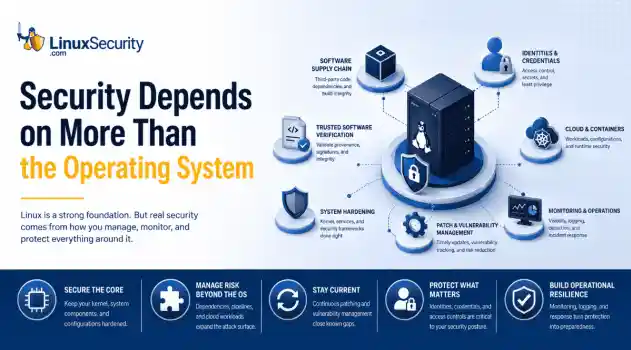
 security advisory risk management
 If more than 12 million enterprise systems can be exposed by flaws in a security control designed to harden Linux, it's probably worth asking whether Linux gives people a false sense of security. That's a question that has come up repeatedly throughout 2026. . This year alone, researchers have disclosed privilege-escalation vulnerabilities, root-level kernel flaws, and multiple supply-chain compromises affecting Linux environments. That doesn't mean Linux suddenly became insecure. It means...
 Jun 15, 2026
  security advisory attack
 A Linux server gets cleaned up after an intrusion. The suspicious process is terminated, credentials are rotated, and the system is rebooted during maintenance. Everything seems secure. A few hours later, the same outbound connection appears again. . Situations like that point to persistence . The attacker no longer needs the original exploit because something on the host continues restoring access behind the scenes. Finding that mechanism is often more important than understanding how the...
Jun 08, 2026  threat detection scalability
 Building a SIEM is easier than scaling one. Most open-source deployments start as a simple "all-in-one" server. It is easy to set up, but that design rarely survives the transition from a lab to a production workload. . A SIEM watching 20 endpoints is not doing the same job as one watching 500. More endpoints mean more logs; more logs require more storage; more storage makes search heavier. Eventually, the very architecture that made your lab easy to deploy becomes the reason your production...
Jun 04, 2026  security advisory apache
 A newly disclosed attack technique called HTTP/2 Bomb is drawing attention because it targets the software that sits at the front of much of the Linux internet. Apache HTTP Server, NGINX, Envoy, and the ingress layers that many Kubernetes environments depend on can be forced into consuming disproportionate amounts of memory using relatively small amounts of attacker traffic. . For Linux administrators, the concern is not the HTTP/2 protocol itself. It is the possibility that a single...
Jun 04, 2026  security advisory important
 The compromise of Nx Console shows how much infrastructure now sits behind a single developer account. GitHub repositories, CI/CD pipelines, container build systems, Terraform projects, Kubernetes deployments. None of those systems was the initial target. The workstation was. . Attackers did not need a Linux privilege escalation bug or a remote code execution chain. They needed developers to trust a tool they were already using. For many organizations, that was enough. What Happened? Federal...
Jun 03, 2026  Refine features
X Clear Filters Get the latest News and Insights
Get the latest Linux and open source security news straight to your inbox.
Community Poll
What got you started with Linux?
Loading...

Explore Latest Linux Security features
We found -4 articles for you...
102
 threat detectionsystem monitoringopen source security
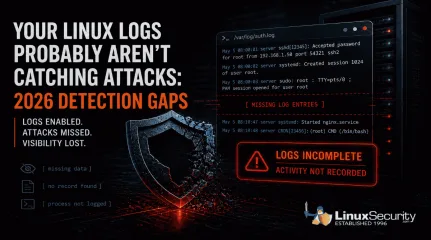
Your Linux Logs Probably Aren’t Catching Attacks: 2026 Detection Gaps
When a Linux system is compromised, the logs should tell you what happened. In a lot of cases, they don’t. . Linux systems generate logs by default, and most environments are already collecting data . That creates a sense of coverage, but during an investigation, those logs often fall short, and this isn’t just a Linux issue; it reflects how modern attacks behave across systems. What you actually get is fragmented activity. A login appears, a process runs, but nothing clearly explains how access was gained, what was executed, or how far the attacker moved, which forces you to piece together a timeline instead of reading one. That’s where things start to break down. Detection gets delayed, attackers stay longer than expected, and response slows down because the data doesn’t fully support what you’re trying to confirm. This isn’t a logging issue. It’s a visibility problem . It tends to break down in a few consistent ways: some attacks leave no trace, some alter the logs after access, others blend in with normal activity, and in some cases, the system never records what actually matters. The Real Problem Isn’t Missing Logs Most environments already have logging enabled. That’s not where things fail. The issue is what those logs actually capture. You can collect authentication events, system messages, and service logs all day. If none of that shows what an attacker did after access, you’re left trying to reconstruct a timeline from incomplete data. The same patterns show up over and over: Activity that leaves no trace Logs that get altered after access Actions that look completely normal Gaps where important behavior isn’t recorded Each one breaks visibility in a different way. When Attacks Leave Little or No Trace Most monitoring assumes something will hit disk. A file changes, a binary drops, or a service gets modified, and those events become the signals you rely on. When that doesn’t happen, there’s nothing to catchbecause the activity you’re watching for never triggers in the first place, which leaves your logs looking clean even while the attack is running. You don’t see a new file or a clear process tied to it, and there’s no alert to follow up on, so what you’re left with is a system that looks normal before and after, with no visibility into what happened in between. The attack runs, escalates privileges, and exits without leaving a clear trail. That gap is the problem. Copy Fail (CVE-2026-31431) is a good example.It allows a local user to escalate privileges entirely in memory. No files are written to disk, and from a logging perspective, nothing stands out, so the only thing you might see is routine kernel output like: kernel: [142.341205] [Firmware Bug]: TSC frequency mismatch... That’s all you see. The system looks healthy. Logging is active, and monitoring is running, but in reality, the attacker has already gained root access without leaving anything in your logs that clearly shows it happened. When Attackers Remove or Alter the Evidence Logs only help if you can trust them. If everything is stored locally, an attacker with enough access can change or remove it. Command history disappears. SSH traces get wiped. What’s left behind looks incomplete, or worse, completely normal. You might see something like this in auth.log: May 5 08:00:01 server sshd[12345]: Accepted password for root from 192.168.1.50 port 54321 ssh2 Looks legitimate, but that line doesn’t tell you how access was gained or what happened after. The entries that would explain that may already be gone. Real-world malware has done exactly this. Variants like Plague have been observed embedding into SSH authentication and stripping out traces of attacker activity while maintaining access. At that point, you’re not analyzing logs . You’re working with a filtered version of reality. When Malicious Activity Looks Normal Not every attack hides. Some just blend in. A valid loginshows up in auth.log. A sudo command looks like routine admin work. A process runs using standard system tools. From the system’s perspective, nothing is wrong. Attackers don’t always need to bypass logging. They just need to operate in a way that looks expected. Once they have access, everything they do can appear legitimate at the log level. You can see the login and the command that followed, but there’s nothing that tells you whether either one should have happened. Without context or correlation, those events don’t stand out as suspicious. They just blend into everything else, which is how a complete record of activity can still miss the attack. Timeline Discrepancy: Missing Intermediate Events The logs show a user login, followed by later activity such as a service starting or a session opening. What’s missing are the events in between. Some activity never shows up in a useful way, and that’s a different kind of failure. You might see the login and the process that followed, but not what was actually executed or what triggered it in the first place. In other cases, you see the result without anything that clearly explains how it happened. Things like credential access, memory interaction, or internal system behavior often don’t produce clear, actionable log entries. The system is still generating data, just not the data you need, which leaves gaps in the timeline right where the important actions took place. There’s no record of what processes ran immediately after the login, so the sequence is incomplete. Because of that, it’s not possible to clearly explain how the later activity was triggered or what actually happened during that gap. What This Means This creates a few problems during an investigation. It’s not clear whether the later activity came directly from that login or from something else running in the background. There’s also the possibility that actions took place that were never logged at all. Without those intermediatesteps, there’s no continuous chain of activity, which makes it difficult to understand the full scope of what happened. What the Logs Actually Show System and authentication logs confirm that a user logged in and that a session was created. Service or application logs show that something happened afterward, but they don’t show the steps that connect those two points. What to Check in Your Own Environment You don’t need new tools to spot the problem. You need to test whether your current setup can answer basic questions. If something happened right now, could you trace privilege escalation from start to finish without guessing? Could you see what commands were actually executed, not just who logged in? Could you confirm that the logs haven’t been altered or removed, and that events are tied to alerts rather than just stored? If you can’t answer those quickly, the issue isn’t logging. It’s visibility, and that gap only shows up when you need it most. Why Logging Alone Isn’t Enough Logging on its own doesn’t give you visibility. It just gives you data. Systems can look fully monitored and still miss the events that matter . Not because logging is broken, but because it doesn’t capture the right activity, doesn’t protect the data, or doesn’t help you understand what you’re seeing. If your logs can’t show what an attacker actually did, they’re not helping you detect them. What’s Next: To bridge these gaps, you have to look beyond traditional files and logs. In our upcoming posts, we will explore how implementing eBPF-based monitoring, File Integrity Monitoring (FIM), and immutable centralized logging can restore your visibility. Want to stay ahead of modern Linux threats? Subscribe to our newsletter to get actionable cybersecurity insights, in-depth technical breakdowns, and best practices delivered straight to your inbox. . Linux logs often miss critical attack details, causing gaps in visibility and hinderingdetection effectiveness during investigations.. Linux logs, detection issues, visibility gaps, log analysis, threat response. . MaK Ulac
 May 05, 2026 •

Get the latest News and Insights
Get the latest Linux and open source security news straight to your inbox.
Community Poll
What got you started with Linux?
Search Topics
Powered By

Linux Security - Your source for Top Linux News, Advisories, HOWTOs and Feature Releases
QUICK LINKS
subscribe to newsletters!
Like staying secure? So do we.
Sign up for updates, tips, and alerts!
Discover faster search, smarter navigation, and deeper Linux security insights. Read More