


Stay Ahead With Linux Security Features

 security advisory attack
 A Linux server gets cleaned up after an intrusion. The suspicious process is terminated, credentials are rotated, and the system is rebooted during maintenance. Everything seems secure. A few hours later, the same outbound connection appears again. . Situations like that point to persistence . The attacker no longer needs the original exploit because something on the host continues restoring access behind the scenes. Finding that mechanism is often more important than understanding how the...
 Jun 08, 2026
 threat detection scalability
 Building a SIEM is easier than scaling one. Most open-source deployments start as a simple "all-in-one" server. It is easy to set up, but that design rarely survives the transition from a lab to a production workload. . A SIEM watching 20 endpoints is not doing the same job as one watching 500. More endpoints mean more logs; more logs require more storage; more storage makes search heavier. Eventually, the very architecture that made your lab easy to deploy becomes the reason your production...
Jun 04, 2026
 security advisory apache
 A newly disclosed attack technique called HTTP/2 Bomb is drawing attention because it targets the software that sits at the front of much of the Linux internet. Apache HTTP Server, NGINX, Envoy, and the ingress layers that many Kubernetes environments depend on can be forced into consuming disproportionate amounts of memory using relatively small amounts of attacker traffic. . For Linux administrators, the concern is not the HTTP/2 protocol itself. It is the possibility that a single...
Jun 04, 2026
 security advisory important
 The compromise of Nx Console shows how much infrastructure now sits behind a single developer account. GitHub repositories, CI/CD pipelines, container build systems, Terraform projects, Kubernetes deployments. None of those systems was the initial target. The workstation was. . Attackers did not need a Linux privilege escalation bug or a remote code execution chain. They needed developers to trust a tool they were already using. For many organizations, that was enough. What Happened? Federal...
Jun 03, 2026
 security advisory open-source
 You remove the malware. You rotate the compromised credentials. You patch the original vulnerability and close the ticket. Two weeks later, the attacker is back. . What happened? You didn't lose the battle at the exploit; you lost it at the cleanup. In many modern Linux intrusions, the malware you found wasn't the main problem—it was the fallback mechanisms left behind. These hooks quietly restore attacker access the moment you look away. If you clean a host but miss these persistence layers,...
Jun 02, 2026
 Refine features
X Clear Filters
Get the latest News and Insights
Get the latest Linux and open source security news straight to your inbox.
Community Poll
What got you started with Linux?
Loading...
Explore Latest Linux Security features
We found -3 articles for you...
102
 threat detectionsystem monitoringopen source security
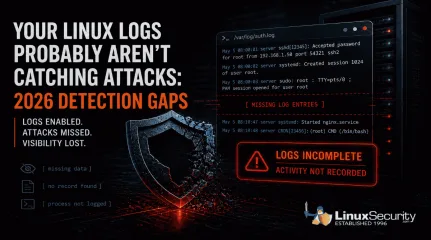
Your Linux Logs Probably Aren’t Catching Attacks: 2026 Detection Gaps
When a Linux system is compromised, the logs should tell you what happened. In a lot of cases, they don’t. . Linux systems generate logs by default, and most environments are already collecting data . That creates a sense of coverage, but during an investigation, those logs often fall short, and this isn’t just a Linux issue; it reflects how modern attacks behave across systems. What you actually get is fragmented activity. A login appears, a process runs, but nothing clearly explains how access was gained, what was executed, or how far the attacker moved, which forces you to piece together a timeline instead of reading one. That’s where things start to break down. Detection gets delayed, attackers stay longer than expected, and response slows down because the data doesn’t fully support what you’re trying to confirm. This isn’t a logging issue. It’s a visibility problem . It tends to break down in a few consistent ways: some attacks leave no trace, some alter the logs after access, others blend in with normal activity, and in some cases, the system never records what actually matters. The Real Problem Isn’t Missing Logs Most environments already have logging enabled. That’s not where things fail. The issue is what those logs actually capture. You can collect authentication events, system messages, and service logs all day. If none of that shows what an attacker did after access, you’re left trying to reconstruct a timeline from incomplete data. The same patterns show up over and over: Activity that leaves no trace Logs that get altered after access Actions that look completely normal Gaps where important behavior isn’t recorded Each one breaks visibility in a different way. When Attacks Leave Little or No Trace Most monitoring assumes something will hit disk. A file changes, a binary drops, or a service gets modified, and those events become the signals you rely on. When that doesn’t happen, there’s nothing to catchbecause the activity you’re watching for never triggers in the first place, which leaves your logs looking clean even while the attack is running. You don’t see a new file or a clear process tied to it, and there’s no alert to follow up on, so what you’re left with is a system that looks normal before and after, with no visibility into what happened in between. The attack runs, escalates privileges, and exits without leaving a clear trail. That gap is the problem. Copy Fail (CVE-2026-31431) is a good example.It allows a local user to escalate privileges entirely in memory. No files are written to disk, and from a logging perspective, nothing stands out, so the only thing you might see is routine kernel output like: kernel: [142.341205] [Firmware Bug]: TSC frequency mismatch... That’s all you see. The system looks healthy. Logging is active, and monitoring is running, but in reality, the attacker has already gained root access without leaving anything in your logs that clearly shows it happened. When Attackers Remove or Alter the Evidence Logs only help if you can trust them. If everything is stored locally, an attacker with enough access can change or remove it. Command history disappears. SSH traces get wiped. What’s left behind looks incomplete, or worse, completely normal. You might see something like this in auth.log: May 5 08:00:01 server sshd[12345]: Accepted password for root from 192.168.1.50 port 54321 ssh2 Looks legitimate, but that line doesn’t tell you how access was gained or what happened after. The entries that would explain that may already be gone. Real-world malware has done exactly this. Variants like Plague have been observed embedding into SSH authentication and stripping out traces of attacker activity while maintaining access. At that point, you’re not analyzing logs . You’re working with a filtered version of reality. When Malicious Activity Looks Normal Not every attack hides. Some just blend in. A valid loginshows up in auth.log. A sudo command looks like routine admin work. A process runs using standard system tools. From the system’s perspective, nothing is wrong. Attackers don’t always need to bypass logging. They just need to operate in a way that looks expected. Once they have access, everything they do can appear legitimate at the log level. You can see the login and the command that followed, but there’s nothing that tells you whether either one should have happened. Without context or correlation, those events don’t stand out as suspicious. They just blend into everything else, which is how a complete record of activity can still miss the attack. Timeline Discrepancy: Missing Intermediate Events The logs show a user login, followed by later activity such as a service starting or a session opening. What’s missing are the events in between. Some activity never shows up in a useful way, and that’s a different kind of failure. You might see the login and the process that followed, but not what was actually executed or what triggered it in the first place. In other cases, you see the result without anything that clearly explains how it happened. Things like credential access, memory interaction, or internal system behavior often don’t produce clear, actionable log entries. The system is still generating data, just not the data you need, which leaves gaps in the timeline right where the important actions took place. There’s no record of what processes ran immediately after the login, so the sequence is incomplete. Because of that, it’s not possible to clearly explain how the later activity was triggered or what actually happened during that gap. What This Means This creates a few problems during an investigation. It’s not clear whether the later activity came directly from that login or from something else running in the background. There’s also the possibility that actions took place that were never logged at all. Without those intermediatesteps, there’s no continuous chain of activity, which makes it difficult to understand the full scope of what happened. What the Logs Actually Show System and authentication logs confirm that a user logged in and that a session was created. Service or application logs show that something happened afterward, but they don’t show the steps that connect those two points. What to Check in Your Own Environment You don’t need new tools to spot the problem. You need to test whether your current setup can answer basic questions. If something happened right now, could you trace privilege escalation from start to finish without guessing? Could you see what commands were actually executed, not just who logged in? Could you confirm that the logs haven’t been altered or removed, and that events are tied to alerts rather than just stored? If you can’t answer those quickly, the issue isn’t logging. It’s visibility, and that gap only shows up when you need it most. Why Logging Alone Isn’t Enough Logging on its own doesn’t give you visibility. It just gives you data. Systems can look fully monitored and still miss the events that matter . Not because logging is broken, but because it doesn’t capture the right activity, doesn’t protect the data, or doesn’t help you understand what you’re seeing. If your logs can’t show what an attacker actually did, they’re not helping you detect them. What’s Next: To bridge these gaps, you have to look beyond traditional files and logs. In our upcoming posts, we will explore how implementing eBPF-based monitoring, File Integrity Monitoring (FIM), and immutable centralized logging can restore your visibility. Want to stay ahead of modern Linux threats? Subscribe to our newsletter to get actionable cybersecurity insights, in-depth technical breakdowns, and best practices delivered straight to your inbox. . Linux logs often miss critical attack details, causing gaps in visibility and hinderingdetection effectiveness during investigations.. Linux logs, detection issues, visibility gaps, log analysis, threat response. . MaK Ulac
 May 05, 2026
•
May 05, 2026
•
102
 open-sourcesecurity strategyevent analysis
Lateral Movement Detection Strategies for Linux Systems
Moving through a network is like using a master key. If you have the key, you do not need to break any windows. On Linux, attackers usually do not "hack" their way from one computer to another. They simply log in using stolen credentials. . A login lands in the logs, and nothing stands out. The account is valid, the source looks familiar, and access is granted. A second login follows from the same account on another system. It is still valid and still uneventful. This is how lateral movement usually begins in Linux. It does not rely on breaking in. It relies on using access that already works. Unless someone is tracking how that access moves between systems, it passes as routine activity. Strengthening your Linux security posture starts here. Why Linux Attacks Are Hard to Spot The core issue is not that the activity is hidden. It is that the system has no reason to treat it as suspicious. Check How SSH and Sudo Are Being Used Linux systems are built around remote access. SSH provides a secure way to log in. Sudo allows controlled "boss" powers. The shell is the primary way to run commands. These are foundational parts of the system. When an attacker gets valid credentials, they do not need to bring in anything new. They connect through SSH the same way an administrator would. The system accepts the session because authentication worked. This is why SSH-based lateral movement is so effective . Look for Activity That Blends In With Normal Use Once access is established, the attacker operates within normal boundaries. The commands they run are not suspicious because they are part of normal system use. From a logging perspective, you see the command but not the intent. At the network level, the problem is harder. SSH traffic is encrypted. Even if you capture the connection, you cannot see what is happening inside. Every individual action looks valid. Only the broader pattern reveals that something is wrong. This creates a massive challenge for traditional network securitybecause every individual action looks valid. Only the broader pattern reveals that something is wrong. The Gap in Security Coverage The gap is often described as a lack of tools. In practice, it is missing context. Identify Where Your Security Coverage Breaks Down Many teams use EDR, or Endpoint Detection and Response. These are like security cameras that record every move a computer makes. In Linux environments, putting these cameras everywhere is difficult. Some systems are too fast and cannot handle the extra weight. Others are temporary and only exist for a short time. This creates uneven visibility. Attackers move through the areas where security monitoring is weakest. Use Existing Logs to Fill Visibility Gaps Even without EDR, Linux generates reliable logs. Authentication events record who accessed what and when. System logs capture changes in state. The limitation is not the absence of data. It is the lack of connection between data sources. Each system logs its own perspective. Without combining them, those perspectives stay isolated. Without combining them, those perspectives stay isolated. Effective threat detection requires combining them into a single timeline . What Actually Reveals Lateral Movement Lateral movement becomes visible when small inconsistencies align. The signal is weak at first, but gets stronger across patterns. Track Authentication Patterns Across Systems A user account that typically uses one system begins appearing on many hosts quickly. The source of access may also change. Instead of logging in from a known external IP, the account starts from an internal system. This suggests access has already shifted once. Time also plays a role. Activity outside working hours or in unusual sequences can indicate the behavior is not normal. Analyze Command and Privilege Escalation Behavior An attacker may use sudo to get more power. Then they run commands to explore the environment. These actions are logged but do not trigger alertsbecause they are valid. The distinction comes from how those operations are grouped. Rapid transitions between power levels and sequences that do not match typical work start to show a deviation. This is where process data reveals intent . Building Detection From What You Already Have This is where most teams stall out. The data is there, but nothing is wired together to detect movement. Pull Every SSH Login Into One Timeline Pull SSH authentication logs from every system into one place. Not a sample, not a subset, all of it. If logins are still siloed per host, you won’t see movement. You’ll just see access. Same Account Appearing Across Multiple Hosts Pick a user and follow it. Where it logs in, how often, and how quickly it appears somewhere else. Same account touching multiple hosts in a short window is one of the few reliable early signals you get in Linux environments, especially when there’s no EDR filling in the gaps. Logins That Originate From Another Server A login from an external IP is expected. A login from another server is not the same thing. When a system becomes the source of authentication, it usually means access has already shifted once, and that’s where lateral movement starts to become visible if you’re paying attention. Build Simple Sequences First Don’t overcomplicate this. Start with a basic chain. Login followed by privilege escalation, followed by a connection to another host. That pattern shows up more often than people expect, and it’s usually ignored because each step looks valid on its own, even though the sequence tells a different story once you line it up. Accounts Accessing Systems They Don’t Normally Touch You don’t need a perfect baseline. You need a clear picture of what each account typically does. Which servers an admin usually logs into, when they access them, and where they connect from. That’s the reference point you build from over time. Without that context, every login looks identical in the logs. Oncethat happens, movement between systems blends in because nothing stands out as unusual. Turning Data Into Detection Raw data does not produce alerts on its own. It needs to be structured. Why Individual Events Don’t Mean Much on Their Own Individual events rarely provide enough context. A login shows access. A network connection shows communication. When these happen in isolation, they appear normal. When they occur in a specific order across multiple systems, they describe movement. Detection logic must link events together over time to create a narrative. Lateral movement detection logic must link events together over time to create a narrative. Why Behavior Tells You More Than Signatures Signatures look for known bad files. This fails when attackers do not use any bad files. Behavioral detection focuses on what is expected. It sets a baseline for user activity and timing. When behavior shifts away from that baseline, it creates a signal. This behavioral analysis is central to finding movement when tools are missing. How Lateral Movement Typically Unfolds in Linux Environments Initial Access An account logs in from a known external IP. The credentials are valid, and the activity matches what the system expects, so nothing stands out. Access Shifts Internally Shortly after, the same account logs into another server. This time, the source is an internal system rather than the original external IP. Events Are Viewed in Isolation Each login is evaluated on its own. Both are legitimate, both succeed, and neither triggers an alert. Because there is no immediate sign of compromise, the events are treated as routine. The Pattern Only Appears Later When authentication logs are aligned by time, the sequence becomes clear. External access is followed by internal logins that begin to form a path across systems. What initially appeared to be normal activity turns out to be lateral movement. The signal was always present, but it only became visible oncethe events were connected. Why Strategy Matters More Than Tools Tools do not replace visibility. EDR provides insight into where it is placed, but it does not solve gaps in coverage. Detection depends on consistent data and the ability to analyze relationships between events. Linux requires behavioral thinking. These environments do not generate clear red flags during lateral movement. They generate normal activity used in the wrong context. Attackers succeed by staying within expected boundaries. They assume valid actions will not be questioned. Detection does not come from finding something obviously evil. It comes from recognizing when a sequence of valid actions no longer makes sense. . Learn how to detect lateral movement in Linux systems without EDR by leveraging existing logs and authentication patterns for improved security.. Lateral Movement Detection, SSH Security, Linux Authentication, Event Analysis, Security Strategy. . MaK Ulac
Apr 22, 2026
•


Get the latest News and Insights
Get the latest Linux and open source security news straight to your inbox.
Community Poll
What got you started with Linux?
Search Topics
Powered By

Linux Security - Your source for Top Linux News, Advisories, HOWTOs and Feature Releases
QUICK LINKS
subscribe to newsletters!
Like staying secure? So do we.
Sign up for updates, tips, and alerts!
Discover faster search, smarter navigation, and deeper Linux security insights. Read More