Explore top 10 tips to secure your open-source projects now. Read More
×


Linux Persistence Hunting: The 5 Techniques Security Teams Miss Most
 Jun 02, 2026
•
Jun 02, 2026
•
 Dave Wreski
3 - 6 min read
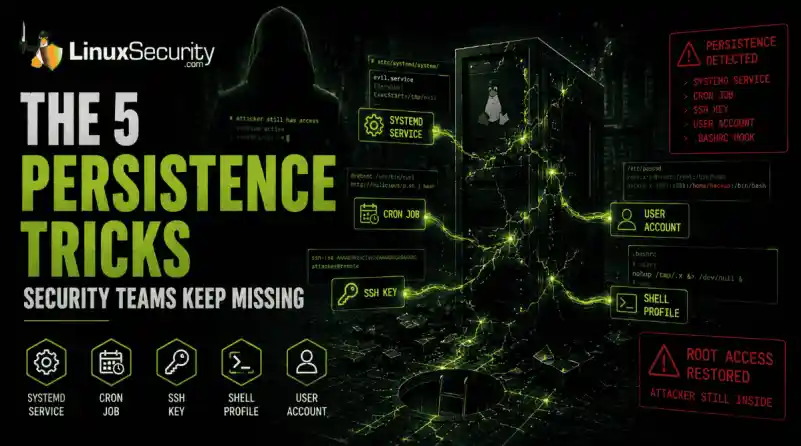

You remove the malware. You rotate the compromised credentials. You patch the original vulnerability and close the ticket. Two weeks later, the attacker is back.
What happened? You didn't lose the battle at the exploit; you lost it at the cleanup. In many modern Linux intrusions, the malware you found wasn't the main problem—it was the fallback mechanisms left behind. These hooks quietly restore attacker access the moment you look away. If you clean a host but miss these persistence layers, you haven't evicted the attacker; you've just cleared the path for them to return.
Why Persistence Matters
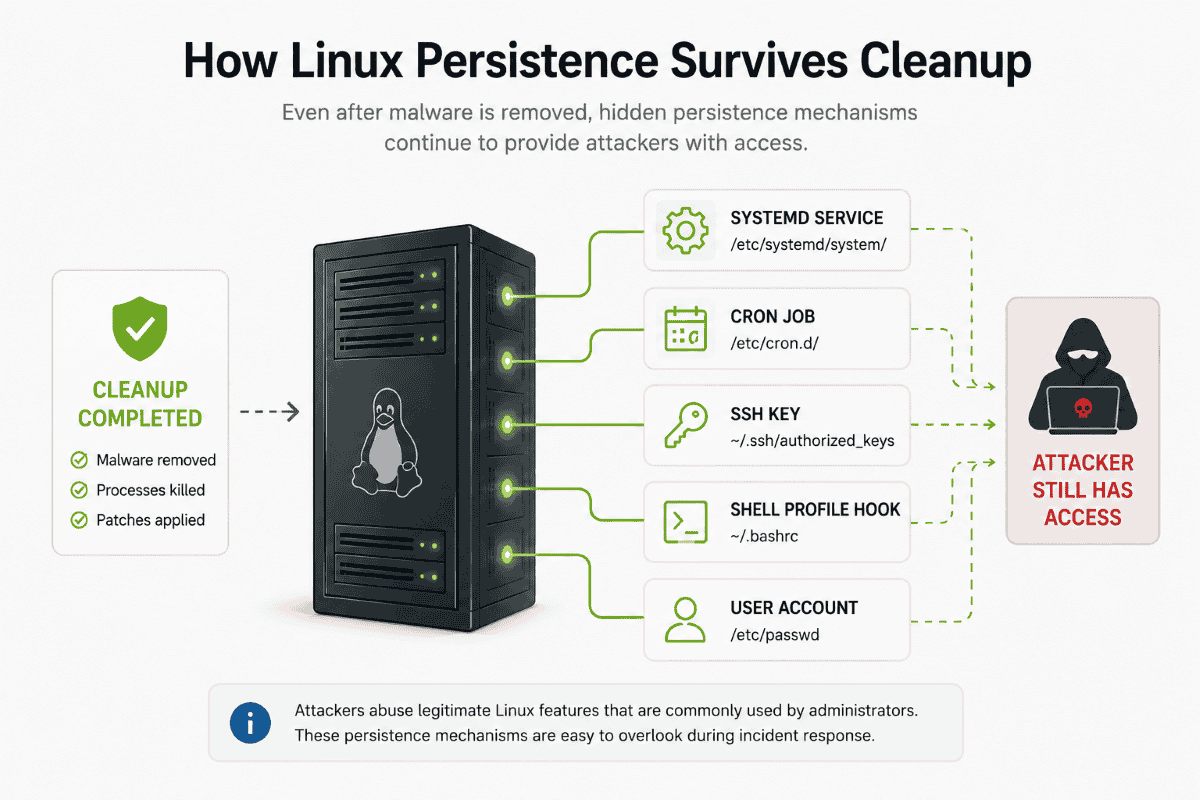
Getting into a system is often the easy part. Staying there is what matters. Persistence gives attackers a way to survive password resets, malware removal, and even patching efforts. If the persistence mechanism remains in place, they may not need to repeat the original compromise at all.
Why Linux Persistence Remains a Problem
Persistence on Linux is often harder to spot because attackers frequently abuse features administrators already use every day. A cron job doesn't look suspicious by itself. Neither does a systemd service nor an SSH key. During an investigation, it's easy to focus on the malware and overlook the configuration change that allowed it to come back.
Quick-Hunt Checklist
|
Persistence Type |
Primary Location |
Quick Hunt Command |
|
Systemd |
/etc/systemd/system/ |
systemctl list-unit-files --state=enabled |
|
Cron |
/etc/cron* |
ls -la /etc/cron* |
|
SSH Keys |
~/.ssh/authorized_keys |
cat ~/.ssh/authorized_keys |
|
Shell Profiles |
~/.bashrc |
grep -Ri "curl|wget" /home/*/.* |
|
User Accounts |
/etc/passwd |
cat /etc/passwd |
1. Systemd Service Persistence (MITRE T1501)
Systemd is the heartbeat of modern Linux. Attackers abuse it to ensure their code runs as a background service, starting automatically on boot.
- What to investigate: Beyond just listing enabled services, look for files in /etc/systemd/system/ or /usr/lib/systemd/system/ that were modified recently.
- The "Aha!" Moment: Don't just check for "weird" names. Check the ExecStart path in the unit file. If it points to /tmp, /dev/shm, or a hidden directory in /home, it is almost certainly malicious. Watch for services running as root that initiate network connections immediately upon starting.
2. Cron-Based Persistence (MITRE T1053.003)
Cron jobs are the "reliable" backup. Even if you kill their malware process, a cron job can be. Attackers love cron because it acts like a built-in recovery mechanism. If malware is deleted or a process crashes, a scheduled task can quietly bring it back.
Start by reviewing:

- /etc/crontab
- /etc/cron.d/
- /var/spool/cron/
One of the fastest ways to find suspicious activity is to search for @reboot entries. These trigger automatically whenever a system starts and are frequently used to relaunch malware after remediation efforts. Encoded payloads or commands that download content with curl or wget before piping it into a shell should be treated as immediate red flags.
3. SSH Authorized Key Backdoors (MITRE T1098.004)
An SSH key is one of the cleanest persistence mechanisms available to an attacker. Once their public key is added to ~/.ssh/authorized_keys, they can access the system without relying on passwords and often without triggering much attention.
When auditing systems, don't just look at the key itself. Look at the account behind it.
A key attached to a dormant account, a service account, or a user who hasn't logged in for months should immediately raise questions. The same goes for keys that appear suddenly with no change request, documentation, or clear owner.
One of the most common mistakes during incident response is removing malware while overlooking an attacker-controlled SSH key. Passwords can be reset in minutes. A forgotten authorized key can provide access for months.
4. Shell Startup File Persistence (MITRE T1546.004)
Injecting a command into .bashrc or .profile is a classic move. Every time a user (or an admin) opens a terminal, the malicious command runs.
- What to investigate: Use grep -Ri "curl\|wget\|nc\|bash" /home/*/.* to scan all hidden files in user directories.
- The "Aha!" Moment: These are often missed because they hide inside otherwise legitimate config files. Look for nohup commands or backgrounded processes (&) that shouldn't be there. If you see a line that suddenly initiates an outbound connection, an attacker is piggybacking on your session.
5. User Account Creation (MITRE T1136.001)
Not every persistence mechanism involves code.
In many intrusions, the attacker simply creates another user and grants it elevated privileges. Once that account exists, the original malware may no longer be necessary. Review /etc/passwd and compare what you find against your organization's approved accounts. Then verify:
- Group memberships
- Sudo permissions
- Last login activity
- Account creation timelines
An account named "backup," "support," or "service-admin" may not look suspicious at first glance, which is exactly why attackers use them.
The Reality: Why One Mechanism Isn't Enough
During a recent investigation into a compromised web server, the security team successfully identified and disabled a malicious systemd service. They thought the incident was closed. However, the attacker had also placed a hidden cron job in /etc/cron.d/ that checked for the service every hour. If the service was missing, the cron job simply re-downloaded the binary and re-enabled the service. The attacker regained full root access within 60 minutes of the "remediation."
Attackers assume you are thorough—but they bet you aren't complete. You must hunt for the entire ecosystem, not just the one artifact you found first.
Your Weekly Hunting Workflow
Don't wait for an alert to start looking. Pick one high-value Linux server this week and run this sequence:
- Scan Autostarts: systemctl list-unit-files --state=enabled
- Audit Tasks: find /etc/cron* -type f
- Validate Keys: find /home -name authorized_keys
- Check Profiles: grep -Ri "curl\|wget\|bash" /home/*/.*
- Verify Users: cat /etc/passwd
- Timeline Hunt: find /etc -mtime -30
Persistence hunting is the difference between a clean server and one that is still compromised. Most organizations scan for viruses but never validate their persistence locations. That gap is exactly what attackers count on you to leave open.
You've found an unauthorized SSH key on a high-privilege account. Before you delete it, what secondary indicators are you going to check to ensure the attacker doesn't have an active cron job or malicious service waiting to replace that key the moment it vanishes?
Related Reading
 PREVIOUS

 NEXT
NEXT

Powered By

Linux Security - Your source for Top Linux News, Advisories, HOWTOs and Feature Releases
QUICK LINKS
subscribe to newsletters!
Like staying secure? So do we.
Sign up for updates, tips, and alerts!