Explore top 10 tips to secure your open-source projects now. Read More
×


Stay Ahead With Linux Security HOWTOs

How to Harden My Filesystem system hardening open source security
system hardening open source security We all spend a lot of time defending our systems from external threats, but the amount of damage an attacker can cause often depends on what happens after they get in. A single compromised account doesn't always lead to a major incident. The real danger begins when that account has far more access than it actually needs. That's exactly what the principle of least privilege is designed to prevent. By limiting users, services, and applications to only the permissions required for their jobs, you...
 Jul 20, 2026

How to Learn Tips and Tricksthreat detection system monitoring
threat detection system monitoring For small security and IT teams, the "enterprise" dream of a fully automated SIEM often feels like a distant luxury. It’s a vision built on massive budgets and dedicated engineering teams—things that, frankly, most of us don't have. But here is the reality: you don’t need a six-figure platform to maintain a secure environment. . Linux systems are, by design, incredibly verbose. Every time a user authenticates, a process executes, or a configuration file changes, your system creates a record of...
Jul 17, 2026

How to Learn Tips and Tricksnetwork security centralized logging
network security centralized logging Linux systems generate a steady stream of authentication, service, kernel, and application logs. On most systems, those logs never leave the machine that created them. If you're responsible for ten or twenty servers, that means checking each one separately. If one disappears before you can investigate it, its logs may disappear with it. Centralized logging solves that by sending log messages to another server as they're created. Instead of searching every machine, you have one place to review...
Jul 15, 2026

How to Secure My Networksecurity advisory audit
security advisory audit When you’re digging through an incident, your logs are the only thing you can actually trust. The problem is, attackers know that too. If someone gets root on your server, their first move is almost always to delete the evidence and cover their tracks. . If you aren't actively protecting your logs, you're basically flying blind the second a breach happens. It’s a miserable feeling to realize you have no idea what an attacker did because they wiped the logs before you even got there. In this...
Jul 11, 2026
How to Harden My Filesystemlog analysis security incident
log analysis security incident When an attacker breaks into a Linux system, their work is rarely done. Usually, the real work starts after the initial exploit: hiding their tracks. If you’re a Linux admin or security analyst, there is nothing worse than logging in, running a few commands, and realizing the logs aren't telling the whole story. When logs are missing or look "off," your primary source of truth is compromised. This guide covers how to handle that situation. We’ll walk through the workflow you need to determine...
Jul 10, 2026
 Refine HOWTOs
X Clear Filters
Get the latest News and Insights
Get the latest Linux and open source security news straight to your inbox.
Community Poll
Should Linux servers automatically install security updates?
Loading...
Explore Latest Linux Security HOWTOs
We found -2 articles for you...
160
 log analysissecurity incidentthreat detection
Linux Log Analysis: How to Investigate Suspected Log Manipulation During Incident Response
When an attacker breaks into a Linux system, their work is rarely done. Usually, the real work starts after the initial exploit: hiding their tracks. If you’re a Linux admin or security analyst, there is nothing worse than logging in, running a few commands, and realizing the logs aren't telling the whole story. When logs are missing or look "off," your primary source of truth is compromised. This guide covers how to handle that situation. We’ll walk through the workflow you need to determine if you’re looking at an attacker’s handiwork or just a system glitch. . Understanding Log Manipulation Think of this as anti-forensics. Attackers don't just delete logs; they try to make the system look normal. They might truncate a file, change timestamps (timestomping) to hide recent activity, or just kill the auditd service to stop the system from recording their next move. Sometimes, they rotate logs prematurely just to bury their activity in a compressed archive they plan to delete later. They often target the Linux Audit System directly to create a blind spot in your monitoring. Before you touch anything, pause. Don't restart services or reboot the server yet. If you do, you risk blowing away volatile evidence stored in memory. Always grab a forensic snapshot first. Why You Can’t Trust the Local System If you’re in the middle of an incident, the logs are your map. They show the entry point, the lateral movement, and the data exfiltration. If you can’t trust them, you’re flying blind. You shouldn't assume the local logs are accurate until you have specifically verified their integrity. This is where professional-grade log analysis becomes the difference between catching the actor and missing them entirely. Step 1: Check the Foundation Before diving into the "meat" of the investigation, make sure the logging services are actually up. You can't analyze what isn't being recorded. Auditd: Run systemctl status auditd. It should be active (running). Ifit's stopped, that’s a red flag. Familiarizing yourself with auditd is essential for any responder. Rsyslog: Run systemctl status rsyslog. If it’s down, the system might not be shipping logs to remote storage. Journald Persistence: Check if your journal is actually saving logs to disk. Run grep Storage /etc/systemd/journald.conf. If it doesn't say persistent, you might lose everything on a reboot. You can also run ls -ld /var/log/journal to see if that folder exists. Step 2: Spotting the Gaps Logs don't just "take a break." If you see a jump in time, someone likely messed with the files. Run journalctl to look at your timeline. If you see a gap from 10:00 AM to 2:00 PM, ask yourself why. Use journalctl --verify to check for corrupted journal objects. If it complains about corruption, it could be a sign of tampering. Note: Don't jump to conclusions. Sometimes logs just break due to bad disk sectors or weird rotation configs. Always verify with other sources. Finally, last reboot is your best friend—if the server restarted at a time you didn't authorize, you’ve found your "when." Step 3: Is Auditd Still Running? Attackers love to disable the audit system. Run auditctl -s. A healthy system will report that auditing is enabled. If it says enabled 0, that’s not an accident—that’s an intent. Use auditctl -l to see what rules are active. If you get back an empty list, the attacker stripped your rules. This is a common tactic to keep their commands from showing up in the audit logs, often involving interference with the audit subsystem . Step 4: Cross-Referencing Sources This is the core of log analysis. Never rely on just one file. Attackers are often lazy; they’ll clean up /var/log/auth.log but forget about bash_history, cron, or even systemd journals. Compare what you see in the logs against each other. If auth.log shows an SSH session, but you see zero activity for that user in the audit logs, something is wrong. Use ausearch to track specific useractivity. If the tool returns nothing for a period where you know activity happened, you’ve confirmed the logs were purged. Step 5: Detecting the Tampering When you think a file was messed with, get forensic with it: stat [filename]: Look at the access and modification times. Are they weird? find /var/log -type f -mtime -1: This shows you what changed in the last 24 hours. find /var/log -size 0: If this hits, you found a log file that was wiped to zero bytes. rpm -V [package-name]: This checks if your core system binaries were swapped out. It won't tell you about the logs, but it tells you if the system itself is compromised. When detecting Linux audit log tampering , look for files that have been truncated or archives that have been deleted. Step 6: Go Outside the Box If the local logs look fake, stop looking at them. Log into your SIEM, your remote syslog server, or your firewall logs. If the firewall shows 10GB of outbound traffic from that server, but the server's local logs show zero activity, you don't need to guess anymore. The server is compromised, and the local logs are lying. Quick Fixes Auditd won't start? It’s probably SELinux or AppArmor blocking it, or the config file is corrupted. Check /etc/audit/audit.rules. Journal is empty? Check the permissions on /var/log/journal/. Audit rules missing? Check /etc/audit/rules.d/. The attacker might have just deleted your rule files. Remote vs. Local mismatch? This is your smoking gun. Trust the remote logs every single time. When You Confirm It's Tampered If you find proof of tampering, stop your investigation on that live host immediately. Image it: Take a bit-for-bit copy. Lock down remote logs: Make sure your SIEM isn't purging the data for that host. Rebuild the story: Use network flow data and cloud logs to fill in the blanks. Document it: The fact that they tried to hide is as important as what they actually did. A Final Thought on BestPractices Consistent log analysis only works if you're sending logs off-box before an incident happens. Follow a Security Hardening Guide to establish a strong baseline. This includes configuring your systems to forward logs to a central server, and making sure those logs are read-only for everyone except your security team. Successful log analysis isn't just about finding the one log file an attacker deleted. It’s about being able to tell the story of the incident despite the gaps. If you follow this process, you’ll find the inconsistencies they left behind, and you’ll have the proof you need to respond effectively. . Investigate log manipulation during incidents to enhance response strategies and improve system integrity analysis.. Linux Log Analysis, Incident Response, Auditd Monitoring, Log Management, Threat Detection. . Dave Wreski
 Jul 10, 2026
•
Jul 10, 2026
• How to Harden My Filesystem
166
 incident responselinuxsecurity analysis
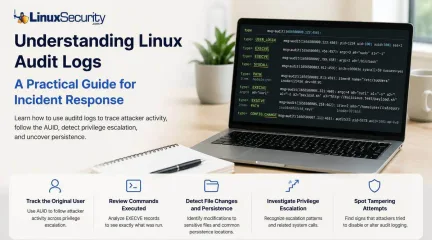
How to Read Linux Audit Logs During an Intrusion
When a security alert fires, the panic often sets in before the analysis. Many administrators instinctively reach for /var/log/auth.log or journalctl , but those logs tell only a partial story. They document successful logins and authentication attempts, but they rarely capture the granular "how" of a post-compromise environment. To truly reconstruct an attack, you need to master audit logs . Unlike standard authentication logs, Linux audit logs (managed by auditd ) record system-level activity, including specific syscalls, file modifications, and command executions. In this guide, we’ll move beyond administrative documentation to show you exactly how to reconstruct an attacker’s activity during a live investigation. . Quick Incident Response Checklist Define the scope: Identify the first suspicious timestamp. Find the entry point: Search for USER_LOGIN events. Anchor the AUID: Capture the original user ID to track activity post-escalation. Trace execution: Filter EXECVE events for the auid . Audit persistence: Check for file modifications in ~/.ssh/authorized_keys or cron . Detect tampering: Inspect CONFIG_CHANGE events. Correlate: Match audit events with firewall and EDR logs. What Linux Audit Logs Reveal (The Forensic Anatomy) Before running commands, understand that auditd creates a chain of evidence. Every action (like running whoami ) generates a syscall, and every syscall is tagged with an Event ID and an auid . The auid (Audit User ID) is your "golden thread." Even if an attacker runs sudo su - to become root, their original auid remains the same. You aren't tracking a changing uid ; you are tracking the session's source. Step-by-Step: Reconstructing an Intrusion Let’s walk through a standard attack: The Compromised Session. Step A: Identify the Entry Start by searching for the login event around your alert time : Bash ausearch -m USER_LOGIN -ts 2026-06-29:02:10 -i Look for: The auid field in the output. If the auid is 1001 , every subsequent command you search for will use that specific ID. Step B: Follow the Attacker (The AUID Trail) Once you have the auid , you can ignore the uid (which will switch to 0 when they become root) and follow their specific trail: Bash ausearch -ua 1001 -i Sample Output: Plaintext type=EXECVE msg=audit(1656500000.123:456): argc=3 a0="curl" a1="-o" a2="payload.sh" ... This shows the attacker downloading a script. The auid links this activity directly to the 1001 session, even if they are currently acting as root. Step C: Identify Sensitive File Changes Attackers follow a pattern when establishing persistence or escalating. Use this table to prioritize what to investigate : File Why Attackers Target It /etc/passwd To create or alter accounts for permanent access. /etc/shadow To crack password hashes or escalate privileges. /etc/sudoers To grant themselves permanent sudo privileges. ~/.ssh/authorized_keys To maintain persistence via SSH keys. To find these, use: Bash ausearch -f /etc/sudoers -i Step D: Investigate Privilege Escalation You will often see related syscalls. When an attacker elevates privileges, look for the sequence: execve : The execution of sudo or pkexec . setuid : The transition of the effective uid to 0 . chmod / chown : Attempts to manipulate file permissions to ensure their "backdoor" remains accessible. Correlation: The Key to Context Audit logs are powerful, but they are not a standalone truth. To verify the "why," correlate them: Network Logs: If audit logs show a curl to a suspicious IP, check your firewall logs to see if that connection was successful or blocked. EDR Process Trees: Compare the pid from your audit record to your EDR telemetry to see the fullparent-child relationship of the processes. FIM (File Integrity Monitoring): If you see a file access in the audit log, verify if your FIM tool flagged the file's hash as changed. Common Investigation Mistakes Chasing the uid : Never follow the uid . It resets when an attacker uses sudo . Always stick to the auid . Missing CONFIG_CHANGE : Sophisticated attackers will run auditctl -e 0 to disable logging. If you see a gap in your logs, search ausearch -m CONFIG_CHANGE to see if the logging service was tampered with. Forgetting Timezones: Ensure your ausearch timestamps match your system's UTC or local time settings to avoid missing the window. Final Thoughts The next time an alert fires, don’t stop at the authentication logs. Audit logs can reveal every command an attacker executed, every sensitive file they touched, and every privilege escalation path they navigated. By shifting your focus from "did they log in?" to "what did they do after they logged in?", you transform audit logs from simple compliance records into a high-fidelity forensic trail. Are you ready to harden your environment? Subscribe to the LinuxSecurity Newsletter for upcoming tutorials on writing custom audit.rules and building automated detection logic for your SIEM. Related Reading Auditd vs eBPF: Effective Strategies for Modern Linux Monitoring Linux Logs Often Miss Critical Attack Details and Detection Gaps Understanding Log Management and Analysis Tools for Linux Systems Effective File Integrity Monitoring Techniques for Linux Systems Understanding Linux Persistence Mechanisms and Detection Tools Linux EDR: Essential Tool for Cybersecurity and Incident Response . Learn how to analyze Linux audit logs to uncover activity during security incidents and strengthen your incident response.. Linux Audit Logs, Incident Response, Security Analysis, Intrusion Forensics, System Activity Tracking. . MaK Ulac
Jun 29, 2026
•
How to Learn Tips and Tricks

160
 Unix systemssecurity analysisforensics
Exploring Unrm And Lazarus Tools On Sun Solaris Systems
This documentation discusses the use of two TCT tools, unrm and lazarus, on the Sun Solaris operating system, version 2.x. You can use this approach with other UNIX operating systems and hosts.. . This documentation discusses the use of two TCT tools, unrm and lazarus, on the Sun Solaris operatin. documentation, discusses, tools, lazarus, solaris, operatin. . Anthony Pell
Nov 23, 2004
•
How to Harden My Filesystem

Get the latest News and Insights
Get the latest Linux and open source security news straight to your inbox.
Community Poll
Should Linux servers automatically install security updates?
Search Topics
Powered By

Linux Security - Your source for Top Linux News, Advisories, HOWTOs and Feature Releases
QUICK LINKS
subscribe to newsletters!
Like staying secure? So do we.
Sign up for updates, tips, and alerts!