Explore top 10 tips to secure your open-source projects now. Read More
×


Stay Ahead With Linux Security HOWTOs

How to Harden My Filesystem system hardening open source security
system hardening open source security We all spend a lot of time defending our systems from external threats, but the amount of damage an attacker can cause often depends on what happens after they get in. A single compromised account doesn't always lead to a major incident. The real danger begins when that account has far more access than it actually needs. That's exactly what the principle of least privilege is designed to prevent. By limiting users, services, and applications to only the permissions required for their jobs, you...
 Jul 20, 2026

How to Learn Tips and Tricksthreat detection system monitoring
threat detection system monitoring For small security and IT teams, the "enterprise" dream of a fully automated SIEM often feels like a distant luxury. It’s a vision built on massive budgets and dedicated engineering teams—things that, frankly, most of us don't have. But here is the reality: you don’t need a six-figure platform to maintain a secure environment. . Linux systems are, by design, incredibly verbose. Every time a user authenticates, a process executes, or a configuration file changes, your system creates a record of...
Jul 17, 2026

How to Learn Tips and Tricksnetwork security centralized logging
network security centralized logging Linux systems generate a steady stream of authentication, service, kernel, and application logs. On most systems, those logs never leave the machine that created them. If you're responsible for ten or twenty servers, that means checking each one separately. If one disappears before you can investigate it, its logs may disappear with it. Centralized logging solves that by sending log messages to another server as they're created. Instead of searching every machine, you have one place to review...
Jul 15, 2026

How to Secure My Networksecurity advisory audit
security advisory audit When you’re digging through an incident, your logs are the only thing you can actually trust. The problem is, attackers know that too. If someone gets root on your server, their first move is almost always to delete the evidence and cover their tracks. . If you aren't actively protecting your logs, you're basically flying blind the second a breach happens. It’s a miserable feeling to realize you have no idea what an attacker did because they wiped the logs before you even got there. In this...
Jul 11, 2026
How to Harden My Filesystemlog analysis security incident
log analysis security incident When an attacker breaks into a Linux system, their work is rarely done. Usually, the real work starts after the initial exploit: hiding their tracks. If you’re a Linux admin or security analyst, there is nothing worse than logging in, running a few commands, and realizing the logs aren't telling the whole story. When logs are missing or look "off," your primary source of truth is compromised. This guide covers how to handle that situation. We’ll walk through the workflow you need to determine...
Jul 10, 2026
 Refine HOWTOs
X Clear Filters
Get the latest News and Insights
Get the latest Linux and open source security news straight to your inbox.
Community Poll
Should Linux servers automatically install security updates?
Loading...
Explore Latest Linux Security HOWTOs
We found 44 articles for you...
166
 security practiceslinuxmonitoring tools
Detection-as-Code for Linux: Building Security Rules That Last
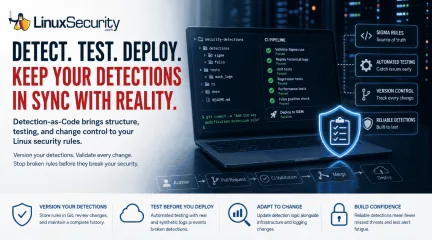
One of the easiest mistakes to make in detection engineering is assuming a rule keeps working simply because nobody has touched it. Most of the time, nobody removes the rule. Nobody disables it. It just gets forgotten. . A few months later, someone upgrades a distribution, changes how SSH keys are managed, replaces a logging agent, or migrates an application to containers. The detection is still enabled, but it's watching an environment that no longer exists. The alert everyone expected never comes because the rule quietly stopped matching reality. I've seen teams spend hours debugging a SIEM only to discover nothing was technically broken. The detection simply hadn't kept up with the Linux systems it was supposed to monitor. Detection-as-Code grew out of that problem. Instead of treating detections as something you configure once inside a security platform, they're managed like any other engineering project. Rules live in Git, changes are reviewed, tests run automatically, and every modification has a history. The technology isn't the interesting part. The discipline is. What Is Detection-as-Code? Detection-as-Code moves the detection out of the SIEM and into a repository. The rule becomes another file that changes alongside the systems it depends on, rather than being edited directly in the platform and forgotten until an alert goes missing. That matters because detection rules depend on assumptions about the environment. A rule looking for changes to ~/.ssh/authorized_keys assumes those file events are being logged exactly the way they were six months ago. If someone replaces auditd with eBPF or moves those workloads into containers, those assumptions break. Keeping your rules in Git doesn't stop those infrastructure changes, but it forces them to be visible. When the logging pipeline changes, you update the detection logic in the same PR as the infrastructure change. You stop fixing "broken" detections reactively and start updating them as part of your standard operationalrhythm. Many teams now use Sigma as their primary language for this. You treat the Sigma rule as your "source of truth." You deploy it, and let your pipeline convert it into the specific dialect your SIEM (Splunk, Elastic, Sentinel) needs. If you ever switch SIEMs, your core logic stays safe in Git. How Does Detection-as-Code Work on Linux? Imagine you notice attackers commonly establish persistence by adding a new SSH key. You don't just hack together a query in your SIEM console. Author: You write a Sigma rule that alerts whenever ~/.ssh/authorized_keys is modified by a process other than your approved configuration management tool. You commit it to your /detections/sigma/ folder. Pull Request (PR): You open a PR. A teammate reviews it, not just for accuracy, but for potential noise. CI Validation: Your pipeline kicks off. It replays historical logs and exercises the detection using an Atomic Red Team test that emulates the targeted persistence behavior, confirming the rule doesn't trigger during normal daily backups. Merge & Deploy: Once the tests pass and a human reviewer signs off, the pipeline automatically pushes the rule to your production SIEM or runtime security tool ( Falco or Tetragon ). How Should You Organize Detection Rules? If you’re going to do this, keep it tidy. A disorganized repository is just as bad as a messy SIEM. I usually set it up like this: /security-detections ├── detections/ │ ├── sigma/ # The core logic │ └── falco/ # Runtime rules ├── tests/ │ └── mock_logs/ # Logs for validation ├── ci/ # Your CI/CD glue ├── docs/ # Explaining the "why" └── README.md Which Linux Data Sources Should You Monitor? You can’t detect what you can’t see. Relying solely on generic logs isn't going to cut it anymore. Auditd: The reliable workhorse for traditional Linux file integrity and system calls. Journald/Systemd: Use this for catching service-level persistence. If a service is created in a weird way, you’ll find it here. Sysmon for Linux : Great if you’re already used to Windows telemetry; it helps bridge the visibility gap between OSes. eBPF (Falco, Tetragon): This is the modern standard for containers and cloud-native workloads. When traditional logs disappear, eBPF sees everything happening at the kernel level. How Do You Test Detection Rules? Testing is the engine of DaC. Without it, you are just automating the deployment of broken rules. The goal is to build a "gatekeeper" in your CI/CD pipeline that validates every detection before it ever reaches production. To move beyond basic syntax checks, your pipeline should implement a multi-layered testing strategy: Replaying historical attack logs: Don't guess if a rule works—prove it. Feed recorded logs from past incidents through your rule to ensure it would have fired correctly. This is the best way to verify your detection logic against real-world adversary behavior. Validating Sigma rules: Use tools like sigma-cli to validate syntax and ensure the rules comply with your schema before they are committed. This catches typos and logic errors before they trigger a CI failure. Unit testing detections: Treat every rule like a piece of application code. Create small, "unit" test files containing only the specific log events required to trigger the rule. If the rule doesn't fire, the test fails. Regression testing: As your library grows, new rules can inadvertently interfere with old ones or create logic overlaps. Run a full suite of regression tests against your entire rule set to ensure that a change to one detection doesn't silence another. Performance testing: Heavy regex or complex sub-queries can grind a SIEM to a halt. Test your rules against a high-volume log stream in a staging environment to ensure they don't introduce unacceptable latency or consume excessive compute resources. False-positive benchmarking: Use a "known-good" set of logs—capturing routine updates, system reboots, and administrative activity—to ensure your rule remains silent on benign noise. If your rule fires during these tests, it’s not ready for production. The automation platform matters less than the workflow. Whether you use GitHub Actions, GitLab CI, Jenkins, or another system, the goal is the same: treat detection testing with the same rigor you apply to your application code. Testing Method Objective Log Replay Does it catch threats from our history? Unit Testing Do specific inputs trigger the expected output? Regression Testing Did I break any of our older rules? Performance Testing Does this query cripple our SIEM? False Positive Analysis Is it going to wake up the team for nothing? Common Detection-as-Code Mistakes to Avoid When starting with DaC, avoid these common traps: Treating Git as a backup: Nope. Git is the only place the rule lives. If it isn't in Git, it shouldn't be in your SIEM. Period. Deploying without automated testing: A rule that hasn't been tested against mock logs is a gamble, not a control. Neglecting tuning: Rules need maintenance. If a rule produces false positives, treat it like a bug and fix it in the repo. Retire obsolete rules: Detection repositories should shrink as often as they grow. If a rule is obsolete, kill it. Removing noise is as important as finding threats. Dependency blindness: Don't write a rule that depends on a log format the infra team is planning to delete next week. When Should You Use Detection-as-Code? Detection-as-Code is not a silver bullet. If you manage five rules in a lab, don't bother. The overhead of setting up a CI/CD pipeline will eat you alive. But if you’re managing hundreds of nodes, have multiple analyststouching the rules, and you're tired of alerts breaking every time someone runs an update—it’s time. The complexity is only justified as you scale. Conclusion Linux infrastructure never stays the same. Containers are rebuilt, kernels are patched, and attackers are always changing their playbook. Detection-as-Code doesn't make your rules "smarter." It makes them maintainable. And in a mature Linux environment, maintainability is the difference between a security program that actually works and a forgotten rule that stopped catching attackers six months ago. . Explore the importance of Detection-as-Code for maintaining effective security rules in a dynamic Linux environment.. Detection as Code, Linux Security, Monitoring Tools, Detection Rules, Security Practices. . Dave Wreski
 Jul 07, 2026
•
Jul 07, 2026
• How to Learn Tips and Tricks
160
 security practicesgnupgdata encryption
Boost Security with GnuPG: Installation and File Encryption Guide
GnuPG, an open-source tool created to enhance security on Linux systems and other platforms, has become an essential component of our security toolbox as admins. But what exactly is GnuPG, and why should administrators consider it an integral component? I'll answer these questions and then explain how to install GnuPG and encrypt and decrypt files with this powerful tool! . What Is GnuPG & How Is It Used? GnuPG stands for GNU Privacy Guard and is an open-source implementation of OpenPGP . It offers robust encryption services to secure files and communications. Users can encrypt, decrypt, sign, and verify data locally and when communicating with third parties via public key directories, making GnuPG an essential tool for protecting digital security. GnuPG serves several essential purposes related to encryption and decryption, most often for email communications. It ensures that only recipients who possess the correct private key can read them. In addition, it can encrypt any data and make it unreadable by unauthorized parties without the appropriate decryption key. Utilizing a public and private key pair system, the public key can be shared freely while its private key remains confidential. When data encryption occurs using one party's public key for transmission to another party's private key, only decryption can prevent interception or unauthorized access to sensitive information. Why Should System Administrators Use GnuPG for Improved Security and Privacy? System administrators assume an essential role in protecting their communications and data, making GnuPG an invaluable tool for admins looking to strengthen their privacy and security. GnuPG provides secure transmission of sensitive information across encrypted channels. Signing data allows one to authenticate its originator and confirm it has not been altered during transmission. Signing data allows one to authenticate its originator and confirm it has not been altered during transmission. For a guide on Linux integrityverification methods , see our complete article. GnuPG provides flexibility and compatibility, supports multiple encryption algorithms, and complies with other systems using the OpenPGP standard. How Can I Install GnuPG? GnuPG can be installed easily from most Linux distributions via their standard repositories. Ubuntu- and other Debian-based systems need only to use this command in their terminal to complete this installation process: sudo apt-get install gnupg -y For Fedora-based systems, use: sudo dnf install gnupg -y Once installation is complete, the next step should be creating your initial key pair. This can be accomplished via either the command line or GUI. To generate one, use this command: gpg --full-generate-key Once you select this option, you will be asked questions regarding key type, size, expiration, and other personal identification details. In general, it's safe to stick with defaults unless specific needs exist. How Can I Encrypt & Decrypt Files With GnuPG? Now that your key pair is prepared, you can use GnuPG to encrypt files. Say, for instance, you wish to encrypt mydocument.txt. Here is the command you would use: gpg -e -r [YourEmail] mydocument.txt Replace [YourEmail] with the email address associated with your GPG key and run this command to encrypt mydocument.txt. Only those who know the private key can successfully decrypt it. Decrypting files and accessing encrypted data are straightforward processes. Simply use: gpg -d -o decrypted.txt encrypted.gpg GPG should prompt for your passphrase to decrypt the encrypted.gpg; decrypted.txt is its output file for decrypted content. Once this process has been completed, encrypted.gpg will become decrypted as expected, and the decrypted content can be seen within decrypted.txt. Final Thoughts on Boosting Security and Privacy with GnuPG With cyber threats evolving, tools like GnuPG are invaluable for safeguarding data confidentiality and integrity. Not limited to file encryptionalone, it provides additional protection against email and digital communication attacks. Integrating GnuPG into security practices helps administrators significantly mitigate the risks associated with data breaches or unauthorized access, helping ensure sensitive information remains private and safe from prying eyes. And when key mismatches or signature failures surface unexpectedly, they often trace back to the broader pattern of system drift in Linux , where quiet shifts in mirrors, metadata, or key rotation gradually break trust paths.With the simple steps I've outlined here, even novice users of GnuPG can quickly begin safeguarding their digital environment, making GnuPG an essential tool for any security-minded individual or administrator. . GnuPG enhances data protection; learn installation, encryption, and security practices for administrators.. gnupg, open-source, created, enhance, security, linux, systems, other, platforms. . Brittany Day
Nov 28, 2025
•
How to Harden My Filesystem

166
 security practicesrisk mitigationLinux tools
Best Practices for Managing Linux Kernel Patches and Updates
The Linux kernel is at the heart of any Linux operating system, serving as an intermediary between hardware and software to efficiently manage computer resources. As it plays such an integral role, its security must remain paramount. . It is of utmost importance to apply security patches and updates regularly to protect systems against vulnerabilities or potential exploits. In this article, I'll share best practices for managing such updates. The Critical Importance of Recurring Kernel Updates Numerous high-profile security incidents have been linked with unpatched software vulnerabilities, underscoring the importance of timely updates. Due to its central role and exposure, this need is amplified for Linux kernel updates. Regular patches provide relief against vulnerabilities while fixing bugs and improving system stability and performance - not to mention regulatory standards compliance, which is vital for businesses operating across industries. Petya and NotPetya ransomware attacks took advantage of vulnerabilities for which patches already existed, which would have prevented attacks had they been applied sooner. This underscores the necessity of constant vigilance and swift response in cybersecurity matters. Understanding the Kernel Patching Process Linux kernel versions are released regularly with new security patches and bug corrections. Long-term support (LTS) releases provide stability in environments that do not want frequent changes. Mainline kernels offer the latest features but should not be used in production environments due to potential instability. People commonly assume that newer kernels are less secure. While new features may introduce vulnerabilities, they often bring security benefits and should not be considered risky. Sometimes, the most vulnerable system isn't one with a brand-new kernel but one left exposed and vulnerable due to known flaws. Why Are Linux Admins Struggling with Patch Management? Linux administrators face numerous difficulties when itcomes to patch management policies. Reboots required for multiple kernel updates can be disruptive and impactful on high availability environments, but assessing impact and maintaining operational continuity are essential tasks that compound kernel updates' complexity. Furthermore, human error must also be considered when designing automated systems. Even with automated systems, monitoring is crucial in mitigating risks like patch conflicts and unintended side effects. When dealing with industries like healthcare or finance that operate 24/7, finding an ideal time and place for rebooting and updating needs careful consideration. Best Practices for Kernel Updates What measures are you taking to make kernel updates seamless and secure? Best practices for kernel updates can help minimize downtime and maximize security. They include: Scheduled Updates: Establish regular maintenance windows designed to cause minimum service disruption. Staging Environments provide an ideal place for testing updates before introducing changes system-wide. Rollback Procedures: If problems arise after an update, a robust rollback strategy allows quick reversion to an earlier state. Incident Response Plan: Having an emergency response plan ready can facilitate swift resolution if an update creates security risks. Encryption & Authentication: End-to-end communications encryption and authentication mechanisms during update processes are integral to an effective patch management strategy. Organizations may also benefit from subscribing to vulnerability alerts explicitly tailored for their environment to stay informed of new threats as soon as they emerge. Tools for Security Patch Monitoring and Management Linux administrators can use tools to monitor and manage kernel updates. These include: Automated Patching Solutions: Tools like Kpatch allow live kernel patching, making security patches applicable without rebooting. Configuration Management Tools: Puppet , Chef , or Ansible can help automate patch deployment across various systems. Vulnerability Scanners: Products like OpenVAS or Nessus provide vulnerability scanners, which allow organizations to scan systems for known vulnerabilities and more effectively prioritize patch deployments. Automating Patch Updates Automation can improve efficiency. However, to maximize its potential, policies should be established that govern how much of this type of automation should occur, such as automating non-critical systems and manually reviewing updates for crucial systems or servers. Case Study of Effective Kernel Patch Management Google is a model of effective kernel patch management with their approach to its internal systems and cloud services. Employing containerization and microservice architecture, they isolate systems to limit any single update or failure from having too significant an impactful effect. Automation plays an integral part in their strategy alongside code review, testing before deployment, and live migration technology updating the underlying infrastructure with minimal user impact - an excellent model for organizations seeking to modernize their patch management practices. Our Final Thoughts on the Importance of Linux Kernel Patches & Updates Security patches and kernel updates are essential to keeping any system secure and should not be neglected or delayed. As the basis of any Linux-based infrastructure, keeping the kernel secure requires constant vigilance. Adhering to structured practices, employing practical tools, and creating a security culture will significantly decrease cybersecurity risks. Linux administrators can ensure their systems' integrity, availability, and safety by understanding how patch management works and engaging in the best practices we've discussed. . Implementing security enhancements and system updates is essential for safeguarding infrastructures from vulnerabilities and maintaining reliability.. Linux Kernel Updates, Patch Management Strategies,Cybersecurity Tools, Kernel Security Practices. . Brittany Day
Sep 02, 2024
•
How to Learn Tips and Tricks
169
 data protectionsecurity practicesemail security
NIST Guidelines: Email Security Practices For Data Protection
Recommendations from NIST on email security. [PDF] . . Delve into vital NIST guidelines for bolstering email protection and safeguarding your information successfully.. NIST Guidelines, Email Safety, Data Integrity, Cybersecurity Best Practices, Secure Communication. . Anthony Pell
Feb 23, 2024
•
How to Secure My E-mail
160
 security practicesaccess controlfilesystem
Mastering File Permissions: A Command Line Guide for Linux Users
Linux file permissions enable you to allow or prevent other users from viewing your files, making them crucial to robust security and privacy. But how can you change file and folder permissions on Linux from the Command Line to improve the security of your filesystem? . I found the tutorial linked below very helpful in demonstrating how this can be done, and I thought you would also! Have questions? Please reach out to me on X @lnxsec - I'm here to help! . This guide assists you in efficiently modifying file and folder access rights in Linux through straightforward terminal commands.. Linux File Permissions, Access Control, Command Line Guide. . Brittany Day
Dec 20, 2023
•
How to Harden My Filesystem
160
security practicespassword safetypassphrase managementUnderstanding the Importance of Strong Passphrases in Security Management
This documentation discusses all aspects of passphrases, how to make them strong and how to crack them. . . Dive into the realm of robust passphrases and the methodologies employed in breaching them to bolster your understanding of security measures.. strong passphrases, password safety, cracking techniques. . Anthony Pell
Nov 27, 2023
•
How to Harden My Filesystem
160
 security practicesfile permissionsLinux distributions
Exploring File Permissions and User Ownership in Linux Systems
Linux has different security permissions, each impacting what can be done with a file and a directory. . There are different file permissions on Linux and in distributions like Ubuntu and Fedora . Each permission can specify who can access a file or a directory. It's often critical for the security of your operating system. You can view the permissions by using a terminal, which is why it is important to understand the permissions and what they mean. In this guide, we'll dive into it for you. Before diving into permissions, we need to talk about ownership on Linux. There are three things you need to know about, especially on multi-user systems. First, there's the user who created and owns the file (ownership can be changed). There's the group, which can be assigned to several users by system admins to help manage file permissions more easily. By default, Ubuntu and other Linux distributions might assign a group as same as the user. Finally, we have "other," which is simply anybody with access to the system or all the users on the system. There are two things you'll notice on Linux when handling documents and other items. There are files and there are directories, like your desktop. Each one of these files and directories has different permissions: read, write, or execute. We highlighted what this means for you in the table below. Do note that the meanings are different when working inside a directory or with a file itself. . Linux file permissions govern read, write, and execute rights for files and directories, crucial for security management on systems like Ubuntu and Fedora. Linux File Permissions, Security Practices, User Ownership, System Administration, Permission Management. . Brittany Day
Nov 09, 2023
•
How to Harden My Filesystem
166
security practicesserver securityfail2banEnhance Linux Security Against Brute-Force Attacks Using Fail2ban
Reduce the chances of hackers gaining access to your Linux servers by installing and configuring Fail2ban. . SSH and FTP are two of the most exploited network protocols. Hackers utilize complex automated tools to guess your username and password and then break into your system. With good security practices in place, you can mitigate most of the security risks. And with Fail2ban, you can further reduce the risk of security breaches by being proactive in securing your Linux servers or PCs. Fail2ban is a powerful open-source security software that dynamically protects your servers or PCs from suspicious activities and brute-force attacks . It continuously scans your log files for login attempts, and in case of any, it blocks the source IP address by updating your firewall rules. Fail2ban works with most remote connection services such as SSH, FTP, SMTP, and HTTP. Fail2ban is easy to configure and customize. You can specify for how long you want to block the IP addresses or configure it to receive automated alerts when there is suspicious activity. To emphasize, Fail2ban alone is not enough to protect you from security breaches. You should also have other security measures in place to reduce the risk of being hacked. For example, you should always use strong passwords on your systems and restrict access as much as you can. . Defend your Linux system from brute-force intrusions by implementing Fail2ban, bolstering your server's protection against automated assaults.. Fail2ban, Linux Server Security, SSH Protection. . Brittany Day
May 30, 2023
•
How to Learn Tips and Tricks

Get the latest News and Insights
Get the latest Linux and open source security news straight to your inbox.
Community Poll
Should Linux servers automatically install security updates?
Search Topics
Powered By

Linux Security - Your source for Top Linux News, Advisories, HOWTOs and Feature Releases
QUICK LINKS
subscribe to newsletters!
Like staying secure? So do we.
Sign up for updates, tips, and alerts!