


Stay Ahead With Linux Security HOWTOs
How to Secure My Network network security Linux administration
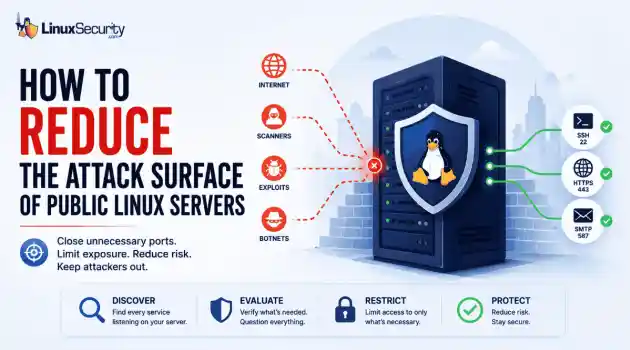
network security Linux administration Open ports have a way of accumulating over time. A test environment gets deployed and never removed. An administrative interface is exposed for troubleshooting and left in place. A database that was supposed to listen internally ends up reachable from the internet. . Attackers look for these mistakes constantly. Redis, Elasticsearch, MongoDB, Jenkins, and similar services still show up on internet-facing systems where they were never meant to be exposed. Sometimes it's a temporary change that...
 Jun 10, 2026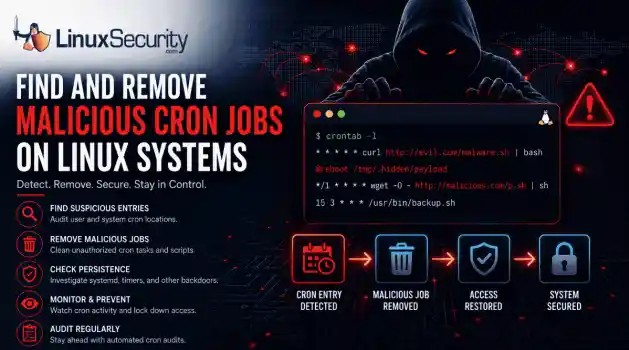
How to Secure My Networksecurity advisory intrusion detection
security advisory intrusion detection A compromised Linux server can continue running malware long after the initial intrusion. One of the most common persistence techniques is a malicious cron job that silently downloads payloads, restarts malware, or re-establishes attacker access every few minutes. This guide shows how to identify suspicious cron entries, preserve forensic evidence, remove unauthorized scheduled tasks, and verify that no additional persistence mechanisms remain. . What Should You Save Before Removing Cron Jobs...
Jun 09, 2026 
How to Secure My Networkaccess control Linux administration
access control Linux administration Most SSH hardening advice ends at the same recommendation: Disable password authentication and use SSH keys. . That's good advice. It removes entire classes of attacks, including password spraying, credential stuffing, and brute-force attempts against exposed servers. The problem is what happens next. Many administrators treat SSH keys as the finish line when they are really the beginning of the hardening process. Attackers rarely care whether they obtained access with a password or a private...
Jun 05, 2026 
How to Secure My Networksecurity advisory remote access
security advisory remote access Most of the time, nobody notices. SSH authentication succeeds, no alerts are generated, and the connection looks exactly the way it did the day the key was installed. That's part of the problem. . When security teams investigate unauthorized access on Linux systems, they often focus on passwords, exposed services, or vulnerable software. Trusted access receives less attention. Yet a single forgotten or unauthorized SSH key can provide the same access as a legitimate user while attracting very...
Jun 03, 2026 
How to Secure My Networkintrusion detection application security
intrusion detection application security The wrong IPS rule can look like a security fix right up until it becomes an outage. . On Linux systems, detection and prevention are often discussed together, but they do not carry the same operational risk. One tells admins that something suspicious happened. The other can decide whether traffic is allowed to continue. That is why IDS vs IPS is not just a definition to memorize. It is a deployment decision about where to monitor, where to block, and how much confidence a team needs before...
Jun 01, 2026  Refine HOWTOs
X Clear Filters Get the latest News and Insights
Get the latest Linux and open source security news straight to your inbox.
Community Poll
What got you started with Linux?
Loading...
Explore Latest Linux Security HOWTOs
We found -3 articles for you...
160
 user accessLinux permissionsresource management
Control Folder Ownership in Ubuntu for Resource Management
As you learn Ubuntu , you find that you need to change the ownership of a folder or even its subfolders. Why is this important? Whether you’re an administrator managing multi-user environments or a regular user consolidating data, changing folder ownership can serve several key purposes. . For instance, altering folder ownership could be crucial for segregating resources in shared systems, executing specific scripts, or granting selective access to sensitive information. When you’re deploying applications, transferring files, or performing automated tasks via cron jobs, correct ownership is often important for seamless operation. Knowing how to modify folder and subfolder ownership becomes essential for anyone aiming for a higher degree of control and customization over their Ubuntu system. Let’s dive into how to accomplish that below. If you’re already well-acquainted with the idea of file and folder ownership in Linux, you can skip this section. If you’re relatively new to Ubuntu or Linux in general, let’s look at what it means to set ownership on a file or folder. In any Linux distribution, file and folder ownership constitutes a major cornerstone in system security and resource management. It allows the system administrator to grant access to files and folders on an as-needed basis, while also keeping the average user from inadvertently modifying an important system application or configuration file. . Changing directory ownership is vital for optimal resource allocation in collaborative Ubuntu environments.. Ubuntu File Ownership, Change Folder Owner, Linux Permissions Management. . Brittany Day
 Sep 15, 2023 •
 How to Harden My Filesystem
 162
 user accesslogin managementLinux Mint
Set Up Automatic Login on Linux Mint for Faster System Access
If you want to log in to your Linux desktop automatically after boot, consider enabling the auto-login feature on Linux Mint. . It's certainly annoying when you leave your Mint desktop idle for a couple of minutes only to be welcomed by a login screen asking you to enter your password again. What if you're the only one using the computer and don't want to type your lengthy and secure password every time you want to log in? Luckily, Linux Mint offers an easy, graphical way to enable or disable automatic login. We'll show you how. . Learn the steps to activate or deactivate the auto-login feature in Linux Mint for a smooth user interaction with your desktop environment.. Linux Mint Login, Automatic Login Setup, User Access Management. . Brittany Day
Nov 19, 2022 • How to Strengthen My Privacy 

Get the latest News and Insights
Get the latest Linux and open source security news straight to your inbox.
Community Poll
What got you started with Linux?
Search Topics
Powered By

Linux Security - Your source for Top Linux News, Advisories, HOWTOs and Feature Releases
QUICK LINKS
subscribe to newsletters!
Like staying secure? So do we.
Sign up for updates, tips, and alerts!
Discover faster search, smarter navigation, and deeper Linux security insights. Read More