Explore top 10 tips to secure your open-source projects now. Read More
×


Stay Ahead With Linux Security HOWTOs

How to Harden My Filesystem system hardening open source security
system hardening open source security We all spend a lot of time defending our systems from external threats, but the amount of damage an attacker can cause often depends on what happens after they get in. A single compromised account doesn't always lead to a major incident. The real danger begins when that account has far more access than it actually needs. That's exactly what the principle of least privilege is designed to prevent. By limiting users, services, and applications to only the permissions required for their jobs, you...
 Jul 20, 2026

How to Learn Tips and Tricksthreat detection system monitoring
threat detection system monitoring For small security and IT teams, the "enterprise" dream of a fully automated SIEM often feels like a distant luxury. It’s a vision built on massive budgets and dedicated engineering teams—things that, frankly, most of us don't have. But here is the reality: you don’t need a six-figure platform to maintain a secure environment. . Linux systems are, by design, incredibly verbose. Every time a user authenticates, a process executes, or a configuration file changes, your system creates a record of...
Jul 17, 2026

How to Learn Tips and Tricksnetwork security centralized logging
network security centralized logging Linux systems generate a steady stream of authentication, service, kernel, and application logs. On most systems, those logs never leave the machine that created them. If you're responsible for ten or twenty servers, that means checking each one separately. If one disappears before you can investigate it, its logs may disappear with it. Centralized logging solves that by sending log messages to another server as they're created. Instead of searching every machine, you have one place to review...
Jul 15, 2026

How to Secure My Networksecurity advisory audit
security advisory audit When you’re digging through an incident, your logs are the only thing you can actually trust. The problem is, attackers know that too. If someone gets root on your server, their first move is almost always to delete the evidence and cover their tracks. . If you aren't actively protecting your logs, you're basically flying blind the second a breach happens. It’s a miserable feeling to realize you have no idea what an attacker did because they wiped the logs before you even got there. In this...
Jul 11, 2026
How to Harden My Filesystemlog analysis security incident
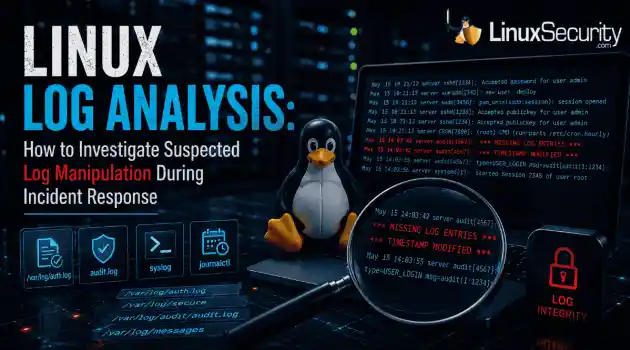
log analysis security incident When an attacker breaks into a Linux system, their work is rarely done. Usually, the real work starts after the initial exploit: hiding their tracks. If you’re a Linux admin or security analyst, there is nothing worse than logging in, running a few commands, and realizing the logs aren't telling the whole story. When logs are missing or look "off," your primary source of truth is compromised. This guide covers how to handle that situation. We’ll walk through the workflow you need to determine...
Jul 10, 2026
 Refine HOWTOs
X Clear Filters
Get the latest News and Insights
Get the latest Linux and open source security news straight to your inbox.
Community Poll
Should Linux servers automatically install security updates?
Loading...
Explore Latest Linux Security HOWTOs
We found 3 articles for you...
160
 access controlSELinuxsystem administration
SELinux Troubleshooting: What to Check Before You Disable SELinux
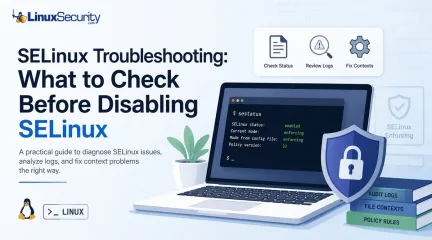
SELinux troubleshooting is a necessary skill for any system administrator. When a service fails despite correct file permissions and ownership, the immediate instinct is often to disable SELinux to confirm if the security policy is the bottleneck. While turning off enforcement frequently "fixes" the immediate symptom, it hides the underlying configuration flaw—such as an incorrect context or a policy violation—that could leave your system exposed. This guide outlines a systematic approach to troubleshooting SELinux without compromising system security. . What is SELinux? Think of what is SELinux as a gatekeeper that doesn’t care who you are—it cares what you’re trying to do. While standard Linux permissions check if you have the "right" to touch a file, SELinux checks if the process itself should be doing that action. It's essentially a mandatory access control system that adds a massive layer of safety, even if your user permissions are wide open. Why does SELinux block access when Linux permissions look correct? This is the classic SELinux permission-denied headache. You can have 777 permissions and still get blocked. Why? Because you’re ignoring the SELinux context . SELinux treats every file like it has a secret "passport." If that passport doesn't match the job the service is doing, the kernel shuts it down. It doesn't matter if your Unix permissions are perfect; if the label is wrong, access is denied. Should you disable SELinux when something breaks? Short answer: No. If you're looking for how to disable SELinux, take a breath. Disabling it is like fixing a flat tire by just throwing the car away. It makes the "error" go away, but it leaves your system vulnerable. Always assume the policy is doing its job until you prove otherwise. Why does everything work after you disable SELinux? It’s a false positive. Everything works because you’ve ripped out the referee, not because your code or file structure is actually correct. You might still have an applicationrunning with the wrong path or binding to a dangerous port, but now the system won't tell you about it. What does SELinux status tell you? Always check SELinux status before doing anything else. It tells you if you're in Enforcing, Permissive, or Disabled mode. If you’re already in Permissive mode and things are still failing, you know your problem isn't SELinux—it's something else entirely. How do you check SELinux status? Keep it simple: run sestatus or getenforce. Knowing how to check SELinux status is your first real step in the investigation. If the output says "enforcing," you know exactly why your app is throwing errors. What are the SELinux modes? Enforcing: The system is actually doing its job. Permissive: It’s a "watch and report" mode. It won't block anything, but it’ll log every single thing that would have been blocked. Disabled: The security framework is dead in the water. Avoid this. What does SELinux permissive mean? SELinux permissive is your best friend during a crisis. It lets your services keep running, but it keeps the "evidence" flowing into your logs. It's the gold standard for troubleshooting. When should you set SELinux to permissive mode? Only when you're 90% sure SELinux is the culprit. Don't leave it here forever. Use it to verify if the app starts working. If it does, you've confirmed it's an SELinux issue and can move on to fixing the labels. Is SELinux permissive mode the same as disabling SELinux? People confuse these all the time. They are not the same. In permissive mode, the system is still checking policy and writing to the audit log. If you disable SELinux, you stop the engine. You lose the logs, you lose the visibility, and you lose the security. Where are SELinux logs? If you're hunting for answers, the SELinux audit log (/var/log/audit/audit.log) is where you'll find them. When you check SELinux logs, you aren't looking for a "success" message; you're looking for the red ink that explains exactly what thekernel hated about your last request. What is an SELinux AVC denial? An SELinux AVC denial is the "who, what, where" of your problem. It's the log entry that says: "Process X tried to do Action Y on Object Z, and I blocked it." It’s the closest thing you’ll get to a clear explanation from the OS. What is an SELinux context? It's basically a security tag. Every file, process, and port has one. If a web server needs to read a file, the file's SELinux context has to match what the web server policy expects. If you moved a file from a home folder to /var/www/html, that label likely didn't update. That's a classic SELinux file context mismatch. Why do SELinux contexts cause permission-denied errors? It's almost always a labeling issue. If you move or restore files, the labels don't always tag along. If you’re seeing errors, you probably need to run restorecon to reset them to their proper state. Why does SELinux break after moving files? Files don't always "inherit" the labels of their new home. You move a file, the system keeps the old label, and the service now thinks that file is an intruder. That's why your app suddenly stops working after a file transfer. What is an SELinux policy? It's the rulebook. Everything is governed by the SELinux policy . Most of the time, the policy is fine, and your application is just trying to do something non-standard. Can SELinux policy block ports or network connections? Absolutely. If your app tries to use a non-standard port, SELinux might shut it down. Check if you need to update the policy or toggle a boolean to allow that specific SELinux port. What are SELinux booleans? Think of booleans as "on/off" switches for common policy exceptions. You don't need to rewrite the whole rulebook; just flip a boolean using getsebool if you need to allow a common, safe action. Should you use audit2allow to fix SELinux problems? Be careful with audit2allow. It effectively writes a new policy based on your last error. If you’re justmislabeling files, audit2allow is overkill—it’ll just mask the problem. Fix the labels first. How do you troubleshoot SELinux without disabling it? Stick to the routine: Check the status. Check the logs for AVC denials. Check the file contexts. Toggle permissive mode if you need to see the "hidden" errors. Fix the labels or booleans. Don't reach for the "off" switch until you've exhausted every other option. Is SELinux worth it? Is SELinux worth it? The learning curve is steep, and it's definitely annoying when it breaks your workflow. But when you realize it’s the only thing keeping a compromised web server from trashing your database, you’ll be glad it's there. Keep it on, learn the basics, and you'll be ahead of 90% of other admins. Want more Linux security news, vulnerability analysis, and software supply chain updates? Subscribe to the LinuxSecurity Newsletter and get the latest threats, advisories, and expert insights delivered directly to your inbox. Related Reading Configuring SELinux: An In-Depth Guide to Securing Your Linux System SELinux vs. AppArmor: Key Trends, Security Insights & Frameworks . Learn how to effectively troubleshoot SELinux without disabling it, ensuring system security and functionality is maintained while correcting errors.. SELinux Troubleshooting, system security, access control, policy enforcement. . Dave Wreski
 Jun 25, 2026
•
Jun 25, 2026
• How to Harden My Filesystem
166
 command executionsecurity measuresuser permissions
Mastering Sudo: Installation and Permission Configuration for Linux
The tutorial linked below will walk you through the basic commands of sudo. The sudo command allows a user to run a command either as the superuser or as another user. This is determined by the security policies in the sudoers files. . We will explore the basic installation and usage of sudo and the configuration of detailed permissions via the sudoers files. This ensures both flexibility and security for administrative operations. You will learn how to set up access for users and groups. You will also customize the command execution environment and implement security measures that log or restrict usage. Understanding these configurations will allow you to manage your system's privileges effectively, protecting it from unauthorized changes and facilitating administrative tasks. . The Sudo Command is essential for Linux system management, allowing command execution with elevated privileges. Explore its installation, usage, and secure permission configuration. Sudo Command Examples, User Permissions Linux, Sudo Configuration Guide, Linux Admin Tools. . Brittany Day
May 21, 2024
•
How to Learn Tips and Tricks

166
 security risksuser permissionsadministrative access
How To Use Sudo Command For User Permissions Management
Ever tried to execute a command on your Linux system and received a “Permission Denied” error? The simplest solution to counter this error is using the “sudo” command. . In this article, we will delve deep into the world of sudo and explore its functionality to overcome the notorious “Permission Denied” error in Linux. We will learn how to use the sudo command in Linux along with some examples here. Now that you know that the root user holds the complete administrative rights of the Linux system, you may be wondering if you can grant administrative rights to all users. Well, this could lead to a complete disaster leading to various security risks in the system. This is where the sudo command in Linux comes into play. sudo stands for “Superuser do” and allows system administrators to grant specific permissions to various system users, allowing them to run only specific administrative tasks. Thus, it offers a much more precise and controlled approach to user privilege management. . The sudo command in Linux empowers users to execute commands with elevated privileges, crucial for effective user permission management and system security. Sudo Command, User Privileges, Administrative Access, Linux Security. . Brittany Day
Jun 20, 2023
•
How to Learn Tips and Tricks
166
 system managementuser permissionsgroup access
Resolving Group Access List Issues in Linux: A Troubleshooting Guide
Linux distros are increasingly becoming more and more GUI-based and easier for beginners to use. That said, their real power still lies in the terminal which requires the user to know different commands and syntaxes to be able to use them properly. . The same applies to troubleshooting any errors you might encounter as Linux isn’t exactly the most helpful OS when it comes to error messages. In this article, we’re talking about the “Error initialising the supplementary group access list” issue on Linux, its causes and what you can do to fix the problem. The error is mainly caused after the user makes a change in the user or user group access permissions. Outside of making the change itself, there are additional steps that you need to follow to ensure the OS recognise those changes. . Encountering an error with supplementary group access in Linux requires a systematic approach. Check group membership, inspect the /etc/group file, and review PAM configurations.. Linux GUI, Group Access Issues, Command Line Fixes. . Brittany Day
Mar 06, 2023
•
How to Learn Tips and Tricks
166
access controlsudouser permissionsMastering Sudo For Effective User Access Control in Linux
Sudo has made Linux not only more secure but also more user-friendly. If you're new to Linux, this article will explain what sudo is and how it's used. . When I first started using Linux, things were exponentially more complicated. The distributions were far less mature, but they also required the use of a particular system account to get certain things done. That account was root, and with it, you had unlimited power over your operating system. To demonstrate the power of root, one trick you could always play on unsuspecting users was to tell them to change to the root user with the command su and then have them issue the following command: rm -rf / The rm command is used to delete files and folders. In conjunction with r (recursive) and f (force), you would delete everything from the root folder (/), thus rendering your system unusable. . Grasping the concept of root access improves both safety and efficiency, a crucial skill for newcomers in Unix-like systems to handle user rights proficiently.. Sudo Usage, User Permissions Control, Secure Shell Access, Linux Command Management. . Brittany Day
May 25, 2022
•
How to Learn Tips and Tricks
160
 access controluser permissionsfile permissions
Exploring Set UID, Get UID, And Sticky Bits For File Control
Learn about special file permissions in Linux to have granular control over file and directory access by users. . As a Linux novice user, you learn about the permissions and ownership associated with the file and directories. Linux/Unix-like operating systems allow you to set a combination of nine bits permissions to prevent other users from unnecessary files/directory access. Similar to these are special permissions for executable files known as set UID, set GID, and sticky bits. Understanding special permissions can be a bit overwhelming for aspiring Linux administrators. Here you'll learn a little background on the regular file permissions and explains how they differ from special permissions. We also demonstrate SetID, GetID, and sticky bits functionality with examples for a comprehensive understanding. . As a beginner in Linux, you explore the concepts of file permissions and ownership that dictate how users can access files and folders.. File Permissions, Set UID, Access Control, Linux Security. . Brittany Day
Dec 31, 2021
•
How to Harden My Filesystem
166
 access controlcommand executionsudo
In-Depth Analysis Of Sudo's Features And Security Concerns
This documentation discusses the features and security concerns of Sudo (superuser do). Sudo allows a system administrator to give certain users (or groups of users) the ability to run some (or all) commands as root or another user while logging the. . This documentation discusses the features and security concerns of Sudo (superuser do). Sudo allows . documentation, discusses, features, security, concerns, (superuser, allows. . Anthony Pell
Nov 29, 2004
•
How to Learn Tips and Tricks
166
access controlsudoroot accessControlling User Privileges: Effective Management of Root Access with Sudo
sudo is a mechanism of providing root prileges to an ordinary user. If you absolutely positively need to allow someone (hopefully very trusted) to have superuser access to your machine, there are a few tools that can help. sudo allows users to use their password to access a limited set of commands as root. sudo keeps a log of all successful and unsuccessful sudo attempts, allowing you to track down who used what command to do what. For this reason sudo works well even in places where a number of people have root access, but use sudo so you can keep track of changes made. Although sudo can be used to give specific users specific privileges for specific tasks, it does have several shortcomings. It should be used only for a limited set of tasks, like restarting a server, or adding new users. Any program that offers a shell escape will give the user root access. This includes most editors, for example. Also, a program as innocuous as /bin/cat can be used to overwrite files, which could allow root to be exploited. Consider sudo as a means for accountability, and don't expect it to replace the root user, yet be secure. To do almost any administrative function in Linux one requires root (privileged) access. Unfortunately the built in mechanisms that can be used to grant this type of access are relatively weak. The primary tool is "su" which lets you run a shell as another user, unfortunately you need the other user's password, so everyone you want to grant root access will have the password and unrestricted access. A slightly more fine grained tool is the setuid or setgid bit, if this is set on a file, then the file runs as the user or group that owns it (typically root). Managing file permissions, and ensuring there are no bugs in the program that can be used to gain full root access is difficult at best. More information: There are several tools that let you tightly control root access to various programs, they all act as intermediaries, checking who has called them, possibly asking for apassword, and applying other criteria before executing the program in quesiton as root. Sudo gives a user setuid access to a program, and you can specify which hosts they are allowed to login from (or not) and have sudo access. You can specify what user a command will run as, giving you a relatively fine degree of control. Sudo now ships with some Linux distributions, and binary packages / source are widely available. Super can be used to give certain users (and groups) varied levels of access to system administration. In addition to this you can specify times and allow access to scripts. Debian ships with super, and there are binary packages and source widely available. runas let's you define a configuration file listing the command, who it runs as, and which users/groups/etc. are allowed to run it.. In addition to this you can restrict the use of options (arguments), and you can prompt the user for a reason (which is logged to syslog). Downloads: . If you absolutely positively need to allow someone (hopefully very trusted) to have superuser access. mechanism, prileges, ordinary, absolutely, positively. . Anthony Pell
Aug 07, 2000
•
How to Learn Tips and Tricks

Get the latest News and Insights
Get the latest Linux and open source security news straight to your inbox.
Community Poll
Should Linux servers automatically install security updates?
Search Topics
Powered By

Linux Security - Your source for Top Linux News, Advisories, HOWTOs and Feature Releases
QUICK LINKS
subscribe to newsletters!
Like staying secure? So do we.
Sign up for updates, tips, and alerts!