Audit Linux privileges now to limit compromise, escalation, and system-wide damage. Review Linux Privileges×


Security Vulnerabilities  cisa kev vulnerability prioritization
cisa kev vulnerability prioritization Organizations should combine the NVD and CISA KEV catalog to prioritize vulnerabilities effectively, focusing on managing real risks rather than being overwhelmed by theoretical scores and alert fatigue.. To solve this, organizations typically lean on the National Vulnerability Database (NVD) and CISA’s Known Exploited Vulnerabilities Catalog. But these aren’t competing lists. They answer two entirely different questions. While the NVD provides baseline technical metrics aligned with the...
 Jul 22, 2026

Desktop Securitysecurity advisory vulnerability
security advisory vulnerability GNOME is officially shortening its standard vulnerability disclosure window from 90 days to 30 days, a change that impacts upstream maintainers, downstream Linux distributions, and system administrators in how they handle software vulnerabilities. The policy shift, announced by long-time security coordinator Michael Catanzaro , addresses modern software patching realities and a growing influx of automated submissions. . Because GNOME is the default desktop environment on several major Linux...
Jul 21, 2026

Security Vulnerabilities security advisory moderate
security advisory moderate For organizations that run a self-hosted Git platform, it’s no longer just about hosting static code repositories. Today, Git servers are responsible for deployment pipelines, API tokens, SSH keys, package repositories, and the automation scripts that push code directly. Confirm that the upgrade addresses known vulnerabilities but also provides production environments. . That makes them trusted systems within the development environment and attractive targets for attackers looking to move...
Jul 20, 2026

Server Securitydata privacy automation
data privacy automation Every system admin has lived through the same Monday morning ritual. A queue of forty tickets, half of them password resets, permission errors, or disk space warnings that any experienced technician could resolve in under two minutes. The other half require actual judgment. For years, automation promised that software would eventually sort the two apart on its own. That promise is now being tested in production Linux environments. . Early results are reshaping how IT teams think about tier-1...
Jul 17, 2026

Privacydata collection automation
data collection automation You're running a web scraping project to collect pricing data from e-commerce sites. You set up a pool of datacenter proxies, launch your scripts, and within minutes — banned . CAPTCHAs everywhere. Your data pipeline stops before it really begins. . It's a frustrating scenario that plays out daily in ad verification, market research, and multi-account management. The website doesn't know you're doing legitimate research or monitoring. It just sees traffic coming from IP ranges it recognizes as...
Jul 17, 2026
 Refine news
X Clear Filters
Get the latest News and Insights
Get the latest Linux and open source security news straight to your inbox.
Community Poll
Should Linux servers automatically install security updates?
Trending News
Loading...
Explore Latest Linux Security news
We found 87 articles for you...
212
 incident responseLinux administrationauthentication
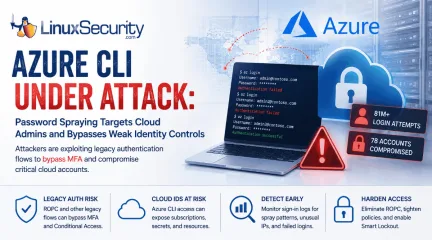
Azure CLI Password Spraying: Why Cloud Identity Is Now Linux Security
Over the span of just 14 days, threat actors unleashed more than 81 million login attempts against Microsoft’s Azure command-line interface (CLI). The campaign , which security researchers at Huntress identified as an ongoing, automated password-spraying effort, successfully compromised at least 78 Microsoft accounts across 64 organizations between June 12 and June 26, 2026. . While the scale is massive, the underlying strategy is surprisingly surgical. Attackers aren't exploiting a flaw in Azure. Instead, they're taking advantage of the way legacy authentication flows can interact with modern cloud identity controls when organizations haven't fully retired older authentication methods. This campaign demonstrates that for cloud administrators, the traditional "MFA everywhere" mantra is only as strong as the authentication flows that support it. For Linux administrators, the campaign is particularly relevant because Azure CLI is widely used from Linux workstations, jump hosts, automation servers, and CI/CD pipelines. As cloud administration increasingly shifts to command-line tooling, protecting those identities has become just as important as hardening the underlying operating system. Administrators Saw the Pattern First What makes this campaign especially notable is that operational teams appeared to notice the activity well before it became a formal threat report. In sysadmin discussions nearly two weeks earlier, administrators described seeing strange Azure CLI login attempts, persistent account lockouts, and confusion over why Conditional Access (CA) seemed to ignore the authentication traffic. None of those early reports identified the underlying authentication flow or attributed the activity to a coordinated campaign. They did, however, demonstrate an important reality of modern incident response: administrators often recognize abnormal authentication patterns long before researchers have enough data to characterize them. Reviewing authentication telemetry instead of dismissingrepeated login failures as background noise can provide valuable early warning that something larger is unfolding. Operational takeaway Large authentication spikes, unexplained account lockouts, and unusual sign-in patterns are often dismissed as background noise. This campaign shows they may instead be the earliest indicators of an emerging attack. What Happened in the Azure CLI Password Spray Campaign The attackers used IPv6 infrastructure controlled by the internet provider LSHIY LLC to run their spray. They weren't using sophisticated zero-days; they were testing massive lists of previously stolen credentials against cloud identities, a tactic documented in the Azure Threat Research Matrix as AZT202 . Unlike traditional brute-force attacks that repeatedly target a single account, password spraying tests a small number of commonly used passwords across many accounts to avoid triggering lockout thresholds. By specifically targeting the Azure CLI, the attackers leaned into a non-interactive authentication path. Because Azure CLI can be used through legacy authentication flows such as Resource Owner Password Credentials (ROPC), authentication may occur without the interactive browser prompt where modern MFA challenges are presented. Microsoft has long discouraged ROPC because it is incompatible with modern authentication. ROPC itself is not a vulnerability. The risk comes from continuing to support a legacy authentication flow while assuming modern identity protections apply consistently across every authentication path Why Azure CLI Is an Attractive Target Azure CLI is a fixture in the modern DevOps stack. It’s the primary interface for infrastructure-as-code (IaC) workflows, Linux administration workstations, jump hosts, and CI/CD pipelines. Administrative identities increasingly represent the control plane for modern infrastructure. Compromising one account can provide access to cloud resources that would have previously required multiple lateral movement stepsinside the network. A single compromised Azure CLI identity can provide keys to the kingdom—including direct control over cloud subscriptions, storage accounts, and secret stores—bypassing the need to pivot through your internal Linux environment. The ROPC Problem: When MFA Cannot Be Completed At the center of this attack is the Resource Owner Password Credentials (ROPC) grant . In a standard interactive flow, the user is redirected to a Microsoft login page, which triggers MFA. ROPC, by design, allows an application to handle the username and password directly. Because there is no interactive browser component, there is no place to present an MFA challenge or a number-matching prompt. If your application or script is configured to use ROPC, the authentication flow happens in the background, creating authentication paths that many organizations mistakenly assume are covered by their existing MFA policies, as Microsoft notes in its CLI documentation . Why Conditional Access Alone May Not Stop Credential Testing Conditional Access (CA) policies are powerful, but they are not universal if your deployment is partial. A typical failure in this campaign occurred when organizations enforced MFA only for specific "Web Portals" or "Admin Dashboards" while leaving the Azure CLI service principal or user-login surface exposed to ROPC-based authentication. If Conditional Access policies don't cover every relevant application and client type, authentication requests may not trigger the protections administrators expect. The result isn't that Conditional Access is broken, but that identity protections are applied inconsistently across different authentication paths. Organizations should verify that MFA and Conditional Access policies apply to all cloud applications and supported client types while eliminating legacy authentication flows such as ROPC wherever possible. What Linux and Cloud Administrators Should Check Now The priority is to eliminate non-interactive authentication paths whereverthey exist. Audit CLI Usage: Identify where az login is being triggered in your environments. If scripts are passing clear-text credentials or using ROPC-compatible flows, migrate them to Managed Identities or Certificate-based authentication. Eliminate ROPC: Actively disable legacy authentication and ROPC dependencies across your Entra ID tenant. Tighten CA Policies: Ensure your Conditional Access policies apply to "All Cloud Apps," "All Users," and "All Client App types." Avoid broad exclusions based on IP address or location. Enable Smart Lockout: While not a silver bullet against "low-and-slow" spraying, Microsoft Entra Smart Lockout provides an additional layer of protection by tracking and throttling failed attempts at the tenant level. How to Investigate Password Spraying in Microsoft Entra ID If you suspect your organization was targeted, conduct a targeted review of your sign-in logs using the steps outlined in the Microsoft Password Spray Incident Response Playbook : Filter by App: Search specifically for "Microsoft Azure CLI" in your sign-in logs. Examine Failure Trends: Look for spikes in failed authentications, especially from disparate or unusual IPv6 addresses. Check for Success-After-Failure: Look for a successful login for a specific user identity that immediately follows a string of failed attempts. Review Client App Types: Investigate "Other clients" in your sign-in logs, as these are often where ROPC and legacy protocol attempts hide. Final Thoughts This Azure CLI campaign isn't notable because the attackers guessed a password; it’s notable because it exploited a misalignment in modern identity architecture. The lesson extends well beyond Azure. As Linux administrators increasingly manage infrastructure through cloud APIs instead of local consoles, identity has become part of the operating environment itself. Protecting administrative credentials, eliminating legacy authentication, and continuously reviewingauthentication paths now belong alongside patching, hardening, and system monitoring as core Linux security practices. . Explore how recent Azure CLI attacks reveal weaknesses in cloud identity authentication and the importance for Linux admins.. Azure CLI, Cloud Security, Identity Protection, Linux Admin, Multi-Factor Authentication. . MaK Ulac
 Jul 01, 2026
•
Jul 01, 2026
• Cloud Security
212
 application securityincident responselinux
What Is Kubernetes Security? A Linux Admin’s Practical Guide
You locked down SSH, hardened systemd services, tuned auditd, and felt reasonably confident about your Linux security posture. Then a Kubernetes cluster shows up, and suddenly workloads are being scheduled, rescheduled, and destroyed without ever touching the patterns you’re used to watching. Kubernetes security is where that shift becomes real. . At a glance, it still runs on Linux. Processes, cgroups, namespaces, network interfaces. Nothing magical. But Kubernetes changes how those pieces are orchestrated, who is allowed to create them, and how identity is assigned. What used to be a local user with sudo is now a service account with a token. What used to be a static service in systemd is now a pod that might live for six minutes. That abstraction layer is where people get comfortable too quickly. In traditional Linux security, you think in terms of hosts. Who has shell access. Which services are exposed. Whether the firewall is tight and the file permissions make sense. Container security adds isolation between workloads, but Kubernetes sits above that and decides what runs, where it runs, and with what permissions. If you do not control that layer, your node hardening only gets you so far. This is where the line between Linux security and Kubernetes security starts to matter. Kubernetes security is not a separate discipline you hand off to someone else. It is an extension of the same responsibility, just moved up the stack. Control points shift from hosts to APIs. Risk shifts from direct root compromise to API misuse and over-permissioned service accounts. Monitoring shifts from mostly syslog and auth logs to audit logs, RBAC changes, and unusual exec activity inside pods. Once you start looking at it that way, the pattern becomes clearer. In this guide, we’ll walk through what Kubernetes security actually includes, where your existing Linux controls still matter, where they stop being enough, and how your risk model changes when orchestration is in play. We’ll also lookat what to monitor differently and how to approach triage when something feels off, especially in environments where cloud security controls and container security tooling overlap with cluster configuration. The goal is simple. By the end, you should know which decisions are now yours, which controls you need to enforce at the API level, and where your old mental model needs an update. Kubernetes Security Starts Where Linux Security Stops Being Enough If you strip the terminology away, Kubernetes security is about controlling who can ask the cluster to do something, what they can ask it to do, and what actually happens on the nodes as a result. It builds directly on Linux security, but it moves the primary control surface away from the host and toward the control plane. In traditional Linux security, we focus on the machine. SSH access. Sudoers. Listening services. File permissions. Firewall rules. If a system is compromised, we assume someone gained shell or exploited a daemon, and we trace it from there. Kubernetes changes that assumption. Now the cluster itself becomes the system you are defending. Kubernetes security spans three areas that you have to think about together: The control plane, which includes the API server, scheduler, controller manager, and etcd. The worker nodes, where kubelet and the container runtime actually start processes. The workloads, meaning pods, containers, and the service accounts attached to them. You can harden every node to your usual baseline and still lose control of the environment if the API server is wide open or RBAC is sloppy. That is the shift. The API server becomes the front door. Every deployment, every scaling event, every secret read, every exec into a pod flows through it. If someone can call that API with enough permissions, they do not need SSH. They can create a privileged pod, mount the host filesystem, and read what they want indirectly. Identity also changes shape. Instead of local users and groups, you now haveservice accounts and tokens. By default, pods often receive a mounted token that allows them to talk back to the API. If that token is over-permissioned, lateral movement is not theoretical. It is just another API call. Networking shifts as well. In Linux security, you think in terms of interfaces and iptables rules. In Kubernetes, network paths are created dynamically by the CNI plugin, and isolation is enforced through network policies, not static firewall entries. If you never define those policies, the cluster is often wide open internally. Containers add another wrinkle. They are short-lived. A pod can spin up, process data, and terminate before your traditional host-based monitoring even correlates it properly. Root inside a container is not automatically root on the host, but if you allow privileged pods or hostPath mounts without restriction, that boundary can blur quickly. This is the part people underestimate. You move from asking who has shell on this box to asking who can call the API and deploy a privileged pod. That one change reframes almost every security decision in a Kubernetes environment. The Real Risk Model Shift in Kubernetes Once orchestration enters the picture, the risk model stops being host-centric. You start protecting decision points instead of just machines. That takes some adjustment. The API server becomes your crown jewel. Every meaningful action in the cluster runs through it. Create a pod. Read a secret. Patch a role. Exec into a container. If an attacker can authenticate and has enough RBAC permissions, they do not need to exploit the kernel. They can just ask the cluster to give them what they want. etcd is part of that picture. It stores cluster state, including secrets, as structured data. If etcd is exposed or unencrypted at rest, you are not dealing with abstract risk. You are dealing with readable credentials and configuration. In several public incident write-ups over the past few years, exposed etcd instances led directly to data theft andcluster takeover. It is not common in well-run environments, but when it happens, it is complete. Service account tokens are another quiet pivot point. A compromised web application running in a pod often has a mounted token by default. If that token allows list or get access across namespaces, an attacker can enumerate resources with something as simple as: kubectl get pods --all-namespaces Or the API equivalent through curl. No exploit chain. Just permissions doing exactly what they were configured to do. This is where Kubernetes security overlaps with cloud security. In managed clusters, the control plane is often operated by the provider, but access to the API is still yours to govern. If you expose the API endpoint publicly and rely only on weak authentication or broad roles, you have effectively published your orchestration layer to the internet. The cloud provider did not create that exposure. The configuration did. Network segmentation changes as well. Instead of VLANs and static firewall rules , isolation depends on network policies. Without explicit policies, many clusters allow unrestricted east west traffic by default. That means a compromised pod in one namespace can talk to services in another unless you say otherwise. Misconfigured RBAC is far more common than kernel-level container escapes . Most real-world Kubernetes incidents start at the application layer. A vulnerable service, an exposed dashboard, a leaked credential. From there, attackers move through the API using legitimate mechanisms. You start to see the pattern once you look at a few clusters side by side. The risk is less about breaking isolation at the kernel boundary and more about abusing the control plane as designed. That means your threat model has to include API abuse, token misuse, and overly broad roles as first-class risks, not edge cases. If you are still thinking only in terms of host compromise, you are missing the layer where most decisions are actually made. Control Plane Security – WhatI Lock Down First When I walk into a new cluster, I look at the control plane before I worry about workload tuning. If the API layer is loose, everything else is just decoration. This is where Kubernetes security either holds together or quietly falls apart. Start with the API server. Confirm anonymous authentication is disabled. Check how authentication is handled, especially in managed environments where OIDC or IAM integration is in play. Then look hard at RBAC. I want to know who can create ClusterRoleBindings, who can patch roles, and who can create pods with elevated privileges. If too many identities can grant permissions to others, you do not really have boundaries. Audit logs matter here more than people expect. Enable them if they are not already on, and ship them off the cluster. I look for patterns like sudden spikes in create or patch operations on roles, unexpected exec calls into production namespaces, or tokens being used from IP ranges that do not match your normal admin networks. These are not noisy events if you scope them correctly. They are usually meaningful. etcd is next. Even in managed clusters, understand whether secrets are encrypted at rest and who can reach the etcd endpoint. In self-managed clusters, restrict network access tightly. If someone can talk directly to etcd and it is not protected, they can bypass much of the higher-level control logic. That is not theoretical. There are documented cases where exposed etcd endpoints led directly to credential exposure. Admission controllers are the guardrails people forget. Enforce Pod Security Standards or an equivalent policy so privileged containers, hostPath mounts, and dangerous capabilities are blocked by default. Do not rely on convention. Make the cluster reject unsafe configurations automatically. This is one of the most practical layers of Kubernetes security because it stops risky decisions at creation time. Managed control planes do not remove this responsibility. The provider may patch and operate the APIserver, but RBAC design, namespace structure, and admission policy are still yours. I have seen teams assume that because the control plane is “managed,” it is also “secure.” It is only as secure as the permissions you define. The shift here is concrete. Instead of tightening firewall rules on individual hosts, you are defining and enforcing policy at the API layer. If that layer is tight, most accidental privilege escalation paths disappear before they ever hit a node. If it is loose, node hardening will not save you. Node and Container Runtime Security – Where Linux Still Matters It is easy to swing too far toward the control plane and forget that everything still runs on a Linux kernel. Kubernetes security builds on Linux security. It does not replace it. The base OS on each worker node should still be minimal and intentionally configured. Disable unused services. Keep packages tight. Enforce your normal hardening baseline. If you would not allow a service to run on a traditional production server, it should not be sitting on a Kubernetes node either. Kubelet deserves specific attention. It is the agent that talks to the control plane and manages containers locally. Confirm the read-only port is disabled. Require authentication and authorization on its API. I have seen environments where port 10250 was reachable internally without proper controls, which allowed remote command execution through the kubelet API. No SSH involved. Just an exposed management interface doing what it was told. Container runtime access is another quiet risk. If someone can reach the container runtime socket on the host, they can often start containers directly or inspect running ones. Restrict access tightly and monitor for unexpected interactions with that socket. This is basic container security, but in a cluster, it becomes a pivot point between host and workload. SELinux or AppArmor profiles still have value. They add friction to container escapes and limit what a compromised process can do onthe node. Kernel escapes are not the most common path in real incidents, but they are not fictional either. Keeping the kernel patched and enforcing mandatory access controls is still part of responsible Linux security. Monitoring also needs to include the node layer. I watch for unusual process execution inside containers, especially binaries that are not part of the image baseline. I look at mounts that map host directories into pods, particularly sensitive paths like /var/run or /etc. A pod that suddenly mounts the host filesystem is rarely doing something benign. The key is not to treat nodes as irrelevant just because Kubernetes orchestrates them. Your Linux hardening baseline still applies. You just validate it against container escape paths, kubelet exposure, and runtime access patterns that did not exist in traditional single-service hosts. Workload and Namespace-Level Controls Once the control plane and nodes are reasonably tight, policy starts to move closer to the workload itself. This is where Kubernetes security becomes less about infrastructure and more about boundaries between teams, services, and environments. Namespaces are often treated as organizational folders. In practice, they need to function as security boundaries. RBAC should be scoped so that users and service accounts only have access within their namespace unless there is a clear reason to go broader. If a developer can list secrets or pods across all namespaces by default, the isolation is cosmetic. Service accounts deserve the same scrutiny you used to apply to local system users. Each workload should run with the least privilege it actually needs. If a pod only needs to read from a specific ConfigMap, it should not have permissions to list or watch resources cluster-wide. Over time, these permissions tend to accumulate. Someone grants broad access for debugging, and it never gets revisited. You start to see this pattern once teams scale. Network policies are another area where intent and reality diverge.Many clusters allow unrestricted east west traffic unless policies are explicitly defined. That means a compromised pod in a low-risk namespace can still reach internal services elsewhere. Define network policies that reflect real trust boundaries, not just convenience. Otherwise, lateral movement is a default feature. Pod Security Standards or equivalent admission policies should enforce baseline expectations. No privileged containers unless approved. No hostPath mounts into sensitive directories. No unnecessary capabilities. If you rely on code review alone to enforce this, you will eventually miss something. Secrets management is part of this layer, too. Avoid scattering sensitive data across namespaces without clear ownership. Confirm how secrets are created, who can read them, and whether they are rotated. In audits, this is often where compliance questions land first. In practice, what breaks is predictable. Developers ask for cluster-admin to “just test something.” Shared namespaces accumulate overly broad RoleBindings. Network policies are postponed because “we trust our internal traffic.” These decisions feel small in isolation, but together they weaken the boundary model. The shift for you is straightforward. You formalize namespace boundaries as actual security boundaries. That means reviewing RoleBindings the way you once reviewed sudoers files, and treating service account permissions as production credentials, not background noise. Monitoring and Incident Response in a Kubernetes Environment Monitoring in Kubernetes feels familiar at first. Logs, metrics, alerts. Then you realize the most important activity never touches SSH and barely shows up in traditional syslog. That is where the adjustment happens. Start with API audit logs. If they are not enabled, you are operating with a blind spot. Every create, patch, delete, exec, and role change flows through the API server. When I investigate suspicious activity, I look for unusual patterns in those events first. Asudden create of a ClusterRoleBinding. An unexpected exec into a production pod at 2 a.m. A service account accessing resources outside its normal namespace. These are strong signals when you baseline normal behavior. Container runtime logs and kubelet logs still matter. Use journalctl -u kubelet on the nodes when something looks off. Look for repeated container restarts, unauthorized image pulls, or errors around admission failures. High pod churn can be normal in autoscaled environments, but it can also mask crash loops caused by tampering or misconfiguration. Centralized logging is not optional here. Pods are ephemeral. A compromised container can run for five minutes, exfiltrate data, and disappear. If logs stay local to the node, you may never reconstruct what happened. This is where Kubernetes security intersects again with cloud security in managed environments, since many teams rely on provider logging integrations. Verify what is actually being collected and how long it is retained. Do not assume. There are a few commands I run almost reflexively during triage: kubectl get clusterrolebindings kubectl describe pod journalctl -u kubelet They are simple, but they quickly show whether permissions have shifted, whether a pod is running with unexpected settings, and whether the node reported anything unusual. Alerting also needs to evolve. Instead of focusing only on CPU spikes or node failures, add alerts for RBAC changes, privileged pod creation, and abnormal token usage patterns. Timeline reconstruction in Kubernetes depends heavily on API logs. If those are incomplete or rotated too aggressively, incident response becomes guesswork. The core shift is this. Monitoring moves from being primarily host-level and service-level to being API-centric. You are watching decisions being made inside the cluster, not just processes running on a machine. Once you internalize that, investigations start to make more sense. How Kubernetes Security Changes Your Policies and Decision-Making At some point, this stops being a technical tuning exercise and starts affecting governance. Kubernetes security changes what your policies need to reference and who is allowed to make certain decisions. In a traditional Linux environment, policies revolve around server ownership, sudo access, firewall changes, and patch cycles. In a Kubernetes environment, those are still relevant, but they are no longer the primary levers. The cluster becomes the shared control plane, and permissions inside it define the real boundaries. You need clear answers to a few questions. Who can create namespaces? Who can create or modify ClusterRoleBindings? Who can change admission policies? These are not routine tasks. They shape what everyone else in the cluster is allowed to do. If too many identities can adjust these objects, enforcement becomes inconsistent. Privileged workloads deserve formal review. A pod requesting hostPath mounts or elevated capabilities should trigger scrutiny similar to granting root on a production server. This is not about slowing teams down. It is about recognizing that these settings directly impact the underlying Linux security model. Image scanning before deployment is another policy-level control. It ties container security back to supply chain risk . If you are not defining when and how images are scanned, and what happens when critical vulnerabilities are found, enforcement becomes optional. Over time, optional controls fade. Separation of duties becomes more precise in Kubernetes. The cluster administrator role is not the same as an application deployer. Conflating them makes audits harder and increases risk during incidents. When you review access, think in terms of cluster roles and namespace-scoped roles, not just generic admin labels. Incident response runbooks should explicitly reference Kubernetes objects. How do you revoke a compromised service account? How do you audit recent RBAC changes? How do you isolate a namespace quickly? If your runbooks only talk aboutisolating servers or blocking IP addresses, they are incomplete. The practical shift is subtle but important. Policies must reference pods, namespaces, service accounts, and roles alongside servers and subnets. Once that language becomes standard in your documentation and reviews, Kubernetes security stops feeling like an add-on and starts looking like a natural extension of your existing governance model. Our Final Thoughts: What Does Kubernetes Security Mean for You as a Linux Admin? Kubernetes security does not replace Linux security. It shifts where enforcement actually lives. If you approach it as a separate discipline, you end up with gaps between the host and the control plane, and that is usually where problems surface. The API server becomes as critical as SSH once was. RBAC and admission controls start to matter as much as iptables rules did in older environments. Service accounts function like system users, except they can operate at cluster scale if you let them. Audit logs from the control plane become first-class evidence during investigations, not secondary context. Hardening the node still matters. You still patch the kernel. You still restrict services. But that baseline is no longer sufficient on its own. If someone can create a privileged pod with a single API call, the state of SSH on the host is not the deciding factor. In practical terms, the questions change. You stop asking who has sudo on this box and start asking who can create a privileged pod. You review ClusterRoleBindings the way you once reviewed /etc/sudoers. You treat unexpected kubectl exec activity as seriously as unexplained SSH sessions. You verify that etcd encryption at rest is enabled before assuming secrets are safe. You require justification for hostPath mounts because they are effectively direct disk access. Over time, I watch for small signs of drift. Temporary RBAC permissions that never get removed. Namespaces that operate for months without any network policies. Service accounts thataccumulate broad access because it is easier than refining roles. Control plane audit logs that are rotated too quickly to support real investigations. A common failure pattern is easy to describe. A team hardens the nodes, enables image scanning, and feels covered. Meanwhile, a compromised pod uses an over-permissioned service account to enumerate secrets across namespaces. There is no kernel exploit. No dramatic break-in. Just API access used exactly as configured. That is usually the part that catches people off guard. For you as a Linux admin, the adjustment is not about abandoning what you know. It is about expanding your baseline. API governance, RBAC review, and admission enforcement become routine operational practices, not specialized tasks. Once you treat them with the same seriousness as host hardening, Kubernetes security starts to look less like a new problem and more like the next layer of the same responsibility. . Master Kubernetes security for Linux admins, transforming policies for API access, namespace controls, and incident response strategies.. Kubernetes security management, API governance best practices, incident response strategies. . Brittany Day
Feb 26, 2026
•
Cloud Security

212
 security advisoryphishinglinux
QR Code Phishing Linux Quishing Risks and Mitigation Strategies
QR codes were originally designed for industrial logistics. They were optimized for efficiency, not security. In recent years, they have become embedded across enterprise workflows, authentication flows, ticketing systems, packaging, and internal documentation systems. That expansion has created a new attack surface. . QR code phishing, often referred to as “quishing,” is not a new phishing variant in a technical sense. It is a delivery-layer adaptation. Instead of embedding a malicious hyperlink in an email body, the attacker encodes the URL into a QR code. In Linux-centric environments, especially in hybrid desktop and server infrastructure, the risk profile is more subtle than it appears. How QR Code Phishing Bypasses Traditional Email Security Controls Traditional phishing defenses rely heavily on URL inspection, domain reputation feeds, attachment scanning, and mail gateway filtering. This is where QR code phishing diverges from conventional campaigns. QR codes bypass that inspection layer because: The payload is embedded in image form. URL analysis requires decoding prior to scanning. Many mail filters treat QR images as static media assets. The final destination may include layered redirects and short-lived infrastructure. When a Linux user receives a PDF or email containing a QR code, no immediate domain reputation check is triggered unless the scanner application performs one. The user becomes the decoder. From a security architecture perspective, that inversion is significant. QR Code Phishing Attack Flow in Linux Environments Let’s break down a realistic scenario: A targeted user receives a notification email appearing to originate from an internal admin tool. The email includes a QR code labeled “Verify SSH Key Registration.” The recipient scans the QR using a mobile device or a desktop QR reader. The QR code resolves to a phishing page mimicking the organization’s SSO provider. The user enters credentials. Theattacker captures session tokens or initiates OAuth abuse . Nothing in this flow requires exploiting the Linux host. No buffer overflow. No local privilege escalation. It is purely an identity-layer compromise. In modern infrastructure, identity is the control plane. Linux and Open-Source Systems: Where the Risk Surfaces Linux environments frequently rely on: SSH key-based authentication Web-based identity providers OAuth integrations Self-hosted open-source dashboards Internal DevOps tooling Many of these systems are accessed from hybrid environments: Linux desktops, remote SSH sessions, container dashboards, and cloud consoles. If a QR code links to a fake Git service login or a fake internal dashboard, the breach may not be immediately visible. In some cases, attackers use reverse proxy frameworks to relay authentication in real time, capturing tokens while maintaining the appearance of a successful login. This is not Linux exploitation. It is a session interception. Why QR Code Phishing Targets Technical and DevOps Users There is an assumption that experienced Linux users are less prone to phishing. In many respects, this is true when the threat is obvious. However, QR codes change the interaction model. There is no hover preview. CLI-based workflows encourage trust in verified systems. Many security-minded users rely on password managers, but QR phishing may target OAuth approval screens rather than credential entry. Mobile scanning creates context switching between devices. That device boundary weakens situational awareness. The attacker does not need to bypass SELinux. They just need to bypass skepticism. Common QR Code Phishing (Quishing) Attacks in DevOps and Cloud Environments 1. Fake SSH Key Verification Pages QR codes claiming to help register new keys for remote Git platforms. 2. Kubernetes Dashboard Impersonation Phishing pages imitating internal cluster dashboards. 3. OAuth Consent Hijacking QR codes linking to malicious third-party integrations requesting expanded privileges. 4. Configuration Portal Spoofing QR codes in “infrastructure maintenance notices” redirect to malicious admin lookalikes. None of these attacks compromises the Linux kernel. They compromise operator access. Defensive Controls in Open-Source Environments Effective mitigation requires layered defense, not user education alone. Mail Pipeline Controls Mail servers such as Postfix, combined with SpamAssassin or Rspamd, can be configured with additional image analysis plugins. While not foolproof, integrating QR decoding heuristics into mail scanning pipelines reduces uninspected payloads. URL Proxy Validation Enterprise browsers on Linux can be configured with proxy-based URL validation layers. Squid proxy combined with threat intelligence feeds can restrict access to newly registered domains often used in QR campaigns. OAuth Scope Restrictions Avoid allowing broad OAuth consent flows inside internal tools. Restrict application-based token permissions wherever possible. Hardware-Backed Authentication FIDO2 security keys significantly reduce credential phishing risk. Even if a user is tricked, the phishing domain will fail cryptographic binding. DNS Monitoring Monitor DNS queries for unexpected outbound domains triggered immediately after document viewing events. This can detect QR-based redirection activity. Image-Based Threats Are Growing QR phishing represents a wider challenge: image-encoded threats. Security tooling in open-source ecosystems has historically focused on text payloads, signatures, and network anomalies. Image-encoded attack vectors require different inspection paradigms. Integrating image hashing and decoding analysis into mail gateways is increasingly relevant. The security community should treat QR codes as executable intent embedded visually. QR Code Governance and Secure Deployment Practices It is important to distinguish malicious QRinfrastructure from legitimate operational use. Organizations deploying QR codes internally should avoid uncontrolled static links. Static codes printed in documentation can become permanent attack targets if hijacked or replaced. Using managed systems for dynamic control reduces exposure. Managed QR systems that support dynamic redirection and centralized control provide stronger governance than static, unmanaged codes embedded in documentation. The principle is governance, not branding. Threat Modeling and Secure Design Considerations for QR Code Workflows From a DevSecOps perspective, threat modeling should explicitly include QR-based entry points. When designing systems that expose QR codes: Validate the integrity of published images. Ensure TLS enforcement is strict and certificate pinning is considered in mobile workflows. Avoid embedding administrative endpoints behind easily replicated login flows. Implement anomaly detection on sudden increases in authentication errors. QR codes should be categorized as remote link interfaces within STRIDE modeling. They are effectively remote input vectors. QR Code Phishing Impact on Containers, CI/CD Pipelines, and Cloud Access In containerized Linux environments: Phished credentials can lead to compromised CI pipelines. OAuth token theft can provide API-level access to cloud providers. Kubernetes RBAC privileges can be abused even without host compromise. Therefore, mitigating quishing indirectly protects workload isolation integrity. User Behavior Risks in QR Code Phishing Attacks Technical defenses matter, but behavioral controls also play a role. Encourage: Domain verification habits before OAuth approval. Separation of personal and administrative identities. Dedicated devices for privileged operations where possible. Disallow scanning administrative-related QR codes from unmanaged devices. Linux security has long emphasized least privilege and compartmentalization. The samephilosophy applies here. Why QR Code Phishing Reflects a Shift in Modern Attack Techniques Quishing is not about QR codes specifically. It reflects a broader shift: adversaries adapt faster than filtering models. Security tooling built around hyperlink inspection must now inspect image payloads and cross-device behavior. Linux and open-source infrastructures are not uniquely vulnerable. But they are widely deployed in identity-critical roles. That alone makes them strategic targets. Key Takeaways for Preventing QR Code Phishing in Linux Environments QR code phishing succeeds not because Linux systems are weak, but because identity systems are abstracted away from user scrutiny. Mitigation requires improvements in: Email scanning pipelines OAuth governance FIDO adoption Proxy monitoring Threat modeling awareness QR codes are simple. Identity compromise is not. In modern Linux environments, protecting the control plane means recognizing that even a small black-and-white square can act as an access vector. . QR code phishing poses risks in Linux environments. Learn effective strategies to mitigate these threats and protect systems.. QR Code Phishing, Linux Risk, Identity Threats, Security Measures, Mitigation Strategies. . MaK Ulac
Feb 24, 2026
•
Cloud Security
212
 security advisoryrisk managementlinux
Understanding the AWS Shared Responsibility Model and Linux Security Risks
For Linux teams, the AWS shared responsibility model becomes real the first time an issue crosses layers you cannot inspect. The question isn’t philosophical. It’s practical. Can you see the system that failed, and can you change its behavior directly? In AWS, the answer is often no. That’s the defining characteristic of the model in practice. Linux security work continues, but only within the layers AWS exposes. Anything below that boundary is enforced, monitored, and remediated by AWS on its own terms. Where AWS Responsibility Ends and Linux Responsibility Begins AWS responsibility ends at the physical infrastructure and the hypervisor. That includes data centers, hardware lifecycle, storage systems, and the virtualization layer that runs your instances. Linux teams do not get access to host-level logs, hypervisor metrics, or physical failure indicators. Those controls are fully owned by AWS. Linux responsibility begins at the guest operating system. You own the OS configuration, kernel settings, package state, identity bindings, network exposure, application processes, and data handling. If a Linux instance is compromised through a misconfigured service or weak credentials, the responsibility is unambiguous, even though the environment is hosted. This is where “AWS-managed” causes confusion. Managed does not mean removed from the responsibility model. A managed service still relies on customer-controlled identity policies, network access rules, encryption settings, and usage patterns. AWS reduces operational risk, but configuration errors remain entirely on the customer side. Why the Shared Responsibility Model Functions as a Security Boundary The shared responsibility model functions as a boundary because it constrains investigation and response. When a failure occurs below the OS, Linux teams cannot validate the root cause directly. You work from symptoms, service metrics, and provider notifications rather than from system internals. This changes how incidents arehandled. Linux teams still own detection, containment, and recovery at the application and OS layers. They do not control remediation for issues rooted in AWS-managed infrastructure. Timelines depend on provider response, and evidence is limited to what AWS chooses to expose. Over time, teams adapt their expectations. Some alerts become informational rather than actionable. Some failures are accepted as external. That adjustment is not a best practice or a failure of discipline. It is the operational reality imposed by the AWS shared responsibility model. What Linux Teams Lose When AWS Becomes the Control Boundary The costs of the AWS shared responsibility model usually don’t appear during steady state. They show up during investigation, outage, or abuse scenarios, when Linux teams need precision and discover that some of the systems involved are intentionally opaque. For Linux security teams, these losses aren’t theoretical. They affect how incidents are diagnosed, how mistakes propagate, and how much leverage teams have once something goes wrong. Reduced Visibility Into Underlying Systems and Failure Conditions Linux teams lose visibility below the guest operating system. Kernel-level behavior on the host, hypervisor scheduling issues, storage subsystem failures, and physical network faults are all abstracted away. You receive summaries, metrics, and service health indicators, but not raw evidence. AWS logs and telemetry are useful, but they are selective. You see what AWS chooses to expose, at the resolution AWS defines. When failures originate below that layer, troubleshooting becomes inferential. You correlate symptoms across services rather than confirming causes directly. This changes investigative confidence. Root cause often remains probabilistic, even after resolution. For Linux teams used to tracing failures from syscall to hardware, that loss is material. Blast Radius Concentration and Control Coupling Centralization increases blast radius. IAM is the clearestexample. A single policy change can affect thousands of resources across regions in seconds. Mistakes propagate faster than they ever did in host-based models. Isolation failures behave differently as well. In on-prem environments, segmentation errors tend to be localized. In AWS, account-level and region-level constructs mean failures can span entire environments if guardrails are weak or misunderstood. The AWS shared responsibility model doesn’t prevent these failures. It reshapes them. Control coupling replaces physical separation, and Linux teams have to reason about impact at the account level rather than the host level. Dependency Risk Introduced by Managed Services Managed services reduce operational burden but introduce dependency risk. When a service degrades, throttles, or behaves incorrectly, Linux teams have limited options. You cannot inspect internals, apply hot fixes, or reroute traffic arbitrarily. Fallbacks are often constrained. Alternatives may exist on paper, but not in timeframes that matter during an incident. In practice, teams wait, mitigate around the edges, or redesign after the fact. For Linux security, this means accepting that some risks are unmitigable in real time. The responsibility is shared, but the control is not. Shared Responsibility Blind Spots That Affect Linux Security Teams The AWS shared responsibility model leaves gaps that are easy to overlook because no single party fully owns the outcome. AWS owns the platform. Customers' own configuration and usage. What sits between those two often becomes an assumption rather than a control. For Linux security teams, these blind spots usually surface after something has already gone wrong. The failure is real, the impact is clear, but responsibility feels fragmented because technical control and accountability are not aligned. Several patterns show up repeatedly. Configuration drift responsibility AWS keeps infrastructure stable, but it does not limit how customer-controlled settingsgrow over time. IAM policies expand to solve short-term access problems. Security groups pick up temporary rules that never get removed. AMIs remain in use long after their original assumptions no longer apply. Linux teams often assume these controls remain bounded, when in practice their scope only increases unless actively constrained. Detection versus prevention gaps AWS provides detection signals through logs and managed findings, but prevention remains largely configuration-driven. Guardrails can alert after exposure occurs, not before. Linux teams sometimes assume platform-level protections will block unsafe states when they only report them. Incident response authority boundaries During incidents that cross into AWS-managed layers, Linux teams retain responsibility for response without full authority. You can rotate credentials, isolate workloads, or throttle traffic, but you cannot force remediation below the OS. That gap delays resolution and complicates post-incident analysis. These blind spots are not edge cases. They are structural results of the AWS shared responsibility model, and they persist regardless of tooling maturity or team experience. How Linux Security Teams Should Reason About Control Ownership in AWS Reasoning about control ownership in AWS is less about documentation and more about accepting where leverage exists. The AWS shared responsibility model defines what is theoretically owned. Linux teams still have to decide what that ownership allows them to change under pressure. The useful question is not “who is responsible,” but “what can we actually influence when something fails.” That distinction shapes how teams design controls and where they invest attention. Mapping Controls You No Longer Own The first step is being explicit about which controls are no longer accessible. Physical hosts, hypervisors, storage subsystems, and core networking fabric are fully delegated to AWS. Loss of ownership here is absolute, not partial. What thismeans operationally is that verification disappears along with control. You cannot audit these systems directly, cannot instrument them beyond exposed metrics, and cannot intervene when they misbehave. Accepting these matters early, because compensating controls cannot recreate lost access. Once delegated, these controls are gone for good. Linux teams that assume they can regain insight later usually discover the limitation during an incident, not during planning. Identifying Controls You Still Fully Own Some controls remain entirely in the customer's hands. Identity configuration through IAM. OS-level hardening. Patch state for self-managed instances. Application security and data-layer protections. These are not shared responsibilities in practice. Mistakes here behave exactly as they did outside AWS. Overprivileged roles lead to abuse. Weak host configurations lead to compromise. Poor secrets handling leads to lateral movement. The platform does not soften these outcomes. These layers deserve more attention, not less, because they sit directly on the boundary. Errors propagate faster due to centralization, but ownership is unambiguous. Deciding Where Additional Compensating Controls Are Required AWS-native controls are often sufficient for baseline risk, but they are not comprehensive. Linux teams need to decide where additional controls make sense without trying to recreate on-prem visibility. Compensating controls work best when they acknowledge the boundary. Host-based monitoring that focuses on behavior rather than infrastructure health. Identity guardrails that limit blast radius rather than detect misuse after the fact. Logging strategies that assume partial telemetry. Alignment with AWS security best practices helps here, but only when treated as a floor rather than a guarantee. The goal is not completeness. It is resilience within constraints. Evaluating AWS From an External Perspective At least once, teams should step back and evaluate AWS from an externalperspective , even when it has become the default environment. This is not about distrust. It is about recalibrating assumptions that fade with familiarity. Behaviors that would feel unacceptable on-prem start to feel routine in the cloud because the platform absorbs friction. Reduced visibility, delayed root cause, and indirect remediation become expected rather than questioned. Comparing boundary trust across environments helps clarify this. On-prem failures expose internals but require more effort to operate safely. AWS failures reduce operational load but constrain investigation. Hybrid models surface the contrast most clearly, especially during incidents that cross environments. This exercise does not require changing providers or architectures. It exists to keep the boundary visible, rather than letting it disappear into habit. Failure Modes Linux Teams Should Plan for Inside AWS Failure planning inside AWS works best when it focuses on patterns rather than playbooks. The AWS shared responsibility model shapes which failures are likely and how much control Linux teams retain when they occur. For Linux security, several failure modes deserve explicit consideration. IAM misconfiguration failures Overly broad roles, unintended trust relationships, and policy drift remain the fastest path to large-scale impact. Centralization magnifies mistakes, and rollback is not always clean once credentials are abused. Region or service-level outages AWS absorbs infrastructure failures, but service dependencies can still cause cascading failures. Linux teams may have healthy systems that are functionally unavailable due to upstream service degradation that they cannot remediate. Monitoring blind spots Telemetry gaps appear when failures originate below exposed layers. Alerts trigger on symptoms, not causes, and investigation relies on correlation rather than confirmation. Response delays caused by shared control When remediation depends on AWS action, response timelinesstretch. Linux teams mitigate at the edges while waiting for platform-level resolution, often without clear estimates. Planning for these failures does not eliminate them. It reduces surprise when the boundary asserts itself. Conclusion: Treating AWS as a Security Boundary AWS is often discussed as a platform choice, but for Linux security teams, it functions first as a boundary. The AWS shared responsibility model defines where control ends, where visibility narrows, and where investigation becomes indirect by design. Treating that boundary as explicit rather than incidental changes how teams reason about risk. It clarifies which failures can be prevented, which can only be mitigated, and which must simply be absorbed. The work does not become easier or harder in absolute terms. It becomes different. Linux teams that internalize this distinction tend to respond faster and with fewer surprises. Not because they control more, but because they stop expecting control where it no longer exists. . . Explore the AWS shared responsibility model's implications for Linux security teams and their operational realities.. AWS Shared Responsibility, Linux Security Teams, Cloud Control Ownership, Incident Management, Risk Mitigation. . MaK Ulac
Jan 13, 2026
•
Cloud Security
212
incident responseenterprise securityemail securityOpen Source vs Commercial Email Security: Operational Choices and Risks
Email still looks like plumbing until it becomes the incident timeline, which is why the enterprise email security decision tends to surface only after something slips through and everyone is suddenly counting minutes. By then, the question is no longer about preference or tooling taste; it is about whether the system bends under pressure or holds. . In practice, enterprise email security posture shows up in workload and staffing math, in how much rule tuning you can sustain, how fast false positives pile up, and whether patch cadence quietly slips when priorities shift. The real tradeoff is not freedom versus convenience, but resilience versus operational burden, which is what makes build vs buy email security an ownership decision before it is a technical one. The rest of this piece looks at how those models behave day to day, where they absorb pressure cleanly, and where they tend to fail when detection and response are stressed at the same time. Why the Email Security Gateway Becomes the Risk Boundary Email attacks stopped looking like spam a long time ago, and most enterprise incidents now start with something that clears basic filters and lands cleanly in a real inbox. Business email compromise, credential theft, and ransomware delivery all ride legitimate-looking traffic , which means the pressure shifts from volume blocking to precision detection under constant load. Most of the pressure lands on the email security gateway because that’s where teams feel drift first. Misses show up as longer time-to-detect, noisier alerts, and response workflows that depend on partial logs instead of a clean signal. When attackers adapt, this is the layer that either absorbs it quietly or starts leaking risk into every downstream control. Attacker behavior keeps forcing posture upgrades because small misses at this layer compound quickly once credentials are harvested or lateral movement starts. What Your Gateway Decision Controls How quickly malicious patterns are detected and contained,which directly affects time-to-detect The balance between false positives and false negatives, and how much rule tuning that balance requires The shape of response workflows once something is flagged, including who sees what and when The depth and consistency of audit logs are needed for investigations and compliance How much operational drag shows up during patch cycles and policy changes Whether visibility holds up during sustained attack pressure or degrades quietly The Core Decision: Build vs Buy Is Really an Operational Choice Most debates about email security start with tools, but the friction usually shows up later in staffing calendars and incident queues. Once the gateway is in place, someone owns rule tuning, patch cadence, alert volume, and the long tail of edge cases that never make it into clean demos. That’s where the build vs buy email security question stops being philosophical and turns into a question of operational ownership. For Linux teams, this usually means the same people who own Postfix relays and mail routing also end up owning tuning debt, log fidelity, and incident traceability. In enterprise email security, building means the architecture and its daily behavior live with your team, while buying means you offload baseline defenses and their upkeep to someone else. Neither choice removes responsibility during an incident, but they shift who carries the ongoing load and how much slack exists when response timelines compress. That distinction is what drives build vs buy email security decisions long after the initial deployment is forgotten. Decision Variables That Actually Matter Staffing depth and whether coverage survives vacations, attrition, and on-call fatigue Tolerance for continuous maintenance, including tuning drift and uneven patch cycles Incident response expectations and how quickly teams need full visibility Integration demands with existing logging, SIEM, and compliance workflows Time-to-implement, especially when riskis already elevated Open Source Email Security: Build Your Own Gateway Stack Teams usually arrive at open source email security after deciding they want direct control over how mail is inspected and handled, even if that means owning the rough edges. The model shows up less as a single product and more as an assembled system, where behavior is shaped by configuration choices, tuning discipline, and the amount of operational attention the stack gets week to week, especially when email deliverability stays reliable , which is treated as a hard requirement alongside detection. Over time, that approach becomes an open source email gateway in practice, not by name. What an Open Source Email Gateway Stack Typically Includes At a minimum, the stack is a set of cooperating services running on Linux, each responsible for a narrow slice of the email security gateway pipeline. Components like ClamAV and SpamAssassin handle malware scanning and scoring, while Rspamd often becomes the policy brain that ties signals together. DMARC, DKIM, and SPF tooling sit alongside to enforce authentication and reporting, because identity failures tend to surface only after damage is already done. A mail transfer agent, such as Postfix, to handle message flow Content scanning and scoring engines like ClamAV, SpamAssassin, or Rspamd Authentication and policy components, including OpenDMARC and OpenDKIM How The Stack Is Wired Together Messages enter through the MTA, get scanned and scored, pass authentication checks, and are then routed based on combined policy outcomes. Each stage emits logs and metrics that teams stitch together for visibility, which is where most of the real work accumulates. Nothing here is opaque, but nothing is free of tuning debt either. Inbound mail is accepted and queued by the MTA Scoring, authentication, and policy decisions are applied in sequence Final routing, delivery, and logging for investigation and audit Where Open Source Wins: Control,Transparency, and Deep Integration Open source tends to show its value the moment something novel slips past baseline detection and the clock starts ticking. When teams can see the full scoring path and adjust logic without waiting on a vendor cycle, enterprise email security posture tightens in ways that are hard to replicate with fixed controls. I’ve seen cases where a targeted phish was blocked the same day because someone could write a rule, test it, and push it without negotiating access or priorities. Why that control matters Full visibility into scoring and decision paths, which removes guesswork during investigations Rapid custom rule creation when attackers reuse infrastructure or language patterns No vendor lock-in when detection logic needs to change faster than contracts allow Direct integration with SIEM pipelines for correlation and faster triage Hooks into ticketing systems and internal dashboards that match how teams already work Where Open Source Email Security Can Degrade Over Time Open source email security usually fails quietly, not because the detection logic is weak, but because the work never really stops. Once an open source email gateway is in production, posture depends on whether the same level of attention exists six months later, during patch windows, staffing changes, and uneven alert volume. When that consistency slips, enterprise email security degrades in ways that are easy to miss until exposure shows up downstream. Integration engineering What happens when upstream mail flow changes or a new business unit gets added is more glue work. Connectors drift, logging paths break, and visibility becomes uneven across the org. I’ve seen teams assume coverage exists simply because nothing is alerting. Rule tuning Scoring models age fast. Without regular tuning, false positives climb, alert fatigue sets in, and teams start trusting the system less than they should. The first thing you notice is time-to-detect stretching becausealerts are no longer taken seriously. Patch management Every component has its own cadence. Miss one update and you end up running mixed versions with subtle behavior changes. On Linux, that drift shows up as version mismatches across hosts, service restarts during maintenance windows, and subtle changes in scoring behavior that only become obvious after users complain. Over time, patch gaps turn into blind spots that no dashboard flags clearly. Threat intelligence curation Signals do not arrive pre-assembled. Someone has to source them, validate them, and decide how aggressively to apply them. When staffing thins or on-call burns out, intel coverage becomes inconsistent, and attackers notice before defenders do. Commercial Email Security: Integrated Defense as a Service Commercial email security usually enters the picture when teams want to stabilize posture without expanding headcount or carrying every operational edge case themselves. The model shifts day-to-day maintenance out of the inbox team and into a managed service, which changes how enterprise email security behaves under sustained load. Most of the complexity is abstracted away, whether or not teams think about it that way. What a commercial email security suite typically includes In practice, a commercial email security suite runs as a cloud service where filtering, policy, and inspection collapse into a single pipeline. Filtering, anti-malware, and anti-phishing sit alongside DLP, encryption, and archiving because policy enforcement tends to sprawl quickly once compliance enters the picture. Threat intelligence and monitoring are built into the service, rather than assembled piecemeal. Message filtering and malware inspection at scale Phishing detection tied to global telemetry Policy controls for DLP, encryption, and retention What the vendor manages vs what you still own The vendor typically runs the infrastructure, maintains signatures and models, and operates a SOC that feeds updates intothe platform. Customers still own policy decisions, escalation paths, and incident response once something is flagged. That boundary is where most expectations get set, correctly or not, during deployment. Where Commercial Email Security Holds Under Pressure Commercial platforms tend to hold their shape when pressure rises, mostly because the maintenance never pauses. Updates land continuously, threat intelligence shifts globally, and policy changes propagate without waiting for internal patch windows, which keeps enterprise email security posture from degrading in slow, invisible ways. That consistency matters when response teams are already stretched, and protecting your digital presence depends on controls holding steady between incidents, not just during them. Why That Consistency Shows Up Operationally Global policy enforcement that applies uniformly across regions and business units. SOC-led updates driven by aggregated threat intelligence, not local sightings. Low-level maintenance is offloaded so internal teams can focus on response, not upkeep. Rapid rollout of new controls, often in minutes rather than change cycles. Time-of-click URL inspection that adapts after delivery, not just at receipt. SLAs and support paths that stabilize response expectations when incidents escalate. Where Commercial Breaks: Cost, Control, and Integration Limits Commercial platforms tend to hide their friction until scale and customization demands increase. What starts as a clean deployment can slowly constrain enterprise email security when teams want to validate detections, tune edge cases, or explain decisions during an investigation. Those limits show up at the email security gateway when posture depends on controls you cannot fully see or shape. Cost Subscription pricing scales with users, features, and retention, which means steady growth turns into recurring pressure. Budget conversations start influencing detection choices, even if no one says it out loud. Overtime, cost becomes part of the risk equation. Control Detection logic is largely opaque. Teams get adjustment knobs, not the engine itself, which makes it harder to validate why something passed or failed. That lack of transparency complicates forensics and weakens confidence during incidents. Integration Logs and alerts arrive on the vendor’s terms. Feeding internal dashboards or SIEMs often requires API work, normalization, and ongoing care. If your visibility pipeline starts on Linux, you still end up normalizing vendor logs to match the rest of your telemetry, or your SIEM correlation never lines up cleanly. When integration lags, visibility fragments even if detection itself is strong. Stress Test: How Each Model Fails Under Pressure Failure modes only become obvious when volume spikes or attackers shift tactics midstream. That’s where enterprise email security posture stops being theoretical and starts reflecting who can react cleanly under stress. Open Source Under Fire What happens when a novel phish hits is speed versus staffing. Open source email security can adapt fast, but only if the right people are present and paying attention. When they are not, coverage degrades unevenly, and gaps persist longer than expected. Commercial Under Fire Commercial email security handles broad campaigns well because detection updates propagate globally. Hyper-targeted attacks are harder, especially when they sit just inside allowed behavior and don’t trigger global signals. The baseline holds, but edges can slip through. Recovery With open source, the internal team owns response end-to-end, including forensics and remediation. With commercial platforms, vendor support helps stabilize the incident, but visibility depth and investigative control vary by service. The Strategic Middle Ground: Buy the Baseline, Build the Edge Many mature teams stop treating this as a binary choice. The pattern that holds is a dependable baseline paired with selective customization,which spreads risk without multiplying operational load. That approach aligns build vs buy email security with how work actually gets done. Commercial controls handle baseline defense, global intelligence, and steady maintenance. Open components come into play at the edges, where niche detection, deep forensics, or internal workflows matter most. I’ve seen teams reserve custom rules for the threats that actually hurt them, not for everything that might. Enterprise Email Security FAQs Email security questions usually surface after something breaks or during a buying cycle, so these answers focus on operational meaning rather than textbook definitions. What is enterprise email security? Enterprise email security is the set of controls that detect, block, log, and respond to malicious or risky email activity at an organizational scale. It covers prevention, visibility, and response, not just filtering. Posture depends on how well those controls hold up under workload and attack pressure. Is open source email security safe for enterprises? Open source email security can be safe and effective when teams have the staffing and discipline to maintain it. The risk is not the code, but gaps in tuning, patch cadence, and monitoring when attention slips. Safety tracks consistency, not intent. What does a modern email security gateway protect against? A modern email security gateway protects against phishing, credential theft, malware delivery, and policy violations that move through email workflows. It also controls logging and enforcement, which directly affects time-to-detect and response quality. The gateway is where most failures either stop or spread. What should enterprises look for in a commercial email security suite? Teams usually look for consistent detection, fast updates, and coverage that does not depend on internal patch cycles. Integration depth, logging access, and response visibility matter as much as detection rates. Support expectations should be clear before an incidentforces the issue. What does “build vs buy email security” mean in practice? Build vs buy email security describes who owns daily operations, tuning, and long-term maintenance. Building keeps control internally but increases workload. Buying offloads baseline defense, while teams retain responsibility for response and oversight. Conclusion: What the Right Choice Looks Like for Enterprise Email Security The pattern that emerges is consistent across environments. Open source can deliver best-in-class results when teams have the depth to sustain tuning, patch cadence, and monitoring without gaps. Commercial platforms anchor enterprise email security with predictable coverage and fewer maintenance failures, which is why they become the default baseline in most organizations. What ultimately matters is posture, not preference. Enterprise email security holds when operations are steady, visibility is intact, and response does not degrade under pressure. The right choice follows resources and staffing reality, not ideology, and stays defensible long after deployment fades from memory. . Explore the nuances of email security in enterprises, contrasting open source and commercial solutions for optimal safety guidance.. Email Security Solutions, Operational Burden, Open Source Email, Commercial Email Security, Incident Response Management. . MaK Ulac
Jan 04, 2026
•
Cloud Security
212
 open-sourceLinux administrationemail security
Cloud Security: Addressing Email Issues in Postfix Environments
Perimeter-based email security assumes mail reliably passes a single inspection point. That’s how most Linux mail stacks were designed to operate: one choke point in front of the MTA, one place to enforce policy, one place to log what happened. In cloud environments, that stops being true fast. Some mail hits the gateway, some go directly to the tenant, and internal messages often bypass it entirely. . The incidents that matter most don’t trigger gateway logic anyway. Business email compromise and impersonation arrive clean. No payload, no link, nothing for a secure email gateway to score. I’ve seen authentication pass at the gateway while the mailbox activity downstream was already doing damage. Gateways still exist in most stacks, but they no longer describe where control actually lives. Email security now depends more on authentication, visibility into mail behavior, and how quickly you can act once something slips through. For Linux admins running Postfix-based relays, hybrid MTAs, or mail security infrastructure around cloud tenants, this is the core failure mode of perimeter-based email security in the cloud era. Cloud Mail Flow Breaks the Gateway Assumption Cloud email security changes where the mail actually enters the system. In Microsoft 365 and Google Workspace, mail flow is distributed by design, and that makes consistent inspection harder to guarantee. A secure email gateway can still play a role, but it’s no longer the single control point it used to be. That’s why cloud email security increasingly depends on visibility and enforcement inside the tenant, not just at the perimeter. Hybrid environments make this inconsistent. Some domains still route through a gateway, others deliver directly to the tenant, and internal messages often never touch the perimeter at all. I’ve seen investigations stall because gateway logs looked clean while the message in question never passed through that layer. If you’re on the hook for mail traceability, those gaps show upimmediately. MX rewiring is the usual workaround. Force mail back through the gateway and recreate a choke point. In practice, it adds latency, creates fragile dependencies, and introduces a single failure that can take mail down. I’ve had to unwind those designs during outages when queues backed up, and the gateway itself became the incident. Linux admins know how quickly “mail just works” becomes “mail is the outage” once your routing assumptions break. This is where perimeter-based email security breaks down. The gateway still exists, but cloud email security no longer treats it as authoritative. If your controls assume every message crosses that edge, cloud delivery keeps proving otherwise. Identity-Based Threats Beat Content Filters Even when mail does pass through the email security gateway, the attacks that cause the most damage don’t give it much to work with. Business email compromise and vendor impersonation arrive intact. No attachment. No link. Nothing malformed. From the gateway side, these messages usually look normal. Authentication passes. Headers line up. Delivery completes without delay. I’ve pulled logs where the only notable event was successful acceptance, while the mailbox activity that followed caused the actual incident. If you’ve ever stared at clean Postfix logs while users insist something is wrong, the feeling is familiar. Here’s what these messages tend to look like during review: SPF, DKIM, and DMARC all pass No URLs rewritten or detonated No attachment hashes to score Sender domain already trusted or previously seen The message stays inside an existing thread Spear phishing fits the same pattern. The content is shaped to match prior conversation history and expected tone. From a filtering perspective, it’s valid mail behaving like valid mail. Tightening content rules enough to catch this usually breaks routine business traffic first, which becomes your problem the moment you’re supporting mail delivery and securityat the same time. This is where perimeter-based email security stops being decisive. The email security gateway evaluates the message at delivery. Identity-based abuse plays out after that point, using trust and context that already exist inside the mailbox. By the time the action matters, the perimeter decision has already been made, and it wasn’t wrong. Why SEGs Fail Operationally: Visibility, Control, and Integration Gaps Most secure email gateways don’t break. They keep accepting mail and logging decisions. The trouble starts when you need more than “accepted” or “blocked.” For Linux admins, that’s when you need enough telemetry to prove what happened, tune it, and feed it into everything else you already operate. During incident review, the gateway usually has one event. Message received. Checks passed. Delivered. After that, it’s quiet. Replies, forwards, and internal handoffs all happen elsewhere. I’ve had cases where the gateway data ended before the user even saw the message. What I end up staring at: One inbound message at the SEG A mailbox full of follow-up activity No clean way to line the two up Tuning is similar. Gateways surface outcomes, not much detail behind them. When a rule misfires, the choice is usually to loosen it or shut it off. I’ve left detections weaker than I wanted because there wasn’t enough visibility to tune them without breaking normal traffic. Linux admins expect systems to be debuggable. Most SEGs are not. Once alerts leave the gateway, context drops again. In the SIEM, it’s a verdict and some headers. Thread history is gone. Identity context is missing. When that feeds into SOAR, automation usually stops at tagging or enrichment. There isn’t enough signal to do anything else safely. That’s the operational failure. The secure email gateway does what it says it will, but it doesn’t stay useful once mail moves past the perimeter. For email security operations, that gap shows up fast. The New Model: ALayered Email Security Stack (Not a Single Gateway) What replaces the gateway isn’t another box sitting in front of MX. Control shifts to places that still see the message after it’s delivered. This is the same pattern Linux admins have already lived through in other domains: one appliance stops scaling, and the stack becomes modular, observable, and integrated. Authentication is where that starts. SPF, DKIM, and DMARC are where policy drift shows up first. Domain alignment breaks, forwarding chains change, and third-party senders get added without notice. Those signals show up there before they show up anywhere else. That’s why teams need to circle back to fundamentals and ask what DKIM is in this context, because that’s where the trust story starts to break when a sender is legit. Filtering and malware scanning stay in the path: Commodity spam Bulk phishing Drive-by malware That layer does what it’s always done. After delivery, the indicators change: Replies that don’t line up with prior sender behavior Threads that change intent midstream Messages that trigger action without triggering any filters That activity doesn’t belong to the gateway. It shows up when you look across mailboxes and threads instead of individual messages. In most of the incidents I’ve worked, nothing stood out until the mail was viewed in that wider context. Orchestration is what keeps this from turning into manual correlation. Mail logs, authentication results, identity events, and mailbox activity need to be visible together. Without that, every investigation starts by rebuilding context that already exists somewhere else. That’s the shape of an email security stack in practice. The secure email gateway is still part of it, but it’s no longer the place where decisions stop. Open source email security fits this model because the underlying data stays available, which makes defense in depth possible without relying on opaque verdicts. Open-SourceBuilding Blocks Linux Admins Are Actually Using What makes open source workable here isn’t ideology. It’s that the components stay inspectable once mail is delivered and the gateway stops being useful. If you already run Linux infrastructure, you already have the operational tooling for this model: logs, pipelines, automation, and the ability to debug what your stack is doing. Authentication and mail hardening OpenDKIM and OpenDMARC sit closest to the mail flow. This is where alignment problems show up first. Forwarding chains break. Third-party senders drift. Domains get added without anyone updating the policy. I spend more time looking at reports and trends here than tweaking policy itself, because that’s where you see changes before they turn into incidents. Filtering and scanning Rspamd and ClamAV handle volume. Spam, bulk phishing, basic malware. This layer isn’t interesting, but it’s necessary. When it’s missing or misbehaving, everything else gets noisy fast. When it’s working, you mostly forget about it. Threat hunting and analytics CATAPULT Spider and similar log-driven setups are where BEC starts to stand out. Not from content, but from metadata. Message timing, reply chains, sender reuse, and mailbox overlap. The incidents I’ve worked that involved impersonation didn’t surface until someone correlated across messages instead of staring at a single email. Human layer Gophish shows up here as a signal, not education. Who reports what, how fast, and what gets ignored. That data ends up being useful during review, especially when you’re trying to figure out how long a thread was active before anyone noticed. Orchestration and case management TheHive and Shuffle are where mail stops being a pile of disconnected events. Headers, auth results, mailbox logs, enrichment, and response actions land in one place. Without this, investigations turn into tabs and screenshots. With it, you at least start from a shared context. These aren’t“best in class” picks or a reference architecture. They’re the pieces that stay visible and composable once you stop relying on a single secure email gateway. That’s why open source email security keeps showing up in real email security stacks. How to Move Beyond Perimeter-Based Email Security Without Breaking Mail This usually doesn’t start with removing anything. The gateway stays. What changes is where problems start showing up. For Linux admins, the goal is simple: keep mail reliable, make incidents traceable, and reduce the time it takes to understand what happened. Authentication data starts getting looked at more closely. SPF, DKIM, and DMARC are already wired in. Alignment breaks, forwarding chains change, and third-party senders drift. Those changes tend to show up there before anyone opens a ticket about mail delivery. Filtering and scanning stay in the path. Spam and basic malware still get handled at ingress. Messages continue to arrive clean from the gateway’s point of view. After delivery, the activity looks different. Replies move laterally. Threads change intent. Actions get taken without anything standing out in the inbound logs. When incidents get reviewed, the gateway event is usually the least interesting part. Response work shifts accordingly. Investigations stop starting with headers alone. Mail events, authentication results, identity logs, and mailbox activity end up getting pulled together just to reconstruct what already happened. Some of that gets automated over time. Some of it stays manual. That’s how the dependency changes without breaking mail flow. Perimeter-based email security remains in place, but it no longer describes where most of the work happens. Open source email security fits this pattern because the data stays accessible when you need to follow it past delivery. What Open Source Solves (and What It Doesn’t) Open source shows up in email security because it exposes what’s happening and doesn’t disappear once mail isdelivered. That matters in security operations, especially if you’re already responsible for Linux systems where auditability is a baseline expectation. What it does well: Transparency : Logs, decisions, and data paths are visible. When something breaks, there’s something to look at besides a verdict. Local control : You decide where data lives and how long it sticks around. That’s useful when incidents stretch across days or weeks. Faster adaptation : Rules, parsers, and integrations change without waiting for a vendor release cycle. Integration flexibility : Mail data, auth results, and case systems can be wired together without fighting proprietary formats. Tradeoffs that don’t go away: Operational ownership : You run it. You debug it. You keep it alive. Maintenance : Updates, compatibility, and drift are your problem. Consistency : Different tools behave differently. Normalizing data takes work. Open source email security doesn’t remove effort from security operations. It moves that effort into places you can actually see and control. Conclusion: Stop Defending a Boundary That Doesn’t Exist Cloud mail flow and identity-based attacks have made gateway-only security insufficient. Mail doesn’t reliably cross a single edge, and the most damaging messages don’t look broken when they do. Perimeter-based email security still has a role, but it’s a baseline layer now, not the architecture. It blocks volume. It doesn’t describe where incidents play out. What’s replacing it is an observable email security stack. Authentication, filtering, hunting, and response stay connected after delivery. Linux admins are building these stacks with open tools because the data stays accessible and the integrations don’t stop at the gateway. . Learn how Linux admins can adapt to the challenges of cloud email security and enhance their perimeter strategies effectively.. cloud email security, Linux admin tools, Postfix email gateway,identity-based attacks, open source security. . MaK Ulac
Jan 04, 2026
•
Cloud Security
212
 security advisorycloud securityautomated scanning
Infrastructure as Code Security Strategies: Protect Against Cloud Threats
Infrastructure as Code (IaC) has revolutionized how you design, deploy, and manage IT resources. Treating infrastructure configuration as code allows you to automate provisioning, reduce manual errors, and ensure consistency across environments. However, as with any codebase, IaC introduces security challenges that must be addressed to maintain a robust and secure software ecosystem. . In this article, you’ll learn how to mitigate security risks in IaC by implementing best practices such as secure secret management, continuous monitoring, incident response planning, and using open-source security tools. By following these guidelines, you can protect your infrastructure from misconfigurations, privilege escalation, and malicious exploits. Understanding the Risks of IaC While IaC offers numerous advantages, it also presents unique vulnerabilities. Misconfigurations, excessive permissions, insecure third-party modules, or hardcoded secrets can expose your infrastructure to threats. Moreover, because IaC files are stored in version control systems, a single leaked API key or exposed misconfiguration can lead to unauthorized access. For example, the 2019 Capital One breach occurred due to a misconfigured AWS IAM role, highlighting the dangers of mismanaged permissions in cloud infrastructure. Addressing these risks requires a proactive approach to securing your IaC processes and artifacts. Understanding these risks is the first step toward building a more secure infrastructure. The next step is implementing best practices to mitigate vulnerabilities proactively. Best Practices for IaC Security 1. Shift Security Left Incorporate security measures early in the development lifecycle. Integrating IaC security checks into your CI/CD pipelines allows you to identify and remediate vulnerabilities before they reach production. Leverage policy-as-code tools like Open Policy Agent (OPA) , Sentinel, or Terrascan to enforce compliance automatically. For example, adding an fsec scan to aGitHub Actions pipeline can prevent insecure Terraform configurations from being merged into production. 2. Use Version Control Effectively Store all IaC scripts in a secure, monitored version control system like Git. Implement branch protection rules and require peer reviews for code changes to minimize the risk of introducing insecure configurations. Maintain a detailed commit history to facilitate auditing and traceability. Additionally, signed commits (GPG verification) should be implemented, and GitHub Actions or GitLab CI/CD security policies should be used to prevent unauthorized changes to infrastructure code. 3. Adopt the Principle of Least Privilege Ensure that IAM roles and permissions defined in your IaC scripts follow the principle of least privilege. Avoid granting excessive permissions and periodically review configurations to prevent privilege creep. For example, avoid using AdministratorAccess in AWS IAM policies and instead grant specific resource-level permissions. Implement tools like IAM Access Analyzer to detect over-privileged roles. 4. Scan for Vulnerabilities Automated tools are used to scan IaC templates for common misconfigurations and vulnerabilities. Tools like Checkov, tfsec, and Terrascan can identify potential risks and offer remediation advice. Integrate these tools into your CI/CD pipelines to automatically block deployments with security misconfigurations. For example, a Checkov scan can be run as a pre-commit hook to ensure security best practices before the code is pushed. 5. Secure Secrets Management Never hardcode sensitive information, such as API keys or passwords, in your IaC files. Instead, use a secure secrets management solution, such as AWS Secrets Manager, HashiCorp Vault, or SOPS, to handle credentials securely. Example: Instead of storing database credentials in a Terraform file, use AWS Secrets Manager and retrieve secrets dynamically within your deployment process. To further protect secrets, enable automaticrotation for API keys and credentials to reduce the impact of potential leaks. 6. Monitor and Audit Continuously Implement continuous monitoring and auditing of your IaC deployments. Log all infrastructure changes and regularly assess compliance with your organization's security policies. Use tools like AWS Config, Azure Policy, or Open Policy Agent (OPA) to enforce security policies dynamically. Additionally, you can enable AWS CloudTrail, Azure Monitor, and Google Cloud Security Command Center to detect unauthorized access attempts in real-time. 7. Implement Incident Response and Recovery for IaC Security incidents related to IaC can lead to critical infrastructure failures. Define and automate an incident response plan specific to IaC-related breaches. Key actions include: Version Control Rollback : Use Git and Terraform state management to quickly revert infrastructure changes. Automated Recovery : Implement self-healing infrastructure patterns, such as immutable infrastructure and blue-green deployments. Log Analysis & Alerting : To detect unauthorized infrastructure changes, set up alerts in AWS CloudWatch, Azure Monitor, or Google Operations Suite. For example, if an unauthorized change is detected in an S3 bucket policy, an AWS Lambda function can automatically revert it using the last known good configuration stored in version control. Using Open Source Tools for IaC Security To strengthen your security stance, utilize open-source Infrastructure as Code (IaC) security tools that integrate seamlessly with your DevOps pipelines. These tools can detect and address misconfigurations, security policies, and vulnerabilities even before your infrastructure is deployed, minimizing cloud-native environment risks. Checkov : Efficient static analysis tool that scans Terraform, AWS CloudFormation, Kubernetes manifest files, Helm charts, and other IaC tools for security misconfigurations. Checkov enforces best practices by using a range of several hundredout-of-the-box policies taken from industry standards, including CIS Benchmarks and NIST. Tfsec : a developer-first Terraform security scanner that identifies vulnerabilities even before your infrastructure is deployed. It statically audits HCL for security vulnerabilities, including hardcoded credentials, overly permissive IAM policies, and improper network settings. Terrascan : a security tool that compels compliance with security frameworks such as CIS, NIST, and PCI-DSS via a mechanism of policy-as-code. It scans Terraform, Kubernetes, and other IaC environments for compliance with security best practices in cloud environments. Trivy : Aqua Security’s security scanner, in full, can detect vulnerabilities in various layers, including container images, IaC configuration, reports, and even clusters of Kubernetes. It can integrate with CI/CD pipelines seamlessly to provide continuous security analysis. By incorporating such tools in your DevSecOps pipeline , you can actively counter security vulnerabilities and ensure compliance with security best practices. DevSecOps and IaC Security IaC security is a crucial part of DevSecOps , where security is integrated throughout the development lifecycle. By embedding security checks within CI/CD pipelines and enforcing policy-as-code, organizations can ensure infrastructure security without slowing down development. For example, using GitHub Actions with OPA and Terrascan ensures that infrastructure code is validated against security policies before deployment. The Benefits of Securing IaC By prioritizing IaC security, you protect your organization's assets, enhance operational efficiency, and build stakeholder confidence. Adopting best practices in secret management, automated compliance scanning, and continuous monitoring helps maintain security and regulatory compliance (e.g., NIST, SOC 2, CIS benchmarks). By proactively addressing vulnerabilities, organizations can avoid costly breaches , improve governance, and foster asecurity-first culture. Building a Resilient IaC Security Strategy Infrastructure as Code offers immense potential to streamline your operations, but its security demands careful attention. By adopting the best practices outlined in this article—secure secrets management, continuous monitoring, policy-as-code enforcement, incident response planning, and automated security scans —you can fortify your infrastructure and mitigate risks. Security is an ongoing process, and leveraging automation ensures that your IaC deployments remain resilient against evolving threats. By integrating security into your DevOps pipelines, you create a culture of security that scales with your infrastructure. . Protect your infrastructure from misconfigurations and exploits with essential IaC security strategies and best practices.. infrastructure, (iac), revolutionized, design, deploy, manage, resources. . MaK Ulac
Feb 06, 2025
•
Cloud Security
212
security architecturecommunity supportautomated updatesExploring Flatcar OS: A Game-Changer in Linux Container Security
As we Linux security admins continually seek robust and streamlined solutions to enhance our containerized environments , the open-source Flatcar OS emerges as a standout contender I'm eager to introduce! Designed with a laser focus on security, Flatcar OS offers a minimalistic footprint, effectively reducing the attack surface by stripping away unnecessary packages and delivering automated, immutable updates. . This means fewer manual interventions, reduced vulnerabilities, and a more secure infrastructure. Furthermore, its integration with industry-standard tools and cloud environments like Azure and AWS enables smooth deployment and management at scale, making it an attractive solution for tech professionals navigating multi-cloud ecosystems. Flatcar OS is customized and adaptable, offering support for ARM64 servers, AI workload integrations, system extensions, and similar enhancements to meet specific organizational needs without compromising security. As part of the CNCF Incubating Project Portfolio, Flatcar leverages the collective power of an open-source community, ensuring ongoing innovation and support. Via its automated atomic update mechanism, security admins can effortlessly maintain system integrity without risk while prioritizing security within their operational strategy. Let's have a closer look at how Flatcar OS could improve the security of your containerized Linux environment! A Security-Focused Architecture Flatcar OS is designed with a principal focus on security, making it an optimal choice for environments where safeguarding data integrity and availability are paramount. Traditional Linux distributions often come with numerous packages and services out of the box, many of which might remain unused and potentially increase the system's vulnerability profile. In contrast, Flatcar OS follows a minimalistic approach, including only the essential components needed for running containers. This reduced footprint inherently limits potential attack vectors,making it easier to maintain a secure environment. Furthermore, Flatcar employs a zero-touch provisioning method, streamlining the deployment process. This automation reduces the need for manual intervention, often where configuration errors and potential vulnerabilities can be introduced. Flatcar enhances security through consistency and repeatability by eliminating these manual processes, ensuring that each deployment adheres strictly to predefined security policies. Embracing Immutable Infrastructure One of the standout features of Flatcar OS is its immutable infrastructure . Unlike traditional operating systems where files and configurations can be modified, Flatcar operates with a read-only filesystem that is cryptographically secured. This setup significantly reduces the risk of post-deployment changes that could compromise the system. Immutable infrastructure ensures that its configuration cannot be tampered with once a system is deployed, providing a consistent environment reinforcing security measures. Node configurations in Flatcar are defined during the initial boot process and treated as immutable, effectively curbing configuration drift —a common issue in large-scale deployments. This approach not only makes the system more secure but also simplifies management, as administrators can rely on the consistency of their infrastructure. Automated and Atomic Updates Maintaining an up-to-date system is crucial for security, and Flatcar OS excels in this area with its automated and atomic update mechanisms. Updates are delivered as validated images and applied in an atomic fashion, meaning that updates are either fully applied or do not affect the system. This atomicity ensures that any issues encountered during the update process do not compromise the system. Moreover, Flatcar can automatically revert to a previous, stable state in the unlikely event of an update failure. This rollback capability provides an additional layer of assurance, minimizing downtime and maintainingsystem integrity. For admins, this means less time spent manually managing updates and greater confidence in the security of their deployments. Customization and System Extensions Flatcar OS also offers flexibility through system extensions (sysexts), which allow administrators to customize and extend the base operating system. These extensions enable adding specific functionalities or security features necessary for particular environments without altering the core, immutable system. This modularity is particularly beneficial in security-conscious settings where tailored configurations are often required to meet compliance and policy requirements. Recent updates to Flatcar have expanded its support to ARM64-based servers and GPUs for AI workloads , demonstrating its adaptability to various computing environments. This adaptability ensures that security admins can deploy Flatcar across a wide range of infrastructures, from traditional data centers to cutting-edge AI research environments, all while maintaining consistent security practices. Seamless Integration with Modern Environments Flatcar OS's compatibility with modern cloud environments further enhances its appeal. It integrates smoothly with major public cloud platforms like Azure, AWS, and VMware , supporting Ignition-based deployments. This seamless integration simplifies the management of containerized workloads in multi-cloud setups, allowing administrators to deploy and manage applications across diverse infrastructures efficiently. The integration with Cluster API, an essential tool for Kubernetes administrators, further demonstrates Flatcar's readiness for modernized deployment strategies. By leveraging these integrations, security admins can maintain secure, scalable, and manageable environments across various platforms, benefiting from unified monitoring and consistent security policies. Backed by the Community and Ecosystem Support As part of the Cloud Native Computing Foundation (CNCF) incubating projectportfolio, Flatcar OS benefits from the open-source community's robust support and continuous innovation. This backing ensures Flatcar remains at the forefront of container-focused operating systems, with ongoing updates, security enhancements, and feature developments. For Linux security admins, the community-driven approach translates to a dependable and continuously improving platform. The collective expertise and contributions from the community help identify and address security vulnerabilities swiftly , ensuring that Flatcar remains a resilient and up-to-date choice for containerized environments. Our Final Thoughts: Why You Should Give Flatcar OS a Test Drive! Flatcar OS has emerged as a powerful tool for Linux security admins seeking a secure, efficient, and adaptable platform for managing containerized applications. Its security-focused design, emphasizing minimal footprint and immutable infrastructure, aligns perfectly with the critical needs of modern IT environments. The automated atomic updates and system extensions offer both reliability and customization, while its seamless integration with cloud environments and support from the CNCF community ensure ongoing relevance and innovation. By adopting Flatcar OS, security admins can enhance their operations, ensuring that systems are secure, consistent, and efficiently managed. In a landscape where security and efficiency are paramount, Flatcar OS provides a practical, reliable, and forward-thinking solution for today’s container-centric world. Are you using Flatcar OS? How has your experience been? Let us know @lnxsec! . Flatcar OS boosts Linux container security with automated updates, easy management, and community support, reducing vulnerabilities and enhancing defenses.. Flatcar OS, container security, immutable infrastructure, cloud integration, automated updates. . Brittany Day
Jan 06, 2025
•
Cloud Security

Get the latest News and Insights
Get the latest Linux and open source security news straight to your inbox.
Community Poll
Should Linux servers automatically install security updates?
Trending News
Search Topics
Powered By

Linux Security - Your source for Top Linux News, Advisories, HOWTOs and Feature Releases
QUICK LINKS
subscribe to newsletters!
Like staying secure? So do we.
Sign up for updates, tips, and alerts!