



Government European Commission public sector
European Commission public sector Some of the software the world depends on most is maintained by people most users will never know by name. The project might be sitting inside Linux distributions, enterprise software, cloud platforms, and government systems without most users ever realizing it is there. . The problem is not difficult to find. Critical software components can end up supporting thousands of products and services while being maintained by small teams with limited resources. By the time a vulnerability,...
 Jun 19, 2026
Server Securitysecurity advisory privilege escalation
security advisory privilege escalation The recent Keystone advisory is unusual because the vulnerabilities are scattered across several features but keep affecting the same class of security controls. Application credentials, trusts, RBAC enforcement, project ownership validation, token expiration. Different code paths. Similar failures. . Most require authentication already. The concern is what happens after access exists. Several of the disclosed vulnerabilities affect how Keystone validates identity, ownership, delegation, and...
Jun 19, 2026 Security Vulnerabilities security advisory authentication bypass
security advisory authentication bypass Fortinet has confirmed active exploitation of three FortiSandbox vulnerabilities . One allows attackers to bypass login controls, while the other two enable command execution directly on the appliance. Combined, they create a path from unauthenticated access to direct interaction with a system many organizations trust to analyze suspicious content. . In many environments, FortiSandbox sits between incoming content and the systems responsible for making security decisions about it. Before a...
Jun 18, 2026 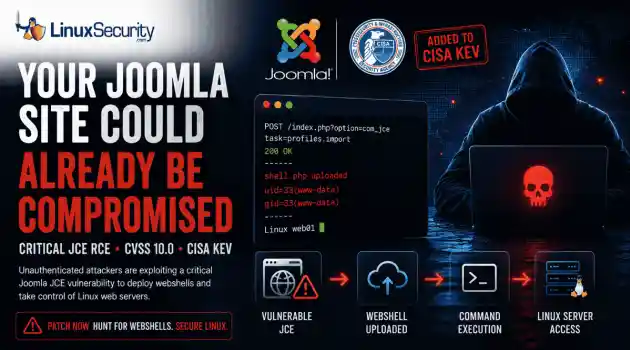
Security Vulnerabilities security advisory critical
security advisory critical The Joomla Content Editor (JCE), one of the most widely deployed editor extensions for Joomla websites, is currently under active attack due to a critical vulnerability. . The issue, tracked as CVE-2026-48907 , affects JCE versions earlier than 2.9.99.5 and carries a CVSS score of 10.0. Because JCE is installed on a large number of public-facing Joomla sites, the vulnerability has quickly become a high-priority target for attackers and automated scanning campaigns. CISA has added the flaw to...
Jun 17, 2026 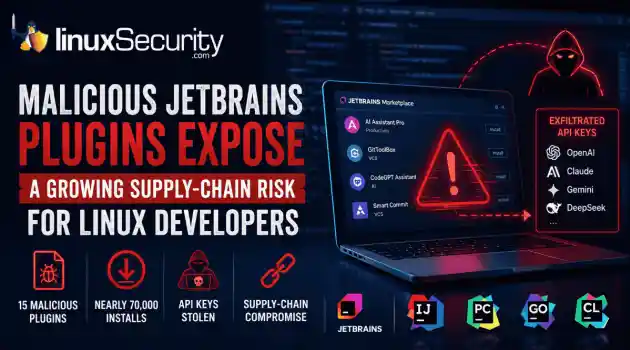
Security Trends security advisory open-source
security advisory open-source At least 15 malicious plugins and nearly 70,000 installs later, developers are being reminded that trusted marketplaces can become supply-chain attack vectors overnight. . How Malicious Plugins Steal API Credentials It’s simple. The user installs a plugin. It asks for API credentials. The developer clicks "Apply." A short time later, those keys could be sent to a third-party server. Think of an API key like a valet key to your house. It doesn't give them the deed to the property, but it lets...
Jun 17, 2026  Refine news
X Clear Filters Get the latest News and Insights
Get the latest Linux and open source security news straight to your inbox.
Community Poll
What got you started with Linux?
Loading...

Explore Latest Linux Security news
We found -4 articles for you...
77
 security advisoryemail securitylinux
Enhancing Linux Email Security: Identify Malicious Attachments Effectively
Suspicious emails rarely confess in the body. The clues live in headers, MIME parts, and tiny inconsistencies between what a message claims and what it actually delivers. If your team can read those signals quickly—and connect them to the attachment—you’ll cut off credential theft, loaders, and ransomware without slowing operations. . Why Attachments Remain a Top Risk for Linux Teams Linux mail servers and gateways are resilient, but attachments are still the quickest path into a user’s workflow. Attackers lean on invoices, shipping notices, HR forms, and “faxed” PDFs. They spoof trusted domains, forward through legitimate relays, or abuse look-alike domains to sneak past simple checks. The trick is to combine transport truth (the header) with payload truth (the MIME description and the file’s behavior), so you’re not relying on antivirus alone. Public guidance on phishing patterns underscores how multiple small cues add up to a confident verdict, which is why security agencies emphasize verifying the source and treating unexpected attachments as high risk—see CISA’s guidance on recognizing and reporting phishing for context. Read the Header First: Route, Auth, and Timing Start with the Received chain to confirm the path and timing. Out-of-region relays, sudden drops from well-known ESPs to unknown hosts, or timestamp gaps are early flags. Next, look at Authentication-Results. SPF, DKIM, and DMARC should align with what you expect for the sender; failures during a period of look-alike domain activity demand caution. If DKIM passes but SPF fails on a forward, it might just be a benign relay. If DMARC fails outright and there’s an attachment, your risk jumps. When your analysts need a refresher on how to turn these fields into decisions, Linux log analysis helps connect header facts with the events you store in syslog and your SIEM. Let MIME Tell You the Truth About the Attachment Headers include MIME declarations that reveal filenames, claimed types, encodings,and sizes. Double extensions (like invoice.pdf.exe), mismatches (a file named .pdf declared as application/octet-stream), or base64 archives posing as documents are common tells. The core rules for MIME structure are stable and worth bookmarking in the MIME message format standard that defines message body formats. Once teams get used to reading MIME parts, they start spotting problems without opening the file at all. Mail client quirks stop mattering. A Linux Email Security Workflow You Can Repeat Collect the original message with full headers intact. Parse the route and auth story, then compare the MIME description to the filename and the size the sender claims in the body. If there’s an inconsistency, isolate the message and stage the file for offline checks. For admins who want a deeper foundation beyond one message, secure my e-mail provides server-side steps that complement analyst triage on the workstation. On endpoints, prefer opening unknown documents in a disposable VM or sandboxed viewer. If the file needs to be inspected for business reasons—say, AP needs to verify an invoice—strip active content and extract only what’s required for validation. That keeps users moving without accepting macro risk. Automate the Boring Parts of Attachment Analysis Manual review doesn’t scale, especially for queues full of receipts and statements. After the header points to a risky or unknown sender, you still need to normalize filenames, confirm the real type, and extract only the fields your workflow requires. When the payload lands as a PDF and you need something repeatable, pull it apart with Python-driven attachment parsing . Treat it like any other triage step: extract the text you actually need, pull the metadata, and log it without dragging raw files across systems. It confirms whether that “two-page invoice” is really two pages, records hashes and size, and gives analysts the fields they rely on without opening the document in a risky viewer. Most shops script this workanyway, folding whatever they extract into the ticket so later reviewers can see exactly what the analyst saw. Case Study: Finance Queue, Forged Vendor, Macro Risk Avoided A US manufacturing firm’s AP mailbox receives a vendor “banking update” with a spreadsheet. The header shows DMARC failure and a Received chain that includes a relay the vendor has never used. The MIME part lists .xlsm with a benign description. Analysts isolate the message, then parse a PDF copy of the form with a small Python job. The extracted text reveals misspelled vendor details and a payment account that doesn’t match the records. Because the decision is driven by header facts and MIME truth—plus extraction that avoids running macros—the team blocks the sender, calls the vendor to confirm fraud, and adds a transport rule that diverts macro-enabled spreadsheets from new domains into quarantine. The same rule prevents several follow-ups that week. Turn Header and MIME Signals Into Enforceable Policy Triage only matters if it shapes what your systems do next. Map header patterns to transport rules: divert messages with DMARC failures and attachments to quarantine; score look-alike domains higher; hold base64 archives that claim to be documents. On the host, log what your analysts read during triage so you can recreate the exact decision later. Many irreplaceable details—boundary markers, part ordering, transfer encoding—live in the raw message. Keep them. When you adjust filters and mail flow, align them with forensic lessons. Linux malware scanner coverage walks through practical tooling that pairs well with header-driven rules: scan detached in a sandbox, tag known-bad patterns, and keep signatures current. Over time, the combination of message policy and endpoint checks reduces noisy alerts and makes truly novel samples stand out. Train for Better Samples, Not Just Better Clicks Awareness programs help, but what analysts need most is clean sample capture. Give users a single “report” actionthat forwards the original message with headers preserved rather than screenshots or copy-pasted text. A short refresher on recognizing cues, aligned with CISA’s guidance on recognizing and reporting phishing , increases the odds that the first report includes the critical details. That saves analysts from chasing truncated messages or rebuilding routes from fragments. Practical Notes on Scale and Safety When attachments are routine for your business—claims, orders, lab results—focus on normalization. Extract only what’s necessary for approval steps, record hashes and size, and avoid moving raw files between systems. If a document needs to move beyond security, send a sanitized copy instead. For MIME-declared types that are risky by design (macro-enabled spreadsheets, HTML attachments, scriptable archives), treat them as untrusted even if upstream checks look clean. The point isn’t to block everything; it’s to ensure your approvals don’t depend on opening active content from unauthenticated sources. Conclusion: Linux Email Security Is a Repeatable Habit A reliable workflow for Linux email security starts with headers, is confirmed by MIME, and is reinforced by narrow, automated extraction. Read the Received path and auth lines first, compare what the message claims about the attachment with what you know about your environment, and only then decide whether to quarantine, parse, or pass. A bit of automation goes a long way. You catch more bad files, you keep better evidence for later reviews, and you stop burning time reopening tickets because someone left out a header. . Effective strategies for detecting and mitigating risks from malicious email attachments in Linux environments.. Linux Security, Email Threats, Malware Email Analysis, Attachment Security. . MaK Ulac
 Dec 05, 2025 •
 Server Security
Get the latest News and Insights
Get the latest Linux and open source security news straight to your inbox.
Community Poll
What got you started with Linux?
Search Topics
Powered By

Linux Security - Your source for Top Linux News, Advisories, HOWTOs and Feature Releases
QUICK LINKS
subscribe to newsletters!
Like staying secure? So do we.
Sign up for updates, tips, and alerts!
Discover faster search, smarter navigation, and deeper Linux security insights. Read More