


Security Vulnerabilities  security advisory critical
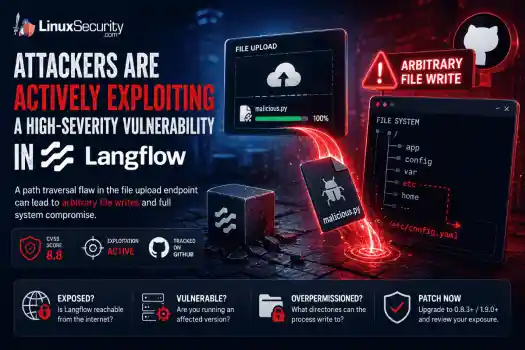
security advisory critical Attackers are actively exploiting a high-severity vulnerability in Langflow , an open-source platform used to build and run AI workflows. . The flaw turns a file upload into a filesystem write, allowing a user-controlled file to escape the application's intended upload directory and land in locations Langflow was never supposed to touch. The vulnerable upload endpoint permits path traversal through crafted filenames. From there, the impact depends heavily on how the platform is deployed. A...
 Jun 11, 2026

Vendors/Productssecurity advisory linux
security advisory linux With npm v12 , dependency preinstall, install, and postinstall scripts will no longer execute automatically during package installation. Script execution will require explicit approval through new controls such as npm approve-scripts, with the change expected to arrive in July 2026. . The announcement targets a part of the software supply chain that has repeatedly appeared in package registry abuse, credential theft, and CI/CD compromise investigations. A single npm install could trigger code...
Jun 11, 2026
Security Vulnerabilities security advisory zero-day
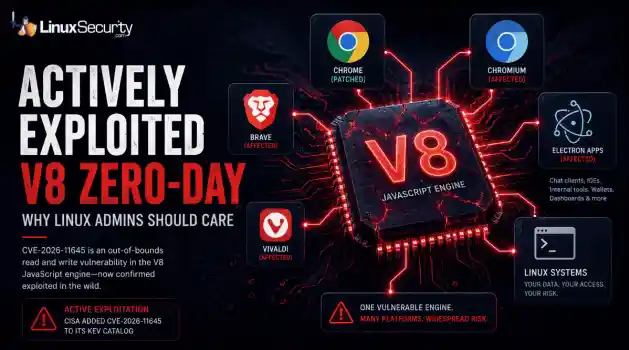
security advisory zero-day CISA added CVE-2026-11645 to its Known Exploited Vulnerabilities catalog after Google confirmed active exploitation of the flaw. The bug sits in V8, the JavaScript engine behind Chrome and Chromium. . That's where this gets more interesting. Most coverage will focus on Chrome because that's where the patch landed. But the affected component is V8. Chromium relies on it. Electron relies on it. Plenty of desktop software Linux users interact with every day relies on it too, often without much...
Jun 10, 2026

Network Securitysecurity advisory networking
security advisory networking For years, IPv4 was the only proxy type that really mattered for anyone running automation off a Linux box. IPv6 was the protocol everyone said they’d migrate to, but almost nobody actually did. In 2026, that’s finally starting to shift. . The problem is that most admins stick with IPv4 out of habit. They know it; it’s what their tooling defaults to, and they don’t see a reason to change. Some are overpaying for addresses they don’t need. Others would quietly break their scrapers, scripts, or...
Jun 09, 2026
Network Securityopen-source python
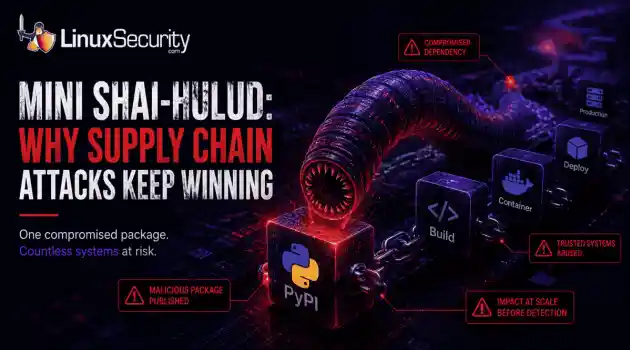
open-source python Researchers recently identified another wave of malicious packages on PyPI linked to the broader Mini Shai-Hulud campaign, a worm-like supply chain attack that spread through trusted software packages. On the surface, the packages looked no different from thousands of others published to the repository each week. . Instead of trying to break into a target network directly, the attackers hid malicious code inside software that developers were already using. A few downloads are all it takes....
Jun 09, 2026
 Refine news
X Clear Filters
Get the latest News and Insights
Get the latest Linux and open source security news straight to your inbox.
Community Poll
What got you started with Linux?
Loading...

Explore Latest Linux Security news
We found -4 articles for you...
210
 security advisoryremote code executionaccess control
Ubuntu: Secure rsync from RCE issues with critical patches
Are you using rsync to synchronize files on your Ubuntu-based Linux systems? If so, s everal severe remote code execution (RCE) vulnerabilities recently found in the widely used file synchronization utility could put you at risk of full system compromise! Left unpatched, these RCE flaws allow attackers to execute arbitrary code and compromise entire systems. . In this article, I'll walk you through determining if your systems are vulnerable and applying necessary updates to secure your rsync setup. By taking immediate action and adhering to best practices, you can ensure a robust security posture in your Linux environment. Understanding These Rsync RCE Vulnerabilities Rsync has long been an indispensable tool in a Linux administrator's arsenal, revered for its speed in synchronizing files and copying changes between systems. Various RCE vulnerabilities have recently been found in the popular utility , including a critical buffer overflow on the server's heap (CVSS 9.8, CVE-2024-12084 ) . Attention has turned towards the security implications of these severe bugs, impacting up to 660,000 servers. These vulnerabilities allow attackers to execute code remotely with elevated privileges, making fixing these holes an urgent priority. A typical exploitation scenario might involve an attacker gaining access to a system where rsync is improperly configured to operate in a daemon mode without proper security structures. This can allow unauthorized users to send malicious payloads that rsync executes, inadvertently providing access to critical infrastructure. Understanding these implications, admins must assess their systems, ensuring they’re not vulnerable to such straightforward yet devastating avenues of attack. Assessing Your Risk Determining whether your systems are at risk is a vital first step. The process begins with identifying the currently installed version of rsync across all servers. This can be done easily through the command line . Upon establishing whichversion you're dealing with, the next task is to cross-reference this with the Ubuntu security advisory detailing affected versions. This step ensures that you have a clear picture of your exposure. Admins should routinely check system logs for any signs of unusual activity related to rsync, such as unexpected access requests or error messages. Ensuring access controls are in place is crucial. You can significantly reduce your risk exposure by designating rsync to operate only for trusted users and networks. Through diligent checks and balances, identifying and understanding potential risk factors become a part of routine maintenance, which creates a robust security environment. Applying the Necessary Patches Once you have assessed your risk, the next crucial step is promptly applying the necessary updates. Updating rsync to version 3.4.0, which has patched these vulnerabilities, is vital. This is a straightforward task in Ubuntu-based systems through package managers that offer seamless upgrade paths. By executing simple commands, you can ensure that your system runs the secure version of rsync, mitigating immediate risks. After applying these updates, verification is essential. It’s important to verify that the patches have been applied correctly. This means checking the version of rsync and ensuring there are no lingering issues. Regularly running system health checks post-update ensures everything operates smoothly and according to your expectations. Best Practices for Robust Rsync Security Mitigation isn't just about patching vulnerabilities; it's about instituting best practices that future-proof your systems. Establishing strict access controls on rsync usage can vastly improve security. Limiting its operation via network security groups ensures only trusted systems and users can engage with rsync services, preventing unauthorized attempts. Enabling a secure shell (SSH) for rsync operations adds another layer of security. SSH provides encrypted channels for data transfer,ensuring that even if data were intercepted, it wouldn't be usable to potential attackers. Configuring rsync to log activity diligently allows admins to monitor its usage effectively, pinpointing any unusual patterns that might indicate a security threat. Regular security audits can help uncover potential misconfigurations or overlooked vulnerabilities. Automated vulnerability scanning tools can provide robust checks across your infrastructure, assisting in the early identification and mitigation of security gaps. Combining these practices creates an environment where security isn't an afterthought but a continuous, proactive process. Preparing for the Future Staying ahead of potential security vulnerabilities requires a forward-looking approach. Stay informed by subscribing to security newsletters . This proactive information gathering allows admins to be among the first to know about potential threats and the solutions that accompany them. Education and user awareness are also significant factors. Regular training sessions can ensure all stakeholders are aware of security protocols and the importance of maintaining them. Encouraging a culture of security mindfulness means everyone is vigilant, reducing the likelihood of vulnerabilities being overlooked. Moreover, maintaining comprehensive documentation of your systems and the changes applied is critical. This documentation aids in compliance with internal and external policies, providing a clear audit trail. Should any security incident occur, detailed records of updates and configurations can be invaluable for forensics and analysis, helping you understand what went wrong and how to prevent similar incidents. Our Final Thoughts on Mitigating These Recent Rsync Flaws These recently identified rsync vulnerabilities serve as a reminder of the constant vigilance required in IT security. For us Linux security admins, taking steps to address these vulnerabilities via the patches released and engaging in best practices is imperative.Integrating these measures with ongoing education and documentation means you’re not just reacting but preparing for tomorrow’s challenges. With the right strategies and a proactive approach, you can ensure that your systems remain secure without sacrificing the efficiency that tools like rsync bring. Safeguarded systems protect sensitive data and maintain stakeholders' trust, enabling you and your organization to focus on growth and innovation without risking compromise. . Discover methods to safeguard your rsync configuration from Remote Code Execution risks, address weaknesses, and adopt optimal strategies for Unix environments.. Rsync Security, Remote Code Execution, Ubuntu Security, Linux Administration, Rsync Vulnerabilities. . Brittany Day
 Jan 20, 2025
•
Jan 20, 2025
• Security Vulnerabilities

Get the latest News and Insights
Get the latest Linux and open source security news straight to your inbox.
Community Poll
What got you started with Linux?
Search Topics
Powered By

Linux Security - Your source for Top Linux News, Advisories, HOWTOs and Feature Releases
QUICK LINKS
subscribe to newsletters!
Like staying secure? So do we.
Sign up for updates, tips, and alerts!
Discover faster search, smarter navigation, and deeper Linux security insights. Read More