


Cloud Security  incident response Linux administration
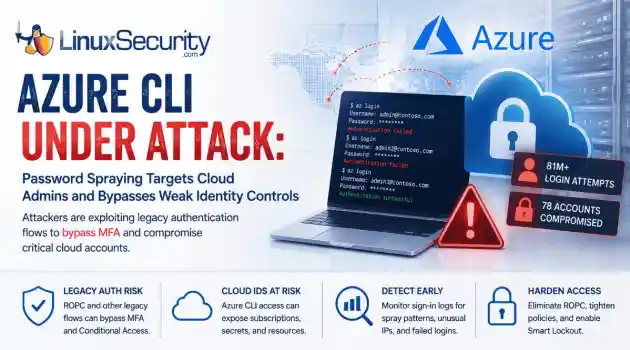
incident response Linux administration Over the span of just 14 days, threat actors unleashed more than 81 million login attempts against Microsoft’s Azure command-line interface (CLI). The campaign , which security researchers at Huntress identified as an ongoing, automated password-spraying effort, successfully compromised at least 78 Microsoft accounts across 64 organizations between June 12 and June 26, 2026. . While the scale is massive, the underlying strategy is surprisingly surgical. Attackers aren't exploiting a flaw in...
 Jul 01, 2026
Security Trends security update mobile security
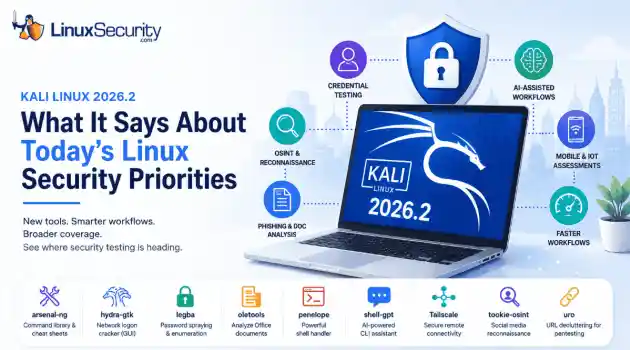
security update mobile security Offensive Security just dropped Kali Linux 2026.2 , and at first glance, it looks like a standard quarterly refresh. You’ve got the usual kernel bumps, desktop environment updates, and a handful of new utilities. But don't write this off as just another routine version update. If you look past the changelog, this release highlights several capabilities that continue to be important in offensive security. From AI-assisted workflows to credential testing and mobile assessments, Kali Linux 2026.2...
Jun 30, 2026
Security Projectssecurity advisory vulnerability management
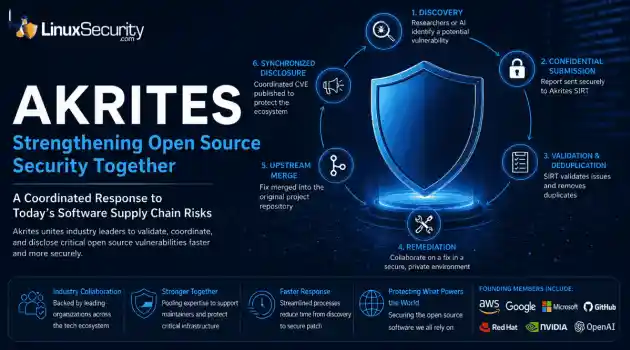
security advisory vulnerability management The Linux Foundation has officially launched Akrites , a coordinated industry initiative designed to improve how critical open source vulnerabilities are validated, coordinated, and disclosed before patches reach downstream users. Backed by a diverse coalition—including AWS, Google, Microsoft/GitHub, Red Hat, NVIDIA, and OpenAI—Akrites establishes a shared Security Incident Response Team (SIRT) to streamline the validation, remediation, and disclosure of vulnerabilities in the foundational...
Jun 29, 2026

Server Securitydenial of service open-source
denial of service open-source A process with a stable workload shouldn't keep growing its resident memory. When it does, the first question isn't how much RAM is available. It's where the allocations stopped being released. On Linux, that answer isn't always obvious because the kernel, allocator, and application all influence what memory usage looks like from the outside. . Separating normal allocation behavior from an actual leak takes more than watching top or container metrics. Heap growth, allocator caches, mapped...
Jun 26, 2026
Security ProjectsLinux security security assessment
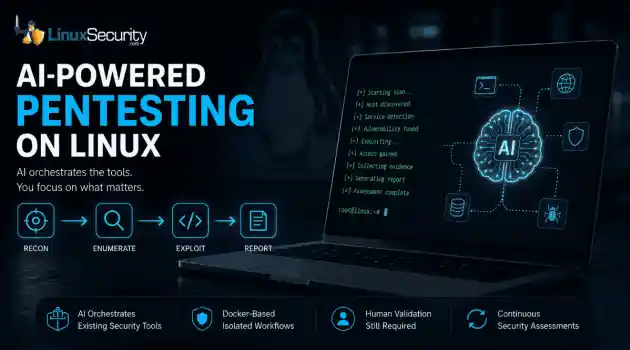
Linux security security assessment AI is beginning to reshape how penetration testing workflows are organized. For years, the penetration tester’s workflow has been a labor-intensive ritual: scan, enumerate, research, exploit, and report. But new frameworks are attempting to codify that intuition, turning the "human-in-the-loop" process into a machine-coordinated workflow. But is this a genuine evolution in how we secure Linux environments, or just a sophisticated wrapper around the same old tools? . Dark Moon is an open-source...
Jun 26, 2026
 Refine news
X Clear Filters
Get the latest News and Insights
Get the latest Linux and open source security news straight to your inbox.
Community Poll
Can sandbox isolation stop malware?
Loading...
Explore Latest Linux Security news
We found 126 articles for you...
212
 incident responseLinux administrationauthentication
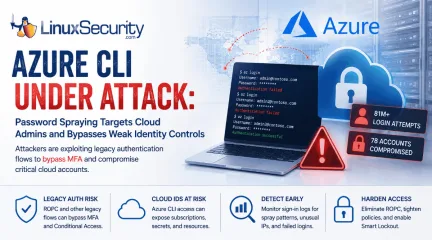
Azure CLI Password Spraying: Why Cloud Identity Is Now Linux Security
Over the span of just 14 days, threat actors unleashed more than 81 million login attempts against Microsoft’s Azure command-line interface (CLI). The campaign , which security researchers at Huntress identified as an ongoing, automated password-spraying effort, successfully compromised at least 78 Microsoft accounts across 64 organizations between June 12 and June 26, 2026. . While the scale is massive, the underlying strategy is surprisingly surgical. Attackers aren't exploiting a flaw in Azure. Instead, they're taking advantage of the way legacy authentication flows can interact with modern cloud identity controls when organizations haven't fully retired older authentication methods. This campaign demonstrates that for cloud administrators, the traditional "MFA everywhere" mantra is only as strong as the authentication flows that support it. For Linux administrators, the campaign is particularly relevant because Azure CLI is widely used from Linux workstations, jump hosts, automation servers, and CI/CD pipelines. As cloud administration increasingly shifts to command-line tooling, protecting those identities has become just as important as hardening the underlying operating system. Administrators Saw the Pattern First What makes this campaign especially notable is that operational teams appeared to notice the activity well before it became a formal threat report. In sysadmin discussions nearly two weeks earlier, administrators described seeing strange Azure CLI login attempts, persistent account lockouts, and confusion over why Conditional Access (CA) seemed to ignore the authentication traffic. None of those early reports identified the underlying authentication flow or attributed the activity to a coordinated campaign. They did, however, demonstrate an important reality of modern incident response: administrators often recognize abnormal authentication patterns long before researchers have enough data to characterize them. Reviewing authentication telemetry instead of dismissingrepeated login failures as background noise can provide valuable early warning that something larger is unfolding. Operational takeaway Large authentication spikes, unexplained account lockouts, and unusual sign-in patterns are often dismissed as background noise. This campaign shows they may instead be the earliest indicators of an emerging attack. What Happened in the Azure CLI Password Spray Campaign The attackers used IPv6 infrastructure controlled by the internet provider LSHIY LLC to run their spray. They weren't using sophisticated zero-days; they were testing massive lists of previously stolen credentials against cloud identities, a tactic documented in the Azure Threat Research Matrix as AZT202 . Unlike traditional brute-force attacks that repeatedly target a single account, password spraying tests a small number of commonly used passwords across many accounts to avoid triggering lockout thresholds. By specifically targeting the Azure CLI, the attackers leaned into a non-interactive authentication path. Because Azure CLI can be used through legacy authentication flows such as Resource Owner Password Credentials (ROPC), authentication may occur without the interactive browser prompt where modern MFA challenges are presented. Microsoft has long discouraged ROPC because it is incompatible with modern authentication. ROPC itself is not a vulnerability. The risk comes from continuing to support a legacy authentication flow while assuming modern identity protections apply consistently across every authentication path Why Azure CLI Is an Attractive Target Azure CLI is a fixture in the modern DevOps stack. It’s the primary interface for infrastructure-as-code (IaC) workflows, Linux administration workstations, jump hosts, and CI/CD pipelines. Administrative identities increasingly represent the control plane for modern infrastructure. Compromising one account can provide access to cloud resources that would have previously required multiple lateral movement stepsinside the network. A single compromised Azure CLI identity can provide keys to the kingdom—including direct control over cloud subscriptions, storage accounts, and secret stores—bypassing the need to pivot through your internal Linux environment. The ROPC Problem: When MFA Cannot Be Completed At the center of this attack is the Resource Owner Password Credentials (ROPC) grant . In a standard interactive flow, the user is redirected to a Microsoft login page, which triggers MFA. ROPC, by design, allows an application to handle the username and password directly. Because there is no interactive browser component, there is no place to present an MFA challenge or a number-matching prompt. If your application or script is configured to use ROPC, the authentication flow happens in the background, creating authentication paths that many organizations mistakenly assume are covered by their existing MFA policies, as Microsoft notes in its CLI documentation . Why Conditional Access Alone May Not Stop Credential Testing Conditional Access (CA) policies are powerful, but they are not universal if your deployment is partial. A typical failure in this campaign occurred when organizations enforced MFA only for specific "Web Portals" or "Admin Dashboards" while leaving the Azure CLI service principal or user-login surface exposed to ROPC-based authentication. If Conditional Access policies don't cover every relevant application and client type, authentication requests may not trigger the protections administrators expect. The result isn't that Conditional Access is broken, but that identity protections are applied inconsistently across different authentication paths. Organizations should verify that MFA and Conditional Access policies apply to all cloud applications and supported client types while eliminating legacy authentication flows such as ROPC wherever possible. What Linux and Cloud Administrators Should Check Now The priority is to eliminate non-interactive authentication paths whereverthey exist. Audit CLI Usage: Identify where az login is being triggered in your environments. If scripts are passing clear-text credentials or using ROPC-compatible flows, migrate them to Managed Identities or Certificate-based authentication. Eliminate ROPC: Actively disable legacy authentication and ROPC dependencies across your Entra ID tenant. Tighten CA Policies: Ensure your Conditional Access policies apply to "All Cloud Apps," "All Users," and "All Client App types." Avoid broad exclusions based on IP address or location. Enable Smart Lockout: While not a silver bullet against "low-and-slow" spraying, Microsoft Entra Smart Lockout provides an additional layer of protection by tracking and throttling failed attempts at the tenant level. How to Investigate Password Spraying in Microsoft Entra ID If you suspect your organization was targeted, conduct a targeted review of your sign-in logs using the steps outlined in the Microsoft Password Spray Incident Response Playbook : Filter by App: Search specifically for "Microsoft Azure CLI" in your sign-in logs. Examine Failure Trends: Look for spikes in failed authentications, especially from disparate or unusual IPv6 addresses. Check for Success-After-Failure: Look for a successful login for a specific user identity that immediately follows a string of failed attempts. Review Client App Types: Investigate "Other clients" in your sign-in logs, as these are often where ROPC and legacy protocol attempts hide. Final Thoughts This Azure CLI campaign isn't notable because the attackers guessed a password; it’s notable because it exploited a misalignment in modern identity architecture. The lesson extends well beyond Azure. As Linux administrators increasingly manage infrastructure through cloud APIs instead of local consoles, identity has become part of the operating environment itself. Protecting administrative credentials, eliminating legacy authentication, and continuously reviewingauthentication paths now belong alongside patching, hardening, and system monitoring as core Linux security practices. . Explore how recent Azure CLI attacks reveal weaknesses in cloud identity authentication and the importance for Linux admins.. Azure CLI, Cloud Security, Identity Protection, Linux Admin, Multi-Factor Authentication. . MaK Ulac
 Jul 01, 2026
•
Jul 01, 2026
• Cloud Security
78
 incident responsecloud securityLinux environment
MXDR Provider Selection for Linux Environments and Security Services
Managed Extended Detection and Response (MXDR) has become one of the most sought-after security services in the enterprise market — and with good reason. It promises the holy grail: broad visibility across endpoints, network, cloud, email, and identity, combined with the 24/7 human expertise most organizations simply cannot build in-house. . However, the rapid growth of the market has produced a wide range of providers whose capabilities vary considerably beneath the surface. Choosing the right MXDR solution is not just about buying software; it’s about hiring a specialized team that understands the difference between a standard workstation and a mission-critical Linux server. If you are going to trust someone with your infrastructure, you need to look past the pitch and evaluate the actual substance. Define What You Actually Need Before You Evaluate Anyone A lot of teams start vendor calls too early. They have a rough MXDR budget, maybe a shortlist, but not a clear view of what they need the provider to cover. That creates noise quickly because the MXDR solution is not a single fixed service. Providers vary in coverage, response authority, integration depth, and how much human triage sits behind the platform. Before you speak with vendors, get your team aligned on the basics: What environments need coverage? Decide whether you only need endpoint monitoring, or whether cloud workloads, identity, email, and network traffic need to be in scope too. For Linux-heavy environments, ask whether the provider can see kernel-level events , container runtimes, and meaningful telemetry, not just raw syslogs pushed into a dashboard. What should the partnership actually do? Some teams want to approve every response action. Others need a provider that can isolate hosts, block indicators, or escalate incidents when internal staff are offline. Spell that out before procurement gets involved. What are your compliance constraints? GDPR, NIS2, HIPAA, and PCI DSS can affect datahandling, storage location, access controls, and reporting. Do not leave this for the contract review stage. By then, the wrong provider may already look like the favorite. Does the provider fit your current stack? Map what you already use for patching, identity governance, email security, endpoint control, and cloud monitoring. Then ask how the MXDR provider will extend that stack instead of duplicating alerts your team already sees. Clear answers make vendor conversations sharper. They also reduce the odds of choosing a provider because their pitch looked strong, while their actual coverage misses the systems creating most of your exposure. Not All MXDR Coverage Is Equal The defining characteristic of MXDR — the "extended" element — is coverage across multiple security domains simultaneously. In practice, however, providers differ considerably in how genuinely cross-domain their visibility is. Some platforms offer native integrations across endpoints, network, cloud, identity, and email. Others aggregate feeds from separate products, which can introduce data gaps, latency, and correlation blind spots. In a Linux-heavy environment, an attacker might use sophisticated persistence or fileless techniques that simple log aggregation will miss. When evaluating coverage, go beyond the marketing slides. Ask specifically: Which environments does the provider have native sensor coverage for? Which rely on third-party integrations? What happens to detection quality when telemetry from one domain is unavailable? A provider whose detection capability degrades significantly when a specific integration is absent is not a true MXDR partner; they are a SIEM in disguise, and they may leave dangerous gaps in the environments that matter most to your organization. Human Expertise: Who Is Actually Watching? MXDR is fundamentally a people and process service layered on top of technology. You can have the most advanced detection engine in the world, but if the analyst team isunderstaffed, junior, or drowning in a shared queue, you are just paying for fancy noise. Don’t buy the "we have a global, 24/7 SOC" line without stress-testing it. Ask the blunt questions: The Coverage Model: Is your account assigned a dedicated team, or are you in a giant shared pool? If you are in a pool, you are competing with a hundred other customers for the attention of a tired analyst who likely has no idea what a custom Linux binary looks like in your environment. The Experience Gap: Who is actually looking at your alerts at 3:00 AM? Is it a Senior Incident Responder who can interpret a suspicious kernel-level anomaly, or a monitor-tech who just follows a basic flowchart? The Communication Workflow: When a high-fidelity threat is identified, how do they talk to you? Do they just dump a generic ticket in your lap, or do they provide an executive summary that explains the why and the how ? If you are serious about a vendor, skip the sales-led reference call. Find an existing customer in your industry and ask them: "The last time a real threat hit your network, did the provider show up and help you drive the response, or did they just send you an email saying they saw something weird?" Response Authority and Speed How much authority does the provider have to act when a threat is confirmed? Some providers offer "human-in-the-loop" workflows where every action requires your sign-off. Others can isolate endpoints, block processes, and revoke sessions autonomously. There is no "correct" model, but the right answer depends on your team’s maturity. Organizations with lean security teams and limited out-of-hours coverage generally benefit from providers with broader autonomous response capability. Those in highly regulated environments, or teams running complex OT, usually need a firmer hand on every response action. That is not overcaution. It is how you avoid turning a containment play into an outage. Look for a provider that lets you tune response workflowsinstead of forcing one operating model. Heimdal’s platform supports that kind of balance, giving teams room to adjust autonomous action and human approval as trust builds. You might start with “notify only” on high-risk assets, then move toward stronger automated containment once detections, escalation paths, and false positives have been tested in real incidents. SLAs, Transparency, and Reporting Mean time to detect, or MTTD, and mean time to respond, or MTTR, are often quoted. The problem is definition drift. Some providers count time spent triaging low-confidence alerts that later prove benign, while others measure only confirmed threats with enough signal to justify a response, so the numbers can look comparable on a slide while measuring very different work. Reporting matters just as much. A useful post-incident report should be led by forensics and show what happened, how the activity was identified, what actions were taken, and what risk remains after containment. Vague summaries do not help your team patch gaps, tune controls, or hold the provider accountable. The Bottom Line Choosing an MXDR provider is not just a procurement call. It shapes how detection, escalation, containment, and reporting work inside your environment for years. Pick the team you can question under pressure, not just the one with the cleanest dashboard. The providers worth selecting are those who demonstrate their capabilities transparently, communicate clearly under pressure, and operate in a way that matches your team's capacity and risk tolerance — not just the ones who present best in a structured demonstration. Take the time to go beyond the pitch; do the legwork now, and the decision becomes significantly clearer when the next incident hits. . Explore how to choose the right MXDR provider for your Linux environment, focusing on key factors beyond the sales pitch.. MXDR provider, Linux security, incident response strategy, cloud security services. . MaK Ulac
May 19, 2026
•
Vendors/Products

82
security advisoryincident responselinux2027 Budget Cuts Impact Linux Security Data Quality and Coordination
When federal security budgets are cut, the data that stops hackers from breaking into your Linux servers begins to dry up. . Budget shifts usually feel like political noise rather than a technical risk. However, Linux security relies on a steady flow of data from government-funded programs. Most of this data flows downstream through trusted channels like distro advisories or built-in threat intelligence feeds. When funding for organizations like CISA is reduced, the quality of that data changes. We often assume that this visibility is a constant force, but it is actually a coordinated effort. If that coordination slows down, the dashboards we rely on every day become less reliable. Ultimately, this shift in cybersecurity policy directly impacts your technical defenses. How Linux Environments Depend on CISA Data Linux security isn’t a standalone process. It’s part of a larger network that shares information to keep systems running. Vulnerability Management Pipelines Most Linux patching starts with filtered data. Teams use the CISA Known Exploited Vulnerabilities (KEV) catalog to decide what to fix first. Major distributions like Red Hat and Ubuntu pull from these shared pools of context. When this data loses quality, your vulnerability management process becomes noisy. You still patch your systems, but you may not be hitting the most dangerous bugs first. Threat Telemetry and Indicators Detection tools in Linux rely on external data to find threats. This includes IP addresses, malicious domains, and MITRE ATT&CK mappings used to categorize hacker behavior. Most of us trust these feeds without thinking about where they come from. If the primary source of this data weakens, the rules in your security tools grow old. Attackers can move through your network because your tools are looking for yesterday’s threats. Critical Infrastructure Protection Linux runs the systems that manage our energy and water. These environments are hard to patch quickly because theycannot have downtime. They rely on "early warning" data to stay safe. Effective critical infrastructure protection depends on this signal; when it is delayed, the time a system stays exposed to a threat increases. Systemic Risks: The Degradation of Defense A reduction in central coordination causes security to degrade slowly rather than failing all at once. Slower Detection and Alert Fatigue: Security teams spend more time checking if an alert is real. Without strong background data to auto-verify threats, SIEM tuning becomes impossible, leading to rule drift and massive alert fatigue for analysts. Open-Source Security Gaps: Small teams depend on public advisories and Open Source Vulnerability (OSV) data. When funding for these sources is cut, open source security suffers because coverage gaps don't appear as errors—they appear as silent missed detections. Supply Chain Risk Management: Linux uses many shared libraries. Coordinated intelligence helps everyone react to a problem at the same time. Without it, supply chain risk management fails as different vendors move at different speeds, creating a synchronization problem that hackers easily exploit. The Distributed Security Problem: Coordination Without Authority Linux is decentralized by design. This is its greatest strength, but it creates a massive "implicit trust" problem. There is no single boss in charge of security who can force everyone to align. Instead, the ecosystem relies on a handful of groups to act as the connective tissue. CISA has filled this role by helping synchronize the response across thousands of independent developers and vendors. Without this influence, we lose our ability to move as one. Fragmentation increases, response times diverge, and the "shared defense" model starts to break down because no one is formally in charge of keeping the signal clean. Real-World Impact: The Anatomy of a Delay Imagine a new exploit targeting a core library like glibc . In a world with less centralcoordination, the timeline starts to fracture immediately. The Detection Gap: Initial reports are scattered across private forums. Without a central push, detection rules for your sensors lag by days. The Timeline Delay: One major Linux distro patches on Monday. Another waits until Friday to validate. Uneven Patch Rollout: Attackers don't need to break the whole internet. They just scan for the "pockets" of users on the slower update cycle. They operate inside that timeline gap—moving through your network while your team is still waiting for a "verified" alert that may never arrive. Recommended Actions for Linux Security Teams As shared defense signals weaken, we have to take more responsibility for our own visibility. Reduce Single-Source Dependence Do not treat one feed as the only source of truth. Use a mix of distribution advisories and community sources like GitHub Security Advisories . You want these sources to overlap so you don't miss anything. Harden Host Detection Shift your focus from lists of "bad" IPs to how a system actually behaves. Use tools like auditd or Falco to monitor for unusual process activity or privilege changes. Behavior patterns are much harder for hackers to change than an IP address. Improve Patch Prioritization Standard risk scores aren't enough anymore. Monitor for news of real-world usage of an exploit. You need to build an internal model of what matters most to your specific environment. Verify Package Integrity Check the signatures on the software you download. Monitor your dependency trees. Remember that third-party mirrors and repositories extend your risk boundary in ways you might not see every day. Build Internal Context Treat security data as a helpful input rather than the absolute truth. You have to analyze how a threat applies to your specific servers. We can no longer assume that someone else is filtering the data for us. Conclusion: TheShift to Self-Managed Visibility The risk of funding cuts isn't just about having fewer alerts. The real risk is that the alerts you do get are no longer accurate or timely. Visibility is moving from a shared resource to a self-managed task. Linux teams must be ready to own their analysis and verify the signals they rely on to stay safe. . Budget cuts may seem political, but they hinder Linux security teams' access to vital threat data and coordination.. CISA funding cuts, Linux security risks, data coordination, vulnerability management, incident response. . MaK Ulac
Apr 10, 2026
•
Government
77
 security advisoryrisk managementincident response
Linux Security in 2026 Hardening Monitoring and Defense Strategies
Linux runs an enormous share of the modern internet - cloud workloads, web backends, containers, routers, IoT devices, and the quiet infrastructure nobody notices until it breaks. That ubiquity is exactly why attackers keep coming back to it. If you can compromise Linux at scale, you don’t just get one machine. You get leverage: access paths, compute, data, and sometimes an entire supply chain. . In 2026, exploitation cycles run in hours, not weeks. Reconnaissance is assisted by AI. Supply chains are probed for weak links. And ransomware crews have gotten comfortable going after servers, because that’s where the business-critical assets live. In that environment, “we patch when we can” and “we have a firewall” isn’t a security strategy. It’s a hope. Real defense means layers: hardened hosts, controlled access, segmented networks, continuous vulnerability management, strong monitoring, and the ability to respond quickly when something slips through. How Linux Servers Are Being Attacked in 2026 Attackers don’t need to be brilliant to be dangerous anymore. Automation does a lot of the heavy lifting. Mass scanners search for exposed services and known CVEs. Botnets built on compromised Linux nodes can DDoS, mine crypto, or provide infrastructure for the next intrusion. And when an organization does everything “mostly right,” attackers increasingly lean on quieter paths: misconfigurations, leaked credentials, or poisoned dependencies. Supply chain compromise is one of the nastiest trends because it abuses trust. The OWASP Software Supply Chain Security guidance outlines this risk in detail. If a legitimate library, package, or build tool gets tampered with, then the malicious payload spreads through normal update channels. The victim doesn’t “download malware.” They update the software. Advanced intrusions also look more like campaigns than single events: initial access, lateral movement, privilege escalation, persistence, and careful data extraction.Linux environments with flat networks and weak privilege boundaries make that progression far easier than it should be. Ransomware fits into this picture, too. Encrypting a laptop is annoying. Encrypting a database server or production file system can stop a company cold. That’s why server-side ransomware is so lucrative - and why Linux remains firmly in the crosshairs. OS Hardening: Reduce the Surface Area Before You Need to Defend It Most breaches don’t start with Hollywood hacking. They start with something exposed that didn’t need to be exposed. Hardening is about making that less likely: Install less Run fewer services Restrict permissions Lockdown defaults Enforce boundaries even if a process gets compromised. “Minimal installs” sound boring, but they matter. Every extra package is one more thing to patch, one more code path that might contain a vulnerability, and one more place an attacker can hide. Service configuration is the same story. If a service only needs local access, don’t bind it to every interface. If it doesn’t need root, don’t run it as root. If it’s unused, disable it. For teams running traditional web stacks, disciplined LAMP stack hardening is part of this baseline work, especially when Apache, PHP, and MySQL sit behind internet-facing services. File permissions still get people, too. World-writable directories, sloppy config files, permissive home folders - all of these become footholds for persistence or privilege escalation when combined with even a small initial compromise. SELinux or AppArmor is where many teams hesitate because it requires tuning. But that’s also why it’s effective. Mandatory access control can contain damage even when something is exploited, because “code execution” doesn’t automatically mean “full access.” Done properly, it turns many intrusions into dead ends. In one finance environment, attackers compromised a web service but could not pivot further because SELinux policiesrestricted access to sensitive data and other services. The incident required a response, but it never escalated into a breach. Patching and Vulnerability Management on Linux Patching is obvious. The hard part is patching quickly and safely. The healthiest teams treat vulnerability management as a pipeline: Discover issues continuously Prioritize based on exploitability and impact Test updates where possible Deploy in controlled waves Verify and monitor Automated patch tooling helps, but it shouldn’t mean pushing everything to production instantly. Critical security fixes often need hours, not weeks - but staging checks and rollback plans still matter. Vulnerability scanners also catch things patching won’t: insecure defaults, misconfigurations, weak SSH settings, exposed admin panels, forgotten services. The value is consistency. Humans forget. Scanners don’t. Configuration drift is another quiet risk. A server starts secure, then over months, someone “temporarily” changes a setting, and it never gets reverted. Compliance monitoring that flags drift early prevents slow-motion incidents. Third-party dependency tracking matters even more now, because modern apps pull in large dependency graphs. You can be perfectly patched at the OS level and still vulnerable through one indirect library you didn’t even know you had. Limiting Lateral Movement in Linux Networks Even strong host security isn’t perfect, so you assume something will eventually get in - and design the network so that “getting in” doesn’t mean “getting everywhere.” Segmentation is practical: Public-facing services in a DMZ App tiers in protected internal zones Databases in heavily restricted data networks Management interfaces are isolated and locked down Host firewalls matter too. A default-deny stance, with only explicit rules, reduces blast radius when perimeter assumptions fail. IDS/IPS solutions can help, especially when combined with anomalydetection, but they’re not a magic wall. They provide visibility and early warning. Remote access remains a common entry point. SSH and VPN hardening is non-negotiable: MFA, certificate-based authentication where possible, restricted source IPs, short-lived credentials, and strong logging. In one SaaS deployment processing sensitive customer data, micro-segmentation, and zero-trust policies required authentication for every internal connection. When attackers gained an initial foothold, traffic analysis flagged abnormal east-west movement and prevented expansion beyond the compromised service. Linux Access Control and Privileged Account Security Modern Linux security is less about “who’s on the network” and more about “who can do what, when, and why.” MFA is table stakes. It proves someone is who they claim to be. Least privilege is where most teams struggle, because once access is granted, the real question is how much that account can actually do. Privilege is the blast radius multiplier. Administrative rights should be tightly controlled: Limit who has it Limit when it’s granted Log privileged sessions Use just-in-time elevation instead of permanent administrative rights SSH is where this often falls apart. Key sprawl creeps in quietly across Linux environments. Without rotation, revocation of stale keys, and centralized oversight, you end up with access paths nobody remembers creating. That’s why centralized identity matters. LDAP, IdP integrations, SSO. Revocation becomes immediate instead of manual cleanup across dozens of hosts. And when something does go wrong, you need proof. Session recording and audit trails aren’t compliance theater. They reduce insider risk and give incident response teams a record of what actually happened. Linux Security in Containers and Cloud Deployments Containers and cloud infrastructure don’t remove risk - they rearrange it. In containerized environments, common issues include vulnerable base images,oversized images packed with unnecessary packages, misconfigured runtime permissions, weak isolation settings, and supply chain risks in image sources. Image scanning helps catch known vulnerabilities before deployment. Runtime security tooling detects behavior anomalies, unexpected outbound calls, or abuse of privileges that static scanning cannot see. For cloud environments, many major breaches trace back to misconfiguration: open storage buckets, overly permissive security groups, exposed metadata endpoints, and leaked access keys. Cloud security posture management tools exist because manual review doesn’t scale. Infrastructure-as-code security checks are particularly valuable. Catching a bad Terraform or Kubernetes configuration before deployment prevents production exposure and eliminates cleanup work later. Logging, Monitoring, and Incident Response Security controls don’t mean much if you can’t see when they fail. Detection is what turns controls into defense. Logs need to leave the host. If they sit only on the box that gets popped, they disappear with it. Centralized logging with protected storage and sane retention isn’t advanced. It’s baseline. To extend visibility beyond individual systems, many organizations integrate centralized logging and analysis platforms such as Security Information and Event Management (SIEM) systems , which aggregate events across hosts, correlate suspicious activity, and provide a broader view of potential threats within a Linux environment. SIEM helps, but only if it’s tuned. Correlating brute-force attempts, odd privilege jumps, strange east-west traffic, and new processes spawning under system accounts. That’s useful. Flood the team with noise, and they’ll mute the alerts within a week. Incident response has to exist before the incident. Who owns containment? Who handles forensics? Who talks to leadership? If that gets decided during the breach, you’ve already lost time you won’t get back. Security Automation inLinux Environments Attack volume is too high for a purely manual response. Automation is how serious environments keep pace. Good automation relies on playbooks: Block obvious brute-force sources Isolate hosts with strong compromise indicators Revert known-bad configuration drift Terminate suspicious processes Open incident tickets with context attached Security orchestration connects tools so analysts aren’t jumping between disconnected dashboards. Automated vulnerability remediation reduces the time between disclosure and patching, which is exactly the window attackers target. Configuration management tools such as Ansible, Puppet, or Chef enforce secure baselines continuously instead of relying on a one-time setup. An e-commerce platform processing millions of transactions implemented automated threat blocking, self-healing configuration remediation, and orchestrated response playbooks. During peak traffic, intrusion attempts were contained within minutes without requiring a large security operations team. Where Linux Security Is Headed In 2026, Linux security isn’t a single tool or a single policy. It’s a system. Defense-in-depth works because it assumes failure is possible and makes those failures survivable. Hardening reduces the attack surface. Access control limits damage. Segmentation slows movement. Monitoring provides visibility. Automation shortens response time. Teams that treat security as an ongoing operational discipline - not a quarterly checklist - build resilience over time. Teams that rely on outdated habits remain reactive, constantly cleaning up instead of improving. Threats will keep evolving. The Linux environments that stay secure will be the ones defended by people, processes, and controls that evolve just as quickly. . In 2026, exploitation cycles run in hours, not weeks. Reconnaissance is assisted by AI. Suppl. linux, enormous, share, modern, internet, cloud, workloads, backends, containers. . MaK Ulac
Feb 27, 2026
•
Server Security
212
application securityincident responselinuxWhat Is Kubernetes Security? A Linux Admin’s Practical Guide
You locked down SSH, hardened systemd services, tuned auditd, and felt reasonably confident about your Linux security posture. Then a Kubernetes cluster shows up, and suddenly workloads are being scheduled, rescheduled, and destroyed without ever touching the patterns you’re used to watching. Kubernetes security is where that shift becomes real. . At a glance, it still runs on Linux. Processes, cgroups, namespaces, network interfaces. Nothing magical. But Kubernetes changes how those pieces are orchestrated, who is allowed to create them, and how identity is assigned. What used to be a local user with sudo is now a service account with a token. What used to be a static service in systemd is now a pod that might live for six minutes. That abstraction layer is where people get comfortable too quickly. In traditional Linux security, you think in terms of hosts. Who has shell access. Which services are exposed. Whether the firewall is tight and the file permissions make sense. Container security adds isolation between workloads, but Kubernetes sits above that and decides what runs, where it runs, and with what permissions. If you do not control that layer, your node hardening only gets you so far. This is where the line between Linux security and Kubernetes security starts to matter. Kubernetes security is not a separate discipline you hand off to someone else. It is an extension of the same responsibility, just moved up the stack. Control points shift from hosts to APIs. Risk shifts from direct root compromise to API misuse and over-permissioned service accounts. Monitoring shifts from mostly syslog and auth logs to audit logs, RBAC changes, and unusual exec activity inside pods. Once you start looking at it that way, the pattern becomes clearer. In this guide, we’ll walk through what Kubernetes security actually includes, where your existing Linux controls still matter, where they stop being enough, and how your risk model changes when orchestration is in play. We’ll also lookat what to monitor differently and how to approach triage when something feels off, especially in environments where cloud security controls and container security tooling overlap with cluster configuration. The goal is simple. By the end, you should know which decisions are now yours, which controls you need to enforce at the API level, and where your old mental model needs an update. Kubernetes Security Starts Where Linux Security Stops Being Enough If you strip the terminology away, Kubernetes security is about controlling who can ask the cluster to do something, what they can ask it to do, and what actually happens on the nodes as a result. It builds directly on Linux security, but it moves the primary control surface away from the host and toward the control plane. In traditional Linux security, we focus on the machine. SSH access. Sudoers. Listening services. File permissions. Firewall rules. If a system is compromised, we assume someone gained shell or exploited a daemon, and we trace it from there. Kubernetes changes that assumption. Now the cluster itself becomes the system you are defending. Kubernetes security spans three areas that you have to think about together: The control plane, which includes the API server, scheduler, controller manager, and etcd. The worker nodes, where kubelet and the container runtime actually start processes. The workloads, meaning pods, containers, and the service accounts attached to them. You can harden every node to your usual baseline and still lose control of the environment if the API server is wide open or RBAC is sloppy. That is the shift. The API server becomes the front door. Every deployment, every scaling event, every secret read, every exec into a pod flows through it. If someone can call that API with enough permissions, they do not need SSH. They can create a privileged pod, mount the host filesystem, and read what they want indirectly. Identity also changes shape. Instead of local users and groups, you now haveservice accounts and tokens. By default, pods often receive a mounted token that allows them to talk back to the API. If that token is over-permissioned, lateral movement is not theoretical. It is just another API call. Networking shifts as well. In Linux security, you think in terms of interfaces and iptables rules. In Kubernetes, network paths are created dynamically by the CNI plugin, and isolation is enforced through network policies, not static firewall entries. If you never define those policies, the cluster is often wide open internally. Containers add another wrinkle. They are short-lived. A pod can spin up, process data, and terminate before your traditional host-based monitoring even correlates it properly. Root inside a container is not automatically root on the host, but if you allow privileged pods or hostPath mounts without restriction, that boundary can blur quickly. This is the part people underestimate. You move from asking who has shell on this box to asking who can call the API and deploy a privileged pod. That one change reframes almost every security decision in a Kubernetes environment. The Real Risk Model Shift in Kubernetes Once orchestration enters the picture, the risk model stops being host-centric. You start protecting decision points instead of just machines. That takes some adjustment. The API server becomes your crown jewel. Every meaningful action in the cluster runs through it. Create a pod. Read a secret. Patch a role. Exec into a container. If an attacker can authenticate and has enough RBAC permissions, they do not need to exploit the kernel. They can just ask the cluster to give them what they want. etcd is part of that picture. It stores cluster state, including secrets, as structured data. If etcd is exposed or unencrypted at rest, you are not dealing with abstract risk. You are dealing with readable credentials and configuration. In several public incident write-ups over the past few years, exposed etcd instances led directly to data theft andcluster takeover. It is not common in well-run environments, but when it happens, it is complete. Service account tokens are another quiet pivot point. A compromised web application running in a pod often has a mounted token by default. If that token allows list or get access across namespaces, an attacker can enumerate resources with something as simple as: kubectl get pods --all-namespaces Or the API equivalent through curl. No exploit chain. Just permissions doing exactly what they were configured to do. This is where Kubernetes security overlaps with cloud security. In managed clusters, the control plane is often operated by the provider, but access to the API is still yours to govern. If you expose the API endpoint publicly and rely only on weak authentication or broad roles, you have effectively published your orchestration layer to the internet. The cloud provider did not create that exposure. The configuration did. Network segmentation changes as well. Instead of VLANs and static firewall rules , isolation depends on network policies. Without explicit policies, many clusters allow unrestricted east west traffic by default. That means a compromised pod in one namespace can talk to services in another unless you say otherwise. Misconfigured RBAC is far more common than kernel-level container escapes . Most real-world Kubernetes incidents start at the application layer. A vulnerable service, an exposed dashboard, a leaked credential. From there, attackers move through the API using legitimate mechanisms. You start to see the pattern once you look at a few clusters side by side. The risk is less about breaking isolation at the kernel boundary and more about abusing the control plane as designed. That means your threat model has to include API abuse, token misuse, and overly broad roles as first-class risks, not edge cases. If you are still thinking only in terms of host compromise, you are missing the layer where most decisions are actually made. Control Plane Security – WhatI Lock Down First When I walk into a new cluster, I look at the control plane before I worry about workload tuning. If the API layer is loose, everything else is just decoration. This is where Kubernetes security either holds together or quietly falls apart. Start with the API server. Confirm anonymous authentication is disabled. Check how authentication is handled, especially in managed environments where OIDC or IAM integration is in play. Then look hard at RBAC. I want to know who can create ClusterRoleBindings, who can patch roles, and who can create pods with elevated privileges. If too many identities can grant permissions to others, you do not really have boundaries. Audit logs matter here more than people expect. Enable them if they are not already on, and ship them off the cluster. I look for patterns like sudden spikes in create or patch operations on roles, unexpected exec calls into production namespaces, or tokens being used from IP ranges that do not match your normal admin networks. These are not noisy events if you scope them correctly. They are usually meaningful. etcd is next. Even in managed clusters, understand whether secrets are encrypted at rest and who can reach the etcd endpoint. In self-managed clusters, restrict network access tightly. If someone can talk directly to etcd and it is not protected, they can bypass much of the higher-level control logic. That is not theoretical. There are documented cases where exposed etcd endpoints led directly to credential exposure. Admission controllers are the guardrails people forget. Enforce Pod Security Standards or an equivalent policy so privileged containers, hostPath mounts, and dangerous capabilities are blocked by default. Do not rely on convention. Make the cluster reject unsafe configurations automatically. This is one of the most practical layers of Kubernetes security because it stops risky decisions at creation time. Managed control planes do not remove this responsibility. The provider may patch and operate the APIserver, but RBAC design, namespace structure, and admission policy are still yours. I have seen teams assume that because the control plane is “managed,” it is also “secure.” It is only as secure as the permissions you define. The shift here is concrete. Instead of tightening firewall rules on individual hosts, you are defining and enforcing policy at the API layer. If that layer is tight, most accidental privilege escalation paths disappear before they ever hit a node. If it is loose, node hardening will not save you. Node and Container Runtime Security – Where Linux Still Matters It is easy to swing too far toward the control plane and forget that everything still runs on a Linux kernel. Kubernetes security builds on Linux security. It does not replace it. The base OS on each worker node should still be minimal and intentionally configured. Disable unused services. Keep packages tight. Enforce your normal hardening baseline. If you would not allow a service to run on a traditional production server, it should not be sitting on a Kubernetes node either. Kubelet deserves specific attention. It is the agent that talks to the control plane and manages containers locally. Confirm the read-only port is disabled. Require authentication and authorization on its API. I have seen environments where port 10250 was reachable internally without proper controls, which allowed remote command execution through the kubelet API. No SSH involved. Just an exposed management interface doing what it was told. Container runtime access is another quiet risk. If someone can reach the container runtime socket on the host, they can often start containers directly or inspect running ones. Restrict access tightly and monitor for unexpected interactions with that socket. This is basic container security, but in a cluster, it becomes a pivot point between host and workload. SELinux or AppArmor profiles still have value. They add friction to container escapes and limit what a compromised process can do onthe node. Kernel escapes are not the most common path in real incidents, but they are not fictional either. Keeping the kernel patched and enforcing mandatory access controls is still part of responsible Linux security. Monitoring also needs to include the node layer. I watch for unusual process execution inside containers, especially binaries that are not part of the image baseline. I look at mounts that map host directories into pods, particularly sensitive paths like /var/run or /etc. A pod that suddenly mounts the host filesystem is rarely doing something benign. The key is not to treat nodes as irrelevant just because Kubernetes orchestrates them. Your Linux hardening baseline still applies. You just validate it against container escape paths, kubelet exposure, and runtime access patterns that did not exist in traditional single-service hosts. Workload and Namespace-Level Controls Once the control plane and nodes are reasonably tight, policy starts to move closer to the workload itself. This is where Kubernetes security becomes less about infrastructure and more about boundaries between teams, services, and environments. Namespaces are often treated as organizational folders. In practice, they need to function as security boundaries. RBAC should be scoped so that users and service accounts only have access within their namespace unless there is a clear reason to go broader. If a developer can list secrets or pods across all namespaces by default, the isolation is cosmetic. Service accounts deserve the same scrutiny you used to apply to local system users. Each workload should run with the least privilege it actually needs. If a pod only needs to read from a specific ConfigMap, it should not have permissions to list or watch resources cluster-wide. Over time, these permissions tend to accumulate. Someone grants broad access for debugging, and it never gets revisited. You start to see this pattern once teams scale. Network policies are another area where intent and reality diverge.Many clusters allow unrestricted east west traffic unless policies are explicitly defined. That means a compromised pod in a low-risk namespace can still reach internal services elsewhere. Define network policies that reflect real trust boundaries, not just convenience. Otherwise, lateral movement is a default feature. Pod Security Standards or equivalent admission policies should enforce baseline expectations. No privileged containers unless approved. No hostPath mounts into sensitive directories. No unnecessary capabilities. If you rely on code review alone to enforce this, you will eventually miss something. Secrets management is part of this layer, too. Avoid scattering sensitive data across namespaces without clear ownership. Confirm how secrets are created, who can read them, and whether they are rotated. In audits, this is often where compliance questions land first. In practice, what breaks is predictable. Developers ask for cluster-admin to “just test something.” Shared namespaces accumulate overly broad RoleBindings. Network policies are postponed because “we trust our internal traffic.” These decisions feel small in isolation, but together they weaken the boundary model. The shift for you is straightforward. You formalize namespace boundaries as actual security boundaries. That means reviewing RoleBindings the way you once reviewed sudoers files, and treating service account permissions as production credentials, not background noise. Monitoring and Incident Response in a Kubernetes Environment Monitoring in Kubernetes feels familiar at first. Logs, metrics, alerts. Then you realize the most important activity never touches SSH and barely shows up in traditional syslog. That is where the adjustment happens. Start with API audit logs. If they are not enabled, you are operating with a blind spot. Every create, patch, delete, exec, and role change flows through the API server. When I investigate suspicious activity, I look for unusual patterns in those events first. Asudden create of a ClusterRoleBinding. An unexpected exec into a production pod at 2 a.m. A service account accessing resources outside its normal namespace. These are strong signals when you baseline normal behavior. Container runtime logs and kubelet logs still matter. Use journalctl -u kubelet on the nodes when something looks off. Look for repeated container restarts, unauthorized image pulls, or errors around admission failures. High pod churn can be normal in autoscaled environments, but it can also mask crash loops caused by tampering or misconfiguration. Centralized logging is not optional here. Pods are ephemeral. A compromised container can run for five minutes, exfiltrate data, and disappear. If logs stay local to the node, you may never reconstruct what happened. This is where Kubernetes security intersects again with cloud security in managed environments, since many teams rely on provider logging integrations. Verify what is actually being collected and how long it is retained. Do not assume. There are a few commands I run almost reflexively during triage: kubectl get clusterrolebindings kubectl describe pod journalctl -u kubelet They are simple, but they quickly show whether permissions have shifted, whether a pod is running with unexpected settings, and whether the node reported anything unusual. Alerting also needs to evolve. Instead of focusing only on CPU spikes or node failures, add alerts for RBAC changes, privileged pod creation, and abnormal token usage patterns. Timeline reconstruction in Kubernetes depends heavily on API logs. If those are incomplete or rotated too aggressively, incident response becomes guesswork. The core shift is this. Monitoring moves from being primarily host-level and service-level to being API-centric. You are watching decisions being made inside the cluster, not just processes running on a machine. Once you internalize that, investigations start to make more sense. How Kubernetes Security Changes Your Policies and Decision-Making At some point, this stops being a technical tuning exercise and starts affecting governance. Kubernetes security changes what your policies need to reference and who is allowed to make certain decisions. In a traditional Linux environment, policies revolve around server ownership, sudo access, firewall changes, and patch cycles. In a Kubernetes environment, those are still relevant, but they are no longer the primary levers. The cluster becomes the shared control plane, and permissions inside it define the real boundaries. You need clear answers to a few questions. Who can create namespaces? Who can create or modify ClusterRoleBindings? Who can change admission policies? These are not routine tasks. They shape what everyone else in the cluster is allowed to do. If too many identities can adjust these objects, enforcement becomes inconsistent. Privileged workloads deserve formal review. A pod requesting hostPath mounts or elevated capabilities should trigger scrutiny similar to granting root on a production server. This is not about slowing teams down. It is about recognizing that these settings directly impact the underlying Linux security model. Image scanning before deployment is another policy-level control. It ties container security back to supply chain risk . If you are not defining when and how images are scanned, and what happens when critical vulnerabilities are found, enforcement becomes optional. Over time, optional controls fade. Separation of duties becomes more precise in Kubernetes. The cluster administrator role is not the same as an application deployer. Conflating them makes audits harder and increases risk during incidents. When you review access, think in terms of cluster roles and namespace-scoped roles, not just generic admin labels. Incident response runbooks should explicitly reference Kubernetes objects. How do you revoke a compromised service account? How do you audit recent RBAC changes? How do you isolate a namespace quickly? If your runbooks only talk aboutisolating servers or blocking IP addresses, they are incomplete. The practical shift is subtle but important. Policies must reference pods, namespaces, service accounts, and roles alongside servers and subnets. Once that language becomes standard in your documentation and reviews, Kubernetes security stops feeling like an add-on and starts looking like a natural extension of your existing governance model. Our Final Thoughts: What Does Kubernetes Security Mean for You as a Linux Admin? Kubernetes security does not replace Linux security. It shifts where enforcement actually lives. If you approach it as a separate discipline, you end up with gaps between the host and the control plane, and that is usually where problems surface. The API server becomes as critical as SSH once was. RBAC and admission controls start to matter as much as iptables rules did in older environments. Service accounts function like system users, except they can operate at cluster scale if you let them. Audit logs from the control plane become first-class evidence during investigations, not secondary context. Hardening the node still matters. You still patch the kernel. You still restrict services. But that baseline is no longer sufficient on its own. If someone can create a privileged pod with a single API call, the state of SSH on the host is not the deciding factor. In practical terms, the questions change. You stop asking who has sudo on this box and start asking who can create a privileged pod. You review ClusterRoleBindings the way you once reviewed /etc/sudoers. You treat unexpected kubectl exec activity as seriously as unexplained SSH sessions. You verify that etcd encryption at rest is enabled before assuming secrets are safe. You require justification for hostPath mounts because they are effectively direct disk access. Over time, I watch for small signs of drift. Temporary RBAC permissions that never get removed. Namespaces that operate for months without any network policies. Service accounts thataccumulate broad access because it is easier than refining roles. Control plane audit logs that are rotated too quickly to support real investigations. A common failure pattern is easy to describe. A team hardens the nodes, enables image scanning, and feels covered. Meanwhile, a compromised pod uses an over-permissioned service account to enumerate secrets across namespaces. There is no kernel exploit. No dramatic break-in. Just API access used exactly as configured. That is usually the part that catches people off guard. For you as a Linux admin, the adjustment is not about abandoning what you know. It is about expanding your baseline. API governance, RBAC review, and admission enforcement become routine operational practices, not specialized tasks. Once you treat them with the same seriousness as host hardening, Kubernetes security starts to look less like a new problem and more like the next layer of the same responsibility. . Master Kubernetes security for Linux admins, transforming policies for API access, namespace controls, and incident response strategies.. Kubernetes security management, API governance best practices, incident response strategies. . Brittany Day
Feb 26, 2026
•
Cloud Security
77
 security advisoryincident responsemail server
Maintaining DKIM Integrity for Linux-Based Email Servers in Operation
If you run Postfix, Exim, or OpenSMTPD on Linux, DKIM is already your problem. The private key lives on your box. If that key leaks or signing stops, your domain reputation moves without you. . You usually notice it in logs first. Bounces increase, DMARC reports show drift, or a partner says your mail failed authentication even though nothing “changed”. Something always changed. Where DKIM Actually Lives on a Linux System On most Linux deployments, DKIM signing runs through: Postfix + OpenDKIM Postfix + Rspamd Exim with DKIM built in Containerized MTAs with keys mounted as volumes The private keys are typically stored under paths like: /etc/opendkim/keys/example.com/ /var/lib/rspamd/dkim/ If those files are readable by the wrong account, an attacker does not need to spoof your domain. They can sign mail as you and pass authentication checks downstream. That is harder to detect and far more damaging over time. You start to see it during incident response. Phishing emails that pass DKIM and DMARC because the signing key was taken from a compromised host. What DKIM Failure Looks Like in Production It rarely announces itself clearly. You might see: dkim=none in headers after a package update dkim=fail after rotating a selector Postfix logging milter connection errors OpenDKIM running but not signing specific domains Mail still flows. That is the problem. Misconfigurations and alignment failures can persist unnoticed in complex environments. Regularly reviewing DMARC settings helps ensure that authentication issues are detected early and that policies are consistently enforced across all sending systems. When signing stops, DMARC enforcement weakens. If your policy is set to quarantine or reject, failure rates climb. If your policy is relaxed, spoofed mail starts slipping through because there is no valid signature to evaluate. Linux admins usually trace this through logs, not dashboards. Checking DKIM from a LinuxShell You do not need a web tool to confirm whether DKIM is visible. Start local. Check the DNS TXT record dig +short TXT selector1._domainkey.example.com You are looking for a complete public key string. If it is truncated, split incorrectly, or missing, validation will fail regardless of what your mail server is doing. After publishing or modifying a record, confirm global visibility using a DNS propagation tester . If DNS has not propagated, signing validation will fail outside your resolver even if it works locally. Validate the key against DNS opendkim-testkey -d example.com -s selector1 -vvv If you see “key OK”, DNS and your local configuration align. If not, the selector, domain, or key file does not match what is published. Mismatch between DNS and the private key is one of the most common causes of silent DKIM failure. Confirm the Server Is Actually Signing Mail DKIM configured is not the same as DKIM signing. Send a message from the server to a mailbox you control. Then inspect full headers and look for: dkim=pass If you see: dkim=none The message was not signed at all. If you see: dkim=fail The signature did not validate against DNS. Now check the local side. OpenDKIM service status systemctl status opendkim journalctl -u opendkim --since "1 hour ago" Postfix milter configuration postconf | grep -i milter If the Milter socket path changed or permissions shifted after an update, Postfix may be sending mail without passing it through the signing service. It does not always fail loudly. You start noticing it only after external reports show authentication drift. File Permissions and Key Exposure DKIM private keys should be treated like TLS private keys. Same risk profile. Check ownership and permissions: ls -l /etc/opendkim/keys/example.com/ Typical hardened setup: Owned by root Group set to the mail signing service account Permissions 0640 or stricter No world-readablekeys If a private DKIM key is readable by a compromised web user or container runtime account, an attacker can extract it and sign mail elsewhere. That bypasses simple spoof detection because the signature is valid. This is where DKIM moves from deliverability control to more of a Linux security issue. Selector Rotation and Drift Many teams generate a selector once and never rotate it. Years pass. The same key signs everything. Key rotation should follow the same operational pattern as certificate rotation: Generate a new key pair Publish a new selector in DNS Update the mail server to use the new selector Confirm signing and validation Retire the old selector If rotation is incomplete, you will see dkim=fail for one path and dkim=pass for another. That usually means multiple outbound systems are not aligned. Third-party senders are frequent offenders. Marketing platforms and ticketing systems often require their own DKIM configuration. If they are not aligned with your DNS records, DMARC alignment fails even though your primary Linux host is configured correctly. Containerized Mail and Hidden Risks In container deployments, DKIM keys are often mounted as volumes or baked into images. The second approach is risky. If private keys are embedded in container images: Anyone with registry access can extract them Rotating keys becomes operationally complex Old images may still contain valid signing material Mounting keys from a secured host path is safer, but permissions still matter. Containers run as specific UIDs. If that UID can read more than it should, the key exposure risk expands quietly. It usually surfaces during a breach review, not during setup. What to Watch in Logs Over Time DKIM problems are often slow drift issues. Patterns worth watching: Sudden increase in dkim=fail results Outbound mail without a DKIM-Signature header Milter timeouts in Postfix logs DNS lookup failures for selector records Theseare not noisy events. They blend into normal mail traffic unless someone is reviewing authentication headers or DMARC aggregate reports regularly. You start to see the pattern once you correlate bounce reports with log timestamps. Closing Perspective DKIM on Linux is not abstract email theory. It is a signing service running on your server, using private keys stored on disk, wired into your MTA through sockets and permissions. If the service stops, mail degrades quietly. If the key leaks, attackers inherit your domain identity. Most of the time, it works, and nobody thinks about it. Until a small config change, a package update, or a permissions shift introduces a gap that only shows up once external systems start rejecting your mail. That is usually when someone finally runs dig , checks headers, and traces it back to the Linux host where the key has been sitting all along. . Understand how DKIM impacts Linux mail servers, what to check, and how to ensure your keys are secure and functioning properly.. DKIM security email authentication Linux administration mail servers. . MaK Ulac
Feb 16, 2026
•
Server Security
74
 security advisoryincident responsedomain enumeration
Domain Enumeration: Essential for Linux Security Teams' Asset Management
Domain enumeration is a foundational defensive activity because security teams cannot protect assets they do not know exist. In modern Linux-based environments, organizations often accumulate more domains and subdomains than expected through cloud adoption, third-party services, temporary projects, and legacy infrastructure. These assets introduce risk quietly, especially when ownership and intent are no longer clear. . For Linux teams, this problem grows over time rather than appearing all at once. Domains are registered for a reason, then outlive the project that justified them. Subdomains are created automatically and rarely revisited. Enumeration is the mechanism that brings those artifacts back into view. Why Domain and Subdomain Enumeration Matters for Security Teams For Linux administrators and security engineers, domain enumeration supports several concrete defensive outcomes. It establishes external asset visibility beyond what configuration management systems capture. It reduces the attack surface by identifying abandoned or misconfigured DNS entries before they are abused. It improves incident response by providing a current view of externally reachable assets during investigations. It also helps prevent impersonation and takeover scenarios tied to unmanaged domains. Without routine enumeration, these risks remain invisible until exploited. Domain vs Subdomain Enumeration in Security Operations Domain enumeration focuses on identifying registered domains owned or controlled by an organization. Subdomain enumeration expands that scope to hostnames created under those domains, often through automation, integrations, or legacy deployments. Subdomains matter because they frequently outlive their original purpose. A hostname pointing to an obsolete cloud service or decommissioned server can still be resolved publicly. Record types such as CNAME, MX, TXT, and A records provide additional context about email routing, third-party dependencies, and authentication mechanisms,all of which factor into external risk. Passive Domain and Subdomain Enumeration Using Public Data Passive enumeration relies on publicly available data sources and does not interact directly with the target infrastructure. This approach is useful for establishing an initial baseline with minimal operational risk. Common passive sources include certificate transparency logs, historical DNS datasets, registry information, and internal documentation archives. Certificate transparency data is particularly valuable for subdomain discovery, since certificates often expose hostnames that never appear in active DNS queries. Historical DNS datasets surface names that may no longer resolve but still indicate prior exposure. For Linux-based security operations, passive enumeration is a low-noise way to surface legacy assets before performing any validation. Active Domain and Subdomain Enumeration in Linux Environments Active enumeration involves querying DNS infrastructure to validate current records and identify live assets. This produces more accurate results but must be performed responsibly and with authorization. Typical activities include resolving DNS records, validating subdomain existence, inspecting record types, and reviewing time-to-live values. Linux environments lend themselves well to this work through scripting and scheduled execution, but active enumeration should always align with organizational policy to avoid unintended impact. Validating and Contextualizing Enumeration Results Raw enumeration output is rarely actionable without validation. Domains that no longer resolve, duplicate entries, and transient records need to be filtered out before analysis. Some teams reference informational resources, such as a bulk domain availability tool , to understand whether unused or legacy domains might be externally registerable. This is one example of a registrar bulk-availability interface; equivalent UIs exist across registrars, and this is not an endorsement. Useddefensively, this context helps teams assess takeover risk rather than promote external services. To avoid over-reliance on commercial tooling, teams often pair this with neutral reference sources such as ICANN RDAP lookups and WHOIS protocol data defined in IETF RFCs. These sources provide authoritative ownership and registration status without commercial framing. Linux Tools and Workflows for Domain Enumeration Enumeration work in Linux environments is usually lightweight and script-driven rather than tool-heavy. The focus is on repeatability and change detection, not exhaustive scanning. Common patterns include: Using dig or host to resolve records and validate DNS behavior Pulling record types that matter for risk triage, especially CNAME, MX, and TXT Scheduling enumeration with cron or systemd timers to maintain continuity Applying basic deduplication and diffing with sort, uniq, and comm to identify changes over time These approaches keep enumeration close to existing Linux operational workflows and reduce dependency on external platforms. Security Risks Revealed by Domain and Subdomain Enumeration Enumeration consistently uncovers a small set of recurring risks. Forgotten domains tied to discontinued projects are common. DNS records pointing to outdated infrastructure surface regularly. Third-party integrations often persist long after contracts end. One frequent pattern involves dangling DNS records. A CNAME pointing to a decommissioned cloud service, such as an object storage endpoint or SaaS integration, can become exploitable if the underlying resource is reclaimed by another party. Validation typically involves confirming that the target no longer exists and that control over the referenced service can be re-established or removed. These conditions increase exposure to impersonation, phishing, and unauthorized reuse of domain assets. Continuous Domain Enumeration and Change Detection Effective enumeration is not a one-time task. Linux-basedsecurity teams operationalize it through periodic execution, comparison against historical results, and ownership tracking. Change detection is where enumeration provides the most value. New domains, modified records, and unexpected deletions surface quickly when results are diffed over time. This allows teams to respond proactively rather than discovering changes during an incident. Remediation and Response Workflows for Enumeration Findings Enumeration findings only matter if they lead to action. Results are typically triaged, assigned to owning teams, and documented for future reference. Remediation may involve reclaiming expired domains, removing unused DNS records, updating integrations, or formally accepting residual risk. Maintaining this context improves future audits and investigations by preserving intent and decision history. Legal and Ethical Considerations for Domain Enumeration Domain enumeration must align with organizational policy and legal constraints. Active testing should only occur with authorization, and teams should avoid techniques that resemble evasion or unauthorized probing. Defensive enumeration strengthens security posture when conducted transparently and responsibly. Conclusion: Domain Enumeration as a Core Linux Security Control Domain and subdomain enumeration remains a foundational control for Linux-based security operations. When treated as a continuous, well-documented process, it improves asset visibility, reduces external exposure, and strengthens incident response readiness. Enumeration works best when paired with validation, monitoring, and clear ownership/ This turns awareness into sustained defensive control rather than a periodic exercise. . Effective domain enumeration is essential for Linux security teams to enhance asset visibility and mitigate external risks.. Domain Enumeration, Linux Security, Subdomain Discovery, Incident Response, Asset Management. . MaK Ulac
Jan 13, 2026
•
Network Security
209
 threat analysisLinux securityincident response
Threat Analysis and Cyber Intelligence in Linux Security
Over the last decade, the volume of cyber threats has grown, but their shape has changed even more. Attacks no longer sit neatly inside a few predictable categories. Espionage, ransomware, and phishing bleed into each other, turning up in organizations of every size. . Threat analysis matters because most attacks do not begin with a clear signal. They unfold gradually, blending into routine activity until the pattern becomes obvious, usually after damage has already occurred. You start to notice the shift when incidents stop looking isolated. One campaign bleeds into another. Infrastructure gets reused. Techniques repeat, but the timing changes. Defenses built around static assumptions tend to fail quietly. By the time a new tactic is obvious, it has usually already worked somewhere else. Why Threat Analysis Matters for Linux Users This tends to show up first in Linux-heavy environments where systems have been stable for a long time. A service that has not been touched in months starts accepting unexpected connections. A patch is delayed because nothing appears broken. A small configuration change is made to solve a short-term problem and is never revisited. Nothing looks like an incident on its own. Each change makes sense in isolation. Threat analysis is what connects those details. It gives teams a way to see when routine activity starts forming a pattern. Without that perspective, most attacks are only understood after the fact, once logs are reviewed and timelines are reconstructed. By then, the question is no longer how to prevent it, but how far it has gone. How Security Is Strengthened by Threat Intelligence in Organizations Threat intelligence becomes valuable when it adds context. Not as a feed of indicators, but as a way to understand what activity actually means. This is where threat intelligence protecting enterprise networks helps teams distinguish routine system activity from access patterns and behavior that warrant investigation. Threatintelligence is not just a list of malicious IP addresses. It reflects: Who the attackers are. What motivates them? Which techniques do they reuse across campaigns? Organizations use that context to decide which risks matter now, not which ones look impressive on paper. The Federal Trade Commission has repeatedly pointed to actionable threat intelligence as a practical way to improve security posture. Many organizations supplement internal threat intelligence efforts with external Cybersecurity Services that provide additional visibility into emerging threats, attacker tactics, and incident response strategies. Combining internal analysis with specialized expertise can help security teams identify risks earlier and improve overall defensive readiness. On Linux systems, this context often explains activity that would otherwise look routine, including: Repeated SSH access attempts tied to known tooling Malware variants adapted for common distributions Vulnerabilities that appear theoretical until exploitation begins Collaboration and Information Sharing Threat analysis rarely happens in isolation. Most meaningful findings come from shared work, whether through industry groups, research communities, or government agencies. CISA’s public alerts and analysis are one example, but they are far from the only source. Patterns emerge faster when information moves: One organization spots a technique Another confirms it under different conditions A third sees the same infrastructure reused weeks later That shared visibility fills gaps no single team can cover on its own, especially when campaigns span regions and jurisdictions. Tools and Methods Employed in Risk Assessment Threat data comes from many places. Malware sandboxes, honeypots, analytical platforms, and monitoring systems all contribute pieces of the picture. NIST outlines many of these practices as part of its guidance on detection and response. In Linux environments, much ofthat signal originates from: System and authentication logs Audit records tied to privilege changes Network telemetry collected over time On their own, these records rarely stand out. Correlated, they begin to show patterns that were easy to miss in isolation. Automation helps surface those relationships, but it does not replace judgment. Machine learning can highlight anomalies across large datasets. Honeypots, by contrast, reveal attacker behavior directly by design. Both serve different purposes, and both age differently. Threat Research for Proactive Defense The real value of threat research shows up before an incident fully unfolds. Patterns repeat. Techniques resurface. Once that becomes clear, defenses can be adjusted ahead of time. Proactive research supports: Earlier detection through updated rules and signatures Faster triage when activity deviates from baseline Policy decisions around access and authentication Treating incidents as isolated events rarely works. The same weaknesses tend to reappear under slightly different conditions. Training and Awareness Through Threat Research Threat research also shapes how teams are trained. Real incidents carry more weight than abstract scenarios. Case studies grounded in current activity tend to stick longer than generic examples. The SANS Institute regularly highlights the role of current threat trends in professional education. In practice, this shows up as: More realistic phishing simulations Red team exercises based on recent campaigns Faster recognition of early warning signs Prepared staff do not eliminate risk. They reduce surprise. The Growing Cyber Threats Affecting Security Programs As technology changes, so do attack paths. Cloud platforms, connected devices, and automation tools expand the surface that defenders have to account for. The same technologies that improve efficiency also create new opportunities for abuse. Threat researchers now spend more timeexamining how emerging systems are misused rather than how they were intended to work. That work does not stop. Attackers adapt quickly, especially when experimentation becomes cheap. Organizations that invest in ongoing research tend to notice those shifts earlier, not because they predict the future, but because they recognize familiar patterns when they resurface. Threat Research as Part of Incident Response Threat analysis sits near the beginning of most incident response workflows. Before containment decisions are made, teams need to understand how the activity started and where it can spread. For Linux fleets, that analysis often includes: authentication activity across hosts privilege escalation and role changes persistence mechanisms that survive restarts lateral movement patterns between systems Together, these signals explain how an incident unfolded. Response efforts typically involve coordination across technical teams, legal, operations, and external partners. Over time, those responses influence how systems are hardened and how future incidents are handled. The Role of Automation in Threat Research Automation becomes unavoidable as data volumes increase. No team can manually review everything generated by modern environments. Automated collection and analysis allow analysts to focus on interpretation rather than triage. When paired with machine learning, automation helps: Surface patterns earlier Reduce response latency Prioritize investigation paths It narrows the field. It does not decide the outcome. FAQ: Threat Analysis and Threat Research What is threat research in cybersecurity? Threat research focuses on understanding attacker behavior, techniques, and vulnerabilities so organizations can respond based on evidence rather than assumptions. Why is threat research important to businesses? It helps teams recognize emerging risks earlier and reduce the impact of attacks that would otherwise go unnoticed. How doorganizations use threat research? They apply it to detection strategies, training programs, and incident response planning. Conclusion: Why Threat Analysis Remains Essential Threat analysis remains central to modern security because attackers rarely stop at the first attempt. They probe, adjust, and return. Continuous research shapes how defenses evolve, how incidents are investigated, and how future risks are assessed. As threats become more adaptive, the ability to observe, analyze, and adjust becomes just as important as any individual control. . Explore why threat analysis is critical for Linux security, helping teams understand complex attack patterns and enhance defenses.. Threat Analysis, Cyber Intelligence, Risk Assessment, Incident Response, Linux Security. . MaK Ulac
Jan 13, 2026
•
Security Trends

Get the latest News and Insights
Get the latest Linux and open source security news straight to your inbox.
Community Poll
Can sandbox isolation stop malware?
Search Topics
Powered By

Linux Security - Your source for Top Linux News, Advisories, HOWTOs and Feature Releases
QUICK LINKS
subscribe to newsletters!
Like staying secure? So do we.
Sign up for updates, tips, and alerts!
Discover faster search, smarter navigation, and deeper Linux security insights. Read More