Audit Linux privileges now to limit compromise, escalation, and system-wide damage. Review Linux Privileges×


Security Vulnerabilities  cisa kev vulnerability prioritization
cisa kev vulnerability prioritization Organizations should combine the NVD and CISA KEV catalog to prioritize vulnerabilities effectively, focusing on managing real risks rather than being overwhelmed by theoretical scores and alert fatigue.. To solve this, organizations typically lean on the National Vulnerability Database (NVD) and CISA’s Known Exploited Vulnerabilities Catalog. But these aren’t competing lists. They answer two entirely different questions. While the NVD provides baseline technical metrics aligned with the...
 Jul 22, 2026

Desktop Securitysecurity advisory vulnerability
security advisory vulnerability GNOME is officially shortening its standard vulnerability disclosure window from 90 days to 30 days, a change that impacts upstream maintainers, downstream Linux distributions, and system administrators in how they handle software vulnerabilities. The policy shift, announced by long-time security coordinator Michael Catanzaro , addresses modern software patching realities and a growing influx of automated submissions. . Because GNOME is the default desktop environment on several major Linux...
Jul 21, 2026

Security Vulnerabilities security advisory moderate
security advisory moderate For organizations that run a self-hosted Git platform, it’s no longer just about hosting static code repositories. Today, Git servers are responsible for deployment pipelines, API tokens, SSH keys, package repositories, and the automation scripts that push code directly. Confirm that the upgrade addresses known vulnerabilities but also provides production environments. . That makes them trusted systems within the development environment and attractive targets for attackers looking to move...
Jul 20, 2026

Server Securitydata privacy automation
data privacy automation Every system admin has lived through the same Monday morning ritual. A queue of forty tickets, half of them password resets, permission errors, or disk space warnings that any experienced technician could resolve in under two minutes. The other half require actual judgment. For years, automation promised that software would eventually sort the two apart on its own. That promise is now being tested in production Linux environments. . Early results are reshaping how IT teams think about tier-1...
Jul 17, 2026

Privacydata collection automation
data collection automation You're running a web scraping project to collect pricing data from e-commerce sites. You set up a pool of datacenter proxies, launch your scripts, and within minutes — banned . CAPTCHAs everywhere. Your data pipeline stops before it really begins. . It's a frustrating scenario that plays out daily in ad verification, market research, and multi-account management. The website doesn't know you're doing legitimate research or monitoring. It just sees traffic coming from IP ranges it recognizes as...
Jul 17, 2026
 Refine news
X Clear Filters
Get the latest News and Insights
Get the latest Linux and open source security news straight to your inbox.
Community Poll
Should Linux servers automatically install security updates?
Trending News
Loading...
Explore Latest Linux Security news
We found 6 articles for you...
210
 security advisorycritical issueupdate instructions
Chrome 130: Update for 17 Critical Security Flaws and Exploits
Google recently unveiled Chrome 130 , an update that addresses several security vulnerabilities to ensure the web browser's safety and reliability. Version 130.0.6723.58/.59 will gradually roll out 17 security bugs with gradual rollout expected over days and weeks - this update's importance cannot be understated given today's digital landscape. . To help you understand these severe flaws and how to secure your systems against malicious hijacking and data theft, I'll explain these bugs, how adversaries could exploit them, and how to update Chrome to mitigate risk. Critical Vulnerabilities Addressed in Chrome 130 Among the 17 vulnerabilities fixed in Chrome 130, the most notable are highlighted below: CVE-2024-9954 : High Severity Use-After-Free in AI One of the most critical vulnerabilities addressed was CVE-2024-9954, classified as high severity and use-after-free in Chrome's AI component. Discovered by researcher DarkNavy, this flaw earned a bounty of $36,000 when exploited. It could allow attackers to execute malicious code on victim machines, steal sensitive information, or even gain control of them altogether. Potential Exploitation: This vulnerability could be exploited via malicious web content. An attacker could create a webpage containing code to exploit the use-after-free vulnerability. Once visited, their attack is executed, giving an unauthorized entity control over an affected system. CVE-2024-9955 : Medium Severity Use-After-Free in Web Authentication This medium-severity flaw lies within Chrome's Web Authentication component. As its APIs allow user authentication without passwords, any vulnerability could jeopardize users' security. Potential Exploitation: An attacker could exploit this flaw to bypass authentication mechanisms or execute arbitrary code, possibly leading to unauthorized access, data breaches, or further exploitation of vulnerabilities in other areas. CVE-2024-9956 : Medium Severity Inappropriate Implementation in Web Authentication Another vulnerability within the Web Authentication component stems from inappropriate implementation. Correct implementation is vital to maintaining security protocols and safeguarding user accounts. Potential Exploitation: This flaw could allow an authentication bypass and grant unauthorized access to user accounts or systems without proper verification. CVE-2024-9957 : Medium Severity Use-After-Free Vulnerability in User Interface [UI] The user interface (UI) was identified as another critical area where medium severity use-after-free vulnerabilities have been discovered. Potential Exploitation: This vulnerability could allow an attacker to execute arbitrary code or take control of a browser session, potentially leading to data theft or further intrusion. CVE-2024-9958 : Medium Severity Inappropriate Implementation in PictureInPicture PictureInPicture APIs enhance multimedia experience by enabling video playback over other content, but an inappropriate implementation could impede user interactions with multimedia files. Potential Exploitation: An attacker could exploit this vulnerability to perform unintended operations within a PictureInPicture window, leading to information disclosure or the possible creation of additional attack vectors. Other notable vulnerabilities addressed in this release include: CVE-2024-9960 : Use-after-free in Dawn. CVE-2024-9961 : Use-after-free in Parcel Tracking. CVE-2024-9962 : Inappropriate implementation in Permissions. These vulnerabilities range in impact from medium to low severity, and if left unpatched, they can threaten system integrity and user security. Affected Versions & Update Instructions All Chrome users should update their systems immediately to protect themselves against these threats. Debian , Fedora , and openSUSE have released important security advisory updates addressing these issues. To update your Chrome browser: Launch Chrome Browser: When your browser isrunning, make sure it is opened and click on the three-dot menu in the top-right corner to navigate to Settings. Under About Chrome: Scroll down and click About Chrome. Your browser will automatically check for updates. Install Updates: If an update is available, click Update, and the browser will download and install it automatically. Restart Chrome: Once the update has been applied successfully, rebooting will apply its changes. Updating your browser addresses these 17 vulnerabilities and ensures you benefit from Google's new features and improvements. Our Final Thoughts on the Significance of This Release Google's latest release, Chrome 130, demonstrates its dedication to providing a safe browsing environment. By patching 17 vulnerabilities of significant severity, this update plays an integral role in protecting users against cyber threats as the digital landscape shifts and changes over time. Staying abreast of security patches is vital. Chrome users are strongly urged to update their browsers immediately and regularly to maintain optimal security protections. In addition to automatic updates, regularly checking for updates will ensure you stay protected. Google and the cybersecurity community's joint effort demonstrates the vital importance of collaboration when creating a secure web ecosystem. Updates, awareness campaigns, and an informed user base all play critical roles in effectively fighting cyber threats. Overall, Chrome 130 is a crucial update that prepares us for the increasing challenges posed by cyber threats - reinforcing the significance of vigilant and preventative security measures. . Explore critical flaws in Chrome version 130 and vital measures to safeguard devices against takeovers and information breaches.. Browser Security Updates, Chrome Vulnerabilities, Cybersecurity Best Practices. . Brittany Day
 Oct 23, 2024
•
Oct 23, 2024
• Security Vulnerabilities
79
 security advisorykernel updateuser interface
Qubes OS 4.2.0: Performance Enhancements and Security Upgrades
Qubes OS is an open-source project that can be run as a desktop, server, or appliance. It's designed to be secure, but it also allows you to use it however you'd like. . The newest version of Qubes, Qubes 4.2.0, comes with a revamped user interface and a new kernel that brings performance optimizations and hardware support improvements. It also features many security enhancements, including better hardening against Spectre attacks and improved container isolation between virtual machines (VMs). Moreover, a new Release Signing Key (RSK) has been introduced to enhance security for Qubes OS 4.2 further. This change is part of a strategy to isolate the build processes of different Qubes OS versions. As a Qubes user, I found the article linked below helpful in understanding exactly what's new in this exciting release, and I wanted to share it with you. Which change are you most excited about? Reach out to me on X @lnxsec - I'd love to hear! . Qubes OS 4.2.0 introduces advanced security features with RSK, improved isolation of containers, and a series of optimizations for better performance.. Qubes OS, Security Enhancements, Performance Improvements, Open Source Security, Container Management. . LinuxSecurity.com Team
Dec 19, 2023
•
Security Projects

215
software releasetechnical supportuser interfaceEuroLinux Desktop 9.1: Exploring New Features And Technical Support
EuroLinux Desktop is a modern operating system that combines the look and functionality of both Windows and macOS with the reliability and security of server-based Linux distributions. Based on the source code of Red Hat Enterprise Linux 9, the software includes a number of changes to the user interface, introduced by the company EuroLinux. . The system is designed for use in the office environment, public institutions, commercial enterprises, educational institutions and by private users. Supplied with a minimum of 10 years of manufacturer’s technical support. The new version – 9.1 – has just been released. Let’s see what it brings. EuroLinux Desktop is a solution designed for individuals and organizations that use Windows or macOS on a daily basis and are looking for a stable system with multi-year support, similar to Microsoft and Apple solutions. The system responds to the needs of public administration, the financial sector, educational institutions and private users. EuroLinux Desktop is based on the source code of Red Hat Enterprise Linux 9, a system commonly used in the most demanding environments (banks, stock exchanges, industry). However, it includes additional functionality, extensions and facilities. . Explore the latest enhancements and functionalities in EuroLinux Desktop Version 9.1, tailored for a diverse range of user settings.. EuroLinux, Desktop OS, User Experience, Latest Features. . Brittany Day
Apr 02, 2023
•
Desktop Security
79
 security advisoryDebianuser interface
Emmabuntüs 1.02 Debian Bullseye: UEFI And User Interface Improvements
Emmabuntüs 1.02 is here almost seven months after Emmabuntüs 1.01 and it’s based on the Debian GNU/Linux 11.4 “Bullseye” release that arrived last month with 79 security updates and 81 miscellaneous bug fixes. . Supporting both the Xfce and LXQt desktop environments on the same ISO image, Emmabuntüs 1.02 adds 64-bit UEFI boot on the 32-bit ISO and vice-versa to improve the handling of UEFI and Secure Boot, switches to the Liberation Sans font for the LXQt desktop by default, and adds MemTest86+ option to the UEFI boot menu to let you test your PC’s RAM for errors. The Calamares graphical installer that Emmabuntüs uses to let you install the Debian-based distribution on a computer has been updated as well in this release with a new slide about the reuse campaign that the Emmabuntüs Collective is promoting to bring back to life very old computers. The link for this article located at 9 to 5 Linux is no longer available. . Introducing Emmabuntús 1.02 based on Debian 11.4 with improved UEFI support and new features for better usability.. Emmabuntüs Features, Debian 11.4 Improvements, UEFI Boot Support. . LinuxSecurity.com Team
Aug 04, 2022
•
Security Projects
78
 KDEopen sourceLinux distribution
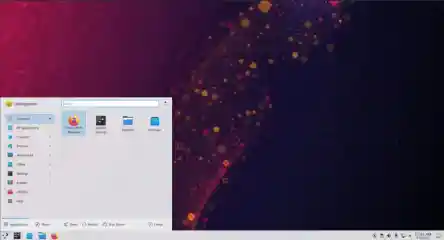
KDE Plasma 5.21 Review: A Potential Alternative to Windows Desktop
Could KDE Plasma 5.21 be the worthy Linux desktop to take on Windows? Here is a DebugPoint.com review of the recently released KDE Plasma 5.21. . Every KDE Plasma desktop release brings ‘real’ features. Not just bug fixes and minor updates here and there across desktops. The changes overall cater to look-n-feel, customizations, core module updates, new features, and performance boost. This review is based on the KDE Neon stable edition which features the KDE Plasma 5.21 desktop. If you want to experience real KDE Plasma, it is recommended that you use KDE Neon. Alternatively, you can separately install it in Arch Linux as well . The link for this article located at DebugPoint.com is no longer available. . Examine the characteristics of KDE Plasma 5.21 and assess its performance in comparison to Windows. Delve into our analysis for detailed observations.. KDE Plasma 5.21, Linux Desktop Review, User Experience, KDE Features. . LinuxSecurity.com Team
Mar 18, 2021
•
Vendors/Products
79
 security toolopen-sourcecommunity edition
Metasploit Community Edition: New User-Friendly Pen Testing Tool
Two years after Rapid7 acquired the Metasploit Project, the company has rolled out a free and more user-friendly version of the open-source tool that is aimed at less technical users. . The new Metasploit Community Edition is a combination of the popular open-source Metasploit Framework and a basic version of the user interface of Rapid7's Metasploit Pro commercial product. HD Moore, Rapid7's CSO and chief architect for Metasploit, says the free pen-testing tool features a new user interface and automation of tasks to make penetration testing more approachable for organizations and users not necessarily versed in penetration testing. There's a growing number of organizations that want to get started with pen testing, either for compliance reasons or just to test it out, he says. The link for this article located at Dark Reading is no longer available. . Discover the intuitive Metasploit Community Edition designed for straightforward penetration testing. This platform makes security assessments accessible for beginners and experts alike.. Metasploit Community Edition, Pen Testing, Open Source Tool. . LinuxSecurity.com Team
Oct 24, 2011
•
Security Projects
78
server managementcritical infrastructureuser interfaceComodo's Zero Touch Linux Initiative: Enhancing Usability for Businesses
Comodo, a leading provider of critical infrastructure solutions, has identified lack of usability as the critical hurdle standing between Linux and total back office server domination. . New Jersey. 15th March 2005. Comodo, a leading provider of critical infrastructure solutions, has identified lack of usability as the critical hurdle standing between Linux and total back office server domination. Their response, the Zero Touch Linuxä project is a strategy designed to encourage open source adoption amongst businesses by removing the complexity usually associated with Linux server management and configuration. Comodo leverage a suite of highly intuitive user interfaces across a range of server applications on top of their secure Linux operating system, Trustixä OS. “We need to live in a Zero Touch world if Linux and the open source model is to displace proprietary software in corporate back office infrastructures,. Uncover the ways in which Comodo's Zero Touch Linux initiative seeks to improve user experience and foster Linux integration in corporate environments.. Linux Usability, Open Source Adoption, Server Management Solutions. . LinuxSecurity.com Team
Mar 16, 2005
•
Vendors/Products
78
data analysisnetwork managementdevice supportNetwork Intelligence EnVision 2.1: Enhanced Security Oversight and Insight
Improved User Interface Enables Centralized View of Global Network Security; Minimizes Time and Effort Associated with Managing Multiple Networks . . .. Improved User Interface Enables Centralized View of Global Network Security; Minimizes Time and Effort Associated with Managing Multiple Networks Network Intelligence(TM) Corp., the leader in appliance-based security event management (SEM), today announced the release of enVision(TM) 2.1, the newest version of the company's SEM software, which increases its capabilities with the introduction of an intelligent security awareness window (ISAW); asset correlation; built-in correlation rules; enhanced management filtering, bulk modification and inventory reports; and new device support. These new features enable faster and more efficient network and security device management, giving network administrators the ability to conduct deeper analysis of distributed data and providing the means to better protect their networks from potential security breaches. The link for this article located at TMCNet is no longer available. . Upgraded platform elevates worldwide cybersecurity control performance; discover enVision 2.1 functionalities and advantages.. Network Management, Security Analysis, Data Correlation, Real-Time Monitoring. . LinuxSecurity.com Team
Oct 04, 2004
•
Vendors/Products

Get the latest News and Insights
Get the latest Linux and open source security news straight to your inbox.
Community Poll
Should Linux servers automatically install security updates?
Trending News
Search Topics
Powered By

Linux Security - Your source for Top Linux News, Advisories, HOWTOs and Feature Releases
QUICK LINKS
subscribe to newsletters!
Like staying secure? So do we.
Sign up for updates, tips, and alerts!