Explore top 10 tips to secure your open-source projects now. Read More
×


Stay Ahead With Linux Security Features
 security advisory hardening
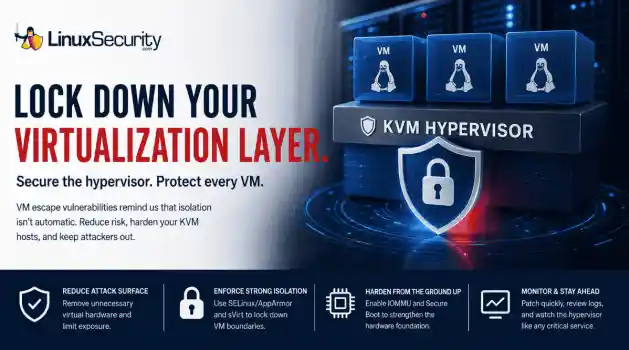
 A 16-year-old KVM vulnerability recently hit the news, and honestly? It’s a healthy dose of reality. We like to think of our hypervisors as these impenetrable walls, but this is a reminder that VM isolation isn't a permanent guarantee. Even in the most mature Linux virtualization stacks, you’ve got code paths that haven't been touched in over a decade, just waiting for the right researcher to pull on the wrong thread. For those of us running KVM hosts, this isn't just about grabbing the latest...
 Jul 07, 2026
 security advisory linux
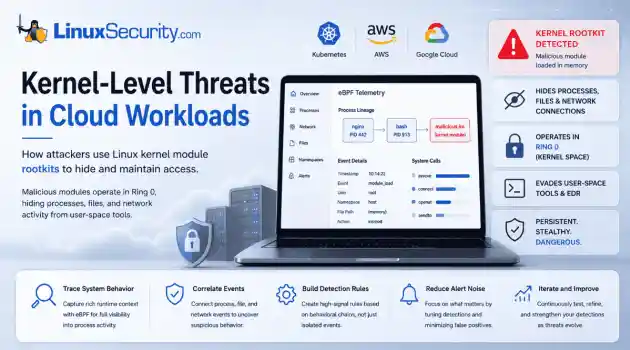
 If you think you know what’s running on your Linux host, you’re probably wrong. Not because you’re bad at your job—but because the kernel is lying to you. . I remember the first time I saw a kernel-level rootkit in the wild. We were debugging a performance spike on a cluster of web servers. Everything looked fine. top showed nominal CPU usage, ps listed the expected worker processes, and our security agent—a standard EDR tool—reported that the system integrity was "Green." But the network...
Jul 02, 2026
 network security threat detection
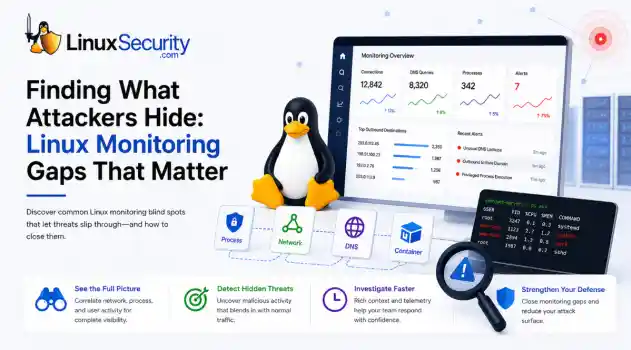
 If you’re relying on standard network logs to protect your Linux infrastructure, you’re flying blind. Most organizations believe they have network security monitoring because they’re capturing traffic, but they’re actually just collecting noise. Real security—the kind that stops an attacker—happens in the gaps between the network, the process, and the host. When an attacker breaches a Linux server, they rarely reach for a custom zero-day. They use what’s already there: curl, bash, python, or...
Jun 30, 2026
 unauthorized access security practices
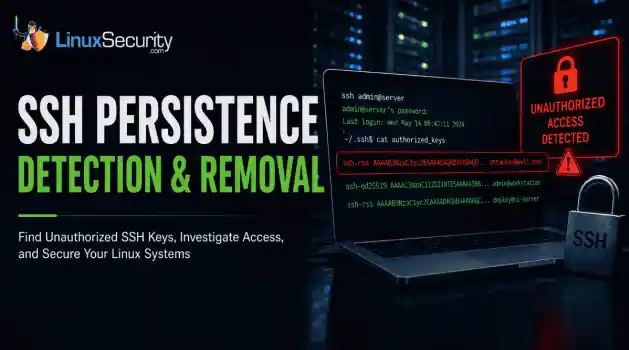
 SSH persistence usually does not look malicious at first. The login succeeds normally, the session opens cleanly, and the account already exists on the server, which is exactly why attackers continue using SSH keys after gaining a foothold on Linux systems. . Once a public key is added to authorized_keys , the server treats future access as trusted authentication. Attackers no longer need password resets or repeated exploit chains every time they reconnect because the server now accepts the...
Jun 26, 2026
 network security threat detection
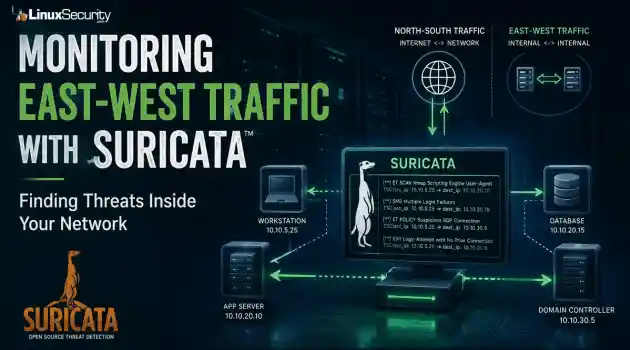
 Most security teams are locked into a perimeter-first mindset. They obsess over north-south traffic—the data hitting the edge—while ignoring the reality of the modern data center. Once an attacker gets a foothold, they don't stay at the edge. They pivot. They move laterally. That's the east-west traffic problem: the internal chatter between servers, microservices, and databases that we treat as "trusted" simply because it’s inside the fence. . Using Suricata for east-west monitoring isn't...
Jun 24, 2026
 Refine features
X Clear Filters
Get the latest News and Insights
Get the latest Linux and open source security news straight to your inbox.
Community Poll
Is application sandboxing truly safe?
Loading...
Explore Latest Linux Security features
We found -3 articles for you...
102
 security managementincident responseconfiguration management
Integrating Ansible Into Linux Security Management for Automation
The US government reported the OPM Breach, one of the country's greatest hacks, in 2015. Over 22 million past and present employees' personnel records were compromised by hackers believed to be based in China. According to experts, the consequences of such a large-scale breach may persist for almost 40 years. . Breaches like this are why many firms are starting to automate their cybersecurity operations. If institutions try to manually protect themselves against these attacks, the fight becomes man vs. machine, with the organization facing extremely bleak chances. In short, studies suggest that it could be prudent to let the machines fight it out regarding cybersecurity. Linus Torvalds and his colleagues created Linux in 1991 to manage several services in a computer system. This open-source system has proven helpful to cybersecurity professionals for its safety functions and customizability. Ansible, on the other hand, was developed to automate IT processes. We are happy to announce that when Linux’s defensive features combine with Ansible’s automation abilities, the result is a digital stronghold. Thus, to address everything from workflow optimization to security improvements, we’ll discuss four essential methods for integrating Ansible with Linux security administration. Integration With Artificial Intelligence For Enhanced Automation Whether interested in tech development or being a usual internet user, many of us already know that the Artificial Intelligence industry rides on a superpower. This power is its ability to transform the structures and procedures that have molded how things are done in all spheres of life. When it comes to security automation, AI has genuinely upped the game. Cybersecurity teams can increase insights, effectiveness, and economies of scale through artificial intelligence-driven automation. AI can be integrated with Linux and Ansible for command interpretation, anomaly detection, forecasting analytics, or even self-learning automation tasks. WhenAnsible and AI-driven monitoring tools are combined, abnormalities and performance problems can be proactively detected, allowing for automatic repair measures. Additionally, AI approaches can handle regulatory and security processes within Ansible automation workflows, improving threat detection, vulnerability assessment , and compliance inspections. You may not grasp the advantage of the automated workflow regarding security protection, but it’s more than necessary in the current age, when the human eye may not detect some patterns. A friend works in an IT company and recently shared his story about how their AI-powered anomaly detection system identified and eliminated a potential data breach in real time. This system integrates with its Linux-based infrastructure and Ansible automation workflows and continuously monitors network traffic and user behavior patterns. By leveraging advanced Machine Learning algorithms , it can quickly spot any deviations from the norm and trigger automatic containment measures. In this incident, the AI system detected an unusual spike in data transfers from a specific user account outside regular business hours. Within seconds, it flagged the activity as a potential threat and initiated a predefined incident response playbook through Ansible. Integration with Security Information and Event Management (SIEM) Systems Ansible's automation capabilities can seamlessly integrate with Security Information and Event Management (SIEM) systems to enhance an organization's security protection. SIEM systems are designed to collect, analyze, and correlate security events from various sources, providing a centralized view of an organization's security landscape. By integrating Ansible with SIEM systems, security teams can automate collecting and feeding relevant security data into the SIEM platform. For instance, Ansible playbooks can extract log files from Linux servers, network devices, and applications and transform and normalize the data before ingesting it intothe SIEM system. This automation saves time, reduces the risk of human error, and ensures that the SIEM system has access to comprehensive and up-to-date security data for analysis. Continuous Security Testing and Vulnerability Management It is not a secret that by integrating Ansible with security testing tools and vulnerability scanners, organizations can automate identifying and remediating security weaknesses in their systems and applications. For example, Ansible playbooks can schedule and execute regular vulnerability scans across the Linux infrastructure using popular tools such as Nessus or OpenVAS , which can identify known vulnerabilities, misconfigurations, and outdated software versions. Once the scans are complete, Ansible can automatically show the results and generate in-detail reports highlighting the identified vulnerabilities and their levels. Furthermore, Ansible can implement security testing in the software development lifecycle (SDLC) . Security tests can be automatically executed whenever new code changes are pushed by integrating Ansible with continuous integration and continuous deployment (CI/CD) pipelines. This allows for early detection and remediation of security issues before they enter production environments. By embracing continuous security testing and vulnerability management with Ansible, organizations can proactively identify and address security weaknesses, ensuring their Linux systems remain secure and resilient against evolving cyber threats. Secure Configuration Management Let’s say you have dozens or even hundreds of Linux servers, each needing to be configured with the same security settings. Keeping track of all those configurations manually would be a nightmare, and you would definitely need a flexible management system. Ansible lets you define reusable instructions, called playbooks, that specify the desired security settings for your Linux systems. It can include password complexity requirements, file permissions restricting access, andnetwork configurations blocking unauthorized connections. By running these playbooks across all your servers, Ansible ensures that all systems have the same secure configuration, eliminating any inconsistencies that attackers could exploit, which is an intuitive functionality I love the most. One of the most powerful things about Ansible, in terms of flexibility and intuitiveness, is that it guarantees the desired state of your systems. Even if someone accidentally changes a server's configuration, it can detect and automatically fix the difference to match your defined secure configuration. This ensures that your systems stay secure, even in the face of human error. By using Ansible for secure configuration management and hardening, you can lay a solid foundation for the security of your Linux environment. This proactive approach helps prevent security breaches, reduces the risk of unauthorized access, and ensures your systems comply with industry best practices and regulations. Incident Response and Forensic Analysis Automation Imagine a security crisis - alarms blaring and time ticking. You need to act fast and find a solution. This is where the role of automated solutions seems priceless for security teams. To explain how this process works, let’s start by saying that a tool like Ansible can be programmed to jump into action when a security threat is detected. It can automatically collect evidence for forensic analysis, such as system logs, network traffic, and even snapshots of the affected devices' memory and hard drives. Ansible securely stores this evidence in a central location, ensuring it stays tamper-proof and can be used for later investigation. Ansible can also be your secret weapon for analyzing the evidence. It can run specialized programs to recover deleted files, identify suspicious processes, or even analyze network traffic for unusual activity. By automating these tasks, Ansible helps security teams quickly understand what happened and reconstruct the timeline of theattack. But it doesn't stop there. Ansible can also automate steps to contain and eliminate the threat. Once the culprit is identified, it isolates compromised systems, blocks malicious connections, and patches vulnerabilities to prevent further attacks. This automation ensures a fast and consistent response, minimizing the damage caused by the incident. I love that Ansible can even improve communication and collaboration during a crisis. By connecting with platforms like Slack or Teams, it can automatically notify the right people, keep everyone updated on the situation, and share critical information throughout the incident response process. This ensures everyone is on the same page and can work together effectively. Patch Management Patch management is the systematic process of identifying and fixing security flaws in an organization by applying updates to various technology systems. It is crucial as it helps companies maintain network security and lower cyber risk by fixing vulnerabilities in sensitive assets. You might not understand how tedious this process can be, especially when done manually until you ask IT Admins, who tell you it can take entire weekends. The good news is that Ansible playbooks can speed up the process and help you check for bugs and other threats. At the end of the day, it is a win-win situation for everyone: Patches are fixed, system engineers do not have to do those tedious installations, and the business’s data is protected. Configuration Management Here is your 101 guide to server configuration management with Ansible. Since its provisioning scripts are written in YAML , Ansible is a simple IT automation tool with an easy user experience. Numerous integrated modules allow you to simplify chores such as dealing with templates and updating applications. Its easily understandable vocabulary and streamlined system requirements make it a suitable option for newbies in configuration management. As of now, you can see how Ansible is a simple tool with alot of power. With modules, you can handle many configuration management responsibilities; all you need is SSH access to the host. You have the option to use arbitrary commands in situations where a module is unable to accomplish the task at hand. However, playbooks are where Ansible shines. You can specify system settings and plan installations using playbooks, a configuration management tool. Compliance Monitoring Tasks related to compliance monitoring can also be automated using Ansible in conjunction with security monitoring technologies. Monitoring compliance entails comparing system configurations to industry standards and legal requirements. By automating compliance monitoring tasks, organizations can guarantee they are fulfilling compliance responsibilities and spot possible security vulnerabilities. More specifically, Ansible can be used to check Linux system configurations and report on compliance status. Our Final Thoughts on Integrating Linux Security Automation With Ansible Combining Ansible with Linux security automation is a strong way to improve system security, speed up tedious administrative tasks, and guarantee system design. By using Ansible's powerful automation features, organizations can set compliance standards, automate repetitive operations, adopt preventive safety precautions, and act promptly regarding safety concerns. Implementing the abovementioned methods can help teams improve their offensive strategy and reduce vulnerabilities. Integrating Ansible and Linux security automation offers an efficient and successful way to protect private information , strengthen infrastructure, and maintain operational stability, which will strengthen and sustain business operations. . Combining Ansible with Linux security enhances automation, regulatory adherence, and threat mitigation for robust safeguarding.. Ansible Automation, Linux Security, Security Workflow, Incident Response. . Brittany Day
 Jun 29, 2024
•
Jun 29, 2024
•
102
 network securityopen source softwareconfiguration management
Exploring SCC: An Exclusive Interview with Siem Korteweg Uncovered
In this interview we learn how the System Configuration Collector (SCC) project began, how the software works, why Siem chose to make it open source, and information on future developments.. Introduction : Have you ever noticed changes on your departmental server, but couldn't quite pinpoint what exactly happened? How many times have staff forgotten to make an entry in the log-book, or the entries made were not detailed enough? Administrators are faced with these problems on a day-by-day basis. The System Configuration Collector (SCC) project attempts to automate this process. Rather than depending on staff to keep accurate records, SCC enables a system to record all changes taking place. Additionally, the software has the functionality to send all configuration data to a central server so that it can be analyzed when needed. System Configuration Collector Project Website: LinuxSecurity.com : Please tell us about the SCC project and how it began. When did it start, and who are some of the key contributors? Siem Korteweg : In 2001 a younger colleague asked whether it was possible to automatically track the changes that were made to the configuration of a system. I told him that was impossible due to variable nature of the output of the commands we have to use to show the configuration of a system. Being a much younger colleague he accepted this answer. But I did not like to say it was "impossible" and it kept nagging me. I thought that when I could split the variable and fixed parts of the output of system commands, I would be able to track changes. I started a small, hobby project by collecting configuration data and preceding each line with "fix:" or "var:". After some time I was able to detect some changes made to configuration. But when a kernel parameter was changed, all I saw was a change from 128 to 256. I had to search in the snapshot to find out what part of theconfiguration had changed. Therefore I extended the fix-var classification with a hierarchy of keywords indicating the nature of the data. The development continued and the customer where I was developing the software, was wondering how to maintain this software without hiring me indefinitely. By that time I realized that this software also could/should be used by others. I talked to the manager of the customer and to the manager of the company I am working for and suggested to make SCC a GPL project. They both agreed and from then on, SCC was an Open Source project. To extend the collection of configuration data I looked at the code of cfg2html and check.sh (HP specific) and the FAQ's of several newsgroups. At the customer site where I started developing SCC, we deployed the software on some 300 systems. This gave us a great opportunity to tune the "fixed" and "variable" parts of the configuration to avoid unnecessary changes. The first versions of the software collected configuration data and converted the data and logbook to HTML on a per system basis. At the customer site, Bram Lous started to collect all snapshots and logbooks on a server and built the first version of the CGI-interface. Later on, Paul te Vaanholt contributed much for the HP OpenView modules. His main contribution is the analysis and conversion to SCC-format of the Operations Center database. A colleague Oscar Meijer wrote the Windows version of the SCC-client, based on WMI and WSH. The configuration of the data we are collecting on Windows systems still needs to be tuned. The software itself is stable, but it detects too many changes. The whole process of tuning what data is "fixed" and what data is "variable" takes quiet some time. LinuxSecurity.com : What is the most important benefit an administrator can get out of SCC? How can this improve the overall security of a network or host? Siem Korteweg : Each administrator should document his/her systems. We all know that, but we all lack time to do this properly. SCC automates the documentation process. For HP-UX systems SCC collects more than 95% of the configuration of the system is covered by SCC. For other system the percentage is somewhat lower at the moment. The logbooks and snapshots can assist administrators in finding the cause of an incident. Configuration changes can have unwanted side-effects (on other systems). By examining the logbooks for the changes during the last days/weeks an administrator might find the cause of an incident easier/faster. Another way of using the SCC-data to find the cause of an incident is to compare (parts of) the configuration of a system with a comparable system that does function correctly. Comparing the configuration of systems can also be used to assure that the systems in a cluster are consistent and identical. Do they run the same (versions of) software? Do they have the same kernel-configuration? It is also possible to check your security policies. Just check the snapshots on the server for the aspects of the policies. By default the server checks and signals accounts without a password. Another use of the SCC-data on the server is to quickly identify systems. After an advisory from Sun, I was able to identify within one minute the 100 systems that needed to be addressed out of a total of 600 systems. Because the selection was automated and because the collection of SCC-data was accurate and outdate, I did not miss a system. This obviously contributes to the safety of the network. LinuxSecurity.com : How difficult is it to get started? How long would it take for an administrator to get the system fully setup? Can you describe at a high level the steps necessary to setup SCC? Siem Korteweg : The easiest way tostart and get the feeling of the software is to install only the client part and keep the data and logbook on the client. Just create a simple cron-job after the installation of the client and you are finished. This way you are able to pilot the software before you deploy it more widely. The setup of the server takes some more steps. First you have to decide how to transport the SCC-data from the clients to the server. Supported mechanisms are email (optionally encrypted, using OpenSSL), scp, rcp and cp. Then setup the webserver to display the data. To achieve this, you have to indicate the path under the document-root and indicate the CGI-script of SCC. Then schedule a cron-job to transfer the SCC-data that is sent by the clients from the transfer-area to the website Finally all cronjobs of the clients have to be extended with the proper options to transfer the SCC-data to the scc-server. For several systems I recorded the entire process of configuring the server in logbooks. These logbooks are present at the website. For our HP-UX 11.i system: LinuxSecurity.com : What improvement would you like to make in the future? What direction is this project heading? Siem Korteweg : When running SCC on a system that uses clustering software, like MC ServiceGuard from HP, switching a "package" from one system to another, results in changes of the SCC-data for both systems involved in switching. We want to make the software cluster-aware by extracting the configuration data for each package and sending it separately to the scc-server. Another future extension is the collection of the configuration of network devices like routers and switches. LinuxSecurity.com : What advantage does SCC have over using a typical pen & paper log book for recording system changes? Siem Korteweg : It is automated, so it does not "forget" to record achange (supposing the changed attribute is part of the SCC-snapshot). It is not lazy (once you run it through cron). - The pen & paper logbook is a physical item that can only be at one place. Each admin of a group of systems can be at a different place, without access to the paper logbook. Suppose 7x24 systems, where the admins "follow the sun". - By consolidating all snapshots on a system with scc-srv, you obtain much data that can be searched automatically. This enables you to quickly identify the systems that need an update or to compare two systems when one of them does not function correctly. This is impossible with pen & paper. LinuxSecurity.com : What operating systems does SCC run on? What type of license is it under? Siem Korteweg : HP-UX, Solaris, AIX, Linux (RedHat, Suse, Gentoo). As the code of SCC only uses "standard" Unix tools, I think it runs on almost all Unix/Linux systems. The coverage of the configuration data depends on the OS. For example the coverage of HP-UX configuration is more than 90%. For other systems this will be less. The license is GPL. LinuxSecurity.com : If an administrator needs assistance setting up or configuring SCC is support available? If so, how can support be obtained? Siem Korteweg : Besides the documentation on our website, SCC comes with documentation and manual pages. We offer an implementation service, where a consultant visits a customer and installs the server and at most 5 clients and introduces the software to the admins of the customer. This is only feasible in the Netherlands. Otherwise, support via email is possible. When the requested support is more than a few simple questions, we have to agree upon payment. LinuxSecurity.com : How does SCC differ from other similar configuration collectors? What are some of the strengths and weaknesses of SCC? SiemKorteweg : SCC collects configuration data without formatting it immediately to HTML. Instead it prefixes each line of configuration data with fix/var and a hierarchical classification. This makes it easy to process the snapshots. The processing consists of comparing consecutive snapshots to generate the logbook, formatting the snapshot to HTML and comparing the snapshots of two systems to determine the differences. The philosophy of SCC is to collect data, not to judge its value or correctness. Stupid configuration errors in Apache/Samba are not detected in scc, this should be done at the server where all snapshots are collected. Some might question the value of all the data in the snapshots. It is true that a considerable part of the snapshots will never change during the lifetime of a system. Nevertheless this data is collected, just in case someone needs it sometimes. One commercial configuration collector works by allowing remote root-access to all clients from their server. This is not very security minded. I had security in mind when coding scc and scc-srv. A weakness of SCC is that I coded the classifications of all collected configuration data. This classification has to be used when an admin wants to view specific information. I decided to store cron configuration data under classification "software:cron:" and swap info under classification "system:swap:". Each user of SCC has to follow my intuition. Another weak point is that the clients are autonomous. The scc-srv can be DOSed by mailing much snapshots from seemingly different systems. Therefore, I suggest to install scc-srv only in a "trusted" network. Finally, scc has to do "reverse engineering" to collect for example the Apache configuration. Apache can be installed and configured in dozens of different locations. We have to determine the correct paths and files from the running processes. LinuxSecurity.com : How can the project benefit from the open source community? Siem Korteweg : The project can benefit from the open source community when admins use it and contribute their extensions. These extensions can be specific applications/hardware/OS they use or new features. At the moment some people already contribute knowledge of specific software. Feedback concerning the strong and weak aspects admins experience while they are using SCC, is also valuable. Area's for future extensions are SAN/NAS and network devices. I am looking for people and organisations that are willing to contribute in any way in these areas. LinuxSecurity.com : I wish to thank Siem, and other contributors to the System Configuration Collector project. We at LinuxSecurity.com would like to wish you the best of luck! . Introduction: Have you ever noticed changes on your departmental server, but couldn't quite pinpoint. interview, learn, system, configuration, collector, (scc), project, began, softw. . Brittany Day
Mar 25, 2004
•


Get the latest News and Insights
Get the latest Linux and open source security news straight to your inbox.
Community Poll
Is application sandboxing truly safe?
Search Topics
Powered By

Linux Security - Your source for Top Linux News, Advisories, HOWTOs and Feature Releases
QUICK LINKS
subscribe to newsletters!
Like staying secure? So do we.
Sign up for updates, tips, and alerts!